Product listing
Blender Auto Save Addon — Smart AutoSave+ Pro
By Hamayl Shahbaz ·
From $6.99
Listing details
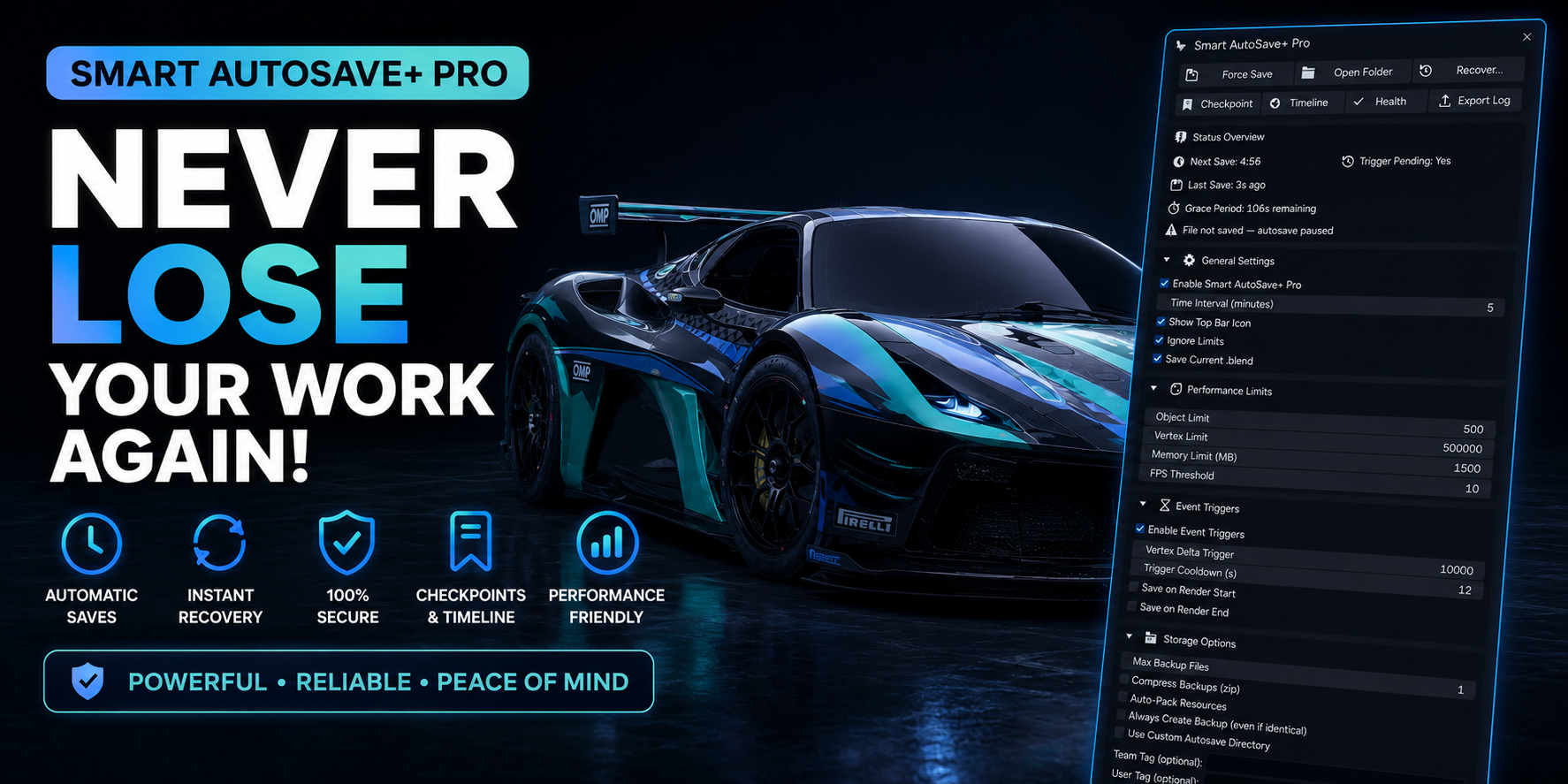
AutoSave+ Pro for Blender auto-saves your work with custom timers + crash detection. No more lost progress. Set it & forget it. Works after first save! 🔥
Categories
Tags
Installation
- Download Blender Auto Save Addon — Smart AutoSave+ Pro and check which Blender versions the creator supports. Keep the installable archive (for example,
Blender_Auto_Save_Addon_—_Smart_AutoSave+_Pro.zip) intact. If the download is a bundle, extract it first to find the add-on archive. - In Blender, go to Edit → Preferences → Add-ons. In Blender 4.2 and newer, open the top-right menu and choose Install from Disk. In older versions, click Install….
- Select the add-on archive (for example,
Blender_Auto_Save_Addon_—_Smart_AutoSave+_Pro.zip) or its standalone.pyfile and confirm the installation. - Find the add-on in the Add-ons list and tick its checkbox if it isn’t already enabled.
Check the creator’s instructions for any extra setup, such as dependencies or license activation.
Compare with other products
Choose a category to find products to compare with this listing.
Variants
-
Pro/Studio Tier published
Price: $17.99 · List price: $17.99
Variant versions
-
v8.8.1 published
Created Oct 31, 2026 · Published Oct 31, 2026
Release notes (source)
<p dir="ltr"><strong>v8.8.1 – Preferences & Timeline Update</strong></p><p dir="ltr"><strong>New</strong></p><ul dir="ltr"> <li>Search bar in Preferences. Find any setting instantly by name or keyword.</li> <li>Cleaner Preferences layout. Performance Limits, Triggers, and Thumbnails now have their own sections, with Expand All / Collapse All buttons.</li> <li>Render backups now show your actual rendered image as the thumbnail in the Timeline, along with the render engine and frame range.</li> </ul><p dir="ltr"><strong>Fixed</strong></p><ul dir="ltr"> <li>Backup thumbnails not appearing in Recent Autosaves and the Timeline, even when enabled.</li> <li>Animation renders creating a backup for every frame. You now get one backup per render.</li> <li>“Show Render Snapshot Details” had no effect.</li> <li>Version number in the panel showing the old version.</li> <li>Unsaved-file status message in the panel showing the wrong state.</li> </ul><p dir="ltr"><strong>Cleanup</strong></p><p> </p><ul dir="ltr"> <li>Removed a few unused leftover settings.</li></ul>
-
v8.8.0 published
Created Aug 31, 2026 · Published Aug 31, 2026
Release notes (source)
<p><i>🆕 What's New in <b>v8.8.0</b></i></p><p><b>🖼️ Fixed: Backup Thumbnails<br></b>Thumbnail capture could occasionally target the wrong viewport region (like the N-panel instead of the actual 3D viewport), leading to blank or black backup previews in some layouts. Now correctly locks onto the 3D viewport canvas every time.</p><p><b>🛡️ Fixed: Viewport Settings Could Get Stuck<br></b>If thumbnail generation was interrupted, your viewport shading and render resolution could stay altered instead of reverting. Now guaranteed to restore your original settings, even if a capture fails.</p><p><b>⏱️ Fixed: Inactivity Autosave Timing<br></b>If your Autosave Interval was set longer than your Inactivity timeout, inactivity-based saves could be blocked from ever firing as configured. Inactivity autosave now works independently and fires exactly when it should.</p><p><b>📁 Fixed: Unsaved File Backup Naming<br></b>Backups from different unsaved (never-saved) Blender sessions could occasionally share the same identifier and get mixed together. Each session now gets its own unique backup identity.</p>
-
v8.7.4 published
Created Jul 20, 2026 · Published Jul 20, 2026
Release notes (source)
<p class="font-claude-response-body break-words whitespace-normal" dir="auto"><strong>🆕 What's New in v8.7.4</strong></p><p class="font-claude-response-body break-words whitespace-normal" dir="auto"><strong>🚨 Crash Detection & Smart Recovery</strong><br> AutoSave+ Pro now detects when your last Blender session ended unexpectedly — a crash, force-quit, or unclean shutdown — and shows a dedicated recovery message on your next launch, separate from the regular "newer backup found" notice. No more guessing whether that backup is from a routine save or an actual crash.</p><p> </p><p class="font-claude-response-body break-words whitespace-normal" dir="auto"><strong>🔧 Fixed: "Show Recovery Dialog on Load" preference</strong><br> This setting was being silently ignored due to a preference-reference bug — disabling it had no effect. It's now fully respected in both directions.</p>
-
-
Basic Tier published
Price: $6.99 · List price: $6.99
Variant versions
-
v7.3.0 published
Created Sep 17, 2026 · Published Sep 17, 2026
Release notes (source)
<p><b>Smart AutoSave+ Pro (Basic Tier) - v7.3.0 Release Notes</b></p><ul><li><b>Studio-Style N-Panel:</b> Redesigned sidebar layout with structured settings groups and larger action buttons.<br><br></li><li><b>Status Overview:</b> Added live countdown to next save, relative timestamp for last save, and edit-detection status.<br><br></li><li><b>Open in New Window:</b> Open backups in a separate Blender window without closing your active working file.<br><br></li><li><b>Delete Backups in Blender:</b> Permanently delete unwanted backups directly from the panel with a confirmation prompt.<br><br></li><li><b>Upgrade Discount:</b> Integrated code "upgstd20" with a one-click copy button for discounts on the Studio license.<br><br></li><li><b>Blender Compatibility:</b> Full support for Blender 2.80 to 4.2+ (includes both Legacy Add-on and Modern Extension packages).</li></ul>
-
-
Team License disabled
Price: $29.99 · List price: $29.99
Variant versions
-
v8.8.0 published
Created Aug 31, 2026 · Published Aug 31, 2026
Release notes (source)
<p><i>🆕 What's New in <b>v8.8.0</b></i></p><p><b>🖼️ Fixed: Backup Thumbnails<br></b>Thumbnail capture could occasionally target the wrong viewport region (like the N-panel instead of the actual 3D viewport), leading to blank or black backup previews in some layouts. Now correctly locks onto the 3D viewport canvas every time.</p><p><b>🛡️ Fixed: Viewport Settings Could Get Stuck<br></b>If thumbnail generation was interrupted, your viewport shading and render resolution could stay altered instead of reverting. Now guaranteed to restore your original settings, even if a capture fails.</p><p><b>⏱️ Fixed: Inactivity Autosave Timing<br></b>If your Autosave Interval was set longer than your Inactivity timeout, inactivity-based saves could be blocked from ever firing as configured. Inactivity autosave now works independently and fires exactly when it should.</p><p><b>📁 Fixed: Unsaved File Backup Naming<br></b>Backups from different unsaved (never-saved) Blender sessions could occasionally share the same identifier and get mixed. Each session now gets its own unique backup identity.</p>
-
v8.7.4 published
Created Jul 20, 2026 · Published Jul 20, 2026
Release notes (source)
<p class="font-claude-response-body break-words whitespace-normal" dir="auto"><strong>🆕 What's New in v8.7.4</strong></p><p class="font-claude-response-body break-words whitespace-normal" dir="auto"><strong>🚨 Crash Detection & Smart Recovery</strong><br> AutoSave+ Pro now detects when your last Blender session ended unexpectedly — a crash, force-quit, or unclean shutdown — and shows a dedicated recovery message on your next launch, separate from the regular "newer backup found" notice. No more guessing whether that backup is from a routine save or an actual crash.</p><p> </p><p class="font-claude-response-body break-words whitespace-normal" dir="auto"><strong>🔧 Fixed: "Show Recovery Dialog on Load" preference</strong><br> This setting was being silently ignored due to a preference-reference bug — disabling it had no effect. It's now fully respected in both directions.</p>
-
-
Basic Tier (Bundle) unlisted
Price: $6.99 · List price: $6.99
-
Lite disabled
Price: $1.00 · List price: $1.00
Variant versions
-
v1.0.0 published
Created Oct 24, 2026 · Published Oct 24, 2026
Release notes (source)
<p>Not sure yet? Try Smart AutoSave+ Lite for free (use the coupon or grab it from GitHub). Timed autosave, one-click backup, quick access to your backup folder, and the last 3 backups kept for you.</p>
-