Product listing
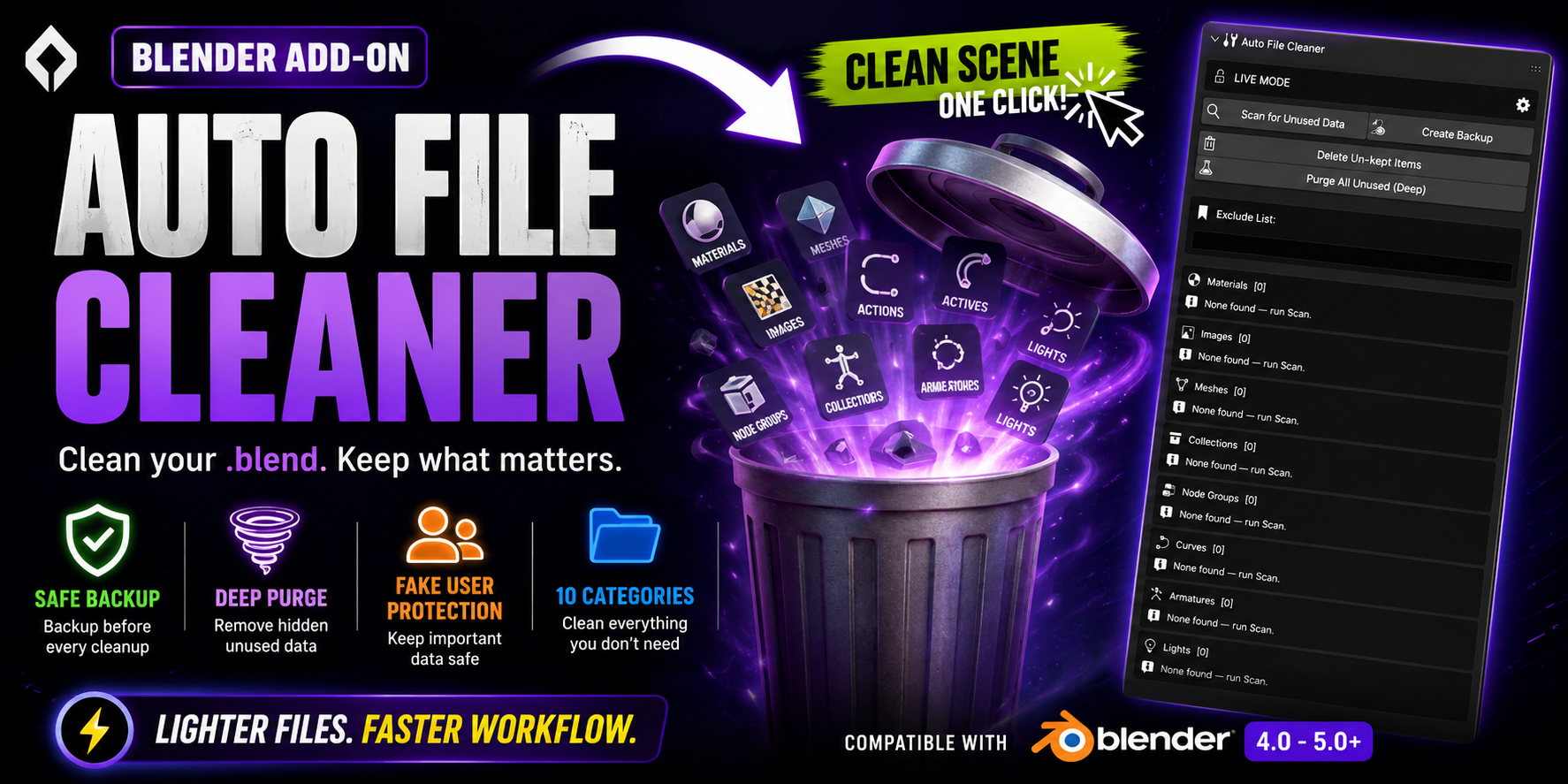
Auto File Cleaner - Remove Unused Materials, Images & Meshes | Blender 4.0–5.0+
By Hamayl Shahbaz ·
$3.99
List price: $3.99
Listing details
Categories
Tags
Installation
- Download Auto File Cleaner - Remove Unused Materials, Images & Meshes | Blender 4.0–5.0+ and check which Blender versions the creator supports. Keep the installable archive (for example,
Auto_File_Cleaner_-_Remove_Unused_Materials,_Images_&_Meshes_|_Blender_4.0–5.0+.zip) intact. If the download is a bundle, extract it first to find the add-on archive. - In Blender, go to Edit → Preferences → Add-ons. In Blender 4.2 and newer, open the top-right menu and choose Install from Disk. In older versions, click Install….
- Select the add-on archive (for example,
Auto_File_Cleaner_-_Remove_Unused_Materials,_Images_&_Meshes_|_Blender_4.0–5.0+.zip) or its standalone.pyfile and confirm the installation. - Find the add-on in the Add-ons list and tick its checkbox if it isn’t already enabled.
Check the creator’s instructions for any extra setup, such as dependencies or license activation.
Compare with other products
Choose a category to find products to compare with this listing.
Product versions
-
v3.1.1 published
Created Sep 17, 2026 · Published Sep 17, 2026
Release notes (source)
<p dir="ltr"><strong>v3.1.1 — Bug Fixes & Stability</strong></p><p> </p><ul dir="ltr"> <li><strong>Fixed:</strong> Merging duplicate materials/images now actually removes the leftover duplicate. Previously, it looked like Merge didn't work, and the same group kept reappearing after a rescan.<br><br></li> <li><strong>Improved:</strong> Duplicate detection is now much more accurate — materials with the same node count but different colors/setups are no longer falsely flagged as duplicates, and generated/blank images no longer get grouped incorrectly. (Still recommend reviewing a duplicate group before merging — detection is safer now, not 100% foolproof.)<br><br></li> <li><strong>Fixed:</strong> Linked library materials/images are now fully excluded from duplicate scanning, preventing errors when trying to merge them.<br><br></li> <li><strong>Fixed:</strong> Backup restore was broken for most users — it now reliably finds and restores the correct backup file instead of guessing based on timestamps.<br><br></li> <li><strong>Fixed:</strong> Manual backups (via the Backup Now button) can now be restored — previously only automatic backups were restorable.<br><br></li> <li><strong>Fixed:</strong> Reported "freed space" after cleanup is now much more accurate for meshes and images, instead of showing near-zero values.<br><br></li> <li><strong>Improved:</strong> Panel UI no longer causes viewport stutter on projects with a large cleanup history.<br><br></li> <li>Added missing LICENSE.txt for extension compliance.</li></ul>
-
v3.1 published
Created Aug 12, 2026 · Published Aug 12, 2026
Release notes (source)
<p class="font-claude-response-body break-words whitespace-normal" dir="ltr"><strong>v3.1 — What's New</strong></p><p> </p><ul dir="ltr" class="[li_&]:mb-0 [li_&]:mt-1 [li_&]:gap-1 [&:not(:last-child)_ul]:pb-1 [&:not(:last-child)_ol]:pb-1 list-disc flex flex-col gap-1 pl-8 mb-3 print:block print:space-y-1"> <li class="font-claude-response-body whitespace-normal break-words pl-2"><strong>Merge & Remap Duplicates</strong> — new "Merge" button on flagged duplicate groups. Instead of just showing you the dupes, Auto File Cleaner now remaps every user of the duplicate materials/images onto one kept copy, then Purge can clean up the leftovers. Gated by Safe Mode + auto-backup, same as every destructive action.</li> <li class="font-claude-response-body whitespace-normal break-words pl-2"><strong>Restore Last Backup</strong> — one-click restore of your most recent automatic backup, right from the panel. No more digging through folders after a cleanup you regret.</li> <li class="font-claude-response-body whitespace-normal break-words pl-2"><strong>Per-Category Freed-Space Breakdown</strong> — after a Delete/Purge/Quick Clean, see exactly where space was freed (e.g., Images: 180MB, Materials: 12MB) instead of one lump number.</li> <li class="font-claude-response-body whitespace-normal break-words pl-2"><strong>Missing Textures Detector</strong> — new scan flags external image files whose file path no longer resolves on disk, so broken links get caught before they turn into a "why is this pink" render surprise.</li> <li class="font-claude-response-body whitespace-normal break-words pl-2"><strong>License headers standardized</strong> across all files; links added (Portfolio, Superhive, GitHub).</li></ul>
-
v2 published
Created Aug 12, 2026 · Published Aug 12, 2026
Release notes (source)
<p><br></p>
-
v3 published
Created Aug 12, 2026 · Published Aug 12, 2026
Release notes (source)
<p><br></p>