Product listing
Palette Manager Pro — Color Palette System for Blender
By Hamayl Shahbaz ·
From $4.99
Listing details
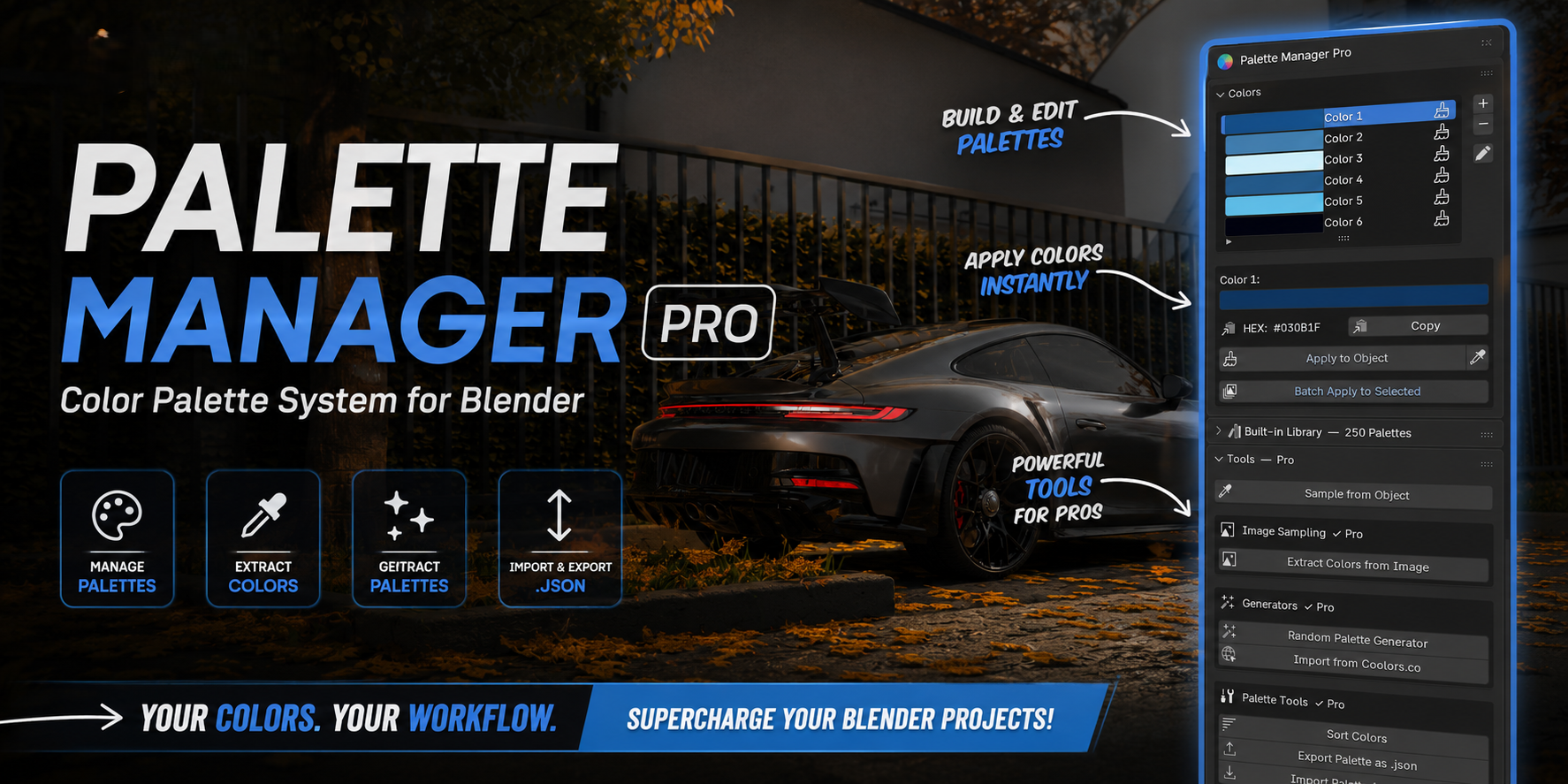
Stop re-entering hex codes every session. Palette Manager gives Blender artists a proper named color system — save, apply & carry palettes across every project. Free version on GitHub 🎨
Categories
Tags
Installation
- Download Palette Manager Pro — Color Palette System for Blender and check which Blender versions the creator supports. Keep the installable archive (for example,
Palette_Manager_Pro_—_Color_Palette_System_for_Blender.zip) intact. If the download is a bundle, extract it first to find the add-on archive. - In Blender, go to Edit → Preferences → Add-ons. In Blender 4.2 and newer, open the top-right menu and choose Install from Disk. In older versions, click Install….
- Select the add-on archive (for example,
Palette_Manager_Pro_—_Color_Palette_System_for_Blender.zip) or its standalone.pyfile and confirm the installation. - Find the add-on in the Add-ons list and tick its checkbox if it isn’t already enabled.
Check the creator’s instructions for any extra setup, such as dependencies or license activation.
Compare with other products
Choose a category to find products to compare with this listing.
Variants
-
💙Lite Tier published
Price: $4.99 · List price: $4.99
-
💜Pro Tier published
Price: $9.99 · List price: $9.99
Variant versions
-
v1.1.1 published
Created Aug 30, 2026 · Published Aug 30, 2026
Release notes (source)
<p>Verified compatibility with Blender 5.1 and 5.2 — no code changes required. Minor version bump for maintenance tracking.</p>
-
v1.1.0 published
Created Jul 21, 2026 · Published Jul 21, 2026
Release notes (source)
<p class="font-claude-response-body break-words whitespace-normal" dir="auto"><strong>🎨 Palette Manager Pro v1.1.0</strong></p><p class="font-claude-response-body break-words whitespace-normal" dir="auto">The biggest update yet — four new features focused on real production workflows.</p><p class="font-claude-response-body break-words whitespace-normal" dir="auto"><strong>🖌️ Import from Procreate (.swatches)</strong><br>
Bring your Procreate palettes straight into Blender. Supports both older and newer Procreate export formats automatically — no manual conversion needed.</p><p class="font-claude-response-body break-words whitespace-normal" dir="auto"><strong>🔗 Palette-Collection Memory <i>(Beta)</i></strong><br>
Palette Manager now remembers which palette you were using in each Collection. Switch between scenes or reopen a project, and it'll suggest the right palette automatically.</p><p class="font-claude-response-body break-words whitespace-normal" dir="auto"><strong>👁️ Hold-to-Preview Colors <i>(Beta)</i></strong><br>
Preview any color live on your object before committing — hold to preview, release to apply, right-click or Esc to cancel. No more blind apply-and-undo.</p><p class="font-claude-response-body break-words whitespace-normal" dir="auto"><strong>🎭 Palette Themes</strong><br>
Map different objects to different colors within the same palette, then re-apply your whole scene's color scheme in a single click. Perfect for recoloring multi-object scenes fast.</p><p>


</p><p class="font-claude-response-body break-words whitespace-normal" dir="auto">Thanks to everyone who sent feedback and feature requests; several pieces of this update came directly from real user suggestions.</p>
-
-
Pro Tier - Bundle unlisted
Price: $9.99 · List price: $9.99