Product listing
ZenMode: ZBrush-Style Sculpting for Blender
By Tito Belgrave ·
$19.00
List price: $19.00
Listing details
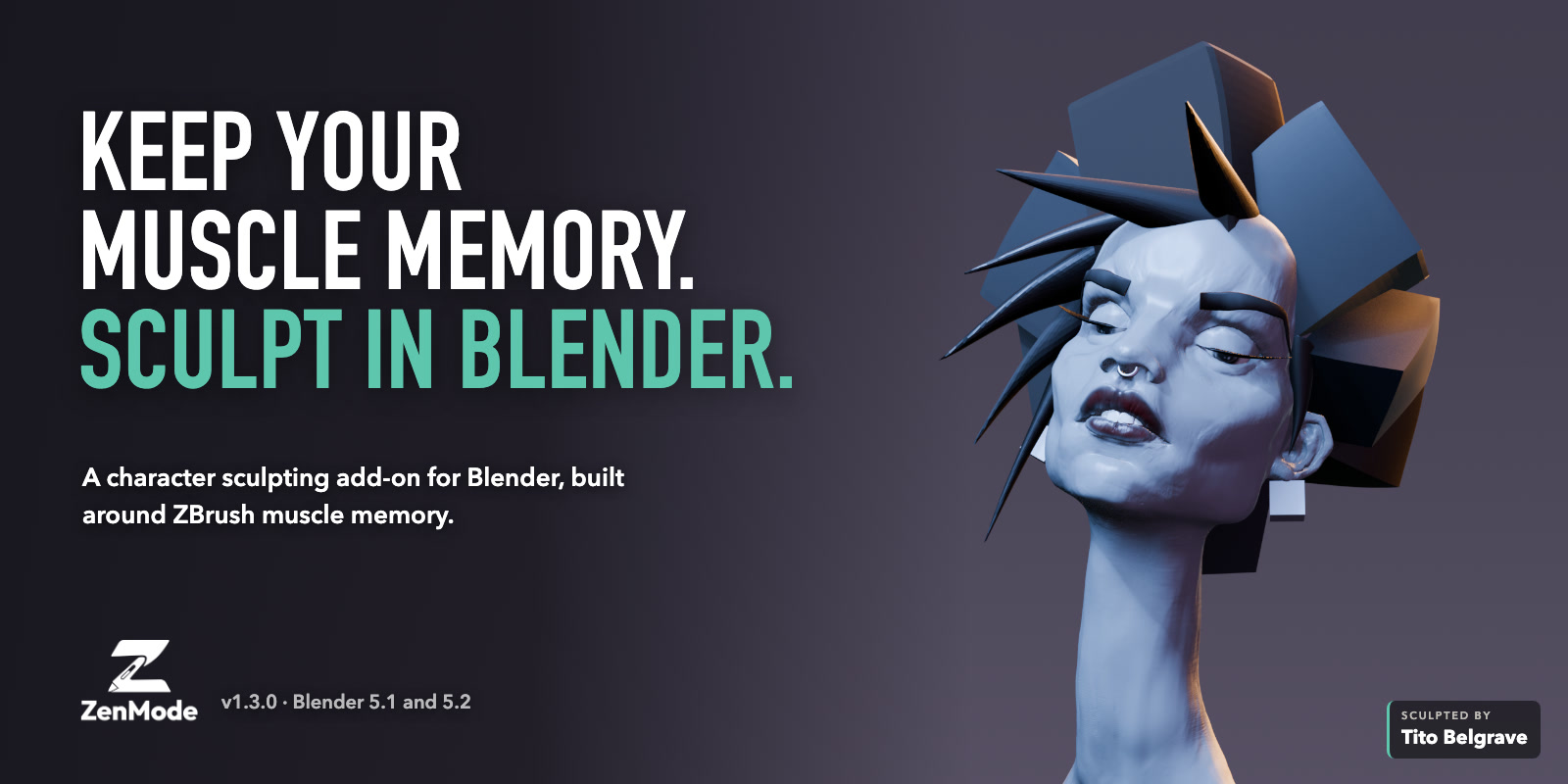
ZBrush-style character sculpting for Blender: dense Zen Levels, editable sculpt passes, posed symmetry, image alphas and mesh-colour painting. Use the tools from the sidebar or switch on the full ZenMode workflow.
Categories
Tags
Compare with other products
Choose a category to find products to compare with this listing.
Product versions
-
1.3.1 published
Created Oct 28, 2026 · Published Oct 28, 2026
Release notes (source)
<p>A quality-of-life update, shaped by your reports.</p><p><b>Quality of life</b></p><ul><li>Alpha Smooth, below alpha Strength: cleans up pixel and compression artifacts in your stamps. Zero uses the original image, and your source file is never changed.</li><li>Raised and Recessed beside alpha Strength: choose whether an alpha adds or cuts detail. Alt/Option flips it while you hold it.</li><li>Shift+Q opens the wheel for the panel you're in, with a back arrow to the main wheel.</li><li>ZenMode shortcuts have consistent names, so they're easy to find in Blender's keymap search. Your existing remaps are kept.</li><li>Tutorial Mode and the offline guide cover all of the above.</li></ul><p><b>Fixed</b></p><ul><li>Imported alphas stamp with their full detail straight away. No more flat disc until you restart Blender.</li><li>Undo no longer takes your last layer change with it. Layer actions and strength drags undo on their own, separate from your strokes. Press Escape during a layer strength drag to cancel it.</li><li>Layer strength comes back to your value. Recording runs at full strength, then restores your setting when you stop or switch layers.</li><li>With Sculpt on Layer off you can still orbit and pan, even when the sculpt fills the view, and a reminder shows how to get back to sculpting.</li><li>Includes the VDM Undo repair: stamps keep their data through Undo, Redo and reopening files.</li></ul><p>Thanks to Corey (Jaidek) for the detailed reports behind most of these.</p><p>Still looking into a reported Object Mode crash on Windows with Blender 5.2.2. Seen it? Post in #bug-reports on Discord with your OS and Blender version.</p><p>To update: Preferences > Add-ons > Install from Disk, then choose the 1.3.1 zip.<br>Help, feedback and bug reports: https://discord.gg/FKnsD78wXz</p>
-
1.3.0 published
Created Oct 19, 2026 · Published Oct 19, 2026
Release notes (source)
<p>VDM stamps are here.</p><p><b>New</b></p><ul><li>VDM Stamps: stamp complete forms like ears, horns and noses, overhangs and all, in one drag. 23 starter stamps (CC0 eyes, ears, lips, noses and rock, plus original horns, primitives and fur tufts) in their own searchable browser with sphere previews. Stamp Strength and Rotation are in the panel, and masks protect the surface.</li><li>Make your own stamps: New Stamp Surface puts a separate grid next to your sculpt with the rim already masked. Sculpt a form, Save Stamp, and Return to Sculpt with it ready to use. Edit Stamp reopens it any time, and library or imported stamps open as an editable copy.</li><li>Import and export VDMs as Blender-compatible floating-point EXR maps.</li><li>The VDM wheel: Shift+Q with a stamp active opens the VDM actions, now with icons. The back arrow returns to the main wheel and keeps your stamp.</li><li>Polish Brush and Polish by Features in Sculpt > Stylize (experimental).</li><li>Set Pivot in Move mode: click the sculpt to place the pivot without moving any vertices.</li><li>Safe frame: a band around the viewport edge where you can always orbit, pan and zoom, even when the sculpt fills the view. Set its width in Settings > Camera Lens.</li></ul><p><b>Improved</b></p><ul><li>Undo or Redo straight after stamping no longer freezes Blender, and VDM stamps are kept through Undo, Redo and reopening files.</li><li>Canvas zoom follows Blender's Invert Zoom Direction preference.</li><li>Face Sets you show or hide yourself stay that way.</li><li>The panel, symmetry and strokes do less repeated work, and Auto Sym reuses its mirrored result while the sculpt is unchanged.</li><li>The panel shows the new ZenMode logo.</li></ul><p>To update: Preferences > Add-ons > Install from Disk, then choose the 1.3.0 zip.<br>Help, feedback and bug reports: <a href="https://discord.gg/FKnsD78wXz">https://discord.gg/FKnsD78wXz</a></p>
-
1.2.1 Hotfix published
Created Oct 7, 2026 · Published Oct 7, 2026
Release notes (source)
<p dir="ltr"><strong>ZenMode 1.2.1</strong></p><ul dir="ltr"><li>Fixed the Tools button next to ZenMode which didn't activate while the panel is docked. It now pops the panel out as a floating panel, the same as the docked panel's X. Thanks to Jaidek on Discord for the report.</li></ul>
-
1.2.0 unlisted
Created Oct 6, 2026 · Published Oct 6, 2026
Release notes (source)
<p>Fixes and polish from what you reported in the first two weeks. Thank you to everyone who sent a bug, a screenshot or a request.</p><p><b>Fixed</b></p><p>- Alphas activate again. Picking an alpha could fail with "Could not activate the alpha brush" in files that contained a paint brush, which is common in startup files carried over from older Blender. Fixed inside and outside ZenMode.</p><p>- Shortcuts you change in Preferences > Keymap are respected. A remapped key moves, so the old key stops working, and unticking an entry frees its key for another ZenMode command. Your edits survive ZenMode toggles and restarts. Brush radius (S) is now in the keymap as ZenMode Brush Radius.</p><p>- A brush cursor colour you pick is kept. ZenMode no longer resets it to yellow.</p><p>- A brow joined into other geometry, for example with Ctrl+J, is treated as a normal sculpt. It shades like the rest of the mesh and brow edits can no longer rebuild over it.</p><p>- Remesh Grid with a pen reaches the full 16 to 512 range from wherever you start the drag.</p><p><b>New</b></p><p>- Orbit Style in Settings > Camera Lens: Turntable (default) keeps the sculpt upright, Trackball rotates freely. Right-drag and empty-canvas drag share it.</p><p>- Move mode's gizmo follows the Orientation set in the Transform tool header (Global, Local, Normal, Gimbal, Parent, View or Cursor).</p><p>- Brush Picker Icon Size, 50% to 200%, in Settings > Display & Groups.</p><p>- Reset Panel Position in Settings > Display & Groups puts the floating panel back.</p><p><b>Improved</b></p><p>- Clay Buildup Smooth is about 3.5 times lighter per stroke on dense meshes. Untouched default copies in your files update automatically; customised copies are left alone.</p><p>- Panel sliders follow the pointer, and Backspace over a number resets it.</p><p>- The guide has a new "Change your shortcuts" section and more on Inserts: Embed depth, joining with Remesh, and how Dyntopo and subdivision levels are prepared.</p><p>To update: Preferences > Add-ons > Install from Disk, then choose zenmode-1.2.0.zip.</p><p>Help, feedback and bug reports: https://discord.gg/FKnsD78wXz</p>