Product listing
Zap Output — Render Path Toolkit (Free & Pro)
By SuHyoung Lee ·
From $1.00
Listing details
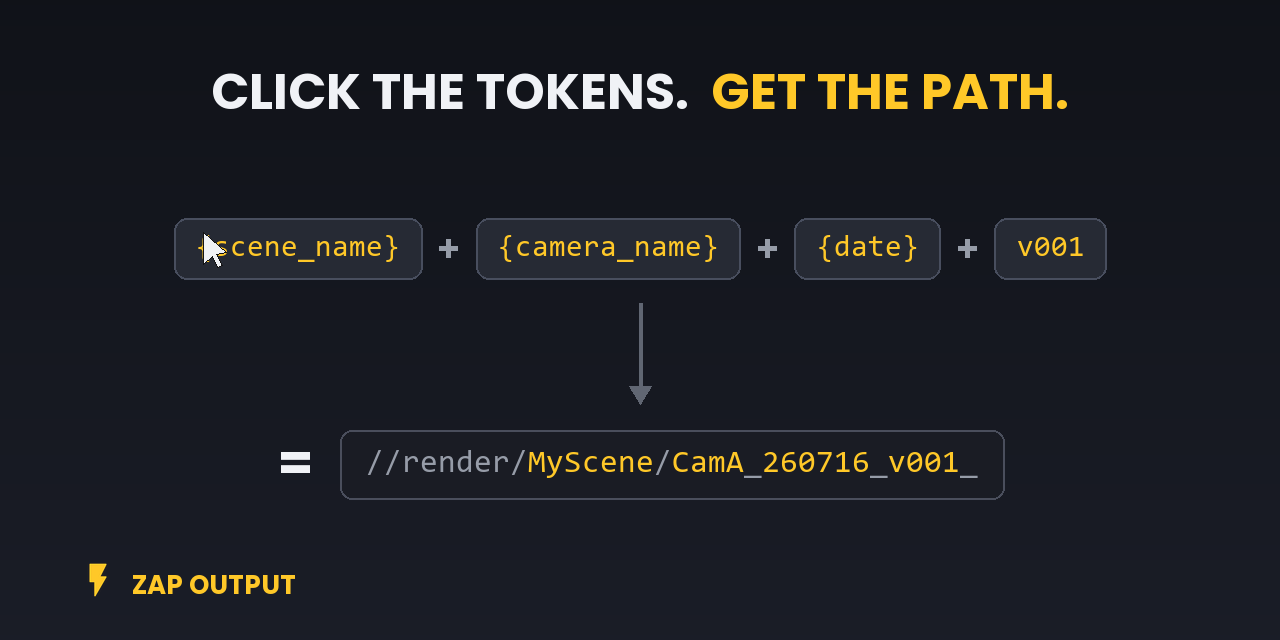
One-click render paths for Blender 5 — native tokens, version stamps, camera & pass folders. Fast updates, no lock-in.
Categories
Tags
Installation
- Download Zap Output — Render Path Toolkit (Free & Pro) and check which Blender versions the creator supports. Keep the installable archive (for example,
Zap_Output_—_Render_Path_Toolkit_(Free_&_Pro).zip) intact. If the download is a bundle, extract it first to find the add-on archive. - In Blender, go to Edit → Preferences → Add-ons. In Blender 4.2 and newer, open the top-right menu and choose Install from Disk. In older versions, click Install….
- Select the add-on archive (for example,
Zap_Output_—_Render_Path_Toolkit_(Free_&_Pro).zip) or its standalone.pyfile and confirm the installation. - Find the add-on in the Add-ons list and tick its checkbox if it isn’t already enabled.
Check the creator’s instructions for any extra setup, such as dependencies or license activation.
Compare with other products
Choose a category to find products to compare with this listing.
Variants
-
Zap_Output_Pro published
Price: $5.00 · List price: $5.00
Variant versions
-
1.1.0 published
Created Aug 6, 2026 · Published Aug 6, 2026
Release notes (source)
<p><b>1.1.0 — Report a Bug, plus a backlog of correctness fixes</b></p><p>Added a <b>Report a Bug</b> button (matches Zap Board) — opens a prefilled bug report form; the add-on itself makes no network call.</p><p>Fixed: Auto-Save could silently overwrite a finished render once every numbered backup name was taken — it now refuses instead of overwriting. Version Up’s occupancy check now scans the whole frame range instead of three sample frames, so it can no longer mistake an occupied version for a free one on longer sequences. Several further Version Up / Archive edge cases (folder names, unpadded versions, partial-failure reporting) are fixed as well.</p><p>No existing defaults changed — safe upgrade for 1.0.x customers.</p>
-
1.0.2 published
Created Jul 18, 2026 · Published Jul 18, 2026
Release notes (source)
<p>Fixed: Version Up no longer overwrites an existing take. The collision check only looked at frame 1, so a shot starting at 101 - or a version rendered under a different frame range - looked like empty disk. It now checks frame 1, the scene start frame and the current frame.</p><p>Added: Check for Updates in the add-on preferences.</p><p>Unchanged: Archive on Version Up.</p>
-
-
Zap_Output_Free published
Price: $1.00 · List price: $1.00
Variant versions
-
1.1.0 published
Created Aug 6, 2026 · Published Aug 6, 2026
Release notes (source)
<p><b>1.1.0 — Report a Bug, plus a backlog of correctness fixes</b></p><p>Added a <b>Report a Bug</b> button (matches Zap Board) — opens a prefilled bug report form; the add-on itself makes no network call.</p><p>Fixed: Auto-Save could silently overwrite a finished render once every numbered backup name was taken — it now refuses instead of overwriting. Version Up’s occupancy check now scans the whole frame range instead of three sample frames, so it can no longer mistake an occupied version for a free one on longer sequences. Several further Version Up / Archive edge cases (folder names, unpadded versions, partial-failure reporting) are fixed as well.</p><p>No existing defaults changed — safe upgrade for 1.0.x customers.</p>
-
1.0.2 published
Created Jul 18, 2026 · Published Jul 18, 2026
Release notes (source)
<p>Fixed: Version Up no longer overwrites an existing take. The collision check only looked at frame 1, so a shot starting at 101 - or a version rendered under a different frame range - looked like empty disk. It now checks frame 1, the scene start frame and the current frame.</p><p>Added: Check for Updates in the add-on preferences.</p><p>Unchanged: Archive on Version Up.</p>
-