Product listing
Viewport Object Finder - Instantly Find Any Object in Complex Scene
By Salman Naseem ·
$2.00
List price: $2.00
Listing details
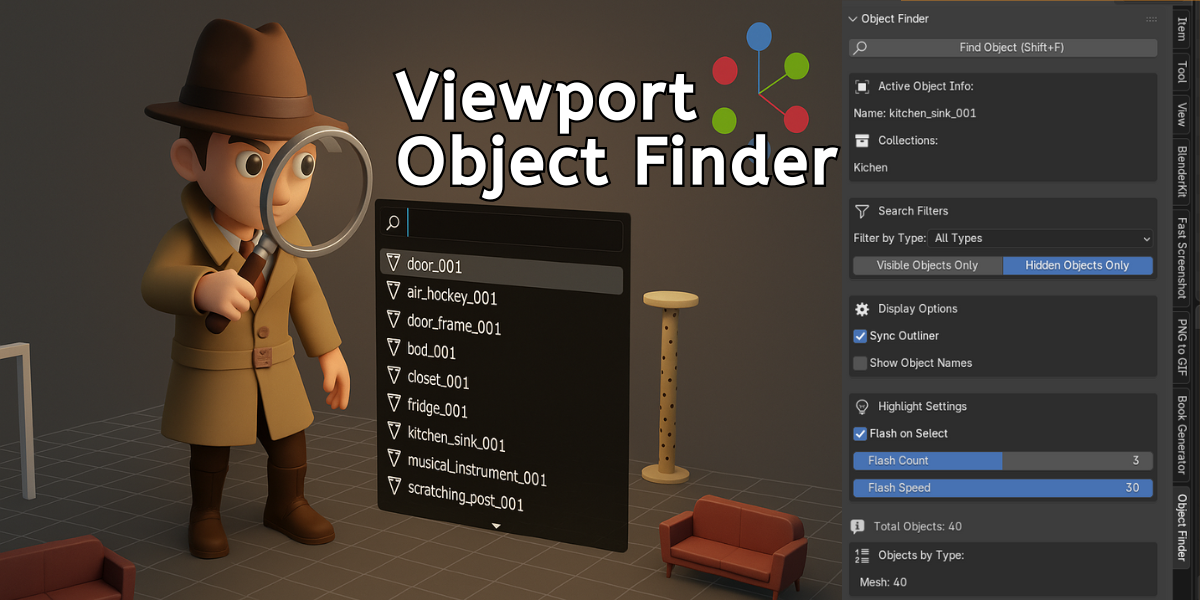
Lost objects in complex blender scenes? Find them instantly with live search, type/visibility filters, flash highlighting, and auto-sync to outliner.
Categories
Tags
Installation
- Download Viewport Object Finder - Instantly Find Any Object in Complex Scene and check which Blender versions the creator supports. Keep the installable archive (for example,
Viewport_Object_Finder_-_Instantly_Find_Any_Object_in_Complex_Scene.zip) intact. If the download is a bundle, extract it first to find the add-on archive. - In Blender, go to Edit → Preferences → Add-ons. In Blender 4.2 and newer, open the top-right menu and choose Install from Disk. In older versions, click Install….
- Select the add-on archive (for example,
Viewport_Object_Finder_-_Instantly_Find_Any_Object_in_Complex_Scene.zip) or its standalone.pyfile and confirm the installation. - Find the add-on in the Add-ons list and tick its checkbox if it isn’t already enabled.
Check the creator’s instructions for any extra setup, such as dependencies or license activation.
Compare with other products
Choose a category to find products to compare with this listing.
Product versions
-
Blender 5 published
Created Dec 12, 2025 · Published Dec 12, 2025
Release notes (source)
<h3 style="color: rgb(34, 34, 34); font-family: Arial, Helvetica, sans-serif;">All Working in Blender 5</h3><ul style="color: rgb(34, 34, 34); font-family: Arial, Helvetica, sans-serif; font-size: small;"><li style="margin-left: 15px;"><strong>Quick Search</strong>: Press Shift+F to search and select objects</li><li style="margin-left: 15px;"><strong>Smart Filters</strong>: Filter by type, visibility, or hidden status</li><li style="margin-left: 15px;"><strong>Flash Highlight</strong>: Visual feedback when selecting objects</li><li style="margin-left: 15px;"><strong>Outliner Sync</strong>: Auto-reveal objects in outliner</li><li style="margin-left: 15px;"><strong>Hierarchy Info</strong>: See parent-child relationships</li><li style="margin-left: 15px;"><strong>Object Stats</strong>: View object counts by type</li></ul>