Product listing
Texture Optimizer
By Mashud Rana ·
From $9.00
Listing details
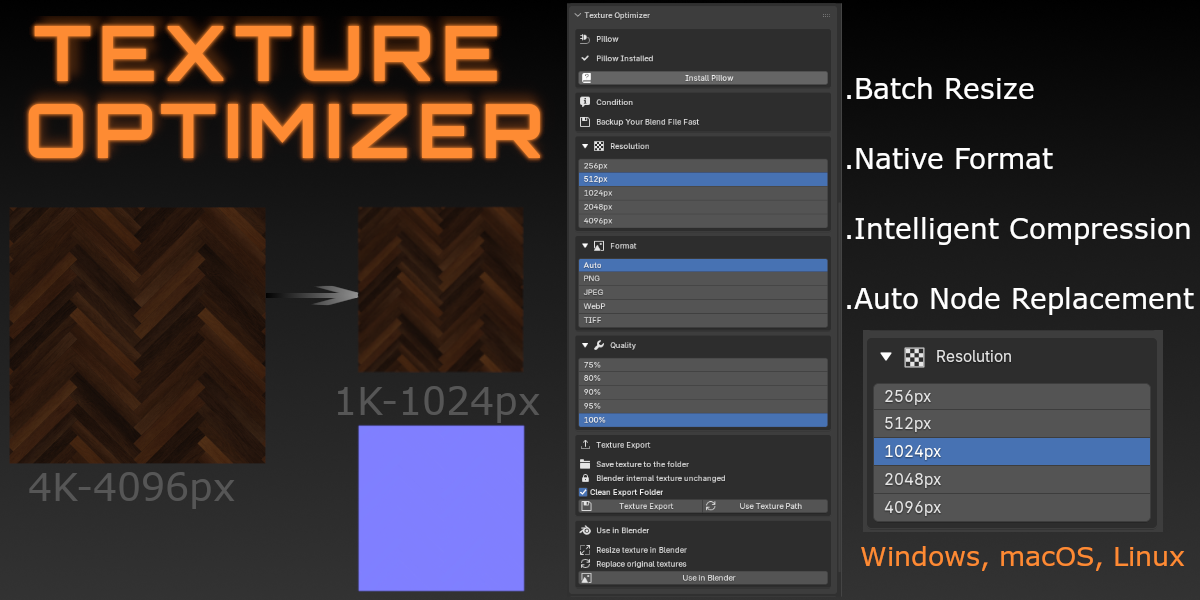
Optimize Blender textures in 1 click! Instantly downscale & compress heavy 4K/8K images, reduce VRAM usage, and auto-replace shader nodes seamlessly. Compatible with Blender 4.2 to 5.1+
Categories
Tags
Compare with other products
Choose a category to find products to compare with this listing.
Variants
-
Texture Optimizer Single User published
Price: $9.00 · List price: $9.00
Variant versions
-
texture_optimizer_1.0.1 published
Created Sep 29, 2026 · Published Sep 29, 2026
Release notes (source)
<p style="text-align:center;"><b>What's New in Version 1.0.1</b></p><hr><p style="text-align:left;">We are excited to announce <b>Texture Optimizer v1.0.1</b>! This update introduces powerful new workflows, advanced texture export capabilities, automated metadata cleaning, and new resolution scaling options to streamline your WebGL and rendering optimization pipeline.</p><p style="text-align:left;"><b></b></p><hr><h3>Key Highlights & New Features</h3><ul>
<li><p><b>One-Click Pill & Pillow Workflow:</b> Added a specialized one-click utility for quick material setup and texture preparation for soft-goods (pills, pillows, and fabric elements).</p></li>
<li><p><b>Flexible Export Targets:</b> Choose to export baked/optimized textures for either the <b>Selected Objects</b> only or <b>All Objects</b> in the scene simultaneously.</p></li>
<li><p><b>8K Resolution Downscaling:</b> Full support for processing <b>8K high-resolution textures</b> and converting them down to lower target resolutions (4K, 2K, 1K, etc.) for WebGL/interactive pipelines without quality loss.</p></li>
<li><p><b>Metadata Stripping & Privacy:</b> Automatically cleans exported image metadata by removing author details, creation dates, and software tags for a cleaner production pipeline.</p></li>
<li><p><b>Custom Output Folder & Auto-Clean:</b> Integrated custom export directory selection with a new <b>"Clean Export Folder"</b> toggle to wipe obsolete dynamic bake assets before exporting.</p></li>
<li><p><b>Restore Originals:</b> Added a quick <b>Restore Originals</b> button to instantly revert material nodes, texture assignments, and resolutions back to their pre-optimized state.<br><br><br></p></li>
</ul>
-