Product listing
La Candelaria Pro - Colonial Streets & Architecture
$39.00
List price: $39.00
Listing details
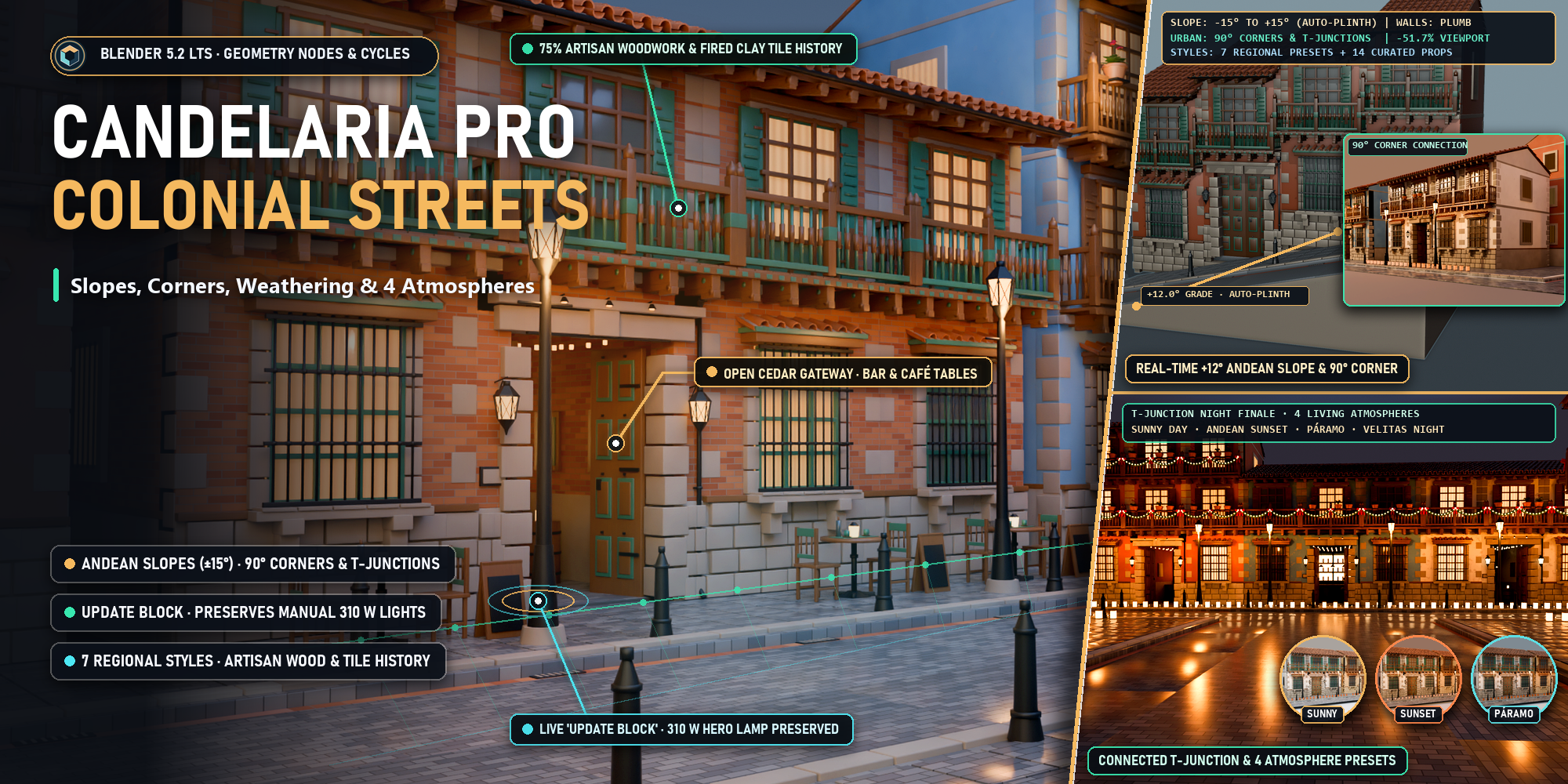
Build editable colonial houses and connected streets. Direct entrances, surface history and public lighting, with a lightweight viewport and full-detail renders.
Categories
Tags
Installation
- Download La Candelaria Pro - Colonial Streets & Architecture and check which Blender versions the creator supports. Keep the installable archive (for example,
La_Candelaria_Pro_-_Colonial_Streets_&_Architecture.zip) intact. If the download is a bundle, extract it first to find the add-on archive. - In Blender, go to Edit → Preferences → Add-ons. In Blender 4.2 and newer, open the top-right menu and choose Install from Disk. In older versions, click Install….
- Select the add-on archive (for example,
La_Candelaria_Pro_-_Colonial_Streets_&_Architecture.zip) or its standalone.pyfile and confirm the installation. - Find the add-on in the Add-ons list and tick its checkbox if it isn’t already enabled.
Check the creator’s instructions for any extra setup, such as dependencies or license activation.
Compare with other products
Choose a category to find products to compare with this listing.
Product versions
-
6.23.3 - EEVEE Window Lighting Fix published
Created Nov 8, 2026 · Published Nov 8, 2026
Release notes (source)
<p>Fixed windows remaining dark in EEVEE on houses using detailed material finishes. Cycles remains compatible, with the existing architectural controls, geometry and intended material appearance retained.</p><p><br></p><p>After installing the update and restarting Blender, open a copy of your existing project, select a procedural Candelaria house and click Update House in the main panel. Then apply Noche de Velitas and set Variation > Windows > Lit above 0. Use Rendered view or F12 to inspect the result in EEVEE or Cycles. Repeat the preparation for each scene you use.</p><p><br></p><p>New procedural houses are prepared automatically. Custom or externally shared shaders are preserved and reported; review any warning and those materials separately. The manual, tutorials and installation notes include the updated workflow.</p>
-
6.23.2 - Native Blender Extension published
Created Nov 7, 2026 · Published Nov 7, 2026
Release notes (source)
<p>Native Blender extension package with a validated manifest. Runtime version labels, preferences, translations and the bundled library use the extension namespace. Includes updated English PDFs and installation guidance.</p><p><br></p><p>Before upgrading: save your work, record any custom library path, disable the previous traditional La Candelaria Pro addon, then install La_Candelaria_Pro-6.23.2-Extension.zip through Preferences > Get Extensions > Install from Disk. Enable it, save Preferences and restart Blender. Never enable both installations together.</p><p><br></p><p>Verified on Windows / Blender 5.2.1 LTS: installed-package integrity, editing workflow, lightweight preview, library persistence, fresh-process reopen, Cycles CPU render, nine delivered scenes, legacy transition and rollback.</p><p><br></p><p>Existing scene geometry and settings are preserved. The six showcase scenes are unchanged and retain their 6.23.1 ZIP filename. Price and approved licenses are unchanged. This release does not add an automatic Superhive updater.</p>
-
6.23.1 - Traditional Add-on published
Created Nov 7, 2026 · Published Nov 7, 2026
Release notes (source)
<p>Original 6.23.1 traditional add-on package, retained for rollback and existing projects. Disable this installation before enabling the 6.23.2 native Blender extension. Includes the original English documentation and showcase scenes.</p>