Product listing
Kore Select (Advanced & Fast selection tools)
By KoreSo ·
$16.90
List price: $16.90
Listing details
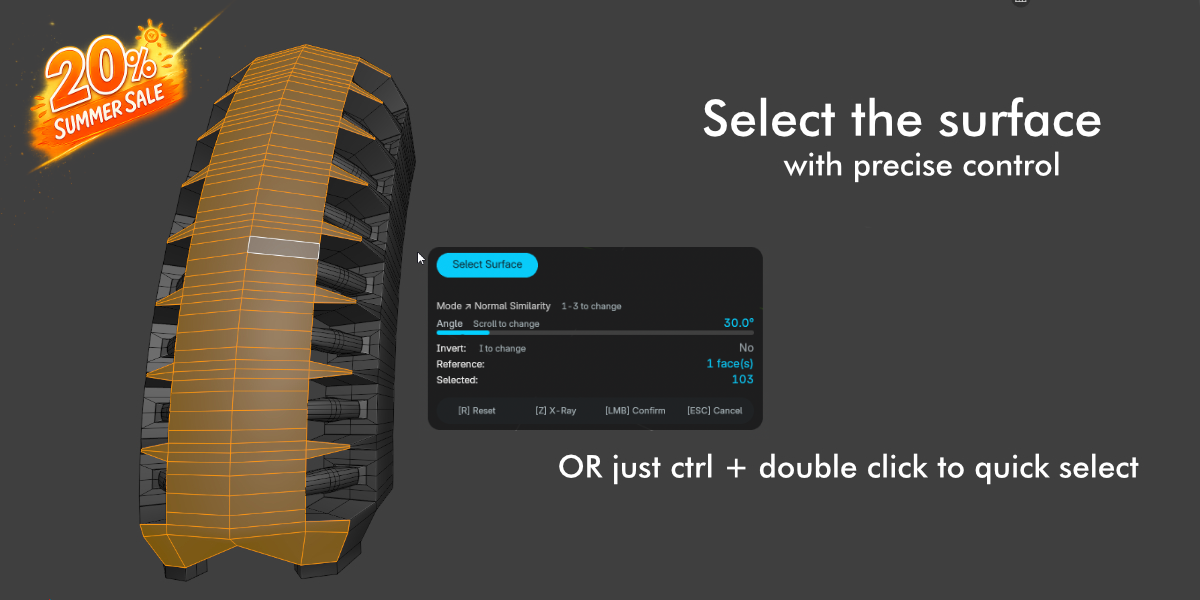
Stop clicking face by face. KoreSelect adds 30+ smart selection tools to Blender with live preview. Hover, scroll, done.
Categories
Tags
Compare with other products
Choose a category to find products to compare with this listing.
Product versions
-
1.4.1 published
Created Oct 7, 2026 · Published Oct 7, 2026
Release notes (source)
<ul>
<li>Faster on dense meshes and large scenes (Similar Shape, Select Linked, Nth Select, UV tools)</li>
<li>Saved selections: tick several groups to delete them at once, and combine Vertex, Edge and Face groups in Edit Mode</li>
<li>Boolean now works with groups saved in any select mode</li>
<li>Undo now works properly after deleting or clearing groups on meshes shared by many objects</li>
<li>Grow/Shrink selects and undoes one full layer at a time, and cancelling any selection tool restores your active element</li>
<li>UV tools keep your UV selection and ignore UVs the editor does not show</li>
<li>Works with Blender 5.2</li>
</ul>
-
v1.4.0 published
Created Jun 20, 2026 · Published Jun 20, 2026
Release notes (source)
<div><b>New</b></div><ul><li>New UV Editor tools: Smart UV Loop, Waypoint Path, Distortion, Similar Island Size, Flipped UVs, and UV Groups</li><li>Cleaner tool panels with easier-to-read values and clearer shortcuts</li></ul><div><b>Improved</b></div><ul><li>More reliable UV selections and saved selection restore</li><li>Scroll stays free for Blender navigation when a tool already has keyboard shortcuts</li></ul>
-
v1.3.1 published
Created Apr 6, 2026 · Published Apr 6, 2026
Release notes (source)
<div><b>Bug Fixes</b></div><ul><li>Fixed Shift+Alt+Click extend selection not working in edge mode</li><li>Fixed unwanted faces being selected between two extend-selected loops (edge & face mode)</li></ul>
-
v1.3.0 published
Created Apr 4, 2026 · Published Apr 4, 2026
Release notes (source)
<div><b>New</b></div><div>- Alt+Click Smart Select — axis-aware loop selection with cycling. Alt+Click to select, Shift+Alt+Click to extend, click again to cycle axis. Works in edge, face, and vertex mode with Adjust Last Operation support</div><div>- Nth Selection everywhere — now available in vertex, edge, and face primary menus (previously edge-only)</div><div>- Double-click toggle — disable double-click smart select in Preferences → General if it conflicts with your custom shortcuts</div><div>- Dijkstra pathfinding ported to Rust — Waypoint Path is significantly faster on dense meshes, especially with angle/view bias enabled</div><div>- Smarter context menus — each mode now shows the most-used tools up front. Waypoint Path, Select Island, and Inner Area promoted to primary in face mode. Expand/Contract moved to More › across all modes</div><div><br></div><div><b>Fixed</b></div><div>- Fixed "mesh argument is required" crash that could occur on first operator launch before the cache warmed up</div><div>- R key reset now properly resets all parameters and updates the selection in every modal operator</div><div>- Fixed Boolean modal reset calling a non-existent method (on_reset did nothing)</div><div>- Fixed Similar Size modal not resetting the invert toggle on R press</div><div>- Fixed Select Linked modal not updating the viewport after reset</div><div>- All operators now use the mesh cache — no more redundant mesh rebuilds between operator calls</div><div>- Cache memory cleanup — generation counters no longer accumulate across file loads</div>
-
v1.2.0 published
Created Apr 3, 2026 · Published Apr 3, 2026
Release notes (source)
<div><font face="monospace"><span style="font-size: 12.6px; background-color: rgba(255, 255, 255, 0.1);">New:</span></font></div><div><font face="monospace"><span style="font-size: 12.6px; background-color: rgba(255, 255, 255, 0.1);">• Context-aware menu — press L and see only the tools that matter for your current mode. Edge mode shows loops and filters, face mode shows surface and material tools, vertex mode shows weight and linked selection. Everything else is one click away in "More"</span></font></div><div><font face="monospace"><span style="font-size: 12.6px; background-color: rgba(255, 255, 255, 0.1);">• Smart Double-Click — double-click now adapts to your select mode: Loop & Ring in edge mode, Surface Select in face mode, Select Linked in vertex mode. Shift+Double-Click to extend</span></font></div><div><font face="monospace"><span style="font-size: 12.6px; background-color: rgba(255, 255, 255, 0.1);">• View-aware pathfinding — Waypoint Path now prefers edges visible to the camera instead of going behind the mesh. Press V / Shift+V to adjust view bias</span></font></div><div><font face="monospace"><span style="font-size: 12.6px; background-color: rgba(255, 255, 255, 0.1);">• R key reset — press R in any modal to reset all parameters back to defaults instantly</span></font></div><div><font face="monospace"><span style="font-size: 12.6px; background-color: rgba(255, 255, 255, 0.1);">• Scroll tiers — Shift+Scroll for fine adjustment, Ctrl+Scroll for coarse. Works in all modals</span></font></div><div><font face="monospace"><span style="font-size: 12.6px; background-color: rgba(255, 255, 255, 0.1);">• HUD positioning — choose whether the info panel follows your cursor or stays in one place. Set it once in addon preferences</span></font></div><div><font face="monospace"><span style="font-size: 12.6px; background-color: rgba(255, 255, 255, 0.1);">• Faster modal launch — operators start up to 300ms faster thanks to background mesh caching</span></font></div><div><font face="monospace"><span style="font-size: 12.6px; background-color: rgba(255, 255, 255, 0.1);"><br></span></font></div><div><font face="monospace"><span style="font-size: 12.6px; background-color: rgba(255, 255, 255, 0.1);">Fixed:</span></font></div><div><font face="monospace"><span style="font-size: 12.6px; background-color: rgba(255, 255, 255, 0.1);">• Similar Shape now catches every matching group — previously it could miss 1-2 identical shapes on gears, flanges, and other radial geometry. All teeth, all bolt caps, every time</span></font></div><div><font face="monospace"><span style="font-size: 12.6px; background-color: rgba(255, 255, 255, 0.1);">• Similar Shape works better on curved surfaces — no more needing to crank tolerance to 40% just to catch shapes that are obviously the same</span></font></div><div><font face="monospace"><span style="font-size: 12.6px; background-color: rgba(255, 255, 255, 0.1);">• Shift+Double-Click to extend selection works again</span></font></div><div><font face="monospace"><span style="font-size: 12.6px; background-color: rgba(255, 255, 255, 0.1);">• Fixed a startup error that could appear when opening the loop modal</span></font></div>
-
v1.1.0 published
Created Mar 23, 2026 · Published Mar 23, 2026
Release notes (source)
<div class="changelog-section changelog-new" style="margin:0px 0px 16px;padding:0px;color:rgb(26, 26, 46);font-family:-apple-system ,;">
<h4 style="margin-right:0px;margin-bottom:8px;margin-left:0px;padding:0px;font-size:0.8125rem;color:rgb(26, 26, 46);letter-spacing:0.5px;">New</h4>
<ul style="margin-right:0px;margin-bottom:0px;margin-left:0px;padding:0px;list-style:none;">
<li style="margin:0px;padding:0px 0px 0px 16px;font-size:0.875rem;color:rgb(73, 80, 87);line-height:1.6;position:relative;">Now supports Blender 3.6 through 5.1 — one install works across all versions</li>
<li style="margin:0px;padding:0px 0px 0px 16px;font-size:0.875rem;color:rgb(73, 80, 87);line-height:1.6;position:relative;">Saved selection groups now survive mesh edits — delete faces, subdivide, extrude, and your groups stay intact</li>
<li style="margin:0px;padding:0px 0px 0px 16px;font-size:0.875rem;color:rgb(73, 80, 87);line-height:1.6;position:relative;">Restoring a group now tells you if some elements are missing (e.g. "Restored 8/12 edges")</li>
</ul>
</div><div class="changelog-section changelog-fix" style="margin:0px;padding:0px;color:rgb(26, 26, 46);font-family:-apple-system ,;">
<h4 style="margin-right:0px;margin-bottom:8px;margin-left:0px;padding:0px;font-size:0.8125rem;color:rgb(26, 26, 46);letter-spacing:0.5px;">Fixed</h4>
<ul style="margin-right:0px;margin-bottom:0px;margin-left:0px;padding:0px;list-style:none;">
<li style="margin:0px;padding:0px 0px 0px 16px;font-size:0.875rem;color:rgb(73, 80, 87);line-height:1.6;position:relative;">Resolved compatibility warnings when installing as a Blender extension</li>
<li style="margin:0px;padding:0px 0px 0px 16px;font-size:0.875rem;color:rgb(73, 80, 87);line-height:1.6;position:relative;">Stability improvements and bug fixes</li>
</ul>
</div>