Product listing
FaceKeys: VRChat Native Face Tracking Keys, Unified Expressions and ARKit
By Meshwright ·
From $0.00
Listing details
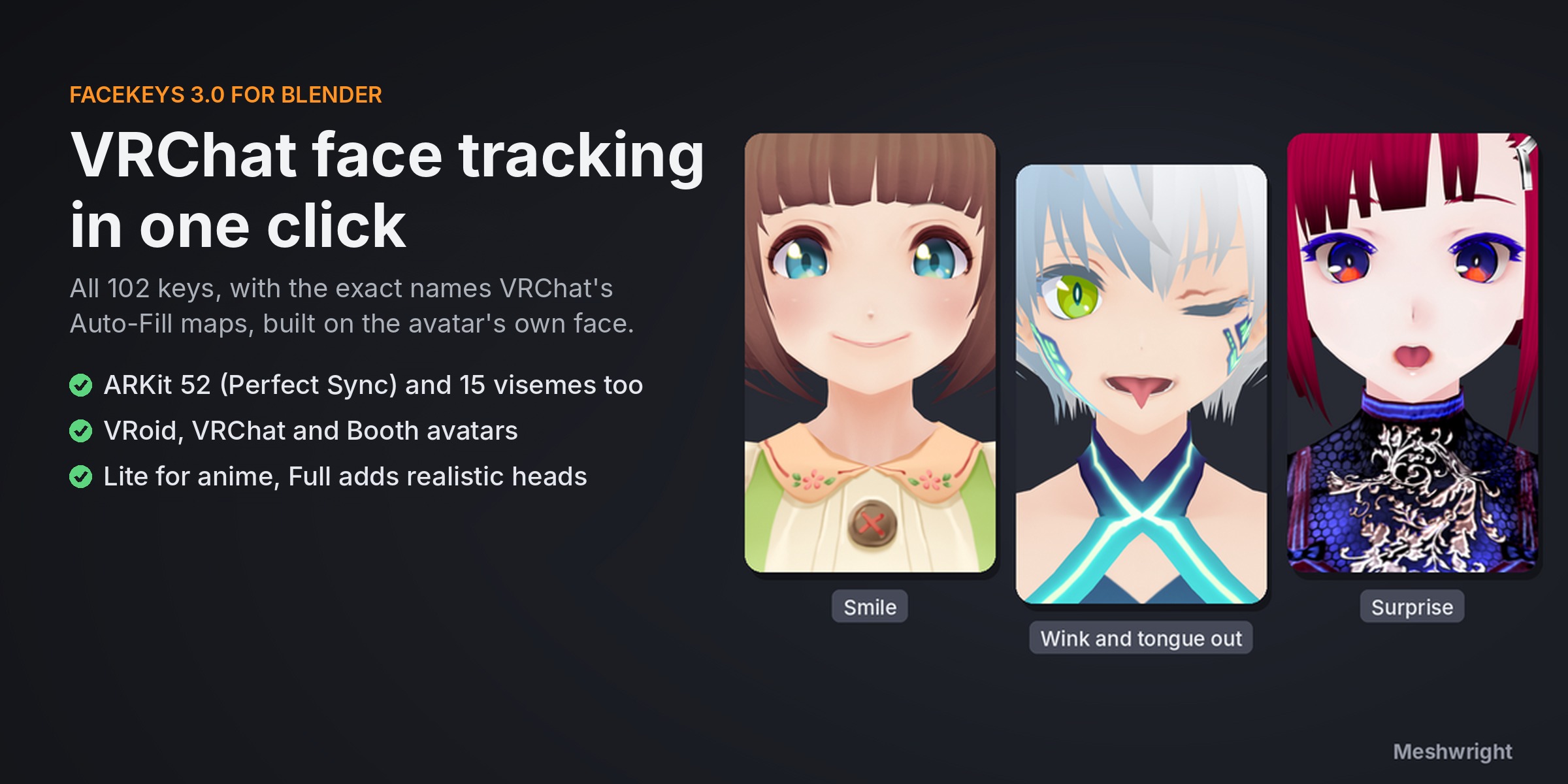
VTubers: one click adds the 52 ARKit Perfect Sync expressions to any VRM model (VRM 0.x and 1.0) for VMagicMirror, VSeeFace and Warudo. No Unity. Plus all 102 VRChat face tracking keys, ready for Auto-Fill, and 15 visemes.
Categories
Tags
Compare with other products
Choose a category to find products to compare with this listing.
Variants
-
FaceKeys Full: anime and realistic heads published
Price: $22.75 · List price: $35.00 · On sale
Variant versions
-
3.2.0 published
Created Nov 19, 2026 · Published Nov 19, 2026
Release notes (source)
<p><b>FaceKeys 3.2.0</b></p><p>New for animators: Load Capture. Key an ARKit face capture (the CSV that Live Link Face saves with each recording, or any CSV with the 52 ARKit curves) on the head and on its eyes, teeth and tongue, at your scene's frame rate. Closed Eyes Stay Closed (on by default) keeps a full blink closed when the capture also sends a look direction. Also: on realistic heads (Automatic and Guided mode) a blink while looking up or down now closes the eye; only the 4 eyeLookUp and eyeLookDown keys change. Anime mode, VRM Perfect Sync, visemes and VRChat names are the same as in 3.1.2. Free update for Lite and Full.</p>
-
3.1.2 published
Created Nov 17, 2026 · Published Nov 17, 2026
Release notes (source)
<p><b>FaceKeys 3.1.2</b></p><p>Guided mode fix. On heads with modelled lashes, the closed eye no longer shows a soft fold above the outer corner. Nothing else changes. Free update.</p>
-
3.1.1 published
Created Nov 17, 2026 · Published Nov 17, 2026
Release notes (source)
<p><b>FaceKeys 3.1.1</b></p><p>New for VTubers: VRM Perfect Sync. Import your VRM model with the free VRM Add-on for Blender, press Generate, then press VRM Perfect Sync. FaceKeys writes the 52 ARKit expressions (EyeBlinkLeft to TongueOut) into the model for VRM 0.x and VRM 1.0, each bound to its shape key. Export the VRM and iPhone face tracking moves every shape in VMagicMirror, VSeeFace, Warudo and other Perfect Sync apps. No Unity. Your other expressions stay as they are. In FaceKeys Lite and Full.</p><p>Also new:</p><ul><li>Anime mode reads a VRM model's own expressions. When the key names say nothing, the vowels, blinks and eye looks come from the model's VRM expressions. Key names with the mesh name in front (older VRoid models through the VRM Add-on, for example "Face.M_F00_000_00_Fcl_MTH_A") are read too: on those models FaceKeys now builds from 24 of the avatar's own shapes, where 3.0.11 found none and left 10 keys empty. Current VRoid Studio models give the same keys as in 3.0.11.</li><li>Eye look keys come from the avatar's own look shapes where the irises cannot turn.</li><li>Faces with the mouth inside joined to the skin and no teeth or tongue parts (like the VRM sample model Seed-san) now work in Anime mode: 51 of 52 shapes move on Seed-san (no tongue). 3.0.11 stopped there with "No mouth found". A mouth shape that would show the inside of the mouth is made smaller.</li><li>On models whose eyeballs, lashes and lid lines share one eye material, the closed eye shows the lash line, as in the model's own blink.</li><li>The rating line (shown once, after the third Generate) has an "Open the Store Page" button.</li></ul><p>Unchanged: realistic heads (Automatic and Guided mode) and every head whose key names 3.0.11 already read give the same keys as 3.0.11. Free update for Lite and Full.</p>
-
3.0.11 published
Created Nov 16, 2026 · Published Nov 16, 2026
Release notes (source)
<p>3.0.11 (Full): for generated heads with modelled lashes and a raised line above the upper lash, in Guided mode.</p><ul><li>The skin above the outer eye corner no longer folds when the eye closes.</li><li>A line painted under the raised line above the upper lid now stays under it as the eye closes, with no wave near the outer corner.</li></ul><p>Nothing else changes: VRoid heads, Anime mode and FaceKeys Lite give the same keys as 3.0.10.</p>
-
3.0.10 published
Created Nov 16, 2026 · Published Nov 16, 2026
Release notes (source)
<p>Anime mode, for VRChat avatars from Booth (tested on Felis, Yumeka and RadDollV3):</p><ul><li>An avatar that already has its own ARKit face tracking keys keeps them. Only the missing keys are made.</li><li>More of the avatars’ own expression keys are found by name (blink, smile, frown, brows), so more keys come from the artist’s own shapes.</li><li>Avatars that share the eye 50/50 between the eye bone and the head now get working eye keys.</li><li>Clothes and accessories near the face are no longer changed.</li><li>The report now says when the eye look keys cannot move.</li></ul><p>Realistic heads (Automatic and Guided) give exactly the same keys as 3.0.9.</p>
-
3.0.9 published
Created Nov 16, 2026 · Published Nov 16, 2026
Release notes (source)
<p>FaceKeys 3.0.9</p><p>Guided mode on heads with tall eye openings whose lashes are modelled as solid shapes (sculpted or generated heads):</p><ul><li>A line strip that runs along the upper lash (a modelled lash line, a lid crease or an eyeliner strip) now comes down with the lash as the eye closes. It stays level above the lash, keeps its shape and stays on the skin. In 3.0.8 it folded into a peak near the outer eye corner and kinked at its inner end.</li></ul><p>Squint and cheek squint are unchanged. Heads with lash cards or painted lashes (VRoid, most anime avatars), heads with ordinary eye openings and all other modes are unchanged. Generate again on a head with modelled lashes to get the new blink. FACEKEYS_WALL_MEET works as before.</p>
-
3.0.8 published
Created Nov 16, 2026 · Published Nov 16, 2026
Release notes (source)
<p>FaceKeys 3.0.8</p><p>Guided mode on heads with tall eye openings whose lashes are modelled as solid shapes (sculpted or generated heads):</p><ul><li>The outer eye corner closes cleanly. A lash wing that lies on the skin beside the eye now stays on that skin. In 3.0.7 it dropped below the closed line and left a gap or a dent beside the eye.</li><li>The skin beside the eye eases off over a wider zone, so no fold shows where the lash ends.</li><li>A lash that is joined to the lid by a single vertex now moves like a separate lash. It keeps its shape and no longer stretches as skin.</li></ul><p>Heads with lash cards or painted lashes (VRoid, most anime avatars), heads with ordinary eye openings and all other modes are unchanged. Generate again on a head with modelled lashes to get the new blink. FACEKEYS_WALL_MEET works as before.</p>
-
3.0.7 published
Created Nov 16, 2026 · Published Nov 16, 2026
Release notes (source)
<p>FaceKeys 3.0.7</p><p>Guided mode on heads whose lashes are modelled as solid shapes (sculpted or generated heads):</p><ul><li>The closed eye line is straighter. In 3.0.6 it sagged in the middle. Now it runs almost level with a slight dip, and the half-closed eye keeps a cleaner shape.</li><li>For unusual heads you can tune how high the ends of the eye close: set the environment variable FACEKEYS_WALL_MEET before starting Blender (0.5 to 0.9, default 0.75).</li></ul><p>Heads with lash cards or painted lashes (VRoid, most anime avatars) and all other modes are unchanged. Generate again on a head with modelled lashes to get the new blink.</p>
-
3.0.6 published
Created Nov 15, 2026 · Published Nov 15, 2026
Release notes (source)
<p>Guided mode on heads whose lashes are modelled as solid shapes (sculpted or generated heads):</p><ul><li>The closed eye is now a gentle curve. The ends of a boxy eye opening close from above and from below, as the corners of an eye do, and the lash wing stays at the corner of the eye.</li><li>The end of the lash line at the inner corner closes up with the eye.</li><li>The skin beside a lash wing no longer folds when the eye closes.</li></ul><p>Heads with lash cards or painted lashes (VRoid, most anime avatars) and all other modes are unchanged. Generate again on a head with modelled lashes to get the new blink.</p>
-
3.0.5 published
Created Nov 15, 2026 · Published Nov 15, 2026
Release notes (source)
<p>Guided mode on stylized heads (anime, VRoid style, big flat eyes):</p><ul>
<li>After your 10 clicks FaceKeys now fits the eyelid points to the real eye opening by itself.</li>
<li>Eyelids slide down the face on tall flat eyes, and the lashes come down with the lid.</li>
<li>Lashes modelled as solid shapes (sculpted or generated heads) keep their shape when the eye closes.</li>
<li>Squint, wide and cheek squint use the same lid motion.</li>
</ul><p>Other modes are unchanged. Generate again on heads you made with Guided mode to get the new blink.</p>
-
3.0.2 published
Created Nov 15, 2026 · Published Nov 15, 2026
Release notes (source)
<p>Guided mode: back to the 3.0.0 eye fitting. In our tests the 3.0.1 change could leave the eyes open on some anime heads. If you installed 3.0.1, install this version over it.</p>
-
3.0.1 unlisted
Created Nov 15, 2026 · Published Nov 15, 2026
Release notes (source)
<p>3.0.1: Guided mode now mirrors your right-eye clicks to the left eye and shapes both eyelid lines to the eye's real opening, so big anime eyes get a full blink. Nothing else changed.</p><p>Install: Edit > Preferences > Get Extensions > Install from Disk, over the old version.</p>
-
3.0.0 published
Created Nov 13, 2026 · Published Nov 13, 2026
Release notes (source)
<p><strong>3.0.0: all 102 VRChat face tracking keys (free update)</strong></p><ul><li>With Names set to VRChat (Unified Expressions), Generate now writes all 102 of VRChat's face tracking keys. 27 are new: EyeDilation and EyeConstrict (pupils), NasalDilation and NasalConstrict (nostrils), JawClench, JawMandibleRaise, LipSuckCorner, MouthUpperDeepen, MouthTightener, and seven more tongue shapes (TongueRoll, TongueBendDown, TongueCurlUp, TongueSquish, TongueFlat, TongueTwistLeft, TongueTwistRight).</li><li>SoftPalateClose, ThroatSwallow and NeckFlex are written as empty keys, because a face mesh has no such part. The names are there so Auto-Fill maps all 102.</li><li>The report after Generate names every key that was left empty and why.</li><li>The 75 keys of 2.1 and the 52 ARKit keys are exactly the keys 2.1.2 makes.</li><li>After the third Generate the panel shows one line that asks for a rating on the store page, once. Nothing is sent anywhere.</li></ul>
-
2.1.2 published
Created Nov 11, 2026 · Published Nov 11, 2026
Release notes (source)
<p>Fixed: Blender froze when you pressed Tab to move the landmark points (Edit Mode on the green landmark preview). 2.1.2 no longer makes the broken edge that caused it, and it repairs landmark previews saved by earlier versions when a file opens. Japanese interface and shape keys as in 2.1.1. Free update.</p>
-
2.1.1 published
Created Nov 6, 2026 · Published Nov 6, 2026
Release notes (source)
<p>Japanese interface: with Blender set to Japanese, the panels, buttons, settings and tooltips show in Japanese. Same shape keys as 2.1.0. Free update.</p>
-
2.1.0 published
Created Nov 6, 2026 · Published Nov 6, 2026
Release notes (source)
<ul><li>New name option VRChat (Unified Expressions) for VRChat's built-in face tracking: 75 of VRChat's 102 face tracking keys with their exact names, ready for Auto-Fill Blendshapes. The 12 blended ARKit shapes are split into 28 base keys that add up to the ARKit shape. 7 new shapes: CheekSuckLeft, CheekSuckRight, JawBackward, TongueUp, TongueDown, TongueLeft, TongueRight.</li><li>In FaceKeys Full and FaceKeys Lite. Make Visemes, Strength, Play All Shapes and Remove Shape Keys work with the new names.</li><li>ARKit names make exactly the same keys as 2.0. The Unified Expressions option is now called Unified Expressions (VRCFaceTracking) and works as before.</li></ul>
-
2.0.1 published
Created Nov 1, 2026 · Published Nov 1, 2026
Release notes (source)
<p>New: FaceKeys Lite, a 12 USD edition with Anime mode and Make Visemes.</p><p>FaceKeys Full: no change for you. It makes exactly the same shape keys as 2.0.0.</p><p>Full installs over Lite (same add-on id), so you can move up later without redoing anything.</p>
-
-
FaceKeys Lite: anime, VRoid and toon avatars published
Price: $9.75 · List price: $15.00 · On sale
Variant versions
-
3.2.0 published
Created Nov 19, 2026 · Published Nov 19, 2026
Release notes (source)
<p><b>FaceKeys 3.2.0</b></p><p>New for animators: Load Capture. Key an ARKit face capture (the CSV that Live Link Face saves with each recording, or any CSV with the 52 ARKit curves) on the head and on its eyes, teeth and tongue, at your scene's frame rate. Closed Eyes Stay Closed (on by default) keeps a full blink closed when the capture also sends a look direction. Also: on realistic heads (Automatic and Guided mode) a blink while looking up or down now closes the eye; only the 4 eyeLookUp and eyeLookDown keys change. Anime mode, VRM Perfect Sync, visemes and VRChat names are the same as in 3.1.2. Free update for Lite and Full.</p>
-
3.1.2 published
Created Nov 17, 2026 · Published Nov 17, 2026
Release notes (source)
<p><b>FaceKeys Lite 3.1.2</b></p><p>Version number only. Lite works the same as 3.1.1. The 3.1.2 fix is for Guided mode in FaceKeys Full. Free update.</p>
-
3.1.1 published
Created Nov 17, 2026 · Published Nov 17, 2026
Release notes (source)
<p><b>FaceKeys 3.1.1</b></p><p>New for VTubers: VRM Perfect Sync. Import your VRM model with the free VRM Add-on for Blender, press Generate, then press VRM Perfect Sync. FaceKeys writes the 52 ARKit expressions (EyeBlinkLeft to TongueOut) into the model for VRM 0.x and VRM 1.0, each bound to its shape key. Export the VRM and iPhone face tracking moves every shape in VMagicMirror, VSeeFace, Warudo and other Perfect Sync apps. No Unity. Your other expressions stay as they are. In FaceKeys Lite and Full.</p><p>Also new:</p><ul><li>Anime mode reads a VRM model's own expressions. When the key names say nothing, the vowels, blinks and eye looks come from the model's VRM expressions. Key names with the mesh name in front (older VRoid models through the VRM Add-on, for example "Face.M_F00_000_00_Fcl_MTH_A") are read too: on those models FaceKeys now builds from 24 of the avatar's own shapes, where the last version found none and left 10 keys empty. Current VRoid Studio models give the same keys as before.</li><li>Eye look keys come from the avatar's own look shapes where the irises cannot turn.</li><li>Faces with the mouth inside joined to the skin and no teeth or tongue parts (like the VRM sample model Seed-san) now work: 51 of 52 shapes move on Seed-san (no tongue). The last version stopped there with "No mouth found". A mouth shape that would show the inside of the mouth is made smaller.</li><li>On models whose eyeballs, lashes and lid lines share one eye material, the closed eye shows the lash line, as in the model's own blink.</li><li>The rating line (shown once, after the third Generate) has an "Open the Store Page" button.</li></ul><p>Unchanged: every avatar whose key names the last version already read gives the same keys as before. Free update for Lite and Full.</p>
-
3.0.10 published
Created Nov 16, 2026 · Published Nov 16, 2026
Release notes (source)
<p>For VRChat avatars from Booth (tested on Felis, Yumeka and RadDollV3):</p><ul><li>An avatar that already has its own ARKit face tracking keys keeps them. Only the missing keys are made.</li><li>More of the avatars’ own expression keys are found by name (blink, smile, frown, brows), so more keys come from the artist’s own shapes.</li><li>Avatars that share the eye 50/50 between the eye bone and the head now get working eye keys.</li><li>Clothes and accessories near the face are no longer changed.</li><li>The report now says when the eye look keys cannot move.</li><li>All 102 keys with VRChat names, as in Full 3.0.</li></ul>
-
3.0.0 published
Created Nov 13, 2026 · Published Nov 13, 2026
Release notes (source)
<p><strong>3.0.0: all 102 VRChat face tracking keys (free update)</strong></p><ul><li>With Names set to VRChat (Unified Expressions), Generate now writes all 102 of VRChat's face tracking keys. 27 are new: EyeDilation and EyeConstrict (pupils), NasalDilation and NasalConstrict (nostrils), JawClench, JawMandibleRaise, LipSuckCorner, MouthUpperDeepen, MouthTightener, and seven more tongue shapes (TongueRoll, TongueBendDown, TongueCurlUp, TongueSquish, TongueFlat, TongueTwistLeft, TongueTwistRight).</li><li>SoftPalateClose, ThroatSwallow and NeckFlex are written as empty keys, because a face mesh has no such part. The names are there so Auto-Fill maps all 102.</li><li>The report after Generate names every key that was left empty and why.</li><li>The 75 keys of 2.1 and the 52 ARKit keys are exactly the keys 2.1.2 makes.</li><li>After the third Generate the panel shows one line that asks for a rating on the store page, once. Nothing is sent anywhere.</li></ul>
-
2.1.1 published
Created Nov 6, 2026 · Published Nov 6, 2026
Release notes (source)
<p>Japanese interface: with Blender set to Japanese, the panels, buttons, settings and tooltips show in Japanese. Same shape keys as 2.1.0. Free update.</p>
-
2.1.0 published
Created Nov 6, 2026 · Published Nov 6, 2026
Release notes (source)
<ul><li>New name option VRChat (Unified Expressions) for VRChat's built-in face tracking: 75 of VRChat's 102 face tracking keys with their exact names, ready for Auto-Fill Blendshapes. The 12 blended ARKit shapes are split into 28 base keys that add up to the ARKit shape. 7 new shapes: CheekSuckLeft, CheekSuckRight, JawBackward, TongueUp, TongueDown, TongueLeft, TongueRight.</li><li>In FaceKeys Full and FaceKeys Lite. Make Visemes, Strength, Play All Shapes and Remove Shape Keys work with the new names.</li><li>ARKit names make exactly the same keys as 2.0. The Unified Expressions option is now called Unified Expressions (VRCFaceTracking) and works as before.</li></ul>
-
2.0.1 published
Created Nov 1, 2026 · Published Nov 1, 2026
Release notes (source)
<p>First release of FaceKeys Lite: Anime mode and Make Visemes for anime, VRoid and toon avatars.</p><p>FaceKeys Full installs over Lite (same add-on id), so you can move up later without redoing anything.</p>
-
-
FaceKeys Check: free key check, name fix and convert published
Price: $0.00 · List price: $0.00 · On sale
Variant versions
-
2.2.0 published
Created Nov 20, 2026 · Published Nov 20, 2026
Release notes (source)
<p>2.2.0: After a check the panel says plainly how many of the 102 keys are missing, for example "41 of 102 keys missing", and shows one button that opens FaceKeys on this store. When every key is there, or the tools of this add-on can make them all, it says so and shows no button.</p>
-
2.1.1 published
Created Nov 17, 2026 · Published Nov 17, 2026
Release notes (source)
<p>Store edition 2.1.1. After a check, the panel says how many of the 102 VRChat face tracking keys your avatar has (counting the keys this add-on can make itself with Fix Names, Convert Names and Mirror Missing Sides) and how many FaceKeys would make, with a button to FaceKeys here on Superhive. Everything else is the same as 2.1.0.</p>
-
2.1.0 published
Created Nov 17, 2026 · Published Nov 17, 2026
Release notes (source)
<p>New: a Left and Right section.</p><ul><li>Mirror Missing Sides makes each missing left or right tracking key from the key of the other side, as in a mirror.</li><li>Split Into Left and Right makes a left and a right key from one key that moves both sides. The two keys add up to the original key.</li><li>Combine Left and Right makes one key that moves both sides from a left and a right key.</li><li>Swap Left and Right Names fixes avatars whose sides are swapped.</li></ul><p>The check now counts the missing sides that can be mirrored. Blender 4.2 to 5.2.</p>
-
2.0.0 published
Created Nov 16, 2026 · Published Nov 16, 2026
Release notes (source)
<p>FaceKeys Check 2.0.0 (free). The check is now a tool with five parts:</p><ul><li>Check also looks at the shapes: tracking keys that move nothing, two tracking keys with the same shape, left keys that move the right side, left or right keys that move both sides.</li><li>Fix Names renames close names to the exact names (EyeClosed_L, L_EyeClosed, blendShape1.eyeBlink_L, v_aa).</li><li>Convert Names makes VRChat keys from ARKit keys, or all 52 ARKit keys from VRChat keys. As copies or by renaming. Nothing is overwritten.</li><li>Sort Keys and Remove Empty Keys.</li><li>Preview one key at a time, and the report as text or CSV.</li></ul><p>The check reads only. Fix Names, Convert Names, Sort Keys and Remove Empty Keys change the shape keys of the selected face mesh, each as one undo step. English and Japanese interface. Blender 4.2 or newer.</p>
-
1.0.0 published
Created Nov 12, 2026 · Published Nov 12, 2026
Release notes (source)
<p>First release. Checks an avatar's shape key names against VRChat's 102 face tracking keys and reports which are there and which are missing. It makes no shape keys and changes nothing in the file.</p>
-
Product versions
-
2.2.0 published
Created Nov 20, 2026 · Published Nov 20, 2026
Release notes (source)
<p>2.2.0: After a check the panel says plainly how many of the 102 keys are missing, for example "41 of 102 keys missing", and shows one button that opens FaceKeys on this store. When every key is there, or the tools of this add-on can make them all, it says so and shows no button.</p>
-
3.2.0 published
Created Nov 19, 2026 · Published Nov 19, 2026
Release notes (source)
<p><b>FaceKeys 3.2.0</b></p><p>New for animators: Load Capture. Key an ARKit face capture (the CSV that Live Link Face saves with each recording, or any CSV with the 52 ARKit curves) on the head and on its eyes, teeth and tongue, at your scene's frame rate. Closed Eyes Stay Closed (on by default) keeps a full blink closed when the capture also sends a look direction. Also: on realistic heads (Automatic and Guided mode) a blink while looking up or down now closes the eye; only the 4 eyeLookUp and eyeLookDown keys change. Anime mode, VRM Perfect Sync, visemes and VRChat names are the same as in 3.1.2. Free update for Lite and Full.</p>
-
3.2.0 published
Created Nov 19, 2026 · Published Nov 19, 2026
Release notes (source)
<p><b>FaceKeys 3.2.0</b></p><p>New for animators: Load Capture. Key an ARKit face capture (the CSV that Live Link Face saves with each recording, or any CSV with the 52 ARKit curves) on the head and on its eyes, teeth and tongue, at your scene's frame rate. Closed Eyes Stay Closed (on by default) keeps a full blink closed when the capture also sends a look direction. Also: on realistic heads (Automatic and Guided mode) a blink while looking up or down now closes the eye; only the 4 eyeLookUp and eyeLookDown keys change. Anime mode, VRM Perfect Sync, visemes and VRChat names are the same as in 3.1.2. Free update for Lite and Full.</p>
-
3.1.2 published
Created Nov 17, 2026 · Published Nov 17, 2026
Release notes (source)
<p><b>FaceKeys Lite 3.1.2</b></p><p>Version number only. Lite works the same as 3.1.1. The 3.1.2 fix is for Guided mode in FaceKeys Full. Free update.</p>
-
3.1.2 published
Created Nov 17, 2026 · Published Nov 17, 2026
Release notes (source)
<p><b>FaceKeys 3.1.2</b></p><p>Guided mode fix. On heads with modelled lashes, the closed eye no longer shows a soft fold above the outer corner. Nothing else changes. Free update.</p>
-
3.1.1 published
Created Nov 17, 2026 · Published Nov 17, 2026
Release notes (source)
<p><b>FaceKeys 3.1.1</b></p><p>New for VTubers: VRM Perfect Sync. Import your VRM model with the free VRM Add-on for Blender, press Generate, then press VRM Perfect Sync. FaceKeys writes the 52 ARKit expressions (EyeBlinkLeft to TongueOut) into the model for VRM 0.x and VRM 1.0, each bound to its shape key. Export the VRM and iPhone face tracking moves every shape in VMagicMirror, VSeeFace, Warudo and other Perfect Sync apps. No Unity. Your other expressions stay as they are. In FaceKeys Lite and Full.</p><p>Also new:</p><ul><li>Anime mode reads a VRM model's own expressions. When the key names say nothing, the vowels, blinks and eye looks come from the model's VRM expressions. Key names with the mesh name in front (older VRoid models through the VRM Add-on, for example "Face.M_F00_000_00_Fcl_MTH_A") are read too: on those models FaceKeys now builds from 24 of the avatar's own shapes, where the last version found none and left 10 keys empty. Current VRoid Studio models give the same keys as before.</li><li>Eye look keys come from the avatar's own look shapes where the irises cannot turn.</li><li>Faces with the mouth inside joined to the skin and no teeth or tongue parts (like the VRM sample model Seed-san) now work: 51 of 52 shapes move on Seed-san (no tongue). The last version stopped there with "No mouth found". A mouth shape that would show the inside of the mouth is made smaller.</li><li>On models whose eyeballs, lashes and lid lines share one eye material, the closed eye shows the lash line, as in the model's own blink.</li><li>The rating line (shown once, after the third Generate) has an "Open the Store Page" button.</li></ul><p>Unchanged: every avatar whose key names the last version already read gives the same keys as before. Free update for Lite and Full.</p>
-
3.1.1 published
Created Nov 17, 2026 · Published Nov 17, 2026
Release notes (source)
<p><b>FaceKeys 3.1.1</b></p><p>New for VTubers: VRM Perfect Sync. Import your VRM model with the free VRM Add-on for Blender, press Generate, then press VRM Perfect Sync. FaceKeys writes the 52 ARKit expressions (EyeBlinkLeft to TongueOut) into the model for VRM 0.x and VRM 1.0, each bound to its shape key. Export the VRM and iPhone face tracking moves every shape in VMagicMirror, VSeeFace, Warudo and other Perfect Sync apps. No Unity. Your other expressions stay as they are. In FaceKeys Lite and Full.</p><p>Also new:</p><ul><li>Anime mode reads a VRM model's own expressions. When the key names say nothing, the vowels, blinks and eye looks come from the model's VRM expressions. Key names with the mesh name in front (older VRoid models through the VRM Add-on, for example "Face.M_F00_000_00_Fcl_MTH_A") are read too: on those models FaceKeys now builds from 24 of the avatar's own shapes, where 3.0.11 found none and left 10 keys empty. Current VRoid Studio models give the same keys as in 3.0.11.</li><li>Eye look keys come from the avatar's own look shapes where the irises cannot turn.</li><li>Faces with the mouth inside joined to the skin and no teeth or tongue parts (like the VRM sample model Seed-san) now work in Anime mode: 51 of 52 shapes move on Seed-san (no tongue). 3.0.11 stopped there with "No mouth found". A mouth shape that would show the inside of the mouth is made smaller.</li><li>On models whose eyeballs, lashes and lid lines share one eye material, the closed eye shows the lash line, as in the model's own blink.</li><li>The rating line (shown once, after the third Generate) has an "Open the Store Page" button.</li></ul><p>Unchanged: realistic heads (Automatic and Guided mode) and every head whose key names 3.0.11 already read give the same keys as 3.0.11. Free update for Lite and Full.</p>
-
2.1.1 published
Created Nov 17, 2026 · Published Nov 17, 2026
Release notes (source)
<p>Store edition 2.1.1. After a check, the panel says how many of the 102 VRChat face tracking keys your avatar has (counting the keys this add-on can make itself with Fix Names, Convert Names and Mirror Missing Sides) and how many FaceKeys would make, with a button to FaceKeys here on Superhive. Everything else is the same as 2.1.0.</p>
-
2.1.0 published
Created Nov 17, 2026 · Published Nov 17, 2026
Release notes (source)
<p>New: a Left and Right section.</p><ul><li>Mirror Missing Sides makes each missing left or right tracking key from the key of the other side, as in a mirror.</li><li>Split Into Left and Right makes a left and a right key from one key that moves both sides. The two keys add up to the original key.</li><li>Combine Left and Right makes one key that moves both sides from a left and a right key.</li><li>Swap Left and Right Names fixes avatars whose sides are swapped.</li></ul><p>The check now counts the missing sides that can be mirrored. Blender 4.2 to 5.2.</p>
-
3.0.11 published
Created Nov 16, 2026 · Published Nov 16, 2026
Release notes (source)
<p>3.0.11 (Full): for generated heads with modelled lashes and a raised line above the upper lash, in Guided mode.</p><ul><li>The skin above the outer eye corner no longer folds when the eye closes.</li><li>A line painted under the raised line above the upper lid now stays under it as the eye closes, with no wave near the outer corner.</li></ul><p>Nothing else changes: VRoid heads, Anime mode and FaceKeys Lite give the same keys as 3.0.10.</p>
-
3.0.10 published
Created Nov 16, 2026 · Published Nov 16, 2026
Release notes (source)
<p>For VRChat avatars from Booth (tested on Felis, Yumeka and RadDollV3):</p><ul><li>An avatar that already has its own ARKit face tracking keys keeps them. Only the missing keys are made.</li><li>More of the avatars’ own expression keys are found by name (blink, smile, frown, brows), so more keys come from the artist’s own shapes.</li><li>Avatars that share the eye 50/50 between the eye bone and the head now get working eye keys.</li><li>Clothes and accessories near the face are no longer changed.</li><li>The report now says when the eye look keys cannot move.</li><li>All 102 keys with VRChat names, as in Full 3.0.</li></ul>
-
3.0.10 published
Created Nov 16, 2026 · Published Nov 16, 2026
Release notes (source)
<p>Anime mode, for VRChat avatars from Booth (tested on Felis, Yumeka and RadDollV3):</p><ul><li>An avatar that already has its own ARKit face tracking keys keeps them. Only the missing keys are made.</li><li>More of the avatars’ own expression keys are found by name (blink, smile, frown, brows), so more keys come from the artist’s own shapes.</li><li>Avatars that share the eye 50/50 between the eye bone and the head now get working eye keys.</li><li>Clothes and accessories near the face are no longer changed.</li><li>The report now says when the eye look keys cannot move.</li></ul><p>Realistic heads (Automatic and Guided) give exactly the same keys as 3.0.9.</p>
-
3.0.9 published
Created Nov 16, 2026 · Published Nov 16, 2026
Release notes (source)
<p>FaceKeys 3.0.9</p><p>Guided mode on heads with tall eye openings whose lashes are modelled as solid shapes (sculpted or generated heads):</p><ul><li>A line strip that runs along the upper lash (a modelled lash line, a lid crease or an eyeliner strip) now comes down with the lash as the eye closes. It stays level above the lash, keeps its shape and stays on the skin. In 3.0.8 it folded into a peak near the outer eye corner and kinked at its inner end.</li></ul><p>Squint and cheek squint are unchanged. Heads with lash cards or painted lashes (VRoid, most anime avatars), heads with ordinary eye openings and all other modes are unchanged. Generate again on a head with modelled lashes to get the new blink. FACEKEYS_WALL_MEET works as before.</p>
-
3.0.8 published
Created Nov 16, 2026 · Published Nov 16, 2026
Release notes (source)
<p>FaceKeys 3.0.8</p><p>Guided mode on heads with tall eye openings whose lashes are modelled as solid shapes (sculpted or generated heads):</p><ul><li>The outer eye corner closes cleanly. A lash wing that lies on the skin beside the eye now stays on that skin. In 3.0.7 it dropped below the closed line and left a gap or a dent beside the eye.</li><li>The skin beside the eye eases off over a wider zone, so no fold shows where the lash ends.</li><li>A lash that is joined to the lid by a single vertex now moves like a separate lash. It keeps its shape and no longer stretches as skin.</li></ul><p>Heads with lash cards or painted lashes (VRoid, most anime avatars), heads with ordinary eye openings and all other modes are unchanged. Generate again on a head with modelled lashes to get the new blink. FACEKEYS_WALL_MEET works as before.</p>
-
2.0.0 published
Created Nov 16, 2026 · Published Nov 16, 2026
Release notes (source)
<p>FaceKeys Check 2.0.0 (free). The check is now a tool with five parts:</p><ul><li>Check also looks at the shapes: tracking keys that move nothing, two tracking keys with the same shape, left keys that move the right side, left or right keys that move both sides.</li><li>Fix Names renames close names to the exact names (EyeClosed_L, L_EyeClosed, blendShape1.eyeBlink_L, v_aa).</li><li>Convert Names makes VRChat keys from ARKit keys, or all 52 ARKit keys from VRChat keys. As copies or by renaming. Nothing is overwritten.</li><li>Sort Keys and Remove Empty Keys.</li><li>Preview one key at a time, and the report as text or CSV.</li></ul><p>The check reads only. Fix Names, Convert Names, Sort Keys and Remove Empty Keys change the shape keys of the selected face mesh, each as one undo step. English and Japanese interface. Blender 4.2 or newer.</p>
-
3.0.7 published
Created Nov 16, 2026 · Published Nov 16, 2026
Release notes (source)
<p>FaceKeys 3.0.7</p><p>Guided mode on heads whose lashes are modelled as solid shapes (sculpted or generated heads):</p><ul><li>The closed eye line is straighter. In 3.0.6 it sagged in the middle. Now it runs almost level with a slight dip, and the half-closed eye keeps a cleaner shape.</li><li>For unusual heads you can tune how high the ends of the eye close: set the environment variable FACEKEYS_WALL_MEET before starting Blender (0.5 to 0.9, default 0.75).</li></ul><p>Heads with lash cards or painted lashes (VRoid, most anime avatars) and all other modes are unchanged. Generate again on a head with modelled lashes to get the new blink.</p>
-
3.0.6 published
Created Nov 15, 2026 · Published Nov 15, 2026
Release notes (source)
<p>Guided mode on heads whose lashes are modelled as solid shapes (sculpted or generated heads):</p><ul><li>The closed eye is now a gentle curve. The ends of a boxy eye opening close from above and from below, as the corners of an eye do, and the lash wing stays at the corner of the eye.</li><li>The end of the lash line at the inner corner closes up with the eye.</li><li>The skin beside a lash wing no longer folds when the eye closes.</li></ul><p>Heads with lash cards or painted lashes (VRoid, most anime avatars) and all other modes are unchanged. Generate again on a head with modelled lashes to get the new blink.</p>
-
3.0.5 published
Created Nov 15, 2026 · Published Nov 15, 2026
Release notes (source)
<p>Guided mode on stylized heads (anime, VRoid style, big flat eyes):</p><ul>
<li>After your 10 clicks FaceKeys now fits the eyelid points to the real eye opening by itself.</li>
<li>Eyelids slide down the face on tall flat eyes, and the lashes come down with the lid.</li>
<li>Lashes modelled as solid shapes (sculpted or generated heads) keep their shape when the eye closes.</li>
<li>Squint, wide and cheek squint use the same lid motion.</li>
</ul><p>Other modes are unchanged. Generate again on heads you made with Guided mode to get the new blink.</p>
-
3.0.2 published
Created Nov 15, 2026 · Published Nov 15, 2026
Release notes (source)
<p>Guided mode: back to the 3.0.0 eye fitting. In our tests the 3.0.1 change could leave the eyes open on some anime heads. If you installed 3.0.1, install this version over it.</p>
-
3.0.1 unlisted
Created Nov 15, 2026 · Published Nov 15, 2026
Release notes (source)
<p>3.0.1: Guided mode now mirrors your right-eye clicks to the left eye and shapes both eyelid lines to the eye's real opening, so big anime eyes get a full blink. Nothing else changed.</p><p>Install: Edit > Preferences > Get Extensions > Install from Disk, over the old version.</p>
-
3.0.0 published
Created Nov 13, 2026 · Published Nov 13, 2026
Release notes (source)
<p><strong>3.0.0: all 102 VRChat face tracking keys (free update)</strong></p><ul><li>With Names set to VRChat (Unified Expressions), Generate now writes all 102 of VRChat's face tracking keys. 27 are new: EyeDilation and EyeConstrict (pupils), NasalDilation and NasalConstrict (nostrils), JawClench, JawMandibleRaise, LipSuckCorner, MouthUpperDeepen, MouthTightener, and seven more tongue shapes (TongueRoll, TongueBendDown, TongueCurlUp, TongueSquish, TongueFlat, TongueTwistLeft, TongueTwistRight).</li><li>SoftPalateClose, ThroatSwallow and NeckFlex are written as empty keys, because a face mesh has no such part. The names are there so Auto-Fill maps all 102.</li><li>The report after Generate names every key that was left empty and why.</li><li>The 75 keys of 2.1 and the 52 ARKit keys are exactly the keys 2.1.2 makes.</li><li>After the third Generate the panel shows one line that asks for a rating on the store page, once. Nothing is sent anywhere.</li></ul>
-
3.0.0 published
Created Nov 13, 2026 · Published Nov 13, 2026
Release notes (source)
<p><strong>3.0.0: all 102 VRChat face tracking keys (free update)</strong></p><ul><li>With Names set to VRChat (Unified Expressions), Generate now writes all 102 of VRChat's face tracking keys. 27 are new: EyeDilation and EyeConstrict (pupils), NasalDilation and NasalConstrict (nostrils), JawClench, JawMandibleRaise, LipSuckCorner, MouthUpperDeepen, MouthTightener, and seven more tongue shapes (TongueRoll, TongueBendDown, TongueCurlUp, TongueSquish, TongueFlat, TongueTwistLeft, TongueTwistRight).</li><li>SoftPalateClose, ThroatSwallow and NeckFlex are written as empty keys, because a face mesh has no such part. The names are there so Auto-Fill maps all 102.</li><li>The report after Generate names every key that was left empty and why.</li><li>The 75 keys of 2.1 and the 52 ARKit keys are exactly the keys 2.1.2 makes.</li><li>After the third Generate the panel shows one line that asks for a rating on the store page, once. Nothing is sent anywhere.</li></ul>
-
1.0.0 published
Created Nov 12, 2026 · Published Nov 12, 2026
Release notes (source)
<p>First release. Checks an avatar's shape key names against VRChat's 102 face tracking keys and reports which are there and which are missing. It makes no shape keys and changes nothing in the file.</p>
-
2.1.2 published
Created Nov 11, 2026 · Published Nov 11, 2026
Release notes (source)
<p>Fixed: Blender froze when you pressed Tab to move the landmark points (Edit Mode on the green landmark preview). 2.1.2 no longer makes the broken edge that caused it, and it repairs landmark previews saved by earlier versions when a file opens. Japanese interface and shape keys as in 2.1.1. Free update.</p>
-
2.1.1 published
Created Nov 6, 2026 · Published Nov 6, 2026
Release notes (source)
<p>Japanese interface: with Blender set to Japanese, the panels, buttons, settings and tooltips show in Japanese. Same shape keys as 2.1.0. Free update.</p>
-
2.1.1 published
Created Nov 6, 2026 · Published Nov 6, 2026
Release notes (source)
<p>Japanese interface: with Blender set to Japanese, the panels, buttons, settings and tooltips show in Japanese. Same shape keys as 2.1.0. Free update.</p>
-
2.1.0 published
Created Nov 6, 2026 · Published Nov 6, 2026
Release notes (source)
<ul><li>New name option VRChat (Unified Expressions) for VRChat's built-in face tracking: 75 of VRChat's 102 face tracking keys with their exact names, ready for Auto-Fill Blendshapes. The 12 blended ARKit shapes are split into 28 base keys that add up to the ARKit shape. 7 new shapes: CheekSuckLeft, CheekSuckRight, JawBackward, TongueUp, TongueDown, TongueLeft, TongueRight.</li><li>In FaceKeys Full and FaceKeys Lite. Make Visemes, Strength, Play All Shapes and Remove Shape Keys work with the new names.</li><li>ARKit names make exactly the same keys as 2.0. The Unified Expressions option is now called Unified Expressions (VRCFaceTracking) and works as before.</li></ul>
-
2.1.0 published
Created Nov 6, 2026 · Published Nov 6, 2026
Release notes (source)
<ul><li>New name option VRChat (Unified Expressions) for VRChat's built-in face tracking: 75 of VRChat's 102 face tracking keys with their exact names, ready for Auto-Fill Blendshapes. The 12 blended ARKit shapes are split into 28 base keys that add up to the ARKit shape. 7 new shapes: CheekSuckLeft, CheekSuckRight, JawBackward, TongueUp, TongueDown, TongueLeft, TongueRight.</li><li>In FaceKeys Full and FaceKeys Lite. Make Visemes, Strength, Play All Shapes and Remove Shape Keys work with the new names.</li><li>ARKit names make exactly the same keys as 2.0. The Unified Expressions option is now called Unified Expressions (VRCFaceTracking) and works as before.</li></ul>
-
2.0.1 published
Created Nov 1, 2026 · Published Nov 1, 2026
Release notes (source)
<p>First release of FaceKeys Lite: Anime mode and Make Visemes for anime, VRoid and toon avatars.</p><p>FaceKeys Full installs over Lite (same add-on id), so you can move up later without redoing anything.</p>
-
2.0.1 published
Created Nov 1, 2026 · Published Nov 1, 2026
Release notes (source)
<p>New: FaceKeys Lite, a 12 USD edition with Anime mode and Make Visemes.</p><p>FaceKeys Full: no change for you. It makes exactly the same shape keys as 2.0.0.</p><p>Full installs over Lite (same add-on id), so you can move up later without redoing anything.</p>
-
2.0.0 published
Created Oct 31, 2026 · Published Oct 31, 2026
Release notes (source)
<p>FaceKeys 2.0: Anime mode for VRoid, VRChat and Booth avatars. Pick Anime under Landmarks and press Generate Shape Keys. It builds all 52 ARKit shapes from the avatar's own blink, vowel, smile and brow keys and its eye, mouth and tongue parts. Eyelids close fully, irises stay inside the eye, tongueOut added. Realistic heads work as before. Free update.</p>
-
1.1.0 published
Created Oct 31, 2026 · Published Oct 31, 2026
Release notes (source)
<p>New Make Visemes button: the 15 VRChat lip sync visemes (vrc.v_sil to vrc.v_ou) made from the ARKit shape keys, on the head, teeth and tongue, with an option to make them on every Generate. Everything from 1.0 works as before.</p>