Product listing
Audio Oven Plus
By Baraka Chacha ·
$20.00
List price: $20.00
Listing details
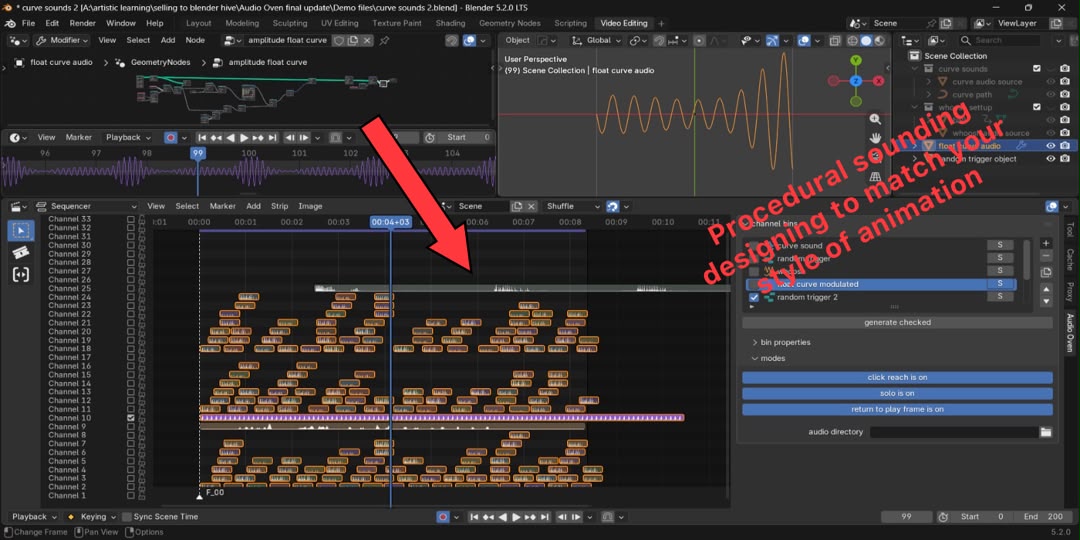
Our Aim is simple, we target on trying to answer a question...how can we make the sound design process faster ,easier ,procedural and very user friendly ...and make the audio be true to the animation and match almost 95% of the time...and that is all answered by Audio Oven Plus . Audio Oven plus turns animated mesh data into sound: trigger audio strips, generate audio from Geometry Nodes, and keep your Video Sequencer organised and it makes the it so easy to navigate through 128 channels in the VSE through the organization you already set
Categories
Tags
Installation
- Download Audio Oven Plus and check which Blender versions the creator supports. Keep the installable archive (for example,
Audio_Oven_Plus.zip) intact. If the download is a bundle, extract it first to find the add-on archive. - In Blender, go to Edit → Preferences → Add-ons. In Blender 4.2 and newer, open the top-right menu and choose Install from Disk. In older versions, click Install….
- Select the add-on archive (for example,
Audio_Oven_Plus.zip) or its standalone.pyfile and confirm the installation. - Find the add-on in the Add-ons list and tick its checkbox if it isn’t already enabled.
Check the creator’s instructions for any extra setup, such as dependencies or license activation.
Compare with other products
Choose a category to find products to compare with this listing.