Product listing
3MF Magic Solver - Import, Paint & Export Multicolor 3MF for 3D Printing
By Alessia ·
$19.00
List price: $19.00
Listing details
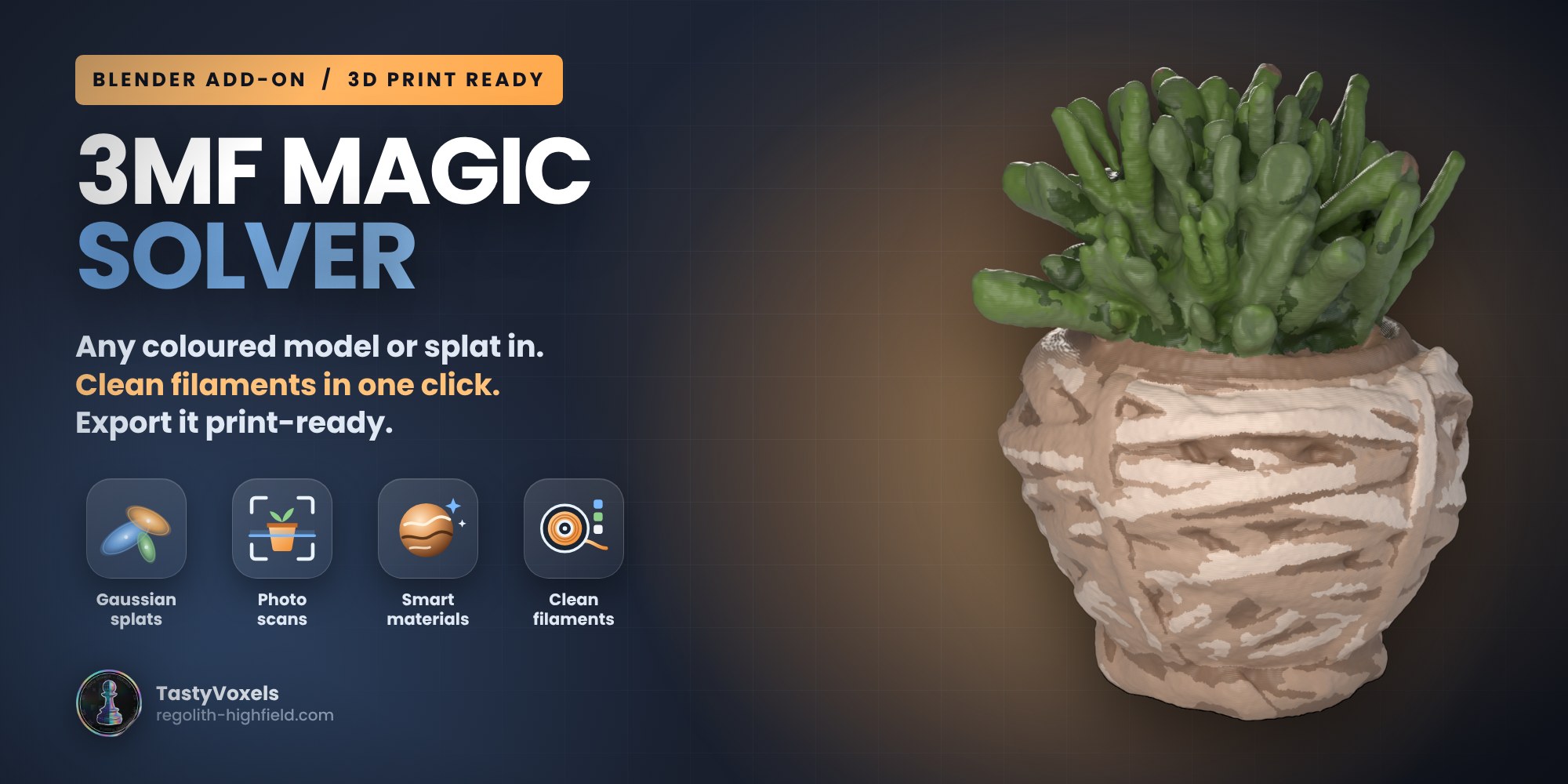
BETA 1.3. Bring any coloured model or Gaussian splat into Blender (3MF, OBJ, FBX, GLB, PLY), turn a photo scan into clean filaments or paint it from its own shape in one click, make it printable and export a file your slicer opens coloured.
Categories
Tags
Compare with other products
Choose a category to find products to compare with this listing.
Product versions
-
1.3.1 beta published
Created Nov 13, 2026 · Published Nov 13, 2026
Release notes (source)
<p><b>A fix for splats: no more pinholes.</b></p><p>Make Printable Mesh from Points could leave tiny pinholes in the skin of a splat, most visible on thin, woven or sparse surfaces (a basket, a leaf): small dark dots that read as holes in a render and as pits in a print.</p><p>Two causes, both fixed:</p><ul><li>Blender's voxel remesher sampled its grid exactly on the faces of the voxel skin, where inside and outside are a coin toss. The skin is now offset by a fraction of a voxel that never lines up with the grid.</li><li>Giving back everything the dilation borrowed thinned sparse sheets of blobs until single voxels dropped out. The skin now stays one voxel proud of the blob centres (0.24 mm at Ultra on a 90 mm scan), which is where the blobs' own edge is anyway.</li></ul><p>Measured on a 700,000-blob photo scan of a woven pot at Ultra: dozens of pinholes on the pot in 1.3.0, none left in 1.3.1. Everything else is as in 1.3.0.</p><p><b>Tested:</b> built and validated with Blender's own extension tool, installed from the zip on Blender 4.2, 4.5 LTS, 5.2 and 5.3: 245 automated checks on 5.3, 242 on the others.</p><p><b>It is a beta.</b> If something goes wrong, tell me on Superhive: what you put in, what came out, what you expected. Your reports decide what I fix and build next.</p>
-
1.3.0 beta published
Created Nov 13, 2026 · Published Nov 13, 2026
Release notes (source)
<p><b>1.3.0 beta: ready for Blender 5.3, Gaussian splats in, printable models out.</b></p><p><b>From a splat to a print.</b> Make Printable Mesh from Points turns a Gaussian splat or any coloured point cloud into a closed, filled, coloured solid: faint blobs and floaters left out, gaps closed, the inside filled (a scan with no underside gets a flat floor), a smooth skin from Blender's own remesher, and the colour of the nearest blobs on every corner. A splat PLY is read directly on every Blender from 4.2; on Blender 5.3 you can also import SPZ, glTF and USD splats or convert a splat already in the scene. Detail, Min opacity, Smooth, Up and Fill the inside are all yours.</p><p><b>Touch Up by Hand.</b> Vertex Paint on the model with its filaments as one-click swatches. Done snaps every stroke to the nearest filament, one per triangle; a clearly new colour becomes a new filament.</p><p><b>Colour mixing 3MF.</b> A new export for four-head printers loaded with cyan, magenta, yellow and white that mix colours by alternating them: every colour becomes the nearest mix of the four, written as mixed filaments with the print profile inside.</p><p><b>Blender 5.3.</b> Brush colour where 5.3 keeps it, splat point clouds, the SPZ importer when it is there and a clear message when it is not, every panel icon checked against the running Blender.</p><p>Built and validated with Blender's own extension tool, installed from this zip and tested on Blender 4.2, 4.5 LTS, 5.2 and 5.3: 245 automated checks on 5.3, 242 on the others.</p><p>It is a beta: it can still have problems, above all with splats and files I have never seen. If something goes wrong, tell me here on Superhive. Your reports decide what I fix and build next.</p>
-
1.2.0 beta published
Created Oct 20, 2026 · Published Oct 20, 2026
Release notes (source)
<p><b>1.2.0 beta: a coloured model in, a clean filament print out.</b></p><p><b>Colour to filaments</b> (new panel 2). Make Filament Version turns a scan, a textured asset or a GLB into a filament print: baked shading is taken out first, so the lit and the shaded side of a colour become one filament; filaments are picked by coverage and difference, so a small accent still gets its own spool; or use your own spools, typed in, read from a Bambu Studio, Orca, Creality Print or PrusaSlicer project, or taken from the model. Patches smaller than 1.5 sq mm (adjustable) join the colour around them and the borders are smoothed. Back to Full Colour puts the original back.</p><p><b>Make Printable</b> (panel 5) runs Quick Fix, Deep Fix and, if you allow it, Rebuild Solid in one click and stops at the first step that leaves the mesh watertight. Rebuild Solid now carries the colour per corner.</p><p><b>Print size</b>: Scale to Print Size and Put on the Plate.</p><p><b>10 new presets, 29 in all</b>: Miniature, Toon, Rainbow Layers, Kawaii Pastel, Galaxy, Haunted Glow, Rusted Iron, Marble Statue, Snow Capped, Camo, in four groups.</p><p><b>Fixed</b>: colours from ordinary 8-bit textures were read lighter than they are; the viewport showed painted colours lighter than the print. Scenes painted with 1.1 still open with the right colours.</p><p>Built and validated with Blender's own extension tool, installed from this zip and tested on Blender 4.2, 4.5 LTS and 5.2 (217 automated checks per version).</p><p>It is a beta: it can still have problems, above all with files I have never seen. If something goes wrong, tell me here on Superhive. Your reports decide what I fix and build next.</p>
-
1.1.1 published
Created Oct 20, 2026 · Published Oct 20, 2026
Release notes (source)
<p>Hotfix. In the 1.1.0 zip two texts in the extension manifest were longer than 64 characters, so Blender's extension validation check failed; the zip still installed and worked with Install from Disk. 1.1.1 is the same add-on with the manifest fixed. It was built and validated with Blender's own extension tool and tested installed on Blender 4.2 and 5.2. (Corrected: an earlier wording of these notes said 1.1.0 could not be installed, which was wrong.)</p><p>Nothing else changes in your workflow.</p>
-
1.1.0 published
Created Oct 20, 2026 · Published Oct 20, 2026
Release notes (source)
<p>Any coloured model in. Full-colour 3MF out. A repair ladder that stands on its own.</p><p>Import any model and keep its colour: Import OBJ, FBX, GLB, STL, PLY (also USD, Collada, Alembic, and by drag and drop) hands the file to Blender's own importer, flattens the hierarchy, puts the model in millimetres and captures the colour out of its materials: a UV texture is sampled per triangle corner, a colour attribute is read as it is, a plain material colour becomes that colour. Capture Colour from Materials does the same for any mesh already in the scene. Units are handled per format, and a captured texture's palette is picked by coverage and folded to your filament slots.</p><p>Full-colour 3MF: a fifth container, for the printers that print a photograph (UV inkjet, binder jet, PolyJet). Written to the 3MF Materials and Properties specification and read back in lib3mf with zero warnings. The FDM containers got sharper too: paint per triangle corner picks the filament per triangle from its own three corners, and an OBJ of a captured texture carries the true vertex colours.</p><p>Repair, gentlest first: Quick Fix as before; Deep Fix repeats it until nothing changes, removes duplicate faces and inner walls, prunes every edge shared by three or more faces and caps every open loop; Rebuild Solid is the last resort, a fresh closed skin on a voxel grid with colours carried over and the old mesh kept as a hidden backup.</p><p>Also: every long dash in the package is a plain hyphen now. Two suites, both green on Blender 5.2 headless: 101 checks for the 1.0 behaviour and 53 for the new features.</p><p>Still a beta. The full-colour 3MF has not yet been opened on a full-colour printer's own software: check it in yours before a long print.</p>