Product listing
Zculpt (Beta) — ZBrush-Inspired Sculpting Workflow for Blender
By Mario Martin ·
From $24.00
Listing details
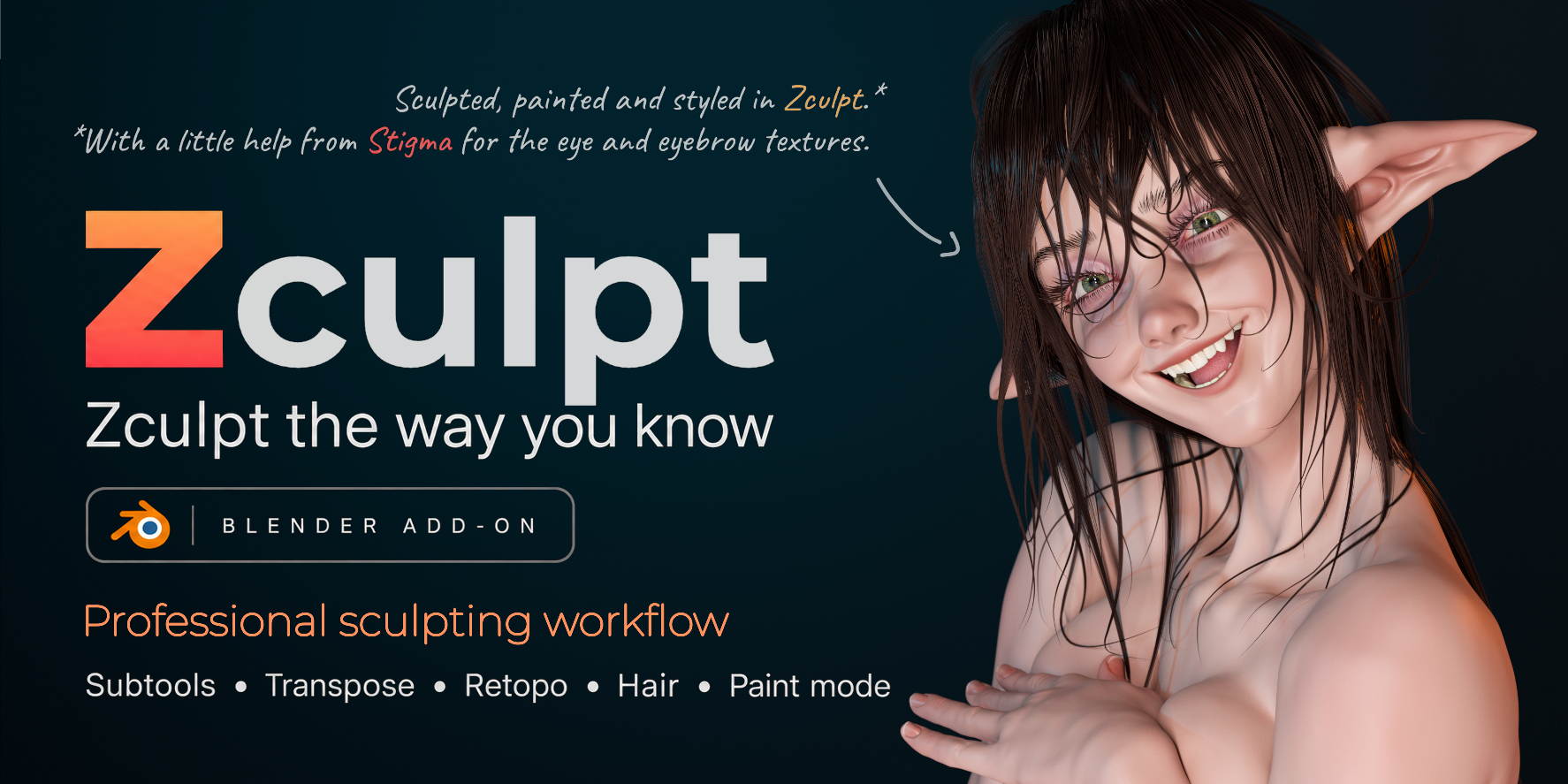
ZBrush-inspired sculpting in Blender. Sculpt characters with familiar brushes, masks, SubTools and Transpose. Add hair grooming, voxel remesh, retopology, Multires and layered painting. Public beta for Blender 5.2.
Categories
Tags
Installation
- Download Zculpt (Beta) — ZBrush-Inspired Sculpting Workflow for Blender and check which Blender versions the creator supports. Keep the installable archive (for example,
Zculpt_(Beta)_—_ZBrush-Inspired_Sculpting_Workflow_for_Blender.zip) intact. If the download is a bundle, extract it first to find the add-on archive. - In Blender, go to Edit → Preferences → Add-ons. In Blender 4.2 and newer, open the top-right menu and choose Install from Disk. In older versions, click Install….
- Select the add-on archive (for example,
Zculpt_(Beta)_—_ZBrush-Inspired_Sculpting_Workflow_for_Blender.zip) or its standalone.pyfile and confirm the installation. - Find the add-on in the Add-ons list and tick its checkbox if it isn’t already enabled.
Check the creator’s instructions for any extra setup, such as dependencies or license activation.
Compare with other products
Choose a category to find products to compare with this listing.
Variants
-
Individual published
Price: $24.00 · List price: $24.00
Variant versions
-
zculpt 0.10.1556 published
Created Oct 31, 2026 · Published Oct 31, 2026
Release notes (source)
<ul>
<li>Ctrl+Shift-clicking an isolated Polygroup again on a Multires model at level 0 now cleanly inverts the selection, without leaving a stray polygon from a neighbouring group.</li>
<li>Ctrl+Shift-clicking a PolyGroup on a Multires model now hides, isolates or shows it instantly, instead of freezing for up to a second or more on dense models.</li>
<li>Ctrl+Shift-clicking to invert visibility on a Multires model now keeps the exact edge of a fine Box or Lasso selection instead of snapping it to the base mesh.</li>
<li>With Gizmo 3D active and parts of the model hidden, Ctrl+Shift-clicking now inverts visibility instantly like with brushes, keeping fine Multires edges; with everything visible it still masks the PolyGroup.</li>
<li>Alt-dragging Gizmo 3D starts faster on dense meshes and moves and rotates more smoothly.</li>
<li>Gizmo 3D transforms on dense Multires meshes at level 0 now finish sooner, and the cursor shows the wait icon while a dense Multires transform is applied.</li>
<li>Rotating or uniformly scaling with Gizmo 3D at Multires level 0 now releases instantly; the sculpted detail follows once, when you change level, save or switch tools, however many gestures you chained.</li>
<li>Fixed an error that stopped Gizmo 3D Move from starting right after a Gizmo 3D Rotate or Scale at Multires level 0.</li>
<li>Dragging the 3D Gizmo is smoother in scenes with many SubTools: the SubTool list no longer re-scans the whole scene for every row on each redraw.</li>
<li>Fixed the 3D Gizmo jumping to the world origin when you move it right after rotating or scaling at Multires level 0.</li>
<li>Choose Native Blender Gizmo in General options to use Blender's Move, Rotate and uniform Scale with the Zculpt gizmo appearance, including faster Multires level-zero transforms (Blender 5.3+).</li>
<li>Gizmo 3D axis scale handles follow the gizmo's orientation on meshes without Multires. With Multires, these handles are hidden; uniform scaling remains available.</li>
<li>Gizmo 3D now leaves clicks on Blender's header and sidebar controls to those controls, even when a gizmo handle is behind them.</li>
<li>Save custom Detail presets in your own library and reuse them after restarting Blender or updating Zculpt.</li>
<li>Failed Apply to Textures operations now preserve hidden object-level material assignments.</li>
<li>Reduced interface stalls after adding a procedural Detail layer, including in MatCap and Studio.</li>
<li>Paint Mode now recovers layers and Detail masks after smooth subdivision and Del Lower, once Multires is fully removed.</li>
<li>Editing the factory Detail generator's numeric inputs now carries those values back into Paint Mode and saved presets automatically.</li>
<li>Wire Doll Make Sculpt Mesh now converts dolls with thin fingers and toes, keeping their tips rounded instead of asking you to thicken them.</li>
<li>Reduced extra work when starting and ending orbit, pan and zoom in Sculpt Mode.</li>
<li>Open the Detail Shader Editor directly from Sculpt Mode and return to Sculpt when you close it.</li>
<li>Paint Mode now refuses unsynchronized Detail Uniform node edits before opening, preserving the nodes and existing painting.</li>
<li>Compatible Coverage, Size and Depth Uniform node edits now carry back into Paint without changing painted masks. Entering Paint also uses a single Undo step.</li>
<li>The first Undo after leaving Paint Mode now restores your painted state, including Detail masks and materials.</li>
<li>Open the Detail Shader Editor from Paint Mode after confirmation, and return to painting with compatible custom generators and saved, packed images preserved.</li>
<li>Detail now explains why Multires prevents editing and how to return to saved detail.</li>
<li>Browse four surface detail presets and apply them to a new or active Detail layer while keeping existing painted masks.</li>
<li>Uniform Detail parameters now preview live while you adjust them; Apply keeps the change and Esc restores the previous appearance.</li>
<li>Detail parameter previews recover when an out-of-range value is corrected.</li>
<li>Detail Parameters now warns that cancelling a Sculpt or Paint stroke can affect the next Undo.</li>
<li>Adjust Detail Uniforms with one Undo step per drag, from either the native sidebar or the GPU ZN-Panel; choose Material Preview or Rendered from both.</li>
<li>Detail's Shader Editor keeps its split when an area is maximized, including after Undo and Redo. Restore the area layout before closing it.</li>
<li>The Detail Shader Editor now names the selected layer and reports incompatible materials or missing generator outputs without changing your nodes.</li>
<li>The Detail Shader Editor now focuses the selected layer. New Detail nodes have a spaced layout, while existing node positions stay unchanged.</li>
<li>Arrange overlapping Detail nodes with Undo while keeping your values and connections intact.</li>
<li>Repeating Arrange Nodes no longer adds an empty Undo step.</li>
<li>Undo now removes a SubTool duplicated after sculpting while preserving the earlier brush strokes.</li>
<li>Duplicating a SubTool now cancels cleanly if its Sculpt history cannot be saved.</li>
<li>Reset Painting now restores your previous painting on the first Undo.</li>
</ul>
-
zculpt 0.10.1393 published
Created Oct 21, 2026 · Published Oct 21, 2026
Release notes (source)
<ul>
<li>Saving or reopening a file from Paint Mode no longer leaves Sculpt History in an error state.</li>
<li>Saved Paint layers in All Channels view can recover missing Opacity and Fill Color controls while keeping material edits.</li>
<li>Paint now preserves materials from a newer layer format when an opacity or preview change cannot be applied.</li>
<li>Fine Pores now preserves incompatible saved Paint materials and explains how to keep painting.</li>
<li>Fine Pores now keeps pending Redo steps when an incompatible material prevents adding detail.</li>
<li>Fine Pores now keeps pending Redo steps when its attribute budget is too small.</li>
<li>Add Fine Pores in Paint Mode and paint Coverage, Size and Depth independently on meshes without Multires.</li>
<li>Fine Pores no longer switches Rendered view back to Material Preview while you paint.</li>
<li>Fine Pores now lets you choose Material Preview or Rendered for each viewport and restore its previous view.</li>
<li>Restoring a Fine Pores preview now keeps the previous shading after splitting a viewport.</li>
<li>Detail mask controls now explain inverted and constant ranges correctly.</li>
<li>Gizmo 3D Move and Rotate on Multires now also start and finish without the pause at lower Sculpt levels in Blender 5.3, not only at the top level (without Mirror).</li>
<li>Sculpt Layers: hiding or locking the recording layer, even from Blender's Shape Keys list, now always moves Record to the Base before your next stroke or Gizmo move. When a layer stack needs attention, Layers names exactly what changed, and Remesh, Dyntopo, Multires and SubTool Merge/Split no longer offer a Bake that cannot run.</li>
<li>Sculpt Layers now work with Multires SubTools: Create Layer Copy gives you a layered copy of the highest level, and Send to Multires writes your layers back exactly, asking first if the original was sculpted meanwhile.</li>
<li>Extract, Feather and Polygroup masking, Paint Mode and Retopo now work on layered SubTools and use the surface you see, with every layer mixed in.</li>
<li>When a Multires SubTool can't get a layer copy because of loose vertices or edges, Layers now says how many there are and offers Remove Loose Geometry, which cleans them in one undoable step and keeps your sculpted detail.</li>
<li>Box and Lasso masking now apply faster on dense meshes, especially right after Undo.</li>
<li>Multires keeps one mask across levels: Sculpt Base Mesh and level 0 now start from the mask you painted on higher levels, and base-level mask changes carry back up without losing fine detail.</li>
<li>Orbiting, panning and zooming by dragging on empty space now move the view the way middle-mouse navigation does: Multires models use Blender's lighter Fast Navigate preview while the view moves, and the rest of the interface no longer redraws on every movement, including while Ctrl-zooming. [see image]</li>
<li>After deleting or merging SubTools, the 3D View no longer keeps redrawing in the background, which slowed down navigation and could stall the History timeline.</li>
<li>Gizmo 3D Move on Multires starts and finishes without the pause at the top Sculpt level in Blender 5.3 (orthographic axis Move and view Move, without Mirror), like Rotate.</li>
<li>Entering LVL0 now automatically conforms the Multires base to your sculpted shape, including with Sculpt Base Mesh enabled. You can turn this off in General Options.</li>
<li>Press Shift+F in Zculpt Sculpt Mode to show or hide Polygroup colors.</li>
<li>Auto Groups can now group disconnected visible regions while preserving hidden groups, with single-step Undo. At higher Multires levels, selections must follow whole base faces and currently require a verified Linux build.</li>
<li>Gizmo 3D Move, Rotate and Scale now support Multires Sculpt Base Mesh, so you can pose the base while viewing and preserving higher-level detail.</li>
<li>Orbit, pan and zoom now avoid unnecessary Sculpt brush-cursor calculations while navigating, improving responsiveness with Sculpt Base Mesh enabled.</li>
</ul>
-
zculpt 0.10.1262 published
Created Oct 18, 2026 · Published Oct 18, 2026
Release notes (source)
<ul><li>Press Shift+F in Zculpt Sculpt Mode to show or hide Polygroup colors.</li><li>Auto Groups can now group disconnected visible regions while preserving hidden groups, with single-step Undo. At higher Multires levels, selections must follow whole base faces and currently require a verified Linux build.</li><li>Wire Doll now follows the history timeline, orbits from empty space, cuts wires more smoothly, and snaps nodes to mirror planes. Tap to select without moving; hold Ctrl during a drag to bypass snapping.</li><li>Wire Doll adds green selection lassos and pink Alt-subtract lassos. Tap a selected node to set a pivot, then Ctrl+Shift-drag to rotate the group; Ctrl+Shift-tap a red node deletes it. Unselected nodes stay in place, and controls stay accessible above navigation safe zones.</li><li>Move selected Wire Doll nodes together, or Ctrl-drag to resize their lengths and thicknesses proportionally around a pivot. Bend a Ctrl stroke to select with an automatically closed lasso.</li><li>Wire Doll orbits and zooms around the node you last created, moved or tapped. Make Sculpt Mesh now adapts resolution for thin branches and keeps the editable source available if conversion fails.</li><li>Wire Doll responds faster when dragging nodes in large dolls by rebuilding only the wire segments whose shape changes.</li><li>Wire Doll now has a dedicated ZN-Panel section and a searchable preset library. Save, load, update, rename and delete reusable shapes while keeping the viewport clear.</li><li>Turn off Wire Doll Mirror to pose both sides independently without losing them. Re-enable it to reconnect matching nodes and cuts while keeping the pose; subsequent position edits restore symmetry only to the affected pairs.</li><li>In Paint Mode, Z toggles painting transparency (Erase), and zoom and orbit use the last brush contact.</li><li>Hair node size now opens or closes the spacing between GN hairs, while Strand Thickness controls each hair's diameter.</li><li>GN Hair now offers Smooth Spread to soften transitions between node widths and the Root/Middle/Tip profile while keeping individual strands the same thickness.</li><li>Hair now includes a Learn section with an organized reference to creating guides, editing nodes and handles, and moving or duplicating whole hairs.</li><li>Undoing Paint strokes no longer crashes Blender when generated Hair is present.</li><li>Mask Blur now uses Blender's Smooth Mask, with Blur Passes in the ZN-Panel and smoothing at the active Multires Sculpt level.</li><li>Gizmo 3D rotation starts faster at the highest Multires Sculpt level in Blender 5.3 when Mirror is off and the object transform is compatible.</li><li>Split a sculpt layer with a soft mask to adjust local detail independently, or duplicate it at zero strength without changing your sculpture.</li><li>Sculpt Layers now offers a wider strength editor with quick inversion and clearer recording feedback in the native ZN-Panel.</li><li>Baking layered SubTools now checks every source first, so a problematic source leaves the entire selection intact.</li><li>Tool and SubTool actions in the GPU ZN-Panel now support Undo consistently. The Tool list resize handle shows the visible range and supports cancellation with Esc or right-click.</li><li>Improved stability when sculpting overlaps delayed updates to Tools, Paint, Hair or Transpose.</li><li>Move Topological (B → M → T) moves connected geometry under the brush while respecting your existing masks. MaskStroke now uses B → M → E.</li><li>Wire Doll (B → W → D) builds sculpting bases from adjustable wires, with branches on the surface, local symmetry and conversion to a closed sculpting mesh.</li><li>Wire Doll ignores editing gestures on hidden sources, keeping their nodes unchanged until you show them again.</li><li>Growing a selection after a negative Rect or Lasso cut no longer reveals stray disconnected polygons on meshes or at Multires level 0.</li><li>Ctrl-click now applies the mask filter with any mask tool selected, including on Multires. Start MaskPoly with a dragged first edge, then click to add corners.</li><li>Inspect and paint layer masks directly on the model with Mask View, then return to your material without changing the painted result.</li><li>Paint Mask now switches back to layer painting, and clearing paint or resetting a mask confirms the target before making changes. Color-picker cancellation stays with the original layer.</li><li>Transpose rotation responds faster on dense meshes.</li><li>PolyGroup selection works again with Multires in Blender 5.3.</li><li>Transpose now cancels safely if its Multires hierarchy changes during a drag.</li><li>Gizmo 3D rotation starts faster at Multires level 0, even when higher detail levels are stored.</li></ul>
-
zculpt 0.10.1199 published
Created Oct 13, 2026 · Published Oct 13, 2026
Release notes (source)
<ul>
<li>The optional Multires selection correction now also protects PolyGroup clicks, inverting by dragging over empty viewport and Ctrl+Shift+X/S Grow/Shrink at levels 1–3, so inverting an isolated PolyGroup no longer leaves scattered polygons.</li>
<li>The optional Multires selection correction can now be downloaded and used on Windows with Blender 5.2.1 LTS, alongside Linux.</li>
<li>With the optional Multires selection correction enabled, Ctrl+Shift+X/S Grow/Shrink Visible now gives the same result every time at every Multires level, not only at levels 1–3.</li>
<li>Go to Paint mode now keeps your painting when only loose vertices or wire edges were removed or added: every layer and mask carries over exactly, instead of asking you to start over.</li>
<li>Regenerate Paint is now called Reset Painting, and its shorter dialog says plainly that it clears all layers and masks.</li>
<li>On Windows, Zculpt now reads Blender's undo history reliably even when Blender's output is redirected, so composed actions such as inverting an isolated PolyGroup again undo in one step and avoid Blender's scattered-polygon inversion.</li>
<li>With the optional Multires selection correction on Windows, PolyGroup clicks at Multires level 1 no longer occasionally leave stray visible or hidden patches when Zculpt returns to Sculpt.</li>
<li>At Multires levels above 0, F now frames only the visible part of the model and follows each new selection, instead of including hidden geometry or repeating an earlier framing.</li>
<li>In the Space brush island, Focal Shift now starts at 0 for Blender's default brush edge; drag left toward -100 for a harder edge. Blender has no softer setting, so the slider stops at 0.</li>
<li>While you hover or drag Focal Shift in the Space brush island, an inner ring inside the brush outline now shows the hard core of the brush, like ZBrush's inner circle.</li>
<li>While you hover or drag Z Intensity in the Space brush island, the inner ring now shows strength just like Blender's own brush cursor, which the island hides while it is open.</li>
<li>Retopo: moving or extruding edges near the Mirror plane now catches the center seam steadily and slides along it, without the flicker and jumps it had, just like filling a quad from a corner.</li>
<li>Gizmo 3D Move, Rotate and Scale on Multires meshes now start and confirm much faster, without re-evaluating other visible objects.</li>
<li>Repeated Ctrl+Shift Box or Lasso selections on Multires now keep only what was visible inside the new region, at the level you sculpt, instead of inverting or revealing hidden parts; with symmetry they keep the part shared with the mirror.</li>
<li>One Ctrl+Z now fully undoes a Ctrl+Shift visibility selection: it no longer stops on the inverse selection on ordinary meshes, or leaves everything hidden after a first Multires Lasso started in empty viewport.</li>
<li>Linux users can optionally download and enable a Multires selection correction from Outlierlabs to prevent scattered patches when isolating or hiding with Rect/Lasso at levels 1–3.</li>
<li>After installing the optional Multires correction, choose Activate correction or Cancel. The notice then stays out of the ZN-Panel, with activation always available in Zculpt preferences.</li>
<li>GN Hair sliders showing Mixed now drag normally, Remove GN Hair leaves no generated node groups behind, and deleting or joining a Hair removes its generated strands.</li>
<li>Editing or combing guides while showing only GN Hair is about four times faster, and Hair attached to a surface no longer slows down unrelated scene changes.</li>
<li>The Hair section now shows only the controls you can use at each step. GN Hair settings are live sliders in the native panel too, Remove GN Hair is always at hand, and with Selected Group it removes just that group.</li>
<li>Isolate faces or Polygroups in Zculpt and carry that selection into Paint Mode, including Multires and Optimize, while keeping your paint layers.</li>
<li>Holding Shift no longer crashes Blender when the active brush has lost its asset reference.</li>
<li>Reapplying Paint textures now preserves material compositions and custom node connections, including decal compositors.</li>
<li>In Paint Mode, press C to sample color and Alt-drag to pan over the model or background.</li>
<li>Generate smooth GN Hair from editable Hair Brush guides, switch between sections and strands, and adjust density, spread and thickness in the ZN-Panel.</li>
<li>Comb and smooth Hair Brush guides with pinned roots, group scope, surface occlusion and one Undo step per stroke.</li>
<li>Hair guides can now follow an explicitly bound surface through Shape Keys and rig poses, with editing, Comb and Smooth available in the posed shape.</li>
<li>Sculpt color previews stay separate from render textures, preventing accidental changes to roughness when arranging material nodes.</li>
<li>Gizmo 3D responds faster when dragging masked Multires meshes, including movement with the gray view-plane corners.</li>
<li>Starting a Gizmo 3D drag on a Multires mesh is faster, especially with a dense base mesh.</li>
<li>Rotate freely by dragging an empty area inside the Gizmo 3D's gray circle; hold Alt to orient only the gizmo. All three RGB rings highlight together, and the yellow center has a thicker rim and a larger hit area.</li>
<li>Move/Grab strokes at Multires level zero now preserve higher-level detail without smoothing it.</li>
<li>Transpose and Gizmo 3D now use Blender's selected objects when no Outliner is visible, so Selected scope works without splitting the viewport, including on Multires models.</li>
<li>Continue using Move/Grab at Multires level zero without rebuilding detail after every stroke; correction is now batched when changing levels or tools, or saving.</li>
<li>The Extract section no longer resizes the ZN-Panel with a temporary warning during Move or other sculpt strokes.</li>
<li>Repeating Ctrl+Shift-click on an isolated Polygroup uses a targeted workaround for scattered visibility at low Multires levels.</li>
<li>Remesh includes Voxel as the default mode, with Voxel Size and Adaptivity controls alongside Smooth, Sharp and Blocks.</li>
<li>The History strip now fits between the ZT-Panel and ZN-Panel, keeping its latest state reachable when panels are resized or the history contains many topology changes.</li>
<li>Gizmo 3D rotation now works on the Multires base at level 0 with symmetry, carrying the higher-level detail through the rotation.</li>
<li>Multires level changes and mask edits now undo as single actions, preserving surrounding sculpt strokes.</li>
<li>Ctrl+Shift-clicking a Polygroup with Gizmo 3D is faster on Multires meshes, especially when selecting the same group again.</li>
<li>Geometry now includes Modify Topology: mirror either X half and weld the centre on meshes without Multires subdivision, or use Del Hidden to delete hidden polygons at level 0.</li>
<li>Entering Paint Mode no longer fails when the ZB-Panel initializes.</li>
<li>Paint Mode now prepares optimized surfaces from meshes with loose vertices or wire edges, keeping the original Sculpt mesh intact.</li>
<li>Hair Brush keeps joined strands editable and groups new compatible hairs so they share a material.</li>
<li>Hair section objects now stay under their SubTool in the Outliner, keeping the scene root tidy.</li>
<li>Disconnect the Retopo reference to freely move existing vertices, edges and quad faces, including Multires bases at level zero.</li>
<li>Free Tweak is more responsive when moving vertices and edges on Multires bases.</li>
<li>Create, cut, extrude and edit topology with disconnected Retopo, including Loop, Strip and Last Stroke.</li>
<li>Reconnect an unchanged Retopo reference without repeating the surface preparation delay. Changing the chain outside Retopo now saves the connection immediately.</li>
<li>Reduced stalls when dragging projected Hair Brush controls over a fully visible reference mesh.</li>
<li>Hair Brush now projects on the current Multires or Subdivision level up to level 1, reducing the initial drag delay while keeping the displayed model unchanged.</li>
<li>Hair nodes and handles now drag freely, including the root; press Ctrl during a drag to project. Shift before dragging moves the whole Hair, while Shift during movement moves the chain toward its root or tip.</li>
<li>Hair keeps node and handle selection when clicking the canvas, dims other hairs' nodes, and lets you insert nodes with a Ctrl-drag stroke across the curves without trimming them.</li>
<li>Ctrl+Shift-clicking confirmed empty background with Multires now shows hidden geometry without rebuilding the surface for Polygroup picking.</li>
<li>Hair Brush now reuses its Multires projection surface during Ctrl-dragging instead of repeatedly rebuilding it after preparing the reference.</li>
<li>New SubTool and New Tool use Blender’s native Quad Sphere on Blender 5.3 or newer, with adjustable resolution; Blender 5.2 keeps UV Sphere.</li>
<li>Hair cutting now affects only the selected strand and keeps it highlighted; hold Shift while dragging a handle to align both tangents.</li>
<li>Reduced overhead when projecting Hair nodes and handles with Ctrl, including over Multires references.</li>
<li>New SubTools automatically use Active scope in Transpose and Gizmo 3D, so you can move them immediately without opening an Outliner.</li>
<li>Rotating a Multires base with Transpose's end handles now carries sculpted detail with the pose, preventing spikes when returning to higher levels.</li>
<li>On regular meshes and the Multires base, Select Lasso and Select Rect now keep every face touching a vertex inside the selection.</li>
</ul>
-
zculpt 0.10.1124 published
Created Oct 8, 2026 · Published Oct 8, 2026
Release notes (source)
<ul>
<li>Hair section objects now stay under their SubTool in the Outliner, keeping the scene root tidy.</li>
<li>Hold Ctrl+Shift+X or Ctrl+Shift+S to keep expanding or shrinking the visible selection.</li>
<li>Blender Auto Save now writes recovery copies during idle pauses with Zculpt active, using your existing save interval and temporary folder.</li>
<li>Fixed the delay before Select Lasso and Select Rect begin drawing on Multires meshes.</li>
<li>Gizmo 3D Move, Rotate and Scale no longer reject a Multires mesh as fully masked when it contains loose vertices.</li>
<li>Lowering Multires to level 0 with Zculpt's controls now copies the mask to the base vertices while retaining the detailed mask at higher levels.</li>
<li>At Multires level 0, Alt-click places Transpose on the visible selection and F frames its visible geometry, excluding hidden parts.</li>
<li>Extract can now create a shell from the mask at the active Multires Sculpt level. Show all geometry before extracting; the new piece is an independent mesh.</li>
<li>Blur now uses Blender smoothing passes when Zculpt detects an isolated Multires selection, so you can soften the mask without showing the whole mesh.</li>
<li>Add compatible ZN-Panel actions, values and selectors to your ZB-Panel, use them across views and windows, and organize or edit them from the keyboard.</li>
<li>ZB-Panel buttons and text are 20% smaller, leaving more room for controls.</li>
<li>ZB-Panel slider values stay visible while dragging, without overlapping help text.</li>
<li>Arrange ZB-Panel controls freely with snap, using the mouse or keyboard. Resizing preserves their positions; scroll or Find reveals controls beyond the panel edges.</li>
<li>ZB-Panel placement instructions now appear in white above the panel, without an opaque background covering the controls.</li>
<li>Copy ZT-Panel controls and brushes to the ZB-Panel with a right-click. Floating pickers open above their pinned buttons and fit narrow views.</li>
<li>Hair's inner root node now changes only its width with Ctrl-drag, while the outer square scales the whole strand. Nodes set the orbit pivot, clicking empty canvas deselects, and F frames the selected Hair or all nodes.</li>
<li>Undo after Bake Layers and Merge now restores the Sculpt Layers on every source SubTool, including inactive ones.</li>
<li>Ctrl+Shift-click now selects Polygroups on Multires, and Gizmo 3D Move, Rotate and Scale follow the gizmo pivot with masks, symmetry and live previews.</li>
<li>Gizmo 3D now explains when a scope contains several SubTools and points to Active to transform the current one.</li>
<li>Ctrl+W now combines the visible selection into one Polygroup; a qualifying mask takes priority and is cleared after grouping.</li>
<li>Gizmo 3D Scale at Multires level 0 now uses the gizmo origin instead of Blender's native Sculpt pivot.</li>
<li>Ctrl+Shift-click with Gizmo 3D on Multires now builds its selection mask from base Polygroups without reconstructing a fully subdivided mesh.</li>
<li>Gizmo 3D Move, Rotate and Scale on Multires now use a level 1 or 2 preview for blocking, approximating fine mask boundaries and restoring higher detail when you confirm.</li>
<li>Colorize no longer intermittently fails when creating UVs for a mesh without a UV map.</li>
<li>Transpose Move no longer inherits snapping from Object Mode, avoiding jumps near other SubTools.</li>
<li>The central yellow Gizmo 3D Resize square is larger with the same border thickness and more space around the green axis handle; dragging anywhere inside it scales uniformly.</li>
<li>Touching or moving a Hair node or Bezier handle now sets the viewport orbit center at that control and follows it as you drag.</li>
<li>Drag the new square around a Hair root to move the whole strand along the reference SubTool and align it with the surface normal; the square lights up on hover.</li>
<li>Multires Wire in Blender 5.3 now uses native wire while sculpting to avoid a potentially unsafe temporary evaluation after level changes. Native wire includes subdivided edges.</li>
<li>Ctrl-drag a Bezier handle to rotate the whole Hair around its curve node. While Ctrl is held, nodes turn violet for size and Bezier handles turn green for rotation.</li>
<li>Ctrl-drag the Hair root square to scale the whole strand and its thickness together around the root; other nodes still adjust their local size.</li>
<li>Gizmo 3D axis Move in perspective uses a fixed drag projection to avoid distant jumps on base meshes. Surfaces requiring native Move, including live Multires and Sculpt Layers, ask for Orthographic view for axis drags.</li>
<li>Edit mesh topology directly in Blender Edit Mode with Multires attached, without mandatory Prepare or Repair; protected base editing remains optional.</li>
<li>With a Hair root selected, Ctrl+Shift-click the reference SubTool to duplicate the strand at that point, aligned with the polygon normal; the new root stays selected for further copies.</li>
<li>Retopo responds faster on large meshes when moving points and adding faces, reusing nearby reference and retopo regions automatically.</li>
<li>Copy native Invert Mask and Clear Mask buttons into a resizable ZB-Panel, then rearrange or remove copies with Ctrl+Alt-drag.</li>
<li>Resizing the ZT-Panel and ZN-Panel respects open menus and clears the drag state after releasing the mouse or pressing Esc.</li>
<li>ZB-Panel shows readable, transparent messages for rejected copies and failed edits, height changes or mask actions, with complete Blender feedback when space is tight.</li>
<li>Retopo can drag aligned and buried vertices more reliably and keeps face creation consistent after Blender's Tris to Quads.</li>
<li>Copy the native Blur Passes range from the ZN-Panel to the ZB-Panel to adjust mask smoothing passes from either panel.</li>
<li>Split now uses the Polygroups name and avoids a false unfinished-operation warning.</li>
<li>Removed the obsolete Transpose progress message from the ZN-Panel.</li>
<li>Ctrl-drag the Gizmo 3D to duplicate unmasked parts or extrude partially masked surfaces within the same SubTool.</li>
<li>Create capped cylinders from New SubTool, with adjustable segments.</li>
<li>Auto Groups creates a different Polygroup for each loose part of the active SubTool.</li>
<li>With Gizmo3D active, Ctrl+Shift-click a Polygroup to leave it unmasked and mask the rest of the SubTool; available on base meshes without Multires levels, Dyntopo or Shape Keys.</li>
<li>The outer gray Gizmo3D circle is larger, leaving about 3 pixels of space around the RGB rotation rings.</li>
<li>Transpose keeps Dyntopo temporarily off in both Line and Gizmo3D, restoring it when you return to a compatible sculpting brush.</li>
<li>Selecting Retopo now turns Dyntopo off automatically, using the same temporary suspension as Move and Inflate.</li>
<li>Merge Down's Merge Points now welds only vertices at exactly identical coordinates, preserving nearby detail without averaging positions.</li>
<li>Gizmo 3D now shows the actual SubTool scope restriction when Scale or another Geometry Nodes transform cannot start.</li>
<li>Retopo can use an isolated region of the reference SubTool, keeping other body parts out of the way.</li>
<li>Retopo clicks respect viewport clipping and backface culling, and moving existing controls stays near their local surface.</li>
<li>Large retopology meshes respond faster when finding nearby controls, reusing snap data and moving vertices.</li>
<li>Releasing a History strip drag anywhere in Blender now ends it, even outside the viewport.</li>
<li>The first History preview of a SubTool now appears in about a second, even on meshes of several million polygons, instead of after 10–40 seconds.</li>
<li>History now keeps its strip through Dyntopo, Octree Remesh and other topology changes: turning Dyntopo on and off are steps, and clicking any earlier step brings that mesh back exactly.</li>
<li>Ctrl+Z and Ctrl+Shift+Z over a History restoration or an Octree Remesh now keep you in Sculpt Mode.</li>
<li>PolyGroups that turned white after Undo in Dyntopo are repaired automatically when you leave Dyntopo; your own default group is never changed.</li>
<li>Hair Brush now lets you project dragged nodes onto the SubTool below with Ctrl, insert nodes with Shift-click, save edited sections with Update/New, and bake all strands into one mesh. Width tapers smoothly, and duplicating a SubTool also copies its editable hairs.</li>
<li>The History strip can return to its first state while Hair Brush is active.</li>
<li>Switching SubTools after adding Multires now works without removing the modifier or losing sculpted detail.</li>
<li>Paint Mode now keeps your active UV map unchanged and creates UVs only when none exist.</li>
<li>Changing the active UV map also updates cached Paint textures and their material mapping.</li>
<li>Selecting a Retopo mesh in Object Mode after Del Higher no longer triggers an activation error.</li>
<li>Retopo now highlights n-gons in red, including faces with extra collinear vertices.</li>
<li>Split now works with loose vertices and edges, preserving them in the original SubTool.</li>
<li>Create editable hair strands from the brush island, with draggable spline nodes, size per node and custom alpha extrusion profiles.</li>
<li>Hair clicks no longer nudge nodes, edits preserve other curves and custom sections, and you can orbit while previewing a new strand.</li>
<li>Transpose Move, Rotate and Scale with the Gizmo 3D now work on the recording Sculpt Layer, or on the base under the layers (with symmetry off).</li>
<li>Hair now remains visible in Zculpt Tools and Local View, while File menus, panel resizing, background orbit and the history slider stay responsive.</li>
<li>Transpose Move and Rotate also work on Sculpt Layers with symmetry on; Scale with symmetry asks you to turn symmetry off or bake the layers.</li>
<li>Sculpt Layers: Merge Down, Bake All and deleting the last layer are now much faster on dense meshes, and a refused layer action no longer leaves Record on a hidden or locked layer.</li>
<li>The History slider shows its previews again on very small or finely triangulated meshes, instead of failing repeatedly.</li>
<li>Switching from Hair to Clay no longer stops sculpting with a missing position error in History.</li>
<li>History: a minimal strip of thin bars replaces the slider; click or drag to light it up to any step, with every stroke now its own step and new bars appearing in groups when you pause.</li>
<li>History previews are four times more detailed and keep your MatCap, Face Set colors and mask.</li>
<li>Hair: Shift-click starts a strand on the SubTool below and adds nodes; a normal click finishes it. Shape the path with Bezier handles and edit its extrusion section in the lower-left box.</li>
<li>Ctrl+Shift-click deletes Hair controls with red hover feedback; you can orbit near Hair or over its extruded surface.</li>
<li>History stays light in long sessions, and dragging the strip back to your current step no longer pauses Blender.</li>
<li>New Layers section in the ZN-Panel: sculpt on separate layers with Record, adjustable strength (negative values invert a layer), visibility, lock, Merge Down and Bake All, on meshes without Multires.</li>
<li>With Sculpt Layers, Remesh, Dyntopo, Subdivide and SubTool Merge/Split no longer refuse: they offer to bake the layers and continue, and Undo brings the layers back.</li>
<li>Remesh now uses Smooth octree remeshing by default, with Sharp and Blocks options; Ctrl+R runs the same tool.</li>
<li>Screencast Keys can stay visible while you switch SubTools in Sculpt Mode.</li>
<li>Space brush controls and the B brush browser stay responsive after returning from Retopo to Sculpt with no previous brush.</li>
<li>Retopo: Shift+Ctrl can delete loose edges left behind by face deletion, and X/Delete works when a cut hides the face's center handle.</li>
</ul>
-
zculpt 0.10.906 published
Created Sep 27, 2026 · Published Sep 27, 2026
Release notes (source)
<ul><li>Move keeps Dyntopo suspended after reopening a file, when using custom alphas or renamed Grab brushes, and when Dyntopo is enabled while Move is selected. Switching to another brush restores the suspended state.</li><li>Gizmo 3D is now the default Transpose display for scenes without a saved choice.</li><li>Holding Shift to smooth from Move keeps Dyntopo automatically suspended. Switching back to Clay Buildup restores it if it was previously on.</li><li>Inflate now shares Dyntopo Auto Off with Move. Switching between them or holding Shift to smooth keeps Dyntopo suspended; choosing a compatible brush restores it if it was previously on.</li><li>The first Alt-click after selecting Transpose places the gizmo on the surface without needing a second click.</li><li>Mask Blur with Dyntopo keeps hidden mask values from bleeding into an isolated selection, including after inverting its mask.</li><li>Transpose Line now shows a clear warning and recovery guidance instead of a Python error when its chosen SubTool scope is unavailable.</li><li>New sphere and cube SubTools sculpt outward with positive Clay Buildup, including with Dyntopo enabled.</li><li>Transpose now has a matching dedicated icon in the brush island and the active tool card.</li><li>Box and Lasso gestures on empty viewport space now clear the mask using the visible surface, including with Multires.</li><li>With Multires, Alt-click places Gizmo 3D on the visible sculpted surface, and Alt-drag pans over empty space even inside the base cage silhouette.</li><li>Switching tools no longer attempts to start an unavailable native Sculpt stroke or changes temporary mask settings for a rejected stroke.</li><li>Gizmo 3D Move with Mirror now follows the side where you place the gizmo. On the symmetry plane, the first movement selects the side for the whole drag. Mirrored Move with Multires is blocked until supported.</li></ul>
-
zculpt 0.10.885 published
Created Sep 25, 2026 · Published Sep 25, 2026
Release notes (source)
<ul><li>SoloS keeps the full SubTool list and its visibility eyes unchanged, follows the SubTool you select, and isolates only within the selected Tool. Use SoloT separately to hide other Tools.</li></ul>
-
zculpt 0.10.884 published
Created Sep 24, 2026 · Published Sep 24, 2026
Release notes (source)
<ul>
<li style="margin-bottom:8px;">Transpose Rotate with symmetry: dragging an end of the action line turns the mesh the way you move the mouse, on both sides of the mirror.</li>
<li style="margin-bottom:8px;">The Alt twist on the Transpose middle circle turns the same way as the plain twist, whichever way you drew the line.</li>
<li style="margin-bottom:8px;">With symmetry, when the Transpose line crosses the mirror plane, Rotate and Scale act from the end you drag and are replicated on the other side. The two halves stop at the mirror plane instead of passing through each other.</li>
<li style="margin-bottom:8px;">DelLo now works with Wire enabled, without falsely reporting that the source changed during reconstruction.</li>
<li style="margin-bottom:8px;">SDiv adds Multires levels faster while keeping Sculpt ready for the next stroke, including with Wire enabled.</li>
<li style="margin-bottom:8px;">Selecting a Tool now activates its last-used SubTool automatically.</li>
<li style="margin-bottom:8px;">SoloT now follows the Tool you switch to, keeping the other Tools hidden.</li>
<li style="margin-bottom:8px;">SoloT and SoloS can stay enabled together when switching Tools, isolating the newly active SubTool.</li>
</ul>
-
zculpt 0.10.874 published
Created Sep 23, 2026 · Published Sep 23, 2026
Release notes (source)
<li>Fixed an issue that blocked creating or switching SubTools while Stigma’s image watcher was running.</li><li>The optional components installation panel now disappears once installation is complete. Installation details remain available in Zculpt’s add-on preferences.</li>
-
-
Studio Support published
Price: $96.00 · List price: $96.00
Variant versions
-
zculpt 0.10.1556 published
Created Oct 31, 2026 · Published Oct 31, 2026
Release notes (source)
<ul>
<li>Ctrl+Shift-clicking an isolated Polygroup again on a Multires model at level 0 now cleanly inverts the selection, without leaving a stray polygon from a neighbouring group.</li>
<li>Ctrl+Shift-clicking a PolyGroup on a Multires model now hides, isolates or shows it instantly, instead of freezing for up to a second or more on dense models.</li>
<li>Ctrl+Shift-clicking to invert visibility on a Multires model now keeps the exact edge of a fine Box or Lasso selection instead of snapping it to the base mesh.</li>
<li>With Gizmo 3D active and parts of the model hidden, Ctrl+Shift-clicking now inverts visibility instantly like with brushes, keeping fine Multires edges; with everything visible it still masks the PolyGroup.</li>
<li>Alt-dragging Gizmo 3D starts faster on dense meshes and moves and rotates more smoothly.</li>
<li>Gizmo 3D transforms on dense Multires meshes at level 0 now finish sooner, and the cursor shows the wait icon while a dense Multires transform is applied.</li>
<li>Rotating or uniformly scaling with Gizmo 3D at Multires level 0 now releases instantly; the sculpted detail follows once, when you change level, save or switch tools, however many gestures you chained.</li>
<li>Fixed an error that stopped Gizmo 3D Move from starting right after a Gizmo 3D Rotate or Scale at Multires level 0.</li>
<li>Dragging the 3D Gizmo is smoother in scenes with many SubTools: the SubTool list no longer re-scans the whole scene for every row on each redraw.</li>
<li>Fixed the 3D Gizmo jumping to the world origin when you move it right after rotating or scaling at Multires level 0.</li>
<li>Choose Native Blender Gizmo in General options to use Blender's Move, Rotate and uniform Scale with the Zculpt gizmo appearance, including faster Multires level-zero transforms (Blender 5.3+).</li>
<li>Gizmo 3D axis scale handles follow the gizmo's orientation on meshes without Multires. With Multires, these handles are hidden; uniform scaling remains available.</li>
<li>Gizmo 3D now leaves clicks on Blender's header and sidebar controls to those controls, even when a gizmo handle is behind them.</li>
<li>Save custom Detail presets in your own library and reuse them after restarting Blender or updating Zculpt.</li>
<li>Failed Apply to Textures operations now preserve hidden object-level material assignments.</li>
<li>Reduced interface stalls after adding a procedural Detail layer, including in MatCap and Studio.</li>
<li>Paint Mode now recovers layers and Detail masks after smooth subdivision and Del Lower, once Multires is fully removed.</li>
<li>Editing the factory Detail generator's numeric inputs now carries those values back into Paint Mode and saved presets automatically.</li>
<li>Wire Doll Make Sculpt Mesh now converts dolls with thin fingers and toes, keeping their tips rounded instead of asking you to thicken them.</li>
<li>Reduced extra work when starting and ending orbit, pan and zoom in Sculpt Mode.</li>
<li>Open the Detail Shader Editor directly from Sculpt Mode and return to Sculpt when you close it.</li>
<li>Paint Mode now refuses unsynchronized Detail Uniform node edits before opening, preserving the nodes and existing painting.</li>
<li>Compatible Coverage, Size and Depth Uniform node edits now carry back into Paint without changing painted masks. Entering Paint also uses a single Undo step.</li>
<li>The first Undo after leaving Paint Mode now restores your painted state, including Detail masks and materials.</li>
<li>Open the Detail Shader Editor from Paint Mode after confirmation, and return to painting with compatible custom generators and saved, packed images preserved.</li>
<li>Detail now explains why Multires prevents editing and how to return to saved detail.</li>
<li>Browse four surface detail presets and apply them to a new or active Detail layer while keeping existing painted masks.</li>
<li>Uniform Detail parameters now preview live while you adjust them; Apply keeps the change and Esc restores the previous appearance.</li>
<li>Detail parameter previews recover when an out-of-range value is corrected.</li>
<li>Detail Parameters now warns that cancelling a Sculpt or Paint stroke can affect the next Undo.</li>
<li>Adjust Detail Uniforms with one Undo step per drag, from either the native sidebar or the GPU ZN-Panel; choose Material Preview or Rendered from both.</li>
<li>Detail's Shader Editor keeps its split when an area is maximized, including after Undo and Redo. Restore the area layout before closing it.</li>
<li>The Detail Shader Editor now names the selected layer and reports incompatible materials or missing generator outputs without changing your nodes.</li>
<li>The Detail Shader Editor now focuses the selected layer. New Detail nodes have a spaced layout, while existing node positions stay unchanged.</li>
<li>Arrange overlapping Detail nodes with Undo while keeping your values and connections intact.</li>
<li>Repeating Arrange Nodes no longer adds an empty Undo step.</li>
<li>Undo now removes a SubTool duplicated after sculpting while preserving the earlier brush strokes.</li>
<li>Duplicating a SubTool now cancels cleanly if its Sculpt history cannot be saved.</li>
<li>Reset Painting now restores your previous painting on the first Undo.</li>
</ul>
-
zculpt 0.10.1393 published
Created Oct 21, 2026 · Published Oct 21, 2026
Release notes (source)
<ul>
<li>Saving or reopening a file from Paint Mode no longer leaves Sculpt History in an error state.</li>
<li>Saved Paint layers in All Channels view can recover missing Opacity and Fill Color controls while keeping material edits.</li>
<li>Paint now preserves materials from a newer layer format when an opacity or preview change cannot be applied.</li>
<li>Fine Pores now preserves incompatible saved Paint materials and explains how to keep painting.</li>
<li>Fine Pores now keeps pending Redo steps when an incompatible material prevents adding detail.</li>
<li>Fine Pores now keeps pending Redo steps when its attribute budget is too small.</li>
<li>Add Fine Pores in Paint Mode and paint Coverage, Size and Depth independently on meshes without Multires.</li>
<li>Fine Pores no longer switches Rendered view back to Material Preview while you paint.</li>
<li>Fine Pores now lets you choose Material Preview or Rendered for each viewport and restore its previous view.</li>
<li>Restoring a Fine Pores preview now keeps the previous shading after splitting a viewport.</li>
<li>Detail mask controls now explain inverted and constant ranges correctly.</li>
<li>Gizmo 3D Move and Rotate on Multires now also start and finish without the pause at lower Sculpt levels in Blender 5.3, not only at the top level (without Mirror).</li>
<li>Sculpt Layers: hiding or locking the recording layer, even from Blender's Shape Keys list, now always moves Record to the Base before your next stroke or Gizmo move. When a layer stack needs attention, Layers names exactly what changed, and Remesh, Dyntopo, Multires and SubTool Merge/Split no longer offer a Bake that cannot run.</li>
<li>Sculpt Layers now work with Multires SubTools: Create Layer Copy gives you a layered copy of the highest level, and Send to Multires writes your layers back exactly, asking first if the original was sculpted meanwhile.</li>
<li>Extract, Feather and Polygroup masking, Paint Mode and Retopo now work on layered SubTools and use the surface you see, with every layer mixed in.</li>
<li>When a Multires SubTool can't get a layer copy because of loose vertices or edges, Layers now says how many there are and offers Remove Loose Geometry, which cleans them in one undoable step and keeps your sculpted detail.</li>
<li>Box and Lasso masking now apply faster on dense meshes, especially right after Undo.</li>
<li>Multires keeps one mask across levels: Sculpt Base Mesh and level 0 now start from the mask you painted on higher levels, and base-level mask changes carry back up without losing fine detail.</li>
<li>Orbiting, panning and zooming by dragging on empty space now move the view the way middle-mouse navigation does: Multires models use Blender's lighter Fast Navigate preview while the view moves, and the rest of the interface no longer redraws on every movement, including while Ctrl-zooming. [see image]</li>
<li>After deleting or merging SubTools, the 3D View no longer keeps redrawing in the background, which slowed down navigation and could stall the History timeline.</li>
<li>Gizmo 3D Move on Multires starts and finishes without the pause at the top Sculpt level in Blender 5.3 (orthographic axis Move and view Move, without Mirror), like Rotate.</li>
<li>Entering LVL0 now automatically conforms the Multires base to your sculpted shape, including with Sculpt Base Mesh enabled. You can turn this off in General Options.</li>
<li>Press Shift+F in Zculpt Sculpt Mode to show or hide Polygroup colors.</li>
<li>Auto Groups can now group disconnected visible regions while preserving hidden groups, with single-step Undo. At higher Multires levels, selections must follow whole base faces and currently require a verified Linux build.</li>
<li>Gizmo 3D Move, Rotate and Scale now support Multires Sculpt Base Mesh, so you can pose the base while viewing and preserving higher-level detail.</li>
<li>Orbit, pan and zoom now avoid unnecessary Sculpt brush-cursor calculations while navigating, improving responsiveness with Sculpt Base Mesh enabled.</li>
</ul>
-
zculpt 0.10.1262 published
Created Oct 18, 2026 · Published Oct 18, 2026
Release notes (source)
<ul>
<li>Press Shift+F in Zculpt Sculpt Mode to show or hide Polygroup colors.</li>
<li>Auto Groups can now group disconnected visible regions while preserving hidden groups, with single-step Undo. At higher Multires levels, selections must follow whole base faces and currently require a verified Linux build.</li>
<li>Wire Doll now follows the history timeline, orbits from empty space, cuts wires more smoothly, and snaps nodes to mirror planes. Tap to select without moving; hold Ctrl during a drag to bypass snapping.</li>
<li>Wire Doll adds green selection lassos and pink Alt-subtract lassos. Tap a selected node to set a pivot, then Ctrl+Shift-drag to rotate the group; Ctrl+Shift-tap a red node deletes it. Unselected nodes stay in place, and controls stay accessible above navigation safe zones.</li>
<li>Move selected Wire Doll nodes together, or Ctrl-drag to resize their lengths and thicknesses proportionally around a pivot. Bend a Ctrl stroke to select with an automatically closed lasso.</li>
<li>Wire Doll orbits and zooms around the node you last created, moved or tapped. Make Sculpt Mesh now adapts resolution for thin branches and keeps the editable source available if conversion fails.</li>
<li>Wire Doll responds faster when dragging nodes in large dolls by rebuilding only the wire segments whose shape changes.</li>
<li>Wire Doll now has a dedicated ZN-Panel section and a searchable preset library. Save, load, update, rename and delete reusable shapes while keeping the viewport clear.</li>
<li>Turn off Wire Doll Mirror to pose both sides independently without losing them. Re-enable it to reconnect matching nodes and cuts while keeping the pose; subsequent position edits restore symmetry only to the affected pairs.</li>
<li>In Paint Mode, Z toggles painting transparency (Erase), and zoom and orbit use the last brush contact.</li>
<li>Hair node size now opens or closes the spacing between GN hairs, while Strand Thickness controls each hair's diameter.</li>
<li>GN Hair now offers Smooth Spread to soften transitions between node widths and the Root/Middle/Tip profile while keeping individual strands the same thickness.</li>
<li>Hair now includes a Learn section with an organized reference to creating guides, editing nodes and handles, and moving or duplicating whole hairs.</li>
<li>Undoing Paint strokes no longer crashes Blender when generated Hair is present.</li>
<li>Mask Blur now uses Blender's Smooth Mask, with Blur Passes in the ZN-Panel and smoothing at the active Multires Sculpt level.</li>
<li>Gizmo 3D rotation starts faster at the highest Multires Sculpt level in Blender 5.3 when Mirror is off and the object transform is compatible.</li>
<li>Split a sculpt layer with a soft mask to adjust local detail independently, or duplicate it at zero strength without changing your sculpture.</li>
<li>Sculpt Layers now offers a wider strength editor with quick inversion and clearer recording feedback in the native ZN-Panel.</li>
<li>Baking layered SubTools now checks every source first, so a problematic source leaves the entire selection intact.</li>
<li>Tool and SubTool actions in the GPU ZN-Panel now support Undo consistently. The Tool list resize handle shows the visible range and supports cancellation with Esc or right-click.</li>
<li>Improved stability when sculpting overlaps delayed updates to Tools, Paint, Hair or Transpose.</li>
<li>Move Topological (B → M → T) moves connected geometry under the brush while respecting your existing masks. MaskStroke now uses B → M → E.</li>
<li>Wire Doll (B → W → D) builds sculpting bases from adjustable wires, with branches on the surface, local symmetry and conversion to a closed sculpting mesh.</li>
<li>Wire Doll ignores editing gestures on hidden sources, keeping their nodes unchanged until you show them again.</li>
<li>Growing a selection after a negative Rect or Lasso cut no longer reveals stray disconnected polygons on meshes or at Multires level 0.</li>
<li>Ctrl-click now applies the mask filter with any mask tool selected, including on Multires. Start MaskPoly with a dragged first edge, then click to add corners.</li>
<li>Inspect and paint layer masks directly on the model with Mask View, then return to your material without changing the painted result.</li>
<li>Paint Mask now switches back to layer painting, and clearing paint or resetting a mask confirms the target before making changes. Color-picker cancellation stays with the original layer.</li>
<li>Transpose rotation responds faster on dense meshes.</li>
<li>PolyGroup selection works again with Multires in Blender 5.3.</li>
<li>Transpose now cancels safely if its Multires hierarchy changes during a drag.</li>
<li>Gizmo 3D rotation starts faster at Multires level 0, even when higher detail levels are stored.</li>
</ul>
-
zculpt 0.10.1199 published
Created Oct 13, 2026 · Published Oct 13, 2026
Release notes (source)
<ul><li>The optional Multires selection correction now also protects PolyGroup clicks, inverting by dragging over empty viewport and Ctrl+Shift+X/S Grow/Shrink at levels 1–3, so inverting an isolated PolyGroup no longer leaves scattered polygons.</li><li>The optional Multires selection correction can now be downloaded and used on Windows with Blender 5.2.1 LTS, alongside Linux.</li><li>With the optional Multires selection correction enabled, Ctrl+Shift+X/S Grow/Shrink Visible now gives the same result every time at every Multires level, not only at levels 1–3.</li><li>Go to Paint mode now keeps your painting when only loose vertices or wire edges were removed or added: every layer and mask carries over exactly, instead of asking you to start over.</li><li>Regenerate Paint is now called Reset Painting, and its shorter dialog says plainly that it clears all layers and masks.</li><li>On Windows, Zculpt now reads Blender's undo history reliably even when Blender's output is redirected, so composed actions such as inverting an isolated PolyGroup again undo in one step and avoid Blender's scattered-polygon inversion.</li><li>With the optional Multires selection correction on Windows, PolyGroup clicks at Multires level 1 no longer occasionally leave stray visible or hidden patches when Zculpt returns to Sculpt.</li><li>At Multires levels above 0, F now frames only the visible part of the model and follows each new selection, instead of including hidden geometry or repeating an earlier framing.</li><li>In the Space brush island, Focal Shift now starts at 0 for Blender's default brush edge; drag left toward -100 for a harder edge. Blender has no softer setting, so the slider stops at 0.</li><li>While you hover or drag Focal Shift in the Space brush island, an inner ring inside the brush outline now shows the hard core of the brush, like ZBrush's inner circle.</li><li>While you hover or drag Z Intensity in the Space brush island, the inner ring now shows strength just like Blender's own brush cursor, which the island hides while it is open.</li><li>Retopo: moving or extruding edges near the Mirror plane now catches the center seam steadily and slides along it, without the flicker and jumps it had, just like filling a quad from a corner.</li><li>Gizmo 3D Move, Rotate and Scale on Multires meshes now start and confirm much faster, without re-evaluating other visible objects.</li><li>Repeated Ctrl+Shift Box or Lasso selections on Multires now keep only what was visible inside the new region, at the level you sculpt, instead of inverting or revealing hidden parts; with symmetry they keep the part shared with the mirror.</li><li>One Ctrl+Z now fully undoes a Ctrl+Shift visibility selection: it no longer stops on the inverse selection on ordinary meshes, or leaves everything hidden after a first Multires Lasso started in empty viewport.</li><li>Linux users can optionally download and enable a Multires selection correction from Outlierlabs to prevent scattered patches when isolating or hiding with Rect/Lasso at levels 1–3.</li><li>After installing the optional Multires correction, choose Activate correction or Cancel. The notice then stays out of the ZN-Panel, with activation always available in Zculpt preferences.</li><li>GN Hair sliders showing Mixed now drag normally, Remove GN Hair leaves no generated node groups behind, and deleting or joining a Hair removes its generated strands.</li><li>Editing or combing guides while showing only GN Hair is about four times faster, and Hair attached to a surface no longer slows down unrelated scene changes.</li><li>The Hair section now shows only the controls you can use at each step. GN Hair settings are live sliders in the native panel too, Remove GN Hair is always at hand, and with Selected Group it removes just that group.</li><li>Isolate faces or Polygroups in Zculpt and carry that selection into Paint Mode, including Multires and Optimize, while keeping your paint layers.</li><li>Holding Shift no longer crashes Blender when the active brush has lost its asset reference.</li><li>Reapplying Paint textures now preserves material compositions and custom node connections, including decal compositors.</li><li>In Paint Mode, press C to sample color and Alt-drag to pan over the model or background.</li><li>Generate smooth GN Hair from editable Hair Brush guides, switch between sections and strands, and adjust density, spread and thickness in the ZN-Panel.</li><li>Comb and smooth Hair Brush guides with pinned roots, group scope, surface occlusion and one Undo step per stroke.</li><li>Hair guides can now follow an explicitly bound surface through Shape Keys and rig poses, with editing, Comb and Smooth available in the posed shape.</li><li>Sculpt color previews stay separate from render textures, preventing accidental changes to roughness when arranging material nodes.</li><li>Gizmo 3D responds faster when dragging masked Multires meshes, including movement with the gray view-plane corners.</li><li>Starting a Gizmo 3D drag on a Multires mesh is faster, especially with a dense base mesh.</li><li>Rotate freely by dragging an empty area inside the Gizmo 3D's gray circle; hold Alt to orient only the gizmo. All three RGB rings highlight together, and the yellow center has a thicker rim and a larger hit area.</li><li>Move/Grab strokes at Multires level zero now preserve higher-level detail without smoothing it.</li><li>Transpose and Gizmo 3D now use Blender's selected objects when no Outliner is visible, so Selected scope works without splitting the viewport, including on Multires models.</li><li>Continue using Move/Grab at Multires level zero without rebuilding detail after every stroke; correction is now batched when changing levels or tools, or saving.</li><li>The Extract section no longer resizes the ZN-Panel with a temporary warning during Move or other sculpt strokes.</li><li>Repeating Ctrl+Shift-click on an isolated Polygroup uses a targeted workaround for scattered visibility at low Multires levels.</li><li>Remesh includes Voxel as the default mode, with Voxel Size and Adaptivity controls alongside Smooth, Sharp and Blocks.</li><li>The History strip now fits between the ZT-Panel and ZN-Panel, keeping its latest state reachable when panels are resized or the history contains many topology changes.</li><li>Gizmo 3D rotation now works on the Multires base at level 0 with symmetry, carrying the higher-level detail through the rotation.</li><li>Multires level changes and mask edits now undo as single actions, preserving surrounding sculpt strokes.</li><li>Ctrl+Shift-clicking a Polygroup with Gizmo 3D is faster on Multires meshes, especially when selecting the same group again.</li><li>Geometry now includes Modify Topology: mirror either X half and weld the centre on meshes without Multires subdivision, or use Del Hidden to delete hidden polygons at level 0.</li><li>Entering Paint Mode no longer fails when the ZB-Panel initializes.</li><li>Paint Mode now prepares optimized surfaces from meshes with loose vertices or wire edges, keeping the original Sculpt mesh intact.</li><li>Hair Brush keeps joined strands editable and groups new compatible hairs so they share a material.</li><li>Hair section objects now stay under their SubTool in the Outliner, keeping the scene root tidy.</li><li>Disconnect the Retopo reference to freely move existing vertices, edges and quad faces, including Multires bases at level zero.</li><li>Free Tweak is more responsive when moving vertices and edges on Multires bases.</li><li>Create, cut, extrude and edit topology with disconnected Retopo, including Loop, Strip and Last Stroke.</li><li>Reconnect an unchanged Retopo reference without repeating the surface preparation delay. Changing the chain outside Retopo now saves the connection immediately.</li><li>Reduced stalls when dragging projected Hair Brush controls over a fully visible reference mesh.</li><li>Hair Brush now projects on the current Multires or Subdivision level up to level 1, reducing the initial drag delay while keeping the displayed model unchanged.</li><li>Hair nodes and handles now drag freely, including the root; press Ctrl during a drag to project. Shift before dragging moves the whole Hair, while Shift during movement moves the chain toward its root or tip.</li><li>Hair keeps node and handle selection when clicking the canvas, dims other hairs' nodes, and lets you insert nodes with a Ctrl-drag stroke across the curves without trimming them.</li><li>Ctrl+Shift-clicking confirmed empty background with Multires now shows hidden geometry without rebuilding the surface for Polygroup picking.</li><li>Hair Brush now reuses its Multires projection surface during Ctrl-dragging instead of repeatedly rebuilding it after preparing the reference.</li><li>New SubTool and New Tool use Blender’s native Quad Sphere on Blender 5.3 or newer, with adjustable resolution; Blender 5.2 keeps UV Sphere.</li><li>Hair cutting now affects only the selected strand and keeps it highlighted; hold Shift while dragging a handle to align both tangents.</li><li>Reduced overhead when projecting Hair nodes and handles with Ctrl, including over Multires references.</li><li>New SubTools automatically use Active scope in Transpose and Gizmo 3D, so you can move them immediately without opening an Outliner.</li><li>Rotating a Multires base with Transpose's end handles now carries sculpted detail with the pose, preventing spikes when returning to higher levels.</li><li>On regular meshes and the Multires base, Select Lasso and Select Rect now keep every face touching a vertex inside the selection.</li></ul>
-
zculpt 0.10.1124 published
Created Oct 8, 2026 · Published Oct 8, 2026
Release notes (source)
<ul><li>Hair section objects now stay under their SubTool in the Outliner, keeping the scene root tidy.</li><li>Hold Ctrl+Shift+X or Ctrl+Shift+S to keep expanding or shrinking the visible selection.</li><li>Blender Auto Save now writes recovery copies during idle pauses with Zculpt active, using your existing save interval and temporary folder.</li><li>Fixed the delay before Select Lasso and Select Rect begin drawing on Multires meshes.</li><li>Gizmo 3D Move, Rotate and Scale no longer reject a Multires mesh as fully masked when it contains loose vertices.</li><li>Lowering Multires to level 0 with Zculpt's controls now copies the mask to the base vertices while retaining the detailed mask at higher levels.</li><li>At Multires level 0, Alt-click places Transpose on the visible selection and F frames its visible geometry, excluding hidden parts.</li><li>Extract can now create a shell from the mask at the active Multires Sculpt level. Show all geometry before extracting; the new piece is an independent mesh.</li><li>Blur now uses Blender smoothing passes when Zculpt detects an isolated Multires selection, so you can soften the mask without showing the whole mesh.</li><li>Add compatible ZN-Panel actions, values and selectors to your ZB-Panel, use them across views and windows, and organize or edit them from the keyboard.</li><li>ZB-Panel buttons and text are 20% smaller, leaving more room for controls.</li><li>ZB-Panel slider values stay visible while dragging, without overlapping help text.</li><li>Arrange ZB-Panel controls freely with snap, using the mouse or keyboard. Resizing preserves their positions; scroll or Find reveals controls beyond the panel edges.</li><li>ZB-Panel placement instructions now appear in white above the panel, without an opaque background covering the controls.</li><li>Copy ZT-Panel controls and brushes to the ZB-Panel with a right-click. Floating pickers open above their pinned buttons and fit narrow views.</li><li>Hair's inner root node now changes only its width with Ctrl-drag, while the outer square scales the whole strand. Nodes set the orbit pivot, clicking empty canvas deselects, and F frames the selected Hair or all nodes.</li><li>Undo after Bake Layers and Merge now restores the Sculpt Layers on every source SubTool, including inactive ones.</li><li>Ctrl+Shift-click now selects Polygroups on Multires, and Gizmo 3D Move, Rotate and Scale follow the gizmo pivot with masks, symmetry and live previews.</li><li>Gizmo 3D now explains when a scope contains several SubTools and points to Active to transform the current one.</li><li>Ctrl+W now combines the visible selection into one Polygroup; a qualifying mask takes priority and is cleared after grouping.</li><li>Gizmo 3D Scale at Multires level 0 now uses the gizmo origin instead of Blender's native Sculpt pivot.</li><li>Ctrl+Shift-click with Gizmo 3D on Multires now builds its selection mask from base Polygroups without reconstructing a fully subdivided mesh.</li><li>Gizmo 3D Move, Rotate and Scale on Multires now use a level 1 or 2 preview for blocking, approximating fine mask boundaries and restoring higher detail when you confirm.</li><li>Colorize no longer intermittently fails when creating UVs for a mesh without a UV map.</li><li>Transpose Move no longer inherits snapping from Object Mode, avoiding jumps near other SubTools.</li><li>The central yellow Gizmo 3D Resize square is larger with the same border thickness and more space around the green axis handle; dragging anywhere inside it scales uniformly.</li><li>Touching or moving a Hair node or Bezier handle now sets the viewport orbit center at that control and follows it as you drag.</li><li>Drag the new square around a Hair root to move the whole strand along the reference SubTool and align it with the surface normal; the square lights up on hover.</li><li>Multires Wire in Blender 5.3 now uses native wire while sculpting to avoid a potentially unsafe temporary evaluation after level changes. Native wire includes subdivided edges.</li><li>Ctrl-drag a Bezier handle to rotate the whole Hair around its curve node. While Ctrl is held, nodes turn violet for size and Bezier handles turn green for rotation.</li><li>Ctrl-drag the Hair root square to scale the whole strand and its thickness together around the root; other nodes still adjust their local size.</li><li>Gizmo 3D axis Move in perspective uses a fixed drag projection to avoid distant jumps on base meshes. Surfaces requiring native Move, including live Multires and Sculpt Layers, ask for Orthographic view for axis drags.</li><li>Edit mesh topology directly in Blender Edit Mode with Multires attached, without mandatory Prepare or Repair; protected base editing remains optional.</li><li>With a Hair root selected, Ctrl+Shift-click the reference SubTool to duplicate the strand at that point, aligned with the polygon normal; the new root stays selected for further copies.</li><li>Retopo responds faster on large meshes when moving points and adding faces, reusing nearby reference and retopo regions automatically.</li><li>Copy native Invert Mask and Clear Mask buttons into a resizable ZB-Panel, then rearrange or remove copies with Ctrl+Alt-drag.</li><li>Resizing the ZT-Panel and ZN-Panel respects open menus and clears the drag state after releasing the mouse or pressing Esc.</li><li>ZB-Panel shows readable, transparent messages for rejected copies and failed edits, height changes or mask actions, with complete Blender feedback when space is tight.</li><li>Retopo can drag aligned and buried vertices more reliably and keeps face creation consistent after Blender's Tris to Quads.</li><li>Copy the native Blur Passes range from the ZN-Panel to the ZB-Panel to adjust mask smoothing passes from either panel.</li><li>Split now uses the Polygroups name and avoids a false unfinished-operation warning.</li><li>Removed the obsolete Transpose progress message from the ZN-Panel.</li><li>Ctrl-drag the Gizmo 3D to duplicate unmasked parts or extrude partially masked surfaces within the same SubTool.</li><li>Create capped cylinders from New SubTool, with adjustable segments.</li><li>Auto Groups creates a different Polygroup for each loose part of the active SubTool.</li><li>With Gizmo3D active, Ctrl+Shift-click a Polygroup to leave it unmasked and mask the rest of the SubTool; available on base meshes without Multires levels, Dyntopo or Shape Keys.</li><li>The outer gray Gizmo3D circle is larger, leaving about 3 pixels of space around the RGB rotation rings.</li><li>Transpose keeps Dyntopo temporarily off in both Line and Gizmo3D, restoring it when you return to a compatible sculpting brush.</li><li>Selecting Retopo now turns Dyntopo off automatically, using the same temporary suspension as Move and Inflate.</li><li>Merge Down's Merge Points now welds only vertices at exactly identical coordinates, preserving nearby detail without averaging positions.</li><li>Gizmo 3D now shows the actual SubTool scope restriction when Scale or another Geometry Nodes transform cannot start.</li><li>Retopo can use an isolated region of the reference SubTool, keeping other body parts out of the way.</li><li>Retopo clicks respect viewport clipping and backface culling, and moving existing controls stays near their local surface.</li><li>Large retopology meshes respond faster when finding nearby controls, reusing snap data and moving vertices.</li><li>Releasing a History strip drag anywhere in Blender now ends it, even outside the viewport.</li><li>The first History preview of a SubTool now appears in about a second, even on meshes of several million polygons, instead of after 10–40 seconds.</li><li>History now keeps its strip through Dyntopo, Octree Remesh and other topology changes: turning Dyntopo on and off are steps, and clicking any earlier step brings that mesh back exactly.</li><li>Ctrl+Z and Ctrl+Shift+Z over a History restoration or an Octree Remesh now keep you in Sculpt Mode.</li><li>PolyGroups that turned white after Undo in Dyntopo are repaired automatically when you leave Dyntopo; your own default group is never changed.</li><li>Hair Brush now lets you project dragged nodes onto the SubTool below with Ctrl, insert nodes with Shift-click, save edited sections with Update/New, and bake all strands into one mesh. Width tapers smoothly, and duplicating a SubTool also copies its editable hairs.</li><li>The History strip can return to its first state while Hair Brush is active.</li><li>Switching SubTools after adding Multires now works without removing the modifier or losing sculpted detail.</li><li>Paint Mode now keeps your active UV map unchanged and creates UVs only when none exist.</li><li>Changing the active UV map also updates cached Paint textures and their material mapping.</li><li>Selecting a Retopo mesh in Object Mode after Del Higher no longer triggers an activation error.</li><li>Retopo now highlights n-gons in red, including faces with extra collinear vertices.</li><li>Split now works with loose vertices and edges, preserving them in the original SubTool.</li><li>Create editable hair strands from the brush island, with draggable spline nodes, size per node and custom alpha extrusion profiles.</li><li>Hair clicks no longer nudge nodes, edits preserve other curves and custom sections, and you can orbit while previewing a new strand.</li><li>Transpose Move, Rotate and Scale with the Gizmo 3D now work on the recording Sculpt Layer, or on the base under the layers (with symmetry off).</li><li>Hair now remains visible in Zculpt Tools and Local View, while File menus, panel resizing, background orbit and the history slider stay responsive.</li><li>Transpose Move and Rotate also work on Sculpt Layers with symmetry on; Scale with symmetry asks you to turn symmetry off or bake the layers.</li><li>Sculpt Layers: Merge Down, Bake All and deleting the last layer are now much faster on dense meshes, and a refused layer action no longer leaves Record on a hidden or locked layer.</li><li>The History slider shows its previews again on very small or finely triangulated meshes, instead of failing repeatedly.</li><li>Switching from Hair to Clay no longer stops sculpting with a missing position error in History.</li><li>History: a minimal strip of thin bars replaces the slider; click or drag to light it up to any step, with every stroke now its own step and new bars appearing in groups when you pause.</li><li>History previews are four times more detailed and keep your MatCap, Face Set colors and mask.</li><li>Hair: Shift-click starts a strand on the SubTool below and adds nodes; a normal click finishes it. Shape the path with Bezier handles and edit its extrusion section in the lower-left box.</li><li>Ctrl+Shift-click deletes Hair controls with red hover feedback; you can orbit near Hair or over its extruded surface.</li><li>History stays light in long sessions, and dragging the strip back to your current step no longer pauses Blender.</li><li>New Layers section in the ZN-Panel: sculpt on separate layers with Record, adjustable strength (negative values invert a layer), visibility, lock, Merge Down and Bake All, on meshes without Multires.</li><li>With Sculpt Layers, Remesh, Dyntopo, Subdivide and SubTool Merge/Split no longer refuse: they offer to bake the layers and continue, and Undo brings the layers back.</li><li>Remesh now uses Smooth octree remeshing by default, with Sharp and Blocks options; Ctrl+R runs the same tool.</li><li>Screencast Keys can stay visible while you switch SubTools in Sculpt Mode.</li><li>Space brush controls and the B brush browser stay responsive after returning from Retopo to Sculpt with no previous brush.</li><li>Retopo: Shift+Ctrl can delete loose edges left behind by face deletion, and X/Delete works when a cut hides the face's center handle.</li></ul>
-
zculpt 0.10.906 published
Created Sep 27, 2026 · Published Sep 27, 2026
Release notes (source)
<ul>
<li>Move keeps Dyntopo suspended after reopening a file, when using custom alphas or renamed Grab brushes, and when Dyntopo is enabled while Move is selected. Switching to another brush restores the suspended state.</li>
<li>Gizmo 3D is now the default Transpose display for scenes without a saved choice.</li>
<li>Holding Shift to smooth from Move keeps Dyntopo automatically suspended. Switching back to Clay Buildup restores it if it was previously on.</li>
<li>Inflate now shares Dyntopo Auto Off with Move. Switching between them or holding Shift to smooth keeps Dyntopo suspended; choosing a compatible brush restores it if it was previously on.</li>
<li>The first Alt-click after selecting Transpose places the gizmo on the surface without needing a second click.</li>
<li>Mask Blur with Dyntopo keeps hidden mask values from bleeding into an isolated selection, including after inverting its mask.</li>
<li>Transpose Line now shows a clear warning and recovery guidance instead of a Python error when its chosen SubTool scope is unavailable.</li>
<li>New sphere and cube SubTools sculpt outward with positive Clay Buildup, including with Dyntopo enabled.</li>
<li>Transpose now has a matching dedicated icon in the brush island and the active tool card.</li>
<li>Box and Lasso gestures on empty viewport space now clear the mask using the visible surface, including with Multires.</li>
<li>With Multires, Alt-click places Gizmo 3D on the visible sculpted surface, and Alt-drag pans over empty space even inside the base cage silhouette.</li>
<li>Switching tools no longer attempts to start an unavailable native Sculpt stroke or changes temporary mask settings for a rejected stroke.</li>
<li>Gizmo 3D Move with Mirror now follows the side where you place the gizmo. On the symmetry plane, the first movement selects the side for the whole drag. Mirrored Move with Multires is blocked until supported.</li>
</ul>
-
zculpt 0.10.885 published
Created Sep 25, 2026 · Published Sep 25, 2026
Release notes (source)
<ul><li>SoloS keeps the full SubTool list and its visibility eyes unchanged, follows the SubTool you select, and isolates only within the selected Tool. Use SoloT separately to hide other Tools.</li></ul>
-
zculpt 0.10.884 published
Created Sep 24, 2026 · Published Sep 24, 2026
Release notes (source)
<ul>
<li style="margin-bottom:8px;">Transpose Rotate with symmetry: dragging an end of the action line turns the mesh the way you move the mouse, on both sides of the mirror.</li>
<li style="margin-bottom:8px;">The Alt twist on the Transpose middle circle turns the same way as the plain twist, whichever way you drew the line.</li>
<li style="margin-bottom:8px;">With symmetry, when the Transpose line crosses the mirror plane, Rotate and Scale act from the end you drag and are replicated on the other side. The two halves stop at the mirror plane instead of passing through each other.</li>
<li style="margin-bottom:8px;">DelLo now works with Wire enabled, without falsely reporting that the source changed during reconstruction.</li>
<li style="margin-bottom:8px;">SDiv adds Multires levels faster while keeping Sculpt ready for the next stroke, including with Wire enabled.</li>
<li style="margin-bottom:8px;">Selecting a Tool now activates its last-used SubTool automatically.</li>
<li style="margin-bottom:8px;">SoloT now follows the Tool you switch to, keeping the other Tools hidden.</li>
<li style="margin-bottom:8px;">SoloT and SoloS can stay enabled together when switching Tools, isolating the newly active SubTool.</li>
</ul>
-
zculpt 0.10.874 published
Created Sep 23, 2026 · Published Sep 23, 2026
Release notes (source)
<li>Fixed an issue that blocked creating or switching SubTools while Stigma’s image watcher was running.</li><li>The optional components installation panel now disappears once installation is complete. Installation details remain available in Zculpt’s add-on preferences.</li>
-