Product listing
TrueWORLD | Bundle
By TrueVFX ·
From $79.00
Listing details
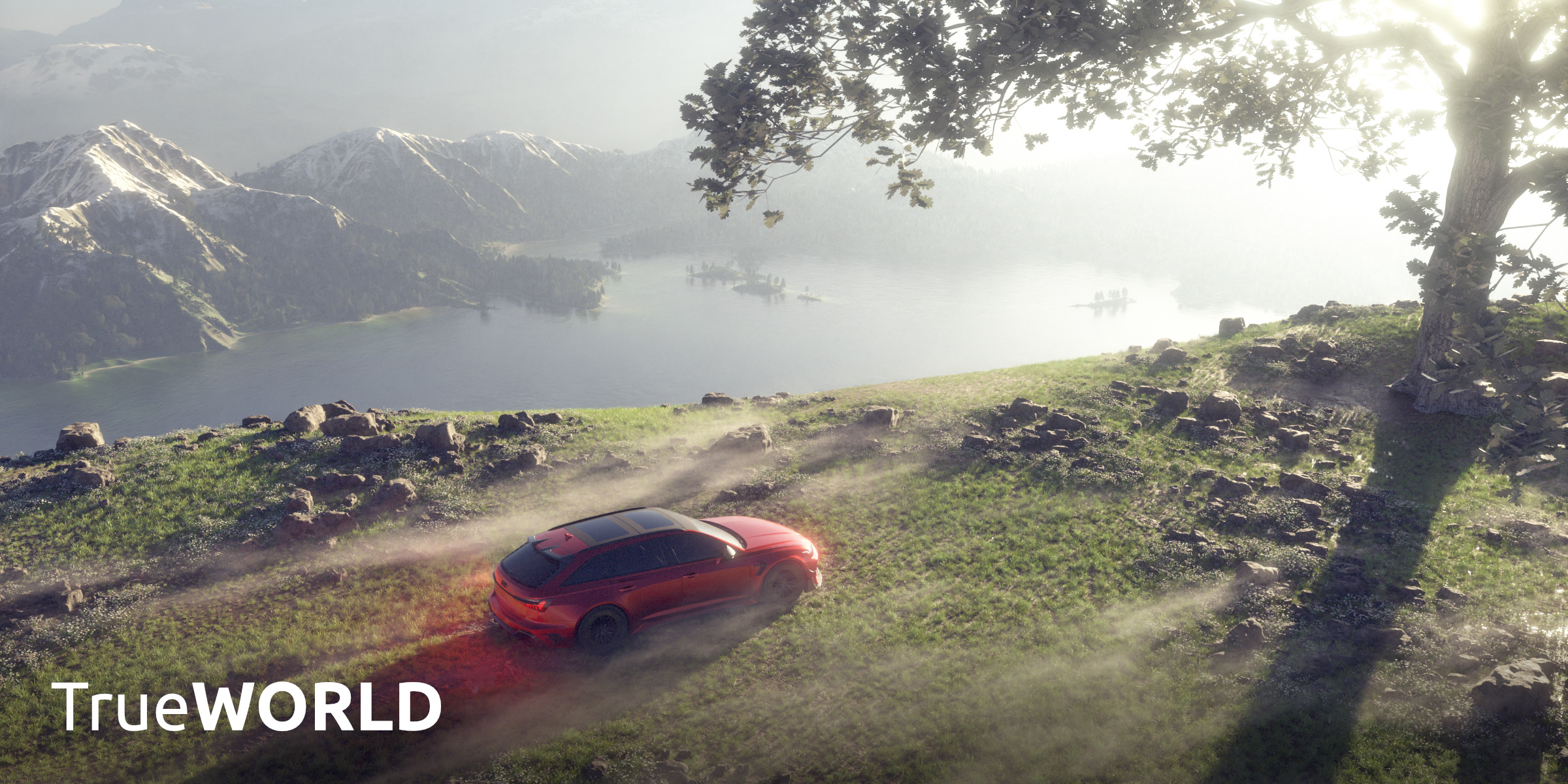
TrueWORLD, the culmination of our all world building tools bundled into one easy product
Categories
Tags
Compare with other products
Choose a category to find products to compare with this listing.
Variants
-
Lifetime (Lifetime access of TT and TS) disabled
Price: $599.00 · List price: $599.00
Variant versions
-
TT v5.2.5 | TSky 3.0.4 published
Created Nov 6, 2026 · Published Nov 6, 2026
Release notes (source)
<p>TrueTERRAIN 5.2.5</p><p><br></p><p>- Fixed a red Python error mentioning `PropertyDeferred` and `is_geo_terrain` that could appear in the panel or gizmo after saving and selecting objects with certain modifiers.</p><p>- Improved Blender 5.3 compatibility, including GLB export when WebP settings differ between Blender versions.</p><p><br></p><p>TrueSKY 3.0.4</p><p><br></p><p>- Fixed duplicate atmosphere materials that could appear while working with the viewport and atmosphere controls.</p><p>- Improved compatibility with Blender 5.3 beta while retaining support for Blender 5.2.3 LTS.</p><p>- Expanded release validation to cover installed extension workflows and every included core preset on both Blender versions.</p>
-
TT v5.2.4 | TSky 3.0.3 published
Created Oct 30, 2026 · Published Oct 30, 2026
Release notes (source)
<p>FIX: NameError when listing TrueVAULT textures in Create Terrain Material (`tt` not defined in vault draw path after the helper split). Also fixes two related undefined-name issues found in the same static sweep.</p>
-
TT v5.2.3 | TSky 3.0.3 published
Created Oct 27, 2026 · Published Oct 27, 2026
Release notes (source)
<p>v5.2.3</p><p><br></p><p>FIXES</p><p>- Rocky Cliffs (and similar group heightmap layers): loading a saved scene could fail with AttributeError when layer_node.inputs was None. from_dict now handles that case safely.</p>
-
TrueSKY 3.0.3 published
Created Aug 13, 2026 · Published Aug 13, 2026
Release notes (source)
<p>Fix</p><ul><li>Platformdirs module not installing - now packaged with addon</li></ul>
-
TrueSKY 3.0.2 published
Created Aug 3, 2026 · Published Aug 3, 2026
Release notes (source)
<p>Fixes</p><ul><li>Cloud layer not coming in due to Blender 5.2 api changes</li></ul>
-
TrueTERRAIN 5.2.2 published
Created Jul 21, 2026 · Published Jul 21, 2026
Release notes (source)
<p>v5.2.2</p><p>CHANGES</p><ul><li>Blender 5.2 LTS support. TrueTERRAIN now requires Blender 5.2 or newer (minimum raised from 5.1).</li></ul><p>FIXES</p><ul><li>Blender 5.2: Creating a terrain failed with `'_PropertyDeferred' object has no attribute 'is_geo_terrain'`. Blender 5.2 removed custom-property support from modifiers, so the marker identifying the TrueTERRAIN modifier now lives on its node tree instead, with a name-based fallback for files saved in older versions.</li><li>Blender 5.2: "Export or Apply" broke when applying height maps or exported scatter instances. Updated to Blender 5.2's new Geometry Nodes modifier input API (`modifier.properties.inputs`), which replaced the old custom-property access.</li><li>Creating a terrain could fail with "Please re-run the `Export Inputs as Properties`...". A module load-order regression caused the input-description properties to be silently skipped during add-on registration.</li><li>Scatter export: failures while setting up instance modifiers are now logged instead of silently ignored.</li><li>Removed the dead (and broken) `uv_map_name` property from terrain layers.</li></ul>
-
TT v5.2.1 | TSky 3.0 published
Created Jun 22, 2026 · Published Jun 22, 2026
Release notes (source)
<p><span style="font-weight:bolder;">Changes from TrueSKY Beta 10:</span></p><p>NEW:<br>New Procedural Stars in the world settings</p><p>FIX:<br>- Various issues with rendering HDRIs in the background</p><p></p><h1 style="color:rgb(0, 0, 0);"><span style="font-weight:bolder;">TrueSKY 3 Change Log:</span></h1><p><i>Changes since TrueSKY 2</i></p><p></p><p>Completely new sky system allowing for realistic shading and lighting across your whole scene no matter how big or tall.<br>- Go from surface into outer space<br>- Add as many suns or even other planets and moons as you want! | <a href="https://truesky.true-vfx.xyz/sky_bodies/luminous_bodies/" target="_blank" style="">Docs</a></p><p>Completely new cloud system with numerous performance and look presets | <a href="https://truesky.true-vfx.xyz/atmosphere_world/clouds/" target="_blank" style="">Docs</a></p><p>Space HDRIs and amazing procedural night skies | <a href="https://truesky.true-vfx.xyz/atmosphere_world/space_world/#none-black-universe" target="_blank" style="">Docs</a></p><p>Earth based horizon deformation: enter coordinates or cities and see that location's horizon as the surface deforms. | <a href="https://truesky.true-vfx.xyz/sky_bodies/primary_body/" target="_blank" style="">Docs</a></p><p>GPS based celestial system: enter a coordinates or a place and date time and see the sun, moon, and land correctly as they would have been at that time | <a href="https://truesky.true-vfx.xyz/sky_bodies/global_positioning/" target="_blank" style="">Docs</a></p><p>HDRI Maker: render out your sky and scene as an HDRI | <a href="https://truesky.true-vfx.xyz/hdri_output/" target="_blank" style="">Docs</a></p><p>Viewport Gizmos: see all of your TrueSKY elements without rendering by entering the TrueSKY gizmo tool. Add, remove, move, and edit your suns, moons, planets, clouds, and even GPS all from within your viewport without having to go into your side panel! | <a href="https://truesky.true-vfx.xyz/tools_gizmos/scene_builder/" target="_blank" style="">Docs</a></p><p>All new compositor powered effects: add effects as easily as you do modifiers | <a href="https://truesky.true-vfx.xyz/effects/" target="_blank" style="">Docs</a></p>
-
TT v5.2.1 | TSky 3 Beta 10 published
Created Jun 11, 2026 · Published Jun 12, 2026
Release notes (source)
<p>FIX: Flatten Area terrain modifier not working</p><p><br></p>
-
TT v5.2 | TSky 3 Beta 10 published
Created Jun 1, 2026 · Published Jun 1, 2026
Release notes (source)
<h1>TrueTERRAIN v5.2</h1><h5 style="color:rgb(0, 0, 0);"><span style="font-weight:bolder;">🟠️ Blender 5.1+ required 🟠️</span></h5><h3>New Features</h3><ul><li>New Terrain Modifier: Path | <a href="https://tt.true-vfx.xyz/geometry/modifiers/#path" target="_blank">DOCS</a>
</li><li>Add Falloff to Distance Mask and remove Min/Max | <a href="https://tt.true-vfx.xyz/geometry/blending/#distance-mask" target="_blank">DOCS</a>
</li><li>Terrain Modifier: Dilate/Erode | <a href="https://tt.true-vfx.xyz/geometry/modifiers/#dilate-erode" target="_blank">DOCS</a>
</li><li>Hydro Erosion Drain at Edge | <a href="https://tt.true-vfx.xyz/geometry/erosion/#drain-at-edge" target="_blank">DOCS</a><ul><li>Enabled: Have the water leave the bounds of the terrain</li><li>Disabled: Don't allow water to erode past the edge of the terrain. Water bounces off the edge and erodes inward instead.</li></ul>
</li><li>Lattice Mesh Terrain Modifier/Layer |<a href="https://tt.true-vfx.xyz/geometry/layers/#lattice" target="_blank">DOCS</a>
</li><li>Pull Assets and Presets from TrueVAULT</li><li>Export or Apply Scene | <a href="https://tt.true-vfx.xyz/utilities/export-apply-sections/" target="_blank">DOCS</a><ul><li>Comprehensive
 export and apply section functionality, enhancing user experience with
improved error handling and progress reporting. It includes support and
optimizations for applying scattered, water, and terrain objects,
support for invisible layers, and the ability to export as height maps.
The changes also streamline the shader baking process and ensure unique
object names during export. Combines (and removes) the PBR texture
baking, splat map baking and its texture exporting, and export height
map functions.</li></ul>
</li><li>Apply randomize seeds preference to shader item seeds</li><li>Implement layer and group seeds for Shader Section</li><li>Texture terrain layer: add seed value for quick randomizing of texture</li><li>Crater layer: include seed input for radius noise</li><li>Stable Positions Toggle | <a href="https://tt.true-vfx.xyz/scatter/settings/#stable-positions" target="_blank">DOCS</a><ul><li>Toggle
 whether positions of instances are consistent despite changes in
terrain or masks. This changes the default behavior from always stable
positioning to not for the sake of significant speed increases.</li></ul>
</li><li>Distance Mask Sample Operator: Allows for setting distance settings by clicking on the mesh in the 3D view.</li><li>Camera Culling Preset for Scatter Root.</li><li>Separate visibility toggles for Scatter allowing for hiding layers in the viewport/render.</li></ul><h3>Changes</h3><ul><li>Enhance crater layer seed inputs and UI handling<ul><li>added seed inputs for Radius Noise and Terrain Noise</li><li>better UI descriptions</li><li>ensured stability when new sockets are introduced</li><li>Adjustments prevent default appearance changes when the seed is set to zero</li></ul>
</li><li>Introduce
 a seed value for quick randomization of texture in terrain layers and
add a preference setting for auto-randomizing when creating layers</li><li>Always have terrain pruning enabled for better scatter performance. Also, adds in a warning if pruning removed all faces.</li><li>Made
 the Height and Distance masks for Geometry and Scatter ~1.5x faster
when Randomize Edge is not split or Randomize Amount is 0.</li><li>Terrain
 Adaptive Subdivision v4: Simpler, slightly faster, and more stable
version of the adaptive subdivision system for terrains.<ul><li>Samples
the middle of detail levels for subdivision instead of closest edge
resulting in less subdivisions by default and more accurate subdivisions
 in general to the level</li><li>Do Not Merge in Viewport: Disables merging of tiles in the viewport for significant speed increases.</li><li>Better support when Apply Object Transform and when that is on and there are mulitple objects making up the terrain.</li><li>Display an advanced dropdown for scatter objects to access the collection input</li></ul>
</li></ul><h3>Optimizations</h3><ul><li>Start Up <b>~19x faster</b> | <a href="https://github.com/True-VFX/TrueTERRAIN/issues/183" target="_blank">PR</a>
</li><li>Erosion | <a href="https://github.com/True-VFX/TrueTERRAIN/issues/182" target="_blank">PR</a><ul><li>Hydro and Thermal w/out Sediment Traversal: <b>~2.6x faster</b>
</li><li>Hydro and Thermal with Sediment Traversal: <b>~1.6x faster</b>
</li><li>Only w/o Sediment Traversal: <b>~3x faster</b>
</li><li>Hydro Only with Sediment Traversal: <b>~1.5x faster</b>
</li><li>Thermal Only: <b>~9.5x faster</b>
</li></ul>
</li><li>Wind Erosion: Roughly <b>2x faster</b>
</li></ul><h3>Fixes</h3><ul><li>
<b>SVM FIX</b>: Mix BSDFs instead of individual textures | <a href="https://github.com/True-VFX/TrueTERRAIN/issues/171" target="_blank">PR</a>
</li><li>Scatter doesn't take object scale (or transforms) into account | <a href="https://github.com/True-VFX/TrueTERRAIN/issues/67" target="_blank">PR</a><ul><li>Added a 'Scale with Source' toggle to ScatterObject and ScatterLayer nodegroups and code to connect them</li></ul>
</li><li>Take Resolution Scale into Account for Adaptive | <a href="https://github.com/True-VFX/TrueTERRAIN/issues/48" target="_blank">PR</a><ul><li>Modify driver setup to make sure resolution scale is multiplied to the resolution for calculating subdivisions</li></ul>
</li><li>Cached presets enum issue</li><li>For differing input names for parent seeds</li><li>Ensure duplicate object names are unique and remove redundant node muting</li><li>Replace print statements with logger calls for better logging in asset system</li><li>Add Missing version id check in change texture operator</li><li>Don't allow removing shader modifiers if none exist</li><li>For the path mask UI</li><li>Small fixes for scatter masks not displaying UI</li><li>Ensure exit from edit mode works correctly in curve modifier</li><li>Ensure node_setup is called in all mask modifier classes</li><li>Changing height map from height map layer panel wasn't working</li><li>Change order of terrain layers to be alphabetical</li><li>Group traversal errors occurring</li><li>Prevent removal of root shader layer</li><li>Don't call `load_if_local` for all assets during loading from dict for each pack (massive startup speed up)</li><li>Don't thaw terrain on Adaptive Subdivision Render setting change (unnecessary)</li><li>Display as Bounds not disabling on group layers</li><li>Geo layer's height and midlevel were not taken into account with Flatten modifier</li><li>Moving layers between groups was throwing errors due to losing the destination group after removing and/or adding copied layers</li><li>Stopped
 using cached properties which could cause issues when adding, removing,
 or moving layers around across the TrueTERRAIN systems due to how
Blender handles collection properties. Should notice less bugs when
performing layer actions after adding, removing, or moving layers
around.</li><li>Ensured the `T` shows up correctly in the TrueTERRAIN header for Linux users</li><li>Terrain layers not correctly being mixed when displacement method set to Normals</li></ul><p><br></p>
-
TT v5.1.4 | TSky 3 Beta 10 published
Created Mar 17, 2026 · Published Mar 17, 2026
Release notes (source)
<h1 style="color:rgb(0, 0, 0);">TrueTERRAIN v5.1.4</h1><h5 style="color:rgb(0, 0, 0);">❌Breaking changes: <span style="font-weight:bolder;">Blender 5.1 required</span>❌</h5><h6 style="color:rgb(0, 0, 0);">Due to Blender 5.1 upgrading its internal Python version from 3.11 to 3.13 previous python wheels built for Blender 5.0 are not compatible with Blender 5.1. If you are using Blender 5.0, please do not update to this version of TrueTERRAIN until you have updated to Blender 5.1.</h6><p><br></p><h2 style="color:rgb(0, 0, 0);">Changes</h2><ul><li>Update python wheels for Python 3.13 for compatibility with Blender 5.1</li></ul><hr style="color:rgb(0, 0, 0);border-top:0.8px solid rgb(0, 0, 0);"><h1 style="color:rgb(0, 0, 0);"><span style="font-size:2.5rem;">TrueSKY v3.0.0-beta.10</span></h1><p><br></p><h5 style="color:rgb(0, 0, 0);">❌Breaking changes: <span style="font-weight:bolder;">Blender 5.1 required</span>❌</h5><h6 style="color:rgb(0, 0, 0);">Due to Blender 5.1 upgrading its internal Python version from 3.11 to 3.13 previous python wheels built for Blender 5.0 are not compatible with Blender 5.1. If you are using Blender 5.0, please do not update to this version of TrueSKY until you have updated to Blender 5.1.</h6><p><br></p><h2 style="color:rgb(0, 0, 0);">New</h2><ul> <li>Added the included Custom Celestial Objects in as presets</li> <li>Added earth presets for atmosphere coefficients</li> <li>Added in more ring presets than just Saturn's rings</li> <li>A new North Offset setting is now available in the animation settings of the Global Positioning section.</li> <li>Keep Celestial Bodies within Bounds: A new toggle in the performance section and a preference setting to prevent celestial bodies from being placed so far out that it causes slow downs in rendering.<ul> <li>In complicated scenes with atmosphere enabled and celestial bodies a significant slow down has been noticed. Bringing the celestial bodies closer to the scene can help mitigate this issue. This toggle will automatically move celestial bodies that are placed very far away back within a certain distance from the scene's origin while scaling its radius appropriately to appear the same size in the sky.</li> <li>The distance threshold can be adjusted in the preferences via the "Max Scene Bounds" setting. Default is 100,000 km. A 1.75x increase (42s per render to 24s per render) in render times was observed when placing the moon at 100,000 km.</li> </ul> </li> <li>Disable Emission Sampling: A new toggle in the performance section that disables emission sampling for mesh based emission materials.<ul> <li>There seems to be a conflict of some sort when rendering with GPUs. A [bug report](https://projects.blender.org/blender/blender/issues/155526) has been submitted.</li> <li>When enabled, this toggle will disable emission sampling for all mesh based emission materials in the scene. When disabled, emission sampling will go back to what it was before for each material. An 1.3x increase (54s per render to 42s per render) was noticed.</li> </ul> </li> </ul><h2 style="color:rgb(0, 0, 0);">Changed</h2><ul> <li>Updated wheels for Blender 5.1</li> <li>Automatically set coordinate directions when field is edited manually</li> <li>Moon preset is the now the default celestial body preset</li> <li>More consistent visibility settings and UI/UX for layers across the addon</li> </ul><h2 style="color:rgb(0, 0, 0);">Fixes</h2><ul> <li>Compositor nodes now accept a wider initial set of nodes in the compositor when adding TrueSKY's compositor nodes.</li> <li>Custom Celestial Object was not always displayed in the UI after being added</li> <li>Celestial bodies are now have unique names per layer/object. Previously, this could cause issues when removing and adding new celestial bodies, as they would be given the same name and cause confusion in the UI and data management.</li> <li>Lens Dirt wasn't working correctly</li> </ul>
-
TrueSKY 3 | Beta 9 published
Created Jan 19, 2026 · Published Jan 19, 2026
Release notes (source)
<p><b>TrueSKY 3 | Beta 9</b></p><p>New:</p><p>- Find Missing TrueSKY files: looks for all files in the blend file that are missing and sees if any correlate with TrueSKY. If so uses the files relative to its assets directory. Useful if someone has sent you a file with TrueSKY use but didn't bother packing any of its files. Also, let's you send blend files without packing saving precious space.</p><p>Fix:</p><p>- Wrong version of Rings material uploaded in the last beta version</p>
-
TrueSKY 3 | Beta 8 published
Created Jan 15, 2026 · Published Jan 15, 2026
Release notes (source)
<h2 style="margin: 8px 0px; line-height: 1.375em; color: rgb(0, 0, 0); border: 0px; padding: 0px; vertical-align: baseline;"><span style="border: 0px; margin: 0px; padding: 0px; vertical-align: baseline; outline: 0px;">Added</span></h2><ul><li><span style="border: 0px; margin: 0px; padding: 0px; vertical-align: baseline; outline: 0px;">Scene Builder tool</span><span style="border: 0px; margin: 0px; padding: 0px; vertical-align: baseline; outline: 0px;"> - New 3D Viewport tool with tabbed layout for Luminous, Primary Body, Celestial, Clouds, and Space workflows</span><span style="border: 0px; margin: 0px; padding: 0px; vertical-align: baseline; outline: 0px;"><br></span></li><li><span style="border: 0px; margin: 0px; padding: 0px; vertical-align: baseline; outline: 0px;">Viewport gizmos and overlays</span><span style="border: 0px; margin: 0px; padding: 0px; vertical-align: baseline; outline: 0px;"> - Body gizmos for size/brightness/distance, a floating cloud panel, and quick viewport toggles</span><span style="border: 0px; margin: 0px; padding: 0px; vertical-align: baseline; outline: 0px;"><br></span></li><li><span style="border: 0px; margin: 0px; padding: 0px; vertical-align: baseline; outline: 0px;">Positioning Widget</span><span style="border: 0px; margin: 0px; padding: 0px; vertical-align: baseline; outline: 0px;"> - In-viewport Date/Time + Location controls with map picker and sunrise/sunset shortcuts</span><span style="border: 0px; margin: 0px; padding: 0px; vertical-align: baseline; outline: 0px;"><br></span></li><li><span style="border: 0px; margin: 0px; padding: 0px; vertical-align: baseline; outline: 0px;">Exposure gizmos</span><span style="border: 0px; margin: 0px; padding: 0px; vertical-align: baseline; outline: 0px;"> - In-viewport exposure slider, metering modes, and compositor preview toggle</span><span style="border: 0px; margin: 0px; padding: 0px; vertical-align: baseline; outline: 0px;"><br></span></li><li><span style="border: 0px; margin: 0px; padding: 0px; vertical-align: baseline; outline: 0px;">Align GPS to Body</span><span style="border: 0px; margin: 0px; padding: 0px; vertical-align: baseline; outline: 0px;"> - Sync Global Positioning to a moved/rotated body and keep the scene aligned</span><span style="border: 0px; margin: 0px; padding: 0px; vertical-align: baseline; outline: 0px;"><br></span></li><li><span style="border: 0px; margin: 0px; padding: 0px; vertical-align: baseline; outline: 0px;">Auto Night Mode</span><span style="border: 0px; margin: 0px; padding: 0px; vertical-align: baseline; outline: 0px;"> - Prevents Auto Exposure from brightening dark scenes (toggle in Exposure settings when Auto is enabled)</span><span style="border: 0px; margin: 0px; padding: 0px; vertical-align: baseline; outline: 0px;"><br></span></li><li><span style="border: 0px; margin: 0px; padding: 0px; vertical-align: baseline; outline: 0px;">Primary Body base presets</span><span style="border: 0px; margin: 0px; padding: 0px; vertical-align: baseline; outline: 0px;"> - New Surface and Atmosphere starter presets</span></li></ul><h2 style="margin: 16px 0px 8px; line-height: 1.375em; color: rgb(0, 0, 0); border: 0px; padding: 0px; vertical-align: baseline;"><span style="border: 0px; margin: 0px; padding: 0px; vertical-align: baseline; outline: 0px;">Changed</span></h2><ul><li><span style="border: 0px; margin: 0px; padding: 0px; vertical-align: baseline; outline: 0px;">Display helper toggle removed</span><span style="border: 0px; margin: 0px; padding: 0px; vertical-align: baseline; outline: 0px;"> - Superseded by Scene Builder gizmos and viewport overlays</span><span style="border: 0px; margin: 0px; padding: 0px; vertical-align: baseline; outline: 0px;"><br></span></li><li><span style="border: 0px; margin: 0px; padding: 0px; vertical-align: baseline; outline: 0px;">Cloud layer origins</span><span style="border: 0px; margin: 0px; padding: 0px; vertical-align: baseline; outline: 0px;"> - Layers now originate at the center of their sphere; old scenes still load, but Scene Builder panning can feel off until layers are refreshed</span><span style="border: 0px; margin: 0px; padding: 0px; vertical-align: baseline; outline: 0px;"><br></span></li><li><span style="border: 0px; margin: 0px; padding: 0px; vertical-align: baseline; outline: 0px;">Addon install method</span><span style="border: 0px; margin: 0px; padding: 0px; vertical-align: baseline; outline: 0px;"> - Installation as a non-extension addon has been removed to avoid incorrect installs</span><span style="border: 0px; margin: 0px; padding: 0px; vertical-align: baseline; outline: 0px;"><br></span></li><li><span style="border: 0px; margin: 0px; padding: 0px; vertical-align: baseline; outline: 0px;">Bug report button</span><span style="border: 0px; margin: 0px; padding: 0px; vertical-align: baseline; outline: 0px;"> - Now opens the GitHub issues page directly</span></li></ul><h2 style="margin: 16px 0px 8px; line-height: 1.375em; color: rgb(0, 0, 0); border: 0px; padding: 0px; vertical-align: baseline;"><span style="border: 0px; margin: 0px; padding: 0px; vertical-align: baseline; outline: 0px;">Fixed</span></h2><ul><li><span style="border: 0px; margin: 0px; padding: 0px; vertical-align: baseline; outline: 0px;">Adding a new cloud layer no longer throws an error</span></li></ul>
-
TT v5.1.3 | Tsky beta 7 published
Created Dec 22, 2025 · Published Dec 22, 2025
Release notes (source)
<h2 style="color:rgb(0, 0, 0);"><span style="font-weight:bolder;">🛠️ Fixes</span></h2><div><br></div><ul><li>Workaround for Blender replacing gradient texture nodes with custom solution due to changes from Blender v4.</li></ul>
-
TrueSKY 3 | Beta 5 published
Created Dec 1, 2025 · Published Dec 1, 2025
Release notes (source)
<p><br></p>
-
TrueSKY 3 | Beta 3 published
Created Nov 20, 2025 · Published Nov 20, 2025
Release notes (source)
<p>Fixed issues with texture limits on Mac devices</p>
-
TrueSKY 3.0 published
Created Nov 18, 2025 · Published Nov 18, 2025
Release notes (source)
<p>Added TrueSKY 3.0</p>
-
TrueSKY2.2.5 published
Created Nov 12, 2025 · Published Nov 12, 2025
Release notes (source)
<p>Only TrueSKY updated for Blender 5.0</p>
-
TT v5.1.2 published
Created Aug 18, 2025 · Published Aug 18, 2025
Release notes (source)
<h2 style="color: rgb(0, 0, 0);"><span style="font-weight: bolder;">🛠️ Fixes & Improvements</span></h2><div><br></div><ul><li>Added error handling around the `terrain_thaw` function in `set_main_tabs`, ensuring tab switching continues smoothly even if thawing fails.</li><li>Added clamping to global and local masks in the `TT_ADD` node before multiplication for more stable results.</li><li>Ensured enum items are saved in a global variable and consistently returned.</li><li>Confirmed that layer objects have `quality_level` data before calling `inc_use` in the duplicate layer operator.</li><li>Updated `sort_pbr_textures` to prioritize Displacement/Height maps over Bump maps when available.</li><li>Introduced a `SKIP_SAVE` option to the `show_asset_picker` property.</li><li>Set `is_data = True` for `NormalBakeHelper` to improve handling.</li><li>Corrected Group Shader Node setup by changing the Mix node’s A input from 0 to 1.</li><li>Added a <span style="font-weight: bolder;">“Scale with Source”</span> toggle to `ScatterObject` and `ScatterLayer` node groups, including connection logic.</li><li>Adjusted driver setup so resolution scale is properly multiplied into resolution when calculating subdivisions.</li></ul>
-
Blender 4.4 published
Created Jun 3, 2025 · Published Jun 3, 2025
Release notes (source)
<p><br></p>
-
-
Standard (Lifetime access of TT5 and TS2) disabled
Price: $99.00 · List price: $99.00
Variant versions
-
TT v5.2.5 | TSky v2.2.5 published
Created Nov 6, 2026 · Published Nov 6, 2026
Release notes (source)
<p>TrueTERRAIN 5.2.5</p><p><br></p><p>- Fixed a red Python error mentioning `PropertyDeferred` and `is_geo_terrain` that could appear in the panel or gizmo after saving and selecting objects with certain modifiers.</p><p>- Improved Blender 5.3 compatibility, including GLB export when WebP settings differ between Blender versions.</p>
-
TT v5.2.4 | TSky v2.2.5 published
Created Oct 30, 2026 · Published Oct 30, 2026
Release notes (source)
<p>FIX: NameError when listing TrueVAULT textures in Create Terrain Material (`tt` not defined in vault draw path after the helper split). Also fixes two related undefined-name issues found in the same static sweep.</p>
-
TT v5.2.3 | TSky v2.2.5 published
Created Oct 27, 2026 · Published Oct 27, 2026
Release notes (source)
<p>v5.2.3</p><p><br></p><p>FIXES</p><p>- Rocky Cliffs (and similar group heightmap layers): loading a saved scene could fail with AttributeError when layer_node.inputs was None. from_dict now handles that case safely.</p>
-
TrueTERRAIN 5.2.2 published
Created Jul 21, 2026 · Published Jul 21, 2026
Release notes (source)
<p>v5.2.2</p><p>CHANGES</p><ul><li>Blender 5.2 LTS support. TrueTERRAIN now requires Blender 5.2 or newer (minimum raised from 5.1).</li></ul><p>FIXES</p><ul><li>Blender 5.2: Creating a terrain failed with `'_PropertyDeferred' object has no attribute 'is_geo_terrain'`. Blender 5.2 removed custom-property support from modifiers, so the marker identifying the TrueTERRAIN modifier now lives on its node tree instead, with a name-based fallback for files saved in older versions.</li><li>Blender 5.2: "Export or Apply" broke when applying height maps or exported scatter instances. Updated to Blender 5.2's new Geometry Nodes modifier input API (`modifier.properties.inputs`), which replaced the old custom-property access.</li><li>Creating a terrain could fail with "Please re-run the `Export Inputs as Properties`...". A module load-order regression caused the input-description properties to be silently skipped during add-on registration.</li><li>Scatter export: failures while setting up instance modifiers are now logged instead of silently ignored.</li><li>Removed the dead (and broken) `uv_map_name` property from terrain layers.</li></ul>
-
TT v5.2.1 | Tsky v2.2.5 published
Created Jun 11, 2026 · Published Jun 12, 2026
Release notes (source)
<p>FIX: Flatten Area terrain modifier not working</p>
-
TT v5.2 | Tsky v2.2.5 published
Created Jun 1, 2026 · Published Jun 1, 2026
Release notes (source)
<h1>TrueTERRAIN v5.2</h1><h5 style="color:rgb(0, 0, 0);"><span style="font-weight:bolder;">🟠️ Blender 5.1+ required 🟠️</span></h5><h3>New Features</h3><ul>
<li>New Terrain Modifier: Path | <a href="https://tt.true-vfx.xyz/geometry/modifiers/#path" target="_blank">DOCS</a>
</li>
<li>Add Falloff to Distance Mask and remove Min/Max | <a href="https://tt.true-vfx.xyz/geometry/blending/#distance-mask" target="_blank">DOCS</a>
</li>
<li>Terrain Modifier: Dilate/Erode | <a href="https://tt.true-vfx.xyz/geometry/modifiers/#dilate-erode" target="_blank">DOCS</a>
</li>
<li>Hydro Erosion Drain at Edge | <a href="https://tt.true-vfx.xyz/geometry/erosion/#drain-at-edge" target="_blank">DOCS</a><ul>
<li>Enabled: Have the water leave the bounds of the terrain</li>
<li>Disabled: Don't allow water to erode past the edge of the terrain. Water bounces off the edge and erodes inward instead.</li>
</ul>
</li>
<li>Lattice Mesh Terrain Modifier/Layer |<a href="https://tt.true-vfx.xyz/geometry/layers/#lattice" target="_blank">DOCS</a>
</li>
<li>Pull Assets and Presets from TrueVAULT</li>
<li>Export or Apply Scene | <a href="https://tt.true-vfx.xyz/utilities/export-apply-sections/" target="_blank">DOCS</a><ul><li>Comprehensive
 export and apply section functionality, enhancing user experience with
improved error handling and progress reporting. It includes support and
optimizations for applying scattered, water, and terrain objects,
support for invisible layers, and the ability to export as height maps.
The changes also streamline the shader baking process and ensure unique
object names during export. Combines (and removes) the PBR texture
baking, splat map baking and its texture exporting, and export height
map functions.</li></ul>
</li>
<li>Apply randomize seeds preference to shader item seeds</li>
<li>Implement layer and group seeds for Shader Section</li>
<li>Texture terrain layer: add seed value for quick randomizing of texture</li>
<li>Crater layer: include seed input for radius noise</li>
<li>Stable Positions Toggle | <a href="https://tt.true-vfx.xyz/scatter/settings/#stable-positions" target="_blank">DOCS</a><ul><li>Toggle
 whether positions of instances are consistent despite changes in
terrain or masks. This changes the default behavior from always stable
positioning to not for the sake of significant speed increases.</li></ul>
</li>
<li>Distance Mask Sample Operator: Allows for setting distance settings by clicking on the mesh in the 3D view.</li>
<li>Camera Culling Preset for Scatter Root.</li>
<li>Separate visibility toggles for Scatter allowing for hiding layers in the viewport/render.</li>
</ul><h3>Changes</h3><ul>
<li>Enhance crater layer seed inputs and UI handling<ul>
<li>added seed inputs for Radius Noise and Terrain Noise</li>
<li>better UI descriptions</li>
<li>ensured stability when new sockets are introduced</li>
<li>Adjustments prevent default appearance changes when the seed is set to zero</li>
</ul>
</li>
<li>Introduce
 a seed value for quick randomization of texture in terrain layers and
add a preference setting for auto-randomizing when creating layers</li>
<li>Always have terrain pruning enabled for better scatter performance. Also, adds in a warning if pruning removed all faces.</li>
<li>Made
 the Height and Distance masks for Geometry and Scatter ~1.5x faster
when Randomize Edge is not split or Randomize Amount is 0.</li>
<li>Terrain
 Adaptive Subdivision v4: Simpler, slightly faster, and more stable
version of the adaptive subdivision system for terrains.<ul>
<li>Samples
the middle of detail levels for subdivision instead of closest edge
resulting in less subdivisions by default and more accurate subdivisions
 in general to the level</li>
<li>Do Not Merge in Viewport: Disables merging of tiles in the viewport for significant speed increases.</li>
<li>Better support when Apply Object Transform and when that is on and there are mulitple objects making up the terrain.</li>
<li>Display an advanced dropdown for scatter objects to access the collection input</li>
</ul>
</li>
</ul><h3>Optimizations</h3><ul>
<li>Start Up <b>~19x faster</b> | <a href="https://github.com/True-VFX/TrueTERRAIN/issues/183" target="_blank">PR</a>
</li>
<li>Erosion | <a href="https://github.com/True-VFX/TrueTERRAIN/issues/182" target="_blank">PR</a><ul>
<li>Hydro and Thermal w/out Sediment Traversal: <b>~2.6x faster</b>
</li>
<li>Hydro and Thermal with Sediment Traversal: <b>~1.6x faster</b>
</li>
<li>Only w/o Sediment Traversal: <b>~3x faster</b>
</li>
<li>Hydro Only with Sediment Traversal: <b>~1.5x faster</b>
</li>
<li>Thermal Only: <b>~9.5x faster</b>
</li>
</ul>
</li>
<li>Wind Erosion: Roughly <b>2x faster</b>
</li>
</ul><h3>Fixes</h3><ul>
<li>
<b>SVM FIX</b>: Mix BSDFs instead of individual textures | <a href="https://github.com/True-VFX/TrueTERRAIN/issues/171" target="_blank">PR</a>
</li>
<li>Scatter doesn't take object scale (or transforms) into account | <a href="https://github.com/True-VFX/TrueTERRAIN/issues/67" target="_blank">PR</a><ul><li>Added a 'Scale with Source' toggle to ScatterObject and ScatterLayer nodegroups and code to connect them</li></ul>
</li>
<li>Take Resolution Scale into Account for Adaptive | <a href="https://github.com/True-VFX/TrueTERRAIN/issues/48" target="_blank">PR</a><ul><li>Modify driver setup to make sure resolution scale is multiplied to the resolution for calculating subdivisions</li></ul>
</li>
<li>Cached presets enum issue</li>
<li>For differing input names for parent seeds</li>
<li>Ensure duplicate object names are unique and remove redundant node muting</li>
<li>Replace print statements with logger calls for better logging in asset system</li>
<li>Add Missing version id check in change texture operator</li>
<li>Don't allow removing shader modifiers if none exist</li>
<li>For the path mask UI</li>
<li>Small fixes for scatter masks not displaying UI</li>
<li>Ensure exit from edit mode works correctly in curve modifier</li>
<li>Ensure node_setup is called in all mask modifier classes</li>
<li>Changing height map from height map layer panel wasn't working</li>
<li>Change order of terrain layers to be alphabetical</li>
<li>Group traversal errors occurring</li>
<li>Prevent removal of root shader layer</li>
<li>Don't call `load_if_local` for all assets during loading from dict for each pack (massive startup speed up)</li>
<li>Don't thaw terrain on Adaptive Subdivision Render setting change (unnecessary)</li>
<li>Display as Bounds not disabling on group layers</li>
<li>Geo layer's height and midlevel were not taken into account with Flatten modifier</li>
<li>Moving layers between groups was throwing errors due to losing the destination group after removing and/or adding copied layers</li>
<li>Stopped
 using cached properties which could cause issues when adding, removing,
 or moving layers around across the TrueTERRAIN systems due to how
Blender handles collection properties. Should notice less bugs when
performing layer actions after adding, removing, or moving layers
around.</li>
<li>Ensured the `T` shows up correctly in the TrueTERRAIN header for Linux users</li>
<li>Terrain layers not correctly being mixed when displacement method set to Normals</li>
</ul><p><br></p>
-
TT v5.1.4 | TSky v2.2.5 published
Created Mar 17, 2026 · Published Mar 17, 2026
Release notes (source)
<h1 style="color: rgb(0, 0, 0);">TrueTERRAIN v5.1.4</h1><h5 style="color: rgb(0, 0, 0);">❌Breaking changes: <span style="font-weight: bolder;">Blender 5.1 required</span>❌</h5><h6 style="color: rgb(0, 0, 0);">Due to Blender 5.1 upgrading its internal Python version from 3.11 to 3.13 previous python wheels built for Blender 5.0 are not compatible with Blender 5.1. If you are using Blender 5.0, please do not update to this version of TrueTERRAIN until you have updated to Blender 5.1.</h6><p><br></p><h2 style="color: rgb(0, 0, 0);">Changes</h2><ul><li>Update python wheels for Python 3.13 for compatibility with Blender 5.1</li></ul>
-
TT v5.1.3 published
Created Dec 22, 2025 · Published Dec 23, 2025
Release notes (source)
<h2 style="color:rgb(0, 0, 0);"><span style="font-weight:bolder;">🛠️ Fixes</span></h2><div><br></div><ul><li>Workaround for Blender replacing gradient texture nodes with custom solution due to changes from Blender v4.</li></ul>
-
TrueSKY2.2.5 published
Created Nov 12, 2025 · Published Nov 12, 2025
Release notes (source)
<p>TrueSKY updated for Blender 5.0</p>
-
TT v5.1.2 published
Created Aug 18, 2025 · Published Aug 18, 2025
Release notes (source)
<h2 style="color: rgb(0, 0, 0);"><span style="font-weight: bolder;">🛠️ Fixes & Improvements</span></h2><div><br></div><ul><li>Added error handling around the `terrain_thaw` function in `set_main_tabs`, ensuring tab switching continues smoothly even if thawing fails.</li><li>Added clamping to global and local masks in the `TT_ADD` node before multiplication for more stable results.</li><li>Ensured enum items are saved in a global variable and consistently returned.</li><li>Confirmed that layer objects have `quality_level` data before calling `inc_use` in the duplicate layer operator.</li><li>Updated `sort_pbr_textures` to prioritize Displacement/Height maps over Bump maps when available.</li><li>Introduced a `SKIP_SAVE` option to the `show_asset_picker` property.</li><li>Set `is_data = True` for `NormalBakeHelper` to improve handling.</li><li>Corrected Group Shader Node setup by changing the Mix node’s A input from 0 to 1.</li><li>Added a <span style="font-weight: bolder;">“Scale with Source”</span> toggle to `ScatterObject` and `ScatterLayer` node groups, including connection logic.</li><li>Adjusted driver setup so resolution scale is properly multiplied into resolution when calculating subdivisions.</li></ul>
-
Blender 4.4 published
Created Jun 3, 2025 · Published Jun 3, 2025
Release notes (source)
<p><br></p>
-
-
Standard 2026 (Lifetime access of TT5 and TS3) disabled
Price: $99.00 · List price: $99.00
Variant versions
-
TT v5.2.5 | TSky 3.0.4 published
Created Nov 6, 2026 · Published Nov 6, 2026
Release notes (source)
<p>TrueTERRAIN 5.2.5</p><p><br></p><p>- Fixed a red Python error mentioning `PropertyDeferred` and `is_geo_terrain` that could appear in the panel or gizmo after saving and selecting objects with certain modifiers.</p><p>- Improved Blender 5.3 compatibility, including GLB export when WebP settings differ between Blender versions.</p><p><br></p><p>TrueSKY 3.0.4</p><p><br></p><p>- Fixed duplicate atmosphere materials that could appear while working with the viewport and atmosphere controls.</p><p>- Improved compatibility with Blender 5.3 beta while retaining support for Blender 5.2.3 LTS.</p><p>- Expanded release validation to cover installed extension workflows and every included core preset on both Blender versions.</p>
-
TT v5.2.4 | TSky 3.0.3 published
Created Oct 30, 2026 · Published Oct 30, 2026
Release notes (source)
<p>FIX: NameError when listing TrueVAULT textures in Create Terrain Material (`tt` not defined in vault draw path after the helper split). Also fixes two related undefined-name issues found in the same static sweep.</p>
-
TT v5.2.3 | TSky 3.0.3 published
Created Oct 27, 2026 · Published Oct 27, 2026
Release notes (source)
<p>v5.2.3</p><p><br></p><p>FIXES</p><p>- Rocky Cliffs (and similar group heightmap layers): loading a saved scene could fail with AttributeError when layer_node.inputs was None. from_dict now handles that case safely.</p>
-
TrueSKY 3.0.3 published
Created Aug 13, 2026 · Published Aug 13, 2026
Release notes (source)
<p>Fix</p><ul><li>Platformdirs module not installing - now packaged with addon</li></ul>
-
TrueSKY 3.0.2 published
Created Aug 3, 2026 · Published Aug 3, 2026
Release notes (source)
<p>Fixes</p><ul><li>Cloud layer not coming in due to Blender 5.2 api changes</li></ul>
-
TrueTERRAIN 5.2.2 published
Created Jul 21, 2026 · Published Jul 21, 2026
Release notes (source)
<p>v5.2.2</p><p>CHANGES</p><ul><li>Blender 5.2 LTS support. TrueTERRAIN now requires Blender 5.2 or newer (minimum raised from 5.1).</li></ul><p>FIXES</p><ul><li>Blender 5.2: Creating a terrain failed with `'_PropertyDeferred' object has no attribute 'is_geo_terrain'`. Blender 5.2 removed custom-property support from modifiers, so the marker identifying the TrueTERRAIN modifier now lives on its node tree instead, with a name-based fallback for files saved in older versions.</li><li>Blender 5.2: "Export or Apply" broke when applying height maps or exported scatter instances. Updated to Blender 5.2's new Geometry Nodes modifier input API (`modifier.properties.inputs`), which replaced the old custom-property access.</li><li>Creating a terrain could fail with "Please re-run the `Export Inputs as Properties`...". A module load-order regression caused the input-description properties to be silently skipped during add-on registration.</li><li>Scatter export: failures while setting up instance modifiers are now logged instead of silently ignored.</li><li>Removed the dead (and broken) `uv_map_name` property from terrain layers.</li></ul>
-
TT v5.2.1 | TSky 3.0 published
Created Jun 22, 2026 · Published Jun 22, 2026
Release notes (source)
<p><span style="font-weight:bolder;">Changes from TrueSKY Beta 10:</span></p><p>NEW:<br>New Procedural Stars in the world settings</p><p>FIX:<br>- Various issues with rendering HDRIs in the background</p><p></p><h1 style="color:rgb(0, 0, 0);"><span style="font-weight:bolder;">TrueSKY 3 Change Log:</span></h1><p><i>Changes since TrueSKY 2</i></p><p></p><p>Completely new sky system allowing for realistic shading and lighting across your whole scene no matter how big or tall.<br>- Go from surface into outer space<br>- Add as many suns or even other planets and moons as you want! | <a href="https://truesky.true-vfx.xyz/sky_bodies/luminous_bodies/" target="_blank" style="">Docs</a></p><p>Completely new cloud system with numerous performance and look presets | <a href="https://truesky.true-vfx.xyz/atmosphere_world/clouds/" target="_blank" style="">Docs</a></p><p>Space HDRIs and amazing procedural night skies | <a href="https://truesky.true-vfx.xyz/atmosphere_world/space_world/#none-black-universe" target="_blank" style="">Docs</a></p><p>Earth based horizon deformation: enter coordinates or cities and see that location's horizon as the surface deforms. | <a href="https://truesky.true-vfx.xyz/sky_bodies/primary_body/" target="_blank" style="">Docs</a></p><p>GPS based celestial system: enter a coordinates or a place and date time and see the sun, moon, and land correctly as they would have been at that time | <a href="https://truesky.true-vfx.xyz/sky_bodies/global_positioning/" target="_blank" style="">Docs</a></p><p>HDRI Maker: render out your sky and scene as an HDRI | <a href="https://truesky.true-vfx.xyz/hdri_output/" target="_blank" style="">Docs</a></p><p>Viewport Gizmos: see all of your TrueSKY elements without rendering by entering the TrueSKY gizmo tool. Add, remove, move, and edit your suns, moons, planets, clouds, and even GPS all from within your viewport without having to go into your side panel! | <a href="https://truesky.true-vfx.xyz/tools_gizmos/scene_builder/" target="_blank" style="">Docs</a></p><p>All new compositor powered effects: add effects as easily as you do modifiers | <a href="https://truesky.true-vfx.xyz/effects/" target="_blank" style="">Docs</a></p>
-
TT v5.2.1 | TSky 3 Beta 10 published
Created Jun 11, 2026 · Published Jun 12, 2026
Release notes (source)
<p>FIX: Flatten Area terrain modifier not working</p><p><br></p>
-
TT v5.2 | TSky 3 Beta 10 published
Created Jun 1, 2026 · Published Jun 1, 2026
Release notes (source)
<h1>TrueTERRAIN v5.2</h1><h5 style="color:rgb(0, 0, 0);"><span style="font-weight:bolder;">🟠️ Blender 5.1+ required 🟠️</span></h5><h3>New Features</h3><ul><li>New Terrain Modifier: Path | <a href="https://tt.true-vfx.xyz/geometry/modifiers/#path" target="_blank">DOCS</a>
</li><li>Add Falloff to Distance Mask and remove Min/Max | <a href="https://tt.true-vfx.xyz/geometry/blending/#distance-mask" target="_blank">DOCS</a>
</li><li>Terrain Modifier: Dilate/Erode | <a href="https://tt.true-vfx.xyz/geometry/modifiers/#dilate-erode" target="_blank">DOCS</a>
</li><li>Hydro Erosion Drain at Edge | <a href="https://tt.true-vfx.xyz/geometry/erosion/#drain-at-edge" target="_blank">DOCS</a><ul><li>Enabled: Have the water leave the bounds of the terrain</li><li>Disabled: Don't allow water to erode past the edge of the terrain. Water bounces off the edge and erodes inward instead.</li></ul>
</li><li>Lattice Mesh Terrain Modifier/Layer |<a href="https://tt.true-vfx.xyz/geometry/layers/#lattice" target="_blank">DOCS</a>
</li><li>Pull Assets and Presets from TrueVAULT</li><li>Export or Apply Scene | <a href="https://tt.true-vfx.xyz/utilities/export-apply-sections/" target="_blank">DOCS</a><ul><li>Comprehensive
 export and apply section functionality, enhancing user experience with
improved error handling and progress reporting. It includes support and
optimizations for applying scattered, water, and terrain objects,
support for invisible layers, and the ability to export as height maps.
The changes also streamline the shader baking process and ensure unique
object names during export. Combines (and removes) the PBR texture
baking, splat map baking and its texture exporting, and export height
map functions.</li></ul>
</li><li>Apply randomize seeds preference to shader item seeds</li><li>Implement layer and group seeds for Shader Section</li><li>Texture terrain layer: add seed value for quick randomizing of texture</li><li>Crater layer: include seed input for radius noise</li><li>Stable Positions Toggle | <a href="https://tt.true-vfx.xyz/scatter/settings/#stable-positions" target="_blank">DOCS</a><ul><li>Toggle
 whether positions of instances are consistent despite changes in
terrain or masks. This changes the default behavior from always stable
positioning to not for the sake of significant speed increases.</li></ul>
</li><li>Distance Mask Sample Operator: Allows for setting distance settings by clicking on the mesh in the 3D view.</li><li>Camera Culling Preset for Scatter Root.</li><li>Separate visibility toggles for Scatter allowing for hiding layers in the viewport/render.</li></ul><h3>Changes</h3><ul><li>Enhance crater layer seed inputs and UI handling<ul><li>added seed inputs for Radius Noise and Terrain Noise</li><li>better UI descriptions</li><li>ensured stability when new sockets are introduced</li><li>Adjustments prevent default appearance changes when the seed is set to zero</li></ul>
</li><li>Introduce
 a seed value for quick randomization of texture in terrain layers and
add a preference setting for auto-randomizing when creating layers</li><li>Always have terrain pruning enabled for better scatter performance. Also, adds in a warning if pruning removed all faces.</li><li>Made
 the Height and Distance masks for Geometry and Scatter ~1.5x faster
when Randomize Edge is not split or Randomize Amount is 0.</li><li>Terrain
 Adaptive Subdivision v4: Simpler, slightly faster, and more stable
version of the adaptive subdivision system for terrains.<ul><li>Samples
the middle of detail levels for subdivision instead of closest edge
resulting in less subdivisions by default and more accurate subdivisions
 in general to the level</li><li>Do Not Merge in Viewport: Disables merging of tiles in the viewport for significant speed increases.</li><li>Better support when Apply Object Transform and when that is on and there are mulitple objects making up the terrain.</li><li>Display an advanced dropdown for scatter objects to access the collection input</li></ul>
</li></ul><h3>Optimizations</h3><ul><li>Start Up <b>~19x faster</b> | <a href="https://github.com/True-VFX/TrueTERRAIN/issues/183" target="_blank">PR</a>
</li><li>Erosion | <a href="https://github.com/True-VFX/TrueTERRAIN/issues/182" target="_blank">PR</a><ul><li>Hydro and Thermal w/out Sediment Traversal: <b>~2.6x faster</b>
</li><li>Hydro and Thermal with Sediment Traversal: <b>~1.6x faster</b>
</li><li>Only w/o Sediment Traversal: <b>~3x faster</b>
</li><li>Hydro Only with Sediment Traversal: <b>~1.5x faster</b>
</li><li>Thermal Only: <b>~9.5x faster</b>
</li></ul>
</li><li>Wind Erosion: Roughly <b>2x faster</b>
</li></ul><h3>Fixes</h3><ul><li>
<b>SVM FIX</b>: Mix BSDFs instead of individual textures | <a href="https://github.com/True-VFX/TrueTERRAIN/issues/171" target="_blank">PR</a>
</li><li>Scatter doesn't take object scale (or transforms) into account | <a href="https://github.com/True-VFX/TrueTERRAIN/issues/67" target="_blank">PR</a><ul><li>Added a 'Scale with Source' toggle to ScatterObject and ScatterLayer nodegroups and code to connect them</li></ul>
</li><li>Take Resolution Scale into Account for Adaptive | <a href="https://github.com/True-VFX/TrueTERRAIN/issues/48" target="_blank">PR</a><ul><li>Modify driver setup to make sure resolution scale is multiplied to the resolution for calculating subdivisions</li></ul>
</li><li>Cached presets enum issue</li><li>For differing input names for parent seeds</li><li>Ensure duplicate object names are unique and remove redundant node muting</li><li>Replace print statements with logger calls for better logging in asset system</li><li>Add Missing version id check in change texture operator</li><li>Don't allow removing shader modifiers if none exist</li><li>For the path mask UI</li><li>Small fixes for scatter masks not displaying UI</li><li>Ensure exit from edit mode works correctly in curve modifier</li><li>Ensure node_setup is called in all mask modifier classes</li><li>Changing height map from height map layer panel wasn't working</li><li>Change order of terrain layers to be alphabetical</li><li>Group traversal errors occurring</li><li>Prevent removal of root shader layer</li><li>Don't call `load_if_local` for all assets during loading from dict for each pack (massive startup speed up)</li><li>Don't thaw terrain on Adaptive Subdivision Render setting change (unnecessary)</li><li>Display as Bounds not disabling on group layers</li><li>Geo layer's height and midlevel were not taken into account with Flatten modifier</li><li>Moving layers between groups was throwing errors due to losing the destination group after removing and/or adding copied layers</li><li>Stopped
 using cached properties which could cause issues when adding, removing,
 or moving layers around across the TrueTERRAIN systems due to how
Blender handles collection properties. Should notice less bugs when
performing layer actions after adding, removing, or moving layers
around.</li><li>Ensured the `T` shows up correctly in the TrueTERRAIN header for Linux users</li><li>Terrain layers not correctly being mixed when displacement method set to Normals</li></ul><p><br></p>
-
TT v5.1.4 | TSky 3 Beta 10 published
Created Mar 17, 2026 · Published Mar 17, 2026
Release notes (source)
<h1 style="color: rgb(0, 0, 0);">TrueTERRAIN v5.1.4</h1><h5 style="color: rgb(0, 0, 0);">❌Breaking changes: <span style="font-weight: bolder;">Blender 5.1 required</span>❌</h5><h6 style="color: rgb(0, 0, 0);">Due to Blender 5.1 upgrading its internal Python version from 3.11 to 3.13 previous python wheels built for Blender 5.0 are not compatible with Blender 5.1. If you are using Blender 5.0, please do not update to this version of TrueTERRAIN until you have updated to Blender 5.1.</h6><p><br></p><h2 style="color: rgb(0, 0, 0);">Changes</h2><ul><li>Update python wheels for Python 3.13 for compatibility with Blender 5.1</li></ul><hr style="color: rgb(0, 0, 0); border-top: 0.8px solid rgb(0, 0, 0);"><h1 style="color: rgb(0, 0, 0);"><span style="font-size: 2.5rem;">TrueSKY v3.0.0-beta.10</span></h1><p><br></p><h5 style="color: rgb(0, 0, 0);">❌Breaking changes: <span style="font-weight: bolder;">Blender 5.1 required</span>❌</h5><h6 style="color: rgb(0, 0, 0);">Due to Blender 5.1 upgrading its internal Python version from 3.11 to 3.13 previous python wheels built for Blender 5.0 are not compatible with Blender 5.1. If you are using Blender 5.0, please do not update to this version of TrueSKY until you have updated to Blender 5.1.</h6><p><br></p><h2 style="color: rgb(0, 0, 0);">New</h2><ul><li>Added the included Custom Celestial Objects in as presets</li><li>Added earth presets for atmosphere coefficients</li><li>Added in more ring presets than just Saturn's rings</li><li>A new North Offset setting is now available in the animation settings of the Global Positioning section.</li><li>Keep Celestial Bodies within Bounds: A new toggle in the performance section and a preference setting to prevent celestial bodies from being placed so far out that it causes slow downs in rendering.<ul><li>In complicated scenes with atmosphere enabled and celestial bodies a significant slow down has been noticed. Bringing the celestial bodies closer to the scene can help mitigate this issue. This toggle will automatically move celestial bodies that are placed very far away back within a certain distance from the scene's origin while scaling its radius appropriately to appear the same size in the sky.</li><li>The distance threshold can be adjusted in the preferences via the "Max Scene Bounds" setting. Default is 100,000 km. A 1.75x increase (42s per render to 24s per render) in render times was observed when placing the moon at 100,000 km.</li></ul></li><li>Disable Emission Sampling: A new toggle in the performance section that disables emission sampling for mesh based emission materials.<ul><li>There seems to be a conflict of some sort when rendering with GPUs. A [bug report](https://projects.blender.org/blender/blender/issues/155526) has been submitted.</li><li>When enabled, this toggle will disable emission sampling for all mesh based emission materials in the scene. When disabled, emission sampling will go back to what it was before for each material. An 1.3x increase (54s per render to 42s per render) was noticed.</li></ul></li></ul><h2 style="color: rgb(0, 0, 0);">Changed</h2><ul><li>Updated wheels for Blender 5.1</li><li>Automatically set coordinate directions when field is edited manually</li><li>Moon preset is the now the default celestial body preset</li><li>More consistent visibility settings and UI/UX for layers across the addon</li></ul><h2 style="color: rgb(0, 0, 0);">Fixes</h2><ul><li>Compositor nodes now accept a wider initial set of nodes in the compositor when adding TrueSKY's compositor nodes.</li><li>Custom Celestial Object was not always displayed in the UI after being added</li><li>Celestial bodies are now have unique names per layer/object. Previously, this could cause issues when removing and adding new celestial bodies, as they would be given the same name and cause confusion in the UI and data management.</li><li>Lens Dirt wasn't working correctly</li></ul>
-
TrueSKY 3 | Beta 9 published
Created Jan 19, 2026 · Published Jan 19, 2026
Release notes (source)
<p><span style="font-weight: bolder;">TrueSKY 3 | Beta 9</span></p><p>New:</p><p>- Find Missing TrueSKY files: looks for all files in the blend file that are missing and sees if any correlate with TrueSKY. If so uses the files relative to its assets directory. Useful if someone has sent you a file with TrueSKY use but didn't bother packing any of its files. Also, let's you send blend files without packing saving precious space.</p><p>Fix:</p><p>- Wrong version of Rings material uploaded in the last beta version</p>
-
TrueSKY 3 | Beta 8 published
Created Jan 15, 2026 · Published Jan 15, 2026
Release notes (source)
<h2 style="margin: 8px 0px; line-height: 1.375em; color: rgb(0, 0, 0); border: 0px; padding: 0px; vertical-align: baseline;"><span style="border: 0px; margin: 0px; padding: 0px; vertical-align: baseline; outline: 0px;">Added</span></h2><ul><li><span style="border: 0px; margin: 0px; padding: 0px; vertical-align: baseline; outline: 0px;">Scene Builder tool</span><span style="border: 0px; margin: 0px; padding: 0px; vertical-align: baseline; outline: 0px;"> - New 3D Viewport tool with tabbed layout for Luminous, Primary Body, Celestial, Clouds, and Space workflows</span><span style="border: 0px; margin: 0px; padding: 0px; vertical-align: baseline; outline: 0px;"><br></span></li><li><span style="border: 0px; margin: 0px; padding: 0px; vertical-align: baseline; outline: 0px;">Viewport gizmos and overlays</span><span style="border: 0px; margin: 0px; padding: 0px; vertical-align: baseline; outline: 0px;"> - Body gizmos for size/brightness/distance, a floating cloud panel, and quick viewport toggles</span><span style="border: 0px; margin: 0px; padding: 0px; vertical-align: baseline; outline: 0px;"><br></span></li><li><span style="border: 0px; margin: 0px; padding: 0px; vertical-align: baseline; outline: 0px;">Positioning Widget</span><span style="border: 0px; margin: 0px; padding: 0px; vertical-align: baseline; outline: 0px;"> - In-viewport Date/Time + Location controls with map picker and sunrise/sunset shortcuts</span><span style="border: 0px; margin: 0px; padding: 0px; vertical-align: baseline; outline: 0px;"><br></span></li><li><span style="border: 0px; margin: 0px; padding: 0px; vertical-align: baseline; outline: 0px;">Exposure gizmos</span><span style="border: 0px; margin: 0px; padding: 0px; vertical-align: baseline; outline: 0px;"> - In-viewport exposure slider, metering modes, and compositor preview toggle</span><span style="border: 0px; margin: 0px; padding: 0px; vertical-align: baseline; outline: 0px;"><br></span></li><li><span style="border: 0px; margin: 0px; padding: 0px; vertical-align: baseline; outline: 0px;">Align GPS to Body</span><span style="border: 0px; margin: 0px; padding: 0px; vertical-align: baseline; outline: 0px;"> - Sync Global Positioning to a moved/rotated body and keep the scene aligned</span><span style="border: 0px; margin: 0px; padding: 0px; vertical-align: baseline; outline: 0px;"><br></span></li><li><span style="border: 0px; margin: 0px; padding: 0px; vertical-align: baseline; outline: 0px;">Auto Night Mode</span><span style="border: 0px; margin: 0px; padding: 0px; vertical-align: baseline; outline: 0px;"> - Prevents Auto Exposure from brightening dark scenes (toggle in Exposure settings when Auto is enabled)</span><span style="border: 0px; margin: 0px; padding: 0px; vertical-align: baseline; outline: 0px;"><br></span></li><li><span style="border: 0px; margin: 0px; padding: 0px; vertical-align: baseline; outline: 0px;">Primary Body base presets</span><span style="border: 0px; margin: 0px; padding: 0px; vertical-align: baseline; outline: 0px;"> - New Surface and Atmosphere starter presets</span></li></ul><h2 style="margin: 16px 0px 8px; line-height: 1.375em; color: rgb(0, 0, 0); border: 0px; padding: 0px; vertical-align: baseline;"><span style="border: 0px; margin: 0px; padding: 0px; vertical-align: baseline; outline: 0px;">Changed</span></h2><ul><li><span style="border: 0px; margin: 0px; padding: 0px; vertical-align: baseline; outline: 0px;">Display helper toggle removed</span><span style="border: 0px; margin: 0px; padding: 0px; vertical-align: baseline; outline: 0px;"> - Superseded by Scene Builder gizmos and viewport overlays</span><span style="border: 0px; margin: 0px; padding: 0px; vertical-align: baseline; outline: 0px;"><br></span></li><li><span style="border: 0px; margin: 0px; padding: 0px; vertical-align: baseline; outline: 0px;">Cloud layer origins</span><span style="border: 0px; margin: 0px; padding: 0px; vertical-align: baseline; outline: 0px;"> - Layers now originate at the center of their sphere; old scenes still load, but Scene Builder panning can feel off until layers are refreshed</span><span style="border: 0px; margin: 0px; padding: 0px; vertical-align: baseline; outline: 0px;"><br></span></li><li><span style="border: 0px; margin: 0px; padding: 0px; vertical-align: baseline; outline: 0px;">Addon install method</span><span style="border: 0px; margin: 0px; padding: 0px; vertical-align: baseline; outline: 0px;"> - Installation as a non-extension addon has been removed to avoid incorrect installs</span><span style="border: 0px; margin: 0px; padding: 0px; vertical-align: baseline; outline: 0px;"><br></span></li><li><span style="border: 0px; margin: 0px; padding: 0px; vertical-align: baseline; outline: 0px;">Bug report button</span><span style="border: 0px; margin: 0px; padding: 0px; vertical-align: baseline; outline: 0px;"> - Now opens the GitHub issues page directly</span></li></ul><h2 style="margin: 16px 0px 8px; line-height: 1.375em; color: rgb(0, 0, 0); border: 0px; padding: 0px; vertical-align: baseline;"><span style="border: 0px; margin: 0px; padding: 0px; vertical-align: baseline; outline: 0px;">Fixed</span></h2><ul><li><span style="border: 0px; margin: 0px; padding: 0px; vertical-align: baseline; outline: 0px;">Adding a new cloud layer no longer throws an error</span></li></ul>
-
TT v5.1.3 | TrueSKY beta 7 published
Created Dec 22, 2025 · Published Dec 22, 2025
Release notes (source)
<h2 style="color:rgb(0, 0, 0);"><span style="font-weight:bolder;">🛠️ Fixes</span></h2><div><br></div><ul><li>Workaround for Blender replacing gradient texture nodes with custom solution due to changes from Blender v4.</li></ul>
-
TrueSKY 3 | Beta 5 published
Created Dec 1, 2025 · Published Dec 1, 2025
Release notes (source)
<p><br></p>
-
TrueSKY 3 | Beta 3 published
Created Nov 20, 2025 · Published Nov 20, 2025
Release notes (source)
<p><br></p>
-
-
Standard published
Price: $79.00 · List price: $79.00
Variant versions
-
TT v5.2.5 | TSky 3.0.4 published
Created Nov 6, 2026 · Published Nov 6, 2026
Release notes (source)
<p>TrueTERRAIN 5.2.5</p><p><br></p><p>- Fixed a red Python error mentioning `PropertyDeferred` and `is_geo_terrain` that could appear in the panel or gizmo after saving and selecting objects with certain modifiers.</p><p>- Improved Blender 5.3 compatibility, including GLB export when WebP settings differ between Blender versions.</p><p><br></p><p>TrueSKY 3.0.4</p><p><br></p><p>- Fixed duplicate atmosphere materials that could appear while working with the viewport and atmosphere controls.</p><p>- Improved compatibility with Blender 5.3 beta while retaining support for Blender 5.2.3 LTS.</p><p>- Expanded release validation to cover installed extension workflows and every included core preset on both Blender versions.</p>
-
TT v5.2.4 | TSky 3.0.3 published
Created Oct 30, 2026 · Published Oct 30, 2026
Release notes (source)
<p>FIX: NameError when listing TrueVAULT textures in Create Terrain Material (`tt` not defined in vault draw path after the helper split). Also fixes two related undefined-name issues found in the same static sweep.</p>
-
TT v5.2.3 | TSky 3.0.3 published
Created Oct 27, 2026 · Published Oct 27, 2026
Release notes (source)
<p>v5.2.3</p><p><br></p><p>FIXES</p><p>- Rocky Cliffs (and similar group heightmap layers): loading a saved scene could fail with AttributeError when layer_node.inputs was None. from_dict now handles that case safely.</p>
-
TrueSKY 3.0.3 published
Created Aug 13, 2026 · Published Aug 13, 2026
Release notes (source)
<p>Fix</p><ul><li>Platformdirs module not installing - now packaged with addon</li></ul>
-
TrueSKY 3.0.2 published
Created Aug 3, 2026 · Published Aug 3, 2026
Release notes (source)
<p>Fixes</p><ul><li>Cloud layer not coming in due to Blender 5.2 api changes</li></ul>
-
TrueTERRAIN 5.2.2 published
Created Jul 21, 2026 · Published Jul 21, 2026
Release notes (source)
<p>v5.2.2</p><p>CHANGES</p><ul><li>Blender 5.2 LTS support. TrueTERRAIN now requires Blender 5.2 or newer (minimum raised from 5.1).</li></ul><p>FIXES</p><ul>
<li>Blender 5.2: Creating a terrain failed with `'_PropertyDeferred' object has no attribute 'is_geo_terrain'`. Blender 5.2 removed custom-property support from modifiers, so the marker identifying the TrueTERRAIN modifier now lives on its node tree instead, with a name-based fallback for files saved in older versions.</li>
<li>Blender 5.2: "Export or Apply" broke when applying height maps or exported scatter instances. Updated to Blender 5.2's new Geometry Nodes modifier input API (`modifier.properties.inputs`), which replaced the old custom-property access.</li>
<li>Creating a terrain could fail with "Please re-run the `Export Inputs as Properties`...". A module load-order regression caused the input-description properties to be silently skipped during add-on registration.</li>
<li>Scatter export: failures while setting up instance modifiers are now logged instead of silently ignored.</li>
<li>Removed the dead (and broken) `uv_map_name` property from terrain layers.</li>
</ul>
-
TT v5.2.1 | TSky 3.0 published
Created Jun 22, 2026 · Published Jun 22, 2026
Release notes (source)
<p><span style="font-weight:bolder;">Changes from TrueSKY Beta 10:</span></p><p>NEW:<br>New Procedural Stars in the world settings</p><p>FIX:<br>- Various issues with rendering HDRIs in the background</p><p></p><h1 style="color:rgb(0, 0, 0);"><span style="font-weight:bolder;">TrueSKY 3 Change Log:</span></h1><p><i>Changes since TrueSKY 2</i></p><p></p><p>Completely new sky system allowing for realistic shading and lighting across your whole scene no matter how big or tall.<br>- Go from surface into outer space<br>- Add as many suns or even other planets and moons as you want! | <a href="https://truesky.true-vfx.xyz/sky_bodies/luminous_bodies/" target="_blank" style="">Docs</a></p><p>Completely new cloud system with numerous performance and look presets | <a href="https://truesky.true-vfx.xyz/atmosphere_world/clouds/" target="_blank" style="">Docs</a></p><p>Space HDRIs and amazing procedural night skies | <a href="https://truesky.true-vfx.xyz/atmosphere_world/space_world/#none-black-universe" target="_blank" style="">Docs</a></p><p>Earth based horizon deformation: enter coordinates or cities and see that location's horizon as the surface deforms. | <a href="https://truesky.true-vfx.xyz/sky_bodies/primary_body/" target="_blank" style="">Docs</a></p><p>GPS based celestial system: enter a coordinates or a place and date time and see the sun, moon, and land correctly as they would have been at that time | <a href="https://truesky.true-vfx.xyz/sky_bodies/global_positioning/" target="_blank" style="">Docs</a></p><p>HDRI Maker: render out your sky and scene as an HDRI | <a href="https://truesky.true-vfx.xyz/hdri_output/" target="_blank" style="">Docs</a></p><p>Viewport Gizmos: see all of your TrueSKY elements without rendering by entering the TrueSKY gizmo tool. Add, remove, move, and edit your suns, moons, planets, clouds, and even GPS all from within your viewport without having to go into your side panel! | <a href="https://truesky.true-vfx.xyz/tools_gizmos/scene_builder/" target="_blank" style="">Docs</a></p><p>All new compositor powered effects: add effects as easily as you do modifiers | <a href="https://truesky.true-vfx.xyz/effects/" target="_blank" style="">Docs</a></p>
-