Product listing
True SKY
By TrueVFX ·
From $39.00
Listing details
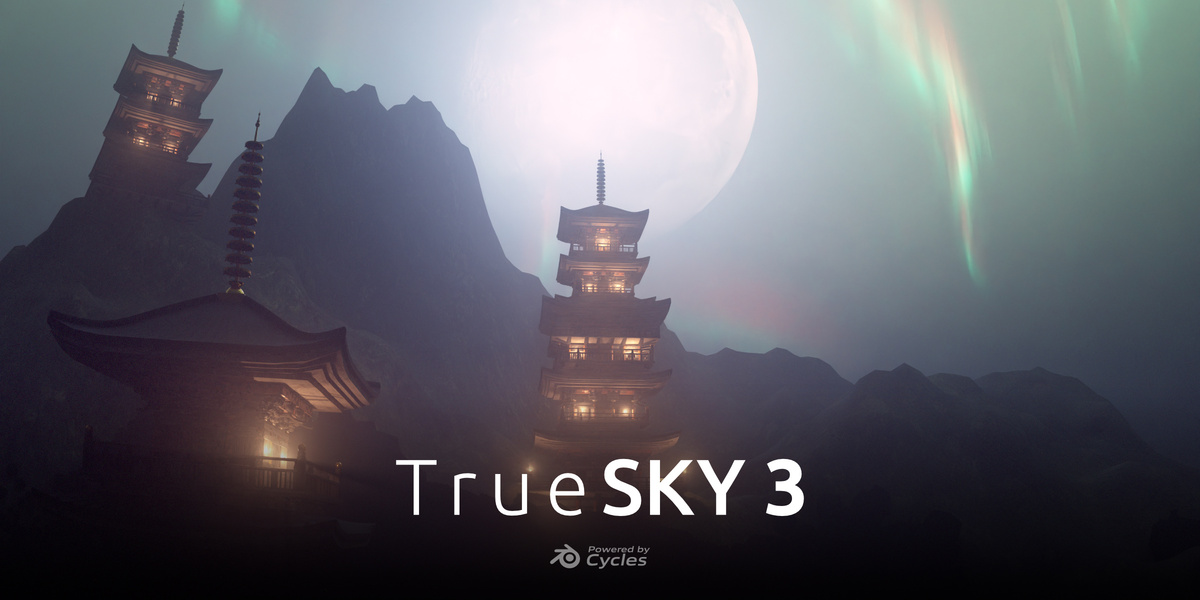
True SKY, is the only Sky tool for Blender with a fully generated planet and sky atmosphere! Get the best Sky tool for Blender now!
Categories
Tags
Installation
- Download True SKY and check which Blender versions the creator supports. Keep the installable archive (for example,
True_SKY.zip) intact. If the download is a bundle, extract it first to find the add-on archive. - In Blender, go to Edit → Preferences → Add-ons. In Blender 4.2 and newer, open the top-right menu and choose Install from Disk. In older versions, click Install….
- Select the add-on archive (for example,
True_SKY.zip) or its standalone.pyfile and confirm the installation. - Find the add-on in the Add-ons list and tick its checkbox if it isn’t already enabled.
Check the creator’s instructions for any extra setup, such as dependencies or license activation.
Compare with other products
Choose a category to find products to compare with this listing.
Variants
-
TrueSKY 3.0 (Legacy) disabled
Price: $49.00 · List price: $49.00
Variant versions
-
v3.0.4 published
Created Nov 8, 2026 · Published Nov 6, 2026
Release notes (source)
<p>TrueSKY 3.0.4</p><p><br></p><p>- Fixed duplicate atmosphere materials that could appear while working with the viewport and atmosphere controls.</p><p><br></p><p>- Improved compatibility with Blender 5.3 beta while retaining support for Blender 5.2.3 LTS.</p><p><br></p><p>- Expanded release validation to cover installed extension workflows and every included core preset on both Blender versions.</p>
-
V3.0.3 published
Created Aug 13, 2026 · Published Aug 13, 2026
Release notes (source)
<p>Fix</p><ul><li>Platformdirs module not installing - now packaged with addon</li></ul>
-
TrueSKY 3.0.2 published
Created Aug 3, 2026 · Published Aug 3, 2026
Release notes (source)
<p><b>Fixes</b></p><ul><li>Cloud layer not coming in due to Blender 5.2 api changes</li></ul>
-
TrueSKY 3.0 published
Created Jun 22, 2026 · Published Jun 22, 2026
Release notes (source)
<p><span style="font-weight:bolder;">Changes from Beta 10:</span></p><p>NEW:<br>New Procedural Stars in the world settings</p><p>FIX:<br>- Various issues with rendering HDRIs in the background</p><p></p><h1 style="color:rgb(0, 0, 0);"><span style="font-weight:bolder;">TrueSKY 3 Change Log:</span></h1><p><i>Changes since TrueSKY 2</i></p><p></p><p>Completely new sky system allowing for realistic shading and lighting across your whole scene no matter how big or tall.<br>- Go from surface into outer space<br>- Add as many suns or even other planets and moons as you want! | <a href="https://truesky.true-vfx.xyz/sky_bodies/luminous_bodies/" target="_blank" style="">Docs</a></p><p>Completely new cloud system with numerous performance and look presets | <a href="https://truesky.true-vfx.xyz/atmosphere_world/clouds/" target="_blank" style="">Docs</a></p><p>Space HDRIs and amazing procedural night skies | <a href="https://truesky.true-vfx.xyz/atmosphere_world/space_world/#none-black-universe" target="_blank" style="">Docs</a></p><p>Earth based horizon deformation: enter coordinates or cities and see that location's horizon as the surface deforms. | <a href="https://truesky.true-vfx.xyz/sky_bodies/primary_body/" target="_blank" style="">Docs</a></p><p>GPS based celestial system: enter a coordinates or a place and date time and see the sun, moon, and land correctly as they would have been at that time | <a href="https://truesky.true-vfx.xyz/sky_bodies/global_positioning/" target="_blank" style="">Docs</a></p><p>HDRI Maker: render out your sky and scene as an HDRI | <a href="https://truesky.true-vfx.xyz/hdri_output/" target="_blank" style="">Docs</a></p><p>Viewport Gizmos: see all of your TrueSKY elements without rendering by entering the TrueSKY gizmo tool. Add, remove, move, and edit your suns, moons, planets, clouds, and even GPS all from within your viewport without having to go into your side panel! | <a href="https://truesky.true-vfx.xyz/tools_gizmos/scene_builder/" target="_blank" style="">Docs</a></p><p>All new compositor powered effects: add effects as easily as you do modifiers | <a href="https://truesky.true-vfx.xyz/effects/" target="_blank" style="">Docs</a></p>
-
TrueSKY 3 | Beta 10 published
Created Mar 17, 2026 · Published Mar 17, 2026
Release notes (source)
<h1>TrueSKY v3.0.0-beta.10</h1><p><br></p><h5>❌Breaking changes: <b>Blender 5.1 required</b>❌</h5><h6>Due to Blender 5.1 upgrading its internal Python version from 3.11 to 3.13 previous python wheels built for Blender 5.0 are not compatible with Blender 5.1. If you are using Blender 5.0, please do not update to this version of TrueSKY until you have updated to Blender 5.1.</h6><p><br></p><h2>New</h2><ul>
<li>Added the included Custom Celestial Objects in as presets</li>
<li>Added earth presets for atmosphere coefficients</li>
<li>Added in more ring presets than just Saturn's rings</li>
<li>A new North Offset setting is now available in the animation settings of the Global Positioning section.</li>
<li>Keep Celestial Bodies within Bounds: A new toggle in the performance section and a preference setting to prevent celestial bodies from being placed so far out that it causes slow downs in rendering.<ul>
<li>In complicated scenes with atmosphere enabled and celestial bodies a significant slow down has been noticed. Bringing the celestial bodies closer to the scene can help mitigate this issue. This toggle will automatically move celestial bodies that are placed very far away back within a certain distance from the scene's origin while scaling its radius appropriately to appear the same size in the sky.</li>
<li>The distance threshold can be adjusted in the preferences via the "Max Scene Bounds" setting. Default is 100,000 km. A 1.75x increase (42s per render to 24s per render) in render times was observed when placing the moon at 100,000 km.</li>
</ul>
</li>
<li>Disable Emission Sampling: A new toggle in the performance section that disables emission sampling for mesh based emission materials.<ul>
<li>There seems to be a conflict of some sort when rendering with GPUs. A [bug report](https://projects.blender.org/blender/blender/issues/155526) has been submitted.</li>
<li>When enabled, this toggle will disable emission sampling for all mesh based emission materials in the scene. When disabled, emission sampling will go back to what it was before for each material. An 1.3x increase (54s per render to 42s per render) was noticed.</li>
</ul>
</li>
</ul><h2>Changed</h2><ul>
<li>Updated wheels for Blender 5.1</li>
<li>Automatically set coordinate directions when field is edited manually</li>
<li>Moon preset is the now the default celestial body preset</li>
<li>More consistent visibility settings and UI/UX for layers across the addon</li>
</ul><h2>Fixes</h2><ul>
<li>Compositor nodes now accept a wider initial set of nodes in the compositor when adding TrueSKY's compositor nodes.</li>
<li>Custom Celestial Object was not always displayed in the UI after being added</li>
<li>Celestial bodies are now have unique names per layer/object. Previously, this could cause issues when removing and adding new celestial bodies, as they would be given the same name and cause confusion in the UI and data management.</li>
<li>Lens Dirt wasn't working correctly</li>
</ul>
-
TrueSKY 3 | Beta 9 published
Created Jan 19, 2026 · Published Jan 19, 2026
Release notes (source)
<p>New:</p><p>- Find Missing TrueSKY files: looks for all files in the blend file that are missing and sees if any correlate with TrueSKY. If so uses the files relative to its assets directory. Useful if someone has sent you a file with TrueSKY use but didn't bother packing any of its files. Also, let's you send blend files without packing saving precious space.</p><p>Fix:</p><p>- Wrong version of Rings material uploaded in the last beta version</p>
-
TrueSKY 3 | Beta 8 published
Created Jan 15, 2026 · Published Jan 15, 2026
Release notes (source)
<h2 style="border:0px;margin:8px 0px;padding:0px;vertical-align:baseline;line-height:1.375em;"><span style="border:0px;margin:0px;padding:0px;vertical-align:baseline;">Added</span></h2><ul>
<li>
<span style="border:0px;margin:0px;padding:0px;vertical-align:baseline;"><span style="border:0px;margin:0px;padding:0px;vertical-align:baseline;">Scene Builder tool</span></span><span style="border:0px;margin:0px;padding:0px;vertical-align:baseline;"> - New 3D Viewport tool with tabbed layout for Luminous, Primary Body, Celestial, Clouds, and Space workflows
</span><span style="border:0px;margin:0px;padding:0px;vertical-align:baseline;"><span style="border:0px;margin:0px;padding:0px;vertical-align:baseline;"><br></span></span>
</li>
<li>
<span style="border:0px;margin:0px;padding:0px;vertical-align:baseline;"><span style="border:0px;margin:0px;padding:0px;vertical-align:baseline;">Viewport gizmos and overlays</span></span><span style="border:0px;margin:0px;padding:0px;vertical-align:baseline;"> - Body gizmos for size/brightness/distance, a floating cloud panel, and quick viewport toggles
</span><span style="border:0px;margin:0px;padding:0px;vertical-align:baseline;"><span style="border:0px;margin:0px;padding:0px;vertical-align:baseline;"><br></span></span>
</li>
<li>
<span style="border:0px;margin:0px;padding:0px;vertical-align:baseline;"><span style="border:0px;margin:0px;padding:0px;vertical-align:baseline;">Positioning Widget</span></span><span style="border:0px;margin:0px;padding:0px;vertical-align:baseline;"> - In-viewport Date/Time + Location controls with map picker and sunrise/sunset shortcuts
</span><span style="border:0px;margin:0px;padding:0px;vertical-align:baseline;"><span style="border:0px;margin:0px;padding:0px;vertical-align:baseline;"><br></span></span>
</li>
<li>
<span style="border:0px;margin:0px;padding:0px;vertical-align:baseline;"><span style="border:0px;margin:0px;padding:0px;vertical-align:baseline;">Exposure gizmos</span></span><span style="border:0px;margin:0px;padding:0px;vertical-align:baseline;"> - In-viewport exposure slider, metering modes, and compositor preview toggle
</span><span style="border:0px;margin:0px;padding:0px;vertical-align:baseline;"><span style="border:0px;margin:0px;padding:0px;vertical-align:baseline;"><br></span></span>
</li>
<li>
<span style="border:0px;margin:0px;padding:0px;vertical-align:baseline;"><span style="border:0px;margin:0px;padding:0px;vertical-align:baseline;">Align GPS to Body</span></span><span style="border:0px;margin:0px;padding:0px;vertical-align:baseline;"> - Sync Global Positioning to a moved/rotated body and keep the scene aligned
</span><span style="border:0px;margin:0px;padding:0px;vertical-align:baseline;"><span style="border:0px;margin:0px;padding:0px;vertical-align:baseline;"><br></span></span>
</li>
<li>
<span style="border:0px;margin:0px;padding:0px;vertical-align:baseline;"><span style="border:0px;margin:0px;padding:0px;vertical-align:baseline;">Auto Night Mode</span></span><span style="border:0px;margin:0px;padding:0px;vertical-align:baseline;"> - Prevents Auto Exposure from brightening dark scenes (toggle in Exposure settings when Auto is enabled)
</span><span style="border:0px;margin:0px;padding:0px;vertical-align:baseline;"><span style="border:0px;margin:0px;padding:0px;vertical-align:baseline;"><br></span></span>
</li>
<li>
<span style="border:0px;margin:0px;padding:0px;vertical-align:baseline;"><span style="border:0px;margin:0px;padding:0px;vertical-align:baseline;">Primary Body base presets</span></span><span style="border:0px;margin:0px;padding:0px;vertical-align:baseline;"> - New Surface and Atmosphere starter presets
</span>
</li>
</ul><h2 style="border:0px;margin:16px 0px 8px;padding:0px;vertical-align:baseline;line-height:1.375em;"><span style="border:0px;margin:0px;padding:0px;vertical-align:baseline;">Changed</span></h2><ul>
<li>
<span style="border:0px;margin:0px;padding:0px;vertical-align:baseline;"><span style="border:0px;margin:0px;padding:0px;vertical-align:baseline;">Display helper toggle removed</span></span><span style="border:0px;margin:0px;padding:0px;vertical-align:baseline;"> - Superseded by Scene Builder gizmos and viewport overlays
</span><span style="border:0px;margin:0px;padding:0px;vertical-align:baseline;"><span style="border:0px;margin:0px;padding:0px;vertical-align:baseline;"><br></span></span>
</li>
<li>
<span style="border:0px;margin:0px;padding:0px;vertical-align:baseline;"><span style="border:0px;margin:0px;padding:0px;vertical-align:baseline;">Cloud layer origins</span></span><span style="border:0px;margin:0px;padding:0px;vertical-align:baseline;"> - Layers now originate at the center of their sphere; old scenes still load, but Scene Builder panning can feel off until layers are refreshed
</span><span style="border:0px;margin:0px;padding:0px;vertical-align:baseline;"><span style="border:0px;margin:0px;padding:0px;vertical-align:baseline;"><br></span></span>
</li>
<li>
<span style="border:0px;margin:0px;padding:0px;vertical-align:baseline;"><span style="border:0px;margin:0px;padding:0px;vertical-align:baseline;">Addon install method</span></span><span style="border:0px;margin:0px;padding:0px;vertical-align:baseline;"> - Installation as a non-extension addon has been removed to avoid incorrect installs
</span><span style="border:0px;margin:0px;padding:0px;vertical-align:baseline;"><span style="border:0px;margin:0px;padding:0px;vertical-align:baseline;"><br></span></span>
</li>
<li>
<span style="border:0px;margin:0px;padding:0px;vertical-align:baseline;"><span style="border:0px;margin:0px;padding:0px;vertical-align:baseline;">Bug report button</span></span><span style="border:0px;margin:0px;padding:0px;vertical-align:baseline;"> - Now opens the GitHub issues page directly
</span>
</li>
</ul><h2 style="border:0px;margin:16px 0px 8px;padding:0px;vertical-align:baseline;line-height:1.375em;"><span style="border:0px;margin:0px;padding:0px;vertical-align:baseline;">Fixed</span></h2><ul><li><span style="border:0px;margin:0px;padding:0px;vertical-align:baseline;">Adding a new cloud layer no longer throws an error</span></li></ul>
-
TrueSKY 3 | Beta 7 (Blender 5.0.1 advised) published
Created Dec 22, 2025 · Published Dec 22, 2025
Release notes (source)
<h1 style="color:rgb(0, 0, 0);"><span style="font-weight:bolder;">New</span></h1><p><span style="font-weight:bolder;">Performance</span></p><ul>
<li>We introduced a dedicated Performance section, moving it out of Misc and giving it a proper home.</li>
<li>The Performance section now includes three focused tabs: Presets, Volumes, and Extras.</li>
<li>The Presets tab now houses the master volume preset system for all scene volumes, including a master preset, quality modes, and step modes. This provides a single, predictable way to control overall volume quality across the entire scene.</li>
<li>The Volumes tab introduces a per-volume layer UI list, allowing fine-grained control using an offset-based system.<ul>
<li>You can increase quality for important layers (such as hero clouds).</li>
<li>You can reduce quality for less critical layers to improve render times.</li>
<li>All adjustments stay within a predefined delta relative to the master preset, preserving the overall look.</li>
</ul>
</li>
<li>Altitude Weighting automatically adjusts a layer’s effective quality based on altitude. Higher-altitude clouds are weighted toward lower quality where possible, allowing up to a 33% delta change in effective step rates.</li>
</ul><p><span style="font-weight:bolder;">Clouds & Volumes</span></p><ul>
<li>We introduced a revamped cloud and volume system, including new Cirrus, Cumulus, Stratus, Altostratus, and mesh-based cloud layers.</li>
<li>We added a new Cloud UI with clearer layouts, improved labels, preset pickers, icons, and better active-state feedback.</li>
<li>We added Random Seed and Advanced Shape controls to cloud layers, giving you more variation and control.</li>
</ul><p><span style="font-weight:bolder;">Rendering & Color</span></p><ul>
<li>We added ACES support in preferences for Blender 5.0 and above, improving exposure and color consistency.</li>
<li>We introduced an improved auto-exposure system designed to work correctly with modern color view transforms.</li>
</ul><p><span style="font-weight:bolder;">Scene & World Tools</span></p><ul>
<li>We added North Offset support, allowing you to rotate the surface mesh independently for better alignment.</li>
<li>We expanded global positioning tools, including date and time operators, daylight saving handling, and Ephem-based sun positioning.</li>
<li>We added an operator to resize all textures in the blend file, with smarter resizing logic and duplicate prevention.</li>
<li>We added a Clean Scene operator that fully removes all TrueSKY data and settings, making it easy to reset or start fresh.</li>
</ul><hr style="border-top:1px solid rgb(0, 0, 0);"><h1 style="color:rgb(0, 0, 0);"><span style="font-weight:bolder;">Improvements & Fixes</span></h1><p><span style="font-weight:bolder;">Performance</span></p><ul>
<li>We significantly improved UI responsiveness by deferring volume item synchronization and introducing lazy icon loading.</li>
<li>We refined volume rendering performance by correcting step size scaling, fast and accurate modes, and precision handling.</li>
<li>We improved how quality offsets and altitude weighting are calculated to keep results predictable and bounded.</li>
</ul><p><span style="font-weight:bolder;">Presets & Data</span></p><ul>
<li>We updated cloud presets to work with the new cloud system and improved cloud material step rates.</li>
<li>We fixed numerous preset-related issues, including incorrect names, missing icons, broken UI lists, and duplicate cloud layer names.</li>
<li>We resolved issues where presets failed to correctly apply materials, textures, or atmosphere settings.</li>
</ul><p><span style="font-weight:bolder;">Materials & Shaders</span></p><ul>
<li>We fixed multiple material issues, including missing atmosphere textures, incorrect Earth presets, and unintended material imports.</li>
<li>We resolved cases where celestial bodies were not assigning or displaying their materials correctly.</li>
</ul><p><span style="font-weight:bolder;">Exposure & Camera</span></p><ul>
<li>We improved auto-exposure behaviour, including better spot metering, precision fixes, and compatibility with older scenes.</li>
<li>We corrected wording and UI behaviour in exposure settings to reduce confusion.</li>
</ul><p><span style="font-weight:bolder;">Global & Local Positioning</span></p><ul>
<li>We fixed global and local positioning bugs, including incorrect updates when auto-update was disabled.</li>
<li>We corrected time, latitude, longitude, and daylight-saving handling to ensure predictable positioning.</li>
<li>We fixed issues where clouds and scene offsets were not interacting correctly.</li>
</ul><p><span style="font-weight:bolder;">Stability & UX</span></p><ul>
<li>We improved error reporting and logging, especially in the Clean Scene operator.</li>
<li>We unified and cleaned up icons, spacing, and UI layouts across the addon.</li>
<li>We resolved many smaller issues, including floating-point precision bugs, missing UI updates, and incorrect default values.</li>
</ul><hr style="border-top:1px solid rgb(0, 0, 0);"><h1 style="color:rgb(0, 0, 0);"><span style="font-weight:bolder;">Changes</span></h1><p><span style="font-weight:bolder;">Performance & Workflow</span></p><ul>
<li>We restructured the performance workflow, centralising all performance-related controls into a single, coherent system.</li>
<li>Volume quality is now driven by a master preset with controlled per-layer deltas, replacing scattered and unpredictable settings.</li>
<li>We updated and refactored the volume preset framework, which may slightly change how existing presets behave.</li>
</ul><p><span style="font-weight:bolder;">Clouds & UI</span></p><ul>
<li>Parts of the CloudLayer UI have been reorganised for clarity and consistency.</li>
<li>Cloud preset handling now enforces unique layer naming and more reliable icon loading.</li>
</ul><p><span style="font-weight:bolder;">Rendering & Systems</span></p><ul>
<li>We replaced legacy sun positioning logic with Ephem-based calculations.</li>
<li>We adjusted exposure and effects preferences, including restoring legacy options for older scenes.</li>
<li>We disabled the fast GI option for clouds, as it caused more issues than benefits.</li>
<li>We renamed all references from True-Sky to TrueSKY for consistency.</li>
</ul><hr style="border-top:1px solid rgb(0, 0, 0);"><h2 style="color:rgb(0, 0, 0);"><span style="font-weight:bolder;">Addendum – Blender Version Focus</span></h2><p>We are focusing development and testing on Blender 5.x builds going forward.</p><p>Blender 5.x provides a significantly improved volume system, better performance and stability for clouds and atmospheres, and more consistent lighting and exposure behaviour.</p><p><span style="font-weight:bolder;">TrueSKY Beta 7 is specifically recommended for Blender 5.0.1.</span></p><p>Blender 5.0 contained a Blender-side bug where per-material volume step rates did not update correctly, directly affecting volume quality controls. This issue was fixed in Blender 5.0.1, making it the minimum recommended version for reliable results.</p>
-
TrueSKY 3 | Beta 6 published
Created Dec 1, 2025 · Published Dec 1, 2025
Release notes (source)
<ul><li>NEW: Add previews and info on volume presets</li><li>Change: Update Preferences UI</li><li>Change: Added presets in the render section of the Properties area as well</li><li>Change: CPU Fallback for resolutions above 12k when rendering out HDRi's (Blender limitation)</li><li>Fix: Mac users unable to render out HDRi</li><li>Fix: Background rendering error</li></ul>
-
TrueSKY 3 | Beta 5 published
Created Nov 27, 2025 · Published Nov 27, 2025
Release notes (source)
<ul>
<li>Fixed a small issue with Clouds</li>
<li>Fixed Rings material in Blender 5.0</li>
</ul>
-
TrueSKY | Beta 4 published
Created Nov 26, 2025 · Published Nov 26, 2025
Release notes (source)
<p><b>Beta 4 Changelog</b></p><p><b>Features</b></p><ul><li>Added full support for rings on primary bodies, including saving and loading in presets.</li><li>Added the **Alien World** full-scene preset with custom celestial bodies, HDRI, and effects.</li><li>Added multiple new startup full-scene presets: Clear Morning, Ethereal Dusk, Hazy Sunrise, Misty Afternoon, and Stellar Sunset.</li><li>Added effects layer integration to full-scene setup for consistent preset looks.</li><li>Added world integration to full-scene presets, ensuring environment and sky settings load together.</li></ul><p><b>Improvements</b></p><ul><li>Added two new ultra-high-quality performance presets:</li><li>Super Ultra Mega Best (volume step rate = 1)</li><li>Super Ultra Hyper Real (64 volume bounces)</li><li>Locking volume max steps now automatically restores the recommended 1024-step value.</li><li>Updated world preset storage to include HDRI configuration when using TrueSKY HDRI world.</li><li>Updated clouds preset index to ensure correct UI ordering.</li><li>Correct handling of celestial body placement when loading full-scene presets—orbital elevation and rotation now preserved correctly.</li></ul><p><b>Fixes</b></p><ul><li>Corrected ring data loading for presets without rings to prevent unintended ring creation.</li><li>Fixed recurring issues with the ring material.</li><li>Fixed world/HDRI preset handling so HDRI settings restore correctly, including mapping and input values.</li></ul>
-
TrueSKY 3 | Beta 3 published
Created Nov 20, 2025 · Published Nov 20, 2025
Release notes (source)
<p>Updates to UI for Mac users:<br>- Material pickers now have a button to "Make textures Mac compatible"<br>- Earth displacement map comes in now at 16384x8192 rather than 21600x10800</p><p>Fix for texture limit issue on Macs</p>
-
TrueSKY 3 | Beta 2 published
Created Nov 18, 2025 · Published Nov 18, 2025
Release notes (source)
<p>First public release of TrueSKY 3.0</p>
-
-
Lifetime Updates (Legacy) disabled
Price: $249.00 · List price: $249.00
Variant versions
-
v3.0.4 published
Created Nov 8, 2026 · Published Nov 6, 2026
Release notes (source)
<p>TrueSKY 3.0.4</p><p><br></p><p>- Fixed duplicate atmosphere materials that could appear while working with the viewport and atmosphere controls.</p><p><br></p><p>- Improved compatibility with Blender 5.3 beta while retaining support for Blender 5.2.3 LTS.</p><p><br></p><p>- Expanded release validation to cover installed extension workflows and every included core preset on both Blender versions.</p>
-
v3.0.3 published
Created Aug 13, 2026 · Published Aug 13, 2026
Release notes (source)
<p>Fix</p><ul><li>Platformdirs module not installing - now packaged with addon</li></ul>
-
TrueSKY 3.0.2 published
Created Aug 3, 2026 · Published Aug 3, 2026
Release notes (source)
<p>Fixes</p><ul><li>Cloud layer not coming in due to Blender 5.2 api changes</li></ul>
-
TrueSKY 3.0 published
Created Jun 22, 2026 · Published Jun 22, 2026
Release notes (source)
<p><span style="font-weight:bolder;">Changes from Beta 10:</span></p><p>NEW:<br>New Procedural Stars in the world settings</p><p>FIX:<br>- Various issues with rendering HDRIs in the background</p><p></p><h1 style="color:rgb(0, 0, 0);"><span style="font-weight:bolder;">TrueSKY 3 Change Log:</span></h1><p><i>Changes since TrueSKY 2</i></p><p></p><p>Completely new sky system allowing for realistic shading and lighting across your whole scene no matter how big or tall.<br>- Go from surface into outer space<br>- Add as many suns or even other planets and moons as you want! | <a href="https://truesky.true-vfx.xyz/sky_bodies/luminous_bodies/" target="_blank" style="">Docs</a></p><p>Completely new cloud system with numerous performance and look presets | <a href="https://truesky.true-vfx.xyz/atmosphere_world/clouds/" target="_blank" style="">Docs</a></p><p>Space HDRIs and amazing procedural night skies | <a href="https://truesky.true-vfx.xyz/atmosphere_world/space_world/#none-black-universe" target="_blank" style="">Docs</a></p><p>Earth based horizon deformation: enter coordinates or cities and see that location's horizon as the surface deforms. | <a href="https://truesky.true-vfx.xyz/sky_bodies/primary_body/" target="_blank" style="">Docs</a></p><p>GPS based celestial system: enter a coordinates or a place and date time and see the sun, moon, and land correctly as they would have been at that time | <a href="https://truesky.true-vfx.xyz/sky_bodies/global_positioning/" target="_blank" style="">Docs</a></p><p>HDRI Maker: render out your sky and scene as an HDRI | <a href="https://truesky.true-vfx.xyz/hdri_output/" target="_blank" style="">Docs</a></p><p>Viewport Gizmos: see all of your TrueSKY elements without rendering by entering the TrueSKY gizmo tool. Add, remove, move, and edit your suns, moons, planets, clouds, and even GPS all from within your viewport without having to go into your side panel! | <a href="https://truesky.true-vfx.xyz/tools_gizmos/scene_builder/" target="_blank" style="">Docs</a></p><p>All new compositor powered effects: add effects as easily as you do modifiers | <a href="https://truesky.true-vfx.xyz/effects/" target="_blank" style="">Docs</a></p>
-
TrueSKY 3 | Beta 10 published
Created Mar 17, 2026 · Published Mar 17, 2026
Release notes (source)
<h1 style="color:rgb(0, 0, 0);">TrueSKY v3.0.0-beta.10</h1><p><br></p><h5 style="color:rgb(0, 0, 0);">❌Breaking changes: <span style="font-weight:bolder;">Blender 5.1 required</span>❌</h5><h6 style="color:rgb(0, 0, 0);">Due to Blender 5.1 upgrading its internal Python version from 3.11 to 3.13 previous python wheels built for Blender 5.0 are not compatible with Blender 5.1. If you are using Blender 5.0, please do not update to this version of TrueSKY until you have updated to Blender 5.1.</h6><p><br></p><h2 style="color:rgb(0, 0, 0);">New</h2><ul>
<li>Added the included Custom Celestial Objects in as presets</li>
<li>Added earth presets for atmosphere coefficients</li>
<li>Added in more ring presets than just Saturn's rings</li>
<li>A new North Offset setting is now available in the animation settings of the Global Positioning section.</li>
<li>Keep Celestial Bodies within Bounds: A new toggle in the performance section and a preference setting to prevent celestial bodies from being placed so far out that it causes slow downs in rendering.<ul>
<li>In complicated scenes with atmosphere enabled and celestial bodies a significant slow down has been noticed. Bringing the celestial bodies closer to the scene can help mitigate this issue. This toggle will automatically move celestial bodies that are placed very far away back within a certain distance from the scene's origin while scaling its radius appropriately to appear the same size in the sky.</li>
<li>The distance threshold can be adjusted in the preferences via the "Max Scene Bounds" setting. Default is 100,000 km. A 1.75x increase (42s per render to 24s per render) in render times was observed when placing the moon at 100,000 km.</li>
</ul>
</li>
<li>Disable Emission Sampling: A new toggle in the performance section that disables emission sampling for mesh based emission materials.<ul>
<li>There seems to be a conflict of some sort when rendering with GPUs. A [bug report](https://projects.blender.org/blender/blender/issues/155526) has been submitted.</li>
<li>When enabled, this toggle will disable emission sampling for all mesh based emission materials in the scene. When disabled, emission sampling will go back to what it was before for each material. An 1.3x increase (54s per render to 42s per render) was noticed.</li>
</ul>
</li>
</ul><h2 style="color:rgb(0, 0, 0);">Changed</h2><ul>
<li>Updated wheels for Blender 5.1</li>
<li>Automatically set coordinate directions when field is edited manually</li>
<li>Moon preset is the now the default celestial body preset</li>
<li>More consistent visibility settings and UI/UX for layers across the addon</li>
</ul><h2 style="color:rgb(0, 0, 0);">Fixes</h2><ul>
<li>Compositor nodes now accept a wider initial set of nodes in the compositor when adding TrueSKY's compositor nodes.</li>
<li>Custom Celestial Object was not always displayed in the UI after being added</li>
<li>Celestial bodies are now have unique names per layer/object. Previously, this could cause issues when removing and adding new celestial bodies, as they would be given the same name and cause confusion in the UI and data management.</li>
<li>Lens Dirt wasn't working correctly</li>
</ul>
-
TrueSKY 3 | Beta 9 published
Created Jan 19, 2026 · Published Jan 19, 2026
Release notes (source)
<p>New:</p><p>- Find Missing TrueSKY files: looks for all files in the blend file that are missing and sees if any correlate with TrueSKY. If so uses the files relative to its assets directory. Useful if someone has sent you a file with TrueSKY use but didn't bother packing any of its files. Also, let's you send blend files without packing saving precious space.</p><p>Fix:</p><p>- Wrong version of Rings material uploaded in the last beta version</p>
-
TrueSKY 3 | Beta 8 published
Created Jan 15, 2026 · Published Jan 15, 2026
Release notes (source)
<h2 style="margin:8px 0px;line-height:1.375em;color:rgb(0, 0, 0);border:0px;padding:0px;vertical-align:baseline;"><span style="border:0px;margin:0px;padding:0px;vertical-align:baseline;">Added</span></h2><ul>
<li>
<span style="border:0px;margin:0px;padding:0px;vertical-align:baseline;">Scene Builder tool</span><span style="border:0px;margin:0px;padding:0px;vertical-align:baseline;"> - New 3D Viewport tool with tabbed layout for Luminous, Primary Body, Celestial, Clouds, and Space workflows</span><span style="border:0px;margin:0px;padding:0px;vertical-align:baseline;"><br></span>
</li>
<li>
<span style="border:0px;margin:0px;padding:0px;vertical-align:baseline;">Viewport gizmos and overlays</span><span style="border:0px;margin:0px;padding:0px;vertical-align:baseline;"> - Body gizmos for size/brightness/distance, a floating cloud panel, and quick viewport toggles</span><span style="border:0px;margin:0px;padding:0px;vertical-align:baseline;"><br></span>
</li>
<li>
<span style="border:0px;margin:0px;padding:0px;vertical-align:baseline;">Positioning Widget</span><span style="border:0px;margin:0px;padding:0px;vertical-align:baseline;"> - In-viewport Date/Time + Location controls with map picker and sunrise/sunset shortcuts</span><span style="border:0px;margin:0px;padding:0px;vertical-align:baseline;"><br></span>
</li>
<li>
<span style="border:0px;margin:0px;padding:0px;vertical-align:baseline;">Exposure gizmos</span><span style="border:0px;margin:0px;padding:0px;vertical-align:baseline;"> - In-viewport exposure slider, metering modes, and compositor preview toggle</span><span style="border:0px;margin:0px;padding:0px;vertical-align:baseline;"><br></span>
</li>
<li>
<span style="border:0px;margin:0px;padding:0px;vertical-align:baseline;">Align GPS to Body</span><span style="border:0px;margin:0px;padding:0px;vertical-align:baseline;"> - Sync Global Positioning to a moved/rotated body and keep the scene aligned</span><span style="border:0px;margin:0px;padding:0px;vertical-align:baseline;"><br></span>
</li>
<li>
<span style="border:0px;margin:0px;padding:0px;vertical-align:baseline;">Auto Night Mode</span><span style="border:0px;margin:0px;padding:0px;vertical-align:baseline;"> - Prevents Auto Exposure from brightening dark scenes (toggle in Exposure settings when Auto is enabled)</span><span style="border:0px;margin:0px;padding:0px;vertical-align:baseline;"><br></span>
</li>
<li>
<span style="border:0px;margin:0px;padding:0px;vertical-align:baseline;">Primary Body base presets</span><span style="border:0px;margin:0px;padding:0px;vertical-align:baseline;"> - New Surface and Atmosphere starter presets</span>
</li>
</ul><h2 style="margin:16px 0px 8px;line-height:1.375em;color:rgb(0, 0, 0);border:0px;padding:0px;vertical-align:baseline;"><span style="border:0px;margin:0px;padding:0px;vertical-align:baseline;">Changed</span></h2><ul>
<li>
<span style="border:0px;margin:0px;padding:0px;vertical-align:baseline;">Display helper toggle removed</span><span style="border:0px;margin:0px;padding:0px;vertical-align:baseline;"> - Superseded by Scene Builder gizmos and viewport overlays</span><span style="border:0px;margin:0px;padding:0px;vertical-align:baseline;"><br></span>
</li>
<li>
<span style="border:0px;margin:0px;padding:0px;vertical-align:baseline;">Cloud layer origins</span><span style="border:0px;margin:0px;padding:0px;vertical-align:baseline;"> - Layers now originate at the center of their sphere; old scenes still load, but Scene Builder panning can feel off until layers are refreshed</span><span style="border:0px;margin:0px;padding:0px;vertical-align:baseline;"><br></span>
</li>
<li>
<span style="border:0px;margin:0px;padding:0px;vertical-align:baseline;">Addon install method</span><span style="border:0px;margin:0px;padding:0px;vertical-align:baseline;"> - Installation as a non-extension addon has been removed to avoid incorrect installs</span><span style="border:0px;margin:0px;padding:0px;vertical-align:baseline;"><br></span>
</li>
<li>
<span style="border:0px;margin:0px;padding:0px;vertical-align:baseline;">Bug report button</span><span style="border:0px;margin:0px;padding:0px;vertical-align:baseline;"> - Now opens the GitHub issues page directly</span>
</li>
</ul><h2 style="margin:16px 0px 8px;line-height:1.375em;color:rgb(0, 0, 0);border:0px;padding:0px;vertical-align:baseline;"><span style="border:0px;margin:0px;padding:0px;vertical-align:baseline;">Fixed</span></h2><ul><li><span style="border:0px;margin:0px;padding:0px;vertical-align:baseline;">Adding a new cloud layer no longer throws an error</span></li></ul>
-
TrueSKY 3 | Beta 7 (Blender 5.0.1 advised) published
Created Dec 22, 2025 · Published Dec 22, 2025
Release notes (source)
<h1 style="color:rgb(0, 0, 0);"><span style="font-weight:bolder;">New</span></h1><p><span style="font-weight:bolder;">Performance</span></p><ul>
<li>We introduced a dedicated Performance section, moving it out of Misc and giving it a proper home.</li>
<li>The Performance section now includes three focused tabs: Presets, Volumes, and Extras.</li>
<li>The Presets tab now houses the master volume preset system for all scene volumes, including a master preset, quality modes, and step modes. This provides a single, predictable way to control overall volume quality across the entire scene.</li>
<li>The Volumes tab introduces a per-volume layer UI list, allowing fine-grained control using an offset-based system.<ul>
<li>You can increase quality for important layers (such as hero clouds).</li>
<li>You can reduce quality for less critical layers to improve render times.</li>
<li>All adjustments stay within a predefined delta relative to the master preset, preserving the overall look.</li>
</ul>
</li>
<li>Altitude Weighting automatically adjusts a layer’s effective quality based on altitude. Higher-altitude clouds are weighted toward lower quality where possible, allowing up to a 33% delta change in effective step rates.</li>
</ul><p><span style="font-weight:bolder;">Clouds & Volumes</span></p><ul>
<li>We introduced a revamped cloud and volume system, including new Cirrus, Cumulus, Stratus, Altostratus, and mesh-based cloud layers.</li>
<li>We added a new Cloud UI with clearer layouts, improved labels, preset pickers, icons, and better active-state feedback.</li>
<li>We added Random Seed and Advanced Shape controls to cloud layers, giving you more variation and control.</li>
</ul><p><span style="font-weight:bolder;">Rendering & Color</span></p><ul>
<li>We added ACES support in preferences for Blender 5.0 and above, improving exposure and color consistency.</li>
<li>We introduced an improved auto-exposure system designed to work correctly with modern color view transforms.</li>
</ul><p><span style="font-weight:bolder;">Scene & World Tools</span></p><ul>
<li>We added North Offset support, allowing you to rotate the surface mesh independently for better alignment.</li>
<li>We expanded global positioning tools, including date and time operators, daylight saving handling, and Ephem-based sun positioning.</li>
<li>We added an operator to resize all textures in the blend file, with smarter resizing logic and duplicate prevention.</li>
<li>We added a Clean Scene operator that fully removes all TrueSKY data and settings, making it easy to reset or start fresh.</li>
</ul><hr style="border-top:1px solid rgb(0, 0, 0);"><h1 style="color:rgb(0, 0, 0);"><span style="font-weight:bolder;">Improvements & Fixes</span></h1><p><span style="font-weight:bolder;">Performance</span></p><ul>
<li>We significantly improved UI responsiveness by deferring volume item synchronization and introducing lazy icon loading.</li>
<li>We refined volume rendering performance by correcting step size scaling, fast and accurate modes, and precision handling.</li>
<li>We improved how quality offsets and altitude weighting are calculated to keep results predictable and bounded.</li>
</ul><p><span style="font-weight:bolder;">Presets & Data</span></p><ul>
<li>We updated cloud presets to work with the new cloud system and improved cloud material step rates.</li>
<li>We fixed numerous preset-related issues, including incorrect names, missing icons, broken UI lists, and duplicate cloud layer names.</li>
<li>We resolved issues where presets failed to correctly apply materials, textures, or atmosphere settings.</li>
</ul><p><span style="font-weight:bolder;">Materials & Shaders</span></p><ul>
<li>We fixed multiple material issues, including missing atmosphere textures, incorrect Earth presets, and unintended material imports.</li>
<li>We resolved cases where celestial bodies were not assigning or displaying their materials correctly.</li>
</ul><p><span style="font-weight:bolder;">Exposure & Camera</span></p><ul>
<li>We improved auto-exposure behaviour, including better spot metering, precision fixes, and compatibility with older scenes.</li>
<li>We corrected wording and UI behaviour in exposure settings to reduce confusion.</li>
</ul><p><span style="font-weight:bolder;">Global & Local Positioning</span></p><ul>
<li>We fixed global and local positioning bugs, including incorrect updates when auto-update was disabled.</li>
<li>We corrected time, latitude, longitude, and daylight-saving handling to ensure predictable positioning.</li>
<li>We fixed issues where clouds and scene offsets were not interacting correctly.</li>
</ul><p><span style="font-weight:bolder;">Stability & UX</span></p><ul>
<li>We improved error reporting and logging, especially in the Clean Scene operator.</li>
<li>We unified and cleaned up icons, spacing, and UI layouts across the addon.</li>
<li>We resolved many smaller issues, including floating-point precision bugs, missing UI updates, and incorrect default values.</li>
</ul><hr style="border-top:1px solid rgb(0, 0, 0);"><h1 style="color:rgb(0, 0, 0);"><span style="font-weight:bolder;">Changes</span></h1><p><span style="font-weight:bolder;">Performance & Workflow</span></p><ul>
<li>We restructured the performance workflow, centralising all performance-related controls into a single, coherent system.</li>
<li>Volume quality is now driven by a master preset with controlled per-layer deltas, replacing scattered and unpredictable settings.</li>
<li>We updated and refactored the volume preset framework, which may slightly change how existing presets behave.</li>
</ul><p><span style="font-weight:bolder;">Clouds & UI</span></p><ul>
<li>Parts of the CloudLayer UI have been reorganised for clarity and consistency.</li>
<li>Cloud preset handling now enforces unique layer naming and more reliable icon loading.</li>
</ul><p><span style="font-weight:bolder;">Rendering & Systems</span></p><ul>
<li>We replaced legacy sun positioning logic with Ephem-based calculations.</li>
<li>We adjusted exposure and effects preferences, including restoring legacy options for older scenes.</li>
<li>We disabled the fast GI option for clouds, as it caused more issues than benefits.</li>
<li>We renamed all references from True-Sky to TrueSKY for consistency.</li>
</ul><hr style="border-top:1px solid rgb(0, 0, 0);"><h2 style="color:rgb(0, 0, 0);"><span style="font-weight:bolder;">Addendum – Blender Version Focus</span></h2><p>We are focusing development and testing on Blender 5.x builds going forward.</p><p>Blender 5.x provides a significantly improved volume system, better performance and stability for clouds and atmospheres, and more consistent lighting and exposure behaviour.</p><p><span style="font-weight:bolder;">TrueSKY Beta 7 is specifically recommended for Blender 5.0.1.</span></p><p>Blender 5.0 contained a Blender-side bug where per-material volume step rates did not update correctly, directly affecting volume quality controls. This issue was fixed in Blender 5.0.1, making it the minimum recommended version for reliable results.</p>
-
TrueSKY 3 | Beta 6 published
Created Dec 1, 2025 · Published Dec 1, 2025
Release notes (source)
<ul><li>NEW: Add previews and info on volume presets</li><li>Change: Update Preferences UI</li><li>Change: Added presets in the render section of the Properties area as well</li><li>Change: CPU Fallback for resolutions above 12k when rendering out HDRi's (Blender limitation)</li><li>Fix: Mac users unable to render out HDRi</li><li>Fix: Background rendering error</li></ul>
-
TrueSKY | Beta 5 published
Created Nov 27, 2025 · Published Nov 27, 2025
Release notes (source)
<ul><li>Fixed a small issue with Clouds</li><li>Fixed Rings material in Blender 5.0</li></ul>
-
TrueSKY | Beta 4 published
Created Nov 26, 2025 · Published Nov 26, 2025
Release notes (source)
<p><span style="font-weight: bolder;">Beta 4 Changelog</span></p><p><span style="font-weight: bolder;">Features</span></p><ul><li>Added full support for rings on primary bodies, including saving and loading in presets.</li><li>Added the **Alien World** full-scene preset with custom celestial bodies, HDRI, and effects.</li><li>Added multiple new startup full-scene presets: Clear Morning, Ethereal Dusk, Hazy Sunrise, Misty Afternoon, and Stellar Sunset.</li><li>Added effects layer integration to full-scene setup for consistent preset looks.</li><li>Added world integration to full-scene presets, ensuring environment and sky settings load together.</li></ul><p><span style="font-weight: bolder;">Improvements</span></p><ul><li>Added two new ultra-high-quality performance presets:</li><li>Super Ultra Mega Best (volume step rate = 1)</li><li>Super Ultra Hyper Real (64 volume bounces)</li><li>Locking volume max steps now automatically restores the recommended 1024-step value.</li><li>Updated world preset storage to include HDRI configuration when using TrueSKY HDRI world.</li><li>Updated clouds preset index to ensure correct UI ordering.</li><li>Correct handling of celestial body placement when loading full-scene presets—orbital elevation and rotation now preserved correctly.</li></ul><p><span style="font-weight: bolder;">Fixes</span></p><ul><li>Corrected ring data loading for presets without rings to prevent unintended ring creation.</li><li>Fixed recurring issues with the ring material.</li><li>Fixed world/HDRI preset handling so HDRI settings restore correctly, including mapping and input values.</li></ul>
-
TrueSKY 3 | Beta 3 published
Created Nov 20, 2025 · Published Nov 20, 2025
Release notes (source)
<p>Fixed texture limit issues on Mac devices</p>
-
-
Trial (Legacy) disabled
Price: $1.00 · List price: $1.00
-
TrueSKY 3.0 published
Price: $39.00 · List price: $39.00
Variant versions
-
v3.0.4 published
Created Nov 6, 2026 · Published Nov 6, 2026
Release notes (source)
<p>TrueSKY 3.0.4</p><p><br></p><p>- Fixed duplicate atmosphere materials that could appear while working with the viewport and atmosphere controls.</p><p>- Improved compatibility with Blender 5.3 beta while retaining support for Blender 5.2.3 LTS.</p><p>- Expanded release validation to cover installed extension workflows and every included core preset on both Blender versions.</p>
-
v3.0.3 published
Created Aug 13, 2026 · Published Aug 13, 2026
Release notes (source)
<p>Fix</p><ul><li>Platformdirs module not installing - now packaged with addon</li></ul>
-
TrueSKY 3.0.2 published
Created Aug 3, 2026 · Published Aug 3, 2026
Release notes (source)
<p>Fixes</p><ul><li>Cloud layer not coming in due to Blender 5.2 api changes</li></ul>
-
TrueSKY 3.0 published
Created Jun 22, 2026 · Published Jun 22, 2026
Release notes (source)
<p><b>Changes from Beta 10:</b></p><p>NEW:<br>New Procedural Stars in the world settings</p><p>FIX:<br>- Various issues with rendering HDRIs in the background</p><p></p><h1><b>TrueSKY 3 Change Log:</b></h1><i style="">Changes since TrueSKY 2</i><p>Completely new sky system allowing for realistic shading and lighting across your whole scene no matter how big or tall.<br>- Go from surface into outer space<br>- Add as many suns or even other planets and moons as you want! | <a href="https://truesky.true-vfx.xyz/sky_bodies/luminous_bodies/" target="_blank">Docs</a></p><p>Completely new cloud system with numerous performance and look presets | <a href="https://truesky.true-vfx.xyz/atmosphere_world/clouds/" target="_blank">Docs</a></p><p>Space HDRIs and amazing procedural night skies | <a href="https://truesky.true-vfx.xyz/atmosphere_world/space_world/#none-black-universe" target="_blank">Docs</a></p><p>Earth based horizon deformation: enter coordinates or cities and see that location's horizon as the surface deforms. | <a href="https://truesky.true-vfx.xyz/sky_bodies/primary_body/" target="_blank">Docs</a></p><p>GPS based celestial system: enter a coordinates or a place and date time and see the sun, moon, and land correctly as they would have been at that time | <a href="https://truesky.true-vfx.xyz/sky_bodies/global_positioning/" target="_blank">Docs</a></p><p>HDRI Maker: render out your sky and scene as an HDRI | <a href="https://truesky.true-vfx.xyz/hdri_output/" target="_blank">Docs</a></p><p>Viewport Gizmos: see all of your TrueSKY elements without rendering by entering the TrueSKY gizmo tool. Add, remove, move, and edit your suns, moons, planets, clouds, and even GPS all from within your viewport without having to go into your side panel! | <a href="https://truesky.true-vfx.xyz/tools_gizmos/scene_builder/" target="_blank">Docs</a></p><p>All new compositor powered effects: add effects as easily as you do modifiers | <a href="https://truesky.true-vfx.xyz/effects/" target="_blank">Docs</a></p>
-
TrueSKY | Beta 10 published
Created Jun 22, 2026 · Published Jun 17, 2026
Release notes (source)
<h1 style="color: rgb(0, 0, 0);">TrueSKY v3.0.0-beta.10</h1><p><br></p><h5 style="color: rgb(0, 0, 0);">❌Breaking changes: <span style="font-weight: bolder;">Blender 5.1 required</span>❌</h5><h6 style="color: rgb(0, 0, 0);">Due to Blender 5.1 upgrading its internal Python version from 3.11 to 3.13 previous python wheels built for Blender 5.0 are not compatible with Blender 5.1. If you are using Blender 5.0, please do not update to this version of TrueSKY until you have updated to Blender 5.1.</h6><p><br></p><h2 style="color: rgb(0, 0, 0);">New</h2><ul><li>Added the included Custom Celestial Objects in as presets</li><li>Added earth presets for atmosphere coefficients</li><li>Added in more ring presets than just Saturn's rings</li><li>A new North Offset setting is now available in the animation settings of the Global Positioning section.</li><li>Keep Celestial Bodies within Bounds: A new toggle in the performance section and a preference setting to prevent celestial bodies from being placed so far out that it causes slow downs in rendering.<ul><li>In complicated scenes with atmosphere enabled and celestial bodies a significant slow down has been noticed. Bringing the celestial bodies closer to the scene can help mitigate this issue. This toggle will automatically move celestial bodies that are placed very far away back within a certain distance from the scene's origin while scaling its radius appropriately to appear the same size in the sky.</li><li>The distance threshold can be adjusted in the preferences via the "Max Scene Bounds" setting. Default is 100,000 km. A 1.75x increase (42s per render to 24s per render) in render times was observed when placing the moon at 100,000 km.</li></ul></li><li>Disable Emission Sampling: A new toggle in the performance section that disables emission sampling for mesh based emission materials.<ul><li>There seems to be a conflict of some sort when rendering with GPUs. A [bug report](https://projects.blender.org/blender/blender/issues/155526) has been submitted.</li><li>When enabled, this toggle will disable emission sampling for all mesh based emission materials in the scene. When disabled, emission sampling will go back to what it was before for each material. An 1.3x increase (54s per render to 42s per render) was noticed.</li></ul></li></ul><h2 style="color: rgb(0, 0, 0);">Changed</h2><ul><li>Updated wheels for Blender 5.1</li><li>Automatically set coordinate directions when field is edited manually</li><li>Moon preset is the now the default celestial body preset</li><li>More consistent visibility settings and UI/UX for layers across the addon</li></ul><h2 style="color: rgb(0, 0, 0);">Fixes</h2><ul><li>Compositor nodes now accept a wider initial set of nodes in the compositor when adding TrueSKY's compositor nodes.</li><li>Custom Celestial Object was not always displayed in the UI after being added</li><li>Celestial bodies are now have unique names per layer/object. Previously, this could cause issues when removing and adding new celestial bodies, as they would be given the same name and cause confusion in the UI and data management.</li><li>Lens Dirt wasn't working correctly</li></ul>
-