Product listing
TrimForge — Trim Sheet Workflow
By Mykola Piatkov ·
$9.99
List price: $9.99
Listing details
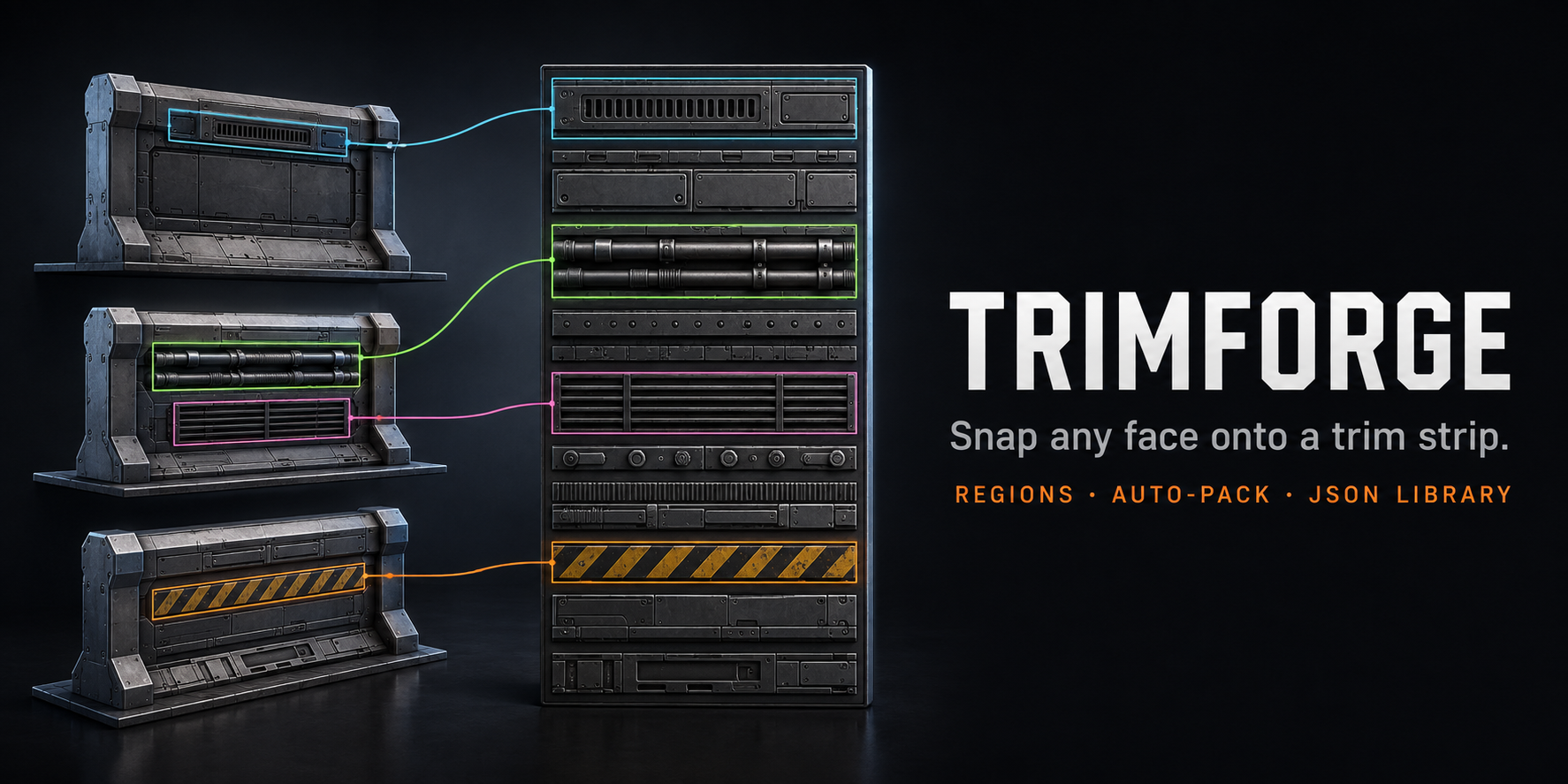
Trim sheet workflow for Blender: a visual region editor, UVs snapped to a trim region, textures packed into the sheet automatically, and a JSON library you can carry between projects.
Categories
Tags
Installation
- Download TrimForge — Trim Sheet Workflow and check which Blender versions the creator supports. Keep the installable archive (for example,
TrimForge_—_Trim_Sheet_Workflow.zip) intact. If the download is a bundle, extract it first to find the add-on archive. - In Blender, go to Edit → Preferences → Add-ons. In Blender 4.2 and newer, open the top-right menu and choose Install from Disk. In older versions, click Install….
- Select the add-on archive (for example,
TrimForge_—_Trim_Sheet_Workflow.zip) or its standalone.pyfile and confirm the installation. - Find the add-on in the Add-ons list and tick its checkbox if it isn’t already enabled.
Check the creator’s instructions for any extra setup, such as dependencies or license activation.
Compare with other products
Choose a category to find products to compare with this listing.
Product versions
-
1.3.0 published
Created Oct 8, 2026 · Published Oct 8, 2026
Release notes (source)
<p>New: Padding in Auto-generate from folder. Every strip gets a border of copies of its own edge pixels, and the strips are aligned to the mip levels. At 8 px no mip level down to 1/16 size mixes in the neighbouring strip or the background, compressed or not, for any column count and number of files as long as cells are at least 64 px (the report names the mip it guarantees); 16 px holds down to 1/32. Regions cover the image only, so snapped UVs stay off the border. Default 8 px; 0 gives exactly the 1.2 layout.</p><p>Each folder now gets its own sheet image: generating the normal map after the base colour no longer replaces the base colour, and a sheet saved to a file is never overwritten by a re-run. Re-running a folder keeps the TrimForge material on the regenerated sheet (a 1.2 sheet of the same files is updated in place, even with renamed regions); the report names any material left on an older sheet.</p><p>Fixed: 16-bit PNG / TIF sources were packed with linear values (colours too dark, a flat normal 0.5, 0.5, 1 became 0.22, 0.22, 1). They are now packed as stored in the file.</p><p>The report names files it did not pack (EXR, HDR, PSD, unreadable) and warns about strips narrower than 16 px or a resolution that is not a power of two. The Source folder label is no longer cut off.</p><p>Tested on Blender 4.2.9 and 5.2.2 (macOS and Windows) and in Unity 6.</p>
-
1.2.1 published
Created Oct 2, 2026 · Published Oct 2, 2026
Release notes (source)
<p>Maintenance release. The package now ships a README with install, first-run and uninstall steps.</p><p>No changes to the tools. Verified from the installed archive on Blender 4.2.9 and 5.2.0.</p>