Product listing
Marker Jam (formerly called Timeline Marker Groups)
By scott turner ·
$9.00
List price: $9.00
Listing details
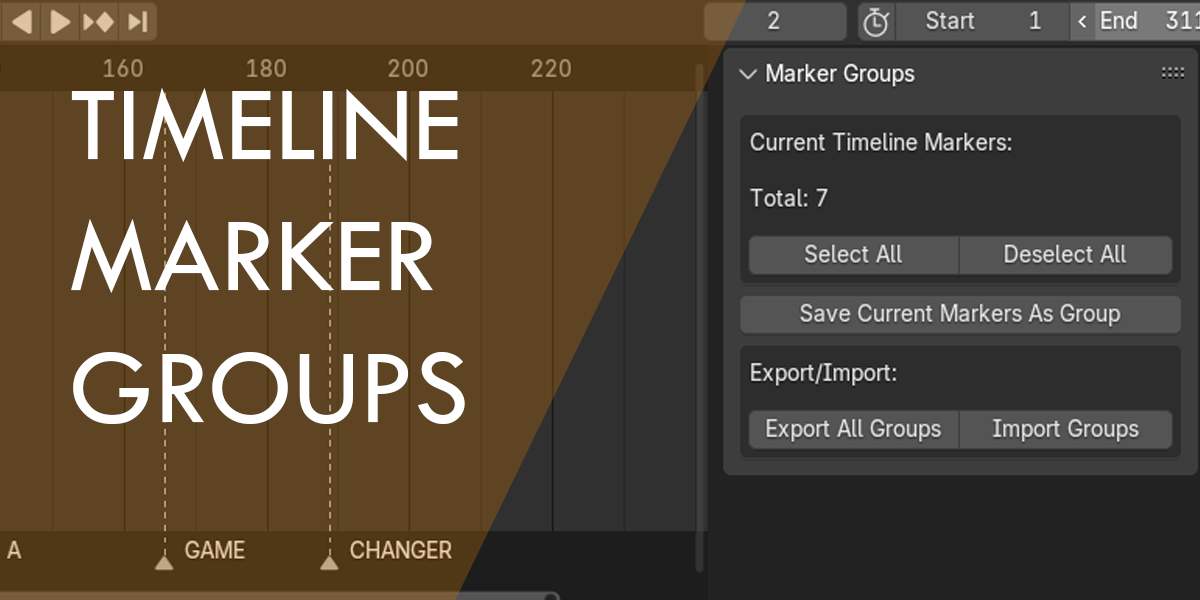
🎯 NEW BLENDER ADDON ALERT! 🎯 MarkerJam - The Ultimate Timeline Marker Manager! 🚀 🔥 FINALLY! Organize your Blender timeline like a pro with MarkerJam 1.6! 🔥 Tired of messy timelines? MarkerJam lets you create, save, and manage UNLIMITED marker groups across Dopesheet, Action Editor, Graph Editor, and VSE! 📊 ✨ KEY FEATURES: 💾 Save & load marker groups with one click 💾 Save rhythmic groups of markers for mograph and video editing! 👁️ Show/hide marker groups instantly 🎬 Works with camera markers too! 🔄 Export/import your marker groups between projects 🎯 Solo mode for focused editing 🧩 Compatible with all animation workflows New features im 1.6 here: https://www.youtube.com/watch?v=rvUd3LJZVU0 Perfect for animators, video editors, and anyone working with complex Blender timelines! No more hunting for that important keyframe - just jam your timeline with organized marker groups! 📌 💻 EASY INSTALL - just add the addon and find it in your timeline editors! #Blender #BlenderAddon #Animation #3DAnimation #BlenderTutorial #TimelineMarkers #BlenderTips #3DArtist #MotionGraphics #BlenderWorkflow #ProductivityTools #AnimationWorkflow Download now and level up your Blender timeline organization! #Blender #BlenderAddons #3DAnimation #WorkflowTips #BlenderCommunity
Categories
Tags
- 3danimation
- 3dart
- 3Ddesign
- #AnimationCommunity
- #AnimationEfficiency
- #AnimationHack
- #AnimationInspiration
- AnimationPipeline
- AnimationTools
- #AnimationWorkflow
- #ArtistsOnInstagram
- blender3d
- BlenderAddon
- #BlenderArtists
- #BlenderDopesheet
- CreativeTools
- digitalart
- #GameChanger
- #MarkerGroups
- #MotionDesign
- #MustHaveTool
- #TimelineMarkers
Installation
- Download Marker Jam (formerly called Timeline Marker Groups) and check which Blender versions the creator supports. Keep the installable archive (for example,
Marker_Jam___(formerly_called_Timeline_Marker_Groups).zip) intact. If the download is a bundle, extract it first to find the add-on archive. - In Blender, go to Edit → Preferences → Add-ons. In Blender 4.2 and newer, open the top-right menu and choose Install from Disk. In older versions, click Install….
- Select the add-on archive (for example,
Marker_Jam___(formerly_called_Timeline_Marker_Groups).zip) or its standalone.pyfile and confirm the installation. - Find the add-on in the Add-ons list and tick its checkbox if it isn’t already enabled.
Check the creator’s instructions for any extra setup, such as dependencies or license activation.
Compare with other products
Choose a category to find products to compare with this listing.
Related products
More from this creator
No other products from this creator.