Product listing
Texture Audit - Find Missing & Hidden Textures
By Salman Naseem ·
$9.90
List price: $9.90
Listing details
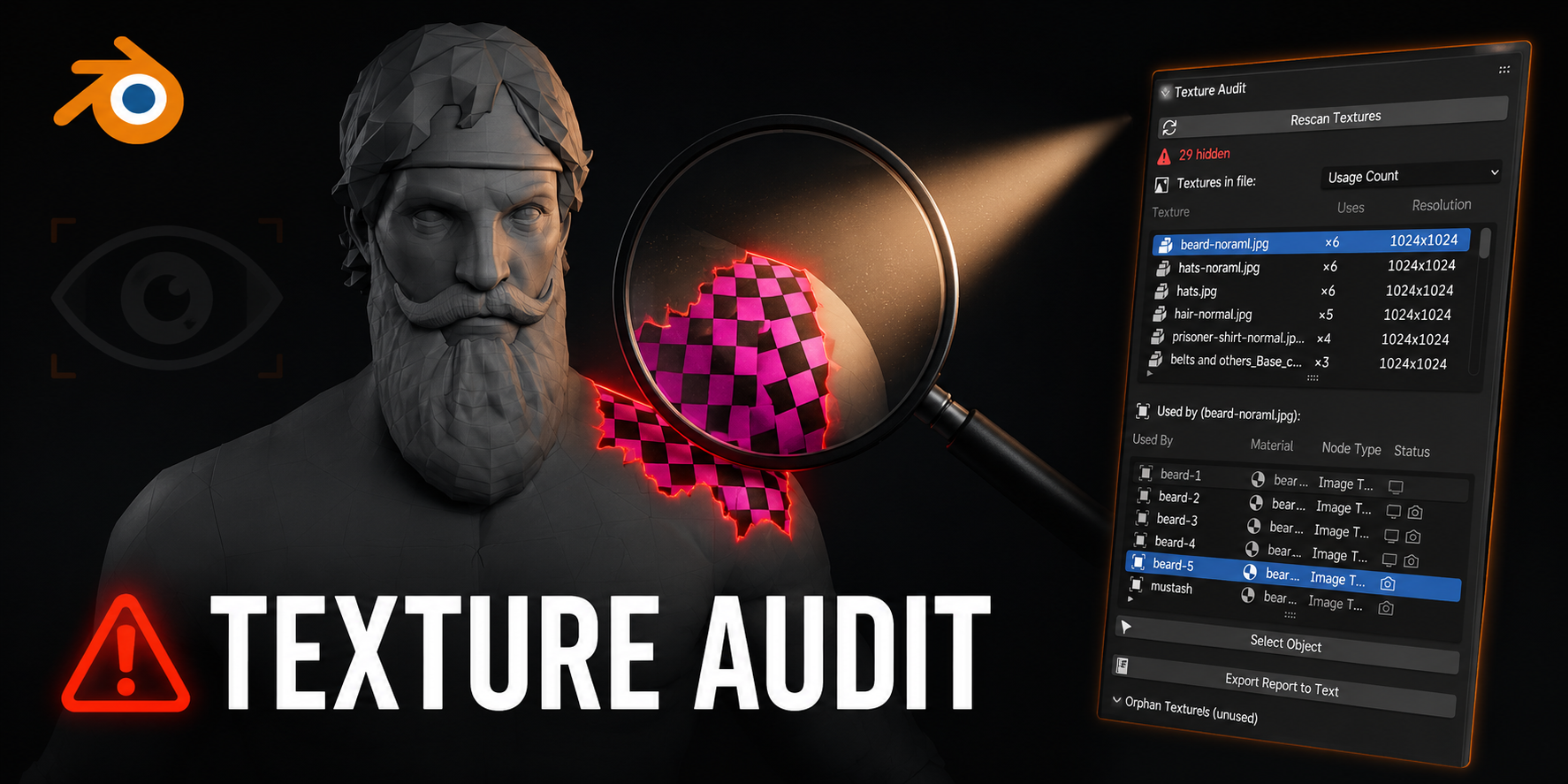
Texture Audit scans your entire Blender file and shows you exactly where every texture is used, in materials, world shaders, the compositor, and Geometry Nodes. It flags missing files, orphaned images, and duplicate imports, and reveals hidden or excluded objects with one click. Built for lookdev artists, riggers, and pipeline TDs who inherit messy files and need answers fast, not another manual hunt through the outliner.
Categories
Tags
Installation
- Download Texture Audit - Find Missing & Hidden Textures and check which Blender versions the creator supports. Keep the installable archive (for example,
Texture_Audit_-_Find_Missing_&_Hidden_Textures_.zip) intact. If the download is a bundle, extract it first to find the add-on archive. - In Blender, go to Edit → Preferences → Add-ons. In Blender 4.2 and newer, open the top-right menu and choose Install from Disk. In older versions, click Install….
- Select the add-on archive (for example,
Texture_Audit_-_Find_Missing_&_Hidden_Textures_.zip) or its standalone.pyfile and confirm the installation. - Find the add-on in the Add-ons list and tick its checkbox if it isn’t already enabled.
Check the creator’s instructions for any extra setup, such as dependencies or license activation.
Compare with other products
Choose a category to find products to compare with this listing.