Product listing
Stylized Environment Generator
By Danil Pereima ·
From $9.99
Listing details
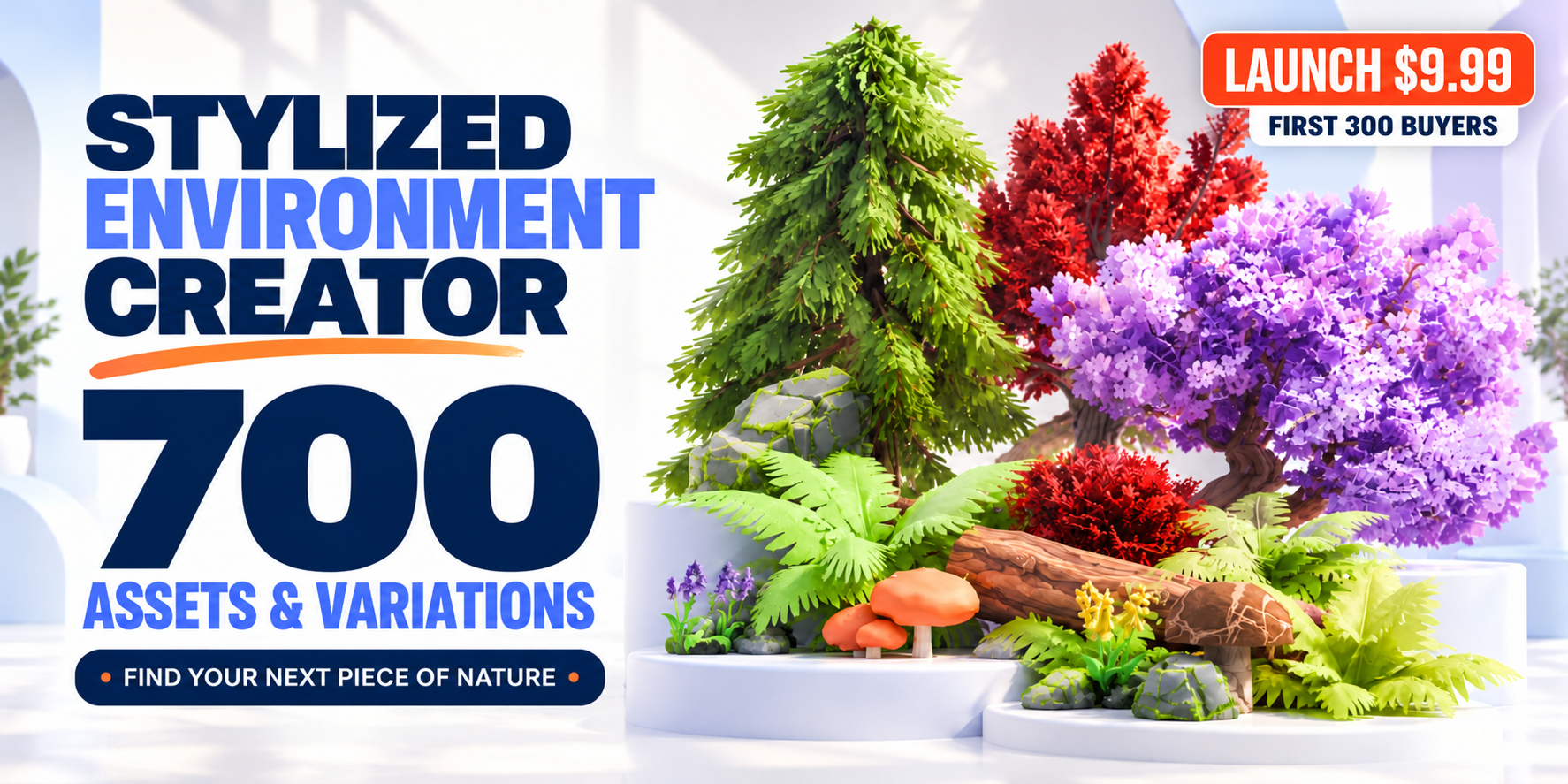
Build stylized worlds in Blender: draw rivers and clouds, paint nature, and add rain, snow and changing light. Includes 700 assets. Works with Eevee and Cycles.
Categories
Tags
Installation
- Download Stylized Environment Generator and check which Blender versions the creator supports. Keep the installable archive (for example,
Stylized_Environment_Generator.zip) intact. If the download is a bundle, extract it first to find the add-on archive. - In Blender, go to Edit → Preferences → Add-ons. In Blender 4.2 and newer, open the top-right menu and choose Install from Disk. In older versions, click Install….
- Select the add-on archive (for example,
Stylized_Environment_Generator.zip) or its standalone.pyfile and confirm the installation. - Find the add-on in the Add-ons list and tick its checkbox if it isn’t already enabled.
Check the creator’s instructions for any extra setup, such as dependencies or license activation.
Compare with other products
Choose a category to find products to compare with this listing.
Variants
-
Standard published
Price: $9.99 · List price: $39.97 · On sale
Variant versions
-
1.1. published
Created Oct 19, 2026 · Published Oct 19, 2026
Release notes (source)
<div>More control over your environment, with a clearer workspace.</div><div><br></div><div>• Redesigned interface with six focused sections: Nature, Water, Sky, Surfaces, Weather and Scene.</div><div>• Expanded painting tools: weighted plant mixes, Brush, Stamp and Erase, plus local Size, Direction, Replace and Move.</div><div>• Hide/Restore masks, editable planting strips and linked riverbank vegetation.</div><div>• Independent water settings, dedicated Sky Looks, and paintable wetness and snow coverage.</div><div>• Fixed the Show Scene Looks crash. Previews now render in a separate background process and can be cancelled.</div><div>• Updated illustrated guide and two editable example scenes</div><div><br></div><div>After updating, restart Blender before opening your scene</div>
-
-
Commercial License published
Price: $49.99 · List price: $199.97 · On sale
Variant versions
-
1.1 published
Created Oct 19, 2026 · Published Oct 19, 2026
Release notes (source)
<div style="color: rgb(42, 31, 66); font-family: Inter, sans-serif;">More control over your environment, with a clearer workspace.</div><div style="color: rgb(42, 31, 66); font-family: Inter, sans-serif;"><br></div><div style="color: rgb(42, 31, 66); font-family: Inter, sans-serif;">• Redesigned interface with six focused sections: Nature, Water, Sky, Surfaces, Weather and Scene.</div><div style="color: rgb(42, 31, 66); font-family: Inter, sans-serif;">• Expanded painting tools: weighted plant mixes, Brush, Stamp and Erase, plus local Size, Direction, Replace and Move.</div><div style="color: rgb(42, 31, 66); font-family: Inter, sans-serif;">• Hide/Restore masks, editable planting strips and linked riverbank vegetation.</div><div style="color: rgb(42, 31, 66); font-family: Inter, sans-serif;">• Independent water settings, dedicated Sky Looks, and paintable wetness and snow coverage.</div><div style="color: rgb(42, 31, 66); font-family: Inter, sans-serif;">• Fixed the Show Scene Looks crash. Previews now render in a separate background process and can be cancelled.</div><div style="color: rgb(42, 31, 66); font-family: Inter, sans-serif;">• Updated illustrated guide and two editable example scenes</div><div style="color: rgb(42, 31, 66); font-family: Inter, sans-serif;"><br></div><div style="color: rgb(42, 31, 66); font-family: Inter, sans-serif;">After updating, restart Blender before opening your scene</div>
-