Product listing
StoryLiner
By WerwacK ·
From $1.00
Listing details
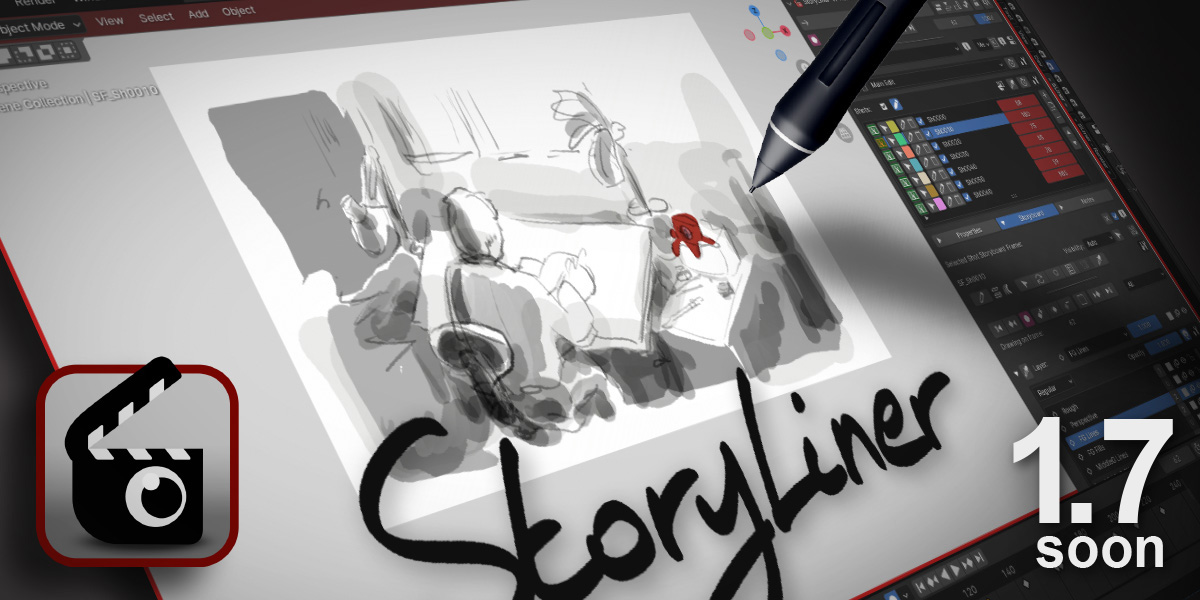
Draw your ideas, shoot your animation, explore various directions and fine tune your edit in real time and with great simplicity, directly in the 3D View of Blender! StoryLiner, all you need to tell great stories, from storyboard to camera management and rendering, for artists, directors and studios.
Categories
Tags
Installation
- Download StoryLiner and check which Blender versions the creator supports. Keep the installable archive (for example,
StoryLiner.zip) intact. If the download is a bundle, extract it first to find the add-on archive. - In Blender, go to Edit → Preferences → Add-ons. In Blender 4.2 and newer, open the top-right menu and choose Install from Disk. In older versions, click Install….
- Select the add-on archive (for example,
StoryLiner.zip) or its standalone.pyfile and confirm the installation. - Find the add-on in the Add-ons list and tick its checkbox if it isn’t already enabled.
Check the creator’s instructions for any extra setup, such as dependencies or license activation.
Compare with other products
Choose a category to find products to compare with this listing.
Variants
-
Light Edition published
Price: $1.00 · List price: $1.00
Variant versions
-
StoryLiner Light Edition V1.6 published
Created May 4, 2026 · Published Jul 7, 2026
Release notes (source)
<p><b>This package is for Blender 5.1 and 5.2.</b><br>See <b><i>New Features in StoryLiner V1.6:</i></b> <a href="https://werwackfx.com/?p=1008" target="_blank">https://werwackfx.com/?p=1008</a> <br><br>StoryLiner is now super easy to install: just drag and drop the package into Blender, confirm the pop-up, and restart!</p>
-
StoryLiner Light Edition V1.5 published
Created Mar 16, 2026 · Published Apr 1, 2026
Release notes (source)
<p><b>This package is for Blender 4.4 and 4.5.</b><br>See <b><i>New Features in StoryLiner V1.5:</i></b> <a href="https://werwackfx.com/?p=940" target="_blank">https://werwackfx.com/?p=940</a> </p>
-
StoryLiner Light Edition V1.4 published
Created Nov 24, 2025 · Published Dec 15, 2025
Release notes (source)
<p><b>This package is for Blender 4.3 and upper versions.</b><br>See <b><i>Sketch the Future: What’s New in StoryLiner V1.4:</i></b> https://werwackfx.com/?p=758</p>
-
StoryLiner Light Edition V1.3 published
Created Jun 9, 2025 · Published Oct 2, 2025
Release notes (source)
<p><b>Installation for Blender 4.3 and any upper version:</b><br>Be sure to use the package ending with "ForBlender4-3AndUpper.zip"<br>Other packages are for Blender 4.2 and previous versions.</p>
-
-
Previz Edition published
Price: $25.00 · List price: $25.00
Variant versions
-
StoryLiner Previz Edition V1.6 published
Created May 4, 2026 · Published Jul 7, 2026
Release notes (source)
<p><b>This package is for Blender 5.1 and 5.2.</b><br>See <b><i>New Features in StoryLiner V1.6:</i></b> <a href="https://werwackfx.com/?p=1008" target="_blank">https://werwackfx.com/?p=1008</a> <br><br>StoryLiner is now super easy to install: just drag and drop the package into Blender, confirm the pop-up, and restart!</p>
-
StoryLiner Previz Edition V1.5 published
Created Mar 16, 2026 · Published Apr 1, 2026
Release notes (source)
<p><b>This package is for Blender 4.4 and 4.5.</b><br>See <b><i>New Features in StoryLiner V1.5:</i></b> <a href="https://werwackfx.com/?p=940" target="_blank">https://werwackfx.com/?p=940</a> </p>
-
StoryLiner Previz Edition V1.4 published
Created Nov 24, 2025 · Published Dec 15, 2025
Release notes (source)
<b>This package is for Blender 4.3 and upper versions.</b><br>See <b><i>Sketch the Future: What’s New in StoryLiner V1.4:</i></b> https://werwackfx.com/?p=758
-
StoryLiner Previz Edition V1.3 published
Created Jun 9, 2025 · Published Oct 2, 2025
Release notes (source)
<p><b>Installation for Blender 4.3 and any upper version:</b><br>Be sure to use the package ending with "ForBlender4-3AndUpper.zip"<br>Other packages are for Blender 4.2 and previous versions.</p>
-
-
Storyboard Edition published
Price: $75.00 · List price: $75.00
Variant versions
-
StoryLiner Storyboard Edition V1.6 published
Created May 4, 2026 · Published Jul 7, 2026
Release notes (source)
<p><b>This package is for Blender 5.1 and 5.2.</b><br>See <b><i>New Features in StoryLiner V1.6:</i></b> <a href="https://werwackfx.com/?p=1008" target="_blank">https://werwackfx.com/?p=1008</a> <br><br>StoryLiner is now super easy to install: just drag and drop the package into Blender, confirm the pop-up, and restart!</p>
-
StoryLiner Storyboard Edition V1.5 published
Created Mar 16, 2026 · Published Apr 1, 2026
Release notes (source)
<p><b>This package is for Blender 4.4 and 4.5.</b><br>See <b><i>New Features in StoryLiner V1.5:</i></b> <a href="https://werwackfx.com/?p=940" target="_blank">https://werwackfx.com/?p=940</a> </p>
-
StoryLiner StoryboardEdition V1.4 published
Created Nov 24, 2025 · Published Dec 15, 2025
Release notes (source)
<p><b>This package is for Blender 4.3 and upper versions.</b><br>See <b><i>Sketch the Future: What’s New in StoryLiner V1.4:</i></b> https://werwackfx.com/?p=758</p>
-
StoryLiner StoryboardEdition V1.3 published
Created Jun 9, 2025 · Published Oct 2, 2025
Release notes (source)
<p><b>Installation for Blender 4.3 and any upper version:</b><br>Be sure to use the package ending with "forBlender4-3AndUpper.zip"<br>Other packages are for Blender 4.2 and previous versions.</p>
-
-
Studio Edition - For Freelancers published
Price: $99.00 · List price: $99.00
Variant versions
-
StoryLiner Studio Edition V1.7 Beta published
Created Jul 11, 2026 · Published Nov 12, 2026
Release notes (source)
<p><b>Version 1.7 Beta:</b></p><p>See all the exciting new features coming in StoryLiner V1.7 here: <a href="https://werwackfx.com/?p=1127" target="_blank">StoryLiner V1.7 Incredible New Features</a> <br>... and discover Video Tracks, the new module based on the Sequencer: <a href="https://werwackfx.com/?p=1192" target="_blank">When Blender’s Sequencer meets StoryLiner Video Tracks – Latest improvements</a></p><p><b>This version is for Blender 5.2 STL and Blender 5.3.<br></b>StoryLiner is super easy to install: just drag and drop the package into Blender, confirm the pop-up, and restart!</p><p><br></p>
-
StoryLiner Studio Edition V1.6 published
Created May 4, 2026 · Published Jul 7, 2026
Release notes (source)
<p><b>Version 1.6:</b></p><p>See all the exciting new features coming in StoryLiner V1.6 here: <a href="https://werwackfx.com/?p=1008" target="_blank">https://werwackfx.com/?p=1008</a> </p><p><b>This version is for Blender 5.1 and 5.2.<br></b>StoryLiner is now super easy to install: just drag and drop the package into Blender, confirm the pop-up, and restart!</p><p><br></p>
-
StoryLiner Studio Edition V1.5 published
Created Dec 15, 2025 · Published Apr 1, 2026
Release notes (source)
<p><b>Version 1.5:</b></p><p>See all the exciting new features coming in StoryLiner V1.5 here: <a href="https://werwackfx.com/?p=940" target="_blank">https://werwackfx.com/?p=940</a> </p><p><b>This version is for Blender 4.4 and 4.5.<br>Blender 5 is not supported, use StoryLiner V1.6 instead</b></p><p><br></p>
-
StoryLiner Studio Edition V1.4 published
Created Aug 20, 2025 · Published Dec 15, 2025
Release notes (source)
<p>See all the exciting new features coming in StoryLiner V1.4 as well as the installation instructions here: <a href="https://werwackfx.com/?p=758" target="_blank">https://werwackfx.com/?p=758</a> </p><p><b>This version is for Blender 4.3, 4.4 and 4.5.<br>Blender 5.0 is not supported.</b></p><br>
-
StoryLiner Studio Edition V1.3 published
Created Feb 21, 2025 · Published Oct 2, 2025
Release notes (source)
<p><b>Version 1.3:</b></p><p>See all the exciting new features coming in StoryLiner V1.3 here: <a href="https://werwackfx.com/?p=595" target="_blank">https://werwackfx.com/?p=595</a></p><p><b>Installation for Blender 4.3 and any upper version:</b><br>Be sure to use the package ending with "forBlender4-3AndUpper.zip"<br>Other packages are for Blender 4.2 and previous versions.</p>
-
-
Studio Edition - For small studios, 1 to 5 seats published
Price: $400.00 · List price: $400.00
Variant versions
-
StoryLiner Studio Edition V1.7 Beta published
Created Jul 11, 2026 · Published Nov 12, 2026
Release notes (source)
<p><b>Version 1.7 Beta:</b></p><p>See all the exciting new features coming in StoryLiner V1.7 here: <a href="https://werwackfx.com/?p=1127" target="_blank">StoryLiner V1.7 Incredible New Features</a> <br>... and discover Video Tracks, the new module based on the Sequencer: <a href="https://werwackfx.com/?p=1192" target="_blank">When Blender’s Sequencer meets StoryLiner Video Tracks – Latest improvements</a></p><p><b>This version is for Blender 5.2 STL and Blender 5.3.<br></b>StoryLiner is super easy to install: just drag and drop the package into Blender, confirm the pop-up, and restart!</p><p><br></p><p><br></p>
-
StoryLiner Studio Edition V1.6 published
Created May 4, 2026 · Published Jul 7, 2026
Release notes (source)
<p><b>Version 1.6:</b></p><p>See all the exciting new features coming in StoryLiner V1.6 here: <a href="https://werwackfx.com/?p=1008" target="_blank">https://werwackfx.com/?p=1008</a> </p><p><b>This version is for Blender 5.1 and 5.2.<br></b>StoryLiner is now super easy to install: just drag and drop the package into Blender, confirm the pop-up, and restart!</p><p><br><br></p><p><br></p>
-
StoryLiner Studio Edition V1.5 published
Created Dec 15, 2025 · Published Apr 1, 2026
Release notes (source)
<p><b>Version 1.5:</b></p><p>See all the exciting new features coming in StoryLiner V1.5 here: <a href="https://werwackfx.com/?p=940" target="_blank">https://werwackfx.com/?p=940</a> </p><p><b>This version is for Blender 4.4 and 4.5.<br></b><b>Blender 5 is not supported, use StoryLiner V1.6 instead</b></p><p><br></p>
-
StoryLiner Studio Edition V1.4 published
Created Sep 5, 2025 · Published Dec 15, 2025
Release notes (source)
<b>This package is for Blender 4.3 and upper versions.</b><br>See <b><i>Sketch the Future: What’s New in StoryLiner V1.4:</i></b> https://werwackfx.com/?p=758
-
StoryLiner Studio Edition V1.3 published
Created Feb 25, 2025 · Published Oct 2, 2025
Release notes (source)
<p><b>Version 1.3:</b></p><p>See all the exciting new features coming in StoryLiner V1.3 here: <a href="https://werwackfx.com/?p=595" target="_blank">https://werwackfx.com/?p=595</a></p><p><b>Installation for Blender 4.3 and any upper version:</b><br>Be sure to use the package ending with "forBlender4-3AndUpper.zip"<br>Other packages are for Blender 4.2 and previous versions.</p><br>
-
-
Studio Edition - For large scale companies - Unlimited seats published
Price: $1400.00 · List price: $1400.00
Variant versions
-
StoryLiner Studio Edition V1.6 published
Created Jun 9, 2025 · Published Jul 7, 2026
Release notes (source)
<p><b>Version 1.6:</b></p><p>See all the exciting new features coming in StoryLiner V1.6 here: <a href="https://werwackfx.com/?p=1008" target="_blank">https://werwackfx.com/?p=1008</a> </p><p><b>This version is for Blender 5.1 and 5.2.<br></b>StoryLiner is now super easy to install: just drag and drop the package into Blender, confirm the pop-up, and restart!</p><br>
-
-
Studio Edition - For education, schools and universities - Unlimited seats disabled
Price: $900.00 · List price: $900.00
-
Storyboard Edition - For education, schools and universities - Unlimited seats disabled
Price: $700.00 · List price: $700.00
Related products
More from this creator
No other products from this creator.