Product listing
Sliceform PopUp Tools
By Wolfram Kampffmeyer ·
$27.00
List price: $27.00
Listing details
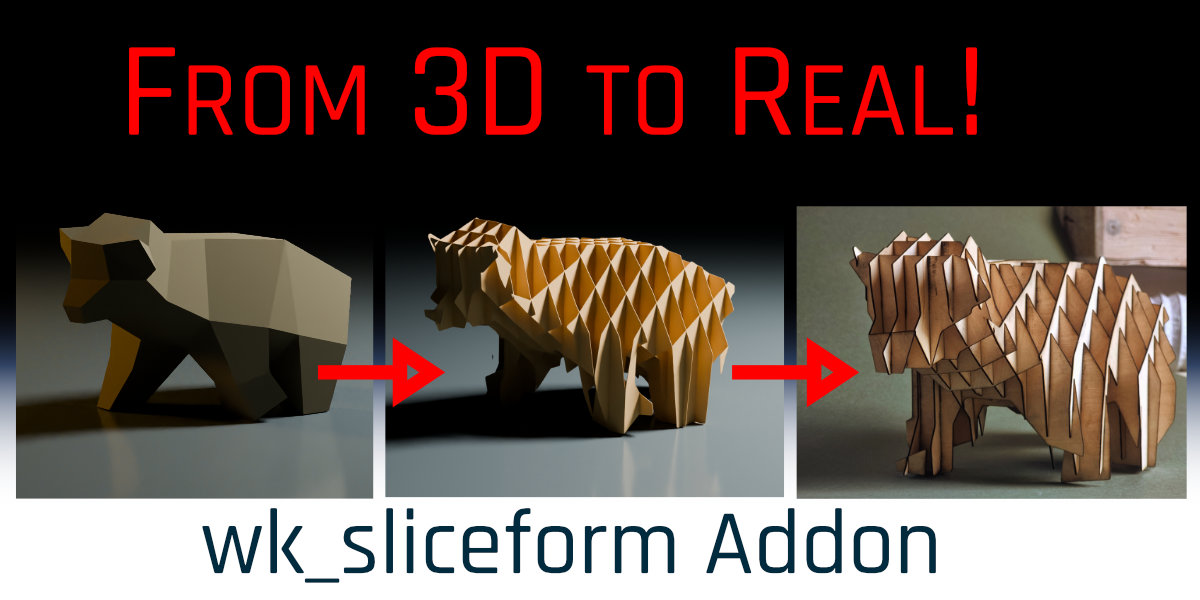
Create stunning sliceform models with ease – perfect for laser cutting, papercraft, and pop-up card design. wk_sliceformPopUp turns 3D meshes into interlocking 2D slices in just a few clicks.
Categories
Tags
Installation
- Download Sliceform PopUp Tools and check which Blender versions the creator supports. Keep the installable archive (for example,
Sliceform_PopUp_Tools.zip) intact. If the download is a bundle, extract it first to find the add-on archive. - In Blender, go to Edit → Preferences → Add-ons. In Blender 4.2 and newer, open the top-right menu and choose Install from Disk. In older versions, click Install….
- Select the add-on archive (for example,
Sliceform_PopUp_Tools.zip) or its standalone.pyfile and confirm the installation. - Find the add-on in the Add-ons list and tick its checkbox if it isn’t already enabled.
Check the creator’s instructions for any extra setup, such as dependencies or license activation.
Compare with other products
Choose a category to find products to compare with this listing.
Product versions
-
1.5.0 extension published
Created May 17, 2026 · Published May 17, 2026
Release notes (source)
<p>Updated folder structure and .toml to match superhivemarket's extension structure</p>
-
1.5.0 published
Created Oct 7, 2025 · Published Oct 7, 2025
Release notes (source)
<p>Updates in 1.5.0:<br>- Most important buttons now in read for clearer UI<br>- Renamed "Debug" checkbox to "Step by Step"<br>- When "Step by Step" is on, you now can reverse the red and blue boolean Cubes. So slots are reversed. Helps for overhangs so parts don't fall down.<br>- Meshmaker warns if Voxel settings are too fine <br>- If your source object has rotation or scale, it's applied automatically<br>- Slices are placed better on source objects which have their Pivots off</p>
-
1.0.0 published
Created Oct 7, 2025 · Published May 22, 2025
Release notes (source)
<p>First version</p>