Product listing
RetopoFlow 4
By Orange Turbine ·
From $59.99
Listing details
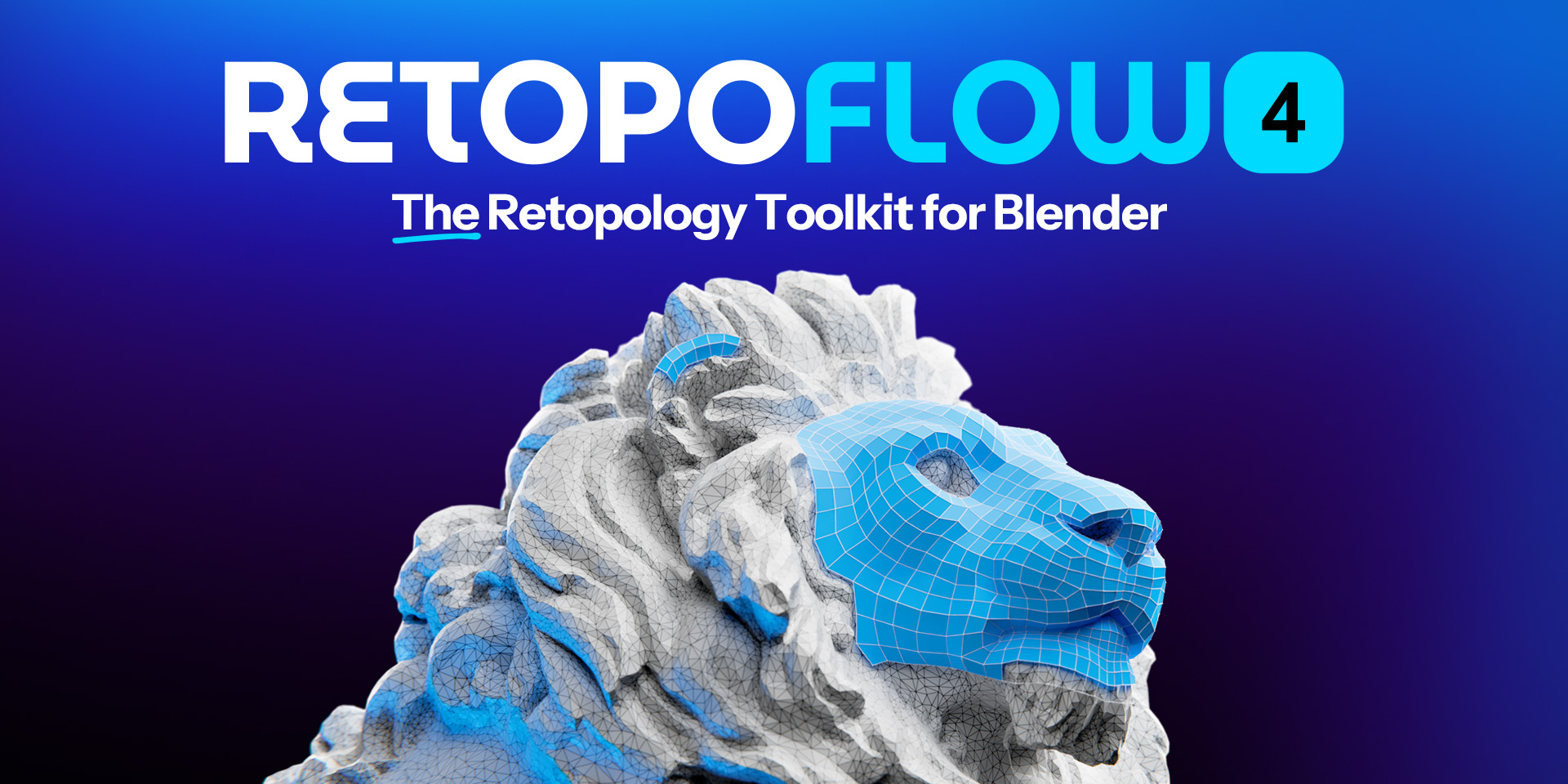
RetopoFlow is a powerful retopology add-on for Blender that helps make quick work of creating custom, clean, mid or low poly meshes on top of high resolution sculpts. The tools in RetopoFlow are designed to be used by artists and makes the retopology process more like quick sketching and less like monotonous pointing and clicking and make good topology practices like evenly spaced quads the default rather than the exception.
Categories
Tags
Installation
- Download RetopoFlow 4 and check which Blender versions the creator supports. Keep the installable archive (for example,
RetopoFlow_4.zip) intact. If the download is a bundle, extract it first to find the add-on archive. - In Blender, go to Edit → Preferences → Add-ons. In Blender 4.2 and newer, open the top-right menu and choose Install from Disk. In older versions, click Install….
- Select the add-on archive (for example,
RetopoFlow_4.zip) or its standalone.pyfile and confirm the installation. - Find the add-on in the Add-ons list and tick its checkbox if it isn’t already enabled.
Check the creator’s instructions for any extra setup, such as dependencies or license activation.
Compare with other products
Choose a category to find products to compare with this listing.
Variants
-
Retopoflow 4 Studio disabled
Price: $1285.99 · List price: $1285.99
Variant versions
-
4.2.2 published
Created Nov 9, 2026 · Published Nov 9, 2026
Release notes (source)
<ul><li>Added an option to hide component count overlays in the viewport</li><li>Overlays now respect Blender's viewport overlays toggle</li><li>The Tweak and Relax brushes are now enabled whenever verts are within range</li><li> This also means you can drag to select whenever verts are not in range</li><li>Improved Tweak performance on dense meshes when using the Nudge mode</li><li>Improved attribute interpolation in PolyPen, Strokes, and PolyStrips</li><li>Improved normal recalculation during transforms</li><li>Fixed autofill skipping some valid quads</li><li>Fixed Tweak and Relax quick switch getting stuck when using other add-ons</li><li>Fixed some hotkeys not staying disabled in Preferences</li></ul>
-
4.2.1 published
Created Sep 16, 2026 · Published Sep 16, 2026
Release notes (source)
<p>This version includes hotfixes for Retopoflow 4.2.0. Please read the release notes for that version as well if you are upgrading from 4.1.9 or before. </p><p>- Improved PolyStrips width when snapping along uneven quads</p><p>- Improved Autofill results</p><p> - Added support for notched shapes</p><p> - Added smooth interpolation for bridging and lofting</p><p> - Lofting now works for multiple closed loops at once</p><p> - Selecting loops on an existing loft shape will now redo the loft</p><p>- Added solve type and corner angle threshold to the Autofill redo panel</p><p>- Removed edge count display for small single loops</p><p>- Fixed Ctrl and Shift Scroll for Autofill outside of Retopoflow</p><p>- Fixed corners not displaying in Patches when there is only one</p><p>- Fixed knifing from interior verts</p><p>- Fixed curve handles getting stuck outside of Retopoflow mode</p><p>- Fixed custom hotkeys with Ctrl not passing through in some tools</p>
-
4.2.0 published
Created Sep 11, 2026 · Published Sep 11, 2026
Release notes (source)
<p dir="ltr" style="line-height:1.38;margin-top:0pt;margin-bottom:0pt;"><span style="font-size:11pt;font-family:Arial,sans-serif;color:#000000;background-color:transparent;font-weight:400;font-style:normal;font-variant:normal;text-decoration:none;vertical-align:baseline;white-space:pre;white-space:pre-wrap;">New Operators</span></p><ul style="margin-top:0;margin-bottom:0;padding-inline-start:48px;"><li dir="ltr" style="list-style-type:disc;font-size:11pt;font-family:Arial,sans-serif;color:#000000;background-color:transparent;font-weight:400;font-style:normal;font-variant:normal;text-decoration:none;vertical-align:baseline;white-space:pre;" aria-level="1"><p dir="ltr" style="line-height:1.38;margin-top:0pt;margin-bottom:0pt;" role="presentation"><span style="font-size:11pt;font-family:Arial,sans-serif;color:#000000;background-color:transparent;font-weight:400;font-style:normal;font-variant:normal;text-decoration:none;vertical-align:baseline;white-space:pre;white-space:pre-wrap;">Added standalone operator for Relax that can even be used outside of Retopoflow</span></p></li><ul style="margin-top:0;margin-bottom:0;padding-inline-start:48px;"><li dir="ltr" style="list-style-type:circle;font-size:11pt;font-family:Arial,sans-serif;color:#000000;background-color:transparent;font-weight:400;font-style:normal;font-variant:normal;text-decoration:none;vertical-align:baseline;white-space:pre;" aria-level="2"><p dir="ltr" style="line-height:1.38;margin-top:0pt;margin-bottom:0pt;" role="presentation"><span style="font-size:11pt;font-family:Arial,sans-serif;color:#000000;background-color:transparent;font-weight:400;font-style:normal;font-variant:normal;text-decoration:none;vertical-align:baseline;white-space:pre;white-space:pre-wrap;">Has all the same masking and snapping options as the brush version</span></p></li><li dir="ltr" style="list-style-type:circle;font-size:11pt;font-family:Arial,sans-serif;color:#000000;background-color:transparent;font-weight:400;font-style:normal;font-variant:normal;text-decoration:none;vertical-align:baseline;white-space:pre;" aria-level="2"><p dir="ltr" style="line-height:1.38;margin-top:0pt;margin-bottom:0pt;" role="presentation"><span style="font-size:11pt;font-family:Arial,sans-serif;color:#000000;background-color:transparent;font-weight:400;font-style:normal;font-variant:normal;text-decoration:none;vertical-align:baseline;white-space:pre;white-space:pre-wrap;">Includes unique options for retaining / reconstructing the desired shape</span></p></li><li dir="ltr" style="list-style-type:circle;font-size:11pt;font-family:Arial,sans-serif;color:#000000;background-color:transparent;font-weight:400;font-style:normal;font-variant:normal;text-decoration:none;vertical-align:baseline;white-space:pre;" aria-level="2"><p dir="ltr" style="line-height:1.38;margin-top:0pt;margin-bottom:0pt;" role="presentation"><span style="font-size:11pt;font-family:Arial,sans-serif;color:#000000;background-color:transparent;font-weight:400;font-style:normal;font-variant:normal;text-decoration:none;vertical-align:baseline;white-space:pre;white-space:pre-wrap;">Works great with proportional editing</span></p></li><li dir="ltr" style="list-style-type:circle;font-size:11pt;font-family:Arial,sans-serif;color:#000000;background-color:transparent;font-weight:400;font-style:normal;font-variant:normal;text-decoration:none;vertical-align:baseline;white-space:pre;" aria-level="2"><p dir="ltr" style="line-height:1.38;margin-top:0pt;margin-bottom:0pt;" role="presentation"><span style="font-size:11pt;font-family:Arial,sans-serif;color:#000000;background-color:transparent;font-weight:400;font-style:normal;font-variant:normal;text-decoration:none;vertical-align:baseline;white-space:pre;white-space:pre-wrap;">Improved Relax performance</span></p></li><li dir="ltr" style="list-style-type:circle;font-size:11pt;font-family:Arial,sans-serif;color:#000000;background-color:transparent;font-weight:400;font-style:normal;font-variant:normal;text-decoration:none;vertical-align:baseline;white-space:pre;" aria-level="2"><p dir="ltr" style="line-height:1.38;margin-top:0pt;margin-bottom:0pt;" role="presentation"><span style="font-size:11pt;font-family:Arial,sans-serif;color:#000000;background-color:transparent;font-weight:400;font-style:normal;font-variant:normal;text-decoration:none;vertical-align:baseline;white-space:pre;white-space:pre-wrap;">The default hotkey is Shift R</span></p></li></ul><li dir="ltr" style="list-style-type:disc;font-size:11pt;font-family:Arial,sans-serif;color:#000000;background-color:transparent;font-weight:400;font-style:normal;font-variant:normal;text-decoration:none;vertical-align:baseline;white-space:pre;" aria-level="1"><p dir="ltr" style="line-height:1.38;margin-top:0pt;margin-bottom:0pt;" role="presentation"><span style="font-size:11pt;font-family:Arial,sans-serif;color:#000000;background-color:transparent;font-weight:400;font-style:normal;font-variant:normal;text-decoration:none;vertical-align:baseline;white-space:pre;white-space:pre-wrap;">Added operator for evening selection that also works outside of Retopoflow</span></p></li><ul style="margin-top:0;margin-bottom:0;padding-inline-start:48px;"><li dir="ltr" style="list-style-type:circle;font-size:11pt;font-family:Arial,sans-serif;color:#000000;background-color:transparent;font-weight:400;font-style:normal;font-variant:normal;text-decoration:none;vertical-align:baseline;white-space:pre;" aria-level="2"><p dir="ltr" style="line-height:1.38;margin-top:0pt;margin-bottom:0pt;" role="presentation"><span style="font-size:11pt;font-family:Arial,sans-serif;color:#000000;background-color:transparent;font-weight:400;font-style:normal;font-variant:normal;text-decoration:none;vertical-align:baseline;white-space:pre;white-space:pre-wrap;">Similar to Relax but faster to use when adjusting spacing and improved for edge loops</span></p></li><li dir="ltr" style="list-style-type:circle;font-size:11pt;font-family:Arial,sans-serif;color:#000000;background-color:transparent;font-weight:400;font-style:normal;font-variant:normal;text-decoration:none;vertical-align:baseline;white-space:pre;" aria-level="2"><p dir="ltr" style="line-height:1.38;margin-top:0pt;margin-bottom:0pt;" role="presentation"><span style="font-size:11pt;font-family:Arial,sans-serif;color:#000000;background-color:transparent;font-weight:400;font-style:normal;font-variant:normal;text-decoration:none;vertical-align:baseline;white-space:pre;white-space:pre-wrap;">Works for any number of selected edge loops, non-loop edges, and faces</span></p></li><li dir="ltr" style="list-style-type:circle;font-size:11pt;font-family:Arial,sans-serif;color:#000000;background-color:transparent;font-weight:400;font-style:normal;font-variant:normal;text-decoration:none;vertical-align:baseline;white-space:pre;" aria-level="2"><p dir="ltr" style="line-height:1.38;margin-top:0pt;margin-bottom:0pt;" role="presentation"><span style="font-size:11pt;font-family:Arial,sans-serif;color:#000000;background-color:transparent;font-weight:400;font-style:normal;font-variant:normal;text-decoration:none;vertical-align:baseline;white-space:pre;white-space:pre-wrap;">Optionally preserves sharp angles</span></p></li><li dir="ltr" style="list-style-type:circle;font-size:11pt;font-family:Arial,sans-serif;color:#000000;background-color:transparent;font-weight:400;font-style:normal;font-variant:normal;text-decoration:none;vertical-align:baseline;white-space:pre;" aria-level="2"><p dir="ltr" style="line-height:1.38;margin-top:0pt;margin-bottom:0pt;" role="presentation"><span style="font-size:11pt;font-family:Arial,sans-serif;color:#000000;background-color:transparent;font-weight:400;font-style:normal;font-variant:normal;text-decoration:none;vertical-align:baseline;white-space:pre;white-space:pre-wrap;">The default hotkey is Shift Alt R</span></p></li></ul><li dir="ltr" style="list-style-type:disc;font-size:11pt;font-family:Arial,sans-serif;color:#000000;background-color:transparent;font-weight:400;font-style:normal;font-variant:normal;text-decoration:none;vertical-align:baseline;white-space:pre;" aria-level="1"><p dir="ltr" style="line-height:1.38;margin-top:0pt;margin-bottom:0pt;" role="presentation"><span style="font-size:11pt;font-family:Arial,sans-serif;color:#000000;background-color:transparent;font-weight:400;font-style:normal;font-variant:normal;text-decoration:none;vertical-align:baseline;white-space:pre;white-space:pre-wrap;">Added operator for inserting diamond junctions that also works outside of Retopoflow</span></p></li><ul style="margin-top:0;margin-bottom:0;padding-inline-start:48px;"><li dir="ltr" style="list-style-type:circle;font-size:11pt;font-family:Arial,sans-serif;color:#000000;background-color:transparent;font-weight:400;font-style:normal;font-variant:normal;text-decoration:none;vertical-align:baseline;white-space:pre;" aria-level="2"><p dir="ltr" style="line-height:1.38;margin-top:0pt;margin-bottom:0pt;" role="presentation"><span style="font-size:11pt;font-family:Arial,sans-serif;color:#000000;background-color:transparent;font-weight:400;font-style:normal;font-variant:normal;text-decoration:none;vertical-align:baseline;white-space:pre;white-space:pre-wrap;">The default hotkey is Ctrl Alt B</span></p></li></ul><li dir="ltr" style="list-style-type:disc;font-size:11pt;font-family:Arial,sans-serif;color:#000000;background-color:transparent;font-weight:400;font-style:normal;font-variant:normal;text-decoration:none;vertical-align:baseline;white-space:pre;" aria-level="1"><p dir="ltr" style="line-height:1.38;margin-top:0pt;margin-bottom:0pt;" role="presentation"><span style="font-size:11pt;font-family:Arial,sans-serif;color:#000000;background-color:transparent;font-weight:400;font-style:normal;font-variant:normal;text-decoration:none;vertical-align:baseline;white-space:pre;white-space:pre-wrap;">Added operator for twisting loops that also works outside of Retopoflow</span></p></li><ul style="margin-top:0;margin-bottom:0;padding-inline-start:48px;"><li dir="ltr" style="list-style-type:circle;font-size:11pt;font-family:Arial,sans-serif;color:#000000;background-color:transparent;font-weight:400;font-style:normal;font-variant:normal;text-decoration:none;vertical-align:baseline;white-space:pre;" aria-level="2"><p dir="ltr" style="line-height:1.38;margin-top:0pt;margin-bottom:0pt;" role="presentation"><span style="font-size:11pt;font-family:Arial,sans-serif;color:#000000;background-color:transparent;font-weight:400;font-style:normal;font-variant:normal;text-decoration:none;vertical-align:baseline;white-space:pre;white-space:pre-wrap;">It automatically finds cross-sectional loops in the selection and twists each one independantly</span></p></li><li dir="ltr" style="list-style-type:circle;font-size:11pt;font-family:Arial,sans-serif;color:#000000;background-color:transparent;font-weight:400;font-style:normal;font-variant:normal;text-decoration:none;vertical-align:baseline;white-space:pre;" aria-level="2"><p dir="ltr" style="line-height:1.38;margin-top:0pt;margin-bottom:0pt;" role="presentation"><span style="font-size:11pt;font-family:Arial,sans-serif;color:#000000;background-color:transparent;font-weight:400;font-style:normal;font-variant:normal;text-decoration:none;vertical-align:baseline;white-space:pre;white-space:pre-wrap;">All vertices that are not on complete loops are properly interpolated</span></p></li><li dir="ltr" style="list-style-type:circle;font-size:11pt;font-family:Arial,sans-serif;color:#000000;background-color:transparent;font-weight:400;font-style:normal;font-variant:normal;text-decoration:none;vertical-align:baseline;white-space:pre;" aria-level="2"><p dir="ltr" style="line-height:1.38;margin-top:0pt;margin-bottom:0pt;" role="presentation"><span style="font-size:11pt;font-family:Arial,sans-serif;color:#000000;background-color:transparent;font-weight:400;font-style:normal;font-variant:normal;text-decoration:none;vertical-align:baseline;white-space:pre;white-space:pre-wrap;">Works great with proportional editing</span></p></li><li dir="ltr" style="list-style-type:circle;font-size:11pt;font-family:Arial,sans-serif;color:#000000;background-color:transparent;font-weight:400;font-style:normal;font-variant:normal;text-decoration:none;vertical-align:baseline;white-space:pre;" aria-level="2"><p dir="ltr" style="line-height:1.38;margin-top:0pt;margin-bottom:0pt;" role="presentation"><span style="font-size:11pt;font-family:Arial,sans-serif;color:#000000;background-color:transparent;font-weight:400;font-style:normal;font-variant:normal;text-decoration:none;vertical-align:baseline;white-space:pre;white-space:pre-wrap;">The default hotkey is Alt T</span></p></li></ul><li dir="ltr" style="list-style-type:disc;font-size:11pt;font-family:Arial,sans-serif;color:#000000;background-color:transparent;font-weight:400;font-style:normal;font-variant:normal;text-decoration:none;vertical-align:baseline;white-space:pre;" aria-level="1"><p dir="ltr" style="line-height:1.38;margin-top:0pt;margin-bottom:0pt;" role="presentation"><span style="font-size:11pt;font-family:Arial,sans-serif;color:#000000;background-color:transparent;font-weight:400;font-style:normal;font-variant:normal;text-decoration:none;vertical-align:baseline;white-space:pre;white-space:pre-wrap;">Added new Auto Fill operator that can be used outside of Retopoflow</span></p></li><ul style="margin-top:0;margin-bottom:0;padding-inline-start:48px;"><li dir="ltr" style="list-style-type:circle;font-size:11pt;font-family:Arial,sans-serif;color:#000000;background-color:transparent;font-weight:400;font-style:normal;font-variant:normal;text-decoration:none;vertical-align:baseline;white-space:pre;" aria-level="2"><p dir="ltr" style="line-height:1.38;margin-top:0pt;margin-bottom:0pt;" role="presentation"><span style="font-size:11pt;font-family:Arial,sans-serif;color:#000000;background-color:transparent;font-weight:400;font-style:normal;font-variant:normal;text-decoration:none;vertical-align:baseline;white-space:pre;white-space:pre-wrap;">Described below in the Patches section</span></p></li><li dir="ltr" style="list-style-type:circle;font-size:11pt;font-family:Arial,sans-serif;color:#000000;background-color:transparent;font-weight:400;font-style:normal;font-variant:normal;text-decoration:none;vertical-align:baseline;white-space:pre;" aria-level="2"><p dir="ltr" style="line-height:1.38;margin-top:0pt;margin-bottom:0pt;" role="presentation"><span style="font-size:11pt;font-family:Arial,sans-serif;color:#000000;background-color:transparent;font-weight:400;font-style:normal;font-variant:normal;text-decoration:none;vertical-align:baseline;white-space:pre;white-space:pre-wrap;">The default hotkey is F</span></p></li></ul><li dir="ltr" style="list-style-type:disc;font-size:11pt;font-family:Arial,sans-serif;color:#000000;background-color:transparent;font-weight:400;font-style:normal;font-variant:normal;text-decoration:none;vertical-align:baseline;white-space:pre;" aria-level="1"><p dir="ltr" style="line-height:1.38;margin-top:0pt;margin-bottom:0pt;" role="presentation"><span style="font-size:11pt;font-family:Arial,sans-serif;color:#000000;background-color:transparent;font-weight:400;font-style:normal;font-variant:normal;text-decoration:none;vertical-align:baseline;white-space:pre;white-space:pre-wrap;">Added new Edit as Curve operator for adjusting any selection with Bezier handles</span></p></li><ul style="margin-top:0;margin-bottom:0;padding-inline-start:48px;"><li dir="ltr" style="list-style-type:circle;font-size:11pt;font-family:Arial,sans-serif;color:#000000;background-color:transparent;font-weight:400;font-style:normal;font-variant:normal;text-decoration:none;vertical-align:baseline;white-space:pre;" aria-level="2"><p dir="ltr" style="line-height:1.38;margin-top:0pt;margin-bottom:0pt;" role="presentation"><span style="font-size:11pt;font-family:Arial,sans-serif;color:#000000;background-color:transparent;font-weight:400;font-style:normal;font-variant:normal;text-decoration:none;vertical-align:baseline;white-space:pre;white-space:pre-wrap;">Works outside of Retopoflow tools</span></p></li><li dir="ltr" style="list-style-type:circle;font-size:11pt;font-family:Arial,sans-serif;color:#000000;background-color:transparent;font-weight:400;font-style:normal;font-variant:normal;text-decoration:none;vertical-align:baseline;white-space:pre;" aria-level="2"><p dir="ltr" style="line-height:1.38;margin-top:0pt;margin-bottom:0pt;" role="presentation"><span style="font-size:11pt;font-family:Arial,sans-serif;color:#000000;background-color:transparent;font-weight:400;font-style:normal;font-variant:normal;text-decoration:none;vertical-align:baseline;white-space:pre;white-space:pre-wrap;">Works the same as the curve handles in PolyStrips and Strokes described below</span></p></li><li dir="ltr" style="list-style-type:circle;font-size:11pt;font-family:Arial,sans-serif;color:#000000;background-color:transparent;font-weight:400;font-style:normal;font-variant:normal;text-decoration:none;vertical-align:baseline;white-space:pre;" aria-level="2"><p dir="ltr" style="line-height:1.38;margin-top:0pt;margin-bottom:0pt;" role="presentation"><span style="font-size:11pt;font-family:Arial,sans-serif;color:#000000;background-color:transparent;font-weight:400;font-style:normal;font-variant:normal;text-decoration:none;vertical-align:baseline;white-space:pre;white-space:pre-wrap;">The default hotkey is Alt C</span></p></li></ul></ul><p dir="ltr" style="line-height:1.38;margin-top:0pt;margin-bottom:0pt;"><span style="font-size:11pt;font-family:Arial,sans-serif;color:#000000;background-color:transparent;font-weight:400;font-style:normal;font-variant:normal;text-decoration:none;vertical-align:baseline;white-space:pre;white-space:pre-wrap;">Patches</span></p><ul style="margin-top:0;margin-bottom:0;padding-inline-start:48px;"><li dir="ltr" style="list-style-type:disc;font-size:11pt;font-family:Arial,sans-serif;color:#000000;background-color:transparent;font-weight:400;font-style:normal;font-variant:normal;text-decoration:none;vertical-align:baseline;white-space:pre;" aria-level="1"><p dir="ltr" style="line-height:1.38;margin-top:0pt;margin-bottom:0pt;" role="presentation"><span style="font-size:11pt;font-family:Arial,sans-serif;color:#000000;background-color:transparent;font-weight:400;font-style:normal;font-variant:normal;text-decoration:none;vertical-align:baseline;white-space:pre;white-space:pre-wrap;">Added new Patches tool for quickly filling areas with quads</span></p></li><ul style="margin-top:0;margin-bottom:0;padding-inline-start:48px;"><li dir="ltr" style="list-style-type:circle;font-size:11pt;font-family:Arial,sans-serif;color:#000000;background-color:transparent;font-weight:400;font-style:normal;font-variant:normal;text-decoration:none;vertical-align:baseline;white-space:pre;" aria-level="2"><p dir="ltr" style="line-height:1.38;margin-top:0pt;margin-bottom:0pt;" role="presentation"><span style="font-size:11pt;font-family:Arial,sans-serif;color:#000000;background-color:transparent;font-weight:400;font-style:normal;font-variant:normal;text-decoration:none;vertical-align:baseline;white-space:pre;white-space:pre-wrap;">Select boundary edges to see a preview of the fill</span></p></li><li dir="ltr" style="list-style-type:circle;font-size:11pt;font-family:Arial,sans-serif;color:#000000;background-color:transparent;font-weight:400;font-style:normal;font-variant:normal;text-decoration:none;vertical-align:baseline;white-space:pre;" aria-level="2"><p dir="ltr" style="line-height:1.38;margin-top:0pt;margin-bottom:0pt;" role="presentation"><span style="font-size:11pt;font-family:Arial,sans-serif;color:#000000;background-color:transparent;font-weight:400;font-style:normal;font-variant:normal;text-decoration:none;vertical-align:baseline;white-space:pre;white-space:pre-wrap;">Ctrl LMB on vertices to add or remove corners as needed</span></p></li><li dir="ltr" style="list-style-type:circle;font-size:11pt;font-family:Arial,sans-serif;color:#000000;background-color:transparent;font-weight:400;font-style:normal;font-variant:normal;text-decoration:none;vertical-align:baseline;white-space:pre;" aria-level="2"><p dir="ltr" style="line-height:1.38;margin-top:0pt;margin-bottom:0pt;" role="presentation"><span style="font-size:11pt;font-family:Arial,sans-serif;color:#000000;background-color:transparent;font-weight:400;font-style:normal;font-variant:normal;text-decoration:none;vertical-align:baseline;white-space:pre;white-space:pre-wrap;">Hit Enter, Ctrl LMB (not on the selected vertices) or F to accept the fill</span></p></li><li dir="ltr" style="list-style-type:circle;font-size:11pt;font-family:Arial,sans-serif;color:#000000;background-color:transparent;font-weight:400;font-style:normal;font-variant:normal;text-decoration:none;vertical-align:baseline;white-space:pre;" aria-level="2"><p dir="ltr" style="line-height:1.38;margin-top:0pt;margin-bottom:0pt;" role="presentation"><span style="font-size:11pt;font-family:Arial,sans-serif;color:#000000;background-color:transparent;font-weight:400;font-style:normal;font-variant:normal;text-decoration:none;vertical-align:baseline;white-space:pre;white-space:pre-wrap;">Select the edges around a hole to fill it</span></p></li><li dir="ltr" style="list-style-type:circle;font-size:11pt;font-family:Arial,sans-serif;color:#000000;background-color:transparent;font-weight:400;font-style:normal;font-variant:normal;text-decoration:none;vertical-align:baseline;white-space:pre;" aria-level="2"><p dir="ltr" style="line-height:1.38;margin-top:0pt;margin-bottom:0pt;" role="presentation"><span style="font-size:11pt;font-family:Arial,sans-serif;color:#000000;background-color:transparent;font-weight:400;font-style:normal;font-variant:normal;text-decoration:none;vertical-align:baseline;white-space:pre;white-space:pre-wrap;">Select boundary edges to face step them</span></p></li><ul style="margin-top:0;margin-bottom:0;padding-inline-start:48px;"><li dir="ltr" style="list-style-type:square;font-size:11pt;font-family:Arial,sans-serif;color:#000000;background-color:transparent;font-weight:400;font-style:normal;font-variant:normal;text-decoration:none;vertical-align:baseline;white-space:pre;" aria-level="3"><p dir="ltr" style="line-height:1.38;margin-top:0pt;margin-bottom:0pt;" role="presentation"><span style="font-size:11pt;font-family:Arial,sans-serif;color:#000000;background-color:transparent;font-weight:400;font-style:normal;font-variant:normal;text-decoration:none;vertical-align:baseline;white-space:pre;white-space:pre-wrap;">When the selection ends in a corner, it will step and connect similar to the F2 add-on, but this works for entire loops not just single faces</span></p></li><li dir="ltr" style="list-style-type:square;font-size:11pt;font-family:Arial,sans-serif;color:#000000;background-color:transparent;font-weight:400;font-style:normal;font-variant:normal;text-decoration:none;vertical-align:baseline;white-space:pre;" aria-level="3"><p dir="ltr" style="line-height:1.38;margin-top:0pt;margin-bottom:0pt;" role="presentation"><span style="font-size:11pt;font-family:Arial,sans-serif;color:#000000;background-color:transparent;font-weight:400;font-style:normal;font-variant:normal;text-decoration:none;vertical-align:baseline;white-space:pre;white-space:pre-wrap;">Ctrl Scroll to step multiple times</span></p></li><li dir="ltr" style="list-style-type:square;font-size:11pt;font-family:Arial,sans-serif;color:#000000;background-color:transparent;font-weight:400;font-style:normal;font-variant:normal;text-decoration:none;vertical-align:baseline;white-space:pre;" aria-level="3"><p dir="ltr" style="line-height:1.38;margin-top:0pt;margin-bottom:0pt;" role="presentation"><span style="font-size:11pt;font-family:Arial,sans-serif;color:#000000;background-color:transparent;font-weight:400;font-style:normal;font-variant:normal;text-decoration:none;vertical-align:baseline;white-space:pre;white-space:pre-wrap;">Shift Scroll to adjust the step width</span></p></li></ul><li dir="ltr" style="list-style-type:circle;font-size:11pt;font-family:Arial,sans-serif;color:#000000;background-color:transparent;font-weight:400;font-style:normal;font-variant:normal;text-decoration:none;vertical-align:baseline;white-space:pre;" aria-level="2"><p dir="ltr" style="line-height:1.38;margin-top:0pt;margin-bottom:0pt;" role="presentation"><span style="font-size:11pt;font-family:Arial,sans-serif;color:#000000;background-color:transparent;font-weight:400;font-style:normal;font-variant:normal;text-decoration:none;vertical-align:baseline;white-space:pre;white-space:pre-wrap;">Select perpendicular boundary edges that form an L shape to fill it</span></p></li><li dir="ltr" style="list-style-type:circle;font-size:11pt;font-family:Arial,sans-serif;color:#000000;background-color:transparent;font-weight:400;font-style:normal;font-variant:normal;text-decoration:none;vertical-align:baseline;white-space:pre;" aria-level="2"><p dir="ltr" style="line-height:1.38;margin-top:0pt;margin-bottom:0pt;" role="presentation"><span style="font-size:11pt;font-family:Arial,sans-serif;color:#000000;background-color:transparent;font-weight:400;font-style:normal;font-variant:normal;text-decoration:none;vertical-align:baseline;white-space:pre;white-space:pre-wrap;">Select parallel boundary edges facing each other to create a bridge</span></p></li><li dir="ltr" style="list-style-type:circle;font-size:11pt;font-family:Arial,sans-serif;color:#000000;background-color:transparent;font-weight:400;font-style:normal;font-variant:normal;text-decoration:none;vertical-align:baseline;white-space:pre;" aria-level="2"><p dir="ltr" style="line-height:1.38;margin-top:0pt;margin-bottom:0pt;" role="presentation"><span style="font-size:11pt;font-family:Arial,sans-serif;color:#000000;background-color:transparent;font-weight:400;font-style:normal;font-variant:normal;text-decoration:none;vertical-align:baseline;white-space:pre;white-space:pre-wrap;">Select three boundary loops with four corners that form a U shape to fill it</span></p></li><li dir="ltr" style="list-style-type:circle;font-size:11pt;font-family:Arial,sans-serif;color:#000000;background-color:transparent;font-weight:400;font-style:normal;font-variant:normal;text-decoration:none;vertical-align:baseline;white-space:pre;" aria-level="2"><p dir="ltr" style="line-height:1.38;margin-top:0pt;margin-bottom:0pt;" role="presentation"><span style="font-size:11pt;font-family:Arial,sans-serif;color:#000000;background-color:transparent;font-weight:400;font-style:normal;font-variant:normal;text-decoration:none;vertical-align:baseline;white-space:pre;white-space:pre-wrap;">Select any n-gon to replace it with a patch</span></p></li><li dir="ltr" style="list-style-type:circle;font-size:11pt;font-family:Arial,sans-serif;color:#000000;background-color:transparent;font-weight:400;font-style:normal;font-variant:normal;text-decoration:none;vertical-align:baseline;white-space:pre;" aria-level="2"><p dir="ltr" style="line-height:1.38;margin-top:0pt;margin-bottom:0pt;" role="presentation"><span style="font-size:11pt;font-family:Arial,sans-serif;color:#000000;background-color:transparent;font-weight:400;font-style:normal;font-variant:normal;text-decoration:none;vertical-align:baseline;white-space:pre;white-space:pre-wrap;">Select a corner vert to make a quad, same as the F2 add-on</span></p></li><li dir="ltr" style="list-style-type:circle;font-size:11pt;font-family:Arial,sans-serif;color:#000000;background-color:transparent;font-weight:400;font-style:normal;font-variant:normal;text-decoration:none;vertical-align:baseline;white-space:pre;" aria-level="2"><p dir="ltr" style="line-height:1.38;margin-top:0pt;margin-bottom:0pt;" role="presentation"><span style="font-size:11pt;font-family:Arial,sans-serif;color:#000000;background-color:transparent;font-weight:400;font-style:normal;font-variant:normal;text-decoration:none;vertical-align:baseline;white-space:pre;white-space:pre-wrap;">Ctrl Scroll can be used to cycle through solutions when multiple exist</span></p></li><li dir="ltr" style="list-style-type:circle;font-size:11pt;font-family:Arial,sans-serif;color:#000000;background-color:transparent;font-weight:400;font-style:normal;font-variant:normal;text-decoration:none;vertical-align:baseline;white-space:pre;" aria-level="2"><p dir="ltr" style="line-height:1.38;margin-top:0pt;margin-bottom:0pt;" role="presentation"><span style="font-size:11pt;font-family:Arial,sans-serif;color:#000000;background-color:transparent;font-weight:400;font-style:normal;font-variant:normal;text-decoration:none;vertical-align:baseline;white-space:pre;white-space:pre-wrap;">Shift scroll before or after filling a patch to rotate the solution</span></p></li><li dir="ltr" style="list-style-type:circle;font-size:11pt;font-family:Arial,sans-serif;color:#000000;background-color:transparent;font-weight:400;font-style:normal;font-variant:normal;text-decoration:none;vertical-align:baseline;white-space:pre;" aria-level="2"><p dir="ltr" style="line-height:1.38;margin-top:0pt;margin-bottom:0pt;" role="presentation"><span style="font-size:11pt;font-family:Arial,sans-serif;color:#000000;background-color:transparent;font-weight:400;font-style:normal;font-variant:normal;text-decoration:none;vertical-align:baseline;white-space:pre;white-space:pre-wrap;">Alt R on any selected faces to rotate the topology in any tool</span></p></li><li dir="ltr" style="list-style-type:circle;font-size:11pt;font-family:Arial,sans-serif;color:#000000;background-color:transparent;font-weight:400;font-style:normal;font-variant:normal;text-decoration:none;vertical-align:baseline;white-space:pre;" aria-level="2"><p dir="ltr" style="line-height:1.38;margin-top:0pt;margin-bottom:0pt;" role="presentation"><span style="font-size:11pt;font-family:Arial,sans-serif;color:#000000;background-color:transparent;font-weight:400;font-style:normal;font-variant:normal;text-decoration:none;vertical-align:baseline;white-space:pre;white-space:pre-wrap;">Solutions with triangles and n-gons are supported when quad solutions don’t exist</span></p></li><ul style="margin-top:0;margin-bottom:0;padding-inline-start:48px;"><li dir="ltr" style="list-style-type:square;font-size:11pt;font-family:Arial,sans-serif;color:#000000;background-color:transparent;font-weight:400;font-style:normal;font-variant:normal;text-decoration:none;vertical-align:baseline;white-space:pre;" aria-level="3"><p dir="ltr" style="line-height:1.38;margin-top:0pt;margin-bottom:0pt;" role="presentation"><span style="font-size:11pt;font-family:Arial,sans-serif;color:#000000;background-color:transparent;font-weight:400;font-style:normal;font-variant:normal;text-decoration:none;vertical-align:baseline;white-space:pre;white-space:pre-wrap;">non-quads are highlighted and very obvious</span></p></li></ul></ul><li dir="ltr" style="list-style-type:disc;font-size:11pt;font-family:Arial,sans-serif;color:#000000;background-color:transparent;font-weight:400;font-style:normal;font-variant:normal;text-decoration:none;vertical-align:baseline;white-space:pre;" aria-level="1"><p dir="ltr" style="line-height:1.38;margin-top:0pt;margin-bottom:0pt;" role="presentation"><span style="font-size:11pt;font-family:Arial,sans-serif;color:#000000;background-color:transparent;font-weight:400;font-style:normal;font-variant:normal;text-decoration:none;vertical-align:baseline;white-space:pre;white-space:pre-wrap;">Added new hotkey F to access Patches from any tool</span></p></li><ul style="margin-top:0;margin-bottom:0;padding-inline-start:48px;"><li dir="ltr" style="list-style-type:circle;font-size:11pt;font-family:Arial,sans-serif;color:#000000;background-color:transparent;font-weight:400;font-style:normal;font-variant:normal;text-decoration:none;vertical-align:baseline;white-space:pre;" aria-level="2"><p dir="ltr" style="line-height:1.38;margin-top:0pt;margin-bottom:0pt;" role="presentation"><span style="font-size:11pt;font-family:Arial,sans-serif;color:#000000;background-color:transparent;font-weight:400;font-style:normal;font-variant:normal;text-decoration:none;vertical-align:baseline;white-space:pre;white-space:pre-wrap;">Tapping F will auto-fill the selection using the Patches algorithm</span></p></li><li dir="ltr" style="list-style-type:circle;font-size:11pt;font-family:Arial,sans-serif;color:#000000;background-color:transparent;font-weight:400;font-style:normal;font-variant:normal;text-decoration:none;vertical-align:baseline;white-space:pre;" aria-level="2"><p dir="ltr" style="line-height:1.38;margin-top:0pt;margin-bottom:0pt;" role="presentation"><span style="font-size:11pt;font-family:Arial,sans-serif;color:#000000;background-color:transparent;font-weight:400;font-style:normal;font-variant:normal;text-decoration:none;vertical-align:baseline;white-space:pre;white-space:pre-wrap;">Holding F will temporarily switch you into Patches, giving you an interactive preview of the fill, which you can adjust as needed and accept with LMB or Enter</span></p></li></ul><li dir="ltr" style="list-style-type:disc;font-size:11pt;font-family:Arial,sans-serif;color:#000000;background-color:transparent;font-weight:400;font-style:normal;font-variant:normal;text-decoration:none;vertical-align:baseline;white-space:pre;" aria-level="1"><p dir="ltr" style="line-height:1.38;margin-top:0pt;margin-bottom:0pt;" role="presentation"><span style="font-size:11pt;font-family:Arial,sans-serif;color:#000000;background-color:transparent;font-weight:400;font-style:normal;font-variant:normal;text-decoration:none;vertical-align:baseline;white-space:pre;white-space:pre-wrap;">The Patches fill operator can be used outside of Retopoflow by pressing F, from the Retopoflow context menu, or the Edge or Face menus.</span></p></li></ul><p dir="ltr" style="line-height:1.38;margin-top:0pt;margin-bottom:0pt;"><span style="font-size:11pt;font-family:Arial,sans-serif;color:#000000;background-color:transparent;font-weight:400;font-style:normal;font-variant:normal;text-decoration:none;vertical-align:baseline;white-space:pre;white-space:pre-wrap;">Contours</span></p><ul style="margin-top:0;margin-bottom:0;padding-inline-start:48px;"><li dir="ltr" style="list-style-type:disc;font-size:11pt;font-family:Arial,sans-serif;color:#000000;background-color:transparent;font-weight:400;font-style:normal;font-variant:normal;text-decoration:none;vertical-align:baseline;white-space:pre;" aria-level="1"><p dir="ltr" style="line-height:1.38;margin-top:0pt;margin-bottom:0pt;" role="presentation"><span style="font-size:11pt;font-family:Arial,sans-serif;color:#000000;background-color:transparent;font-weight:400;font-style:normal;font-variant:normal;text-decoration:none;vertical-align:baseline;white-space:pre;white-space:pre-wrap;">Added new source processing method, SDF, to Contours</span></p></li><ul style="margin-top:0;margin-bottom:0;padding-inline-start:48px;"><li dir="ltr" style="list-style-type:circle;font-size:11pt;font-family:Arial,sans-serif;color:#000000;background-color:transparent;font-weight:400;font-style:normal;font-variant:normal;text-decoration:none;vertical-align:baseline;white-space:pre;" aria-level="2"><p dir="ltr" style="line-height:1.38;margin-top:0pt;margin-bottom:0pt;" role="presentation"><span style="font-size:11pt;font-family:Arial,sans-serif;color:#000000;background-color:transparent;font-weight:400;font-style:normal;font-variant:normal;text-decoration:none;vertical-align:baseline;white-space:pre;white-space:pre-wrap;">It is much faster than Walk but slower than Fast</span></p></li><li dir="ltr" style="list-style-type:circle;font-size:11pt;font-family:Arial,sans-serif;color:#000000;background-color:transparent;font-weight:400;font-style:normal;font-variant:normal;text-decoration:none;vertical-align:baseline;white-space:pre;" aria-level="2"><p dir="ltr" style="line-height:1.38;margin-top:0pt;margin-bottom:0pt;" role="presentation"><span style="font-size:11pt;font-family:Arial,sans-serif;color:#000000;background-color:transparent;font-weight:400;font-style:normal;font-variant:normal;text-decoration:none;vertical-align:baseline;white-space:pre;white-space:pre-wrap;">It is slightly less accurate than Walk but much more accurate than Fast</span></p></li><li dir="ltr" style="list-style-type:circle;font-size:11pt;font-family:Arial,sans-serif;color:#000000;background-color:transparent;font-weight:400;font-style:normal;font-variant:normal;text-decoration:none;vertical-align:baseline;white-space:pre;" aria-level="2"><p dir="ltr" style="line-height:1.38;margin-top:0pt;margin-bottom:0pt;" role="presentation"><span style="font-size:11pt;font-family:Arial,sans-serif;color:#000000;background-color:transparent;font-weight:400;font-style:normal;font-variant:normal;text-decoration:none;vertical-align:baseline;white-space:pre;white-space:pre-wrap;">It can handle flipped normals, split edges, and overhangs just fine</span></p></li></ul><li dir="ltr" style="list-style-type:disc;font-size:11pt;font-family:Arial,sans-serif;color:#000000;background-color:transparent;font-weight:400;font-style:normal;font-variant:normal;text-decoration:none;vertical-align:baseline;white-space:pre;" aria-level="1"><p dir="ltr" style="line-height:1.38;margin-top:0pt;margin-bottom:0pt;" role="presentation"><span style="font-size:11pt;font-family:Arial,sans-serif;color:#000000;background-color:transparent;font-weight:400;font-style:normal;font-variant:normal;text-decoration:none;vertical-align:baseline;white-space:pre;white-space:pre-wrap;">Added Shift Scroll hotkey to twist in Contours</span></p></li><li dir="ltr" style="list-style-type:disc;font-size:11pt;font-family:Arial,sans-serif;color:#000000;background-color:transparent;font-weight:400;font-style:normal;font-variant:normal;text-decoration:none;vertical-align:baseline;white-space:pre;" aria-level="1"><p dir="ltr" style="line-height:1.38;margin-top:0pt;margin-bottom:0pt;" role="presentation"><span style="font-size:11pt;font-family:Arial,sans-serif;color:#000000;background-color:transparent;font-weight:400;font-style:normal;font-variant:normal;text-decoration:none;vertical-align:baseline;white-space:pre;white-space:pre-wrap;">Added Ctrl Scroll after extruding in Contours to adjust segment count</span></p></li><li dir="ltr" style="list-style-type:disc;font-size:11pt;font-family:Arial,sans-serif;color:#000000;background-color:transparent;font-weight:400;font-style:normal;font-variant:normal;text-decoration:none;vertical-align:baseline;white-space:pre;" aria-level="1"><p dir="ltr" style="line-height:1.38;margin-top:0pt;margin-bottom:0pt;" role="presentation"><span style="font-size:11pt;font-family:Arial,sans-serif;color:#000000;background-color:transparent;font-weight:400;font-style:normal;font-variant:normal;text-decoration:none;vertical-align:baseline;white-space:pre;white-space:pre-wrap;">Added Curvature and Space Evenly controls to Contours that determine where new points are placed</span></p></li><li dir="ltr" style="list-style-type:disc;font-size:11pt;font-family:Arial,sans-serif;color:#000000;background-color:transparent;font-weight:400;font-style:normal;font-variant:normal;text-decoration:none;vertical-align:baseline;white-space:pre;" aria-level="1"><p dir="ltr" style="line-height:1.38;margin-top:0pt;margin-bottom:0pt;" role="presentation"><span style="font-size:11pt;font-family:Arial,sans-serif;color:#000000;background-color:transparent;font-weight:400;font-style:normal;font-variant:normal;text-decoration:none;vertical-align:baseline;white-space:pre;white-space:pre-wrap;">Added Refinement option to Contours Fast method that improves quality without much overhead</span></p></li><li dir="ltr" style="list-style-type:disc;font-size:11pt;font-family:Arial,sans-serif;color:#000000;background-color:transparent;font-weight:400;font-style:normal;font-variant:normal;text-decoration:none;vertical-align:baseline;white-space:pre;" aria-level="1"><p dir="ltr" style="line-height:1.38;margin-top:0pt;margin-bottom:0pt;" role="presentation"><span style="font-size:11pt;font-family:Arial,sans-serif;color:#000000;background-color:transparent;font-weight:400;font-style:normal;font-variant:normal;text-decoration:none;vertical-align:baseline;white-space:pre;white-space:pre-wrap;">Exposed the Contours Walk method source object cache so it can be managed manually if needed</span></p></li><li dir="ltr" style="list-style-type:disc;font-size:11pt;font-family:Arial,sans-serif;color:#000000;background-color:transparent;font-weight:400;font-style:normal;font-variant:normal;text-decoration:none;vertical-align:baseline;white-space:pre;" aria-level="1"><p dir="ltr" style="line-height:1.38;margin-top:0pt;margin-bottom:0pt;" role="presentation"><span style="font-size:11pt;font-family:Arial,sans-serif;color:#000000;background-color:transparent;font-weight:400;font-style:normal;font-variant:normal;text-decoration:none;vertical-align:baseline;white-space:pre;white-space:pre-wrap;">Increased max span count in Contours</span></p></li></ul><p dir="ltr" style="line-height:1.38;margin-top:0pt;margin-bottom:0pt;"><span style="font-size:11pt;font-family:Arial,sans-serif;color:#000000;background-color:transparent;font-weight:400;font-style:normal;font-variant:normal;text-decoration:none;vertical-align:baseline;white-space:pre;white-space:pre-wrap;">PolyStrips</span></p><ul style="margin-top:0;margin-bottom:0;padding-inline-start:48px;"><li dir="ltr" style="list-style-type:disc;font-size:11pt;font-family:Arial,sans-serif;color:#000000;background-color:transparent;font-weight:400;font-style:normal;font-variant:normal;text-decoration:none;vertical-align:baseline;white-space:pre;" aria-level="1"><p dir="ltr" style="line-height:1.38;margin-top:0pt;margin-bottom:0pt;" role="presentation"><span style="font-size:11pt;font-family:Arial,sans-serif;color:#000000;background-color:transparent;font-weight:400;font-style:normal;font-variant:normal;text-decoration:none;vertical-align:baseline;white-space:pre;white-space:pre-wrap;">Added Ctrl and Shift Scroll operators to adjust segments and width at any time in PolyStrips</span></p></li><ul style="margin-top:0;margin-bottom:0;padding-inline-start:48px;"><li dir="ltr" style="list-style-type:circle;font-size:11pt;font-family:Arial,sans-serif;color:#000000;background-color:transparent;font-weight:400;font-style:normal;font-variant:normal;text-decoration:none;vertical-align:baseline;white-space:pre;" aria-level="2"><p dir="ltr" style="line-height:1.38;margin-top:0pt;margin-bottom:0pt;" role="presentation"><span style="font-size:11pt;font-family:Arial,sans-serif;color:#000000;background-color:transparent;font-weight:400;font-style:normal;font-variant:normal;text-decoration:none;vertical-align:baseline;white-space:pre;white-space:pre-wrap;">This is also a standalone operator that can be used outside of Retopoflow</span></p></li></ul><li dir="ltr" style="list-style-type:disc;font-size:11pt;font-family:Arial,sans-serif;color:#000000;background-color:transparent;font-weight:400;font-style:normal;font-variant:normal;text-decoration:none;vertical-align:baseline;white-space:pre;" aria-level="1"><p dir="ltr" style="line-height:1.38;margin-top:0pt;margin-bottom:0pt;" role="presentation"><span style="font-size:11pt;font-family:Arial,sans-serif;color:#000000;background-color:transparent;font-weight:400;font-style:normal;font-variant:normal;text-decoration:none;vertical-align:baseline;white-space:pre;white-space:pre-wrap;">PolyStrips now has insert size methods similar to Strokes</span></p></li><ul style="margin-top:0;margin-bottom:0;padding-inline-start:48px;"><li dir="ltr" style="list-style-type:circle;font-size:11pt;font-family:Arial,sans-serif;color:#000000;background-color:transparent;font-weight:400;font-style:normal;font-variant:normal;text-decoration:none;vertical-align:baseline;white-space:pre;" aria-level="2"><p dir="ltr" style="line-height:1.38;margin-top:0pt;margin-bottom:0pt;" role="presentation"><span style="font-size:11pt;font-family:Arial,sans-serif;color:#000000;background-color:transparent;font-weight:400;font-style:normal;font-variant:normal;text-decoration:none;vertical-align:baseline;white-space:pre;white-space:pre-wrap;">The default, Snapped, properly interpolates when drawing between any two quads</span></p></li></ul><li dir="ltr" style="list-style-type:disc;font-size:11pt;font-family:Arial,sans-serif;color:#000000;background-color:transparent;font-weight:400;font-style:normal;font-variant:normal;text-decoration:none;vertical-align:baseline;white-space:pre;" aria-level="1"><p dir="ltr" style="line-height:1.38;margin-top:0pt;margin-bottom:0pt;" role="presentation"><span style="font-size:11pt;font-family:Arial,sans-serif;color:#000000;background-color:transparent;font-weight:400;font-style:normal;font-variant:normal;text-decoration:none;vertical-align:baseline;white-space:pre;white-space:pre-wrap;">Improved edge placement when creating strips</span></p></li><li dir="ltr" style="list-style-type:disc;font-size:11pt;font-family:Arial,sans-serif;color:#000000;background-color:transparent;font-weight:400;font-style:normal;font-variant:normal;text-decoration:none;vertical-align:baseline;white-space:pre;" aria-level="1"><p dir="ltr" style="line-height:1.38;margin-top:0pt;margin-bottom:0pt;" role="presentation"><span style="font-size:11pt;font-family:Arial,sans-serif;color:#000000;background-color:transparent;font-weight:400;font-style:normal;font-variant:normal;text-decoration:none;vertical-align:baseline;white-space:pre;white-space:pre-wrap;">PolyStrips now snaps to adjacent geometry, so you can draw alongside existing edges</span></p></li><li dir="ltr" style="list-style-type:disc;font-size:11pt;font-family:Arial,sans-serif;color:#000000;background-color:transparent;font-weight:400;font-style:normal;font-variant:normal;text-decoration:none;vertical-align:baseline;white-space:pre;" aria-level="1"><p dir="ltr" style="line-height:1.38;margin-top:0pt;margin-bottom:0pt;" role="presentation"><span style="font-size:11pt;font-family:Arial,sans-serif;color:#000000;background-color:transparent;font-weight:400;font-style:normal;font-variant:normal;text-decoration:none;vertical-align:baseline;white-space:pre;white-space:pre-wrap;">PolyStrips face sizing now matches the faces you snap to or from by default</span></p></li><li dir="ltr" style="list-style-type:disc;font-size:11pt;font-family:Arial,sans-serif;color:#000000;background-color:transparent;font-weight:400;font-style:normal;font-variant:normal;text-decoration:none;vertical-align:baseline;white-space:pre;" aria-level="1"><p dir="ltr" style="line-height:1.38;margin-top:0pt;margin-bottom:0pt;" role="presentation"><span style="font-size:11pt;font-family:Arial,sans-serif;color:#000000;background-color:transparent;font-weight:400;font-style:normal;font-variant:normal;text-decoration:none;vertical-align:baseline;white-space:pre;white-space:pre-wrap;">Significantly improved PolyStrips curve handles</span></p></li></ul><p dir="ltr" style="line-height:1.38;margin-top:0pt;margin-bottom:0pt;"><span style="font-size:11pt;font-family:Arial,sans-serif;color:#000000;background-color:transparent;font-weight:400;font-style:normal;font-variant:normal;text-decoration:none;vertical-align:baseline;white-space:pre;white-space:pre-wrap;">Strokes</span></p><ul style="margin-top:0;margin-bottom:0;padding-inline-start:48px;"><li dir="ltr" style="list-style-type:disc;font-size:11pt;font-family:Arial,sans-serif;color:#000000;background-color:transparent;font-weight:400;font-style:normal;font-variant:normal;text-decoration:none;vertical-align:baseline;white-space:pre;" aria-level="1"><p dir="ltr" style="line-height:1.38;margin-top:0pt;margin-bottom:0pt;" role="presentation"><span style="font-size:11pt;font-family:Arial,sans-serif;color:#000000;background-color:transparent;font-weight:400;font-style:normal;font-variant:normal;text-decoration:none;vertical-align:baseline;white-space:pre;white-space:pre-wrap;">The curve handles are now available when working in Strokes and PolyPen as well</span></p></li><ul style="margin-top:0;margin-bottom:0;padding-inline-start:48px;"><li dir="ltr" style="list-style-type:circle;font-size:11pt;font-family:Arial,sans-serif;color:#000000;background-color:transparent;font-weight:400;font-style:normal;font-variant:normal;text-decoration:none;vertical-align:baseline;white-space:pre;" aria-level="2"><p dir="ltr" style="line-height:1.38;margin-top:0pt;margin-bottom:0pt;" role="presentation"><span style="font-size:11pt;font-family:Arial,sans-serif;color:#000000;background-color:transparent;font-weight:400;font-style:normal;font-variant:normal;text-decoration:none;vertical-align:baseline;white-space:pre;white-space:pre-wrap;">Expanded the curve handle system to work with edge loops and patches of faces</span></p></li><li dir="ltr" style="list-style-type:circle;font-size:11pt;font-family:Arial,sans-serif;color:#000000;background-color:transparent;font-weight:400;font-style:normal;font-variant:normal;text-decoration:none;vertical-align:baseline;white-space:pre;" aria-level="2"><p dir="ltr" style="line-height:1.38;margin-top:0pt;margin-bottom:0pt;" role="presentation"><span style="font-size:11pt;font-family:Arial,sans-serif;color:#000000;background-color:transparent;font-weight:400;font-style:normal;font-variant:normal;text-decoration:none;vertical-align:baseline;white-space:pre;white-space:pre-wrap;">Hovering over a control point and pressing v toggles the handle type</span></p></li><li dir="ltr" style="list-style-type:circle;font-size:11pt;font-family:Arial,sans-serif;color:#000000;background-color:transparent;font-weight:400;font-style:normal;font-variant:normal;text-decoration:none;vertical-align:baseline;white-space:pre;" aria-level="2"><p dir="ltr" style="line-height:1.38;margin-top:0pt;margin-bottom:0pt;" role="presentation"><span style="font-size:11pt;font-family:Arial,sans-serif;color:#000000;background-color:transparent;font-weight:400;font-style:normal;font-variant:normal;text-decoration:none;vertical-align:baseline;white-space:pre;white-space:pre-wrap;">Toggling the handle type to or from Vector automatically inserts or removes corners</span></p></li><li dir="ltr" style="list-style-type:circle;font-size:11pt;font-family:Arial,sans-serif;color:#000000;background-color:transparent;font-weight:400;font-style:normal;font-variant:normal;text-decoration:none;vertical-align:baseline;white-space:pre;" aria-level="2"><p dir="ltr" style="line-height:1.38;margin-top:0pt;margin-bottom:0pt;" role="presentation"><span style="font-size:11pt;font-family:Arial,sans-serif;color:#000000;background-color:transparent;font-weight:400;font-style:normal;font-variant:normal;text-decoration:none;vertical-align:baseline;white-space:pre;white-space:pre-wrap;">Handle visibility can be toggled with Alt C</span></p></li></ul><li dir="ltr" style="list-style-type:disc;font-size:11pt;font-family:Arial,sans-serif;color:#000000;background-color:transparent;font-weight:400;font-style:normal;font-variant:normal;text-decoration:none;vertical-align:baseline;white-space:pre;" aria-level="1"><p dir="ltr" style="line-height:1.38;margin-top:0pt;margin-bottom:0pt;" role="presentation"><span style="font-size:11pt;font-family:Arial,sans-serif;color:#000000;background-color:transparent;font-weight:400;font-style:normal;font-variant:normal;text-decoration:none;vertical-align:baseline;white-space:pre;white-space:pre-wrap;">Stokes now snaps its span sides to nearby connected vertices</span></p></li><ul style="margin-top:0;margin-bottom:0;padding-inline-start:48px;"><li dir="ltr" style="list-style-type:circle;font-size:11pt;font-family:Arial,sans-serif;color:#000000;background-color:transparent;font-weight:400;font-style:normal;font-variant:normal;text-decoration:none;vertical-align:baseline;white-space:pre;" aria-level="2"><p dir="ltr" style="line-height:1.38;margin-top:0pt;margin-bottom:0pt;" role="presentation"><span style="font-size:11pt;font-family:Arial,sans-serif;color:#000000;background-color:transparent;font-weight:400;font-style:normal;font-variant:normal;text-decoration:none;vertical-align:baseline;white-space:pre;white-space:pre-wrap;">This makes it so Strokes can fill holes without creating overlapping verts</span></p></li></ul><li dir="ltr" style="list-style-type:disc;font-size:11pt;font-family:Arial,sans-serif;color:#000000;background-color:transparent;font-weight:400;font-style:normal;font-variant:normal;text-decoration:none;vertical-align:baseline;white-space:pre;" aria-level="1"><p dir="ltr" style="line-height:1.38;margin-top:0pt;margin-bottom:0pt;" role="presentation"><span style="font-size:11pt;font-family:Arial,sans-serif;color:#000000;background-color:transparent;font-weight:400;font-style:normal;font-variant:normal;text-decoration:none;vertical-align:baseline;white-space:pre;white-space:pre-wrap;">Strokes now places verts at sharp angles in the drawn stroke</span></p></li><li dir="ltr" style="list-style-type:disc;font-size:11pt;font-family:Arial,sans-serif;color:#000000;background-color:transparent;font-weight:400;font-style:normal;font-variant:normal;text-decoration:none;vertical-align:baseline;white-space:pre;" aria-level="1"><p dir="ltr" style="line-height:1.38;margin-top:0pt;margin-bottom:0pt;" role="presentation"><span style="font-size:11pt;font-family:Arial,sans-serif;color:#000000;background-color:transparent;font-weight:400;font-style:normal;font-variant:normal;text-decoration:none;vertical-align:baseline;white-space:pre;white-space:pre-wrap;">Strokes now projects in world space, fixing spacing and redo issues</span></p></li><li dir="ltr" style="list-style-type:disc;font-size:11pt;font-family:Arial,sans-serif;color:#000000;background-color:transparent;font-weight:400;font-style:normal;font-variant:normal;text-decoration:none;vertical-align:baseline;white-space:pre;" aria-level="1"><p dir="ltr" style="line-height:1.38;margin-top:0pt;margin-bottom:0pt;" role="presentation"><span style="font-size:11pt;font-family:Arial,sans-serif;color:#000000;background-color:transparent;font-weight:400;font-style:normal;font-variant:normal;text-decoration:none;vertical-align:baseline;white-space:pre;white-space:pre-wrap;">Strokes can now use world space units as the span length</span></p></li><li dir="ltr" style="list-style-type:disc;font-size:11pt;font-family:Arial,sans-serif;color:#000000;background-color:transparent;font-weight:400;font-style:normal;font-variant:normal;text-decoration:none;vertical-align:baseline;white-space:pre;" aria-level="1"><p dir="ltr" style="line-height:1.38;margin-top:0pt;margin-bottom:0pt;" role="presentation"><span style="font-size:11pt;font-family:Arial,sans-serif;color:#000000;background-color:transparent;font-weight:400;font-style:normal;font-variant:normal;text-decoration:none;vertical-align:baseline;white-space:pre;white-space:pre-wrap;">Closed loops drawn with Strokes have a new slider to make them perfectly circular</span></p></li><li dir="ltr" style="list-style-type:disc;font-size:11pt;font-family:Arial,sans-serif;color:#000000;background-color:transparent;font-weight:400;font-style:normal;font-variant:normal;text-decoration:none;vertical-align:baseline;white-space:pre;" aria-level="1"><p dir="ltr" style="line-height:1.38;margin-top:0pt;margin-bottom:0pt;" role="presentation"><span style="font-size:11pt;font-family:Arial,sans-serif;color:#000000;background-color:transparent;font-weight:400;font-style:normal;font-variant:normal;text-decoration:none;vertical-align:baseline;white-space:pre;white-space:pre-wrap;">Switched Strokes and PolyStrips brush size hotkey to Shift F to free up F for filling</span></p></li><ul style="margin-top:0;margin-bottom:0;padding-inline-start:48px;"><li dir="ltr" style="list-style-type:circle;font-size:11pt;font-family:Arial,sans-serif;color:#000000;background-color:transparent;font-weight:400;font-style:normal;font-variant:normal;text-decoration:none;vertical-align:baseline;white-space:pre;" aria-level="2"><p dir="ltr" style="line-height:1.38;margin-top:0pt;margin-bottom:0pt;" role="presentation"><span style="font-size:11pt;font-family:Arial,sans-serif;color:#000000;background-color:transparent;font-weight:400;font-style:normal;font-variant:normal;text-decoration:none;vertical-align:baseline;white-space:pre;white-space:pre-wrap;">All brush based tools can now use the bracket keys to change the size as well</span></p></li><li dir="ltr" style="list-style-type:circle;font-size:11pt;font-family:Arial,sans-serif;color:#000000;background-color:transparent;font-weight:400;font-style:normal;font-variant:normal;text-decoration:none;vertical-align:baseline;white-space:pre;" aria-level="2"><p dir="ltr" style="line-height:1.38;margin-top:0pt;margin-bottom:0pt;" role="presentation"><span style="font-size:11pt;font-family:Arial,sans-serif;color:#000000;background-color:transparent;font-weight:400;font-style:normal;font-variant:normal;text-decoration:none;vertical-align:baseline;white-space:pre;white-space:pre-wrap;">Fixed incorrect brush preview size when adjusting radius in non-default UI scales</span></p></li></ul></ul><p dir="ltr" style="line-height:1.38;margin-top:0pt;margin-bottom:0pt;"><span style="font-size:11pt;font-family:Arial,sans-serif;color:#000000;background-color:transparent;font-weight:400;font-style:normal;font-variant:normal;text-decoration:none;vertical-align:baseline;white-space:pre;white-space:pre-wrap;">Tweak and Relax</span></p><ul style="margin-top:0;margin-bottom:0;padding-inline-start:48px;"><li dir="ltr" style="list-style-type:disc;font-size:11pt;font-family:Arial,sans-serif;color:#000000;background-color:transparent;font-weight:400;font-style:normal;font-variant:normal;text-decoration:none;vertical-align:baseline;white-space:pre;" aria-level="1"><p dir="ltr" style="line-height:1.38;margin-top:0pt;margin-bottom:0pt;" role="presentation"><span style="font-size:11pt;font-family:Arial,sans-serif;color:#000000;background-color:transparent;font-weight:400;font-style:normal;font-variant:normal;text-decoration:none;vertical-align:baseline;white-space:pre;white-space:pre-wrap;">Added Nudge, Nudge Loops, and Pinch / Magnify modes to Tweak tool</span></p></li><ul style="margin-top:0;margin-bottom:0;padding-inline-start:48px;"><li dir="ltr" style="list-style-type:circle;font-size:11pt;font-family:Arial,sans-serif;color:#000000;background-color:transparent;font-weight:400;font-style:normal;font-variant:normal;text-decoration:none;vertical-align:baseline;white-space:pre;" aria-level="2"><p dir="ltr" style="line-height:1.38;margin-top:0pt;margin-bottom:0pt;" role="presentation"><span style="font-size:11pt;font-family:Arial,sans-serif;color:#000000;background-color:transparent;font-weight:400;font-style:normal;font-variant:normal;text-decoration:none;vertical-align:baseline;white-space:pre;white-space:pre-wrap;">Nudge is now the default instead of Grab</span></p></li><li dir="ltr" style="list-style-type:circle;font-size:11pt;font-family:Arial,sans-serif;color:#000000;background-color:transparent;font-weight:400;font-style:normal;font-variant:normal;text-decoration:none;vertical-align:baseline;white-space:pre;" aria-level="2"><p dir="ltr" style="line-height:1.38;margin-top:0pt;margin-bottom:0pt;" role="presentation"><span style="font-size:11pt;font-family:Arial,sans-serif;color:#000000;background-color:transparent;font-weight:400;font-style:normal;font-variant:normal;text-decoration:none;vertical-align:baseline;white-space:pre;white-space:pre-wrap;">You can hold Alt to quickly toggle loops mode in Nudge</span></p></li></ul><li dir="ltr" style="list-style-type:disc;font-size:11pt;font-family:Arial,sans-serif;color:#000000;background-color:transparent;font-weight:400;font-style:normal;font-variant:normal;text-decoration:none;vertical-align:baseline;white-space:pre;" aria-level="1"><p dir="ltr" style="line-height:1.38;margin-top:0pt;margin-bottom:0pt;" role="presentation"><span style="font-size:11pt;font-family:Arial,sans-serif;color:#000000;background-color:transparent;font-weight:400;font-style:normal;font-variant:normal;text-decoration:none;vertical-align:baseline;white-space:pre;white-space:pre-wrap;">Tweak and Relax now default to affecting only one mesh island at a time</span></p></li><ul style="margin-top:0;margin-bottom:0;padding-inline-start:48px;"><li dir="ltr" style="list-style-type:circle;font-size:11pt;font-family:Arial,sans-serif;color:#000000;background-color:transparent;font-weight:400;font-style:normal;font-variant:normal;text-decoration:none;vertical-align:baseline;white-space:pre;" aria-level="2"><p dir="ltr" style="line-height:1.38;margin-top:0pt;margin-bottom:0pt;" role="presentation"><span style="font-size:11pt;font-family:Arial,sans-serif;color:#000000;background-color:transparent;font-weight:400;font-style:normal;font-variant:normal;text-decoration:none;vertical-align:baseline;white-space:pre;white-space:pre-wrap;">Can be changed in the Masking options</span></p></li></ul><li dir="ltr" style="list-style-type:disc;font-size:11pt;font-family:Arial,sans-serif;color:#000000;background-color:transparent;font-weight:400;font-style:normal;font-variant:normal;text-decoration:none;vertical-align:baseline;white-space:pre;" aria-level="1"><p dir="ltr" style="line-height:1.38;margin-top:0pt;margin-bottom:0pt;" role="presentation"><span style="font-size:11pt;font-family:Arial,sans-serif;color:#000000;background-color:transparent;font-weight:400;font-style:normal;font-variant:normal;text-decoration:none;vertical-align:baseline;white-space:pre;white-space:pre-wrap;">Relax is now significantly faster</span></p></li></ul><p dir="ltr" style="line-height:1.38;margin-top:0pt;margin-bottom:0pt;"><span style="font-size:11pt;font-family:Arial,sans-serif;color:#000000;background-color:transparent;font-weight:400;font-style:normal;font-variant:normal;text-decoration:none;vertical-align:baseline;white-space:pre;white-space:pre-wrap;">CAD Snapping</span></p><ul style="margin-top:0;margin-bottom:0;padding-inline-start:48px;"><li dir="ltr" style="list-style-type:disc;font-size:11pt;font-family:Arial,sans-serif;color:#000000;background-color:transparent;font-weight:400;font-style:normal;font-variant:normal;text-decoration:none;vertical-align:baseline;white-space:pre;" aria-level="1"><p dir="ltr" style="line-height:1.38;margin-top:0pt;margin-bottom:0pt;" role="presentation"><span style="font-size:11pt;font-family:Arial,sans-serif;color:#000000;background-color:transparent;font-weight:400;font-style:normal;font-variant:normal;text-decoration:none;vertical-align:baseline;white-space:pre;white-space:pre-wrap;">Added experimental low poly hard surface / CAD snapping</span></p></li><ul style="margin-top:0;margin-bottom:0;padding-inline-start:48px;"><li dir="ltr" style="list-style-type:circle;font-size:11pt;font-family:Arial,sans-serif;color:#000000;background-color:transparent;font-weight:400;font-style:normal;font-variant:normal;text-decoration:none;vertical-align:baseline;white-space:pre;" aria-level="2"><p dir="ltr" style="line-height:1.38;margin-top:0pt;margin-bottom:0pt;" role="presentation"><span style="font-size:11pt;font-family:Arial,sans-serif;color:#000000;background-color:transparent;font-weight:400;font-style:normal;font-variant:normal;text-decoration:none;vertical-align:baseline;white-space:pre;white-space:pre-wrap;">Enabled via the new Snapping menu under Source Feature Detection</span></p></li><li dir="ltr" style="list-style-type:circle;font-size:11pt;font-family:Arial,sans-serif;color:#000000;background-color:transparent;font-weight:400;font-style:normal;font-variant:normal;text-decoration:none;vertical-align:baseline;white-space:pre;" aria-level="2"><p dir="ltr" style="line-height:1.38;margin-top:0pt;margin-bottom:0pt;" role="presentation"><span style="font-size:11pt;font-family:Arial,sans-serif;color:#000000;background-color:transparent;font-weight:400;font-style:normal;font-variant:normal;text-decoration:none;vertical-align:baseline;white-space:pre;white-space:pre-wrap;">You can snap to sharp angles, creases, seams, or edges marked as sharp</span></p></li><li dir="ltr" style="list-style-type:circle;font-size:11pt;font-family:Arial,sans-serif;color:#000000;background-color:transparent;font-weight:400;font-style:normal;font-variant:normal;text-decoration:none;vertical-align:baseline;white-space:pre;" aria-level="2"><p dir="ltr" style="line-height:1.38;margin-top:0pt;margin-bottom:0pt;" role="presentation"><span style="font-size:11pt;font-family:Arial,sans-serif;color:#000000;background-color:transparent;font-weight:400;font-style:normal;font-variant:normal;text-decoration:none;vertical-align:baseline;white-space:pre;white-space:pre-wrap;">Works while grabbing, brushing, or creating new vertices in all tools</span></p></li><li dir="ltr" style="list-style-type:circle;font-size:11pt;font-family:Arial,sans-serif;color:#000000;background-color:transparent;font-weight:400;font-style:normal;font-variant:normal;text-decoration:none;vertical-align:baseline;white-space:pre;" aria-level="2"><p dir="ltr" style="line-height:1.38;margin-top:0pt;margin-bottom:0pt;" role="presentation"><span style="font-size:11pt;font-family:Arial,sans-serif;color:#000000;background-color:transparent;font-weight:400;font-style:normal;font-variant:normal;text-decoration:none;vertical-align:baseline;white-space:pre;white-space:pre-wrap;">Inludes a new caching system for the source objects</span></p></li><li dir="ltr" style="list-style-type:circle;font-size:11pt;font-family:Arial,sans-serif;color:#000000;background-color:transparent;font-weight:400;font-style:normal;font-variant:normal;text-decoration:none;vertical-align:baseline;white-space:pre;" aria-level="2"><p dir="ltr" style="line-height:1.38;margin-top:0pt;margin-bottom:0pt;" role="presentation"><span style="font-size:11pt;font-family:Arial,sans-serif;color:#000000;background-color:transparent;font-weight:400;font-style:normal;font-variant:normal;text-decoration:none;vertical-align:baseline;white-space:pre;white-space:pre-wrap;">Can be slow in heavy scenes, so it is only recommended only for low detail scenes for now</span></p></li></ul></ul><p dir="ltr" style="line-height:1.38;margin-top:0pt;margin-bottom:0pt;"><span style="font-size:11pt;font-family:Arial,sans-serif;color:#000000;background-color:transparent;font-weight:400;font-style:normal;font-variant:normal;text-decoration:none;vertical-align:baseline;white-space:pre;white-space:pre-wrap;">Misc.</span></p><ul style="margin-top:0;margin-bottom:0;padding-inline-start:48px;"><li dir="ltr" style="list-style-type:disc;font-size:11pt;font-family:Arial,sans-serif;color:#000000;background-color:transparent;font-weight:400;font-style:normal;font-variant:normal;text-decoration:none;vertical-align:baseline;white-space:pre;" aria-level="1"><p dir="ltr" style="line-height:1.38;margin-top:0pt;margin-bottom:0pt;" role="presentation"><span style="font-size:11pt;font-family:Arial,sans-serif;color:#000000;background-color:transparent;font-weight:400;font-style:normal;font-variant:normal;text-decoration:none;vertical-align:baseline;white-space:pre;white-space:pre-wrap;">LMB drag away from geometry now falls back to the active selection tool</span></p></li><ul style="margin-top:0;margin-bottom:0;padding-inline-start:48px;"><li dir="ltr" style="list-style-type:circle;font-size:11pt;font-family:Arial,sans-serif;color:#000000;background-color:transparent;font-weight:400;font-style:normal;font-variant:normal;text-decoration:none;vertical-align:baseline;white-space:pre;" aria-level="2"><p dir="ltr" style="line-height:1.38;margin-top:0pt;margin-bottom:0pt;" role="presentation"><span style="font-size:11pt;font-family:Arial,sans-serif;color:#000000;background-color:transparent;font-weight:400;font-style:normal;font-variant:normal;text-decoration:none;vertical-align:baseline;white-space:pre;white-space:pre-wrap;">Can be disabled in the Tweaking menu under Selection</span></p></li><li dir="ltr" style="list-style-type:circle;font-size:11pt;font-family:Arial,sans-serif;color:#000000;background-color:transparent;font-weight:400;font-style:normal;font-variant:normal;text-decoration:none;vertical-align:baseline;white-space:pre;" aria-level="2"><p dir="ltr" style="line-height:1.38;margin-top:0pt;margin-bottom:0pt;" role="presentation"><span style="font-size:11pt;font-family:Arial,sans-serif;color:#000000;background-color:transparent;font-weight:400;font-style:normal;font-variant:normal;text-decoration:none;vertical-align:baseline;white-space:pre;white-space:pre-wrap;">You can change the fallback tool with Blender’s Alt W hotkey</span></p></li></ul><li dir="ltr" style="list-style-type:disc;font-size:11pt;font-family:Arial,sans-serif;color:#000000;background-color:transparent;font-weight:400;font-style:normal;font-variant:normal;text-decoration:none;vertical-align:baseline;white-space:pre;" aria-level="1"><p dir="ltr" style="line-height:1.38;margin-top:0pt;margin-bottom:0pt;" role="presentation"><span style="font-size:11pt;font-family:Arial,sans-serif;color:#000000;background-color:transparent;font-weight:400;font-style:normal;font-variant:normal;text-decoration:none;vertical-align:baseline;white-space:pre;white-space:pre-wrap;">All Retopoflow tools now respect Blender’s Alt+B clipping region</span></p></li><ul style="margin-top:0;margin-bottom:0;padding-inline-start:48px;"><li dir="ltr" style="list-style-type:circle;font-size:11pt;font-family:Arial,sans-serif;color:#000000;background-color:transparent;font-weight:400;font-style:normal;font-variant:normal;text-decoration:none;vertical-align:baseline;white-space:pre;" aria-level="2"><p dir="ltr" style="line-height:1.38;margin-top:0pt;margin-bottom:0pt;" role="presentation"><span style="font-size:11pt;font-family:Arial,sans-serif;color:#000000;background-color:transparent;font-weight:400;font-style:normal;font-variant:normal;text-decoration:none;vertical-align:baseline;white-space:pre;white-space:pre-wrap;">Useful for isolating areas while working</span></p></li></ul><li dir="ltr" style="list-style-type:disc;font-size:11pt;font-family:Arial,sans-serif;color:#000000;background-color:transparent;font-weight:400;font-style:normal;font-variant:normal;text-decoration:none;vertical-align:baseline;white-space:pre;" aria-level="1"><p dir="ltr" style="line-height:1.38;margin-top:0pt;margin-bottom:0pt;" role="presentation"><span style="font-size:11pt;font-family:Arial,sans-serif;color:#000000;background-color:transparent;font-weight:400;font-style:normal;font-variant:normal;text-decoration:none;vertical-align:baseline;white-space:pre;white-space:pre-wrap;">Tools statusbar now shows the result of Blender operations such as Merge by Distance</span></p></li><li dir="ltr" style="list-style-type:disc;font-size:11pt;font-family:Arial,sans-serif;color:#000000;background-color:transparent;font-weight:400;font-style:normal;font-variant:normal;text-decoration:none;vertical-align:baseline;white-space:pre;" aria-level="1"><p dir="ltr" style="line-height:1.38;margin-top:0pt;margin-bottom:0pt;" role="presentation"><span style="font-size:11pt;font-family:Arial,sans-serif;color:#000000;background-color:transparent;font-weight:400;font-style:normal;font-variant:normal;text-decoration:none;vertical-align:baseline;white-space:pre;white-space:pre-wrap;">Added new custom icon for Loops tweaking in tool header</span></p></li><li dir="ltr" style="list-style-type:disc;font-size:11pt;font-family:Arial,sans-serif;color:#000000;background-color:transparent;font-weight:400;font-style:normal;font-variant:normal;text-decoration:none;vertical-align:baseline;white-space:pre;" aria-level="1"><p dir="ltr" style="line-height:1.38;margin-top:0pt;margin-bottom:0pt;" role="presentation"><span style="font-size:11pt;font-family:Arial,sans-serif;color:#000000;background-color:transparent;font-weight:400;font-style:normal;font-variant:normal;text-decoration:none;vertical-align:baseline;white-space:pre;white-space:pre-wrap;">Cleaned up tool header UI</span></p></li><li dir="ltr" style="list-style-type:disc;font-size:11pt;font-family:Arial,sans-serif;color:#000000;background-color:transparent;font-weight:400;font-style:normal;font-variant:normal;text-decoration:none;vertical-align:baseline;white-space:pre;" aria-level="1"><p dir="ltr" style="line-height:1.38;margin-top:0pt;margin-bottom:0pt;" role="presentation"><span style="font-size:11pt;font-family:Arial,sans-serif;color:#000000;background-color:transparent;font-weight:400;font-style:normal;font-variant:normal;text-decoration:none;vertical-align:baseline;white-space:pre;white-space:pre-wrap;">Added more tool options to the pie menu (default W)</span></p></li><li dir="ltr" style="list-style-type:disc;font-size:11pt;font-family:Arial,sans-serif;color:#000000;background-color:transparent;font-weight:400;font-style:normal;font-variant:normal;text-decoration:none;vertical-align:baseline;white-space:pre;" aria-level="1"><p dir="ltr" style="line-height:1.38;margin-top:0pt;margin-bottom:0pt;" role="presentation"><span style="font-size:11pt;font-family:Arial,sans-serif;color:#000000;background-color:transparent;font-weight:400;font-style:normal;font-variant:normal;text-decoration:none;vertical-align:baseline;white-space:pre;white-space:pre-wrap;">Improved extrude vs. knife decision tree in PolyPen</span></p></li><li dir="ltr" style="list-style-type:disc;font-size:11pt;font-family:Arial,sans-serif;color:#000000;background-color:transparent;font-weight:400;font-style:normal;font-variant:normal;text-decoration:none;vertical-align:baseline;white-space:pre;" aria-level="1"><p dir="ltr" style="line-height:1.38;margin-top:0pt;margin-bottom:0pt;" role="presentation"><span style="font-size:11pt;font-family:Arial,sans-serif;color:#000000;background-color:transparent;font-weight:400;font-style:normal;font-variant:normal;text-decoration:none;vertical-align:baseline;white-space:pre;white-space:pre-wrap;">Improved automatically switching between screen space and world space snapping</span></p></li><li dir="ltr" style="list-style-type:disc;font-size:11pt;font-family:Arial,sans-serif;color:#000000;background-color:transparent;font-weight:400;font-style:normal;font-variant:normal;text-decoration:none;vertical-align:baseline;white-space:pre;" aria-level="1"><p dir="ltr" style="line-height:1.38;margin-top:0pt;margin-bottom:0pt;" role="presentation"><span style="font-size:11pt;font-family:Arial,sans-serif;color:#000000;background-color:transparent;font-weight:400;font-style:normal;font-variant:normal;text-decoration:none;vertical-align:baseline;white-space:pre;white-space:pre-wrap;">Improved normal calculations when transforming or creating new geo</span></p></li><ul style="margin-top:0;margin-bottom:0;padding-inline-start:48px;"><li dir="ltr" style="list-style-type:circle;font-size:11pt;font-family:Arial,sans-serif;color:#000000;background-color:transparent;font-weight:400;font-style:normal;font-variant:normal;text-decoration:none;vertical-align:baseline;white-space:pre;" aria-level="2"><p dir="ltr" style="line-height:1.38;margin-top:0pt;margin-bottom:0pt;" role="presentation"><span style="font-size:11pt;font-family:Arial,sans-serif;color:#000000;background-color:transparent;font-weight:400;font-style:normal;font-variant:normal;text-decoration:none;vertical-align:baseline;white-space:pre;white-space:pre-wrap;">The option to turn off recalculating normals moved to the new Snapping menu</span></p></li></ul></ul><p dir="ltr" style="line-height:1.38;margin-top:0pt;margin-bottom:0pt;"><span style="font-size:11pt;font-family:Arial,sans-serif;color:#000000;background-color:transparent;font-weight:400;font-style:normal;font-variant:normal;text-decoration:none;vertical-align:baseline;white-space:pre;white-space:pre-wrap;">Fixes</span></p><p><span id="docs-internal-guid-4cc71c21-7fff-4ab2-8678-49e5de7f23be"></span></p><ul style="margin-top:0;margin-bottom:0;padding-inline-start:48px;"><li dir="ltr" style="list-style-type:disc;font-size:11pt;font-family:Arial,sans-serif;color:#000000;background-color:transparent;font-weight:400;font-style:normal;font-variant:normal;text-decoration:none;vertical-align:baseline;white-space:pre;" aria-level="1"><p dir="ltr" style="line-height:1.38;margin-top:0pt;margin-bottom:0pt;" role="presentation"><span style="font-size:11pt;font-family:Arial,sans-serif;color:#000000;background-color:transparent;font-weight:400;font-style:normal;font-variant:normal;text-decoration:none;vertical-align:baseline;white-space:pre;white-space:pre-wrap;">Fixed crash and removed hotkey block for Maximize Area</span></p></li><li dir="ltr" style="list-style-type:disc;font-size:11pt;font-family:Arial,sans-serif;color:#000000;background-color:transparent;font-weight:400;font-style:normal;font-variant:normal;text-decoration:none;vertical-align:baseline;white-space:pre;" aria-level="1"><p dir="ltr" style="line-height:1.38;margin-top:0pt;margin-bottom:0pt;" role="presentation"><span style="font-size:11pt;font-family:Arial,sans-serif;color:#000000;background-color:transparent;font-weight:400;font-style:normal;font-variant:normal;text-decoration:none;vertical-align:baseline;white-space:pre;white-space:pre-wrap;">Fixed performance issues when using some pen tablets or non-official Blender distributions</span></p></li><li dir="ltr" style="list-style-type:disc;font-size:11pt;font-family:Arial,sans-serif;color:#000000;background-color:transparent;font-weight:400;font-style:normal;font-variant:normal;text-decoration:none;vertical-align:baseline;white-space:pre;" aria-level="1"><p dir="ltr" style="line-height:1.38;margin-top:0pt;margin-bottom:0pt;" role="presentation"><span style="font-size:11pt;font-family:Arial,sans-serif;color:#000000;background-color:transparent;font-weight:400;font-style:normal;font-variant:normal;text-decoration:none;vertical-align:baseline;white-space:pre;white-space:pre-wrap;">Fixed performance issues when frequently using the Relax and Tweak quick switch hotkeys</span></p></li><li dir="ltr" style="list-style-type:disc;font-size:11pt;font-family:Arial,sans-serif;color:#000000;background-color:transparent;font-weight:400;font-style:normal;font-variant:normal;text-decoration:none;vertical-align:baseline;white-space:pre;" aria-level="1"><p dir="ltr" style="line-height:1.38;margin-top:0pt;margin-bottom:0pt;" role="presentation"><span style="font-size:11pt;font-family:Arial,sans-serif;color:#000000;background-color:transparent;font-weight:400;font-style:normal;font-variant:normal;text-decoration:none;vertical-align:baseline;white-space:pre;white-space:pre-wrap;">Fixed proportional editing circle size and location</span></p></li><li dir="ltr" style="list-style-type:disc;font-size:11pt;font-family:Arial,sans-serif;color:#000000;background-color:transparent;font-weight:400;font-style:normal;font-variant:normal;text-decoration:none;vertical-align:baseline;white-space:pre;" aria-level="1"><p dir="ltr" style="line-height:1.38;margin-top:0pt;margin-bottom:0pt;" role="presentation"><span style="font-size:11pt;font-family:Arial,sans-serif;color:#000000;background-color:transparent;font-weight:400;font-style:normal;font-variant:normal;text-decoration:none;vertical-align:baseline;white-space:pre;white-space:pre-wrap;">Fixed non-uniform scale issues when drawing in PolyStrips</span></p></li><li dir="ltr" style="list-style-type:disc;font-size:11pt;font-family:Arial,sans-serif;color:#000000;background-color:transparent;font-weight:400;font-style:normal;font-variant:normal;text-decoration:none;vertical-align:baseline;white-space:pre;" aria-level="1"><p dir="ltr" style="line-height:1.38;margin-top:0pt;margin-bottom:0pt;" role="presentation"><span style="font-size:11pt;font-family:Arial,sans-serif;color:#000000;background-color:transparent;font-weight:400;font-style:normal;font-variant:normal;text-decoration:none;vertical-align:baseline;white-space:pre;white-space:pre-wrap;">Fixed wire and solid mirror display in Blender 5.2</span></p></li></ul>
-
4.1.9 published
Created Jun 25, 2026 · Published Jun 25, 2026
Release notes (source)
<ul><li>Added Blender 5.2 compatibility</li><li>Fixed occasional incorrect normals when tweaking without transforms applied</li><li>Fixed theme not always being reset when exiting Retopoflow</li><li>Fixed error in add-on preferences Tweaking panel</li><li>Fixed issue with Contours Walk method when adjusting source object modifier between strokes</li><li>Fixed status bar hotkey hints not drawing in Blender 4.2</li><li>Fixed issue with drawing with Apple Pencil when mouse isn't in 3D View</li></ul>
-
4.1.8 published
Created Jun 2, 2026 · Published Jun 2, 2026
Release notes (source)
<p>This version includes another hotfix for the features in 4.1.6. </p><ul><li>Fixed issue with Relax brush not working with mirror boundary clipping</li><li>Improved stability of Relax near mirror boundaries </li></ul>
-
4.1.7 published
Created Jun 1, 2026 · Published Jun 1, 2026
Release notes (source)
<p>This version includes the following hotfixes following 4.1.6. Please read the release notes for that as well if updating from a previous version. </p><ul><li>Improved Relax at extreme scales</li><li>Improved Relax Equalize Faces</li><li>Fixed crease and sharp sliding in Tweak and Relax</li></ul>
-
4.1.6 published
Created Jun 1, 2026 · Published Jun 1, 2026
Release notes (source)
<ul><li>Significantly improved Relax performance</li><li>Added option to slide along seams, creases, and sharp edges in Tweak and Relax</li><li>Added vertex and edge sliding when pressing G during transforms<ul><li>Clamping is off by default for boundary edges so you can easily slide outwards</li></ul></li><li>Added Tweak Loops option to PolyPen, Strokes, and Contours<ul><li>This will select and slide loops when clicking and dragging from an edge instead of grabbing the edge</li><li>It is per-tool and on by default in Contours</li></ul></li><li>Improved auto picking projection method during transforms<ul><li>If a lot of vertices are selected or any of their normals are not pointing towards the view, Face Nearest is used. Otherwise, Face Project.</li></ul></li><li>Added option to specify specific objects or collections as snapping sources</li><li>Added option to disable auto picking projection method</li><li>Added option to disable loop cutting feature in PolyPen's knife</li><li>Added option to disable transforms correcting face normals</li><li>Minor UI cleanup</li><li>Increased default Face Nearest snapping steps</li><li>Fixed PolyPen attempting to loop cut when it should bridge</li><li>Fixed several PolyPen knife issues</li><li>Fixed transforms flipping normals on thin curved surfaces</li><li>Fixed snapping to self during loop cut and slide</li><li>Fixed some Blender settings not being returned to previous values when exiting</li><li>Fixed double click to loop select in Blender 5.1+</li><li>Fixed crash when disabling the Retopoflow add-on while using it</li></ul>
-
4.1.5 published
Created Apr 3, 2026 · Published Apr 3, 2026
Release notes (source)
<ul><li>Added new Edit Mode Auto-Save feature for backing up modeling sessions<ul><li>Blender’s Auto-Save does not work in Edit Mode, so this fills that gap</li><li>It uses the same location and time increment as Blender’s Auto-Save</li><li>You can recover using the usual File -> Recover menu</li><li>You can disable this feature if you already use another auto-save add-on for Edit Mode</li></ul></li><li>Added new vertex smoothing algorithm option for Relax<ul><li>This is enabled by default and should make most cases significantly more stable</li><li>It uses a Laplacian method and behaves similar to Blender’s smooth brush in sculpt mode</li></ul></li><li>Relax’s Straighten Edges option can now work without spreading out the vertices<ul><li>This helps fix issues when working with non-square rectangles</li></ul></li><li>A new Relax option, Equalize Faces, combines the previous face options while additionally averaging the area of each face</li><li>Added a new Auto mode to Relax for automatically setting the number of substeps in the simulation<ul><li>This makes it more stable at low vertex counts and faster at high vertex counts</li></ul></li><li>Improved Relax behavior at extreme scales</li><li>Fixed issue with creases when jumping straight to object mode</li><li>Fixed theme preferences being incorrectly saved in Blender 5.1 if exiting Blender while Retopoflow is active</li><li>Fixed silent error in console when using Relax on geometry without faces</li><li>Fixed issues with PolyPen attempting to knife when it should create a triangle</li></ul>
-
4.1.4 published
Created Mar 14, 2026 · Published Mar 14, 2026
Release notes (source)
<p>- Fixed PolyPen's knife sometimes trying to add loops when it should create new geometry</p>
-
4.1.3 published
Created Mar 2, 2026 · Published Mar 2, 2026
Release notes (source)
<ul><li>Fixed issue with PolyPen freezing when operating on loose edges</li><li>Fixed issue with faces flipping when using proportional editing</li></ul>
-
4.1.2 published
Created Feb 25, 2026 · Published Feb 25, 2026
Release notes (source)
<ul><li>Added option to constrain new knife cuts to the UI</li><li>The status bar hotkeys now correctly show customized hotkeys</li><li>Added hotkeys, `Shift P` and `Alt P`, for pinning and unpinning</li><li>Pinned verts are now skipped by default by the Clean Up operator</li><li>Fixed issue with verts interpolated from pins unable to be unpinned</li></ul>
-
4.1.1 published
Created Feb 19, 2026 · Published Feb 19, 2026
Release notes (source)
<p>- Masking and pinning options are now shared between Tweak and Relax</p><p>- The pie menu, documentation, and report issue hotkeys are now customizable</p><p>- The default hotkey for reporting an issue is now `Alt F1`</p><p>- Fixed issue with starting Retopoflow 4.1 in Blender 4.5</p><p>- Fixed issue with starting Retopoflow 4.1 in Blender 4.2</p>
-
4.1.0 published
Created Feb 17, 2026 · Published Feb 17, 2026
Release notes (source)
<div><span style="font-weight: bolder;">New:</span></div><div><br></div><div>- Significantly improved knifing in PolyPen</div><div> - You can now make cuts across multiple faces</div><div> - PolyPen can now automatically adds quad junctions when cutting between adjacent edges on a quad</div><div> - You can now add any number of cuts into the middle of a face and it will split when you connect to the other side</div><div> - New knife points on edges are now correctly constrained to the edge</div><div> - You can now start a cut from a selected edge without needing to fist insert a point and it will act like a partial loop cut</div><div><br></div><div>- Tweak and Relax are now sensitive to pen pressure</div><div><br></div><div>- Tweak and Relax now have a pinning system</div><div> - You can either add pins yourself or use attributes like seams or sharp edges</div><div><br></div><div>- Added new Topo Rotate operator (`Alt R`) for rotating selected topology in place</div><div><br></div><div>- Loop selection in Retopoflow now ends at inner corners by default in Blender 5.1+</div><div> - We added the option for this and other loop delimiters to Blender 5.1 thanks to your support!</div><div><br></div><div>- Fill Region is now disabled when picking shortest path (`Ctrl Shift LMB`) in Retopoflow</div><div><br></div><div>- The Loop and Shortest Path default adjustments can be disabled in the Tool Switching preferences if needed</div><div><br></div><div>- Added preference for W pie menu to work from any tool or only Retopoflow tools</div><div><br></div><div>- Blender's Status Bar now displays full hotkey hints for all tools</div><div><br></div><div>- Added preset themes for the retopology overlay</div><div> - The new default is Blue for improved accessibility (and vibes)</div><div> - You can use any custom theme you have set in Blender by setting the theme to "Blender"</div><div> - Added ability to change vert and edge thickness while using Retopoflow</div><div> - Thew new default is 4px for verts and 2px for edges for improved clarity</div><div><br></div><div>- Added warning for Windows tablet users if they are using WindowsInk drivers</div><div><br></div><div>- WindowsInk can currently cause some lag spikes in recent Blender versions, even without Retopoflow</div><p><br></p><div><span style="font-weight: bolder;">Improved:</span></div><div><br></div><div>- Relax initialization and acceleration structure building is now up to 5x faster</div><div>- Contours is now about 2x faster</div><div>- Moved retopology overlay offset to tool header</div><div>- Added mirror modifier merge distance to Mirror panel</div><div>- Deleting faceless edges is now off by default in the Cleanup operator</div><div>- Unused outer Contours sample points are no longer shown when using Walk or Skip</div><div>- Fixed PolyPen and Strokes not being able to extrude from a line of symmetry</div><div>- Fixed Relax crash when a vertex has invalid coordinates</div><div>- Fixed Tweak and Relax not using masking settings when using the quick switch hotkeys</div><div>- Fixed Contours crash when cutting a singular face that is behind the source mesh</div><div>- Fixed Contours breaking with a vector subtraction error in rare situations</div><div>- Fixed Contours breaking with a matrix error in rare situations</div><div>- Fixed Contours getting twisted on certain shapes</div><div>- Fixed issue when cancelling a Contours cut with a right click</div><div>- Fixed issue with mirroring on the -Y and -Z axis in Polystrips</div><div>- Fixed crash when a source object is a curve with a geometry nodes modifier that has no output</div><div>- Fixed Fade Inactive not turning on when tool switching</div><div>- Fixed wireframe mirror display mode in Blender 5.0</div><div>- Fixed issue with enabling the add-on with certain graphics drivers</div><div>- Fixed small memory leak in custom overlays</div>
-
4.0.2 published
Created Nov 16, 2025 · Published Nov 16, 2025
Release notes (source)
<ul>
<li>Added support for Blender 5.0</li>
<li>Added option to only use selected objects as sources</li>
</ul>
-
4.0.1 published
Created Oct 21, 2025 · Published Oct 21, 2025
Release notes (source)
<p>- Fixed issue with detecting custom user keymaps</p><p>Retopoflow 4 is a complete overhaul that works very differently from Retopoflow 1, 2, and 3. Please read the documentation for how to get started:</p><p><a href="https://docs.retopoflow.com/v4/quick_start.html" target="_blank" style="--bs-link-color-rgb: 236,102,40; --bs-link-hover-color: #d2561c; --bs-link-hover-color-rgb: 210,86,28;">https://docs.retopoflow.com/v4/quick_start.html</a> </p>
-
4.0.0 published
Created Oct 20, 2025 · Published Oct 20, 2025
Release notes (source)
<p>This is the first official release of Retopoflow 4!</p><p>It is a complete overhaul from Retopoflow 3. Please read the documentation for the changes and how to get started: <a href="https://docs.retopoflow.com/v4/quick_start.html" target="_blank" style="">https://docs.retopoflow.com/v4/quick_start.html</a> </p>
-
4.0.0 beta published
Created Oct 20, 2025 · Published Oct 20, 2025
Release notes (source)
<p>All changes for the Retopoflow 4 beta versions can be found here: </p><p><a href="https://docs.retopoflow.com/v4/changelist.html" target="_blank" style="--bs-link-color-rgb: 236,102,40; --bs-link-hover-color: #d2561c; --bs-link-hover-color-rgb: 210,86,28;">https://docs.retopoflow.com/v4/changelist.html</a> </p>
-
-
Retopoflow 4 Full Team disabled
Price: $425.99 · List price: $425.99
Variant versions
-
4.2.2 published
Created Nov 9, 2026 · Published Nov 9, 2026
Release notes (source)
<ul><li>Added an option to hide component count overlays in the viewport</li><li>Overlays now respect Blender's viewport overlays toggle</li><li>The Tweak and Relax brushes are now enabled whenever verts are within range</li><li> This also means you can drag to select whenever verts are not in range</li><li>Improved Tweak performance on dense meshes when using the Nudge mode</li><li>Improved attribute interpolation in PolyPen, Strokes, and PolyStrips</li><li>Improved normal recalculation during transforms</li><li>Fixed autofill skipping some valid quads</li><li>Fixed Tweak and Relax quick switch getting stuck when using other add-ons</li><li>Fixed some hotkeys not staying disabled in Preferences</li></ul>
-
4.2.1 published
Created Sep 16, 2026 · Published Sep 16, 2026
Release notes (source)
<p>This version includes hotfixes for Retopoflow 4.2.0. Please read the release notes for that version as well if you are upgrading from 4.1.9 or before. </p><p>- Improved PolyStrips width when snapping along uneven quads</p><p>- Improved Autofill results</p><p> - Added support for notched shapes</p><p> - Added smooth interpolation for bridging and lofting</p><p> - Lofting now works for multiple closed loops at once</p><p> - Selecting loops on an existing loft shape will now redo the loft</p><p>- Added solve type and corner angle threshold to the Autofill redo panel</p><p>- Removed edge count display for small single loops</p><p>- Fixed Ctrl and Shift Scroll for Autofill outside of Retopoflow</p><p>- Fixed corners not displaying in Patches when there is only one</p><p>- Fixed knifing from interior verts</p><p>- Fixed curve handles getting stuck outside of Retopoflow mode</p><p>- Fixed custom hotkeys with Ctrl not passing through in some tools</p>
-
4.2.0 published
Created Sep 11, 2026 · Published Sep 11, 2026
Release notes (source)
<p dir="ltr" style="line-height:1.38;margin-top:0pt;margin-bottom:0pt;"><span style="font-size:11pt;font-family:Arial,sans-serif;color:#000000;background-color:transparent;font-weight:400;font-style:normal;font-variant:normal;text-decoration:none;vertical-align:baseline;white-space:pre;white-space:pre-wrap;">New Operators</span></p><ul style="margin-top:0;margin-bottom:0;padding-inline-start:48px;"><li dir="ltr" style="list-style-type:disc;font-size:11pt;font-family:Arial,sans-serif;color:#000000;background-color:transparent;font-weight:400;font-style:normal;font-variant:normal;text-decoration:none;vertical-align:baseline;white-space:pre;" aria-level="1"><p dir="ltr" style="line-height:1.38;margin-top:0pt;margin-bottom:0pt;" role="presentation"><span style="font-size:11pt;font-family:Arial,sans-serif;color:#000000;background-color:transparent;font-weight:400;font-style:normal;font-variant:normal;text-decoration:none;vertical-align:baseline;white-space:pre;white-space:pre-wrap;">Added standalone operator for Relax that can even be used outside of Retopoflow</span></p></li><ul style="margin-top:0;margin-bottom:0;padding-inline-start:48px;"><li dir="ltr" style="list-style-type:circle;font-size:11pt;font-family:Arial,sans-serif;color:#000000;background-color:transparent;font-weight:400;font-style:normal;font-variant:normal;text-decoration:none;vertical-align:baseline;white-space:pre;" aria-level="2"><p dir="ltr" style="line-height:1.38;margin-top:0pt;margin-bottom:0pt;" role="presentation"><span style="font-size:11pt;font-family:Arial,sans-serif;color:#000000;background-color:transparent;font-weight:400;font-style:normal;font-variant:normal;text-decoration:none;vertical-align:baseline;white-space:pre;white-space:pre-wrap;">Has all the same masking and snapping options as the brush version</span></p></li><li dir="ltr" style="list-style-type:circle;font-size:11pt;font-family:Arial,sans-serif;color:#000000;background-color:transparent;font-weight:400;font-style:normal;font-variant:normal;text-decoration:none;vertical-align:baseline;white-space:pre;" aria-level="2"><p dir="ltr" style="line-height:1.38;margin-top:0pt;margin-bottom:0pt;" role="presentation"><span style="font-size:11pt;font-family:Arial,sans-serif;color:#000000;background-color:transparent;font-weight:400;font-style:normal;font-variant:normal;text-decoration:none;vertical-align:baseline;white-space:pre;white-space:pre-wrap;">Includes unique options for retaining / reconstructing the desired shape</span></p></li><li dir="ltr" style="list-style-type:circle;font-size:11pt;font-family:Arial,sans-serif;color:#000000;background-color:transparent;font-weight:400;font-style:normal;font-variant:normal;text-decoration:none;vertical-align:baseline;white-space:pre;" aria-level="2"><p dir="ltr" style="line-height:1.38;margin-top:0pt;margin-bottom:0pt;" role="presentation"><span style="font-size:11pt;font-family:Arial,sans-serif;color:#000000;background-color:transparent;font-weight:400;font-style:normal;font-variant:normal;text-decoration:none;vertical-align:baseline;white-space:pre;white-space:pre-wrap;">Works great with proportional editing</span></p></li><li dir="ltr" style="list-style-type:circle;font-size:11pt;font-family:Arial,sans-serif;color:#000000;background-color:transparent;font-weight:400;font-style:normal;font-variant:normal;text-decoration:none;vertical-align:baseline;white-space:pre;" aria-level="2"><p dir="ltr" style="line-height:1.38;margin-top:0pt;margin-bottom:0pt;" role="presentation"><span style="font-size:11pt;font-family:Arial,sans-serif;color:#000000;background-color:transparent;font-weight:400;font-style:normal;font-variant:normal;text-decoration:none;vertical-align:baseline;white-space:pre;white-space:pre-wrap;">Improved Relax performance</span></p></li><li dir="ltr" style="list-style-type:circle;font-size:11pt;font-family:Arial,sans-serif;color:#000000;background-color:transparent;font-weight:400;font-style:normal;font-variant:normal;text-decoration:none;vertical-align:baseline;white-space:pre;" aria-level="2"><p dir="ltr" style="line-height:1.38;margin-top:0pt;margin-bottom:0pt;" role="presentation"><span style="font-size:11pt;font-family:Arial,sans-serif;color:#000000;background-color:transparent;font-weight:400;font-style:normal;font-variant:normal;text-decoration:none;vertical-align:baseline;white-space:pre;white-space:pre-wrap;">The default hotkey is Shift R</span></p></li></ul><li dir="ltr" style="list-style-type:disc;font-size:11pt;font-family:Arial,sans-serif;color:#000000;background-color:transparent;font-weight:400;font-style:normal;font-variant:normal;text-decoration:none;vertical-align:baseline;white-space:pre;" aria-level="1"><p dir="ltr" style="line-height:1.38;margin-top:0pt;margin-bottom:0pt;" role="presentation"><span style="font-size:11pt;font-family:Arial,sans-serif;color:#000000;background-color:transparent;font-weight:400;font-style:normal;font-variant:normal;text-decoration:none;vertical-align:baseline;white-space:pre;white-space:pre-wrap;">Added operator for evening selection that also works outside of Retopoflow</span></p></li><ul style="margin-top:0;margin-bottom:0;padding-inline-start:48px;"><li dir="ltr" style="list-style-type:circle;font-size:11pt;font-family:Arial,sans-serif;color:#000000;background-color:transparent;font-weight:400;font-style:normal;font-variant:normal;text-decoration:none;vertical-align:baseline;white-space:pre;" aria-level="2"><p dir="ltr" style="line-height:1.38;margin-top:0pt;margin-bottom:0pt;" role="presentation"><span style="font-size:11pt;font-family:Arial,sans-serif;color:#000000;background-color:transparent;font-weight:400;font-style:normal;font-variant:normal;text-decoration:none;vertical-align:baseline;white-space:pre;white-space:pre-wrap;">Similar to Relax but faster to use when adjusting spacing and improved for edge loops</span></p></li><li dir="ltr" style="list-style-type:circle;font-size:11pt;font-family:Arial,sans-serif;color:#000000;background-color:transparent;font-weight:400;font-style:normal;font-variant:normal;text-decoration:none;vertical-align:baseline;white-space:pre;" aria-level="2"><p dir="ltr" style="line-height:1.38;margin-top:0pt;margin-bottom:0pt;" role="presentation"><span style="font-size:11pt;font-family:Arial,sans-serif;color:#000000;background-color:transparent;font-weight:400;font-style:normal;font-variant:normal;text-decoration:none;vertical-align:baseline;white-space:pre;white-space:pre-wrap;">Works for any number of selected edge loops, non-loop edges, and faces</span></p></li><li dir="ltr" style="list-style-type:circle;font-size:11pt;font-family:Arial,sans-serif;color:#000000;background-color:transparent;font-weight:400;font-style:normal;font-variant:normal;text-decoration:none;vertical-align:baseline;white-space:pre;" aria-level="2"><p dir="ltr" style="line-height:1.38;margin-top:0pt;margin-bottom:0pt;" role="presentation"><span style="font-size:11pt;font-family:Arial,sans-serif;color:#000000;background-color:transparent;font-weight:400;font-style:normal;font-variant:normal;text-decoration:none;vertical-align:baseline;white-space:pre;white-space:pre-wrap;">Optionally preserves sharp angles</span></p></li><li dir="ltr" style="list-style-type:circle;font-size:11pt;font-family:Arial,sans-serif;color:#000000;background-color:transparent;font-weight:400;font-style:normal;font-variant:normal;text-decoration:none;vertical-align:baseline;white-space:pre;" aria-level="2"><p dir="ltr" style="line-height:1.38;margin-top:0pt;margin-bottom:0pt;" role="presentation"><span style="font-size:11pt;font-family:Arial,sans-serif;color:#000000;background-color:transparent;font-weight:400;font-style:normal;font-variant:normal;text-decoration:none;vertical-align:baseline;white-space:pre;white-space:pre-wrap;">The default hotkey is Shift Alt R</span></p></li></ul><li dir="ltr" style="list-style-type:disc;font-size:11pt;font-family:Arial,sans-serif;color:#000000;background-color:transparent;font-weight:400;font-style:normal;font-variant:normal;text-decoration:none;vertical-align:baseline;white-space:pre;" aria-level="1"><p dir="ltr" style="line-height:1.38;margin-top:0pt;margin-bottom:0pt;" role="presentation"><span style="font-size:11pt;font-family:Arial,sans-serif;color:#000000;background-color:transparent;font-weight:400;font-style:normal;font-variant:normal;text-decoration:none;vertical-align:baseline;white-space:pre;white-space:pre-wrap;">Added operator for inserting diamond junctions that also works outside of Retopoflow</span></p></li><ul style="margin-top:0;margin-bottom:0;padding-inline-start:48px;"><li dir="ltr" style="list-style-type:circle;font-size:11pt;font-family:Arial,sans-serif;color:#000000;background-color:transparent;font-weight:400;font-style:normal;font-variant:normal;text-decoration:none;vertical-align:baseline;white-space:pre;" aria-level="2"><p dir="ltr" style="line-height:1.38;margin-top:0pt;margin-bottom:0pt;" role="presentation"><span style="font-size:11pt;font-family:Arial,sans-serif;color:#000000;background-color:transparent;font-weight:400;font-style:normal;font-variant:normal;text-decoration:none;vertical-align:baseline;white-space:pre;white-space:pre-wrap;">The default hotkey is Ctrl Alt B</span></p></li></ul><li dir="ltr" style="list-style-type:disc;font-size:11pt;font-family:Arial,sans-serif;color:#000000;background-color:transparent;font-weight:400;font-style:normal;font-variant:normal;text-decoration:none;vertical-align:baseline;white-space:pre;" aria-level="1"><p dir="ltr" style="line-height:1.38;margin-top:0pt;margin-bottom:0pt;" role="presentation"><span style="font-size:11pt;font-family:Arial,sans-serif;color:#000000;background-color:transparent;font-weight:400;font-style:normal;font-variant:normal;text-decoration:none;vertical-align:baseline;white-space:pre;white-space:pre-wrap;">Added operator for twisting loops that also works outside of Retopoflow</span></p></li><ul style="margin-top:0;margin-bottom:0;padding-inline-start:48px;"><li dir="ltr" style="list-style-type:circle;font-size:11pt;font-family:Arial,sans-serif;color:#000000;background-color:transparent;font-weight:400;font-style:normal;font-variant:normal;text-decoration:none;vertical-align:baseline;white-space:pre;" aria-level="2"><p dir="ltr" style="line-height:1.38;margin-top:0pt;margin-bottom:0pt;" role="presentation"><span style="font-size:11pt;font-family:Arial,sans-serif;color:#000000;background-color:transparent;font-weight:400;font-style:normal;font-variant:normal;text-decoration:none;vertical-align:baseline;white-space:pre;white-space:pre-wrap;">It automatically finds cross-sectional loops in the selection and twists each one independantly</span></p></li><li dir="ltr" style="list-style-type:circle;font-size:11pt;font-family:Arial,sans-serif;color:#000000;background-color:transparent;font-weight:400;font-style:normal;font-variant:normal;text-decoration:none;vertical-align:baseline;white-space:pre;" aria-level="2"><p dir="ltr" style="line-height:1.38;margin-top:0pt;margin-bottom:0pt;" role="presentation"><span style="font-size:11pt;font-family:Arial,sans-serif;color:#000000;background-color:transparent;font-weight:400;font-style:normal;font-variant:normal;text-decoration:none;vertical-align:baseline;white-space:pre;white-space:pre-wrap;">All vertices that are not on complete loops are properly interpolated</span></p></li><li dir="ltr" style="list-style-type:circle;font-size:11pt;font-family:Arial,sans-serif;color:#000000;background-color:transparent;font-weight:400;font-style:normal;font-variant:normal;text-decoration:none;vertical-align:baseline;white-space:pre;" aria-level="2"><p dir="ltr" style="line-height:1.38;margin-top:0pt;margin-bottom:0pt;" role="presentation"><span style="font-size:11pt;font-family:Arial,sans-serif;color:#000000;background-color:transparent;font-weight:400;font-style:normal;font-variant:normal;text-decoration:none;vertical-align:baseline;white-space:pre;white-space:pre-wrap;">Works great with proportional editing</span></p></li><li dir="ltr" style="list-style-type:circle;font-size:11pt;font-family:Arial,sans-serif;color:#000000;background-color:transparent;font-weight:400;font-style:normal;font-variant:normal;text-decoration:none;vertical-align:baseline;white-space:pre;" aria-level="2"><p dir="ltr" style="line-height:1.38;margin-top:0pt;margin-bottom:0pt;" role="presentation"><span style="font-size:11pt;font-family:Arial,sans-serif;color:#000000;background-color:transparent;font-weight:400;font-style:normal;font-variant:normal;text-decoration:none;vertical-align:baseline;white-space:pre;white-space:pre-wrap;">The default hotkey is Alt T</span></p></li></ul><li dir="ltr" style="list-style-type:disc;font-size:11pt;font-family:Arial,sans-serif;color:#000000;background-color:transparent;font-weight:400;font-style:normal;font-variant:normal;text-decoration:none;vertical-align:baseline;white-space:pre;" aria-level="1"><p dir="ltr" style="line-height:1.38;margin-top:0pt;margin-bottom:0pt;" role="presentation"><span style="font-size:11pt;font-family:Arial,sans-serif;color:#000000;background-color:transparent;font-weight:400;font-style:normal;font-variant:normal;text-decoration:none;vertical-align:baseline;white-space:pre;white-space:pre-wrap;">Added new Auto Fill operator that can be used outside of Retopoflow</span></p></li><ul style="margin-top:0;margin-bottom:0;padding-inline-start:48px;"><li dir="ltr" style="list-style-type:circle;font-size:11pt;font-family:Arial,sans-serif;color:#000000;background-color:transparent;font-weight:400;font-style:normal;font-variant:normal;text-decoration:none;vertical-align:baseline;white-space:pre;" aria-level="2"><p dir="ltr" style="line-height:1.38;margin-top:0pt;margin-bottom:0pt;" role="presentation"><span style="font-size:11pt;font-family:Arial,sans-serif;color:#000000;background-color:transparent;font-weight:400;font-style:normal;font-variant:normal;text-decoration:none;vertical-align:baseline;white-space:pre;white-space:pre-wrap;">Described below in the Patches section</span></p></li><li dir="ltr" style="list-style-type:circle;font-size:11pt;font-family:Arial,sans-serif;color:#000000;background-color:transparent;font-weight:400;font-style:normal;font-variant:normal;text-decoration:none;vertical-align:baseline;white-space:pre;" aria-level="2"><p dir="ltr" style="line-height:1.38;margin-top:0pt;margin-bottom:0pt;" role="presentation"><span style="font-size:11pt;font-family:Arial,sans-serif;color:#000000;background-color:transparent;font-weight:400;font-style:normal;font-variant:normal;text-decoration:none;vertical-align:baseline;white-space:pre;white-space:pre-wrap;">The default hotkey is F</span></p></li></ul><li dir="ltr" style="list-style-type:disc;font-size:11pt;font-family:Arial,sans-serif;color:#000000;background-color:transparent;font-weight:400;font-style:normal;font-variant:normal;text-decoration:none;vertical-align:baseline;white-space:pre;" aria-level="1"><p dir="ltr" style="line-height:1.38;margin-top:0pt;margin-bottom:0pt;" role="presentation"><span style="font-size:11pt;font-family:Arial,sans-serif;color:#000000;background-color:transparent;font-weight:400;font-style:normal;font-variant:normal;text-decoration:none;vertical-align:baseline;white-space:pre;white-space:pre-wrap;">Added new Edit as Curve operator for adjusting any selection with Bezier handles</span></p></li><ul style="margin-top:0;margin-bottom:0;padding-inline-start:48px;"><li dir="ltr" style="list-style-type:circle;font-size:11pt;font-family:Arial,sans-serif;color:#000000;background-color:transparent;font-weight:400;font-style:normal;font-variant:normal;text-decoration:none;vertical-align:baseline;white-space:pre;" aria-level="2"><p dir="ltr" style="line-height:1.38;margin-top:0pt;margin-bottom:0pt;" role="presentation"><span style="font-size:11pt;font-family:Arial,sans-serif;color:#000000;background-color:transparent;font-weight:400;font-style:normal;font-variant:normal;text-decoration:none;vertical-align:baseline;white-space:pre;white-space:pre-wrap;">Works outside of Retopoflow tools</span></p></li><li dir="ltr" style="list-style-type:circle;font-size:11pt;font-family:Arial,sans-serif;color:#000000;background-color:transparent;font-weight:400;font-style:normal;font-variant:normal;text-decoration:none;vertical-align:baseline;white-space:pre;" aria-level="2"><p dir="ltr" style="line-height:1.38;margin-top:0pt;margin-bottom:0pt;" role="presentation"><span style="font-size:11pt;font-family:Arial,sans-serif;color:#000000;background-color:transparent;font-weight:400;font-style:normal;font-variant:normal;text-decoration:none;vertical-align:baseline;white-space:pre;white-space:pre-wrap;">Works the same as the curve handles in PolyStrips and Strokes described below</span></p></li><li dir="ltr" style="list-style-type:circle;font-size:11pt;font-family:Arial,sans-serif;color:#000000;background-color:transparent;font-weight:400;font-style:normal;font-variant:normal;text-decoration:none;vertical-align:baseline;white-space:pre;" aria-level="2"><p dir="ltr" style="line-height:1.38;margin-top:0pt;margin-bottom:0pt;" role="presentation"><span style="font-size:11pt;font-family:Arial,sans-serif;color:#000000;background-color:transparent;font-weight:400;font-style:normal;font-variant:normal;text-decoration:none;vertical-align:baseline;white-space:pre;white-space:pre-wrap;">The default hotkey is Alt C</span></p></li></ul></ul><p dir="ltr" style="line-height:1.38;margin-top:0pt;margin-bottom:0pt;"><span style="font-size:11pt;font-family:Arial,sans-serif;color:#000000;background-color:transparent;font-weight:400;font-style:normal;font-variant:normal;text-decoration:none;vertical-align:baseline;white-space:pre;white-space:pre-wrap;">Patches</span></p><ul style="margin-top:0;margin-bottom:0;padding-inline-start:48px;"><li dir="ltr" style="list-style-type:disc;font-size:11pt;font-family:Arial,sans-serif;color:#000000;background-color:transparent;font-weight:400;font-style:normal;font-variant:normal;text-decoration:none;vertical-align:baseline;white-space:pre;" aria-level="1"><p dir="ltr" style="line-height:1.38;margin-top:0pt;margin-bottom:0pt;" role="presentation"><span style="font-size:11pt;font-family:Arial,sans-serif;color:#000000;background-color:transparent;font-weight:400;font-style:normal;font-variant:normal;text-decoration:none;vertical-align:baseline;white-space:pre;white-space:pre-wrap;">Added new Patches tool for quickly filling areas with quads</span></p></li><ul style="margin-top:0;margin-bottom:0;padding-inline-start:48px;"><li dir="ltr" style="list-style-type:circle;font-size:11pt;font-family:Arial,sans-serif;color:#000000;background-color:transparent;font-weight:400;font-style:normal;font-variant:normal;text-decoration:none;vertical-align:baseline;white-space:pre;" aria-level="2"><p dir="ltr" style="line-height:1.38;margin-top:0pt;margin-bottom:0pt;" role="presentation"><span style="font-size:11pt;font-family:Arial,sans-serif;color:#000000;background-color:transparent;font-weight:400;font-style:normal;font-variant:normal;text-decoration:none;vertical-align:baseline;white-space:pre;white-space:pre-wrap;">Select boundary edges to see a preview of the fill</span></p></li><li dir="ltr" style="list-style-type:circle;font-size:11pt;font-family:Arial,sans-serif;color:#000000;background-color:transparent;font-weight:400;font-style:normal;font-variant:normal;text-decoration:none;vertical-align:baseline;white-space:pre;" aria-level="2"><p dir="ltr" style="line-height:1.38;margin-top:0pt;margin-bottom:0pt;" role="presentation"><span style="font-size:11pt;font-family:Arial,sans-serif;color:#000000;background-color:transparent;font-weight:400;font-style:normal;font-variant:normal;text-decoration:none;vertical-align:baseline;white-space:pre;white-space:pre-wrap;">Ctrl LMB on vertices to add or remove corners as needed</span></p></li><li dir="ltr" style="list-style-type:circle;font-size:11pt;font-family:Arial,sans-serif;color:#000000;background-color:transparent;font-weight:400;font-style:normal;font-variant:normal;text-decoration:none;vertical-align:baseline;white-space:pre;" aria-level="2"><p dir="ltr" style="line-height:1.38;margin-top:0pt;margin-bottom:0pt;" role="presentation"><span style="font-size:11pt;font-family:Arial,sans-serif;color:#000000;background-color:transparent;font-weight:400;font-style:normal;font-variant:normal;text-decoration:none;vertical-align:baseline;white-space:pre;white-space:pre-wrap;">Hit Enter, Ctrl LMB (not on the selected vertices) or F to accept the fill</span></p></li><li dir="ltr" style="list-style-type:circle;font-size:11pt;font-family:Arial,sans-serif;color:#000000;background-color:transparent;font-weight:400;font-style:normal;font-variant:normal;text-decoration:none;vertical-align:baseline;white-space:pre;" aria-level="2"><p dir="ltr" style="line-height:1.38;margin-top:0pt;margin-bottom:0pt;" role="presentation"><span style="font-size:11pt;font-family:Arial,sans-serif;color:#000000;background-color:transparent;font-weight:400;font-style:normal;font-variant:normal;text-decoration:none;vertical-align:baseline;white-space:pre;white-space:pre-wrap;">Select the edges around a hole to fill it</span></p></li><li dir="ltr" style="list-style-type:circle;font-size:11pt;font-family:Arial,sans-serif;color:#000000;background-color:transparent;font-weight:400;font-style:normal;font-variant:normal;text-decoration:none;vertical-align:baseline;white-space:pre;" aria-level="2"><p dir="ltr" style="line-height:1.38;margin-top:0pt;margin-bottom:0pt;" role="presentation"><span style="font-size:11pt;font-family:Arial,sans-serif;color:#000000;background-color:transparent;font-weight:400;font-style:normal;font-variant:normal;text-decoration:none;vertical-align:baseline;white-space:pre;white-space:pre-wrap;">Select boundary edges to face step them</span></p></li><ul style="margin-top:0;margin-bottom:0;padding-inline-start:48px;"><li dir="ltr" style="list-style-type:square;font-size:11pt;font-family:Arial,sans-serif;color:#000000;background-color:transparent;font-weight:400;font-style:normal;font-variant:normal;text-decoration:none;vertical-align:baseline;white-space:pre;" aria-level="3"><p dir="ltr" style="line-height:1.38;margin-top:0pt;margin-bottom:0pt;" role="presentation"><span style="font-size:11pt;font-family:Arial,sans-serif;color:#000000;background-color:transparent;font-weight:400;font-style:normal;font-variant:normal;text-decoration:none;vertical-align:baseline;white-space:pre;white-space:pre-wrap;">When the selection ends in a corner, it will step and connect similar to the F2 add-on, but this works for entire loops not just single faces</span></p></li><li dir="ltr" style="list-style-type:square;font-size:11pt;font-family:Arial,sans-serif;color:#000000;background-color:transparent;font-weight:400;font-style:normal;font-variant:normal;text-decoration:none;vertical-align:baseline;white-space:pre;" aria-level="3"><p dir="ltr" style="line-height:1.38;margin-top:0pt;margin-bottom:0pt;" role="presentation"><span style="font-size:11pt;font-family:Arial,sans-serif;color:#000000;background-color:transparent;font-weight:400;font-style:normal;font-variant:normal;text-decoration:none;vertical-align:baseline;white-space:pre;white-space:pre-wrap;">Ctrl Scroll to step multiple times</span></p></li><li dir="ltr" style="list-style-type:square;font-size:11pt;font-family:Arial,sans-serif;color:#000000;background-color:transparent;font-weight:400;font-style:normal;font-variant:normal;text-decoration:none;vertical-align:baseline;white-space:pre;" aria-level="3"><p dir="ltr" style="line-height:1.38;margin-top:0pt;margin-bottom:0pt;" role="presentation"><span style="font-size:11pt;font-family:Arial,sans-serif;color:#000000;background-color:transparent;font-weight:400;font-style:normal;font-variant:normal;text-decoration:none;vertical-align:baseline;white-space:pre;white-space:pre-wrap;">Shift Scroll to adjust the step width</span></p></li></ul><li dir="ltr" style="list-style-type:circle;font-size:11pt;font-family:Arial,sans-serif;color:#000000;background-color:transparent;font-weight:400;font-style:normal;font-variant:normal;text-decoration:none;vertical-align:baseline;white-space:pre;" aria-level="2"><p dir="ltr" style="line-height:1.38;margin-top:0pt;margin-bottom:0pt;" role="presentation"><span style="font-size:11pt;font-family:Arial,sans-serif;color:#000000;background-color:transparent;font-weight:400;font-style:normal;font-variant:normal;text-decoration:none;vertical-align:baseline;white-space:pre;white-space:pre-wrap;">Select perpendicular boundary edges that form an L shape to fill it</span></p></li><li dir="ltr" style="list-style-type:circle;font-size:11pt;font-family:Arial,sans-serif;color:#000000;background-color:transparent;font-weight:400;font-style:normal;font-variant:normal;text-decoration:none;vertical-align:baseline;white-space:pre;" aria-level="2"><p dir="ltr" style="line-height:1.38;margin-top:0pt;margin-bottom:0pt;" role="presentation"><span style="font-size:11pt;font-family:Arial,sans-serif;color:#000000;background-color:transparent;font-weight:400;font-style:normal;font-variant:normal;text-decoration:none;vertical-align:baseline;white-space:pre;white-space:pre-wrap;">Select parallel boundary edges facing each other to create a bridge</span></p></li><li dir="ltr" style="list-style-type:circle;font-size:11pt;font-family:Arial,sans-serif;color:#000000;background-color:transparent;font-weight:400;font-style:normal;font-variant:normal;text-decoration:none;vertical-align:baseline;white-space:pre;" aria-level="2"><p dir="ltr" style="line-height:1.38;margin-top:0pt;margin-bottom:0pt;" role="presentation"><span style="font-size:11pt;font-family:Arial,sans-serif;color:#000000;background-color:transparent;font-weight:400;font-style:normal;font-variant:normal;text-decoration:none;vertical-align:baseline;white-space:pre;white-space:pre-wrap;">Select three boundary loops with four corners that form a U shape to fill it</span></p></li><li dir="ltr" style="list-style-type:circle;font-size:11pt;font-family:Arial,sans-serif;color:#000000;background-color:transparent;font-weight:400;font-style:normal;font-variant:normal;text-decoration:none;vertical-align:baseline;white-space:pre;" aria-level="2"><p dir="ltr" style="line-height:1.38;margin-top:0pt;margin-bottom:0pt;" role="presentation"><span style="font-size:11pt;font-family:Arial,sans-serif;color:#000000;background-color:transparent;font-weight:400;font-style:normal;font-variant:normal;text-decoration:none;vertical-align:baseline;white-space:pre;white-space:pre-wrap;">Select any n-gon to replace it with a patch</span></p></li><li dir="ltr" style="list-style-type:circle;font-size:11pt;font-family:Arial,sans-serif;color:#000000;background-color:transparent;font-weight:400;font-style:normal;font-variant:normal;text-decoration:none;vertical-align:baseline;white-space:pre;" aria-level="2"><p dir="ltr" style="line-height:1.38;margin-top:0pt;margin-bottom:0pt;" role="presentation"><span style="font-size:11pt;font-family:Arial,sans-serif;color:#000000;background-color:transparent;font-weight:400;font-style:normal;font-variant:normal;text-decoration:none;vertical-align:baseline;white-space:pre;white-space:pre-wrap;">Select a corner vert to make a quad, same as the F2 add-on</span></p></li><li dir="ltr" style="list-style-type:circle;font-size:11pt;font-family:Arial,sans-serif;color:#000000;background-color:transparent;font-weight:400;font-style:normal;font-variant:normal;text-decoration:none;vertical-align:baseline;white-space:pre;" aria-level="2"><p dir="ltr" style="line-height:1.38;margin-top:0pt;margin-bottom:0pt;" role="presentation"><span style="font-size:11pt;font-family:Arial,sans-serif;color:#000000;background-color:transparent;font-weight:400;font-style:normal;font-variant:normal;text-decoration:none;vertical-align:baseline;white-space:pre;white-space:pre-wrap;">Ctrl Scroll can be used to cycle through solutions when multiple exist</span></p></li><li dir="ltr" style="list-style-type:circle;font-size:11pt;font-family:Arial,sans-serif;color:#000000;background-color:transparent;font-weight:400;font-style:normal;font-variant:normal;text-decoration:none;vertical-align:baseline;white-space:pre;" aria-level="2"><p dir="ltr" style="line-height:1.38;margin-top:0pt;margin-bottom:0pt;" role="presentation"><span style="font-size:11pt;font-family:Arial,sans-serif;color:#000000;background-color:transparent;font-weight:400;font-style:normal;font-variant:normal;text-decoration:none;vertical-align:baseline;white-space:pre;white-space:pre-wrap;">Shift scroll before or after filling a patch to rotate the solution</span></p></li><li dir="ltr" style="list-style-type:circle;font-size:11pt;font-family:Arial,sans-serif;color:#000000;background-color:transparent;font-weight:400;font-style:normal;font-variant:normal;text-decoration:none;vertical-align:baseline;white-space:pre;" aria-level="2"><p dir="ltr" style="line-height:1.38;margin-top:0pt;margin-bottom:0pt;" role="presentation"><span style="font-size:11pt;font-family:Arial,sans-serif;color:#000000;background-color:transparent;font-weight:400;font-style:normal;font-variant:normal;text-decoration:none;vertical-align:baseline;white-space:pre;white-space:pre-wrap;">Alt R on any selected faces to rotate the topology in any tool</span></p></li><li dir="ltr" style="list-style-type:circle;font-size:11pt;font-family:Arial,sans-serif;color:#000000;background-color:transparent;font-weight:400;font-style:normal;font-variant:normal;text-decoration:none;vertical-align:baseline;white-space:pre;" aria-level="2"><p dir="ltr" style="line-height:1.38;margin-top:0pt;margin-bottom:0pt;" role="presentation"><span style="font-size:11pt;font-family:Arial,sans-serif;color:#000000;background-color:transparent;font-weight:400;font-style:normal;font-variant:normal;text-decoration:none;vertical-align:baseline;white-space:pre;white-space:pre-wrap;">Solutions with triangles and n-gons are supported when quad solutions don’t exist</span></p></li><ul style="margin-top:0;margin-bottom:0;padding-inline-start:48px;"><li dir="ltr" style="list-style-type:square;font-size:11pt;font-family:Arial,sans-serif;color:#000000;background-color:transparent;font-weight:400;font-style:normal;font-variant:normal;text-decoration:none;vertical-align:baseline;white-space:pre;" aria-level="3"><p dir="ltr" style="line-height:1.38;margin-top:0pt;margin-bottom:0pt;" role="presentation"><span style="font-size:11pt;font-family:Arial,sans-serif;color:#000000;background-color:transparent;font-weight:400;font-style:normal;font-variant:normal;text-decoration:none;vertical-align:baseline;white-space:pre;white-space:pre-wrap;">non-quads are highlighted and very obvious</span></p></li></ul></ul><li dir="ltr" style="list-style-type:disc;font-size:11pt;font-family:Arial,sans-serif;color:#000000;background-color:transparent;font-weight:400;font-style:normal;font-variant:normal;text-decoration:none;vertical-align:baseline;white-space:pre;" aria-level="1"><p dir="ltr" style="line-height:1.38;margin-top:0pt;margin-bottom:0pt;" role="presentation"><span style="font-size:11pt;font-family:Arial,sans-serif;color:#000000;background-color:transparent;font-weight:400;font-style:normal;font-variant:normal;text-decoration:none;vertical-align:baseline;white-space:pre;white-space:pre-wrap;">Added new hotkey F to access Patches from any tool</span></p></li><ul style="margin-top:0;margin-bottom:0;padding-inline-start:48px;"><li dir="ltr" style="list-style-type:circle;font-size:11pt;font-family:Arial,sans-serif;color:#000000;background-color:transparent;font-weight:400;font-style:normal;font-variant:normal;text-decoration:none;vertical-align:baseline;white-space:pre;" aria-level="2"><p dir="ltr" style="line-height:1.38;margin-top:0pt;margin-bottom:0pt;" role="presentation"><span style="font-size:11pt;font-family:Arial,sans-serif;color:#000000;background-color:transparent;font-weight:400;font-style:normal;font-variant:normal;text-decoration:none;vertical-align:baseline;white-space:pre;white-space:pre-wrap;">Tapping F will auto-fill the selection using the Patches algorithm</span></p></li><li dir="ltr" style="list-style-type:circle;font-size:11pt;font-family:Arial,sans-serif;color:#000000;background-color:transparent;font-weight:400;font-style:normal;font-variant:normal;text-decoration:none;vertical-align:baseline;white-space:pre;" aria-level="2"><p dir="ltr" style="line-height:1.38;margin-top:0pt;margin-bottom:0pt;" role="presentation"><span style="font-size:11pt;font-family:Arial,sans-serif;color:#000000;background-color:transparent;font-weight:400;font-style:normal;font-variant:normal;text-decoration:none;vertical-align:baseline;white-space:pre;white-space:pre-wrap;">Holding F will temporarily switch you into Patches, giving you an interactive preview of the fill, which you can adjust as needed and accept with LMB or Enter</span></p></li></ul><li dir="ltr" style="list-style-type:disc;font-size:11pt;font-family:Arial,sans-serif;color:#000000;background-color:transparent;font-weight:400;font-style:normal;font-variant:normal;text-decoration:none;vertical-align:baseline;white-space:pre;" aria-level="1"><p dir="ltr" style="line-height:1.38;margin-top:0pt;margin-bottom:0pt;" role="presentation"><span style="font-size:11pt;font-family:Arial,sans-serif;color:#000000;background-color:transparent;font-weight:400;font-style:normal;font-variant:normal;text-decoration:none;vertical-align:baseline;white-space:pre;white-space:pre-wrap;">The Patches fill operator can be used outside of Retopoflow by pressing F, from the Retopoflow context menu, or the Edge or Face menus.</span></p></li></ul><p dir="ltr" style="line-height:1.38;margin-top:0pt;margin-bottom:0pt;"><span style="font-size:11pt;font-family:Arial,sans-serif;color:#000000;background-color:transparent;font-weight:400;font-style:normal;font-variant:normal;text-decoration:none;vertical-align:baseline;white-space:pre;white-space:pre-wrap;">Contours</span></p><ul style="margin-top:0;margin-bottom:0;padding-inline-start:48px;"><li dir="ltr" style="list-style-type:disc;font-size:11pt;font-family:Arial,sans-serif;color:#000000;background-color:transparent;font-weight:400;font-style:normal;font-variant:normal;text-decoration:none;vertical-align:baseline;white-space:pre;" aria-level="1"><p dir="ltr" style="line-height:1.38;margin-top:0pt;margin-bottom:0pt;" role="presentation"><span style="font-size:11pt;font-family:Arial,sans-serif;color:#000000;background-color:transparent;font-weight:400;font-style:normal;font-variant:normal;text-decoration:none;vertical-align:baseline;white-space:pre;white-space:pre-wrap;">Added new source processing method, SDF, to Contours</span></p></li><ul style="margin-top:0;margin-bottom:0;padding-inline-start:48px;"><li dir="ltr" style="list-style-type:circle;font-size:11pt;font-family:Arial,sans-serif;color:#000000;background-color:transparent;font-weight:400;font-style:normal;font-variant:normal;text-decoration:none;vertical-align:baseline;white-space:pre;" aria-level="2"><p dir="ltr" style="line-height:1.38;margin-top:0pt;margin-bottom:0pt;" role="presentation"><span style="font-size:11pt;font-family:Arial,sans-serif;color:#000000;background-color:transparent;font-weight:400;font-style:normal;font-variant:normal;text-decoration:none;vertical-align:baseline;white-space:pre;white-space:pre-wrap;">It is much faster than Walk but slower than Fast</span></p></li><li dir="ltr" style="list-style-type:circle;font-size:11pt;font-family:Arial,sans-serif;color:#000000;background-color:transparent;font-weight:400;font-style:normal;font-variant:normal;text-decoration:none;vertical-align:baseline;white-space:pre;" aria-level="2"><p dir="ltr" style="line-height:1.38;margin-top:0pt;margin-bottom:0pt;" role="presentation"><span style="font-size:11pt;font-family:Arial,sans-serif;color:#000000;background-color:transparent;font-weight:400;font-style:normal;font-variant:normal;text-decoration:none;vertical-align:baseline;white-space:pre;white-space:pre-wrap;">It is slightly less accurate than Walk but much more accurate than Fast</span></p></li><li dir="ltr" style="list-style-type:circle;font-size:11pt;font-family:Arial,sans-serif;color:#000000;background-color:transparent;font-weight:400;font-style:normal;font-variant:normal;text-decoration:none;vertical-align:baseline;white-space:pre;" aria-level="2"><p dir="ltr" style="line-height:1.38;margin-top:0pt;margin-bottom:0pt;" role="presentation"><span style="font-size:11pt;font-family:Arial,sans-serif;color:#000000;background-color:transparent;font-weight:400;font-style:normal;font-variant:normal;text-decoration:none;vertical-align:baseline;white-space:pre;white-space:pre-wrap;">It can handle flipped normals, split edges, and overhangs just fine</span></p></li></ul><li dir="ltr" style="list-style-type:disc;font-size:11pt;font-family:Arial,sans-serif;color:#000000;background-color:transparent;font-weight:400;font-style:normal;font-variant:normal;text-decoration:none;vertical-align:baseline;white-space:pre;" aria-level="1"><p dir="ltr" style="line-height:1.38;margin-top:0pt;margin-bottom:0pt;" role="presentation"><span style="font-size:11pt;font-family:Arial,sans-serif;color:#000000;background-color:transparent;font-weight:400;font-style:normal;font-variant:normal;text-decoration:none;vertical-align:baseline;white-space:pre;white-space:pre-wrap;">Added Shift Scroll hotkey to twist in Contours</span></p></li><li dir="ltr" style="list-style-type:disc;font-size:11pt;font-family:Arial,sans-serif;color:#000000;background-color:transparent;font-weight:400;font-style:normal;font-variant:normal;text-decoration:none;vertical-align:baseline;white-space:pre;" aria-level="1"><p dir="ltr" style="line-height:1.38;margin-top:0pt;margin-bottom:0pt;" role="presentation"><span style="font-size:11pt;font-family:Arial,sans-serif;color:#000000;background-color:transparent;font-weight:400;font-style:normal;font-variant:normal;text-decoration:none;vertical-align:baseline;white-space:pre;white-space:pre-wrap;">Added Ctrl Scroll after extruding in Contours to adjust segment count</span></p></li><li dir="ltr" style="list-style-type:disc;font-size:11pt;font-family:Arial,sans-serif;color:#000000;background-color:transparent;font-weight:400;font-style:normal;font-variant:normal;text-decoration:none;vertical-align:baseline;white-space:pre;" aria-level="1"><p dir="ltr" style="line-height:1.38;margin-top:0pt;margin-bottom:0pt;" role="presentation"><span style="font-size:11pt;font-family:Arial,sans-serif;color:#000000;background-color:transparent;font-weight:400;font-style:normal;font-variant:normal;text-decoration:none;vertical-align:baseline;white-space:pre;white-space:pre-wrap;">Added Curvature and Space Evenly controls to Contours that determine where new points are placed</span></p></li><li dir="ltr" style="list-style-type:disc;font-size:11pt;font-family:Arial,sans-serif;color:#000000;background-color:transparent;font-weight:400;font-style:normal;font-variant:normal;text-decoration:none;vertical-align:baseline;white-space:pre;" aria-level="1"><p dir="ltr" style="line-height:1.38;margin-top:0pt;margin-bottom:0pt;" role="presentation"><span style="font-size:11pt;font-family:Arial,sans-serif;color:#000000;background-color:transparent;font-weight:400;font-style:normal;font-variant:normal;text-decoration:none;vertical-align:baseline;white-space:pre;white-space:pre-wrap;">Added Refinement option to Contours Fast method that improves quality without much overhead</span></p></li><li dir="ltr" style="list-style-type:disc;font-size:11pt;font-family:Arial,sans-serif;color:#000000;background-color:transparent;font-weight:400;font-style:normal;font-variant:normal;text-decoration:none;vertical-align:baseline;white-space:pre;" aria-level="1"><p dir="ltr" style="line-height:1.38;margin-top:0pt;margin-bottom:0pt;" role="presentation"><span style="font-size:11pt;font-family:Arial,sans-serif;color:#000000;background-color:transparent;font-weight:400;font-style:normal;font-variant:normal;text-decoration:none;vertical-align:baseline;white-space:pre;white-space:pre-wrap;">Exposed the Contours Walk method source object cache so it can be managed manually if needed</span></p></li><li dir="ltr" style="list-style-type:disc;font-size:11pt;font-family:Arial,sans-serif;color:#000000;background-color:transparent;font-weight:400;font-style:normal;font-variant:normal;text-decoration:none;vertical-align:baseline;white-space:pre;" aria-level="1"><p dir="ltr" style="line-height:1.38;margin-top:0pt;margin-bottom:0pt;" role="presentation"><span style="font-size:11pt;font-family:Arial,sans-serif;color:#000000;background-color:transparent;font-weight:400;font-style:normal;font-variant:normal;text-decoration:none;vertical-align:baseline;white-space:pre;white-space:pre-wrap;">Increased max span count in Contours</span></p></li></ul><p dir="ltr" style="line-height:1.38;margin-top:0pt;margin-bottom:0pt;"><span style="font-size:11pt;font-family:Arial,sans-serif;color:#000000;background-color:transparent;font-weight:400;font-style:normal;font-variant:normal;text-decoration:none;vertical-align:baseline;white-space:pre;white-space:pre-wrap;">PolyStrips</span></p><ul style="margin-top:0;margin-bottom:0;padding-inline-start:48px;"><li dir="ltr" style="list-style-type:disc;font-size:11pt;font-family:Arial,sans-serif;color:#000000;background-color:transparent;font-weight:400;font-style:normal;font-variant:normal;text-decoration:none;vertical-align:baseline;white-space:pre;" aria-level="1"><p dir="ltr" style="line-height:1.38;margin-top:0pt;margin-bottom:0pt;" role="presentation"><span style="font-size:11pt;font-family:Arial,sans-serif;color:#000000;background-color:transparent;font-weight:400;font-style:normal;font-variant:normal;text-decoration:none;vertical-align:baseline;white-space:pre;white-space:pre-wrap;">Added Ctrl and Shift Scroll operators to adjust segments and width at any time in PolyStrips</span></p></li><ul style="margin-top:0;margin-bottom:0;padding-inline-start:48px;"><li dir="ltr" style="list-style-type:circle;font-size:11pt;font-family:Arial,sans-serif;color:#000000;background-color:transparent;font-weight:400;font-style:normal;font-variant:normal;text-decoration:none;vertical-align:baseline;white-space:pre;" aria-level="2"><p dir="ltr" style="line-height:1.38;margin-top:0pt;margin-bottom:0pt;" role="presentation"><span style="font-size:11pt;font-family:Arial,sans-serif;color:#000000;background-color:transparent;font-weight:400;font-style:normal;font-variant:normal;text-decoration:none;vertical-align:baseline;white-space:pre;white-space:pre-wrap;">This is also a standalone operator that can be used outside of Retopoflow</span></p></li></ul><li dir="ltr" style="list-style-type:disc;font-size:11pt;font-family:Arial,sans-serif;color:#000000;background-color:transparent;font-weight:400;font-style:normal;font-variant:normal;text-decoration:none;vertical-align:baseline;white-space:pre;" aria-level="1"><p dir="ltr" style="line-height:1.38;margin-top:0pt;margin-bottom:0pt;" role="presentation"><span style="font-size:11pt;font-family:Arial,sans-serif;color:#000000;background-color:transparent;font-weight:400;font-style:normal;font-variant:normal;text-decoration:none;vertical-align:baseline;white-space:pre;white-space:pre-wrap;">PolyStrips now has insert size methods similar to Strokes</span></p></li><ul style="margin-top:0;margin-bottom:0;padding-inline-start:48px;"><li dir="ltr" style="list-style-type:circle;font-size:11pt;font-family:Arial,sans-serif;color:#000000;background-color:transparent;font-weight:400;font-style:normal;font-variant:normal;text-decoration:none;vertical-align:baseline;white-space:pre;" aria-level="2"><p dir="ltr" style="line-height:1.38;margin-top:0pt;margin-bottom:0pt;" role="presentation"><span style="font-size:11pt;font-family:Arial,sans-serif;color:#000000;background-color:transparent;font-weight:400;font-style:normal;font-variant:normal;text-decoration:none;vertical-align:baseline;white-space:pre;white-space:pre-wrap;">The default, Snapped, properly interpolates when drawing between any two quads</span></p></li></ul><li dir="ltr" style="list-style-type:disc;font-size:11pt;font-family:Arial,sans-serif;color:#000000;background-color:transparent;font-weight:400;font-style:normal;font-variant:normal;text-decoration:none;vertical-align:baseline;white-space:pre;" aria-level="1"><p dir="ltr" style="line-height:1.38;margin-top:0pt;margin-bottom:0pt;" role="presentation"><span style="font-size:11pt;font-family:Arial,sans-serif;color:#000000;background-color:transparent;font-weight:400;font-style:normal;font-variant:normal;text-decoration:none;vertical-align:baseline;white-space:pre;white-space:pre-wrap;">Improved edge placement when creating strips</span></p></li><li dir="ltr" style="list-style-type:disc;font-size:11pt;font-family:Arial,sans-serif;color:#000000;background-color:transparent;font-weight:400;font-style:normal;font-variant:normal;text-decoration:none;vertical-align:baseline;white-space:pre;" aria-level="1"><p dir="ltr" style="line-height:1.38;margin-top:0pt;margin-bottom:0pt;" role="presentation"><span style="font-size:11pt;font-family:Arial,sans-serif;color:#000000;background-color:transparent;font-weight:400;font-style:normal;font-variant:normal;text-decoration:none;vertical-align:baseline;white-space:pre;white-space:pre-wrap;">PolyStrips now snaps to adjacent geometry, so you can draw alongside existing edges</span></p></li><li dir="ltr" style="list-style-type:disc;font-size:11pt;font-family:Arial,sans-serif;color:#000000;background-color:transparent;font-weight:400;font-style:normal;font-variant:normal;text-decoration:none;vertical-align:baseline;white-space:pre;" aria-level="1"><p dir="ltr" style="line-height:1.38;margin-top:0pt;margin-bottom:0pt;" role="presentation"><span style="font-size:11pt;font-family:Arial,sans-serif;color:#000000;background-color:transparent;font-weight:400;font-style:normal;font-variant:normal;text-decoration:none;vertical-align:baseline;white-space:pre;white-space:pre-wrap;">PolyStrips face sizing now matches the faces you snap to or from by default</span></p></li><li dir="ltr" style="list-style-type:disc;font-size:11pt;font-family:Arial,sans-serif;color:#000000;background-color:transparent;font-weight:400;font-style:normal;font-variant:normal;text-decoration:none;vertical-align:baseline;white-space:pre;" aria-level="1"><p dir="ltr" style="line-height:1.38;margin-top:0pt;margin-bottom:0pt;" role="presentation"><span style="font-size:11pt;font-family:Arial,sans-serif;color:#000000;background-color:transparent;font-weight:400;font-style:normal;font-variant:normal;text-decoration:none;vertical-align:baseline;white-space:pre;white-space:pre-wrap;">Significantly improved PolyStrips curve handles</span></p></li></ul><p dir="ltr" style="line-height:1.38;margin-top:0pt;margin-bottom:0pt;"><span style="font-size:11pt;font-family:Arial,sans-serif;color:#000000;background-color:transparent;font-weight:400;font-style:normal;font-variant:normal;text-decoration:none;vertical-align:baseline;white-space:pre;white-space:pre-wrap;">Strokes</span></p><ul style="margin-top:0;margin-bottom:0;padding-inline-start:48px;"><li dir="ltr" style="list-style-type:disc;font-size:11pt;font-family:Arial,sans-serif;color:#000000;background-color:transparent;font-weight:400;font-style:normal;font-variant:normal;text-decoration:none;vertical-align:baseline;white-space:pre;" aria-level="1"><p dir="ltr" style="line-height:1.38;margin-top:0pt;margin-bottom:0pt;" role="presentation"><span style="font-size:11pt;font-family:Arial,sans-serif;color:#000000;background-color:transparent;font-weight:400;font-style:normal;font-variant:normal;text-decoration:none;vertical-align:baseline;white-space:pre;white-space:pre-wrap;">The curve handles are now available when working in Strokes and PolyPen as well</span></p></li><ul style="margin-top:0;margin-bottom:0;padding-inline-start:48px;"><li dir="ltr" style="list-style-type:circle;font-size:11pt;font-family:Arial,sans-serif;color:#000000;background-color:transparent;font-weight:400;font-style:normal;font-variant:normal;text-decoration:none;vertical-align:baseline;white-space:pre;" aria-level="2"><p dir="ltr" style="line-height:1.38;margin-top:0pt;margin-bottom:0pt;" role="presentation"><span style="font-size:11pt;font-family:Arial,sans-serif;color:#000000;background-color:transparent;font-weight:400;font-style:normal;font-variant:normal;text-decoration:none;vertical-align:baseline;white-space:pre;white-space:pre-wrap;">Expanded the curve handle system to work with edge loops and patches of faces</span></p></li><li dir="ltr" style="list-style-type:circle;font-size:11pt;font-family:Arial,sans-serif;color:#000000;background-color:transparent;font-weight:400;font-style:normal;font-variant:normal;text-decoration:none;vertical-align:baseline;white-space:pre;" aria-level="2"><p dir="ltr" style="line-height:1.38;margin-top:0pt;margin-bottom:0pt;" role="presentation"><span style="font-size:11pt;font-family:Arial,sans-serif;color:#000000;background-color:transparent;font-weight:400;font-style:normal;font-variant:normal;text-decoration:none;vertical-align:baseline;white-space:pre;white-space:pre-wrap;">Hovering over a control point and pressing v toggles the handle type</span></p></li><li dir="ltr" style="list-style-type:circle;font-size:11pt;font-family:Arial,sans-serif;color:#000000;background-color:transparent;font-weight:400;font-style:normal;font-variant:normal;text-decoration:none;vertical-align:baseline;white-space:pre;" aria-level="2"><p dir="ltr" style="line-height:1.38;margin-top:0pt;margin-bottom:0pt;" role="presentation"><span style="font-size:11pt;font-family:Arial,sans-serif;color:#000000;background-color:transparent;font-weight:400;font-style:normal;font-variant:normal;text-decoration:none;vertical-align:baseline;white-space:pre;white-space:pre-wrap;">Toggling the handle type to or from Vector automatically inserts or removes corners</span></p></li><li dir="ltr" style="list-style-type:circle;font-size:11pt;font-family:Arial,sans-serif;color:#000000;background-color:transparent;font-weight:400;font-style:normal;font-variant:normal;text-decoration:none;vertical-align:baseline;white-space:pre;" aria-level="2"><p dir="ltr" style="line-height:1.38;margin-top:0pt;margin-bottom:0pt;" role="presentation"><span style="font-size:11pt;font-family:Arial,sans-serif;color:#000000;background-color:transparent;font-weight:400;font-style:normal;font-variant:normal;text-decoration:none;vertical-align:baseline;white-space:pre;white-space:pre-wrap;">Handle visibility can be toggled with Alt C</span></p></li></ul><li dir="ltr" style="list-style-type:disc;font-size:11pt;font-family:Arial,sans-serif;color:#000000;background-color:transparent;font-weight:400;font-style:normal;font-variant:normal;text-decoration:none;vertical-align:baseline;white-space:pre;" aria-level="1"><p dir="ltr" style="line-height:1.38;margin-top:0pt;margin-bottom:0pt;" role="presentation"><span style="font-size:11pt;font-family:Arial,sans-serif;color:#000000;background-color:transparent;font-weight:400;font-style:normal;font-variant:normal;text-decoration:none;vertical-align:baseline;white-space:pre;white-space:pre-wrap;">Stokes now snaps its span sides to nearby connected vertices</span></p></li><ul style="margin-top:0;margin-bottom:0;padding-inline-start:48px;"><li dir="ltr" style="list-style-type:circle;font-size:11pt;font-family:Arial,sans-serif;color:#000000;background-color:transparent;font-weight:400;font-style:normal;font-variant:normal;text-decoration:none;vertical-align:baseline;white-space:pre;" aria-level="2"><p dir="ltr" style="line-height:1.38;margin-top:0pt;margin-bottom:0pt;" role="presentation"><span style="font-size:11pt;font-family:Arial,sans-serif;color:#000000;background-color:transparent;font-weight:400;font-style:normal;font-variant:normal;text-decoration:none;vertical-align:baseline;white-space:pre;white-space:pre-wrap;">This makes it so Strokes can fill holes without creating overlapping verts</span></p></li></ul><li dir="ltr" style="list-style-type:disc;font-size:11pt;font-family:Arial,sans-serif;color:#000000;background-color:transparent;font-weight:400;font-style:normal;font-variant:normal;text-decoration:none;vertical-align:baseline;white-space:pre;" aria-level="1"><p dir="ltr" style="line-height:1.38;margin-top:0pt;margin-bottom:0pt;" role="presentation"><span style="font-size:11pt;font-family:Arial,sans-serif;color:#000000;background-color:transparent;font-weight:400;font-style:normal;font-variant:normal;text-decoration:none;vertical-align:baseline;white-space:pre;white-space:pre-wrap;">Strokes now places verts at sharp angles in the drawn stroke</span></p></li><li dir="ltr" style="list-style-type:disc;font-size:11pt;font-family:Arial,sans-serif;color:#000000;background-color:transparent;font-weight:400;font-style:normal;font-variant:normal;text-decoration:none;vertical-align:baseline;white-space:pre;" aria-level="1"><p dir="ltr" style="line-height:1.38;margin-top:0pt;margin-bottom:0pt;" role="presentation"><span style="font-size:11pt;font-family:Arial,sans-serif;color:#000000;background-color:transparent;font-weight:400;font-style:normal;font-variant:normal;text-decoration:none;vertical-align:baseline;white-space:pre;white-space:pre-wrap;">Strokes now projects in world space, fixing spacing and redo issues</span></p></li><li dir="ltr" style="list-style-type:disc;font-size:11pt;font-family:Arial,sans-serif;color:#000000;background-color:transparent;font-weight:400;font-style:normal;font-variant:normal;text-decoration:none;vertical-align:baseline;white-space:pre;" aria-level="1"><p dir="ltr" style="line-height:1.38;margin-top:0pt;margin-bottom:0pt;" role="presentation"><span style="font-size:11pt;font-family:Arial,sans-serif;color:#000000;background-color:transparent;font-weight:400;font-style:normal;font-variant:normal;text-decoration:none;vertical-align:baseline;white-space:pre;white-space:pre-wrap;">Strokes can now use world space units as the span length</span></p></li><li dir="ltr" style="list-style-type:disc;font-size:11pt;font-family:Arial,sans-serif;color:#000000;background-color:transparent;font-weight:400;font-style:normal;font-variant:normal;text-decoration:none;vertical-align:baseline;white-space:pre;" aria-level="1"><p dir="ltr" style="line-height:1.38;margin-top:0pt;margin-bottom:0pt;" role="presentation"><span style="font-size:11pt;font-family:Arial,sans-serif;color:#000000;background-color:transparent;font-weight:400;font-style:normal;font-variant:normal;text-decoration:none;vertical-align:baseline;white-space:pre;white-space:pre-wrap;">Closed loops drawn with Strokes have a new slider to make them perfectly circular</span></p></li><li dir="ltr" style="list-style-type:disc;font-size:11pt;font-family:Arial,sans-serif;color:#000000;background-color:transparent;font-weight:400;font-style:normal;font-variant:normal;text-decoration:none;vertical-align:baseline;white-space:pre;" aria-level="1"><p dir="ltr" style="line-height:1.38;margin-top:0pt;margin-bottom:0pt;" role="presentation"><span style="font-size:11pt;font-family:Arial,sans-serif;color:#000000;background-color:transparent;font-weight:400;font-style:normal;font-variant:normal;text-decoration:none;vertical-align:baseline;white-space:pre;white-space:pre-wrap;">Switched Strokes and PolyStrips brush size hotkey to Shift F to free up F for filling</span></p></li><ul style="margin-top:0;margin-bottom:0;padding-inline-start:48px;"><li dir="ltr" style="list-style-type:circle;font-size:11pt;font-family:Arial,sans-serif;color:#000000;background-color:transparent;font-weight:400;font-style:normal;font-variant:normal;text-decoration:none;vertical-align:baseline;white-space:pre;" aria-level="2"><p dir="ltr" style="line-height:1.38;margin-top:0pt;margin-bottom:0pt;" role="presentation"><span style="font-size:11pt;font-family:Arial,sans-serif;color:#000000;background-color:transparent;font-weight:400;font-style:normal;font-variant:normal;text-decoration:none;vertical-align:baseline;white-space:pre;white-space:pre-wrap;">All brush based tools can now use the bracket keys to change the size as well</span></p></li><li dir="ltr" style="list-style-type:circle;font-size:11pt;font-family:Arial,sans-serif;color:#000000;background-color:transparent;font-weight:400;font-style:normal;font-variant:normal;text-decoration:none;vertical-align:baseline;white-space:pre;" aria-level="2"><p dir="ltr" style="line-height:1.38;margin-top:0pt;margin-bottom:0pt;" role="presentation"><span style="font-size:11pt;font-family:Arial,sans-serif;color:#000000;background-color:transparent;font-weight:400;font-style:normal;font-variant:normal;text-decoration:none;vertical-align:baseline;white-space:pre;white-space:pre-wrap;">Fixed incorrect brush preview size when adjusting radius in non-default UI scales</span></p></li></ul></ul><p dir="ltr" style="line-height:1.38;margin-top:0pt;margin-bottom:0pt;"><span style="font-size:11pt;font-family:Arial,sans-serif;color:#000000;background-color:transparent;font-weight:400;font-style:normal;font-variant:normal;text-decoration:none;vertical-align:baseline;white-space:pre;white-space:pre-wrap;">Tweak and Relax</span></p><ul style="margin-top:0;margin-bottom:0;padding-inline-start:48px;"><li dir="ltr" style="list-style-type:disc;font-size:11pt;font-family:Arial,sans-serif;color:#000000;background-color:transparent;font-weight:400;font-style:normal;font-variant:normal;text-decoration:none;vertical-align:baseline;white-space:pre;" aria-level="1"><p dir="ltr" style="line-height:1.38;margin-top:0pt;margin-bottom:0pt;" role="presentation"><span style="font-size:11pt;font-family:Arial,sans-serif;color:#000000;background-color:transparent;font-weight:400;font-style:normal;font-variant:normal;text-decoration:none;vertical-align:baseline;white-space:pre;white-space:pre-wrap;">Added Nudge, Nudge Loops, and Pinch / Magnify modes to Tweak tool</span></p></li><ul style="margin-top:0;margin-bottom:0;padding-inline-start:48px;"><li dir="ltr" style="list-style-type:circle;font-size:11pt;font-family:Arial,sans-serif;color:#000000;background-color:transparent;font-weight:400;font-style:normal;font-variant:normal;text-decoration:none;vertical-align:baseline;white-space:pre;" aria-level="2"><p dir="ltr" style="line-height:1.38;margin-top:0pt;margin-bottom:0pt;" role="presentation"><span style="font-size:11pt;font-family:Arial,sans-serif;color:#000000;background-color:transparent;font-weight:400;font-style:normal;font-variant:normal;text-decoration:none;vertical-align:baseline;white-space:pre;white-space:pre-wrap;">Nudge is now the default instead of Grab</span></p></li><li dir="ltr" style="list-style-type:circle;font-size:11pt;font-family:Arial,sans-serif;color:#000000;background-color:transparent;font-weight:400;font-style:normal;font-variant:normal;text-decoration:none;vertical-align:baseline;white-space:pre;" aria-level="2"><p dir="ltr" style="line-height:1.38;margin-top:0pt;margin-bottom:0pt;" role="presentation"><span style="font-size:11pt;font-family:Arial,sans-serif;color:#000000;background-color:transparent;font-weight:400;font-style:normal;font-variant:normal;text-decoration:none;vertical-align:baseline;white-space:pre;white-space:pre-wrap;">You can hold Alt to quickly toggle loops mode in Nudge</span></p></li></ul><li dir="ltr" style="list-style-type:disc;font-size:11pt;font-family:Arial,sans-serif;color:#000000;background-color:transparent;font-weight:400;font-style:normal;font-variant:normal;text-decoration:none;vertical-align:baseline;white-space:pre;" aria-level="1"><p dir="ltr" style="line-height:1.38;margin-top:0pt;margin-bottom:0pt;" role="presentation"><span style="font-size:11pt;font-family:Arial,sans-serif;color:#000000;background-color:transparent;font-weight:400;font-style:normal;font-variant:normal;text-decoration:none;vertical-align:baseline;white-space:pre;white-space:pre-wrap;">Tweak and Relax now default to affecting only one mesh island at a time</span></p></li><ul style="margin-top:0;margin-bottom:0;padding-inline-start:48px;"><li dir="ltr" style="list-style-type:circle;font-size:11pt;font-family:Arial,sans-serif;color:#000000;background-color:transparent;font-weight:400;font-style:normal;font-variant:normal;text-decoration:none;vertical-align:baseline;white-space:pre;" aria-level="2"><p dir="ltr" style="line-height:1.38;margin-top:0pt;margin-bottom:0pt;" role="presentation"><span style="font-size:11pt;font-family:Arial,sans-serif;color:#000000;background-color:transparent;font-weight:400;font-style:normal;font-variant:normal;text-decoration:none;vertical-align:baseline;white-space:pre;white-space:pre-wrap;">Can be changed in the Masking options</span></p></li></ul><li dir="ltr" style="list-style-type:disc;font-size:11pt;font-family:Arial,sans-serif;color:#000000;background-color:transparent;font-weight:400;font-style:normal;font-variant:normal;text-decoration:none;vertical-align:baseline;white-space:pre;" aria-level="1"><p dir="ltr" style="line-height:1.38;margin-top:0pt;margin-bottom:0pt;" role="presentation"><span style="font-size:11pt;font-family:Arial,sans-serif;color:#000000;background-color:transparent;font-weight:400;font-style:normal;font-variant:normal;text-decoration:none;vertical-align:baseline;white-space:pre;white-space:pre-wrap;">Relax is now significantly faster</span></p></li></ul><p dir="ltr" style="line-height:1.38;margin-top:0pt;margin-bottom:0pt;"><span style="font-size:11pt;font-family:Arial,sans-serif;color:#000000;background-color:transparent;font-weight:400;font-style:normal;font-variant:normal;text-decoration:none;vertical-align:baseline;white-space:pre;white-space:pre-wrap;">CAD Snapping</span></p><ul style="margin-top:0;margin-bottom:0;padding-inline-start:48px;"><li dir="ltr" style="list-style-type:disc;font-size:11pt;font-family:Arial,sans-serif;color:#000000;background-color:transparent;font-weight:400;font-style:normal;font-variant:normal;text-decoration:none;vertical-align:baseline;white-space:pre;" aria-level="1"><p dir="ltr" style="line-height:1.38;margin-top:0pt;margin-bottom:0pt;" role="presentation"><span style="font-size:11pt;font-family:Arial,sans-serif;color:#000000;background-color:transparent;font-weight:400;font-style:normal;font-variant:normal;text-decoration:none;vertical-align:baseline;white-space:pre;white-space:pre-wrap;">Added experimental low poly hard surface / CAD snapping</span></p></li><ul style="margin-top:0;margin-bottom:0;padding-inline-start:48px;"><li dir="ltr" style="list-style-type:circle;font-size:11pt;font-family:Arial,sans-serif;color:#000000;background-color:transparent;font-weight:400;font-style:normal;font-variant:normal;text-decoration:none;vertical-align:baseline;white-space:pre;" aria-level="2"><p dir="ltr" style="line-height:1.38;margin-top:0pt;margin-bottom:0pt;" role="presentation"><span style="font-size:11pt;font-family:Arial,sans-serif;color:#000000;background-color:transparent;font-weight:400;font-style:normal;font-variant:normal;text-decoration:none;vertical-align:baseline;white-space:pre;white-space:pre-wrap;">Enabled via the new Snapping menu under Source Feature Detection</span></p></li><li dir="ltr" style="list-style-type:circle;font-size:11pt;font-family:Arial,sans-serif;color:#000000;background-color:transparent;font-weight:400;font-style:normal;font-variant:normal;text-decoration:none;vertical-align:baseline;white-space:pre;" aria-level="2"><p dir="ltr" style="line-height:1.38;margin-top:0pt;margin-bottom:0pt;" role="presentation"><span style="font-size:11pt;font-family:Arial,sans-serif;color:#000000;background-color:transparent;font-weight:400;font-style:normal;font-variant:normal;text-decoration:none;vertical-align:baseline;white-space:pre;white-space:pre-wrap;">You can snap to sharp angles, creases, seams, or edges marked as sharp</span></p></li><li dir="ltr" style="list-style-type:circle;font-size:11pt;font-family:Arial,sans-serif;color:#000000;background-color:transparent;font-weight:400;font-style:normal;font-variant:normal;text-decoration:none;vertical-align:baseline;white-space:pre;" aria-level="2"><p dir="ltr" style="line-height:1.38;margin-top:0pt;margin-bottom:0pt;" role="presentation"><span style="font-size:11pt;font-family:Arial,sans-serif;color:#000000;background-color:transparent;font-weight:400;font-style:normal;font-variant:normal;text-decoration:none;vertical-align:baseline;white-space:pre;white-space:pre-wrap;">Works while grabbing, brushing, or creating new vertices in all tools</span></p></li><li dir="ltr" style="list-style-type:circle;font-size:11pt;font-family:Arial,sans-serif;color:#000000;background-color:transparent;font-weight:400;font-style:normal;font-variant:normal;text-decoration:none;vertical-align:baseline;white-space:pre;" aria-level="2"><p dir="ltr" style="line-height:1.38;margin-top:0pt;margin-bottom:0pt;" role="presentation"><span style="font-size:11pt;font-family:Arial,sans-serif;color:#000000;background-color:transparent;font-weight:400;font-style:normal;font-variant:normal;text-decoration:none;vertical-align:baseline;white-space:pre;white-space:pre-wrap;">Inludes a new caching system for the source objects</span></p></li><li dir="ltr" style="list-style-type:circle;font-size:11pt;font-family:Arial,sans-serif;color:#000000;background-color:transparent;font-weight:400;font-style:normal;font-variant:normal;text-decoration:none;vertical-align:baseline;white-space:pre;" aria-level="2"><p dir="ltr" style="line-height:1.38;margin-top:0pt;margin-bottom:0pt;" role="presentation"><span style="font-size:11pt;font-family:Arial,sans-serif;color:#000000;background-color:transparent;font-weight:400;font-style:normal;font-variant:normal;text-decoration:none;vertical-align:baseline;white-space:pre;white-space:pre-wrap;">Can be slow in heavy scenes, so it is only recommended only for low detail scenes for now</span></p></li></ul></ul><p dir="ltr" style="line-height:1.38;margin-top:0pt;margin-bottom:0pt;"><span style="font-size:11pt;font-family:Arial,sans-serif;color:#000000;background-color:transparent;font-weight:400;font-style:normal;font-variant:normal;text-decoration:none;vertical-align:baseline;white-space:pre;white-space:pre-wrap;">Misc.</span></p><ul style="margin-top:0;margin-bottom:0;padding-inline-start:48px;"><li dir="ltr" style="list-style-type:disc;font-size:11pt;font-family:Arial,sans-serif;color:#000000;background-color:transparent;font-weight:400;font-style:normal;font-variant:normal;text-decoration:none;vertical-align:baseline;white-space:pre;" aria-level="1"><p dir="ltr" style="line-height:1.38;margin-top:0pt;margin-bottom:0pt;" role="presentation"><span style="font-size:11pt;font-family:Arial,sans-serif;color:#000000;background-color:transparent;font-weight:400;font-style:normal;font-variant:normal;text-decoration:none;vertical-align:baseline;white-space:pre;white-space:pre-wrap;">LMB drag away from geometry now falls back to the active selection tool</span></p></li><ul style="margin-top:0;margin-bottom:0;padding-inline-start:48px;"><li dir="ltr" style="list-style-type:circle;font-size:11pt;font-family:Arial,sans-serif;color:#000000;background-color:transparent;font-weight:400;font-style:normal;font-variant:normal;text-decoration:none;vertical-align:baseline;white-space:pre;" aria-level="2"><p dir="ltr" style="line-height:1.38;margin-top:0pt;margin-bottom:0pt;" role="presentation"><span style="font-size:11pt;font-family:Arial,sans-serif;color:#000000;background-color:transparent;font-weight:400;font-style:normal;font-variant:normal;text-decoration:none;vertical-align:baseline;white-space:pre;white-space:pre-wrap;">Can be disabled in the Tweaking menu under Selection</span></p></li><li dir="ltr" style="list-style-type:circle;font-size:11pt;font-family:Arial,sans-serif;color:#000000;background-color:transparent;font-weight:400;font-style:normal;font-variant:normal;text-decoration:none;vertical-align:baseline;white-space:pre;" aria-level="2"><p dir="ltr" style="line-height:1.38;margin-top:0pt;margin-bottom:0pt;" role="presentation"><span style="font-size:11pt;font-family:Arial,sans-serif;color:#000000;background-color:transparent;font-weight:400;font-style:normal;font-variant:normal;text-decoration:none;vertical-align:baseline;white-space:pre;white-space:pre-wrap;">You can change the fallback tool with Blender’s Alt W hotkey</span></p></li></ul><li dir="ltr" style="list-style-type:disc;font-size:11pt;font-family:Arial,sans-serif;color:#000000;background-color:transparent;font-weight:400;font-style:normal;font-variant:normal;text-decoration:none;vertical-align:baseline;white-space:pre;" aria-level="1"><p dir="ltr" style="line-height:1.38;margin-top:0pt;margin-bottom:0pt;" role="presentation"><span style="font-size:11pt;font-family:Arial,sans-serif;color:#000000;background-color:transparent;font-weight:400;font-style:normal;font-variant:normal;text-decoration:none;vertical-align:baseline;white-space:pre;white-space:pre-wrap;">All Retopoflow tools now respect Blender’s Alt+B clipping region</span></p></li><ul style="margin-top:0;margin-bottom:0;padding-inline-start:48px;"><li dir="ltr" style="list-style-type:circle;font-size:11pt;font-family:Arial,sans-serif;color:#000000;background-color:transparent;font-weight:400;font-style:normal;font-variant:normal;text-decoration:none;vertical-align:baseline;white-space:pre;" aria-level="2"><p dir="ltr" style="line-height:1.38;margin-top:0pt;margin-bottom:0pt;" role="presentation"><span style="font-size:11pt;font-family:Arial,sans-serif;color:#000000;background-color:transparent;font-weight:400;font-style:normal;font-variant:normal;text-decoration:none;vertical-align:baseline;white-space:pre;white-space:pre-wrap;">Useful for isolating areas while working</span></p></li></ul><li dir="ltr" style="list-style-type:disc;font-size:11pt;font-family:Arial,sans-serif;color:#000000;background-color:transparent;font-weight:400;font-style:normal;font-variant:normal;text-decoration:none;vertical-align:baseline;white-space:pre;" aria-level="1"><p dir="ltr" style="line-height:1.38;margin-top:0pt;margin-bottom:0pt;" role="presentation"><span style="font-size:11pt;font-family:Arial,sans-serif;color:#000000;background-color:transparent;font-weight:400;font-style:normal;font-variant:normal;text-decoration:none;vertical-align:baseline;white-space:pre;white-space:pre-wrap;">Tools statusbar now shows the result of Blender operations such as Merge by Distance</span></p></li><li dir="ltr" style="list-style-type:disc;font-size:11pt;font-family:Arial,sans-serif;color:#000000;background-color:transparent;font-weight:400;font-style:normal;font-variant:normal;text-decoration:none;vertical-align:baseline;white-space:pre;" aria-level="1"><p dir="ltr" style="line-height:1.38;margin-top:0pt;margin-bottom:0pt;" role="presentation"><span style="font-size:11pt;font-family:Arial,sans-serif;color:#000000;background-color:transparent;font-weight:400;font-style:normal;font-variant:normal;text-decoration:none;vertical-align:baseline;white-space:pre;white-space:pre-wrap;">Added new custom icon for Loops tweaking in tool header</span></p></li><li dir="ltr" style="list-style-type:disc;font-size:11pt;font-family:Arial,sans-serif;color:#000000;background-color:transparent;font-weight:400;font-style:normal;font-variant:normal;text-decoration:none;vertical-align:baseline;white-space:pre;" aria-level="1"><p dir="ltr" style="line-height:1.38;margin-top:0pt;margin-bottom:0pt;" role="presentation"><span style="font-size:11pt;font-family:Arial,sans-serif;color:#000000;background-color:transparent;font-weight:400;font-style:normal;font-variant:normal;text-decoration:none;vertical-align:baseline;white-space:pre;white-space:pre-wrap;">Cleaned up tool header UI</span></p></li><li dir="ltr" style="list-style-type:disc;font-size:11pt;font-family:Arial,sans-serif;color:#000000;background-color:transparent;font-weight:400;font-style:normal;font-variant:normal;text-decoration:none;vertical-align:baseline;white-space:pre;" aria-level="1"><p dir="ltr" style="line-height:1.38;margin-top:0pt;margin-bottom:0pt;" role="presentation"><span style="font-size:11pt;font-family:Arial,sans-serif;color:#000000;background-color:transparent;font-weight:400;font-style:normal;font-variant:normal;text-decoration:none;vertical-align:baseline;white-space:pre;white-space:pre-wrap;">Added more tool options to the pie menu (default W)</span></p></li><li dir="ltr" style="list-style-type:disc;font-size:11pt;font-family:Arial,sans-serif;color:#000000;background-color:transparent;font-weight:400;font-style:normal;font-variant:normal;text-decoration:none;vertical-align:baseline;white-space:pre;" aria-level="1"><p dir="ltr" style="line-height:1.38;margin-top:0pt;margin-bottom:0pt;" role="presentation"><span style="font-size:11pt;font-family:Arial,sans-serif;color:#000000;background-color:transparent;font-weight:400;font-style:normal;font-variant:normal;text-decoration:none;vertical-align:baseline;white-space:pre;white-space:pre-wrap;">Improved extrude vs. knife decision tree in PolyPen</span></p></li><li dir="ltr" style="list-style-type:disc;font-size:11pt;font-family:Arial,sans-serif;color:#000000;background-color:transparent;font-weight:400;font-style:normal;font-variant:normal;text-decoration:none;vertical-align:baseline;white-space:pre;" aria-level="1"><p dir="ltr" style="line-height:1.38;margin-top:0pt;margin-bottom:0pt;" role="presentation"><span style="font-size:11pt;font-family:Arial,sans-serif;color:#000000;background-color:transparent;font-weight:400;font-style:normal;font-variant:normal;text-decoration:none;vertical-align:baseline;white-space:pre;white-space:pre-wrap;">Improved automatically switching between screen space and world space snapping</span></p></li><li dir="ltr" style="list-style-type:disc;font-size:11pt;font-family:Arial,sans-serif;color:#000000;background-color:transparent;font-weight:400;font-style:normal;font-variant:normal;text-decoration:none;vertical-align:baseline;white-space:pre;" aria-level="1"><p dir="ltr" style="line-height:1.38;margin-top:0pt;margin-bottom:0pt;" role="presentation"><span style="font-size:11pt;font-family:Arial,sans-serif;color:#000000;background-color:transparent;font-weight:400;font-style:normal;font-variant:normal;text-decoration:none;vertical-align:baseline;white-space:pre;white-space:pre-wrap;">Improved normal calculations when transforming or creating new geo</span></p></li><ul style="margin-top:0;margin-bottom:0;padding-inline-start:48px;"><li dir="ltr" style="list-style-type:circle;font-size:11pt;font-family:Arial,sans-serif;color:#000000;background-color:transparent;font-weight:400;font-style:normal;font-variant:normal;text-decoration:none;vertical-align:baseline;white-space:pre;" aria-level="2"><p dir="ltr" style="line-height:1.38;margin-top:0pt;margin-bottom:0pt;" role="presentation"><span style="font-size:11pt;font-family:Arial,sans-serif;color:#000000;background-color:transparent;font-weight:400;font-style:normal;font-variant:normal;text-decoration:none;vertical-align:baseline;white-space:pre;white-space:pre-wrap;">The option to turn off recalculating normals moved to the new Snapping menu</span></p></li></ul></ul><p dir="ltr" style="line-height:1.38;margin-top:0pt;margin-bottom:0pt;"><span style="font-size:11pt;font-family:Arial,sans-serif;color:#000000;background-color:transparent;font-weight:400;font-style:normal;font-variant:normal;text-decoration:none;vertical-align:baseline;white-space:pre;white-space:pre-wrap;">Fixes</span></p><p><span id="docs-internal-guid-4cc71c21-7fff-4ab2-8678-49e5de7f23be"></span></p><ul style="margin-top:0;margin-bottom:0;padding-inline-start:48px;"><li dir="ltr" style="list-style-type:disc;font-size:11pt;font-family:Arial,sans-serif;color:#000000;background-color:transparent;font-weight:400;font-style:normal;font-variant:normal;text-decoration:none;vertical-align:baseline;white-space:pre;" aria-level="1"><p dir="ltr" style="line-height:1.38;margin-top:0pt;margin-bottom:0pt;" role="presentation"><span style="font-size:11pt;font-family:Arial,sans-serif;color:#000000;background-color:transparent;font-weight:400;font-style:normal;font-variant:normal;text-decoration:none;vertical-align:baseline;white-space:pre;white-space:pre-wrap;">Fixed crash and removed hotkey block for Maximize Area</span></p></li><li dir="ltr" style="list-style-type:disc;font-size:11pt;font-family:Arial,sans-serif;color:#000000;background-color:transparent;font-weight:400;font-style:normal;font-variant:normal;text-decoration:none;vertical-align:baseline;white-space:pre;" aria-level="1"><p dir="ltr" style="line-height:1.38;margin-top:0pt;margin-bottom:0pt;" role="presentation"><span style="font-size:11pt;font-family:Arial,sans-serif;color:#000000;background-color:transparent;font-weight:400;font-style:normal;font-variant:normal;text-decoration:none;vertical-align:baseline;white-space:pre;white-space:pre-wrap;">Fixed performance issues when using some pen tablets or non-official Blender distributions</span></p></li><li dir="ltr" style="list-style-type:disc;font-size:11pt;font-family:Arial,sans-serif;color:#000000;background-color:transparent;font-weight:400;font-style:normal;font-variant:normal;text-decoration:none;vertical-align:baseline;white-space:pre;" aria-level="1"><p dir="ltr" style="line-height:1.38;margin-top:0pt;margin-bottom:0pt;" role="presentation"><span style="font-size:11pt;font-family:Arial,sans-serif;color:#000000;background-color:transparent;font-weight:400;font-style:normal;font-variant:normal;text-decoration:none;vertical-align:baseline;white-space:pre;white-space:pre-wrap;">Fixed performance issues when frequently using the Relax and Tweak quick switch hotkeys</span></p></li><li dir="ltr" style="list-style-type:disc;font-size:11pt;font-family:Arial,sans-serif;color:#000000;background-color:transparent;font-weight:400;font-style:normal;font-variant:normal;text-decoration:none;vertical-align:baseline;white-space:pre;" aria-level="1"><p dir="ltr" style="line-height:1.38;margin-top:0pt;margin-bottom:0pt;" role="presentation"><span style="font-size:11pt;font-family:Arial,sans-serif;color:#000000;background-color:transparent;font-weight:400;font-style:normal;font-variant:normal;text-decoration:none;vertical-align:baseline;white-space:pre;white-space:pre-wrap;">Fixed proportional editing circle size and location</span></p></li><li dir="ltr" style="list-style-type:disc;font-size:11pt;font-family:Arial,sans-serif;color:#000000;background-color:transparent;font-weight:400;font-style:normal;font-variant:normal;text-decoration:none;vertical-align:baseline;white-space:pre;" aria-level="1"><p dir="ltr" style="line-height:1.38;margin-top:0pt;margin-bottom:0pt;" role="presentation"><span style="font-size:11pt;font-family:Arial,sans-serif;color:#000000;background-color:transparent;font-weight:400;font-style:normal;font-variant:normal;text-decoration:none;vertical-align:baseline;white-space:pre;white-space:pre-wrap;">Fixed non-uniform scale issues when drawing in PolyStrips</span></p></li><li dir="ltr" style="list-style-type:disc;font-size:11pt;font-family:Arial,sans-serif;color:#000000;background-color:transparent;font-weight:400;font-style:normal;font-variant:normal;text-decoration:none;vertical-align:baseline;white-space:pre;" aria-level="1"><p dir="ltr" style="line-height:1.38;margin-top:0pt;margin-bottom:0pt;" role="presentation"><span style="font-size:11pt;font-family:Arial,sans-serif;color:#000000;background-color:transparent;font-weight:400;font-style:normal;font-variant:normal;text-decoration:none;vertical-align:baseline;white-space:pre;white-space:pre-wrap;">Fixed wire and solid mirror display in Blender 5.2</span></p></li></ul>
-
4.1.9 published
Created Jun 25, 2026 · Published Jun 25, 2026
Release notes (source)
<ul><li>Added Blender 5.2 compatibility</li><li>Fixed occasional incorrect normals when tweaking without transforms applied</li><li>Fixed theme not always being reset when exiting Retopoflow</li><li>Fixed error in add-on preferences Tweaking panel</li><li>Fixed issue with Contours Walk method when adjusting source object modifier between strokes</li><li>Fixed status bar hotkey hints not drawing in Blender 4.2</li><li>Fixed issue with drawing with Apple Pencil when mouse isn't in 3D View</li></ul>
-
4.1.8 published
Created Jun 2, 2026 · Published Jun 2, 2026
Release notes (source)
<p>This version includes another hotfix for the features in 4.1.6. </p><ul><li>Fixed issue with Relax brush not working with mirror boundary clipping</li><li>Improved stability of Relax near mirror boundaries </li></ul>
-
4.1.7 published
Created Jun 1, 2026 · Published Jun 1, 2026
Release notes (source)
<p>This version includes the following hotfixes following 4.1.6. Please read the release notes for that as well if updating from a previous version. </p><ul><li>Improved Relax at extreme scales</li><li>Improved Relax Equalize Faces</li><li>Fixed crease and sharp sliding in Tweak and Relax</li></ul>
-
4.1.6 published
Created Jun 1, 2026 · Published Jun 1, 2026
Release notes (source)
<ul><li>Significantly improved Relax performance</li><li>Added option to slide along seams, creases, and sharp edges in Tweak and Relax</li><li>Added vertex and edge sliding when pressing G during transforms<ul><li>Clamping is off by default for boundary edges so you can easily slide outwards</li></ul></li><li>Added Tweak Loops option to PolyPen, Strokes, and Contours<ul><li>This will select and slide loops when clicking and dragging from an edge instead of grabbing the edge</li><li>It is per-tool and on by default in Contours</li></ul></li><li>Improved auto picking projection method during transforms<ul><li>If a lot of vertices are selected or any of their normals are not pointing towards the view, Face Nearest is used. Otherwise, Face Project.</li></ul></li><li>Added option to specify specific objects or collections as snapping sources</li><li>Added option to disable auto picking projection method</li><li>Added option to disable loop cutting feature in PolyPen's knife</li><li>Added option to disable transforms correcting face normals</li><li>Minor UI cleanup</li><li>Increased default Face Nearest snapping steps</li><li>Fixed PolyPen attempting to loop cut when it should bridge</li><li>Fixed several PolyPen knife issues</li><li>Fixed transforms flipping normals on thin curved surfaces</li><li>Fixed snapping to self during loop cut and slide</li><li>Fixed some Blender settings not being returned to previous values when exiting</li><li>Fixed double click to loop select in Blender 5.1+</li><li>Fixed crash when disabling the Retopoflow add-on while using it</li></ul>
-
4.1.5 published
Created Apr 3, 2026 · Published Apr 3, 2026
Release notes (source)
<ul><li>Added new Edit Mode Auto-Save feature for backing up modeling sessions<ul><li>Blender’s Auto-Save does not work in Edit Mode, so this fills that gap</li><li>It uses the same location and time increment as Blender’s Auto-Save</li><li>You can recover using the usual File -> Recover menu</li><li>You can disable this feature if you already use another auto-save add-on for Edit Mode</li></ul></li><li>Added new vertex smoothing algorithm option for Relax<ul><li>This is enabled by default and should make most cases significantly more stable</li><li>It uses a Laplacian method and behaves similar to Blender’s smooth brush in sculpt mode</li></ul></li><li>Relax’s Straighten Edges option can now work without spreading out the vertices<ul><li>This helps fix issues when working with non-square rectangles</li></ul></li><li>A new Relax option, Equalize Faces, combines the previous face options while additionally averaging the area of each face</li><li>Added a new Auto mode to Relax for automatically setting the number of substeps in the simulation<ul><li>This makes it more stable at low vertex counts and faster at high vertex counts</li></ul></li><li>Improved Relax behavior at extreme scales</li><li>Fixed issue with creases when jumping straight to object mode</li><li>Fixed theme preferences being incorrectly saved in Blender 5.1 if exiting Blender while Retopoflow is active</li><li>Fixed silent error in console when using Relax on geometry without faces</li><li>Fixed issues with PolyPen attempting to knife when it should create a triangle</li></ul>
-
4.1.4 published
Created Mar 14, 2026 · Published Mar 14, 2026
Release notes (source)
<p>- Fixed PolyPen's knife sometimes trying to add loops when it should create new geometry</p>
-
4.1.3 published
Created Mar 2, 2026 · Published Mar 2, 2026
Release notes (source)
<ul><li>Fixed issue with PolyPen freezing when operating on loose edges</li><li>Fixed issue with faces flipping when using proportional editing</li></ul>
-
4.1.2 published
Created Feb 25, 2026 · Published Feb 25, 2026
Release notes (source)
<ul><li>Added option to constrain new knife cuts to the UI</li><li>The status bar hotkeys now correctly show customized hotkeys</li><li>Added hotkeys, `Shift P` and `Alt P`, for pinning and unpinning</li><li>Pinned verts are now skipped by default by the Clean Up operator</li><li>Fixed issue with verts interpolated from pins unable to be unpinned</li></ul>
-
4.1.1 published
Created Feb 19, 2026 · Published Feb 19, 2026
Release notes (source)
<p>- Masking and pinning options are now shared between Tweak and Relax</p><p>- The pie menu, documentation, and report issue hotkeys are now customizable</p><p>- The default hotkey for reporting an issue is now `Alt F1`</p><p>- Fixed issue with starting Retopoflow 4.1 in Blender 4.5</p><p>- Fixed issue with starting Retopoflow 4.1 in Blender 4.2</p>
-
4.1.0 published
Created Feb 17, 2026 · Published Feb 17, 2026
Release notes (source)
<div><span style="font-weight: bolder;">New:</span></div><div><br></div><div>- Significantly improved knifing in PolyPen</div><div> - You can now make cuts across multiple faces</div><div> - PolyPen can now automatically adds quad junctions when cutting between adjacent edges on a quad</div><div> - You can now add any number of cuts into the middle of a face and it will split when you connect to the other side</div><div> - New knife points on edges are now correctly constrained to the edge</div><div> - You can now start a cut from a selected edge without needing to fist insert a point and it will act like a partial loop cut</div><div><br></div><div>- Tweak and Relax are now sensitive to pen pressure</div><div><br></div><div>- Tweak and Relax now have a pinning system</div><div> - You can either add pins yourself or use attributes like seams or sharp edges</div><div><br></div><div>- Added new Topo Rotate operator (`Alt R`) for rotating selected topology in place</div><div><br></div><div>- Loop selection in Retopoflow now ends at inner corners by default in Blender 5.1+</div><div> - We added the option for this and other loop delimiters to Blender 5.1 thanks to your support!</div><div><br></div><div>- Fill Region is now disabled when picking shortest path (`Ctrl Shift LMB`) in Retopoflow</div><div><br></div><div>- The Loop and Shortest Path default adjustments can be disabled in the Tool Switching preferences if needed</div><div><br></div><div>- Added preference for W pie menu to work from any tool or only Retopoflow tools</div><div><br></div><div>- Blender's Status Bar now displays full hotkey hints for all tools</div><div><br></div><div>- Added preset themes for the retopology overlay</div><div> - The new default is Blue for improved accessibility (and vibes)</div><div> - You can use any custom theme you have set in Blender by setting the theme to "Blender"</div><div> - Added ability to change vert and edge thickness while using Retopoflow</div><div> - Thew new default is 4px for verts and 2px for edges for improved clarity</div><div><br></div><div>- Added warning for Windows tablet users if they are using WindowsInk drivers</div><div><br></div><div>- WindowsInk can currently cause some lag spikes in recent Blender versions, even without Retopoflow</div><p><br></p><div><span style="font-weight: bolder;">Improved:</span></div><div><br></div><div>- Relax initialization and acceleration structure building is now up to 5x faster</div><div>- Contours is now about 2x faster</div><div>- Moved retopology overlay offset to tool header</div><div>- Added mirror modifier merge distance to Mirror panel</div><div>- Deleting faceless edges is now off by default in the Cleanup operator</div><div>- Unused outer Contours sample points are no longer shown when using Walk or Skip</div><div>- Fixed PolyPen and Strokes not being able to extrude from a line of symmetry</div><div>- Fixed Relax crash when a vertex has invalid coordinates</div><div>- Fixed Tweak and Relax not using masking settings when using the quick switch hotkeys</div><div>- Fixed Contours crash when cutting a singular face that is behind the source mesh</div><div>- Fixed Contours breaking with a vector subtraction error in rare situations</div><div>- Fixed Contours breaking with a matrix error in rare situations</div><div>- Fixed Contours getting twisted on certain shapes</div><div>- Fixed issue when cancelling a Contours cut with a right click</div><div>- Fixed issue with mirroring on the -Y and -Z axis in Polystrips</div><div>- Fixed crash when a source object is a curve with a geometry nodes modifier that has no output</div><div>- Fixed Fade Inactive not turning on when tool switching</div><div>- Fixed wireframe mirror display mode in Blender 5.0</div><div>- Fixed issue with enabling the add-on with certain graphics drivers</div><div>- Fixed small memory leak in custom overlays</div>
-
4.0.2 published
Created Nov 16, 2025 · Published Nov 16, 2025
Release notes (source)
<ul>
<li>Added support for Blender 5.0</li>
<li>Added option to only use selected objects as sources</li>
</ul>
-
4.0.1 published
Created Oct 21, 2025 · Published Oct 21, 2025
Release notes (source)
<p>- Fixed issue with detecting custom user keymaps</p><p>Retopoflow 4 is a complete overhaul that works very differently from Retopoflow 1, 2, and 3. Please read the documentation for how to get started:</p><p><a href="https://docs.retopoflow.com/v4/quick_start.html" target="_blank" style="--bs-link-color-rgb: 236,102,40; --bs-link-hover-color: #d2561c; --bs-link-hover-color-rgb: 210,86,28;">https://docs.retopoflow.com/v4/quick_start.html</a> </p>
-
4.0.0 published
Created Oct 20, 2025 · Published Oct 20, 2025
Release notes (source)
<p>This is the first official release of Retopoflow 4!</p><p>It is a complete overhaul from Retopoflow 3. Please read the documentation for the changes and how to get started: <a href="https://docs.retopoflow.com/v4/quick_start.html" target="_blank" style="">https://docs.retopoflow.com/v4/quick_start.html</a> </p>
-
4.0.0 beta published
Created Oct 20, 2025 · Published Oct 20, 2025
Release notes (source)
<p>All changes for the Retopoflow 4 beta versions can be found here: </p><p><a href="https://docs.retopoflow.com/v4/changelist.html" target="_blank" style="--bs-link-color-rgb: 236,102,40; --bs-link-hover-color: #d2561c; --bs-link-hover-color-rgb: 210,86,28;">https://docs.retopoflow.com/v4/changelist.html</a> </p>
-
-
Retopoflow 4 Indie Team disabled
Price: $151.99 · List price: $151.99
Variant versions
-
4.2.2 published
Created Nov 9, 2026 · Published Nov 9, 2026
Release notes (source)
<ul><li>Added an option to hide component count overlays in the viewport</li><li>Overlays now respect Blender's viewport overlays toggle</li><li>The Tweak and Relax brushes are now enabled whenever verts are within range</li><li> This also means you can drag to select whenever verts are not in range</li><li>Improved Tweak performance on dense meshes when using the Nudge mode</li><li>Improved attribute interpolation in PolyPen, Strokes, and PolyStrips</li><li>Improved normal recalculation during transforms</li><li>Fixed autofill skipping some valid quads</li><li>Fixed Tweak and Relax quick switch getting stuck when using other add-ons</li><li>Fixed some hotkeys not staying disabled in Preferences</li></ul>
-
4.2.1 published
Created Sep 16, 2026 · Published Sep 16, 2026
Release notes (source)
<p>This version includes hotfixes for Retopoflow 4.2.0. Please read the release notes for that version as well if you are upgrading from 4.1.9 or before. </p><p>- Improved PolyStrips width when snapping along uneven quads</p><p>- Improved Autofill results</p><p> - Added support for notched shapes</p><p> - Added smooth interpolation for bridging and lofting</p><p> - Lofting now works for multiple closed loops at once</p><p> - Selecting loops on an existing loft shape will now redo the loft</p><p>- Added solve type and corner angle threshold to the Autofill redo panel</p><p>- Removed edge count display for small single loops</p><p>- Fixed Ctrl and Shift Scroll for Autofill outside of Retopoflow</p><p>- Fixed corners not displaying in Patches when there is only one</p><p>- Fixed knifing from interior verts</p><p>- Fixed curve handles getting stuck outside of Retopoflow mode</p><p>- Fixed custom hotkeys with Ctrl not passing through in some tools</p>
-
4.2.0 published
Created Sep 11, 2026 · Published Sep 11, 2026
Release notes (source)
<p dir="ltr" style="line-height:1.38;margin-top:0pt;margin-bottom:0pt;"><span style="font-size:11pt;font-family:Arial,sans-serif;color:#000000;background-color:transparent;font-weight:400;font-style:normal;font-variant:normal;text-decoration:none;vertical-align:baseline;white-space:pre;white-space:pre-wrap;">New Operators</span></p><ul style="margin-top:0;margin-bottom:0;padding-inline-start:48px;"><li dir="ltr" style="list-style-type:disc;font-size:11pt;font-family:Arial,sans-serif;color:#000000;background-color:transparent;font-weight:400;font-style:normal;font-variant:normal;text-decoration:none;vertical-align:baseline;white-space:pre;" aria-level="1"><p dir="ltr" style="line-height:1.38;margin-top:0pt;margin-bottom:0pt;" role="presentation"><span style="font-size:11pt;font-family:Arial,sans-serif;color:#000000;background-color:transparent;font-weight:400;font-style:normal;font-variant:normal;text-decoration:none;vertical-align:baseline;white-space:pre;white-space:pre-wrap;">Added standalone operator for Relax that can even be used outside of Retopoflow</span></p></li><ul style="margin-top:0;margin-bottom:0;padding-inline-start:48px;"><li dir="ltr" style="list-style-type:circle;font-size:11pt;font-family:Arial,sans-serif;color:#000000;background-color:transparent;font-weight:400;font-style:normal;font-variant:normal;text-decoration:none;vertical-align:baseline;white-space:pre;" aria-level="2"><p dir="ltr" style="line-height:1.38;margin-top:0pt;margin-bottom:0pt;" role="presentation"><span style="font-size:11pt;font-family:Arial,sans-serif;color:#000000;background-color:transparent;font-weight:400;font-style:normal;font-variant:normal;text-decoration:none;vertical-align:baseline;white-space:pre;white-space:pre-wrap;">Has all the same masking and snapping options as the brush version</span></p></li><li dir="ltr" style="list-style-type:circle;font-size:11pt;font-family:Arial,sans-serif;color:#000000;background-color:transparent;font-weight:400;font-style:normal;font-variant:normal;text-decoration:none;vertical-align:baseline;white-space:pre;" aria-level="2"><p dir="ltr" style="line-height:1.38;margin-top:0pt;margin-bottom:0pt;" role="presentation"><span style="font-size:11pt;font-family:Arial,sans-serif;color:#000000;background-color:transparent;font-weight:400;font-style:normal;font-variant:normal;text-decoration:none;vertical-align:baseline;white-space:pre;white-space:pre-wrap;">Includes unique options for retaining / reconstructing the desired shape</span></p></li><li dir="ltr" style="list-style-type:circle;font-size:11pt;font-family:Arial,sans-serif;color:#000000;background-color:transparent;font-weight:400;font-style:normal;font-variant:normal;text-decoration:none;vertical-align:baseline;white-space:pre;" aria-level="2"><p dir="ltr" style="line-height:1.38;margin-top:0pt;margin-bottom:0pt;" role="presentation"><span style="font-size:11pt;font-family:Arial,sans-serif;color:#000000;background-color:transparent;font-weight:400;font-style:normal;font-variant:normal;text-decoration:none;vertical-align:baseline;white-space:pre;white-space:pre-wrap;">Works great with proportional editing</span></p></li><li dir="ltr" style="list-style-type:circle;font-size:11pt;font-family:Arial,sans-serif;color:#000000;background-color:transparent;font-weight:400;font-style:normal;font-variant:normal;text-decoration:none;vertical-align:baseline;white-space:pre;" aria-level="2"><p dir="ltr" style="line-height:1.38;margin-top:0pt;margin-bottom:0pt;" role="presentation"><span style="font-size:11pt;font-family:Arial,sans-serif;color:#000000;background-color:transparent;font-weight:400;font-style:normal;font-variant:normal;text-decoration:none;vertical-align:baseline;white-space:pre;white-space:pre-wrap;">Improved Relax performance</span></p></li><li dir="ltr" style="list-style-type:circle;font-size:11pt;font-family:Arial,sans-serif;color:#000000;background-color:transparent;font-weight:400;font-style:normal;font-variant:normal;text-decoration:none;vertical-align:baseline;white-space:pre;" aria-level="2"><p dir="ltr" style="line-height:1.38;margin-top:0pt;margin-bottom:0pt;" role="presentation"><span style="font-size:11pt;font-family:Arial,sans-serif;color:#000000;background-color:transparent;font-weight:400;font-style:normal;font-variant:normal;text-decoration:none;vertical-align:baseline;white-space:pre;white-space:pre-wrap;">The default hotkey is Shift R</span></p></li></ul><li dir="ltr" style="list-style-type:disc;font-size:11pt;font-family:Arial,sans-serif;color:#000000;background-color:transparent;font-weight:400;font-style:normal;font-variant:normal;text-decoration:none;vertical-align:baseline;white-space:pre;" aria-level="1"><p dir="ltr" style="line-height:1.38;margin-top:0pt;margin-bottom:0pt;" role="presentation"><span style="font-size:11pt;font-family:Arial,sans-serif;color:#000000;background-color:transparent;font-weight:400;font-style:normal;font-variant:normal;text-decoration:none;vertical-align:baseline;white-space:pre;white-space:pre-wrap;">Added operator for evening selection that also works outside of Retopoflow</span></p></li><ul style="margin-top:0;margin-bottom:0;padding-inline-start:48px;"><li dir="ltr" style="list-style-type:circle;font-size:11pt;font-family:Arial,sans-serif;color:#000000;background-color:transparent;font-weight:400;font-style:normal;font-variant:normal;text-decoration:none;vertical-align:baseline;white-space:pre;" aria-level="2"><p dir="ltr" style="line-height:1.38;margin-top:0pt;margin-bottom:0pt;" role="presentation"><span style="font-size:11pt;font-family:Arial,sans-serif;color:#000000;background-color:transparent;font-weight:400;font-style:normal;font-variant:normal;text-decoration:none;vertical-align:baseline;white-space:pre;white-space:pre-wrap;">Similar to Relax but faster to use when adjusting spacing and improved for edge loops</span></p></li><li dir="ltr" style="list-style-type:circle;font-size:11pt;font-family:Arial,sans-serif;color:#000000;background-color:transparent;font-weight:400;font-style:normal;font-variant:normal;text-decoration:none;vertical-align:baseline;white-space:pre;" aria-level="2"><p dir="ltr" style="line-height:1.38;margin-top:0pt;margin-bottom:0pt;" role="presentation"><span style="font-size:11pt;font-family:Arial,sans-serif;color:#000000;background-color:transparent;font-weight:400;font-style:normal;font-variant:normal;text-decoration:none;vertical-align:baseline;white-space:pre;white-space:pre-wrap;">Works for any number of selected edge loops, non-loop edges, and faces</span></p></li><li dir="ltr" style="list-style-type:circle;font-size:11pt;font-family:Arial,sans-serif;color:#000000;background-color:transparent;font-weight:400;font-style:normal;font-variant:normal;text-decoration:none;vertical-align:baseline;white-space:pre;" aria-level="2"><p dir="ltr" style="line-height:1.38;margin-top:0pt;margin-bottom:0pt;" role="presentation"><span style="font-size:11pt;font-family:Arial,sans-serif;color:#000000;background-color:transparent;font-weight:400;font-style:normal;font-variant:normal;text-decoration:none;vertical-align:baseline;white-space:pre;white-space:pre-wrap;">Optionally preserves sharp angles</span></p></li><li dir="ltr" style="list-style-type:circle;font-size:11pt;font-family:Arial,sans-serif;color:#000000;background-color:transparent;font-weight:400;font-style:normal;font-variant:normal;text-decoration:none;vertical-align:baseline;white-space:pre;" aria-level="2"><p dir="ltr" style="line-height:1.38;margin-top:0pt;margin-bottom:0pt;" role="presentation"><span style="font-size:11pt;font-family:Arial,sans-serif;color:#000000;background-color:transparent;font-weight:400;font-style:normal;font-variant:normal;text-decoration:none;vertical-align:baseline;white-space:pre;white-space:pre-wrap;">The default hotkey is Shift Alt R</span></p></li></ul><li dir="ltr" style="list-style-type:disc;font-size:11pt;font-family:Arial,sans-serif;color:#000000;background-color:transparent;font-weight:400;font-style:normal;font-variant:normal;text-decoration:none;vertical-align:baseline;white-space:pre;" aria-level="1"><p dir="ltr" style="line-height:1.38;margin-top:0pt;margin-bottom:0pt;" role="presentation"><span style="font-size:11pt;font-family:Arial,sans-serif;color:#000000;background-color:transparent;font-weight:400;font-style:normal;font-variant:normal;text-decoration:none;vertical-align:baseline;white-space:pre;white-space:pre-wrap;">Added operator for inserting diamond junctions that also works outside of Retopoflow</span></p></li><ul style="margin-top:0;margin-bottom:0;padding-inline-start:48px;"><li dir="ltr" style="list-style-type:circle;font-size:11pt;font-family:Arial,sans-serif;color:#000000;background-color:transparent;font-weight:400;font-style:normal;font-variant:normal;text-decoration:none;vertical-align:baseline;white-space:pre;" aria-level="2"><p dir="ltr" style="line-height:1.38;margin-top:0pt;margin-bottom:0pt;" role="presentation"><span style="font-size:11pt;font-family:Arial,sans-serif;color:#000000;background-color:transparent;font-weight:400;font-style:normal;font-variant:normal;text-decoration:none;vertical-align:baseline;white-space:pre;white-space:pre-wrap;">The default hotkey is Ctrl Alt B</span></p></li></ul><li dir="ltr" style="list-style-type:disc;font-size:11pt;font-family:Arial,sans-serif;color:#000000;background-color:transparent;font-weight:400;font-style:normal;font-variant:normal;text-decoration:none;vertical-align:baseline;white-space:pre;" aria-level="1"><p dir="ltr" style="line-height:1.38;margin-top:0pt;margin-bottom:0pt;" role="presentation"><span style="font-size:11pt;font-family:Arial,sans-serif;color:#000000;background-color:transparent;font-weight:400;font-style:normal;font-variant:normal;text-decoration:none;vertical-align:baseline;white-space:pre;white-space:pre-wrap;">Added operator for twisting loops that also works outside of Retopoflow</span></p></li><ul style="margin-top:0;margin-bottom:0;padding-inline-start:48px;"><li dir="ltr" style="list-style-type:circle;font-size:11pt;font-family:Arial,sans-serif;color:#000000;background-color:transparent;font-weight:400;font-style:normal;font-variant:normal;text-decoration:none;vertical-align:baseline;white-space:pre;" aria-level="2"><p dir="ltr" style="line-height:1.38;margin-top:0pt;margin-bottom:0pt;" role="presentation"><span style="font-size:11pt;font-family:Arial,sans-serif;color:#000000;background-color:transparent;font-weight:400;font-style:normal;font-variant:normal;text-decoration:none;vertical-align:baseline;white-space:pre;white-space:pre-wrap;">It automatically finds cross-sectional loops in the selection and twists each one independantly</span></p></li><li dir="ltr" style="list-style-type:circle;font-size:11pt;font-family:Arial,sans-serif;color:#000000;background-color:transparent;font-weight:400;font-style:normal;font-variant:normal;text-decoration:none;vertical-align:baseline;white-space:pre;" aria-level="2"><p dir="ltr" style="line-height:1.38;margin-top:0pt;margin-bottom:0pt;" role="presentation"><span style="font-size:11pt;font-family:Arial,sans-serif;color:#000000;background-color:transparent;font-weight:400;font-style:normal;font-variant:normal;text-decoration:none;vertical-align:baseline;white-space:pre;white-space:pre-wrap;">All vertices that are not on complete loops are properly interpolated</span></p></li><li dir="ltr" style="list-style-type:circle;font-size:11pt;font-family:Arial,sans-serif;color:#000000;background-color:transparent;font-weight:400;font-style:normal;font-variant:normal;text-decoration:none;vertical-align:baseline;white-space:pre;" aria-level="2"><p dir="ltr" style="line-height:1.38;margin-top:0pt;margin-bottom:0pt;" role="presentation"><span style="font-size:11pt;font-family:Arial,sans-serif;color:#000000;background-color:transparent;font-weight:400;font-style:normal;font-variant:normal;text-decoration:none;vertical-align:baseline;white-space:pre;white-space:pre-wrap;">Works great with proportional editing</span></p></li><li dir="ltr" style="list-style-type:circle;font-size:11pt;font-family:Arial,sans-serif;color:#000000;background-color:transparent;font-weight:400;font-style:normal;font-variant:normal;text-decoration:none;vertical-align:baseline;white-space:pre;" aria-level="2"><p dir="ltr" style="line-height:1.38;margin-top:0pt;margin-bottom:0pt;" role="presentation"><span style="font-size:11pt;font-family:Arial,sans-serif;color:#000000;background-color:transparent;font-weight:400;font-style:normal;font-variant:normal;text-decoration:none;vertical-align:baseline;white-space:pre;white-space:pre-wrap;">The default hotkey is Alt T</span></p></li></ul><li dir="ltr" style="list-style-type:disc;font-size:11pt;font-family:Arial,sans-serif;color:#000000;background-color:transparent;font-weight:400;font-style:normal;font-variant:normal;text-decoration:none;vertical-align:baseline;white-space:pre;" aria-level="1"><p dir="ltr" style="line-height:1.38;margin-top:0pt;margin-bottom:0pt;" role="presentation"><span style="font-size:11pt;font-family:Arial,sans-serif;color:#000000;background-color:transparent;font-weight:400;font-style:normal;font-variant:normal;text-decoration:none;vertical-align:baseline;white-space:pre;white-space:pre-wrap;">Added new Auto Fill operator that can be used outside of Retopoflow</span></p></li><ul style="margin-top:0;margin-bottom:0;padding-inline-start:48px;"><li dir="ltr" style="list-style-type:circle;font-size:11pt;font-family:Arial,sans-serif;color:#000000;background-color:transparent;font-weight:400;font-style:normal;font-variant:normal;text-decoration:none;vertical-align:baseline;white-space:pre;" aria-level="2"><p dir="ltr" style="line-height:1.38;margin-top:0pt;margin-bottom:0pt;" role="presentation"><span style="font-size:11pt;font-family:Arial,sans-serif;color:#000000;background-color:transparent;font-weight:400;font-style:normal;font-variant:normal;text-decoration:none;vertical-align:baseline;white-space:pre;white-space:pre-wrap;">Described below in the Patches section</span></p></li><li dir="ltr" style="list-style-type:circle;font-size:11pt;font-family:Arial,sans-serif;color:#000000;background-color:transparent;font-weight:400;font-style:normal;font-variant:normal;text-decoration:none;vertical-align:baseline;white-space:pre;" aria-level="2"><p dir="ltr" style="line-height:1.38;margin-top:0pt;margin-bottom:0pt;" role="presentation"><span style="font-size:11pt;font-family:Arial,sans-serif;color:#000000;background-color:transparent;font-weight:400;font-style:normal;font-variant:normal;text-decoration:none;vertical-align:baseline;white-space:pre;white-space:pre-wrap;">The default hotkey is F</span></p></li></ul><li dir="ltr" style="list-style-type:disc;font-size:11pt;font-family:Arial,sans-serif;color:#000000;background-color:transparent;font-weight:400;font-style:normal;font-variant:normal;text-decoration:none;vertical-align:baseline;white-space:pre;" aria-level="1"><p dir="ltr" style="line-height:1.38;margin-top:0pt;margin-bottom:0pt;" role="presentation"><span style="font-size:11pt;font-family:Arial,sans-serif;color:#000000;background-color:transparent;font-weight:400;font-style:normal;font-variant:normal;text-decoration:none;vertical-align:baseline;white-space:pre;white-space:pre-wrap;">Added new Edit as Curve operator for adjusting any selection with Bezier handles</span></p></li><ul style="margin-top:0;margin-bottom:0;padding-inline-start:48px;"><li dir="ltr" style="list-style-type:circle;font-size:11pt;font-family:Arial,sans-serif;color:#000000;background-color:transparent;font-weight:400;font-style:normal;font-variant:normal;text-decoration:none;vertical-align:baseline;white-space:pre;" aria-level="2"><p dir="ltr" style="line-height:1.38;margin-top:0pt;margin-bottom:0pt;" role="presentation"><span style="font-size:11pt;font-family:Arial,sans-serif;color:#000000;background-color:transparent;font-weight:400;font-style:normal;font-variant:normal;text-decoration:none;vertical-align:baseline;white-space:pre;white-space:pre-wrap;">Works outside of Retopoflow tools</span></p></li><li dir="ltr" style="list-style-type:circle;font-size:11pt;font-family:Arial,sans-serif;color:#000000;background-color:transparent;font-weight:400;font-style:normal;font-variant:normal;text-decoration:none;vertical-align:baseline;white-space:pre;" aria-level="2"><p dir="ltr" style="line-height:1.38;margin-top:0pt;margin-bottom:0pt;" role="presentation"><span style="font-size:11pt;font-family:Arial,sans-serif;color:#000000;background-color:transparent;font-weight:400;font-style:normal;font-variant:normal;text-decoration:none;vertical-align:baseline;white-space:pre;white-space:pre-wrap;">Works the same as the curve handles in PolyStrips and Strokes described below</span></p></li><li dir="ltr" style="list-style-type:circle;font-size:11pt;font-family:Arial,sans-serif;color:#000000;background-color:transparent;font-weight:400;font-style:normal;font-variant:normal;text-decoration:none;vertical-align:baseline;white-space:pre;" aria-level="2"><p dir="ltr" style="line-height:1.38;margin-top:0pt;margin-bottom:0pt;" role="presentation"><span style="font-size:11pt;font-family:Arial,sans-serif;color:#000000;background-color:transparent;font-weight:400;font-style:normal;font-variant:normal;text-decoration:none;vertical-align:baseline;white-space:pre;white-space:pre-wrap;">The default hotkey is Alt C</span></p></li></ul></ul><p dir="ltr" style="line-height:1.38;margin-top:0pt;margin-bottom:0pt;"><span style="font-size:11pt;font-family:Arial,sans-serif;color:#000000;background-color:transparent;font-weight:400;font-style:normal;font-variant:normal;text-decoration:none;vertical-align:baseline;white-space:pre;white-space:pre-wrap;">Patches</span></p><ul style="margin-top:0;margin-bottom:0;padding-inline-start:48px;"><li dir="ltr" style="list-style-type:disc;font-size:11pt;font-family:Arial,sans-serif;color:#000000;background-color:transparent;font-weight:400;font-style:normal;font-variant:normal;text-decoration:none;vertical-align:baseline;white-space:pre;" aria-level="1"><p dir="ltr" style="line-height:1.38;margin-top:0pt;margin-bottom:0pt;" role="presentation"><span style="font-size:11pt;font-family:Arial,sans-serif;color:#000000;background-color:transparent;font-weight:400;font-style:normal;font-variant:normal;text-decoration:none;vertical-align:baseline;white-space:pre;white-space:pre-wrap;">Added new Patches tool for quickly filling areas with quads</span></p></li><ul style="margin-top:0;margin-bottom:0;padding-inline-start:48px;"><li dir="ltr" style="list-style-type:circle;font-size:11pt;font-family:Arial,sans-serif;color:#000000;background-color:transparent;font-weight:400;font-style:normal;font-variant:normal;text-decoration:none;vertical-align:baseline;white-space:pre;" aria-level="2"><p dir="ltr" style="line-height:1.38;margin-top:0pt;margin-bottom:0pt;" role="presentation"><span style="font-size:11pt;font-family:Arial,sans-serif;color:#000000;background-color:transparent;font-weight:400;font-style:normal;font-variant:normal;text-decoration:none;vertical-align:baseline;white-space:pre;white-space:pre-wrap;">Select boundary edges to see a preview of the fill</span></p></li><li dir="ltr" style="list-style-type:circle;font-size:11pt;font-family:Arial,sans-serif;color:#000000;background-color:transparent;font-weight:400;font-style:normal;font-variant:normal;text-decoration:none;vertical-align:baseline;white-space:pre;" aria-level="2"><p dir="ltr" style="line-height:1.38;margin-top:0pt;margin-bottom:0pt;" role="presentation"><span style="font-size:11pt;font-family:Arial,sans-serif;color:#000000;background-color:transparent;font-weight:400;font-style:normal;font-variant:normal;text-decoration:none;vertical-align:baseline;white-space:pre;white-space:pre-wrap;">Ctrl LMB on vertices to add or remove corners as needed</span></p></li><li dir="ltr" style="list-style-type:circle;font-size:11pt;font-family:Arial,sans-serif;color:#000000;background-color:transparent;font-weight:400;font-style:normal;font-variant:normal;text-decoration:none;vertical-align:baseline;white-space:pre;" aria-level="2"><p dir="ltr" style="line-height:1.38;margin-top:0pt;margin-bottom:0pt;" role="presentation"><span style="font-size:11pt;font-family:Arial,sans-serif;color:#000000;background-color:transparent;font-weight:400;font-style:normal;font-variant:normal;text-decoration:none;vertical-align:baseline;white-space:pre;white-space:pre-wrap;">Hit Enter, Ctrl LMB (not on the selected vertices) or F to accept the fill</span></p></li><li dir="ltr" style="list-style-type:circle;font-size:11pt;font-family:Arial,sans-serif;color:#000000;background-color:transparent;font-weight:400;font-style:normal;font-variant:normal;text-decoration:none;vertical-align:baseline;white-space:pre;" aria-level="2"><p dir="ltr" style="line-height:1.38;margin-top:0pt;margin-bottom:0pt;" role="presentation"><span style="font-size:11pt;font-family:Arial,sans-serif;color:#000000;background-color:transparent;font-weight:400;font-style:normal;font-variant:normal;text-decoration:none;vertical-align:baseline;white-space:pre;white-space:pre-wrap;">Select the edges around a hole to fill it</span></p></li><li dir="ltr" style="list-style-type:circle;font-size:11pt;font-family:Arial,sans-serif;color:#000000;background-color:transparent;font-weight:400;font-style:normal;font-variant:normal;text-decoration:none;vertical-align:baseline;white-space:pre;" aria-level="2"><p dir="ltr" style="line-height:1.38;margin-top:0pt;margin-bottom:0pt;" role="presentation"><span style="font-size:11pt;font-family:Arial,sans-serif;color:#000000;background-color:transparent;font-weight:400;font-style:normal;font-variant:normal;text-decoration:none;vertical-align:baseline;white-space:pre;white-space:pre-wrap;">Select boundary edges to face step them</span></p></li><ul style="margin-top:0;margin-bottom:0;padding-inline-start:48px;"><li dir="ltr" style="list-style-type:square;font-size:11pt;font-family:Arial,sans-serif;color:#000000;background-color:transparent;font-weight:400;font-style:normal;font-variant:normal;text-decoration:none;vertical-align:baseline;white-space:pre;" aria-level="3"><p dir="ltr" style="line-height:1.38;margin-top:0pt;margin-bottom:0pt;" role="presentation"><span style="font-size:11pt;font-family:Arial,sans-serif;color:#000000;background-color:transparent;font-weight:400;font-style:normal;font-variant:normal;text-decoration:none;vertical-align:baseline;white-space:pre;white-space:pre-wrap;">When the selection ends in a corner, it will step and connect similar to the F2 add-on, but this works for entire loops not just single faces</span></p></li><li dir="ltr" style="list-style-type:square;font-size:11pt;font-family:Arial,sans-serif;color:#000000;background-color:transparent;font-weight:400;font-style:normal;font-variant:normal;text-decoration:none;vertical-align:baseline;white-space:pre;" aria-level="3"><p dir="ltr" style="line-height:1.38;margin-top:0pt;margin-bottom:0pt;" role="presentation"><span style="font-size:11pt;font-family:Arial,sans-serif;color:#000000;background-color:transparent;font-weight:400;font-style:normal;font-variant:normal;text-decoration:none;vertical-align:baseline;white-space:pre;white-space:pre-wrap;">Ctrl Scroll to step multiple times</span></p></li><li dir="ltr" style="list-style-type:square;font-size:11pt;font-family:Arial,sans-serif;color:#000000;background-color:transparent;font-weight:400;font-style:normal;font-variant:normal;text-decoration:none;vertical-align:baseline;white-space:pre;" aria-level="3"><p dir="ltr" style="line-height:1.38;margin-top:0pt;margin-bottom:0pt;" role="presentation"><span style="font-size:11pt;font-family:Arial,sans-serif;color:#000000;background-color:transparent;font-weight:400;font-style:normal;font-variant:normal;text-decoration:none;vertical-align:baseline;white-space:pre;white-space:pre-wrap;">Shift Scroll to adjust the step width</span></p></li></ul><li dir="ltr" style="list-style-type:circle;font-size:11pt;font-family:Arial,sans-serif;color:#000000;background-color:transparent;font-weight:400;font-style:normal;font-variant:normal;text-decoration:none;vertical-align:baseline;white-space:pre;" aria-level="2"><p dir="ltr" style="line-height:1.38;margin-top:0pt;margin-bottom:0pt;" role="presentation"><span style="font-size:11pt;font-family:Arial,sans-serif;color:#000000;background-color:transparent;font-weight:400;font-style:normal;font-variant:normal;text-decoration:none;vertical-align:baseline;white-space:pre;white-space:pre-wrap;">Select perpendicular boundary edges that form an L shape to fill it</span></p></li><li dir="ltr" style="list-style-type:circle;font-size:11pt;font-family:Arial,sans-serif;color:#000000;background-color:transparent;font-weight:400;font-style:normal;font-variant:normal;text-decoration:none;vertical-align:baseline;white-space:pre;" aria-level="2"><p dir="ltr" style="line-height:1.38;margin-top:0pt;margin-bottom:0pt;" role="presentation"><span style="font-size:11pt;font-family:Arial,sans-serif;color:#000000;background-color:transparent;font-weight:400;font-style:normal;font-variant:normal;text-decoration:none;vertical-align:baseline;white-space:pre;white-space:pre-wrap;">Select parallel boundary edges facing each other to create a bridge</span></p></li><li dir="ltr" style="list-style-type:circle;font-size:11pt;font-family:Arial,sans-serif;color:#000000;background-color:transparent;font-weight:400;font-style:normal;font-variant:normal;text-decoration:none;vertical-align:baseline;white-space:pre;" aria-level="2"><p dir="ltr" style="line-height:1.38;margin-top:0pt;margin-bottom:0pt;" role="presentation"><span style="font-size:11pt;font-family:Arial,sans-serif;color:#000000;background-color:transparent;font-weight:400;font-style:normal;font-variant:normal;text-decoration:none;vertical-align:baseline;white-space:pre;white-space:pre-wrap;">Select three boundary loops with four corners that form a U shape to fill it</span></p></li><li dir="ltr" style="list-style-type:circle;font-size:11pt;font-family:Arial,sans-serif;color:#000000;background-color:transparent;font-weight:400;font-style:normal;font-variant:normal;text-decoration:none;vertical-align:baseline;white-space:pre;" aria-level="2"><p dir="ltr" style="line-height:1.38;margin-top:0pt;margin-bottom:0pt;" role="presentation"><span style="font-size:11pt;font-family:Arial,sans-serif;color:#000000;background-color:transparent;font-weight:400;font-style:normal;font-variant:normal;text-decoration:none;vertical-align:baseline;white-space:pre;white-space:pre-wrap;">Select any n-gon to replace it with a patch</span></p></li><li dir="ltr" style="list-style-type:circle;font-size:11pt;font-family:Arial,sans-serif;color:#000000;background-color:transparent;font-weight:400;font-style:normal;font-variant:normal;text-decoration:none;vertical-align:baseline;white-space:pre;" aria-level="2"><p dir="ltr" style="line-height:1.38;margin-top:0pt;margin-bottom:0pt;" role="presentation"><span style="font-size:11pt;font-family:Arial,sans-serif;color:#000000;background-color:transparent;font-weight:400;font-style:normal;font-variant:normal;text-decoration:none;vertical-align:baseline;white-space:pre;white-space:pre-wrap;">Select a corner vert to make a quad, same as the F2 add-on</span></p></li><li dir="ltr" style="list-style-type:circle;font-size:11pt;font-family:Arial,sans-serif;color:#000000;background-color:transparent;font-weight:400;font-style:normal;font-variant:normal;text-decoration:none;vertical-align:baseline;white-space:pre;" aria-level="2"><p dir="ltr" style="line-height:1.38;margin-top:0pt;margin-bottom:0pt;" role="presentation"><span style="font-size:11pt;font-family:Arial,sans-serif;color:#000000;background-color:transparent;font-weight:400;font-style:normal;font-variant:normal;text-decoration:none;vertical-align:baseline;white-space:pre;white-space:pre-wrap;">Ctrl Scroll can be used to cycle through solutions when multiple exist</span></p></li><li dir="ltr" style="list-style-type:circle;font-size:11pt;font-family:Arial,sans-serif;color:#000000;background-color:transparent;font-weight:400;font-style:normal;font-variant:normal;text-decoration:none;vertical-align:baseline;white-space:pre;" aria-level="2"><p dir="ltr" style="line-height:1.38;margin-top:0pt;margin-bottom:0pt;" role="presentation"><span style="font-size:11pt;font-family:Arial,sans-serif;color:#000000;background-color:transparent;font-weight:400;font-style:normal;font-variant:normal;text-decoration:none;vertical-align:baseline;white-space:pre;white-space:pre-wrap;">Shift scroll before or after filling a patch to rotate the solution</span></p></li><li dir="ltr" style="list-style-type:circle;font-size:11pt;font-family:Arial,sans-serif;color:#000000;background-color:transparent;font-weight:400;font-style:normal;font-variant:normal;text-decoration:none;vertical-align:baseline;white-space:pre;" aria-level="2"><p dir="ltr" style="line-height:1.38;margin-top:0pt;margin-bottom:0pt;" role="presentation"><span style="font-size:11pt;font-family:Arial,sans-serif;color:#000000;background-color:transparent;font-weight:400;font-style:normal;font-variant:normal;text-decoration:none;vertical-align:baseline;white-space:pre;white-space:pre-wrap;">Alt R on any selected faces to rotate the topology in any tool</span></p></li><li dir="ltr" style="list-style-type:circle;font-size:11pt;font-family:Arial,sans-serif;color:#000000;background-color:transparent;font-weight:400;font-style:normal;font-variant:normal;text-decoration:none;vertical-align:baseline;white-space:pre;" aria-level="2"><p dir="ltr" style="line-height:1.38;margin-top:0pt;margin-bottom:0pt;" role="presentation"><span style="font-size:11pt;font-family:Arial,sans-serif;color:#000000;background-color:transparent;font-weight:400;font-style:normal;font-variant:normal;text-decoration:none;vertical-align:baseline;white-space:pre;white-space:pre-wrap;">Solutions with triangles and n-gons are supported when quad solutions don’t exist</span></p></li><ul style="margin-top:0;margin-bottom:0;padding-inline-start:48px;"><li dir="ltr" style="list-style-type:square;font-size:11pt;font-family:Arial,sans-serif;color:#000000;background-color:transparent;font-weight:400;font-style:normal;font-variant:normal;text-decoration:none;vertical-align:baseline;white-space:pre;" aria-level="3"><p dir="ltr" style="line-height:1.38;margin-top:0pt;margin-bottom:0pt;" role="presentation"><span style="font-size:11pt;font-family:Arial,sans-serif;color:#000000;background-color:transparent;font-weight:400;font-style:normal;font-variant:normal;text-decoration:none;vertical-align:baseline;white-space:pre;white-space:pre-wrap;">non-quads are highlighted and very obvious</span></p></li></ul></ul><li dir="ltr" style="list-style-type:disc;font-size:11pt;font-family:Arial,sans-serif;color:#000000;background-color:transparent;font-weight:400;font-style:normal;font-variant:normal;text-decoration:none;vertical-align:baseline;white-space:pre;" aria-level="1"><p dir="ltr" style="line-height:1.38;margin-top:0pt;margin-bottom:0pt;" role="presentation"><span style="font-size:11pt;font-family:Arial,sans-serif;color:#000000;background-color:transparent;font-weight:400;font-style:normal;font-variant:normal;text-decoration:none;vertical-align:baseline;white-space:pre;white-space:pre-wrap;">Added new hotkey F to access Patches from any tool</span></p></li><ul style="margin-top:0;margin-bottom:0;padding-inline-start:48px;"><li dir="ltr" style="list-style-type:circle;font-size:11pt;font-family:Arial,sans-serif;color:#000000;background-color:transparent;font-weight:400;font-style:normal;font-variant:normal;text-decoration:none;vertical-align:baseline;white-space:pre;" aria-level="2"><p dir="ltr" style="line-height:1.38;margin-top:0pt;margin-bottom:0pt;" role="presentation"><span style="font-size:11pt;font-family:Arial,sans-serif;color:#000000;background-color:transparent;font-weight:400;font-style:normal;font-variant:normal;text-decoration:none;vertical-align:baseline;white-space:pre;white-space:pre-wrap;">Tapping F will auto-fill the selection using the Patches algorithm</span></p></li><li dir="ltr" style="list-style-type:circle;font-size:11pt;font-family:Arial,sans-serif;color:#000000;background-color:transparent;font-weight:400;font-style:normal;font-variant:normal;text-decoration:none;vertical-align:baseline;white-space:pre;" aria-level="2"><p dir="ltr" style="line-height:1.38;margin-top:0pt;margin-bottom:0pt;" role="presentation"><span style="font-size:11pt;font-family:Arial,sans-serif;color:#000000;background-color:transparent;font-weight:400;font-style:normal;font-variant:normal;text-decoration:none;vertical-align:baseline;white-space:pre;white-space:pre-wrap;">Holding F will temporarily switch you into Patches, giving you an interactive preview of the fill, which you can adjust as needed and accept with LMB or Enter</span></p></li></ul><li dir="ltr" style="list-style-type:disc;font-size:11pt;font-family:Arial,sans-serif;color:#000000;background-color:transparent;font-weight:400;font-style:normal;font-variant:normal;text-decoration:none;vertical-align:baseline;white-space:pre;" aria-level="1"><p dir="ltr" style="line-height:1.38;margin-top:0pt;margin-bottom:0pt;" role="presentation"><span style="font-size:11pt;font-family:Arial,sans-serif;color:#000000;background-color:transparent;font-weight:400;font-style:normal;font-variant:normal;text-decoration:none;vertical-align:baseline;white-space:pre;white-space:pre-wrap;">The Patches fill operator can be used outside of Retopoflow by pressing F, from the Retopoflow context menu, or the Edge or Face menus.</span></p></li></ul><p dir="ltr" style="line-height:1.38;margin-top:0pt;margin-bottom:0pt;"><span style="font-size:11pt;font-family:Arial,sans-serif;color:#000000;background-color:transparent;font-weight:400;font-style:normal;font-variant:normal;text-decoration:none;vertical-align:baseline;white-space:pre;white-space:pre-wrap;">Contours</span></p><ul style="margin-top:0;margin-bottom:0;padding-inline-start:48px;"><li dir="ltr" style="list-style-type:disc;font-size:11pt;font-family:Arial,sans-serif;color:#000000;background-color:transparent;font-weight:400;font-style:normal;font-variant:normal;text-decoration:none;vertical-align:baseline;white-space:pre;" aria-level="1"><p dir="ltr" style="line-height:1.38;margin-top:0pt;margin-bottom:0pt;" role="presentation"><span style="font-size:11pt;font-family:Arial,sans-serif;color:#000000;background-color:transparent;font-weight:400;font-style:normal;font-variant:normal;text-decoration:none;vertical-align:baseline;white-space:pre;white-space:pre-wrap;">Added new source processing method, SDF, to Contours</span></p></li><ul style="margin-top:0;margin-bottom:0;padding-inline-start:48px;"><li dir="ltr" style="list-style-type:circle;font-size:11pt;font-family:Arial,sans-serif;color:#000000;background-color:transparent;font-weight:400;font-style:normal;font-variant:normal;text-decoration:none;vertical-align:baseline;white-space:pre;" aria-level="2"><p dir="ltr" style="line-height:1.38;margin-top:0pt;margin-bottom:0pt;" role="presentation"><span style="font-size:11pt;font-family:Arial,sans-serif;color:#000000;background-color:transparent;font-weight:400;font-style:normal;font-variant:normal;text-decoration:none;vertical-align:baseline;white-space:pre;white-space:pre-wrap;">It is much faster than Walk but slower than Fast</span></p></li><li dir="ltr" style="list-style-type:circle;font-size:11pt;font-family:Arial,sans-serif;color:#000000;background-color:transparent;font-weight:400;font-style:normal;font-variant:normal;text-decoration:none;vertical-align:baseline;white-space:pre;" aria-level="2"><p dir="ltr" style="line-height:1.38;margin-top:0pt;margin-bottom:0pt;" role="presentation"><span style="font-size:11pt;font-family:Arial,sans-serif;color:#000000;background-color:transparent;font-weight:400;font-style:normal;font-variant:normal;text-decoration:none;vertical-align:baseline;white-space:pre;white-space:pre-wrap;">It is slightly less accurate than Walk but much more accurate than Fast</span></p></li><li dir="ltr" style="list-style-type:circle;font-size:11pt;font-family:Arial,sans-serif;color:#000000;background-color:transparent;font-weight:400;font-style:normal;font-variant:normal;text-decoration:none;vertical-align:baseline;white-space:pre;" aria-level="2"><p dir="ltr" style="line-height:1.38;margin-top:0pt;margin-bottom:0pt;" role="presentation"><span style="font-size:11pt;font-family:Arial,sans-serif;color:#000000;background-color:transparent;font-weight:400;font-style:normal;font-variant:normal;text-decoration:none;vertical-align:baseline;white-space:pre;white-space:pre-wrap;">It can handle flipped normals, split edges, and overhangs just fine</span></p></li></ul><li dir="ltr" style="list-style-type:disc;font-size:11pt;font-family:Arial,sans-serif;color:#000000;background-color:transparent;font-weight:400;font-style:normal;font-variant:normal;text-decoration:none;vertical-align:baseline;white-space:pre;" aria-level="1"><p dir="ltr" style="line-height:1.38;margin-top:0pt;margin-bottom:0pt;" role="presentation"><span style="font-size:11pt;font-family:Arial,sans-serif;color:#000000;background-color:transparent;font-weight:400;font-style:normal;font-variant:normal;text-decoration:none;vertical-align:baseline;white-space:pre;white-space:pre-wrap;">Added Shift Scroll hotkey to twist in Contours</span></p></li><li dir="ltr" style="list-style-type:disc;font-size:11pt;font-family:Arial,sans-serif;color:#000000;background-color:transparent;font-weight:400;font-style:normal;font-variant:normal;text-decoration:none;vertical-align:baseline;white-space:pre;" aria-level="1"><p dir="ltr" style="line-height:1.38;margin-top:0pt;margin-bottom:0pt;" role="presentation"><span style="font-size:11pt;font-family:Arial,sans-serif;color:#000000;background-color:transparent;font-weight:400;font-style:normal;font-variant:normal;text-decoration:none;vertical-align:baseline;white-space:pre;white-space:pre-wrap;">Added Ctrl Scroll after extruding in Contours to adjust segment count</span></p></li><li dir="ltr" style="list-style-type:disc;font-size:11pt;font-family:Arial,sans-serif;color:#000000;background-color:transparent;font-weight:400;font-style:normal;font-variant:normal;text-decoration:none;vertical-align:baseline;white-space:pre;" aria-level="1"><p dir="ltr" style="line-height:1.38;margin-top:0pt;margin-bottom:0pt;" role="presentation"><span style="font-size:11pt;font-family:Arial,sans-serif;color:#000000;background-color:transparent;font-weight:400;font-style:normal;font-variant:normal;text-decoration:none;vertical-align:baseline;white-space:pre;white-space:pre-wrap;">Added Curvature and Space Evenly controls to Contours that determine where new points are placed</span></p></li><li dir="ltr" style="list-style-type:disc;font-size:11pt;font-family:Arial,sans-serif;color:#000000;background-color:transparent;font-weight:400;font-style:normal;font-variant:normal;text-decoration:none;vertical-align:baseline;white-space:pre;" aria-level="1"><p dir="ltr" style="line-height:1.38;margin-top:0pt;margin-bottom:0pt;" role="presentation"><span style="font-size:11pt;font-family:Arial,sans-serif;color:#000000;background-color:transparent;font-weight:400;font-style:normal;font-variant:normal;text-decoration:none;vertical-align:baseline;white-space:pre;white-space:pre-wrap;">Added Refinement option to Contours Fast method that improves quality without much overhead</span></p></li><li dir="ltr" style="list-style-type:disc;font-size:11pt;font-family:Arial,sans-serif;color:#000000;background-color:transparent;font-weight:400;font-style:normal;font-variant:normal;text-decoration:none;vertical-align:baseline;white-space:pre;" aria-level="1"><p dir="ltr" style="line-height:1.38;margin-top:0pt;margin-bottom:0pt;" role="presentation"><span style="font-size:11pt;font-family:Arial,sans-serif;color:#000000;background-color:transparent;font-weight:400;font-style:normal;font-variant:normal;text-decoration:none;vertical-align:baseline;white-space:pre;white-space:pre-wrap;">Exposed the Contours Walk method source object cache so it can be managed manually if needed</span></p></li><li dir="ltr" style="list-style-type:disc;font-size:11pt;font-family:Arial,sans-serif;color:#000000;background-color:transparent;font-weight:400;font-style:normal;font-variant:normal;text-decoration:none;vertical-align:baseline;white-space:pre;" aria-level="1"><p dir="ltr" style="line-height:1.38;margin-top:0pt;margin-bottom:0pt;" role="presentation"><span style="font-size:11pt;font-family:Arial,sans-serif;color:#000000;background-color:transparent;font-weight:400;font-style:normal;font-variant:normal;text-decoration:none;vertical-align:baseline;white-space:pre;white-space:pre-wrap;">Increased max span count in Contours</span></p></li></ul><p dir="ltr" style="line-height:1.38;margin-top:0pt;margin-bottom:0pt;"><span style="font-size:11pt;font-family:Arial,sans-serif;color:#000000;background-color:transparent;font-weight:400;font-style:normal;font-variant:normal;text-decoration:none;vertical-align:baseline;white-space:pre;white-space:pre-wrap;">PolyStrips</span></p><ul style="margin-top:0;margin-bottom:0;padding-inline-start:48px;"><li dir="ltr" style="list-style-type:disc;font-size:11pt;font-family:Arial,sans-serif;color:#000000;background-color:transparent;font-weight:400;font-style:normal;font-variant:normal;text-decoration:none;vertical-align:baseline;white-space:pre;" aria-level="1"><p dir="ltr" style="line-height:1.38;margin-top:0pt;margin-bottom:0pt;" role="presentation"><span style="font-size:11pt;font-family:Arial,sans-serif;color:#000000;background-color:transparent;font-weight:400;font-style:normal;font-variant:normal;text-decoration:none;vertical-align:baseline;white-space:pre;white-space:pre-wrap;">Added Ctrl and Shift Scroll operators to adjust segments and width at any time in PolyStrips</span></p></li><ul style="margin-top:0;margin-bottom:0;padding-inline-start:48px;"><li dir="ltr" style="list-style-type:circle;font-size:11pt;font-family:Arial,sans-serif;color:#000000;background-color:transparent;font-weight:400;font-style:normal;font-variant:normal;text-decoration:none;vertical-align:baseline;white-space:pre;" aria-level="2"><p dir="ltr" style="line-height:1.38;margin-top:0pt;margin-bottom:0pt;" role="presentation"><span style="font-size:11pt;font-family:Arial,sans-serif;color:#000000;background-color:transparent;font-weight:400;font-style:normal;font-variant:normal;text-decoration:none;vertical-align:baseline;white-space:pre;white-space:pre-wrap;">This is also a standalone operator that can be used outside of Retopoflow</span></p></li></ul><li dir="ltr" style="list-style-type:disc;font-size:11pt;font-family:Arial,sans-serif;color:#000000;background-color:transparent;font-weight:400;font-style:normal;font-variant:normal;text-decoration:none;vertical-align:baseline;white-space:pre;" aria-level="1"><p dir="ltr" style="line-height:1.38;margin-top:0pt;margin-bottom:0pt;" role="presentation"><span style="font-size:11pt;font-family:Arial,sans-serif;color:#000000;background-color:transparent;font-weight:400;font-style:normal;font-variant:normal;text-decoration:none;vertical-align:baseline;white-space:pre;white-space:pre-wrap;">PolyStrips now has insert size methods similar to Strokes</span></p></li><ul style="margin-top:0;margin-bottom:0;padding-inline-start:48px;"><li dir="ltr" style="list-style-type:circle;font-size:11pt;font-family:Arial,sans-serif;color:#000000;background-color:transparent;font-weight:400;font-style:normal;font-variant:normal;text-decoration:none;vertical-align:baseline;white-space:pre;" aria-level="2"><p dir="ltr" style="line-height:1.38;margin-top:0pt;margin-bottom:0pt;" role="presentation"><span style="font-size:11pt;font-family:Arial,sans-serif;color:#000000;background-color:transparent;font-weight:400;font-style:normal;font-variant:normal;text-decoration:none;vertical-align:baseline;white-space:pre;white-space:pre-wrap;">The default, Snapped, properly interpolates when drawing between any two quads</span></p></li></ul><li dir="ltr" style="list-style-type:disc;font-size:11pt;font-family:Arial,sans-serif;color:#000000;background-color:transparent;font-weight:400;font-style:normal;font-variant:normal;text-decoration:none;vertical-align:baseline;white-space:pre;" aria-level="1"><p dir="ltr" style="line-height:1.38;margin-top:0pt;margin-bottom:0pt;" role="presentation"><span style="font-size:11pt;font-family:Arial,sans-serif;color:#000000;background-color:transparent;font-weight:400;font-style:normal;font-variant:normal;text-decoration:none;vertical-align:baseline;white-space:pre;white-space:pre-wrap;">Improved edge placement when creating strips</span></p></li><li dir="ltr" style="list-style-type:disc;font-size:11pt;font-family:Arial,sans-serif;color:#000000;background-color:transparent;font-weight:400;font-style:normal;font-variant:normal;text-decoration:none;vertical-align:baseline;white-space:pre;" aria-level="1"><p dir="ltr" style="line-height:1.38;margin-top:0pt;margin-bottom:0pt;" role="presentation"><span style="font-size:11pt;font-family:Arial,sans-serif;color:#000000;background-color:transparent;font-weight:400;font-style:normal;font-variant:normal;text-decoration:none;vertical-align:baseline;white-space:pre;white-space:pre-wrap;">PolyStrips now snaps to adjacent geometry, so you can draw alongside existing edges</span></p></li><li dir="ltr" style="list-style-type:disc;font-size:11pt;font-family:Arial,sans-serif;color:#000000;background-color:transparent;font-weight:400;font-style:normal;font-variant:normal;text-decoration:none;vertical-align:baseline;white-space:pre;" aria-level="1"><p dir="ltr" style="line-height:1.38;margin-top:0pt;margin-bottom:0pt;" role="presentation"><span style="font-size:11pt;font-family:Arial,sans-serif;color:#000000;background-color:transparent;font-weight:400;font-style:normal;font-variant:normal;text-decoration:none;vertical-align:baseline;white-space:pre;white-space:pre-wrap;">PolyStrips face sizing now matches the faces you snap to or from by default</span></p></li><li dir="ltr" style="list-style-type:disc;font-size:11pt;font-family:Arial,sans-serif;color:#000000;background-color:transparent;font-weight:400;font-style:normal;font-variant:normal;text-decoration:none;vertical-align:baseline;white-space:pre;" aria-level="1"><p dir="ltr" style="line-height:1.38;margin-top:0pt;margin-bottom:0pt;" role="presentation"><span style="font-size:11pt;font-family:Arial,sans-serif;color:#000000;background-color:transparent;font-weight:400;font-style:normal;font-variant:normal;text-decoration:none;vertical-align:baseline;white-space:pre;white-space:pre-wrap;">Significantly improved PolyStrips curve handles</span></p></li></ul><p dir="ltr" style="line-height:1.38;margin-top:0pt;margin-bottom:0pt;"><span style="font-size:11pt;font-family:Arial,sans-serif;color:#000000;background-color:transparent;font-weight:400;font-style:normal;font-variant:normal;text-decoration:none;vertical-align:baseline;white-space:pre;white-space:pre-wrap;">Strokes</span></p><ul style="margin-top:0;margin-bottom:0;padding-inline-start:48px;"><li dir="ltr" style="list-style-type:disc;font-size:11pt;font-family:Arial,sans-serif;color:#000000;background-color:transparent;font-weight:400;font-style:normal;font-variant:normal;text-decoration:none;vertical-align:baseline;white-space:pre;" aria-level="1"><p dir="ltr" style="line-height:1.38;margin-top:0pt;margin-bottom:0pt;" role="presentation"><span style="font-size:11pt;font-family:Arial,sans-serif;color:#000000;background-color:transparent;font-weight:400;font-style:normal;font-variant:normal;text-decoration:none;vertical-align:baseline;white-space:pre;white-space:pre-wrap;">The curve handles are now available when working in Strokes and PolyPen as well</span></p></li><ul style="margin-top:0;margin-bottom:0;padding-inline-start:48px;"><li dir="ltr" style="list-style-type:circle;font-size:11pt;font-family:Arial,sans-serif;color:#000000;background-color:transparent;font-weight:400;font-style:normal;font-variant:normal;text-decoration:none;vertical-align:baseline;white-space:pre;" aria-level="2"><p dir="ltr" style="line-height:1.38;margin-top:0pt;margin-bottom:0pt;" role="presentation"><span style="font-size:11pt;font-family:Arial,sans-serif;color:#000000;background-color:transparent;font-weight:400;font-style:normal;font-variant:normal;text-decoration:none;vertical-align:baseline;white-space:pre;white-space:pre-wrap;">Expanded the curve handle system to work with edge loops and patches of faces</span></p></li><li dir="ltr" style="list-style-type:circle;font-size:11pt;font-family:Arial,sans-serif;color:#000000;background-color:transparent;font-weight:400;font-style:normal;font-variant:normal;text-decoration:none;vertical-align:baseline;white-space:pre;" aria-level="2"><p dir="ltr" style="line-height:1.38;margin-top:0pt;margin-bottom:0pt;" role="presentation"><span style="font-size:11pt;font-family:Arial,sans-serif;color:#000000;background-color:transparent;font-weight:400;font-style:normal;font-variant:normal;text-decoration:none;vertical-align:baseline;white-space:pre;white-space:pre-wrap;">Hovering over a control point and pressing v toggles the handle type</span></p></li><li dir="ltr" style="list-style-type:circle;font-size:11pt;font-family:Arial,sans-serif;color:#000000;background-color:transparent;font-weight:400;font-style:normal;font-variant:normal;text-decoration:none;vertical-align:baseline;white-space:pre;" aria-level="2"><p dir="ltr" style="line-height:1.38;margin-top:0pt;margin-bottom:0pt;" role="presentation"><span style="font-size:11pt;font-family:Arial,sans-serif;color:#000000;background-color:transparent;font-weight:400;font-style:normal;font-variant:normal;text-decoration:none;vertical-align:baseline;white-space:pre;white-space:pre-wrap;">Toggling the handle type to or from Vector automatically inserts or removes corners</span></p></li><li dir="ltr" style="list-style-type:circle;font-size:11pt;font-family:Arial,sans-serif;color:#000000;background-color:transparent;font-weight:400;font-style:normal;font-variant:normal;text-decoration:none;vertical-align:baseline;white-space:pre;" aria-level="2"><p dir="ltr" style="line-height:1.38;margin-top:0pt;margin-bottom:0pt;" role="presentation"><span style="font-size:11pt;font-family:Arial,sans-serif;color:#000000;background-color:transparent;font-weight:400;font-style:normal;font-variant:normal;text-decoration:none;vertical-align:baseline;white-space:pre;white-space:pre-wrap;">Handle visibility can be toggled with Alt C</span></p></li></ul><li dir="ltr" style="list-style-type:disc;font-size:11pt;font-family:Arial,sans-serif;color:#000000;background-color:transparent;font-weight:400;font-style:normal;font-variant:normal;text-decoration:none;vertical-align:baseline;white-space:pre;" aria-level="1"><p dir="ltr" style="line-height:1.38;margin-top:0pt;margin-bottom:0pt;" role="presentation"><span style="font-size:11pt;font-family:Arial,sans-serif;color:#000000;background-color:transparent;font-weight:400;font-style:normal;font-variant:normal;text-decoration:none;vertical-align:baseline;white-space:pre;white-space:pre-wrap;">Stokes now snaps its span sides to nearby connected vertices</span></p></li><ul style="margin-top:0;margin-bottom:0;padding-inline-start:48px;"><li dir="ltr" style="list-style-type:circle;font-size:11pt;font-family:Arial,sans-serif;color:#000000;background-color:transparent;font-weight:400;font-style:normal;font-variant:normal;text-decoration:none;vertical-align:baseline;white-space:pre;" aria-level="2"><p dir="ltr" style="line-height:1.38;margin-top:0pt;margin-bottom:0pt;" role="presentation"><span style="font-size:11pt;font-family:Arial,sans-serif;color:#000000;background-color:transparent;font-weight:400;font-style:normal;font-variant:normal;text-decoration:none;vertical-align:baseline;white-space:pre;white-space:pre-wrap;">This makes it so Strokes can fill holes without creating overlapping verts</span></p></li></ul><li dir="ltr" style="list-style-type:disc;font-size:11pt;font-family:Arial,sans-serif;color:#000000;background-color:transparent;font-weight:400;font-style:normal;font-variant:normal;text-decoration:none;vertical-align:baseline;white-space:pre;" aria-level="1"><p dir="ltr" style="line-height:1.38;margin-top:0pt;margin-bottom:0pt;" role="presentation"><span style="font-size:11pt;font-family:Arial,sans-serif;color:#000000;background-color:transparent;font-weight:400;font-style:normal;font-variant:normal;text-decoration:none;vertical-align:baseline;white-space:pre;white-space:pre-wrap;">Strokes now places verts at sharp angles in the drawn stroke</span></p></li><li dir="ltr" style="list-style-type:disc;font-size:11pt;font-family:Arial,sans-serif;color:#000000;background-color:transparent;font-weight:400;font-style:normal;font-variant:normal;text-decoration:none;vertical-align:baseline;white-space:pre;" aria-level="1"><p dir="ltr" style="line-height:1.38;margin-top:0pt;margin-bottom:0pt;" role="presentation"><span style="font-size:11pt;font-family:Arial,sans-serif;color:#000000;background-color:transparent;font-weight:400;font-style:normal;font-variant:normal;text-decoration:none;vertical-align:baseline;white-space:pre;white-space:pre-wrap;">Strokes now projects in world space, fixing spacing and redo issues</span></p></li><li dir="ltr" style="list-style-type:disc;font-size:11pt;font-family:Arial,sans-serif;color:#000000;background-color:transparent;font-weight:400;font-style:normal;font-variant:normal;text-decoration:none;vertical-align:baseline;white-space:pre;" aria-level="1"><p dir="ltr" style="line-height:1.38;margin-top:0pt;margin-bottom:0pt;" role="presentation"><span style="font-size:11pt;font-family:Arial,sans-serif;color:#000000;background-color:transparent;font-weight:400;font-style:normal;font-variant:normal;text-decoration:none;vertical-align:baseline;white-space:pre;white-space:pre-wrap;">Strokes can now use world space units as the span length</span></p></li><li dir="ltr" style="list-style-type:disc;font-size:11pt;font-family:Arial,sans-serif;color:#000000;background-color:transparent;font-weight:400;font-style:normal;font-variant:normal;text-decoration:none;vertical-align:baseline;white-space:pre;" aria-level="1"><p dir="ltr" style="line-height:1.38;margin-top:0pt;margin-bottom:0pt;" role="presentation"><span style="font-size:11pt;font-family:Arial,sans-serif;color:#000000;background-color:transparent;font-weight:400;font-style:normal;font-variant:normal;text-decoration:none;vertical-align:baseline;white-space:pre;white-space:pre-wrap;">Closed loops drawn with Strokes have a new slider to make them perfectly circular</span></p></li><li dir="ltr" style="list-style-type:disc;font-size:11pt;font-family:Arial,sans-serif;color:#000000;background-color:transparent;font-weight:400;font-style:normal;font-variant:normal;text-decoration:none;vertical-align:baseline;white-space:pre;" aria-level="1"><p dir="ltr" style="line-height:1.38;margin-top:0pt;margin-bottom:0pt;" role="presentation"><span style="font-size:11pt;font-family:Arial,sans-serif;color:#000000;background-color:transparent;font-weight:400;font-style:normal;font-variant:normal;text-decoration:none;vertical-align:baseline;white-space:pre;white-space:pre-wrap;">Switched Strokes and PolyStrips brush size hotkey to Shift F to free up F for filling</span></p></li><ul style="margin-top:0;margin-bottom:0;padding-inline-start:48px;"><li dir="ltr" style="list-style-type:circle;font-size:11pt;font-family:Arial,sans-serif;color:#000000;background-color:transparent;font-weight:400;font-style:normal;font-variant:normal;text-decoration:none;vertical-align:baseline;white-space:pre;" aria-level="2"><p dir="ltr" style="line-height:1.38;margin-top:0pt;margin-bottom:0pt;" role="presentation"><span style="font-size:11pt;font-family:Arial,sans-serif;color:#000000;background-color:transparent;font-weight:400;font-style:normal;font-variant:normal;text-decoration:none;vertical-align:baseline;white-space:pre;white-space:pre-wrap;">All brush based tools can now use the bracket keys to change the size as well</span></p></li><li dir="ltr" style="list-style-type:circle;font-size:11pt;font-family:Arial,sans-serif;color:#000000;background-color:transparent;font-weight:400;font-style:normal;font-variant:normal;text-decoration:none;vertical-align:baseline;white-space:pre;" aria-level="2"><p dir="ltr" style="line-height:1.38;margin-top:0pt;margin-bottom:0pt;" role="presentation"><span style="font-size:11pt;font-family:Arial,sans-serif;color:#000000;background-color:transparent;font-weight:400;font-style:normal;font-variant:normal;text-decoration:none;vertical-align:baseline;white-space:pre;white-space:pre-wrap;">Fixed incorrect brush preview size when adjusting radius in non-default UI scales</span></p></li></ul></ul><p dir="ltr" style="line-height:1.38;margin-top:0pt;margin-bottom:0pt;"><span style="font-size:11pt;font-family:Arial,sans-serif;color:#000000;background-color:transparent;font-weight:400;font-style:normal;font-variant:normal;text-decoration:none;vertical-align:baseline;white-space:pre;white-space:pre-wrap;">Tweak and Relax</span></p><ul style="margin-top:0;margin-bottom:0;padding-inline-start:48px;"><li dir="ltr" style="list-style-type:disc;font-size:11pt;font-family:Arial,sans-serif;color:#000000;background-color:transparent;font-weight:400;font-style:normal;font-variant:normal;text-decoration:none;vertical-align:baseline;white-space:pre;" aria-level="1"><p dir="ltr" style="line-height:1.38;margin-top:0pt;margin-bottom:0pt;" role="presentation"><span style="font-size:11pt;font-family:Arial,sans-serif;color:#000000;background-color:transparent;font-weight:400;font-style:normal;font-variant:normal;text-decoration:none;vertical-align:baseline;white-space:pre;white-space:pre-wrap;">Added Nudge, Nudge Loops, and Pinch / Magnify modes to Tweak tool</span></p></li><ul style="margin-top:0;margin-bottom:0;padding-inline-start:48px;"><li dir="ltr" style="list-style-type:circle;font-size:11pt;font-family:Arial,sans-serif;color:#000000;background-color:transparent;font-weight:400;font-style:normal;font-variant:normal;text-decoration:none;vertical-align:baseline;white-space:pre;" aria-level="2"><p dir="ltr" style="line-height:1.38;margin-top:0pt;margin-bottom:0pt;" role="presentation"><span style="font-size:11pt;font-family:Arial,sans-serif;color:#000000;background-color:transparent;font-weight:400;font-style:normal;font-variant:normal;text-decoration:none;vertical-align:baseline;white-space:pre;white-space:pre-wrap;">Nudge is now the default instead of Grab</span></p></li><li dir="ltr" style="list-style-type:circle;font-size:11pt;font-family:Arial,sans-serif;color:#000000;background-color:transparent;font-weight:400;font-style:normal;font-variant:normal;text-decoration:none;vertical-align:baseline;white-space:pre;" aria-level="2"><p dir="ltr" style="line-height:1.38;margin-top:0pt;margin-bottom:0pt;" role="presentation"><span style="font-size:11pt;font-family:Arial,sans-serif;color:#000000;background-color:transparent;font-weight:400;font-style:normal;font-variant:normal;text-decoration:none;vertical-align:baseline;white-space:pre;white-space:pre-wrap;">You can hold Alt to quickly toggle loops mode in Nudge</span></p></li></ul><li dir="ltr" style="list-style-type:disc;font-size:11pt;font-family:Arial,sans-serif;color:#000000;background-color:transparent;font-weight:400;font-style:normal;font-variant:normal;text-decoration:none;vertical-align:baseline;white-space:pre;" aria-level="1"><p dir="ltr" style="line-height:1.38;margin-top:0pt;margin-bottom:0pt;" role="presentation"><span style="font-size:11pt;font-family:Arial,sans-serif;color:#000000;background-color:transparent;font-weight:400;font-style:normal;font-variant:normal;text-decoration:none;vertical-align:baseline;white-space:pre;white-space:pre-wrap;">Tweak and Relax now default to affecting only one mesh island at a time</span></p></li><ul style="margin-top:0;margin-bottom:0;padding-inline-start:48px;"><li dir="ltr" style="list-style-type:circle;font-size:11pt;font-family:Arial,sans-serif;color:#000000;background-color:transparent;font-weight:400;font-style:normal;font-variant:normal;text-decoration:none;vertical-align:baseline;white-space:pre;" aria-level="2"><p dir="ltr" style="line-height:1.38;margin-top:0pt;margin-bottom:0pt;" role="presentation"><span style="font-size:11pt;font-family:Arial,sans-serif;color:#000000;background-color:transparent;font-weight:400;font-style:normal;font-variant:normal;text-decoration:none;vertical-align:baseline;white-space:pre;white-space:pre-wrap;">Can be changed in the Masking options</span></p></li></ul><li dir="ltr" style="list-style-type:disc;font-size:11pt;font-family:Arial,sans-serif;color:#000000;background-color:transparent;font-weight:400;font-style:normal;font-variant:normal;text-decoration:none;vertical-align:baseline;white-space:pre;" aria-level="1"><p dir="ltr" style="line-height:1.38;margin-top:0pt;margin-bottom:0pt;" role="presentation"><span style="font-size:11pt;font-family:Arial,sans-serif;color:#000000;background-color:transparent;font-weight:400;font-style:normal;font-variant:normal;text-decoration:none;vertical-align:baseline;white-space:pre;white-space:pre-wrap;">Relax is now significantly faster</span></p></li></ul><p dir="ltr" style="line-height:1.38;margin-top:0pt;margin-bottom:0pt;"><span style="font-size:11pt;font-family:Arial,sans-serif;color:#000000;background-color:transparent;font-weight:400;font-style:normal;font-variant:normal;text-decoration:none;vertical-align:baseline;white-space:pre;white-space:pre-wrap;">CAD Snapping</span></p><ul style="margin-top:0;margin-bottom:0;padding-inline-start:48px;"><li dir="ltr" style="list-style-type:disc;font-size:11pt;font-family:Arial,sans-serif;color:#000000;background-color:transparent;font-weight:400;font-style:normal;font-variant:normal;text-decoration:none;vertical-align:baseline;white-space:pre;" aria-level="1"><p dir="ltr" style="line-height:1.38;margin-top:0pt;margin-bottom:0pt;" role="presentation"><span style="font-size:11pt;font-family:Arial,sans-serif;color:#000000;background-color:transparent;font-weight:400;font-style:normal;font-variant:normal;text-decoration:none;vertical-align:baseline;white-space:pre;white-space:pre-wrap;">Added experimental low poly hard surface / CAD snapping</span></p></li><ul style="margin-top:0;margin-bottom:0;padding-inline-start:48px;"><li dir="ltr" style="list-style-type:circle;font-size:11pt;font-family:Arial,sans-serif;color:#000000;background-color:transparent;font-weight:400;font-style:normal;font-variant:normal;text-decoration:none;vertical-align:baseline;white-space:pre;" aria-level="2"><p dir="ltr" style="line-height:1.38;margin-top:0pt;margin-bottom:0pt;" role="presentation"><span style="font-size:11pt;font-family:Arial,sans-serif;color:#000000;background-color:transparent;font-weight:400;font-style:normal;font-variant:normal;text-decoration:none;vertical-align:baseline;white-space:pre;white-space:pre-wrap;">Enabled via the new Snapping menu under Source Feature Detection</span></p></li><li dir="ltr" style="list-style-type:circle;font-size:11pt;font-family:Arial,sans-serif;color:#000000;background-color:transparent;font-weight:400;font-style:normal;font-variant:normal;text-decoration:none;vertical-align:baseline;white-space:pre;" aria-level="2"><p dir="ltr" style="line-height:1.38;margin-top:0pt;margin-bottom:0pt;" role="presentation"><span style="font-size:11pt;font-family:Arial,sans-serif;color:#000000;background-color:transparent;font-weight:400;font-style:normal;font-variant:normal;text-decoration:none;vertical-align:baseline;white-space:pre;white-space:pre-wrap;">You can snap to sharp angles, creases, seams, or edges marked as sharp</span></p></li><li dir="ltr" style="list-style-type:circle;font-size:11pt;font-family:Arial,sans-serif;color:#000000;background-color:transparent;font-weight:400;font-style:normal;font-variant:normal;text-decoration:none;vertical-align:baseline;white-space:pre;" aria-level="2"><p dir="ltr" style="line-height:1.38;margin-top:0pt;margin-bottom:0pt;" role="presentation"><span style="font-size:11pt;font-family:Arial,sans-serif;color:#000000;background-color:transparent;font-weight:400;font-style:normal;font-variant:normal;text-decoration:none;vertical-align:baseline;white-space:pre;white-space:pre-wrap;">Works while grabbing, brushing, or creating new vertices in all tools</span></p></li><li dir="ltr" style="list-style-type:circle;font-size:11pt;font-family:Arial,sans-serif;color:#000000;background-color:transparent;font-weight:400;font-style:normal;font-variant:normal;text-decoration:none;vertical-align:baseline;white-space:pre;" aria-level="2"><p dir="ltr" style="line-height:1.38;margin-top:0pt;margin-bottom:0pt;" role="presentation"><span style="font-size:11pt;font-family:Arial,sans-serif;color:#000000;background-color:transparent;font-weight:400;font-style:normal;font-variant:normal;text-decoration:none;vertical-align:baseline;white-space:pre;white-space:pre-wrap;">Inludes a new caching system for the source objects</span></p></li><li dir="ltr" style="list-style-type:circle;font-size:11pt;font-family:Arial,sans-serif;color:#000000;background-color:transparent;font-weight:400;font-style:normal;font-variant:normal;text-decoration:none;vertical-align:baseline;white-space:pre;" aria-level="2"><p dir="ltr" style="line-height:1.38;margin-top:0pt;margin-bottom:0pt;" role="presentation"><span style="font-size:11pt;font-family:Arial,sans-serif;color:#000000;background-color:transparent;font-weight:400;font-style:normal;font-variant:normal;text-decoration:none;vertical-align:baseline;white-space:pre;white-space:pre-wrap;">Can be slow in heavy scenes, so it is only recommended only for low detail scenes for now</span></p></li></ul></ul><p dir="ltr" style="line-height:1.38;margin-top:0pt;margin-bottom:0pt;"><span style="font-size:11pt;font-family:Arial,sans-serif;color:#000000;background-color:transparent;font-weight:400;font-style:normal;font-variant:normal;text-decoration:none;vertical-align:baseline;white-space:pre;white-space:pre-wrap;">Misc.</span></p><ul style="margin-top:0;margin-bottom:0;padding-inline-start:48px;"><li dir="ltr" style="list-style-type:disc;font-size:11pt;font-family:Arial,sans-serif;color:#000000;background-color:transparent;font-weight:400;font-style:normal;font-variant:normal;text-decoration:none;vertical-align:baseline;white-space:pre;" aria-level="1"><p dir="ltr" style="line-height:1.38;margin-top:0pt;margin-bottom:0pt;" role="presentation"><span style="font-size:11pt;font-family:Arial,sans-serif;color:#000000;background-color:transparent;font-weight:400;font-style:normal;font-variant:normal;text-decoration:none;vertical-align:baseline;white-space:pre;white-space:pre-wrap;">LMB drag away from geometry now falls back to the active selection tool</span></p></li><ul style="margin-top:0;margin-bottom:0;padding-inline-start:48px;"><li dir="ltr" style="list-style-type:circle;font-size:11pt;font-family:Arial,sans-serif;color:#000000;background-color:transparent;font-weight:400;font-style:normal;font-variant:normal;text-decoration:none;vertical-align:baseline;white-space:pre;" aria-level="2"><p dir="ltr" style="line-height:1.38;margin-top:0pt;margin-bottom:0pt;" role="presentation"><span style="font-size:11pt;font-family:Arial,sans-serif;color:#000000;background-color:transparent;font-weight:400;font-style:normal;font-variant:normal;text-decoration:none;vertical-align:baseline;white-space:pre;white-space:pre-wrap;">Can be disabled in the Tweaking menu under Selection</span></p></li><li dir="ltr" style="list-style-type:circle;font-size:11pt;font-family:Arial,sans-serif;color:#000000;background-color:transparent;font-weight:400;font-style:normal;font-variant:normal;text-decoration:none;vertical-align:baseline;white-space:pre;" aria-level="2"><p dir="ltr" style="line-height:1.38;margin-top:0pt;margin-bottom:0pt;" role="presentation"><span style="font-size:11pt;font-family:Arial,sans-serif;color:#000000;background-color:transparent;font-weight:400;font-style:normal;font-variant:normal;text-decoration:none;vertical-align:baseline;white-space:pre;white-space:pre-wrap;">You can change the fallback tool with Blender’s Alt W hotkey</span></p></li></ul><li dir="ltr" style="list-style-type:disc;font-size:11pt;font-family:Arial,sans-serif;color:#000000;background-color:transparent;font-weight:400;font-style:normal;font-variant:normal;text-decoration:none;vertical-align:baseline;white-space:pre;" aria-level="1"><p dir="ltr" style="line-height:1.38;margin-top:0pt;margin-bottom:0pt;" role="presentation"><span style="font-size:11pt;font-family:Arial,sans-serif;color:#000000;background-color:transparent;font-weight:400;font-style:normal;font-variant:normal;text-decoration:none;vertical-align:baseline;white-space:pre;white-space:pre-wrap;">All Retopoflow tools now respect Blender’s Alt+B clipping region</span></p></li><ul style="margin-top:0;margin-bottom:0;padding-inline-start:48px;"><li dir="ltr" style="list-style-type:circle;font-size:11pt;font-family:Arial,sans-serif;color:#000000;background-color:transparent;font-weight:400;font-style:normal;font-variant:normal;text-decoration:none;vertical-align:baseline;white-space:pre;" aria-level="2"><p dir="ltr" style="line-height:1.38;margin-top:0pt;margin-bottom:0pt;" role="presentation"><span style="font-size:11pt;font-family:Arial,sans-serif;color:#000000;background-color:transparent;font-weight:400;font-style:normal;font-variant:normal;text-decoration:none;vertical-align:baseline;white-space:pre;white-space:pre-wrap;">Useful for isolating areas while working</span></p></li></ul><li dir="ltr" style="list-style-type:disc;font-size:11pt;font-family:Arial,sans-serif;color:#000000;background-color:transparent;font-weight:400;font-style:normal;font-variant:normal;text-decoration:none;vertical-align:baseline;white-space:pre;" aria-level="1"><p dir="ltr" style="line-height:1.38;margin-top:0pt;margin-bottom:0pt;" role="presentation"><span style="font-size:11pt;font-family:Arial,sans-serif;color:#000000;background-color:transparent;font-weight:400;font-style:normal;font-variant:normal;text-decoration:none;vertical-align:baseline;white-space:pre;white-space:pre-wrap;">Tools statusbar now shows the result of Blender operations such as Merge by Distance</span></p></li><li dir="ltr" style="list-style-type:disc;font-size:11pt;font-family:Arial,sans-serif;color:#000000;background-color:transparent;font-weight:400;font-style:normal;font-variant:normal;text-decoration:none;vertical-align:baseline;white-space:pre;" aria-level="1"><p dir="ltr" style="line-height:1.38;margin-top:0pt;margin-bottom:0pt;" role="presentation"><span style="font-size:11pt;font-family:Arial,sans-serif;color:#000000;background-color:transparent;font-weight:400;font-style:normal;font-variant:normal;text-decoration:none;vertical-align:baseline;white-space:pre;white-space:pre-wrap;">Added new custom icon for Loops tweaking in tool header</span></p></li><li dir="ltr" style="list-style-type:disc;font-size:11pt;font-family:Arial,sans-serif;color:#000000;background-color:transparent;font-weight:400;font-style:normal;font-variant:normal;text-decoration:none;vertical-align:baseline;white-space:pre;" aria-level="1"><p dir="ltr" style="line-height:1.38;margin-top:0pt;margin-bottom:0pt;" role="presentation"><span style="font-size:11pt;font-family:Arial,sans-serif;color:#000000;background-color:transparent;font-weight:400;font-style:normal;font-variant:normal;text-decoration:none;vertical-align:baseline;white-space:pre;white-space:pre-wrap;">Cleaned up tool header UI</span></p></li><li dir="ltr" style="list-style-type:disc;font-size:11pt;font-family:Arial,sans-serif;color:#000000;background-color:transparent;font-weight:400;font-style:normal;font-variant:normal;text-decoration:none;vertical-align:baseline;white-space:pre;" aria-level="1"><p dir="ltr" style="line-height:1.38;margin-top:0pt;margin-bottom:0pt;" role="presentation"><span style="font-size:11pt;font-family:Arial,sans-serif;color:#000000;background-color:transparent;font-weight:400;font-style:normal;font-variant:normal;text-decoration:none;vertical-align:baseline;white-space:pre;white-space:pre-wrap;">Added more tool options to the pie menu (default W)</span></p></li><li dir="ltr" style="list-style-type:disc;font-size:11pt;font-family:Arial,sans-serif;color:#000000;background-color:transparent;font-weight:400;font-style:normal;font-variant:normal;text-decoration:none;vertical-align:baseline;white-space:pre;" aria-level="1"><p dir="ltr" style="line-height:1.38;margin-top:0pt;margin-bottom:0pt;" role="presentation"><span style="font-size:11pt;font-family:Arial,sans-serif;color:#000000;background-color:transparent;font-weight:400;font-style:normal;font-variant:normal;text-decoration:none;vertical-align:baseline;white-space:pre;white-space:pre-wrap;">Improved extrude vs. knife decision tree in PolyPen</span></p></li><li dir="ltr" style="list-style-type:disc;font-size:11pt;font-family:Arial,sans-serif;color:#000000;background-color:transparent;font-weight:400;font-style:normal;font-variant:normal;text-decoration:none;vertical-align:baseline;white-space:pre;" aria-level="1"><p dir="ltr" style="line-height:1.38;margin-top:0pt;margin-bottom:0pt;" role="presentation"><span style="font-size:11pt;font-family:Arial,sans-serif;color:#000000;background-color:transparent;font-weight:400;font-style:normal;font-variant:normal;text-decoration:none;vertical-align:baseline;white-space:pre;white-space:pre-wrap;">Improved automatically switching between screen space and world space snapping</span></p></li><li dir="ltr" style="list-style-type:disc;font-size:11pt;font-family:Arial,sans-serif;color:#000000;background-color:transparent;font-weight:400;font-style:normal;font-variant:normal;text-decoration:none;vertical-align:baseline;white-space:pre;" aria-level="1"><p dir="ltr" style="line-height:1.38;margin-top:0pt;margin-bottom:0pt;" role="presentation"><span style="font-size:11pt;font-family:Arial,sans-serif;color:#000000;background-color:transparent;font-weight:400;font-style:normal;font-variant:normal;text-decoration:none;vertical-align:baseline;white-space:pre;white-space:pre-wrap;">Improved normal calculations when transforming or creating new geo</span></p></li><ul style="margin-top:0;margin-bottom:0;padding-inline-start:48px;"><li dir="ltr" style="list-style-type:circle;font-size:11pt;font-family:Arial,sans-serif;color:#000000;background-color:transparent;font-weight:400;font-style:normal;font-variant:normal;text-decoration:none;vertical-align:baseline;white-space:pre;" aria-level="2"><p dir="ltr" style="line-height:1.38;margin-top:0pt;margin-bottom:0pt;" role="presentation"><span style="font-size:11pt;font-family:Arial,sans-serif;color:#000000;background-color:transparent;font-weight:400;font-style:normal;font-variant:normal;text-decoration:none;vertical-align:baseline;white-space:pre;white-space:pre-wrap;">The option to turn off recalculating normals moved to the new Snapping menu</span></p></li></ul></ul><p dir="ltr" style="line-height:1.38;margin-top:0pt;margin-bottom:0pt;"><span style="font-size:11pt;font-family:Arial,sans-serif;color:#000000;background-color:transparent;font-weight:400;font-style:normal;font-variant:normal;text-decoration:none;vertical-align:baseline;white-space:pre;white-space:pre-wrap;">Fixes</span></p><p><span id="docs-internal-guid-4cc71c21-7fff-4ab2-8678-49e5de7f23be"></span></p><ul style="margin-top:0;margin-bottom:0;padding-inline-start:48px;"><li dir="ltr" style="list-style-type:disc;font-size:11pt;font-family:Arial,sans-serif;color:#000000;background-color:transparent;font-weight:400;font-style:normal;font-variant:normal;text-decoration:none;vertical-align:baseline;white-space:pre;" aria-level="1"><p dir="ltr" style="line-height:1.38;margin-top:0pt;margin-bottom:0pt;" role="presentation"><span style="font-size:11pt;font-family:Arial,sans-serif;color:#000000;background-color:transparent;font-weight:400;font-style:normal;font-variant:normal;text-decoration:none;vertical-align:baseline;white-space:pre;white-space:pre-wrap;">Fixed crash and removed hotkey block for Maximize Area</span></p></li><li dir="ltr" style="list-style-type:disc;font-size:11pt;font-family:Arial,sans-serif;color:#000000;background-color:transparent;font-weight:400;font-style:normal;font-variant:normal;text-decoration:none;vertical-align:baseline;white-space:pre;" aria-level="1"><p dir="ltr" style="line-height:1.38;margin-top:0pt;margin-bottom:0pt;" role="presentation"><span style="font-size:11pt;font-family:Arial,sans-serif;color:#000000;background-color:transparent;font-weight:400;font-style:normal;font-variant:normal;text-decoration:none;vertical-align:baseline;white-space:pre;white-space:pre-wrap;">Fixed performance issues when using some pen tablets or non-official Blender distributions</span></p></li><li dir="ltr" style="list-style-type:disc;font-size:11pt;font-family:Arial,sans-serif;color:#000000;background-color:transparent;font-weight:400;font-style:normal;font-variant:normal;text-decoration:none;vertical-align:baseline;white-space:pre;" aria-level="1"><p dir="ltr" style="line-height:1.38;margin-top:0pt;margin-bottom:0pt;" role="presentation"><span style="font-size:11pt;font-family:Arial,sans-serif;color:#000000;background-color:transparent;font-weight:400;font-style:normal;font-variant:normal;text-decoration:none;vertical-align:baseline;white-space:pre;white-space:pre-wrap;">Fixed performance issues when frequently using the Relax and Tweak quick switch hotkeys</span></p></li><li dir="ltr" style="list-style-type:disc;font-size:11pt;font-family:Arial,sans-serif;color:#000000;background-color:transparent;font-weight:400;font-style:normal;font-variant:normal;text-decoration:none;vertical-align:baseline;white-space:pre;" aria-level="1"><p dir="ltr" style="line-height:1.38;margin-top:0pt;margin-bottom:0pt;" role="presentation"><span style="font-size:11pt;font-family:Arial,sans-serif;color:#000000;background-color:transparent;font-weight:400;font-style:normal;font-variant:normal;text-decoration:none;vertical-align:baseline;white-space:pre;white-space:pre-wrap;">Fixed proportional editing circle size and location</span></p></li><li dir="ltr" style="list-style-type:disc;font-size:11pt;font-family:Arial,sans-serif;color:#000000;background-color:transparent;font-weight:400;font-style:normal;font-variant:normal;text-decoration:none;vertical-align:baseline;white-space:pre;" aria-level="1"><p dir="ltr" style="line-height:1.38;margin-top:0pt;margin-bottom:0pt;" role="presentation"><span style="font-size:11pt;font-family:Arial,sans-serif;color:#000000;background-color:transparent;font-weight:400;font-style:normal;font-variant:normal;text-decoration:none;vertical-align:baseline;white-space:pre;white-space:pre-wrap;">Fixed non-uniform scale issues when drawing in PolyStrips</span></p></li><li dir="ltr" style="list-style-type:disc;font-size:11pt;font-family:Arial,sans-serif;color:#000000;background-color:transparent;font-weight:400;font-style:normal;font-variant:normal;text-decoration:none;vertical-align:baseline;white-space:pre;" aria-level="1"><p dir="ltr" style="line-height:1.38;margin-top:0pt;margin-bottom:0pt;" role="presentation"><span style="font-size:11pt;font-family:Arial,sans-serif;color:#000000;background-color:transparent;font-weight:400;font-style:normal;font-variant:normal;text-decoration:none;vertical-align:baseline;white-space:pre;white-space:pre-wrap;">Fixed wire and solid mirror display in Blender 5.2</span></p></li></ul>
-
4.1.9 published
Created Jun 25, 2026 · Published Jun 25, 2026
Release notes (source)
<ul><li>Added Blender 5.2 compatibility</li><li>Fixed occasional incorrect normals when tweaking without transforms applied</li><li>Fixed theme not always being reset when exiting Retopoflow</li><li>Fixed error in add-on preferences Tweaking panel</li><li>Fixed issue with Contours Walk method when adjusting source object modifier between strokes</li><li>Fixed status bar hotkey hints not drawing in Blender 4.2</li><li>Fixed issue with drawing with Apple Pencil when mouse isn't in 3D View</li></ul>
-
4.1.8 published
Created Jun 2, 2026 · Published Jun 2, 2026
Release notes (source)
<p>This version includes another hotfix for the features in 4.1.6. </p><ul><li>Fixed issue with Relax brush not working with mirror boundary clipping</li><li>Improved stability of Relax near mirror boundaries </li></ul>
-
4.1.7 published
Created Jun 1, 2026 · Published Jun 1, 2026
Release notes (source)
<p>This version includes the following hotfixes following 4.1.6. Please read the release notes for that as well if updating from a previous version. </p><ul><li>Improved Relax at extreme scales</li><li>Improved Relax Equalize Faces</li><li>Fixed crease and sharp sliding in Tweak and Relax</li></ul>
-
4.1.6 published
Created Jun 1, 2026 · Published Jun 1, 2026
Release notes (source)
<ul><li>Significantly improved Relax performance</li><li>Added option to slide along seams, creases, and sharp edges in Tweak and Relax</li><li>Added vertex and edge sliding when pressing G during transforms<ul><li>Clamping is off by default for boundary edges so you can easily slide outwards</li></ul></li><li>Added Tweak Loops option to PolyPen, Strokes, and Contours<ul><li>This will select and slide loops when clicking and dragging from an edge instead of grabbing the edge</li><li>It is per-tool and on by default in Contours</li></ul></li><li>Improved auto picking projection method during transforms<ul><li>If a lot of vertices are selected or any of their normals are not pointing towards the view, Face Nearest is used. Otherwise, Face Project.</li></ul></li><li>Added option to specify specific objects or collections as snapping sources</li><li>Added option to disable auto picking projection method</li><li>Added option to disable loop cutting feature in PolyPen's knife</li><li>Added option to disable transforms correcting face normals</li><li>Minor UI cleanup</li><li>Increased default Face Nearest snapping steps</li><li>Fixed PolyPen attempting to loop cut when it should bridge</li><li>Fixed several PolyPen knife issues</li><li>Fixed transforms flipping normals on thin curved surfaces</li><li>Fixed snapping to self during loop cut and slide</li><li>Fixed some Blender settings not being returned to previous values when exiting</li><li>Fixed double click to loop select in Blender 5.1+</li><li>Fixed crash when disabling the Retopoflow add-on while using it</li></ul>
-
4.1.5 published
Created Apr 3, 2026 · Published Apr 3, 2026
Release notes (source)
<ul><li>Added new Edit Mode Auto-Save feature for backing up modeling sessions<ul><li>Blender’s Auto-Save does not work in Edit Mode, so this fills that gap</li><li>It uses the same location and time increment as Blender’s Auto-Save</li><li>You can recover using the usual File -> Recover menu</li><li>You can disable this feature if you already use another auto-save add-on for Edit Mode</li></ul></li><li>Added new vertex smoothing algorithm option for Relax<ul><li>This is enabled by default and should make most cases significantly more stable</li><li>It uses a Laplacian method and behaves similar to Blender’s smooth brush in sculpt mode</li></ul></li><li>Relax’s Straighten Edges option can now work without spreading out the vertices<ul><li>This helps fix issues when working with non-square rectangles</li></ul></li><li>A new Relax option, Equalize Faces, combines the previous face options while additionally averaging the area of each face</li><li>Added a new Auto mode to Relax for automatically setting the number of substeps in the simulation<ul><li>This makes it more stable at low vertex counts and faster at high vertex counts</li></ul></li><li>Improved Relax behavior at extreme scales</li><li>Fixed issue with creases when jumping straight to object mode</li><li>Fixed theme preferences being incorrectly saved in Blender 5.1 if exiting Blender while Retopoflow is active</li><li>Fixed silent error in console when using Relax on geometry without faces</li><li>Fixed issues with PolyPen attempting to knife when it should create a triangle</li></ul>
-
4.1.4 published
Created Mar 14, 2026 · Published Mar 14, 2026
Release notes (source)
<p>- Fixed PolyPen's knife sometimes trying to add loops when it should create new geometry</p>
-
4.1.3 published
Created Mar 2, 2026 · Published Mar 2, 2026
Release notes (source)
<ul><li>Fixed issue with PolyPen freezing when operating on loose edges</li><li>Fixed issue with faces flipping when using proportional editing</li></ul>
-
4.1.2 published
Created Feb 25, 2026 · Published Feb 25, 2026
Release notes (source)
<p><span style="white-space: pre; white-space: normal;"> </span></p><ul><li>Added option to constrain new knife cuts to the UI</li><li>The status bar hotkeys now correctly show customized hotkeys</li><li>Added hotkeys, `Shift P` and `Alt P`, for pinning and unpinning</li><li>Pinned verts are now skipped by default by the Clean Up operator</li><li>Fixed issue with verts interpolated from pins unable to be unpinned</li></ul>
-
4.1.1 published
Created Feb 19, 2026 · Published Feb 19, 2026
Release notes (source)
<p>- Masking and pinning options are now shared between Tweak and Relax</p><p>- The pie menu, documentation, and report issue hotkeys are now customizable</p><p>- The default hotkey for reporting an issue is now `Alt F1`</p><p>- Fixed issue with starting Retopoflow 4.1 in Blender 4.5</p><p>- Fixed issue with starting Retopoflow 4.1 in Blender 4.2</p>
-
4.1.0 published
Created Feb 17, 2026 · Published Feb 17, 2026
Release notes (source)
<div><span style="font-weight: bolder;">New:</span></div><div><br></div><div>- Significantly improved knifing in PolyPen</div><div> - You can now make cuts across multiple faces</div><div> - PolyPen can now automatically adds quad junctions when cutting between adjacent edges on a quad</div><div> - You can now add any number of cuts into the middle of a face and it will split when you connect to the other side</div><div> - New knife points on edges are now correctly constrained to the edge</div><div> - You can now start a cut from a selected edge without needing to fist insert a point and it will act like a partial loop cut</div><div><br></div><div>- Tweak and Relax are now sensitive to pen pressure</div><div><br></div><div>- Tweak and Relax now have a pinning system</div><div> - You can either add pins yourself or use attributes like seams or sharp edges</div><div><br></div><div>- Added new Topo Rotate operator (`Alt R`) for rotating selected topology in place</div><div><br></div><div>- Loop selection in Retopoflow now ends at inner corners by default in Blender 5.1+</div><div> - We added the option for this and other loop delimiters to Blender 5.1 thanks to your support!</div><div><br></div><div>- Fill Region is now disabled when picking shortest path (`Ctrl Shift LMB`) in Retopoflow</div><div><br></div><div>- The Loop and Shortest Path default adjustments can be disabled in the Tool Switching preferences if needed</div><div><br></div><div>- Added preference for W pie menu to work from any tool or only Retopoflow tools</div><div><br></div><div>- Blender's Status Bar now displays full hotkey hints for all tools</div><div><br></div><div>- Added preset themes for the retopology overlay</div><div> - The new default is Blue for improved accessibility (and vibes)</div><div> - You can use any custom theme you have set in Blender by setting the theme to "Blender"</div><div> - Added ability to change vert and edge thickness while using Retopoflow</div><div> - Thew new default is 4px for verts and 2px for edges for improved clarity</div><div><br></div><div>- Added warning for Windows tablet users if they are using WindowsInk drivers</div><div><br></div><div>- WindowsInk can currently cause some lag spikes in recent Blender versions, even without Retopoflow</div><p><br></p><div><span style="font-weight: bolder;">Improved:</span></div><div><br></div><div>- Relax initialization and acceleration structure building is now up to 5x faster</div><div>- Contours is now about 2x faster</div><div>- Moved retopology overlay offset to tool header</div><div>- Added mirror modifier merge distance to Mirror panel</div><div>- Deleting faceless edges is now off by default in the Cleanup operator</div><div>- Unused outer Contours sample points are no longer shown when using Walk or Skip</div><div>- Fixed PolyPen and Strokes not being able to extrude from a line of symmetry</div><div>- Fixed Relax crash when a vertex has invalid coordinates</div><div>- Fixed Tweak and Relax not using masking settings when using the quick switch hotkeys</div><div>- Fixed Contours crash when cutting a singular face that is behind the source mesh</div><div>- Fixed Contours breaking with a vector subtraction error in rare situations</div><div>- Fixed Contours breaking with a matrix error in rare situations</div><div>- Fixed Contours getting twisted on certain shapes</div><div>- Fixed issue when cancelling a Contours cut with a right click</div><div>- Fixed issue with mirroring on the -Y and -Z axis in Polystrips</div><div>- Fixed crash when a source object is a curve with a geometry nodes modifier that has no output</div><div>- Fixed Fade Inactive not turning on when tool switching</div><div>- Fixed wireframe mirror display mode in Blender 5.0</div><div>- Fixed issue with enabling the add-on with certain graphics drivers</div><div>- Fixed small memory leak in custom overlays</div>
-
4.0.2 published
Created Nov 16, 2025 · Published Nov 16, 2025
Release notes (source)
<ul>
<li>Added support for Blender 5.0</li>
<li>Added option to only use selected objects as sources</li>
</ul>
-
4.0.1 published
Created Oct 21, 2025 · Published Oct 21, 2025
Release notes (source)
<p>- Fixed issue with detecting custom user keymaps</p><p>Retopoflow 4 is a complete overhaul that works very differently from Retopoflow 1, 2, and 3. Please read the documentation for how to get started:</p><p><a href="https://docs.retopoflow.com/v4/quick_start.html" target="_blank" style="--bs-link-color-rgb: 236,102,40; --bs-link-hover-color: #d2561c; --bs-link-hover-color-rgb: 210,86,28;">https://docs.retopoflow.com/v4/quick_start.html</a> </p>
-
4.0.0 published
Created Oct 20, 2025 · Published Oct 20, 2025
Release notes (source)
<p>This is the first official release of Retopoflow 4!</p><p>It is a complete overhaul from Retopoflow 3. Please read the documentation for the changes and how to get started: <a href="https://docs.retopoflow.com/v4/quick_start.html" target="_blank" style="">https://docs.retopoflow.com/v4/quick_start.html</a> </p>
-
4.0.0 beta published
Created Oct 20, 2025 · Published Oct 20, 2025
Release notes (source)
<p>All changes for the Retopoflow 4 beta versions can be found here: </p><p><a href="https://docs.retopoflow.com/v4/changelist.html" target="_blank" style="--bs-link-color-rgb: 236,102,40; --bs-link-hover-color: #d2561c; --bs-link-hover-color-rgb: 210,86,28;">https://docs.retopoflow.com/v4/changelist.html</a> </p>
-
-
Retopoflow published
Price: $59.99 · List price: $59.99
Variant versions
-
4.2.2 published
Created Nov 9, 2026 · Published Nov 9, 2026
Release notes (source)
<ul><li>Added an option to hide component count overlays in the viewport</li><li>Overlays now respect Blender's viewport overlays toggle</li><li>The Tweak and Relax brushes are now enabled whenever verts are within range</li><li> This also means you can drag to select whenever verts are not in range</li><li>Improved Tweak performance on dense meshes when using the Nudge mode</li><li>Improved attribute interpolation in PolyPen, Strokes, and PolyStrips</li><li>Improved normal recalculation during transforms</li><li>Fixed autofill skipping some valid quads</li><li>Fixed Tweak and Relax quick switch getting stuck when using other add-ons</li><li>Fixed some hotkeys not staying disabled in Preferences</li></ul>
-
4.2.1 published
Created Sep 16, 2026 · Published Sep 16, 2026
Release notes (source)
<p>This version includes hotfixes for Retopoflow 4.2.0. Please read the release notes for that version as well if you are upgrading from 4.1.9 or before. </p><p>- Improved PolyStrips width when snapping along uneven quads</p><p>- Improved Autofill results</p><p> - Added support for notched shapes</p><p> - Added smooth interpolation for bridging and lofting</p><p> - Lofting now works for multiple closed loops at once</p><p> - Selecting loops on an existing loft shape will now redo the loft</p><p>- Added solve type and corner angle threshold to the Autofill redo panel</p><p>- Removed edge count display for small single loops</p><p>- Fixed Ctrl and Shift Scroll for Autofill outside of Retopoflow</p><p>- Fixed corners not displaying in Patches when there is only one</p><p>- Fixed knifing from interior verts</p><p>- Fixed curve handles getting stuck outside of Retopoflow mode</p><p>- Fixed custom hotkeys with Ctrl not passing through in some tools</p>
-
4.2.0 published
Created Sep 11, 2026 · Published Sep 11, 2026
Release notes (source)
<span id="docs-internal-guid-4cc71c21-7fff-4ab2-8678-49e5de7f23be"><p dir="ltr" style="line-height:1.38;margin-top:0pt;margin-bottom:0pt;"><span style="font-size: 11pt; font-family: Arial, sans-serif; background-color: transparent; font-variant: normal; vertical-align: baseline; white-space: pre-wrap;">New Operators</span></p><ul style="margin-bottom: 0px; padding-inline-start: 48px;"><li dir="ltr" style="list-style-type: disc; font-size: 11pt; font-family: Arial, sans-serif; background-color: transparent; font-variant: normal; vertical-align: baseline; white-space: pre;" aria-level="1"><p dir="ltr" style="line-height:1.38;margin-top:0pt;margin-bottom:0pt;" role="presentation"><span style="font-size: 11pt; background-color: transparent; font-variant: normal; vertical-align: baseline; white-space: pre-wrap;">Added standalone operator for Relax that can even be used outside of Retopoflow</span></p></li><ul style="padding-inline-start: 48px;"><li dir="ltr" style="list-style-type: circle; font-size: 11pt; font-family: Arial, sans-serif; background-color: transparent; font-variant: normal; vertical-align: baseline; white-space: pre;" aria-level="2"><p dir="ltr" style="line-height:1.38;margin-top:0pt;margin-bottom:0pt;" role="presentation"><span style="font-size: 11pt; background-color: transparent; font-variant: normal; vertical-align: baseline; white-space: pre-wrap;">Has all the same masking and snapping options as the brush version</span></p></li><li dir="ltr" style="list-style-type: circle; font-size: 11pt; font-family: Arial, sans-serif; background-color: transparent; font-variant: normal; vertical-align: baseline; white-space: pre;" aria-level="2"><p dir="ltr" style="line-height:1.38;margin-top:0pt;margin-bottom:0pt;" role="presentation"><span style="font-size: 11pt; background-color: transparent; font-variant: normal; vertical-align: baseline; white-space: pre-wrap;">Includes unique options for retaining / reconstructing the desired shape</span></p></li><li dir="ltr" style="list-style-type: circle; font-size: 11pt; font-family: Arial, sans-serif; background-color: transparent; font-variant: normal; vertical-align: baseline; white-space: pre;" aria-level="2"><p dir="ltr" style="line-height:1.38;margin-top:0pt;margin-bottom:0pt;" role="presentation"><span style="font-size: 11pt; background-color: transparent; font-variant: normal; vertical-align: baseline; white-space: pre-wrap;">Works great with proportional editing</span></p></li><li dir="ltr" style="list-style-type: circle; font-size: 11pt; font-family: Arial, sans-serif; background-color: transparent; font-variant: normal; vertical-align: baseline; white-space: pre;" aria-level="2"><p dir="ltr" style="line-height:1.38;margin-top:0pt;margin-bottom:0pt;" role="presentation"><span style="font-size: 11pt; background-color: transparent; font-variant: normal; vertical-align: baseline; white-space: pre-wrap;">Improved Relax performance</span></p></li><li dir="ltr" style="list-style-type: circle; font-size: 11pt; font-family: Arial, sans-serif; background-color: transparent; font-variant: normal; vertical-align: baseline; white-space: pre;" aria-level="2"><p dir="ltr" style="line-height:1.38;margin-top:0pt;margin-bottom:0pt;" role="presentation"><span style="font-size: 11pt; background-color: transparent; font-variant: normal; vertical-align: baseline; white-space: pre-wrap;">The default hotkey is Shift R</span></p></li></ul><li dir="ltr" style="list-style-type: disc; font-size: 11pt; font-family: Arial, sans-serif; background-color: transparent; font-variant: normal; vertical-align: baseline; white-space: pre;" aria-level="1"><p dir="ltr" style="line-height:1.38;margin-top:0pt;margin-bottom:0pt;" role="presentation"><span style="font-size: 11pt; background-color: transparent; font-variant: normal; vertical-align: baseline; white-space: pre-wrap;">Added operator for evening selection that also works outside of Retopoflow</span></p></li><ul style="padding-inline-start: 48px;"><li dir="ltr" style="list-style-type: circle; font-size: 11pt; font-family: Arial, sans-serif; background-color: transparent; font-variant: normal; vertical-align: baseline; white-space: pre;" aria-level="2"><p dir="ltr" style="line-height:1.38;margin-top:0pt;margin-bottom:0pt;" role="presentation"><span style="font-size: 11pt; background-color: transparent; font-variant: normal; vertical-align: baseline; white-space: pre-wrap;">Similar to Relax but faster to use when adjusting spacing and improved for edge loops</span></p></li><li dir="ltr" style="list-style-type: circle; font-size: 11pt; font-family: Arial, sans-serif; background-color: transparent; font-variant: normal; vertical-align: baseline; white-space: pre;" aria-level="2"><p dir="ltr" style="line-height:1.38;margin-top:0pt;margin-bottom:0pt;" role="presentation"><span style="font-size: 11pt; background-color: transparent; font-variant: normal; vertical-align: baseline; white-space: pre-wrap;">Works for any number of selected edge loops, non-loop edges, and faces</span></p></li><li dir="ltr" style="list-style-type: circle; font-size: 11pt; font-family: Arial, sans-serif; background-color: transparent; font-variant: normal; vertical-align: baseline; white-space: pre;" aria-level="2"><p dir="ltr" style="line-height:1.38;margin-top:0pt;margin-bottom:0pt;" role="presentation"><span style="font-size: 11pt; background-color: transparent; font-variant: normal; vertical-align: baseline; white-space: pre-wrap;">Optionally preserves sharp angles</span></p></li><li dir="ltr" style="list-style-type: circle; font-size: 11pt; font-family: Arial, sans-serif; background-color: transparent; font-variant: normal; vertical-align: baseline; white-space: pre;" aria-level="2"><p dir="ltr" style="line-height:1.38;margin-top:0pt;margin-bottom:0pt;" role="presentation"><span style="font-size: 11pt; background-color: transparent; font-variant: normal; vertical-align: baseline; white-space: pre-wrap;">The default hotkey is Shift Alt R</span></p></li></ul><li dir="ltr" style="list-style-type: disc; font-size: 11pt; font-family: Arial, sans-serif; background-color: transparent; font-variant: normal; vertical-align: baseline; white-space: pre;" aria-level="1"><p dir="ltr" style="line-height:1.38;margin-top:0pt;margin-bottom:0pt;" role="presentation"><span style="font-size: 11pt; background-color: transparent; font-variant: normal; vertical-align: baseline; white-space: pre-wrap;">Added operator for inserting diamond junctions that also works outside of Retopoflow</span></p></li><ul style="padding-inline-start: 48px;"><li dir="ltr" style="list-style-type: circle; font-size: 11pt; font-family: Arial, sans-serif; background-color: transparent; font-variant: normal; vertical-align: baseline; white-space: pre;" aria-level="2"><p dir="ltr" style="line-height:1.38;margin-top:0pt;margin-bottom:0pt;" role="presentation"><span style="font-size: 11pt; background-color: transparent; font-variant: normal; vertical-align: baseline; white-space: pre-wrap;">The default hotkey is Ctrl Alt B</span></p></li></ul><li dir="ltr" style="list-style-type: disc; font-size: 11pt; font-family: Arial, sans-serif; background-color: transparent; font-variant: normal; vertical-align: baseline; white-space: pre;" aria-level="1"><p dir="ltr" style="line-height:1.38;margin-top:0pt;margin-bottom:0pt;" role="presentation"><span style="font-size: 11pt; background-color: transparent; font-variant: normal; vertical-align: baseline; white-space: pre-wrap;">Added operator for twisting loops that also works outside of Retopoflow</span></p></li><ul style="padding-inline-start: 48px;"><li dir="ltr" style="list-style-type: circle; font-size: 11pt; font-family: Arial, sans-serif; background-color: transparent; font-variant: normal; vertical-align: baseline; white-space: pre;" aria-level="2"><p dir="ltr" style="line-height:1.38;margin-top:0pt;margin-bottom:0pt;" role="presentation"><span style="font-size: 11pt; background-color: transparent; font-variant: normal; vertical-align: baseline; white-space: pre-wrap;">It automatically finds cross-sectional loops in the selection and twists each one independantly</span></p></li><li dir="ltr" style="list-style-type: circle; font-size: 11pt; font-family: Arial, sans-serif; background-color: transparent; font-variant: normal; vertical-align: baseline; white-space: pre;" aria-level="2"><p dir="ltr" style="line-height:1.38;margin-top:0pt;margin-bottom:0pt;" role="presentation"><span style="font-size: 11pt; background-color: transparent; font-variant: normal; vertical-align: baseline; white-space: pre-wrap;">All vertices that are not on complete loops are properly interpolated</span></p></li><li dir="ltr" style="list-style-type: circle; font-size: 11pt; font-family: Arial, sans-serif; background-color: transparent; font-variant: normal; vertical-align: baseline; white-space: pre;" aria-level="2"><p dir="ltr" style="line-height:1.38;margin-top:0pt;margin-bottom:0pt;" role="presentation"><span style="font-size: 11pt; background-color: transparent; font-variant: normal; vertical-align: baseline; white-space: pre-wrap;">Works great with proportional editing</span></p></li><li dir="ltr" style="list-style-type: circle; font-size: 11pt; font-family: Arial, sans-serif; background-color: transparent; font-variant: normal; vertical-align: baseline; white-space: pre;" aria-level="2"><p dir="ltr" style="line-height:1.38;margin-top:0pt;margin-bottom:0pt;" role="presentation"><span style="font-size: 11pt; background-color: transparent; font-variant: normal; vertical-align: baseline; white-space: pre-wrap;">The default hotkey is Alt T</span></p></li></ul><li dir="ltr" style="list-style-type: disc; font-size: 11pt; font-family: Arial, sans-serif; background-color: transparent; font-variant: normal; vertical-align: baseline; white-space: pre;" aria-level="1"><p dir="ltr" style="line-height:1.38;margin-top:0pt;margin-bottom:0pt;" role="presentation"><span style="font-size: 11pt; background-color: transparent; font-variant: normal; vertical-align: baseline; white-space: pre-wrap;">Added new Auto Fill operator that can be used outside of Retopoflow</span></p></li><ul style="padding-inline-start: 48px;"><li dir="ltr" style="list-style-type: circle; font-size: 11pt; font-family: Arial, sans-serif; background-color: transparent; font-variant: normal; vertical-align: baseline; white-space: pre;" aria-level="2"><p dir="ltr" style="line-height:1.38;margin-top:0pt;margin-bottom:0pt;" role="presentation"><span style="font-size: 11pt; background-color: transparent; font-variant: normal; vertical-align: baseline; white-space: pre-wrap;">Described below in the Patches section</span></p></li><li dir="ltr" style="list-style-type: circle; font-size: 11pt; font-family: Arial, sans-serif; background-color: transparent; font-variant: normal; vertical-align: baseline; white-space: pre;" aria-level="2"><p dir="ltr" style="line-height:1.38;margin-top:0pt;margin-bottom:0pt;" role="presentation"><span style="font-size: 11pt; background-color: transparent; font-variant: normal; vertical-align: baseline; white-space: pre-wrap;">The default hotkey is F</span></p></li></ul><li dir="ltr" style="list-style-type: disc; font-size: 11pt; font-family: Arial, sans-serif; background-color: transparent; font-variant: normal; vertical-align: baseline; white-space: pre;" aria-level="1"><p dir="ltr" style="line-height:1.38;margin-top:0pt;margin-bottom:0pt;" role="presentation"><span style="font-size: 11pt; background-color: transparent; font-variant: normal; vertical-align: baseline; white-space: pre-wrap;">Added new Edit as Curve operator for adjusting any selection with Bezier handles</span></p></li><ul style="padding-inline-start: 48px;"><li dir="ltr" style="list-style-type: circle; font-size: 11pt; font-family: Arial, sans-serif; background-color: transparent; font-variant: normal; vertical-align: baseline; white-space: pre;" aria-level="2"><p dir="ltr" style="line-height:1.38;margin-top:0pt;margin-bottom:0pt;" role="presentation"><span style="font-size: 11pt; background-color: transparent; font-variant: normal; vertical-align: baseline; white-space: pre-wrap;">Works outside of Retopoflow tools</span></p></li><li dir="ltr" style="list-style-type: circle; font-size: 11pt; font-family: Arial, sans-serif; background-color: transparent; font-variant: normal; vertical-align: baseline; white-space: pre;" aria-level="2"><p dir="ltr" style="line-height:1.38;margin-top:0pt;margin-bottom:0pt;" role="presentation"><span style="font-size: 11pt; background-color: transparent; font-variant: normal; vertical-align: baseline; white-space: pre-wrap;">Works the same as the curve handles in PolyStrips and Strokes described below</span></p></li><li dir="ltr" style="list-style-type: circle; font-size: 11pt; font-family: Arial, sans-serif; background-color: transparent; font-variant: normal; vertical-align: baseline; white-space: pre;" aria-level="2"><p dir="ltr" style="line-height:1.38;margin-top:0pt;margin-bottom:0pt;" role="presentation"><span style="font-size: 11pt; background-color: transparent; font-variant: normal; vertical-align: baseline; white-space: pre-wrap;">The default hotkey is Alt C</span></p></li></ul></ul><p dir="ltr" style="line-height:1.38;margin-top:0pt;margin-bottom:0pt;"><span style="font-size: 11pt; font-family: Arial, sans-serif; background-color: transparent; font-variant: normal; vertical-align: baseline; white-space: pre-wrap;">Patches</span></p><ul style="margin-bottom: 0px; padding-inline-start: 48px;"><li dir="ltr" style="list-style-type: disc; font-size: 11pt; font-family: Arial, sans-serif; background-color: transparent; font-variant: normal; vertical-align: baseline; white-space: pre;" aria-level="1"><p dir="ltr" style="line-height:1.38;margin-top:0pt;margin-bottom:0pt;" role="presentation"><span style="font-size: 11pt; background-color: transparent; font-variant: normal; vertical-align: baseline; white-space: pre-wrap;">Added new Patches tool for quickly filling areas with quads</span></p></li><ul style="padding-inline-start: 48px;"><li dir="ltr" style="list-style-type: circle; font-size: 11pt; font-family: Arial, sans-serif; background-color: transparent; font-variant: normal; vertical-align: baseline; white-space: pre;" aria-level="2"><p dir="ltr" style="line-height:1.38;margin-top:0pt;margin-bottom:0pt;" role="presentation"><span style="font-size: 11pt; background-color: transparent; font-variant: normal; vertical-align: baseline; white-space: pre-wrap;">Select boundary edges to see a preview of the fill</span></p></li><li dir="ltr" style="list-style-type: circle; font-size: 11pt; font-family: Arial, sans-serif; background-color: transparent; font-variant: normal; vertical-align: baseline; white-space: pre;" aria-level="2"><p dir="ltr" style="line-height:1.38;margin-top:0pt;margin-bottom:0pt;" role="presentation"><span style="font-size: 11pt; background-color: transparent; font-variant: normal; vertical-align: baseline; white-space: pre-wrap;">Ctrl LMB on vertices to add or remove corners as needed</span></p></li><li dir="ltr" style="list-style-type: circle; font-size: 11pt; font-family: Arial, sans-serif; background-color: transparent; font-variant: normal; vertical-align: baseline; white-space: pre;" aria-level="2"><p dir="ltr" style="line-height:1.38;margin-top:0pt;margin-bottom:0pt;" role="presentation"><span style="font-size: 11pt; background-color: transparent; font-variant: normal; vertical-align: baseline; white-space: pre-wrap;">Hit Enter, Ctrl LMB (not on the selected vertices) or F to accept the fill</span></p></li><li dir="ltr" style="list-style-type: circle; font-size: 11pt; font-family: Arial, sans-serif; background-color: transparent; font-variant: normal; vertical-align: baseline; white-space: pre;" aria-level="2"><p dir="ltr" style="line-height:1.38;margin-top:0pt;margin-bottom:0pt;" role="presentation"><span style="font-size: 11pt; background-color: transparent; font-variant: normal; vertical-align: baseline; white-space: pre-wrap;">Select the edges around a hole to fill it</span></p></li><li dir="ltr" style="list-style-type: circle; font-size: 11pt; font-family: Arial, sans-serif; background-color: transparent; font-variant: normal; vertical-align: baseline; white-space: pre;" aria-level="2"><p dir="ltr" style="line-height:1.38;margin-top:0pt;margin-bottom:0pt;" role="presentation"><span style="font-size: 11pt; background-color: transparent; font-variant: normal; vertical-align: baseline; white-space: pre-wrap;">Select boundary edges to face step them</span></p></li><ul style="padding-inline-start: 48px;"><li dir="ltr" style="list-style-type: square; font-size: 11pt; font-family: Arial, sans-serif; background-color: transparent; font-variant: normal; vertical-align: baseline; white-space: pre;" aria-level="3"><p dir="ltr" style="line-height:1.38;margin-top:0pt;margin-bottom:0pt;" role="presentation"><span style="font-size: 11pt; background-color: transparent; font-variant: normal; vertical-align: baseline; white-space: pre-wrap;">When the selection ends in a corner, it will step and connect similar to the F2 add-on, but this works for entire loops not just single faces</span></p></li><li dir="ltr" style="list-style-type: square; font-size: 11pt; font-family: Arial, sans-serif; background-color: transparent; font-variant: normal; vertical-align: baseline; white-space: pre;" aria-level="3"><p dir="ltr" style="line-height:1.38;margin-top:0pt;margin-bottom:0pt;" role="presentation"><span style="font-size: 11pt; background-color: transparent; font-variant: normal; vertical-align: baseline; white-space: pre-wrap;">Ctrl Scroll to step multiple times</span></p></li><li dir="ltr" style="list-style-type: square; font-size: 11pt; font-family: Arial, sans-serif; background-color: transparent; font-variant: normal; vertical-align: baseline; white-space: pre;" aria-level="3"><p dir="ltr" style="line-height:1.38;margin-top:0pt;margin-bottom:0pt;" role="presentation"><span style="font-size: 11pt; background-color: transparent; font-variant: normal; vertical-align: baseline; white-space: pre-wrap;">Shift Scroll to adjust the step width</span></p></li></ul><li dir="ltr" style="list-style-type: circle; font-size: 11pt; font-family: Arial, sans-serif; background-color: transparent; font-variant: normal; vertical-align: baseline; white-space: pre;" aria-level="2"><p dir="ltr" style="line-height:1.38;margin-top:0pt;margin-bottom:0pt;" role="presentation"><span style="font-size: 11pt; background-color: transparent; font-variant: normal; vertical-align: baseline; white-space: pre-wrap;">Select perpendicular boundary edges that form an L shape to fill it</span></p></li><li dir="ltr" style="list-style-type: circle; font-size: 11pt; font-family: Arial, sans-serif; background-color: transparent; font-variant: normal; vertical-align: baseline; white-space: pre;" aria-level="2"><p dir="ltr" style="line-height:1.38;margin-top:0pt;margin-bottom:0pt;" role="presentation"><span style="font-size: 11pt; background-color: transparent; font-variant: normal; vertical-align: baseline; white-space: pre-wrap;">Select parallel boundary edges facing each other to create a bridge</span></p></li><li dir="ltr" style="list-style-type: circle; font-size: 11pt; font-family: Arial, sans-serif; background-color: transparent; font-variant: normal; vertical-align: baseline; white-space: pre;" aria-level="2"><p dir="ltr" style="line-height:1.38;margin-top:0pt;margin-bottom:0pt;" role="presentation"><span style="font-size: 11pt; background-color: transparent; font-variant: normal; vertical-align: baseline; white-space: pre-wrap;">Select three boundary loops with four corners that form a U shape to fill it</span></p></li><li dir="ltr" style="list-style-type: circle; font-size: 11pt; font-family: Arial, sans-serif; background-color: transparent; font-variant: normal; vertical-align: baseline; white-space: pre;" aria-level="2"><p dir="ltr" style="line-height:1.38;margin-top:0pt;margin-bottom:0pt;" role="presentation"><span style="font-size: 11pt; background-color: transparent; font-variant: normal; vertical-align: baseline; white-space: pre-wrap;">Select any n-gon to replace it with a patch</span></p></li><li dir="ltr" style="list-style-type: circle; font-size: 11pt; font-family: Arial, sans-serif; background-color: transparent; font-variant: normal; vertical-align: baseline; white-space: pre;" aria-level="2"><p dir="ltr" style="line-height:1.38;margin-top:0pt;margin-bottom:0pt;" role="presentation"><span style="font-size: 11pt; background-color: transparent; font-variant: normal; vertical-align: baseline; white-space: pre-wrap;">Select a corner vert to make a quad, same as the F2 add-on</span></p></li><li dir="ltr" style="list-style-type: circle; font-size: 11pt; font-family: Arial, sans-serif; background-color: transparent; font-variant: normal; vertical-align: baseline; white-space: pre;" aria-level="2"><p dir="ltr" style="line-height:1.38;margin-top:0pt;margin-bottom:0pt;" role="presentation"><span style="font-size: 11pt; background-color: transparent; font-variant: normal; vertical-align: baseline; white-space: pre-wrap;">Ctrl Scroll can be used to cycle through solutions when multiple exist</span></p></li><li dir="ltr" style="list-style-type: circle; font-size: 11pt; font-family: Arial, sans-serif; background-color: transparent; font-variant: normal; vertical-align: baseline; white-space: pre;" aria-level="2"><p dir="ltr" style="line-height:1.38;margin-top:0pt;margin-bottom:0pt;" role="presentation"><span style="font-size: 11pt; background-color: transparent; font-variant: normal; vertical-align: baseline; white-space: pre-wrap;">Shift scroll before or after filling a patch to rotate the solution</span></p></li><li dir="ltr" style="list-style-type: circle; font-size: 11pt; font-family: Arial, sans-serif; background-color: transparent; font-variant: normal; vertical-align: baseline; white-space: pre;" aria-level="2"><p dir="ltr" style="line-height:1.38;margin-top:0pt;margin-bottom:0pt;" role="presentation"><span style="font-size: 11pt; background-color: transparent; font-variant: normal; vertical-align: baseline; white-space: pre-wrap;">Alt R on any selected faces to rotate the topology in any tool</span></p></li><li dir="ltr" style="list-style-type: circle; font-size: 11pt; font-family: Arial, sans-serif; background-color: transparent; font-variant: normal; vertical-align: baseline; white-space: pre;" aria-level="2"><p dir="ltr" style="line-height:1.38;margin-top:0pt;margin-bottom:0pt;" role="presentation"><span style="font-size: 11pt; background-color: transparent; font-variant: normal; vertical-align: baseline; white-space: pre-wrap;">Solutions with triangles and n-gons are supported when quad solutions don’t exist</span></p></li><ul style="padding-inline-start: 48px;"><li dir="ltr" style="list-style-type: square; font-size: 11pt; font-family: Arial, sans-serif; background-color: transparent; font-variant: normal; vertical-align: baseline; white-space: pre;" aria-level="3"><p dir="ltr" style="line-height:1.38;margin-top:0pt;margin-bottom:0pt;" role="presentation"><span style="font-size: 11pt; background-color: transparent; font-variant: normal; vertical-align: baseline; white-space: pre-wrap;">non-quads are highlighted and very obvious</span></p></li></ul></ul><li dir="ltr" style="list-style-type: disc; font-size: 11pt; font-family: Arial, sans-serif; background-color: transparent; font-variant: normal; vertical-align: baseline; white-space: pre;" aria-level="1"><p dir="ltr" style="line-height:1.38;margin-top:0pt;margin-bottom:0pt;" role="presentation"><span style="font-size: 11pt; background-color: transparent; font-variant: normal; vertical-align: baseline; white-space: pre-wrap;">Added new hotkey F to access Patches from any tool</span></p></li><ul style="padding-inline-start: 48px;"><li dir="ltr" style="list-style-type: circle; font-size: 11pt; font-family: Arial, sans-serif; background-color: transparent; font-variant: normal; vertical-align: baseline; white-space: pre;" aria-level="2"><p dir="ltr" style="line-height:1.38;margin-top:0pt;margin-bottom:0pt;" role="presentation"><span style="font-size: 11pt; background-color: transparent; font-variant: normal; vertical-align: baseline; white-space: pre-wrap;">Tapping F will auto-fill the selection using the Patches algorithm</span></p></li><li dir="ltr" style="list-style-type: circle; font-size: 11pt; font-family: Arial, sans-serif; background-color: transparent; font-variant: normal; vertical-align: baseline; white-space: pre;" aria-level="2"><p dir="ltr" style="line-height:1.38;margin-top:0pt;margin-bottom:0pt;" role="presentation"><span style="font-size: 11pt; background-color: transparent; font-variant: normal; vertical-align: baseline; white-space: pre-wrap;">Holding F will temporarily switch you into Patches, giving you an interactive preview of the fill, which you can adjust as needed and accept with LMB or Enter</span></p></li></ul><li dir="ltr" style="list-style-type: disc; font-size: 11pt; font-family: Arial, sans-serif; background-color: transparent; font-variant: normal; vertical-align: baseline; white-space: pre;" aria-level="1"><p dir="ltr" style="line-height:1.38;margin-top:0pt;margin-bottom:0pt;" role="presentation"><span style="font-size: 11pt; background-color: transparent; font-variant: normal; vertical-align: baseline; white-space: pre-wrap;">The Patches fill operator can be used outside of Retopoflow by pressing F, from the Retopoflow context menu, or the Edge or Face menus.</span></p></li></ul><p dir="ltr" style="line-height:1.38;margin-top:0pt;margin-bottom:0pt;"><span style="font-size: 11pt; font-family: Arial, sans-serif; background-color: transparent; font-variant: normal; vertical-align: baseline; white-space: pre-wrap;">Contours</span></p><ul style="margin-bottom: 0px; padding-inline-start: 48px;"><li dir="ltr" style="list-style-type: disc; font-size: 11pt; font-family: Arial, sans-serif; background-color: transparent; font-variant: normal; vertical-align: baseline; white-space: pre;" aria-level="1"><p dir="ltr" style="line-height:1.38;margin-top:0pt;margin-bottom:0pt;" role="presentation"><span style="font-size: 11pt; background-color: transparent; font-variant: normal; vertical-align: baseline; white-space: pre-wrap;">Added new source processing method, SDF, to Contours</span></p></li><ul style="padding-inline-start: 48px;"><li dir="ltr" style="list-style-type: circle; font-size: 11pt; font-family: Arial, sans-serif; background-color: transparent; font-variant: normal; vertical-align: baseline; white-space: pre;" aria-level="2"><p dir="ltr" style="line-height:1.38;margin-top:0pt;margin-bottom:0pt;" role="presentation"><span style="font-size: 11pt; background-color: transparent; font-variant: normal; vertical-align: baseline; white-space: pre-wrap;">It is much faster than Walk but slower than Fast</span></p></li><li dir="ltr" style="list-style-type: circle; font-size: 11pt; font-family: Arial, sans-serif; background-color: transparent; font-variant: normal; vertical-align: baseline; white-space: pre;" aria-level="2"><p dir="ltr" style="line-height:1.38;margin-top:0pt;margin-bottom:0pt;" role="presentation"><span style="font-size: 11pt; background-color: transparent; font-variant: normal; vertical-align: baseline; white-space: pre-wrap;">It is slightly less accurate than Walk but much more accurate than Fast</span></p></li><li dir="ltr" style="list-style-type: circle; font-size: 11pt; font-family: Arial, sans-serif; background-color: transparent; font-variant: normal; vertical-align: baseline; white-space: pre;" aria-level="2"><p dir="ltr" style="line-height:1.38;margin-top:0pt;margin-bottom:0pt;" role="presentation"><span style="font-size: 11pt; background-color: transparent; font-variant: normal; vertical-align: baseline; white-space: pre-wrap;">It can handle flipped normals, split edges, and overhangs just fine</span></p></li></ul><li dir="ltr" style="list-style-type: disc; font-size: 11pt; font-family: Arial, sans-serif; background-color: transparent; font-variant: normal; vertical-align: baseline; white-space: pre;" aria-level="1"><p dir="ltr" style="line-height:1.38;margin-top:0pt;margin-bottom:0pt;" role="presentation"><span style="font-size: 11pt; background-color: transparent; font-variant: normal; vertical-align: baseline; white-space: pre-wrap;">Added Shift Scroll hotkey to twist in Contours</span></p></li><li dir="ltr" style="list-style-type: disc; font-size: 11pt; font-family: Arial, sans-serif; background-color: transparent; font-variant: normal; vertical-align: baseline; white-space: pre;" aria-level="1"><p dir="ltr" style="line-height:1.38;margin-top:0pt;margin-bottom:0pt;" role="presentation"><span style="font-size: 11pt; background-color: transparent; font-variant: normal; vertical-align: baseline; white-space: pre-wrap;">Added Ctrl Scroll after extruding in Contours to adjust segment count</span></p></li><li dir="ltr" style="list-style-type: disc; font-size: 11pt; font-family: Arial, sans-serif; background-color: transparent; font-variant: normal; vertical-align: baseline; white-space: pre;" aria-level="1"><p dir="ltr" style="line-height:1.38;margin-top:0pt;margin-bottom:0pt;" role="presentation"><span style="font-size: 11pt; background-color: transparent; font-variant: normal; vertical-align: baseline; white-space: pre-wrap;">Added Curvature and Space Evenly controls to Contours that determine where new points are placed</span></p></li><li dir="ltr" style="list-style-type: disc; font-size: 11pt; font-family: Arial, sans-serif; background-color: transparent; font-variant: normal; vertical-align: baseline; white-space: pre;" aria-level="1"><p dir="ltr" style="line-height:1.38;margin-top:0pt;margin-bottom:0pt;" role="presentation"><span style="font-size: 11pt; background-color: transparent; font-variant: normal; vertical-align: baseline; white-space: pre-wrap;">Added Refinement option to Contours Fast method that improves quality without much overhead</span></p></li><li dir="ltr" style="list-style-type: disc; font-size: 11pt; font-family: Arial, sans-serif; background-color: transparent; font-variant: normal; vertical-align: baseline; white-space: pre;" aria-level="1"><p dir="ltr" style="line-height:1.38;margin-top:0pt;margin-bottom:0pt;" role="presentation"><span style="font-size: 11pt; background-color: transparent; font-variant: normal; vertical-align: baseline; white-space: pre-wrap;">Exposed the Contours Walk method source object cache so it can be managed manually if needed</span></p></li><li dir="ltr" style="list-style-type: disc; font-size: 11pt; font-family: Arial, sans-serif; background-color: transparent; font-variant: normal; vertical-align: baseline; white-space: pre;" aria-level="1"><p dir="ltr" style="line-height:1.38;margin-top:0pt;margin-bottom:0pt;" role="presentation"><span style="font-size: 11pt; background-color: transparent; font-variant: normal; vertical-align: baseline; white-space: pre-wrap;">Increased max span count in Contours</span></p></li></ul><p dir="ltr" style="line-height:1.38;margin-top:0pt;margin-bottom:0pt;"><span style="font-size: 11pt; font-family: Arial, sans-serif; background-color: transparent; font-variant: normal; vertical-align: baseline; white-space: pre-wrap;">PolyStrips</span></p><ul style="margin-bottom: 0px; padding-inline-start: 48px;"><li dir="ltr" style="list-style-type: disc; font-size: 11pt; font-family: Arial, sans-serif; background-color: transparent; font-variant: normal; vertical-align: baseline; white-space: pre;" aria-level="1"><p dir="ltr" style="line-height:1.38;margin-top:0pt;margin-bottom:0pt;" role="presentation"><span style="font-size: 11pt; background-color: transparent; font-variant: normal; vertical-align: baseline; white-space: pre-wrap;">Added Ctrl and Shift Scroll operators to adjust segments and width at any time in PolyStrips</span></p></li><ul style="padding-inline-start: 48px;"><li dir="ltr" style="list-style-type: circle; font-size: 11pt; font-family: Arial, sans-serif; background-color: transparent; font-variant: normal; vertical-align: baseline; white-space: pre;" aria-level="2"><p dir="ltr" style="line-height:1.38;margin-top:0pt;margin-bottom:0pt;" role="presentation"><span style="font-size: 11pt; background-color: transparent; font-variant: normal; vertical-align: baseline; white-space: pre-wrap;">This is also a standalone operator that can be used outside of Retopoflow</span></p></li></ul><li dir="ltr" style="list-style-type: disc; font-size: 11pt; font-family: Arial, sans-serif; background-color: transparent; font-variant: normal; vertical-align: baseline; white-space: pre;" aria-level="1"><p dir="ltr" style="line-height:1.38;margin-top:0pt;margin-bottom:0pt;" role="presentation"><span style="font-size: 11pt; background-color: transparent; font-variant: normal; vertical-align: baseline; white-space: pre-wrap;">PolyStrips now has insert size methods similar to Strokes</span></p></li><ul style="padding-inline-start: 48px;"><li dir="ltr" style="list-style-type: circle; font-size: 11pt; font-family: Arial, sans-serif; background-color: transparent; font-variant: normal; vertical-align: baseline; white-space: pre;" aria-level="2"><p dir="ltr" style="line-height:1.38;margin-top:0pt;margin-bottom:0pt;" role="presentation"><span style="font-size: 11pt; background-color: transparent; font-variant: normal; vertical-align: baseline; white-space: pre-wrap;">The default, Snapped, properly interpolates when drawing between any two quads</span></p></li></ul><li dir="ltr" style="list-style-type: disc; font-size: 11pt; font-family: Arial, sans-serif; background-color: transparent; font-variant: normal; vertical-align: baseline; white-space: pre;" aria-level="1"><p dir="ltr" style="line-height:1.38;margin-top:0pt;margin-bottom:0pt;" role="presentation"><span style="font-size: 11pt; background-color: transparent; font-variant: normal; vertical-align: baseline; white-space: pre-wrap;">Improved edge placement when creating strips</span></p></li><li dir="ltr" style="list-style-type: disc; font-size: 11pt; font-family: Arial, sans-serif; background-color: transparent; font-variant: normal; vertical-align: baseline; white-space: pre;" aria-level="1"><p dir="ltr" style="line-height:1.38;margin-top:0pt;margin-bottom:0pt;" role="presentation"><span style="font-size: 11pt; background-color: transparent; font-variant: normal; vertical-align: baseline; white-space: pre-wrap;">PolyStrips now snaps to adjacent geometry, so you can draw alongside existing edges</span></p></li><li dir="ltr" style="list-style-type: disc; font-size: 11pt; font-family: Arial, sans-serif; background-color: transparent; font-variant: normal; vertical-align: baseline; white-space: pre;" aria-level="1"><p dir="ltr" style="line-height:1.38;margin-top:0pt;margin-bottom:0pt;" role="presentation"><span style="font-size: 11pt; background-color: transparent; font-variant: normal; vertical-align: baseline; white-space: pre-wrap;">PolyStrips face sizing now matches the faces you snap to or from by default</span></p></li><li dir="ltr" style="list-style-type: disc; font-size: 11pt; font-family: Arial, sans-serif; background-color: transparent; font-variant: normal; vertical-align: baseline; white-space: pre;" aria-level="1"><p dir="ltr" style="line-height:1.38;margin-top:0pt;margin-bottom:0pt;" role="presentation"><span style="font-size: 11pt; background-color: transparent; font-variant: normal; vertical-align: baseline; white-space: pre-wrap;">Significantly improved PolyStrips curve handles</span></p></li></ul><p dir="ltr" style="line-height:1.38;margin-top:0pt;margin-bottom:0pt;"><span style="font-size: 11pt; font-family: Arial, sans-serif; background-color: transparent; font-variant: normal; vertical-align: baseline; white-space: pre-wrap;">Strokes</span></p><ul style="margin-bottom: 0px; padding-inline-start: 48px;"><li dir="ltr" style="list-style-type: disc; font-size: 11pt; font-family: Arial, sans-serif; background-color: transparent; font-variant: normal; vertical-align: baseline; white-space: pre;" aria-level="1"><p dir="ltr" style="line-height:1.38;margin-top:0pt;margin-bottom:0pt;" role="presentation"><span style="font-size: 11pt; background-color: transparent; font-variant: normal; vertical-align: baseline; white-space: pre-wrap;">The curve handles are now available when working in Strokes and PolyPen as well</span></p></li><ul style="padding-inline-start: 48px;"><li dir="ltr" style="list-style-type: circle; font-size: 11pt; font-family: Arial, sans-serif; background-color: transparent; font-variant: normal; vertical-align: baseline; white-space: pre;" aria-level="2"><p dir="ltr" style="line-height:1.38;margin-top:0pt;margin-bottom:0pt;" role="presentation"><span style="font-size: 11pt; background-color: transparent; font-variant: normal; vertical-align: baseline; white-space: pre-wrap;">Expanded the curve handle system to work with edge loops and patches of faces</span></p></li><li dir="ltr" style="list-style-type: circle; font-size: 11pt; font-family: Arial, sans-serif; background-color: transparent; font-variant: normal; vertical-align: baseline; white-space: pre;" aria-level="2"><p dir="ltr" style="line-height:1.38;margin-top:0pt;margin-bottom:0pt;" role="presentation"><span style="font-size: 11pt; background-color: transparent; font-variant: normal; vertical-align: baseline; white-space: pre-wrap;">Hovering over a control point and pressing v toggles the handle type</span></p></li><li dir="ltr" style="list-style-type: circle; font-size: 11pt; font-family: Arial, sans-serif; background-color: transparent; font-variant: normal; vertical-align: baseline; white-space: pre;" aria-level="2"><p dir="ltr" style="line-height:1.38;margin-top:0pt;margin-bottom:0pt;" role="presentation"><span style="font-size: 11pt; background-color: transparent; font-variant: normal; vertical-align: baseline; white-space: pre-wrap;">Toggling the handle type to or from Vector automatically inserts or removes corners</span></p></li><li dir="ltr" style="list-style-type: circle; font-size: 11pt; font-family: Arial, sans-serif; background-color: transparent; font-variant: normal; vertical-align: baseline; white-space: pre;" aria-level="2"><p dir="ltr" style="line-height:1.38;margin-top:0pt;margin-bottom:0pt;" role="presentation"><span style="font-size: 11pt; background-color: transparent; font-variant: normal; vertical-align: baseline; white-space: pre-wrap;">Handle visibility can be toggled with Alt C</span></p></li></ul><li dir="ltr" style="list-style-type: disc; font-size: 11pt; font-family: Arial, sans-serif; background-color: transparent; font-variant: normal; vertical-align: baseline; white-space: pre;" aria-level="1"><p dir="ltr" style="line-height:1.38;margin-top:0pt;margin-bottom:0pt;" role="presentation"><span style="font-size: 11pt; background-color: transparent; font-variant: normal; vertical-align: baseline; white-space: pre-wrap;">Stokes now snaps its span sides to nearby connected vertices</span></p></li><ul style="padding-inline-start: 48px;"><li dir="ltr" style="list-style-type: circle; font-size: 11pt; font-family: Arial, sans-serif; background-color: transparent; font-variant: normal; vertical-align: baseline; white-space: pre;" aria-level="2"><p dir="ltr" style="line-height:1.38;margin-top:0pt;margin-bottom:0pt;" role="presentation"><span style="font-size: 11pt; background-color: transparent; font-variant: normal; vertical-align: baseline; white-space: pre-wrap;">This makes it so Strokes can fill holes without creating overlapping verts</span></p></li></ul><li dir="ltr" style="list-style-type: disc; font-size: 11pt; font-family: Arial, sans-serif; background-color: transparent; font-variant: normal; vertical-align: baseline; white-space: pre;" aria-level="1"><p dir="ltr" style="line-height:1.38;margin-top:0pt;margin-bottom:0pt;" role="presentation"><span style="font-size: 11pt; background-color: transparent; font-variant: normal; vertical-align: baseline; white-space: pre-wrap;">Strokes now places verts at sharp angles in the drawn stroke</span></p></li><li dir="ltr" style="list-style-type: disc; font-size: 11pt; font-family: Arial, sans-serif; background-color: transparent; font-variant: normal; vertical-align: baseline; white-space: pre;" aria-level="1"><p dir="ltr" style="line-height:1.38;margin-top:0pt;margin-bottom:0pt;" role="presentation"><span style="font-size: 11pt; background-color: transparent; font-variant: normal; vertical-align: baseline; white-space: pre-wrap;">Strokes now projects in world space, fixing spacing and redo issues</span></p></li><li dir="ltr" style="list-style-type: disc; font-size: 11pt; font-family: Arial, sans-serif; background-color: transparent; font-variant: normal; vertical-align: baseline; white-space: pre;" aria-level="1"><p dir="ltr" style="line-height:1.38;margin-top:0pt;margin-bottom:0pt;" role="presentation"><span style="font-size: 11pt; background-color: transparent; font-variant: normal; vertical-align: baseline; white-space: pre-wrap;">Strokes can now use world space units as the span length</span></p></li><li dir="ltr" style="list-style-type: disc; font-size: 11pt; font-family: Arial, sans-serif; background-color: transparent; font-variant: normal; vertical-align: baseline; white-space: pre;" aria-level="1"><p dir="ltr" style="line-height:1.38;margin-top:0pt;margin-bottom:0pt;" role="presentation"><span style="font-size: 11pt; background-color: transparent; font-variant: normal; vertical-align: baseline; white-space: pre-wrap;">Closed loops drawn with Strokes have a new slider to make them perfectly circular</span></p></li><li dir="ltr" style="list-style-type: disc; font-size: 11pt; font-family: Arial, sans-serif; background-color: transparent; font-variant: normal; vertical-align: baseline; white-space: pre;" aria-level="1"><p dir="ltr" style="line-height:1.38;margin-top:0pt;margin-bottom:0pt;" role="presentation"><span style="font-size: 11pt; background-color: transparent; font-variant: normal; vertical-align: baseline; white-space: pre-wrap;">Switched Strokes and PolyStrips brush size hotkey to Shift F to free up F for filling</span></p></li><ul style="padding-inline-start: 48px;"><li dir="ltr" style="list-style-type: circle; font-size: 11pt; font-family: Arial, sans-serif; background-color: transparent; font-variant: normal; vertical-align: baseline; white-space: pre;" aria-level="2"><p dir="ltr" style="line-height:1.38;margin-top:0pt;margin-bottom:0pt;" role="presentation"><span style="font-size: 11pt; background-color: transparent; font-variant: normal; vertical-align: baseline; white-space: pre-wrap;">All brush based tools can now use the bracket keys to change the size as well</span></p></li><li dir="ltr" style="list-style-type: circle; font-size: 11pt; font-family: Arial, sans-serif; background-color: transparent; font-variant: normal; vertical-align: baseline; white-space: pre;" aria-level="2"><p dir="ltr" style="line-height:1.38;margin-top:0pt;margin-bottom:0pt;" role="presentation"><span style="font-size: 11pt; background-color: transparent; font-variant: normal; vertical-align: baseline; white-space: pre-wrap;">Fixed incorrect brush preview size when adjusting radius in non-default UI scales</span></p></li></ul></ul><p dir="ltr" style="line-height:1.38;margin-top:0pt;margin-bottom:0pt;"><span style="font-size: 11pt; font-family: Arial, sans-serif; background-color: transparent; font-variant: normal; vertical-align: baseline; white-space: pre-wrap;">Tweak and Relax</span></p><ul style="margin-bottom: 0px; padding-inline-start: 48px;"><li dir="ltr" style="list-style-type: disc; font-size: 11pt; font-family: Arial, sans-serif; background-color: transparent; font-variant: normal; vertical-align: baseline; white-space: pre;" aria-level="1"><p dir="ltr" style="line-height:1.38;margin-top:0pt;margin-bottom:0pt;" role="presentation"><span style="font-size: 11pt; background-color: transparent; font-variant: normal; vertical-align: baseline; white-space: pre-wrap;">Added Nudge, Nudge Loops, and Pinch / Magnify modes to Tweak tool</span></p></li><ul style="padding-inline-start: 48px;"><li dir="ltr" style="list-style-type: circle; font-size: 11pt; font-family: Arial, sans-serif; background-color: transparent; font-variant: normal; vertical-align: baseline; white-space: pre;" aria-level="2"><p dir="ltr" style="line-height:1.38;margin-top:0pt;margin-bottom:0pt;" role="presentation"><span style="font-size: 11pt; background-color: transparent; font-variant: normal; vertical-align: baseline; white-space: pre-wrap;">Nudge is now the default instead of Grab</span></p></li><li dir="ltr" style="list-style-type: circle; font-size: 11pt; font-family: Arial, sans-serif; background-color: transparent; font-variant: normal; vertical-align: baseline; white-space: pre;" aria-level="2"><p dir="ltr" style="line-height:1.38;margin-top:0pt;margin-bottom:0pt;" role="presentation"><span style="font-size: 11pt; background-color: transparent; font-variant: normal; vertical-align: baseline; white-space: pre-wrap;">You can hold Alt to quickly toggle loops mode in Nudge</span></p></li></ul><li dir="ltr" style="list-style-type: disc; font-size: 11pt; font-family: Arial, sans-serif; background-color: transparent; font-variant: normal; vertical-align: baseline; white-space: pre;" aria-level="1"><p dir="ltr" style="line-height:1.38;margin-top:0pt;margin-bottom:0pt;" role="presentation"><span style="font-size: 11pt; background-color: transparent; font-variant: normal; vertical-align: baseline; white-space: pre-wrap;">Tweak and Relax now default to affecting only one mesh island at a time</span></p></li><ul style="padding-inline-start: 48px;"><li dir="ltr" style="list-style-type: circle; font-size: 11pt; font-family: Arial, sans-serif; background-color: transparent; font-variant: normal; vertical-align: baseline; white-space: pre;" aria-level="2"><p dir="ltr" style="line-height:1.38;margin-top:0pt;margin-bottom:0pt;" role="presentation"><span style="font-size: 11pt; background-color: transparent; font-variant: normal; vertical-align: baseline; white-space: pre-wrap;">Can be changed in the Masking options</span></p></li></ul><li dir="ltr" style="list-style-type: disc; font-size: 11pt; font-family: Arial, sans-serif; background-color: transparent; font-variant: normal; vertical-align: baseline; white-space: pre;" aria-level="1"><p dir="ltr" style="line-height:1.38;margin-top:0pt;margin-bottom:0pt;" role="presentation"><span style="font-size: 11pt; background-color: transparent; font-variant: normal; vertical-align: baseline; white-space: pre-wrap;">Relax is now significantly faster</span></p></li></ul><p dir="ltr" style="line-height:1.38;margin-top:0pt;margin-bottom:0pt;"><span style="font-size: 11pt; font-family: Arial, sans-serif; background-color: transparent; font-variant: normal; vertical-align: baseline; white-space: pre-wrap;">CAD Snapping</span></p><ul style="margin-bottom: 0px; padding-inline-start: 48px;"><li dir="ltr" style="list-style-type: disc; font-size: 11pt; font-family: Arial, sans-serif; background-color: transparent; font-variant: normal; vertical-align: baseline; white-space: pre;" aria-level="1"><p dir="ltr" style="line-height:1.38;margin-top:0pt;margin-bottom:0pt;" role="presentation"><span style="font-size: 11pt; background-color: transparent; font-variant: normal; vertical-align: baseline; white-space: pre-wrap;">Added experimental low poly hard surface / CAD snapping</span></p></li><ul style="padding-inline-start: 48px;"><li dir="ltr" style="list-style-type: circle; font-size: 11pt; font-family: Arial, sans-serif; background-color: transparent; font-variant: normal; vertical-align: baseline; white-space: pre;" aria-level="2"><p dir="ltr" style="line-height:1.38;margin-top:0pt;margin-bottom:0pt;" role="presentation"><span style="font-size: 11pt; background-color: transparent; font-variant: normal; vertical-align: baseline; white-space: pre-wrap;">Enabled via the new Snapping menu under Source Feature Detection</span></p></li><li dir="ltr" style="list-style-type: circle; font-size: 11pt; font-family: Arial, sans-serif; background-color: transparent; font-variant: normal; vertical-align: baseline; white-space: pre;" aria-level="2"><p dir="ltr" style="line-height:1.38;margin-top:0pt;margin-bottom:0pt;" role="presentation"><span style="font-size: 11pt; background-color: transparent; font-variant: normal; vertical-align: baseline; white-space: pre-wrap;">You can snap to sharp angles, creases, seams, or edges marked as sharp</span></p></li><li dir="ltr" style="list-style-type: circle; font-size: 11pt; font-family: Arial, sans-serif; background-color: transparent; font-variant: normal; vertical-align: baseline; white-space: pre;" aria-level="2"><p dir="ltr" style="line-height:1.38;margin-top:0pt;margin-bottom:0pt;" role="presentation"><span style="font-size: 11pt; background-color: transparent; font-variant: normal; vertical-align: baseline; white-space: pre-wrap;">Works while grabbing, brushing, or creating new vertices in all tools</span></p></li><li dir="ltr" style="list-style-type: circle; font-size: 11pt; font-family: Arial, sans-serif; background-color: transparent; font-variant: normal; vertical-align: baseline; white-space: pre;" aria-level="2"><p dir="ltr" style="line-height:1.38;margin-top:0pt;margin-bottom:0pt;" role="presentation"><span style="font-size: 11pt; background-color: transparent; font-variant: normal; vertical-align: baseline; white-space: pre-wrap;">Inludes a new caching system for the source objects</span></p></li><li dir="ltr" style="list-style-type: circle; font-size: 11pt; font-family: Arial, sans-serif; background-color: transparent; font-variant: normal; vertical-align: baseline; white-space: pre;" aria-level="2"><p dir="ltr" style="line-height:1.38;margin-top:0pt;margin-bottom:0pt;" role="presentation"><span style="font-size: 11pt; background-color: transparent; font-variant: normal; vertical-align: baseline; white-space: pre-wrap;">Can be slow in heavy scenes, so it is only recommended only for low detail scenes for now</span></p></li></ul></ul><p dir="ltr" style="line-height:1.38;margin-top:0pt;margin-bottom:0pt;"><span style="font-size: 11pt; font-family: Arial, sans-serif; background-color: transparent; font-variant: normal; vertical-align: baseline; white-space: pre-wrap;">Misc.</span></p><ul style="margin-bottom: 0px; padding-inline-start: 48px;"><li dir="ltr" style="list-style-type: disc; font-size: 11pt; font-family: Arial, sans-serif; background-color: transparent; font-variant: normal; vertical-align: baseline; white-space: pre;" aria-level="1"><p dir="ltr" style="line-height:1.38;margin-top:0pt;margin-bottom:0pt;" role="presentation"><span style="font-size: 11pt; background-color: transparent; font-variant: normal; vertical-align: baseline; white-space: pre-wrap;">LMB drag away from geometry now falls back to the active selection tool</span></p></li><ul style="padding-inline-start: 48px;"><li dir="ltr" style="list-style-type: circle; font-size: 11pt; font-family: Arial, sans-serif; background-color: transparent; font-variant: normal; vertical-align: baseline; white-space: pre;" aria-level="2"><p dir="ltr" style="line-height:1.38;margin-top:0pt;margin-bottom:0pt;" role="presentation"><span style="font-size: 11pt; background-color: transparent; font-variant: normal; vertical-align: baseline; white-space: pre-wrap;">Can be disabled in the Tweaking menu under Selection</span></p></li><li dir="ltr" style="list-style-type: circle; font-size: 11pt; font-family: Arial, sans-serif; background-color: transparent; font-variant: normal; vertical-align: baseline; white-space: pre;" aria-level="2"><p dir="ltr" style="line-height:1.38;margin-top:0pt;margin-bottom:0pt;" role="presentation"><span style="font-size: 11pt; background-color: transparent; font-variant: normal; vertical-align: baseline; white-space: pre-wrap;">You can change the fallback tool with Blender’s Alt W hotkey</span></p></li></ul><li dir="ltr" style="list-style-type: disc; font-size: 11pt; font-family: Arial, sans-serif; background-color: transparent; font-variant: normal; vertical-align: baseline; white-space: pre;" aria-level="1"><p dir="ltr" style="line-height:1.38;margin-top:0pt;margin-bottom:0pt;" role="presentation"><span style="font-size: 11pt; background-color: transparent; font-variant: normal; vertical-align: baseline; white-space: pre-wrap;">All Retopoflow tools now respect Blender’s Alt+B clipping region</span></p></li><ul style="padding-inline-start: 48px;"><li dir="ltr" style="list-style-type: circle; font-size: 11pt; font-family: Arial, sans-serif; background-color: transparent; font-variant: normal; vertical-align: baseline; white-space: pre;" aria-level="2"><p dir="ltr" style="line-height:1.38;margin-top:0pt;margin-bottom:0pt;" role="presentation"><span style="font-size: 11pt; background-color: transparent; font-variant: normal; vertical-align: baseline; white-space: pre-wrap;">Useful for isolating areas while working</span></p></li></ul><li dir="ltr" style="list-style-type: disc; font-size: 11pt; font-family: Arial, sans-serif; background-color: transparent; font-variant: normal; vertical-align: baseline; white-space: pre;" aria-level="1"><p dir="ltr" style="line-height:1.38;margin-top:0pt;margin-bottom:0pt;" role="presentation"><span style="font-size: 11pt; background-color: transparent; font-variant: normal; vertical-align: baseline; white-space: pre-wrap;">Tools statusbar now shows the result of Blender operations such as Merge by Distance</span></p></li><li dir="ltr" style="list-style-type: disc; font-size: 11pt; font-family: Arial, sans-serif; background-color: transparent; font-variant: normal; vertical-align: baseline; white-space: pre;" aria-level="1"><p dir="ltr" style="line-height:1.38;margin-top:0pt;margin-bottom:0pt;" role="presentation"><span style="font-size: 11pt; background-color: transparent; font-variant: normal; vertical-align: baseline; white-space: pre-wrap;">Added new custom icon for Loops tweaking in tool header</span></p></li><li dir="ltr" style="list-style-type: disc; font-size: 11pt; font-family: Arial, sans-serif; background-color: transparent; font-variant: normal; vertical-align: baseline; white-space: pre;" aria-level="1"><p dir="ltr" style="line-height:1.38;margin-top:0pt;margin-bottom:0pt;" role="presentation"><span style="font-size: 11pt; background-color: transparent; font-variant: normal; vertical-align: baseline; white-space: pre-wrap;">Cleaned up tool header UI</span></p></li><li dir="ltr" style="list-style-type: disc; font-size: 11pt; font-family: Arial, sans-serif; background-color: transparent; font-variant: normal; vertical-align: baseline; white-space: pre;" aria-level="1"><p dir="ltr" style="line-height:1.38;margin-top:0pt;margin-bottom:0pt;" role="presentation"><span style="font-size: 11pt; background-color: transparent; font-variant: normal; vertical-align: baseline; white-space: pre-wrap;">Added more tool options to the pie menu (default W)</span></p></li><li dir="ltr" style="list-style-type: disc; font-size: 11pt; font-family: Arial, sans-serif; background-color: transparent; font-variant: normal; vertical-align: baseline; white-space: pre;" aria-level="1"><p dir="ltr" style="line-height:1.38;margin-top:0pt;margin-bottom:0pt;" role="presentation"><span style="font-size: 11pt; background-color: transparent; font-variant: normal; vertical-align: baseline; white-space: pre-wrap;">Improved extrude vs. knife decision tree in PolyPen</span></p></li><li dir="ltr" style="list-style-type: disc; font-size: 11pt; font-family: Arial, sans-serif; background-color: transparent; font-variant: normal; vertical-align: baseline; white-space: pre;" aria-level="1"><p dir="ltr" style="line-height:1.38;margin-top:0pt;margin-bottom:0pt;" role="presentation"><span style="font-size: 11pt; background-color: transparent; font-variant: normal; vertical-align: baseline; white-space: pre-wrap;">Improved automatically switching between screen space and world space snapping</span></p></li><li dir="ltr" style="list-style-type: disc; font-size: 11pt; font-family: Arial, sans-serif; background-color: transparent; font-variant: normal; vertical-align: baseline; white-space: pre;" aria-level="1"><p dir="ltr" style="line-height:1.38;margin-top:0pt;margin-bottom:0pt;" role="presentation"><span style="font-size: 11pt; background-color: transparent; font-variant: normal; vertical-align: baseline; white-space: pre-wrap;">Improved normal calculations when transforming or creating new geo</span></p></li><ul style="padding-inline-start: 48px;"><li dir="ltr" style="list-style-type: circle; font-size: 11pt; font-family: Arial, sans-serif; background-color: transparent; font-variant: normal; vertical-align: baseline; white-space: pre;" aria-level="2"><p dir="ltr" style="line-height:1.38;margin-top:0pt;margin-bottom:0pt;" role="presentation"><span style="font-size: 11pt; background-color: transparent; font-variant: normal; vertical-align: baseline; white-space: pre-wrap;">The option to turn off recalculating normals moved to the new Snapping menu</span></p></li></ul></ul><p dir="ltr" style="line-height:1.38;margin-top:0pt;margin-bottom:0pt;"><span style="font-size: 11pt; font-family: Arial, sans-serif; background-color: transparent; font-variant: normal; vertical-align: baseline; white-space: pre-wrap;">Fixes</span></p><ul style="margin-bottom: 0px; padding-inline-start: 48px;"><li dir="ltr" style="list-style-type: disc; font-size: 11pt; font-family: Arial, sans-serif; background-color: transparent; font-variant: normal; vertical-align: baseline; white-space: pre;" aria-level="1"><p dir="ltr" style="line-height:1.38;margin-top:0pt;margin-bottom:0pt;" role="presentation"><span style="font-size: 11pt; background-color: transparent; font-variant: normal; vertical-align: baseline; white-space: pre-wrap;">Fixed crash and removed hotkey block for Maximize Area</span></p></li><li dir="ltr" style="list-style-type: disc; font-size: 11pt; font-family: Arial, sans-serif; background-color: transparent; font-variant: normal; vertical-align: baseline; white-space: pre;" aria-level="1"><p dir="ltr" style="line-height:1.38;margin-top:0pt;margin-bottom:0pt;" role="presentation"><span style="font-size: 11pt; background-color: transparent; font-variant: normal; vertical-align: baseline; white-space: pre-wrap;">Fixed performance issues when using some pen tablets or non-official Blender distributions</span></p></li><li dir="ltr" style="list-style-type: disc; font-size: 11pt; font-family: Arial, sans-serif; background-color: transparent; font-variant: normal; vertical-align: baseline; white-space: pre;" aria-level="1"><p dir="ltr" style="line-height:1.38;margin-top:0pt;margin-bottom:0pt;" role="presentation"><span style="font-size: 11pt; background-color: transparent; font-variant: normal; vertical-align: baseline; white-space: pre-wrap;">Fixed performance issues when frequently using the Relax and Tweak quick switch hotkeys</span></p></li><li dir="ltr" style="list-style-type: disc; font-size: 11pt; font-family: Arial, sans-serif; background-color: transparent; font-variant: normal; vertical-align: baseline; white-space: pre;" aria-level="1"><p dir="ltr" style="line-height:1.38;margin-top:0pt;margin-bottom:0pt;" role="presentation"><span style="font-size: 11pt; background-color: transparent; font-variant: normal; vertical-align: baseline; white-space: pre-wrap;">Fixed proportional editing circle size and location</span></p></li><li dir="ltr" style="list-style-type: disc; font-size: 11pt; font-family: Arial, sans-serif; background-color: transparent; font-variant: normal; vertical-align: baseline; white-space: pre;" aria-level="1"><p dir="ltr" style="line-height:1.38;margin-top:0pt;margin-bottom:0pt;" role="presentation"><span style="font-size: 11pt; background-color: transparent; font-variant: normal; vertical-align: baseline; white-space: pre-wrap;">Fixed non-uniform scale issues when drawing in PolyStrips</span></p></li><li dir="ltr" style="list-style-type: disc; font-size: 11pt; font-family: Arial, sans-serif; background-color: transparent; font-variant: normal; vertical-align: baseline; white-space: pre;" aria-level="1"><p dir="ltr" style="line-height:1.38;margin-top:0pt;margin-bottom:0pt;" role="presentation"><span style="font-size: 11pt; background-color: transparent; font-variant: normal; vertical-align: baseline; white-space: pre-wrap;">Fixed wire and solid mirror display in Blender 5.2</span></p></li></ul></span>
-
4.1.9 published
Created Jun 25, 2026 · Published Jun 25, 2026
Release notes (source)
<ul><li>Added Blender 5.2 compatibility</li><li>Fixed occasional incorrect normals when tweaking without transforms applied</li><li>Fixed theme not always being reset when exiting Retopoflow</li><li>Fixed error in add-on preferences Tweaking panel</li><li>Fixed issue with Contours Walk method when adjusting source object modifier between strokes</li><li>Fixed status bar hotkey hints not drawing in Blender 4.2</li><li>Fixed issue with drawing with Apple Pencil when mouse isn't in 3D View</li></ul>
-
4.1.8 published
Created Jun 2, 2026 · Published Jun 2, 2026
Release notes (source)
<p>This version includes another hotfix for the features in 4.1.6. </p><ul>
<li>Fixed issue with Relax brush not working with mirror boundary clipping</li>
<li>Improved stability of Relax near mirror boundaries </li>
</ul>
-
4.1.7 published
Created Jun 1, 2026 · Published Jun 1, 2026
Release notes (source)
<p>This version includes the following hotfixes following 4.1.6. Please read the release notes for that as well if updating from a previous version. </p><ul><li>Improved Relax at extreme scales</li><li>Improved Relax Equalize Faces</li><li>Fixed crease and sharp sliding in Tweak and Relax</li></ul>
-
4.1.6 published
Created Jun 1, 2026 · Published Jun 1, 2026
Release notes (source)
<ul><li>Significantly improved Relax performance</li><li>Added option to slide along seams, creases, and sharp edges in Tweak and Relax</li><li>Added vertex and edge sliding when pressing G during transforms<ul><li>Clamping is off by default for boundary edges so you can easily slide outwards</li></ul></li><li>Added Tweak Loops option to PolyPen, Strokes, and Contours<ul><li>This will select and slide loops when clicking and dragging from an edge instead of grabbing the edge</li><li>It is per-tool and on by default in Contours</li></ul></li><li>Improved auto picking projection method during transforms<ul><li>If a lot of vertices are selected or any of their normals are not pointing towards the view, Face Nearest is used. Otherwise, Face Project.</li></ul></li><li>Added option to specify specific objects or collections as snapping sources</li><li>Added option to disable auto picking projection method</li><li>Added option to disable loop cutting feature in PolyPen's knife</li><li>Added option to disable transforms correcting face normals</li><li>Minor UI cleanup</li><li>Increased default Face Nearest snapping steps</li><li>Fixed PolyPen attempting to loop cut when it should bridge</li><li>Fixed several PolyPen knife issues</li><li>Fixed transforms flipping normals on thin curved surfaces</li><li>Fixed snapping to self during loop cut and slide</li><li>Fixed some Blender settings not being returned to previous values when exiting</li><li>Fixed double click to loop select in Blender 5.1+</li><li>Fixed crash when disabling the Retopoflow add-on while using it</li></ul>
-
4.1.5 published
Created Apr 3, 2026 · Published Apr 3, 2026
Release notes (source)
<ul><li>Added new Edit Mode Auto-Save feature for backing up modeling sessions<ul><li>Blender’s Auto-Save does not work in Edit Mode, so this fills that gap</li><li>It uses the same location and time increment as Blender’s Auto-Save</li><li>You can recover using the usual File -> Recover menu</li><li>You can disable this feature if you already use another auto-save add-on for Edit Mode</li></ul></li><li>Added new vertex smoothing algorithm option for Relax<ul><li>This is enabled by default and should make most cases significantly more stable</li><li>It uses a Laplacian method and behaves similar to Blender’s smooth brush in sculpt mode</li></ul></li><li>Relax’s Straighten Edges option can now work without spreading out the vertices<ul><li>This helps fix issues when working with non-square rectangles</li></ul></li><li>A new Relax option, Equalize Faces, combines the previous face options while additionally averaging the area of each face</li><li>Added a new Auto mode to Relax for automatically setting the number of substeps in the simulation<ul><li>This makes it more stable at low vertex counts and faster at high vertex counts</li></ul></li><li>Improved Relax behavior at extreme scales</li><li>Fixed issue with creases when jumping straight to object mode</li><li>Fixed theme preferences being incorrectly saved in Blender 5.1 if exiting Blender while Retopoflow is active</li><li>Fixed silent error in console when using Relax on geometry without faces</li><li>Fixed issues with PolyPen attempting to knife when it should create a triangle</li></ul>
-
4.1.4 published
Created Mar 14, 2026 · Published Mar 14, 2026
Release notes (source)
<p>- Fixed PolyPen's knife sometimes trying to add loops when it should create new geometry</p>
-
4.1.3 published
Created Mar 2, 2026 · Published Mar 2, 2026
Release notes (source)
<ul><li>Fixed issue with PolyPen freezing when operating on loose edges</li><li>Fixed issue with faces flipping when using proportional editing</li></ul>
-
4.1.2 published
Created Feb 25, 2026 · Published Feb 25, 2026
Release notes (source)
<ul><li>Added option to constrain new knife cuts to the UI</li><li>The status bar hotkeys now correctly show customized hotkeys</li><li>Added hotkeys, `Shift P` and `Alt P`, for pinning and unpinning</li><li>Pinned verts are now skipped by default by the Clean Up operator</li><li>Fixed issue with verts interpolated from pins unable to be unpinned</li></ul>
-
4.1.1 published
Created Feb 19, 2026 · Published Feb 19, 2026
Release notes (source)
<p>- Masking and pinning options are now shared between Tweak and Relax</p><p>- The pie menu, documentation, and report issue hotkeys are now customizable</p><p>- The default hotkey for reporting an issue is now `Alt F1`</p><p>- Fixed issue with starting Retopoflow 4.1 in Blender 4.5</p><p>- Fixed issue with starting Retopoflow 4.1 in Blender 4.2</p>
-
4.1.0 published
Created Feb 17, 2026 · Published Feb 17, 2026
Release notes (source)
<div style="line-height: 19px;"><div style=""><b>New:</b></div><div style=""><br></div><div style="">- Significantly improved knifing in PolyPen</div><div style=""> - You can now make cuts across multiple faces</div><div style=""> - PolyPen can now automatically adds quad junctions when cutting between adjacent edges on a quad</div><div style=""> - You can now add any number of cuts into the middle of a face and it will split when you connect to the other side</div><div style=""> - New knife points on edges are now correctly constrained to the edge</div><div style=""> - You can now start a cut from a selected edge without needing to fist insert a point and it will act like a partial loop cut</div><div style=""><br></div><div style="">- Tweak and Relax are now sensitive to pen pressure</div><div style=""><br></div><div style="">- Tweak and Relax now have a pinning system</div><div style=""> - You can either add pins yourself or use attributes like seams or sharp edges</div><div style=""><br></div><div style="">- Added new Topo Rotate operator (`Alt R`) for rotating selected topology in place</div><div style=""><br></div><div style="">- Loop selection in Retopoflow now ends at inner corners by default in Blender 5.1+</div><div style=""> - We added the option for this and other loop delimiters to Blender 5.1 thanks to your support!</div><div style=""><br></div><div style="">- Fill Region is now disabled when picking shortest path (`Ctrl Shift LMB`) in Retopoflow</div><div style=""><br></div><div style=""> - The Loop and Shortest Path default adjustments can be disabled in the Tool Switching preferences if needed</div><div style=""><br></div><div style="">- Added preference for W pie menu to work from any tool or only Retopoflow tools</div><div style=""><br></div><div style="">- Blender's Status Bar now displays full hotkey hints for all tools</div><div style=""><br></div><div style="">- Added preset themes for the retopology overlay</div><div style=""> - The new default is Blue for improved accessibility (and vibes)</div><div style=""> - You can use any custom theme you have set in Blender by setting the theme to "Blender"</div><div style=""> - Added ability to change vert and edge thickness while using Retopoflow</div><div style=""> - Thew new default is 4px for verts and 2px for edges for improved clarity</div><div style=""><br></div><div style="">- Added warning for Windows tablet users if they are using WindowsInk drivers</div><div style=""><br></div><div style=""> - WindowsInk can currently cause some lag spikes in recent Blender versions, even without Retopoflow</div><br><div style=""><b>Improved:</b></div><div style=""><br></div><div style="">- Relax initialization and acceleration structure building is now up to 5x faster</div><div style="">- Contours is now about 2x faster</div><div style="">- Moved retopology overlay offset to tool header</div><div style="">- Added mirror modifier merge distance to Mirror panel</div><div style="">- Deleting faceless edges is now off by default in the Cleanup operator</div><div style="">- Unused outer Contours sample points are no longer shown when using Walk or Skip</div><div style="">- Fixed PolyPen and Strokes not being able to extrude from a line of symmetry</div><div style="">- Fixed Relax crash when a vertex has invalid coordinates</div><div style="">- Fixed Tweak and Relax not using masking settings when using the quick switch hotkeys</div><div style="">- Fixed Contours crash when cutting a singular face that is behind the source mesh</div><div style="">- Fixed Contours breaking with a vector subtraction error in rare situations</div><div style="">- Fixed Contours breaking with a matrix error in rare situations</div><div style="">- Fixed Contours getting twisted on certain shapes</div><div style="">- Fixed issue when cancelling a Contours cut with a right click</div><div style="">- Fixed issue with mirroring on the -Y and -Z axis in Polystrips</div><div style="">- Fixed crash when a source object is a curve with a geometry nodes modifier that has no output</div><div style="">- Fixed Fade Inactive not turning on when tool switching</div><div style="">- Fixed wireframe mirror display mode in Blender 5.0</div><div style="">- Fixed issue with enabling the add-on with certain graphics drivers</div><div style="">- Fixed small memory leak in custom overlays</div></div>
-
4.0.2 published
Created Nov 16, 2025 · Published Nov 16, 2025
Release notes (source)
<ul>
<li>Added support for Blender 5.0</li>
<li>Added option to only use selected objects as sources</li>
</ul>
-
4.0.1 published
Created Oct 21, 2025 · Published Oct 21, 2025
Release notes (source)
<p>- Fixed issue with detecting custom user keymaps</p><p>Retopoflow 4 is a complete overhaul that works very differently from Retopoflow 1, 2, and 3. Please read the documentation for how to get started:</p><p><a href="https://docs.retopoflow.com/v4/quick_start.html" target="_blank">https://docs.retopoflow.com/v4/quick_start.html</a> </p>
-
4.0.0 published
Created Oct 20, 2025 · Published Oct 20, 2025
Release notes (source)
<p>This is the first official release of Retopoflow 4!</p><p>It is a complete overhaul from Retopoflow 3. Please read the documentation for the changes and how to get started: <a href="https://docs.retopoflow.com/v4/quick_start.html" target="_blank" style="">https://docs.retopoflow.com/v4/quick_start.html</a> </p>
-
4.0.0 beta published
Created Oct 20, 2025 · Published Oct 20, 2025
Release notes (source)
<p>All changes for the Retopoflow 4 beta versions can be found here: </p><p><a href="https://docs.retopoflow.com/v4/changelist.html" target="_blank">https://docs.retopoflow.com/v4/changelist.html</a> </p>
-
-
Cyber2025ModUV disabled
Price: $85.99 · List price: $85.99
-
Standard License (HB) unlisted
Price: $85.99 · List price: $85.99
Variant versions
-
4.1.9 published
Created Jun 25, 2026 · Published Jun 25, 2026
Release notes (source)
<ul><li>Added Blender 5.2 compatibility</li><li>Fixed occasional incorrect normals when tweaking without transforms applied</li><li>Fixed theme not always being reset when exiting Retopoflow</li><li>Fixed error in add-on preferences Tweaking panel</li><li>Fixed issue with Contours Walk method when adjusting source object modifier between strokes</li><li>Fixed status bar hotkey hints not drawing in Blender 4.2</li><li>Fixed issue with drawing with Apple Pencil when mouse isn't in 3D View</li></ul>
-
4.1.8 published
Created Jun 3, 2026 · Published Jun 3, 2026
Release notes (source)
<p>This version includes another hotfix for the features in 4.1.6. </p><ul>
<li>Fixed issue with Relax brush not working with mirror boundary clipping</li>
<li>Improved stability of Relax near mirror boundaries </li>
</ul>
-