Product listing
Render Manager Addon Renderset
By polygoniq ·
From $22.22
Listing details
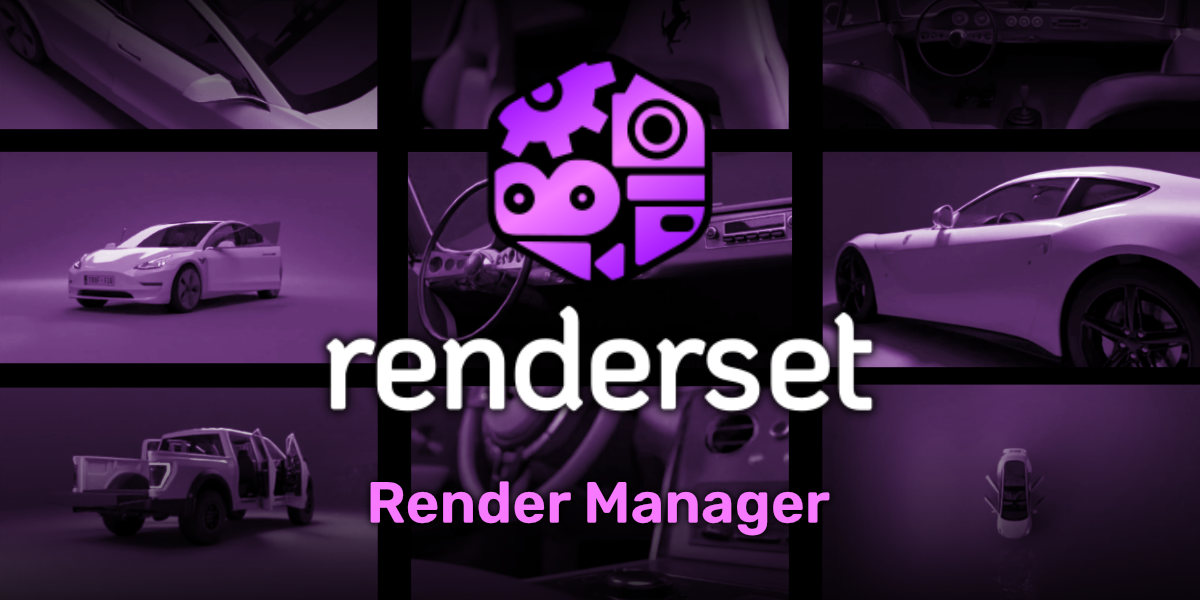
renderset is a render management addon using render contexts to store render-related settings in one .blend file allowing you to switch between them fast to fine-tune each separately and then render & save them all at once, or how you choose.
Categories
Tags
Installation
- Download Render Manager Addon Renderset and check which Blender versions the creator supports. Keep the installable archive (for example,
Render_Manager_Addon_Renderset.zip) intact. If the download is a bundle, extract it first to find the add-on archive. - In Blender, go to Edit → Preferences → Add-ons. In Blender 4.2 and newer, open the top-right menu and choose Install from Disk. In older versions, click Install….
- Select the add-on archive (for example,
Render_Manager_Addon_Renderset.zip) or its standalone.pyfile and confirm the installation. - Find the add-on in the Add-ons list and tick its checkbox if it isn’t already enabled.
Check the creator’s instructions for any extra setup, such as dependencies or license activation.
Compare with other products
Choose a category to find products to compare with this listing.
Variants
-
renderset personal published
Price: $22.22 · List price: $22.22
Variant versions
-
2.3.0 published
Created Apr 23, 2026 · Published Apr 23, 2026
Release notes (source)
<p>Changelog</p><p>- Added option to store Compositor node trees across render contexts in Blender 5.0+<br>- Added several Output Path Variables related to render resolution and Camera Render Region<br>- Added UI controls for Camera Render Region properties to renderset panel (visible if Camera Render Region is enabled)<br>- Improved Save & Pack functionality, simplified naming of packed IES textures</p><p>Fixes<br></p><p>- Datablocks stored in inactive render contexts won't be purged as orphan data<br>- Setting a stored datablock value to None (e.g. emptying a material slot) won't affect the stored values in other contexts<br>- Fixed broken stored properties after reverting a blend file<br>- Fixed possible invalid Render Pass values in post-render actions<br>- Fixed Save & Pack crashes</p>
-
2.2.1 published
Created Dec 19, 2025 · Published Dec 19, 2025
Release notes (source)
<p><b>Fixes</b></p><ul><li>All render passes are correctly exported when using Turbo Tools X</li><li>Context rendering is canceled when using Turbo Tools X and it's operator fails</li></ul>
-
2.2.0 published
Created Dec 5, 2025 · Published Dec 5, 2025
Release notes (source)
<ul>
<li>Everything should be Blender 5.0 compatible (EEVEE identifier, compositor related changes, media type changes, ...)</li>
<li>Contexts created in 4.X are correctly migrated to Blender 5.0</li>
<li>Added missing render passes (Position, Grease Pencil, Shadow Catcher)</li>
<li>New: Added buttons in preferences for saving renderset options into Startup file or copying them into another scene</li>
<li>Fixed a renderset UI error when an additional scene is created</li>
</ul>
-
2.1.0 published
Created Jul 21, 2025 · Published Jul 21, 2025
Release notes (source)
<p><b>Changelog</b></p><ul>
<li>Render Previews - render all contexts quickly in workbench, with smaller resolution or smaller sample count into a custom folder</li>
<li>Custom File Output Nodes - renderset now supports any file output nodes in compositor and will output the files, including Multilayer EXR.</li>
<li>Store camera render region toggle</li>
<li>Store / remove property for all selected objects at once</li>
<li>Batch rename contexts</li>
<li>Color coding for contexts</li>
<li>Restriction (object and collection visibility) toggles are updated for scene when changed in preferences</li>
<li>IES textures support in save & pack</li>
<li>Lock camera to view button in the Camera panel</li>
<li>Datablocks names for properties are displayed in overrides</li>
<li>Properties displayed in overrides are sorted and grouped by datablock names</li>
<li>FFMpeg settings are stored by default</li>
<li>Memory from persistent data is freed after rendering</li>
<li>Search in context list now works</li>
<li>Blender 4.4 and 4.5 support</li>
</ul><p><b>Fixes</b></p><ul>
<li>Install renderset even if `aud` module is missing in 4.4</li>
<li>UI reflects changing render_type in multiedit</li>
<li>Fixed Post On Slack post render action</li>
<li>Frame step set to 0 no longer breaks rendering</li>
<li>renderset no longer breaks if Cycles is disabled</li>
<li>renderset output files do not lose ACL and permissions</li>
<li>Improved stability of the addon and rendering</li>
<li>Fixed rendering large amounts of context, which could cause renderset stopping render</li>
</ul><div><br></div>
-
2.0.1 published
Created Aug 20, 2024 · Published Aug 20, 2024
-
2.0.0 published
Created Jul 25, 2024 · Published Jul 25, 2024
Release notes (source)
New features
- Store anything: You can now tell renderset to store almost any property in blender, including custom properties.
- Custom filenames: Use any filenames you want for all outputs!
- Multi-edit: Edit any number of renderset contexts simultaneously. Review the changes before applying.
- Post render action overrides: Use global post render actions or override them on a per context basis.
- File paths, file names and post render actions are stored per scene, you can transfer them with the .blend file.
- Remember any combination of restriction toggles on collections and/or objects

Blender 4.2 compatibility
- Addon works in 4.2
- Available as an extension
- We respect the new Allow Online Access property

Fixes and other changes
- Greatly improved the preferences GUI.
- Bug fixes for Octane and Luxcore compatibility.
- Freeze time when generating paths, avoid creating multiple folders from one render by accident.
- Context from viewport now clears camera key frames.
- Sanitize paths, don't allow misconfiguration to break the GUI.
- Automatically migrate .blend files with data from renderset 1.9 and earlier to renderset 2.0.
- Tuned defaults to be as close as possible to best practices.
-
1.9.1 published
Created Jul 25, 2024 · Published Nov 11, 2023
Release notes (source)
Blender 4.0 support, bug fixes.
-
-
renderset pro published
Price: $44.44 · List price: $44.44
Variant versions
-
2.3.0 published
Created Apr 23, 2026 · Published Apr 23, 2026
Release notes (source)
<p>Changelog</p><p>- Added option to store Compositor node trees across render contexts in Blender 5.0+<br>- Added several Output Path Variables related to render resolution and Camera Render Region<br>- Added UI controls for Camera Render Region properties to renderset panel (visible if Camera Render Region is enabled)<br>- Improved Save & Pack functionality, simplified naming of packed IES textures</p><p>Fixes<br></p><p>- Datablocks stored in inactive render contexts won't be purged as orphan data<br>- Setting a stored datablock value to None (e.g. emptying a material slot) won't affect the stored values in other contexts<br>- Fixed broken stored properties after reverting a blend file<br>- Fixed possible invalid Render Pass values in post-render actions<br>- Fixed Save & Pack crashes</p>
-
2.2.1 published
Created Dec 19, 2025 · Published Dec 19, 2025
Release notes (source)
<p><span style="font-weight:bolder;">Fixes</span></p><ul>
<li>All render passes are correctly exported when using Turbo Tools X</li>
<li>Context rendering is canceled when using Turbo Tools X and it's operator fails</li>
</ul>
-
2.2.0 published
Created Dec 5, 2025 · Published Dec 5, 2025
Release notes (source)
<ul>
<li>Everything should be Blender 5.0 compatible (EEVEE identifier, compositor related changes, media type changes, ...)</li>
<li>Contexts created in 4.X are correctly migrated to Blender 5.0</li>
<li>Added missing render passes (Position, Grease Pencil, Shadow Catcher)</li>
<li>New: Added buttons in preferences for saving renderset options into Startup file or copying them into another scene</li>
<li>Fixed a renderset UI error when an additional scene is created</li>
</ul>
-
2.1.0 published
Created Jul 21, 2025 · Published Jul 21, 2025
Release notes (source)
<p><span style="font-weight: bolder;">Changelog</span></p><ul><li>Render Previews - render all contexts quickly in workbench, with smaller resolution or smaller sample count into a custom folder</li><li>Custom File Output Nodes - renderset now supports any file output nodes in compositor and will output the files, including Multilayer EXR.</li><li>Store camera render region toggle</li><li>Store / remove property for all selected objects at once</li><li>Batch rename contexts</li><li>Color coding for contexts</li><li>Restriction (object and collection visibility) toggles are updated for scene when changed in preferences</li><li>IES textures support in save & pack</li><li>Lock camera to view button in the Camera panel</li><li>Datablocks names for properties are displayed in overrides</li><li>Properties displayed in overrides are sorted and grouped by datablock names</li><li>FFMpeg settings are stored by default</li><li>Memory from persistent data is freed after rendering</li><li>Search in context list now works</li><li>Blender 4.4 and 4.5 support</li></ul><p><span style="font-weight: bolder;">Fixes</span></p><ul><li>Install renderset even if `aud` module is missing in 4.4</li><li>UI reflects changing render_type in multiedit</li><li>Fixed Post On Slack post render action</li><li>Frame step set to 0 no longer breaks rendering</li><li>renderset no longer breaks if Cycles is disabled</li><li>renderset output files do not lose ACL and permissions</li><li>Improved stability of the addon and rendering</li><li>Fixed rendering large amounts of context, which could cause renderset stopping render</li></ul><div><br></div>
-
2.0.1 published
Created Aug 20, 2024 · Published Aug 20, 2024
-
2.0.0 published
Created Jul 25, 2024 · Published Jul 25, 2024
Release notes (source)
New features
- Store anything: You can now tell renderset to store almost any property in blender, including custom properties.
- Custom filenames: Use any filenames you want for all outputs!
- Multi-edit: Edit any number of renderset contexts simultaneously. Review the changes before applying.
- Post render action overrides: Use global post render actions or override them on a per context basis.
- File paths, file names and post render actions are stored per scene, you can transfer them with the .blend file.
- Remember any combination of restriction toggles on collections and/or objects

Blender 4.2 compatibility
- Addon works in 4.2
- Available as an extension
- We respect the new Allow Online Access property

Fixes and other changes
- Greatly improved the preferences GUI.
- Bug fixes for Octane and Luxcore compatibility.
- Freeze time when generating paths, avoid creating multiple folders from one render by accident.
- Context from viewport now clears camera key frames.
- Sanitize paths, don't allow misconfiguration to break the GUI.
- Automatically migrate .blend files with data from renderset 1.9 and earlier to renderset 2.0.
- Tuned defaults to be as close as possible to best practices.
-
1.9.1 published
Created Jul 25, 2024 · Published Nov 11, 2023
Release notes (source)
Blender 4.0 support, bug fixes.
-
-
renderset studio published
Price: $89.99 · List price: $89.99
Variant versions
-
2.3.0 published
Created Apr 23, 2026 · Published Apr 23, 2026
Release notes (source)
<p>Changelog</p><p>- Added option to store Compositor node trees across render contexts in Blender 5.0+<br>- Added several Output Path Variables related to render resolution and Camera Render Region<br>- Added UI controls for Camera Render Region properties to renderset panel (visible if Camera Render Region is enabled)<br>- Improved Save & Pack functionality, simplified naming of packed IES textures</p><p>Fixes<br></p><p>- Datablocks stored in inactive render contexts won't be purged as orphan data<br>- Setting a stored datablock value to None (e.g. emptying a material slot) won't affect the stored values in other contexts<br>- Fixed broken stored properties after reverting a blend file<br>- Fixed possible invalid Render Pass values in post-render actions<br>- Fixed Save & Pack crashes</p>
-
2.2.1 published
Created Dec 19, 2025 · Published Dec 19, 2025
Release notes (source)
<p><span style="font-weight: bolder;">Fixes</span></p><ul><li>All render passes are correctly exported when using Turbo Tools X</li><li>Context rendering is canceled when using Turbo Tools X and it's operator fails</li></ul>
-
2.2.0 published
Created Dec 5, 2025 · Published Dec 5, 2025
Release notes (source)
<ul><li data-sourcepos="2:1-2:117">Everything should be Blender 5.0 compatible (EEVEE identifier, compositor related changes, media type changes, ...)</li><li data-sourcepos="3:1-3:63">Contexts created in 4.X are correctly migrated to Blender 5.0</li><li data-sourcepos="4:1-4:71">Added missing render passes (Position, Grease Pencil, Shadow Catcher)</li><li data-sourcepos="5:1-5:117">New: Added buttons in preferences for saving renderset options into Startup file or copying them into another scene</li><li data-sourcepos="6:1-6:64">Fixed a renderset UI error when an additional scene is created</li></ul>
-
2.1.0 published
Created Jul 21, 2025 · Published Jul 21, 2025
Release notes (source)
<p><span style="font-weight: bolder;">Changelog</span></p><ul><li>Render Previews - render all contexts quickly in workbench, with smaller resolution or smaller sample count into a custom folder</li><li>Custom File Output Nodes - renderset now supports any file output nodes in compositor and will output the files, including Multilayer EXR.</li><li>Store camera render region toggle</li><li>Store / remove property for all selected objects at once</li><li>Batch rename contexts</li><li>Color coding for contexts</li><li>Restriction (object and collection visibility) toggles are updated for scene when changed in preferences</li><li>IES textures support in save & pack</li><li>Lock camera to view button in the Camera panel</li><li>Datablocks names for properties are displayed in overrides</li><li>Properties displayed in overrides are sorted and grouped by datablock names</li><li>FFMpeg settings are stored by default</li><li>Memory from persistent data is freed after rendering</li><li>Search in context list now works</li><li>Blender 4.4 and 4.5 support</li></ul><p><span style="font-weight: bolder;">Fixes</span></p><ul><li>Install renderset even if `aud` module is missing in 4.4</li><li>UI reflects changing render_type in multiedit</li><li>Fixed Post On Slack post render action</li><li>Frame step set to 0 no longer breaks rendering</li><li>renderset no longer breaks if Cycles is disabled</li><li>renderset output files do not lose ACL and permissions</li><li>Improved stability of the addon and rendering</li><li>Fixed rendering large amounts of context, which could cause renderset stopping render</li></ul><div><br></div>
-
2.0.1 published
Created Aug 20, 2024 · Published Aug 20, 2024
-
2.0.0 published
Created Jul 25, 2024 · Published Jul 25, 2024
Release notes (source)
New features
- Store anything: You can now tell renderset to store almost any property in blender, including custom properties.
- Custom filenames: Use any filenames you want for all outputs!
- Multi-edit: Edit any number of renderset contexts simultaneously. Review the changes before applying.
- Post render action overrides: Use global post render actions or override them on a per context basis.
- File paths, file names and post render actions are stored per scene, you can transfer them with the .blend file.
- Remember any combination of restriction toggles on collections and/or objects

Blender 4.2 compatibility
- Addon works in 4.2
- Available as an extension
- We respect the new Allow Online Access property

Fixes and other changes
- Greatly improved the preferences GUI.
- Bug fixes for Octane and Luxcore compatibility.
- Freeze time when generating paths, avoid creating multiple folders from one render by accident.
- Context from viewport now clears camera key frames.
- Sanitize paths, don't allow misconfiguration to break the GUI.
- Automatically migrate .blend files with data from renderset 1.9 and earlier to renderset 2.0.
- Tuned defaults to be as close as possible to best practices.
-
1.9.1 published
Created Jul 25, 2024 · Published Nov 11, 2023
Release notes (source)
Blender 4.0 support, bug fixes.
-
-
cyber2025 unlisted
Price: $29.00 · List price: $29.00