Product listing
Overcoat for Blender
By Alston Jones ·
$19.00
List price: $19.00
Listing details
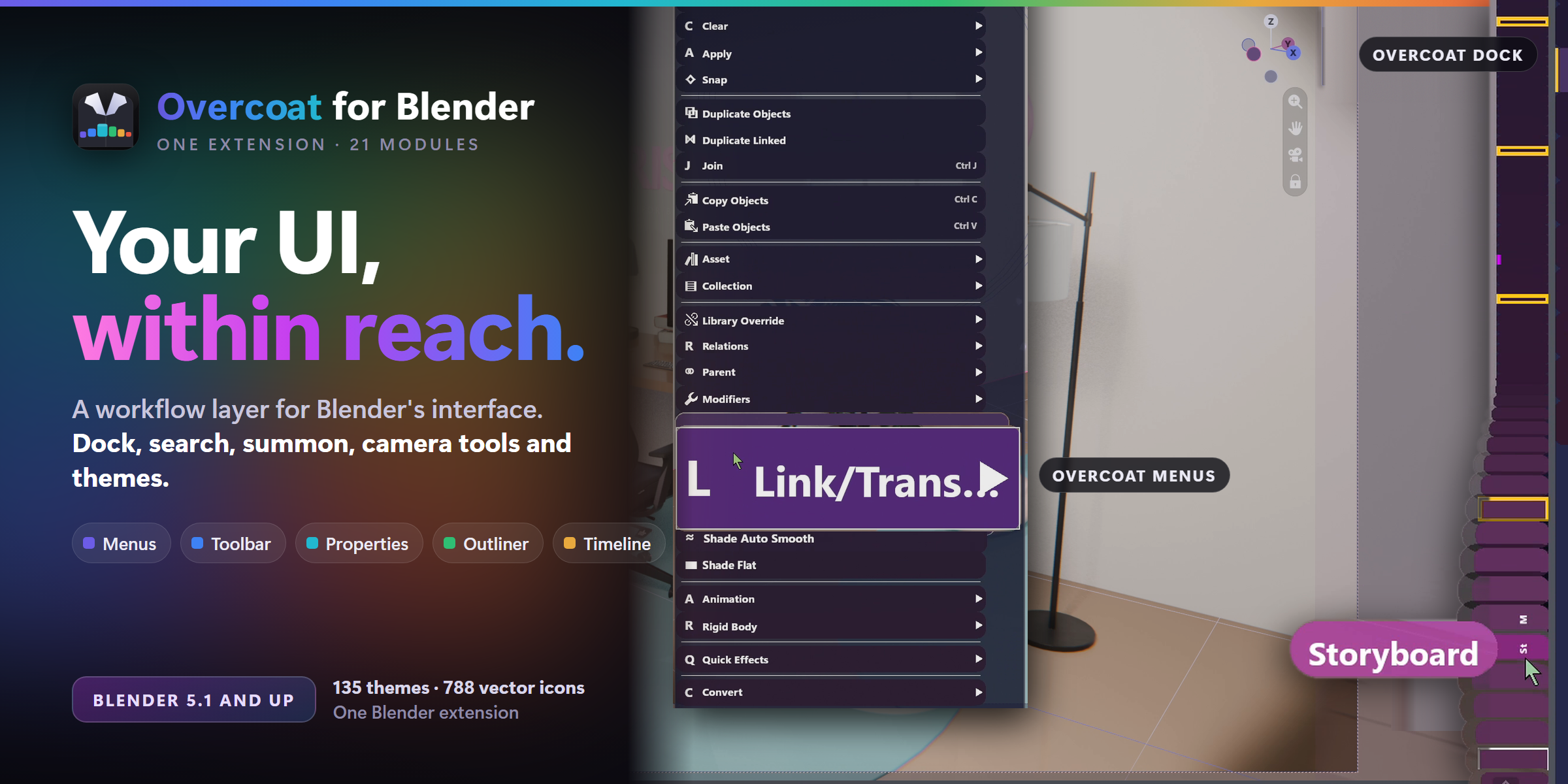
Overcoat is a workflow layer for Blender's interface with 21 feature modules, 135 themes, Dock navigation and cinematography tools. For Blender 5.1+.
Categories
Tags
Installation
- Download Overcoat for Blender and check which Blender versions the creator supports. Keep the installable archive (for example,
Overcoat_for_Blender.zip) intact. If the download is a bundle, extract it first to find the add-on archive. - In Blender, go to Edit → Preferences → Add-ons. In Blender 4.2 and newer, open the top-right menu and choose Install from Disk. In older versions, click Install….
- Select the add-on archive (for example,
Overcoat_for_Blender.zip) or its standalone.pyfile and confirm the installation. - Find the add-on in the Add-ons list and tick its checkbox if it isn’t already enabled.
Check the creator’s instructions for any extra setup, such as dependencies or license activation.
Compare with other products
Choose a category to find products to compare with this listing.
Product versions
-
1.2.0 published
Created Nov 17, 2026 · Published Nov 17, 2026
Release notes (source)
Overcoat 1.2.0

New
• Cinematography sidebar tools for cameras, composition guides, delivery formats and shot markers.
• In-editor summary and command boxes across animation, image, clip, asset and VSE workflows.
• Dock tab aliases, search, workflow groups, per-tab hotkeys, layout export/import review and undo.

Updated
• 21 feature modules, 135 bundled themes and Blender 5.3.0 validation.
• Expanded Settings Backup and Diagnostics coverage.

Fixed
• Blender native Shift+A, right-click and Alt+Q shortcuts are restored when applicable Overcoat modules are disabled.
• Faster overlay recovery after workspace changes.

Prism Suite is now Overcoat for Blender. Existing Prism users should follow the included migration guide.
-
1.1.0-rc.2 published
Created Oct 23, 2026 · Published Oct 23, 2026
Release notes (source)
<p>Prism Suite is now Overcoat for Blender. This release candidate consolidates 19 interface modules, 135 theme presets, and 788 vector icons in one extension. It adds the current Dock improvements and has been validated on Windows with Blender 5.1.2, 5.2.2 LTS, and a pinned 5.3 beta. Existing Prism users should read MIGRATION_FROM_PRISM.md before installing and should not enable Prism and Overcoat together.</p>
-
1.0.0-beta.4 published
Created Oct 10, 2026 · Published Oct 10, 2026
Release notes (source)
<p>New in 1.0.0-beta.4 (22 files: 19 add-ons plus 3 shared modules). Replace the whole suite rather than patching files.</p><ul><li><b>Prism Summon</b> (Ctrl+Alt+`): turn the editor under the mouse into an Outliner, Properties, Timeline, Shader, Dope Sheet, Graph, Image or Text editor from a pie; the same key puts it back with your original view.</li><li><b>Prism History</b>: Undo, Redo and Undo History buttons at the end of every editor header (or once in the top bar).</li><li><b>Timeline transport in the 3D Viewport</b>, for workspaces with no Timeline.</li><li><b>Workspace strip without a 3D Viewport</b>: it now appears in Compositing and Video Editing.</li><li><b>Fixed</b>: theme switches missed by eight overlays, an error when changing Prism Workspaces' "Where" setting, and an empty VSE menu rail.</li><li><b>Lighter at rest</b>: five overlays no longer wake 60 times a second.</li></ul><p>Full list in CHANGELOG.md.</p>
-
1.0.0-beta.3 published
Created Oct 2, 2026 · Published Oct 2, 2026
Release notes (source)
<p><b>Bug fixes and a new diagnostics readout</b> (includes everything from 1.0.0-beta.2). Install <b>Prism_Suite_Extension_1.0.0-beta.3.zip</b>: drag it onto Blender 5.1 or newer.</p><p><b>Fixed</b></p><ul>
<li>Prism text (toolbar marks, Outliner names, tabs, Dock and Timeline labels) going blank after a theme change, including "Switch Look with Workspace".</li>
<li>The Prism Timeline going dead after opening a .blend file (card, toolbox and marker chips vanished or ignored clicks).</li>
<li>Marker-chip clicks in the Timeline hitting the hidden legacy rail's buttons.</li>
<li>Keyboard shortcuts (Ctrl+Z, Ctrl+S, Ctrl+Space, other add-ons' keys) doing nothing while the mouse was over the Outliner.</li>
<li>The Getting Started panel never appearing, and "Vector Icons" switched off being ignored at startup.</li>
<li>Prism Properties leaving a background timer running after being disabled.</li>
</ul><p><b>Added / changed</b></p><ul>
<li>Live Status in Prism Diagnostics: shows each Prism overlay as running, idle, waiting (with the reason, e.g. "no Timeline in this workspace") or errored.</li>
<li>Overlays now appear as soon as you switch workspace or change an editor's type, and background polling is halved.</li>
<li>The download now also includes the generated test scene, its build script and the beta report template.</li>
</ul><p>


</p><p>Upgrading from separate add-ons: remove the old Prism add-ons first. Settings don't carry over to the Extension, so pick your look again from Getting Started. Full details in CHANGELOG.md.</p>
-
1.0.0-beta.1 published
Created Oct 2, 2026 · Published Aug 20, 2026
Release notes (source)
<p>Original paid-beta release (20 August 2026): single Blender Extension packaging, Blender 5.1 minimum, all 135 theme presets rebuilt for Blender 5.x. Kept for reference; the newest version is recommended.</p>
Related products
More from this creator
No other products from this creator.