Product listing
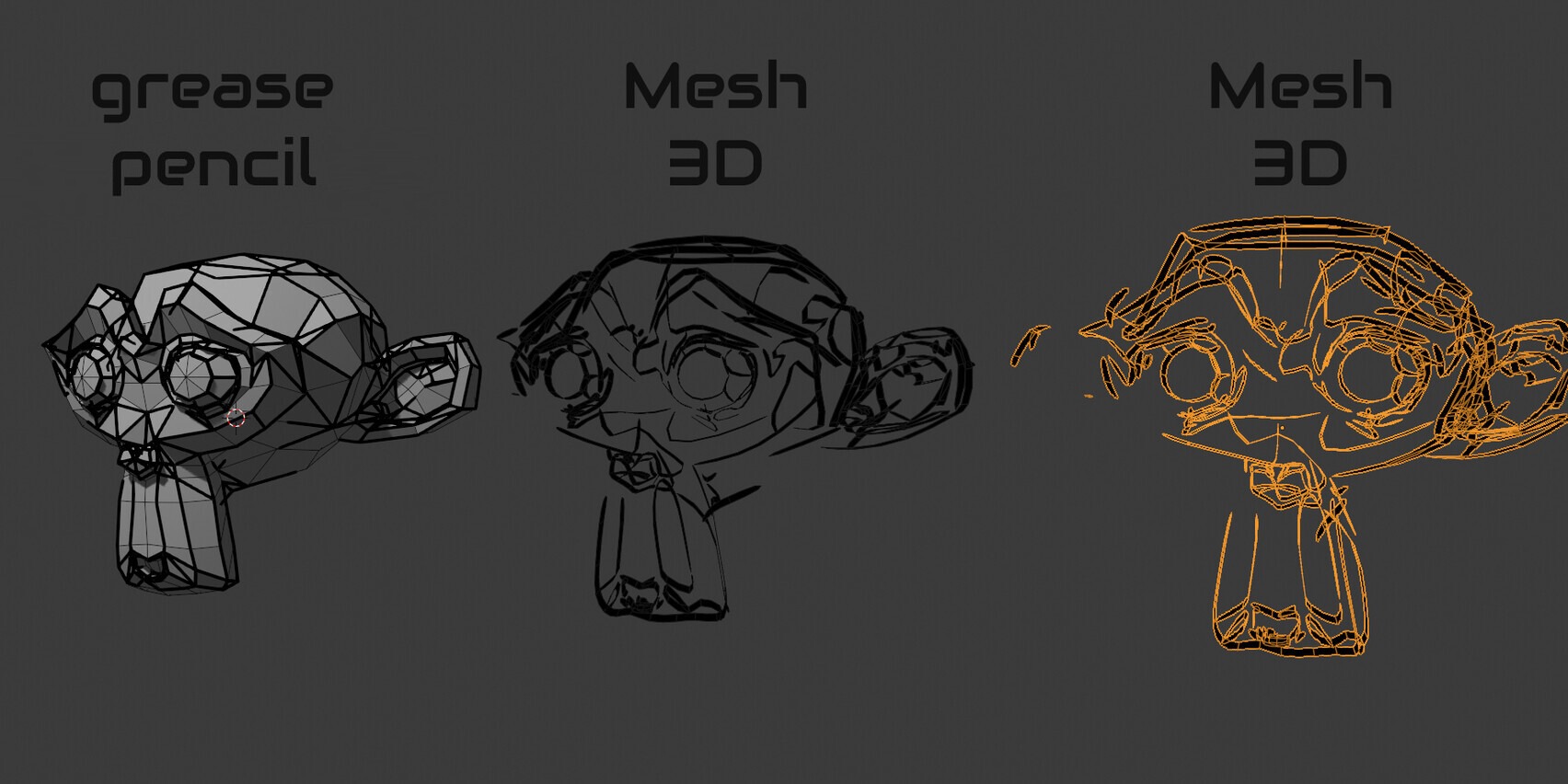
Pencil Mesh
By Eduardo Bartali ·
$6.00
List price: $6.00
Listing details
Categories
Tags
Installation
- Download Pencil Mesh and check which Blender versions the creator supports. Keep the installable archive (for example,
Pencil_Mesh.zip) intact. If the download is a bundle, extract it first to find the add-on archive. - In Blender, go to Edit → Preferences → Add-ons. In Blender 4.2 and newer, open the top-right menu and choose Install from Disk. In older versions, click Install….
- Select the add-on archive (for example,
Pencil_Mesh.zip) or its standalone.pyfile and confirm the installation. - Find the add-on in the Add-ons list and tick its checkbox if it isn’t already enabled.
Check the creator’s instructions for any extra setup, such as dependencies or license activation.
Compare with other products
Choose a category to find products to compare with this listing.
Product versions
-
Pencil Mesh v1.3.1 published
Created Oct 11, 2026 · Published Oct 11, 2026
Release notes (source)
<p dir="ltr"><strong>VERSION 1.3.1</strong></p><p dir="ltr"><strong>NEW</strong></p><ul dir="ltr">
<li>Line Art support: strokes are read after the Grease Pencil modifiers, so Line Art lines (and Noise, Thickness, Smooth...) are converted exactly as you see them. New option “Apply GP Modifiers”, on by default.</li>
<li>Line Profile: Auto, Flat Ribbon or Tube. Auto builds Line Art as round tubes that look exactly as wide as the Line Art from every angle and sit exactly on the original lines.</li>
<li>Face Camera ribbon plane: the width of flat strokes turns towards the scene camera at every point, like Grease Pencil draws its lines.</li>
<li>Lift Toward Camera (Flat Ribbon + Face Camera): keeps flat lines from sinking into the model without changing their look from the camera.</li>
<li>Export for Engines: one-click FBX for Unity or Unreal with the right scale and axes, double-sided flat strokes and colours kept.</li>
<li>Progress bar during long conversions.</li>
</ul><p dir="ltr"><strong>IMPROVED</strong></p><ul dir="ltr">
<li>Line Art lines are never flattened by Ink Trace.</li>
</ul><p>


</p><p dir="ltr"><strong>Short version:</strong> 1.3.1 — Line Art support with round tubes that match its thickness from every angle, Face Camera mode, and one-click FBX export for Unity and Unreal.</p>