Product listing
Ornament Generator
By PeakDreams Studio ·
From $12.50
Listing details
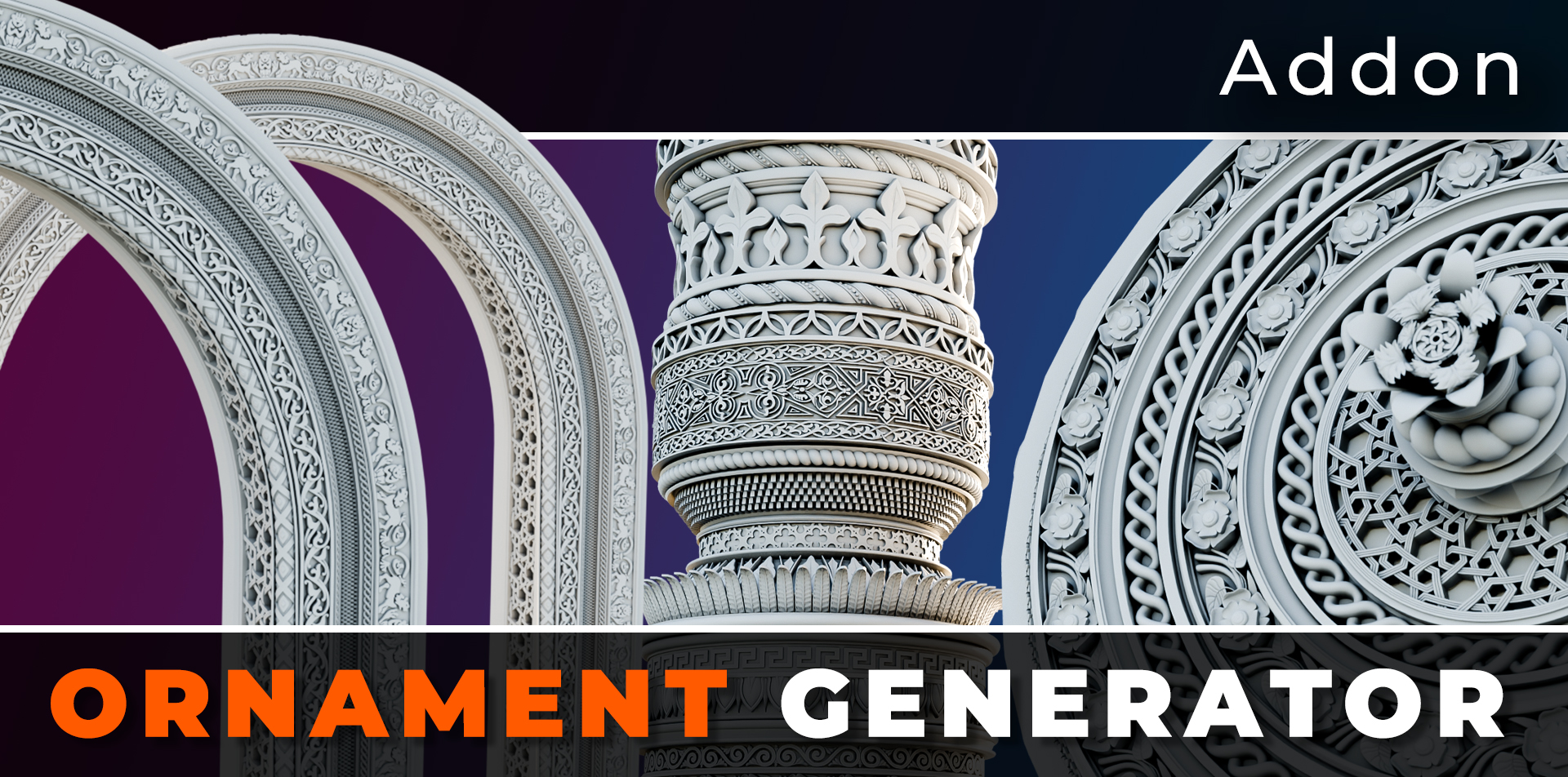
Ornament Generator is a tool that allows you to create a vast number of ornaments in any arrangement. With this Tool, you can significantly speed up your workflow. It helps you achieve stunning results in no time. Choose from over 426 ready-made ornaments!
Categories
Tags
Installation
- Download Ornament Generator and check which Blender versions the creator supports. Keep the installable archive (for example,
Ornament_Generator.zip) intact. If the download is a bundle, extract it first to find the add-on archive. - In Blender, go to Edit → Preferences → Add-ons. In Blender 4.2 and newer, open the top-right menu and choose Install from Disk. In older versions, click Install….
- Select the add-on archive (for example,
Ornament_Generator.zip) or its standalone.pyfile and confirm the installation. - Find the add-on in the Add-ons list and tick its checkbox if it isn’t already enabled.
Check the creator’s instructions for any extra setup, such as dependencies or license activation.
Compare with other products
Choose a category to find products to compare with this listing.
Variants
-
Ornament Generator starter published
Price: $12.50 · List price: $12.50
Variant versions
-
Ornament Generator_v_1_5_0_Starter published
Created Oct 21, 2026 · Published Oct 21, 2026
Release notes (source)
<p><b>134</b> new <b>Art Deco Ornaments</b> have been added.</p>
-
Ornament Generator starter 1.2.2 published
Created Aug 24, 2026 · Published Aug 24, 2026
Release notes (source)
<p>It’s a patch that allows the addon to be downloaded directly from Superhive.</p>
-
Ornament Generator 1.2.1 Starter published
Created Nov 8, 2025 · Published Nov 8, 2025
Release notes (source)
<p><br></p>
-
-
Ornament Generator lite published
Price: $32.00 · List price: $32.00
Variant versions
-
Ornament Generator_v_1_5_0_Lite published
Created Oct 21, 2026 · Published Oct 21, 2026
Release notes (source)
<div><p><b>134</b> new <b>Art Deco Ornaments</b> have been added.</p></div>
-
Ornament Generator Lite 1.2.2 published
Created Aug 24, 2026 · Published Aug 24, 2026
Release notes (source)
<p>It’s a patch that allows the addon to be downloaded directly from Superhive.</p>
-
Ornament Generator 1.2.0 Lite published
Created Nov 8, 2025 · Published Nov 8, 2025
Release notes (source)
<p><br></p>
-
-
Ornament Generator full published
Price: $69.00 · List price: $69.00
Variant versions
-
Ornament Generator_v_1_5_0_Full published
Created Oct 21, 2026 · Published Oct 21, 2026
Release notes (source)
<p><b>134</b> new <b>Art Deco Ornaments </b>have been added.</p>
-
Ornament Generator Full 1.2.2 published
Created Aug 24, 2026 · Published Aug 24, 2026
Release notes (source)
<p>It’s a patch that allows the addon to be downloaded directly from Superhive.</p>
-
Ornament Generator 1.2.0 Full published
Created Nov 8, 2025 · Published Nov 8, 2025
Release notes (source)
<p>1. Z offset fixed</p><p>2. some ornaments fix </p>
-
-
Ornament Generator (2-5 seats) published
Price: $199.00 · List price: $199.00
Variant versions
-
Ornament Generator_v_1_5_0_FULL(2-5 seats) published
Created Oct 21, 2026 · Published Oct 21, 2026
Release notes (source)
<p><b>134 </b>new <b>Art Deco Ornaments</b> have been added.</p>
-
Ornament Generator (2-5 seats) Full 1.2.2 published
Created Aug 24, 2026 · Published Aug 24, 2026
Release notes (source)
<p>It’s a patch that allows the addon to be downloaded directly from Superhive.</p>
-
Ornament Generator 1.2.0 Full (2-5) seats published
Created Nov 8, 2025 · Published Nov 8, 2025
Release notes (source)
<p>Z offset fixed</p><p>some ornaments also fixed</p>
-
-
Ornament Generator (6-10 seats) published
Price: $299.00 · List price: $299.00
Variant versions
-
Ornament Generator_v_1_5_0_FULL(6-10 seats) published
Created Oct 21, 2026 · Published Oct 21, 2026
Release notes (source)
<p><b>134 </b>new<b> Art Deco Ornaments</b> have been added.</p>
-
Ornament Generator (6-10 seats) Full 1.2.2 published
Created Aug 24, 2026 · Published Aug 24, 2026
Release notes (source)
<p>It’s a patch that allows the addon to be downloaded directly from Superhive.</p>
-
Ornament Generator 1.2.0 Full (6-10) seats published
Created Nov 8, 2025 · Published Nov 8, 2025
Release notes (source)
<p>z-offset fixed</p><p>some ornaments also fixed</p>
-