Product listing
MotionDeck 2: Motion Graphics and Motion Design in Blender
By Benedetto Battipede ·
$39.00
List price: $39.00
Listing details
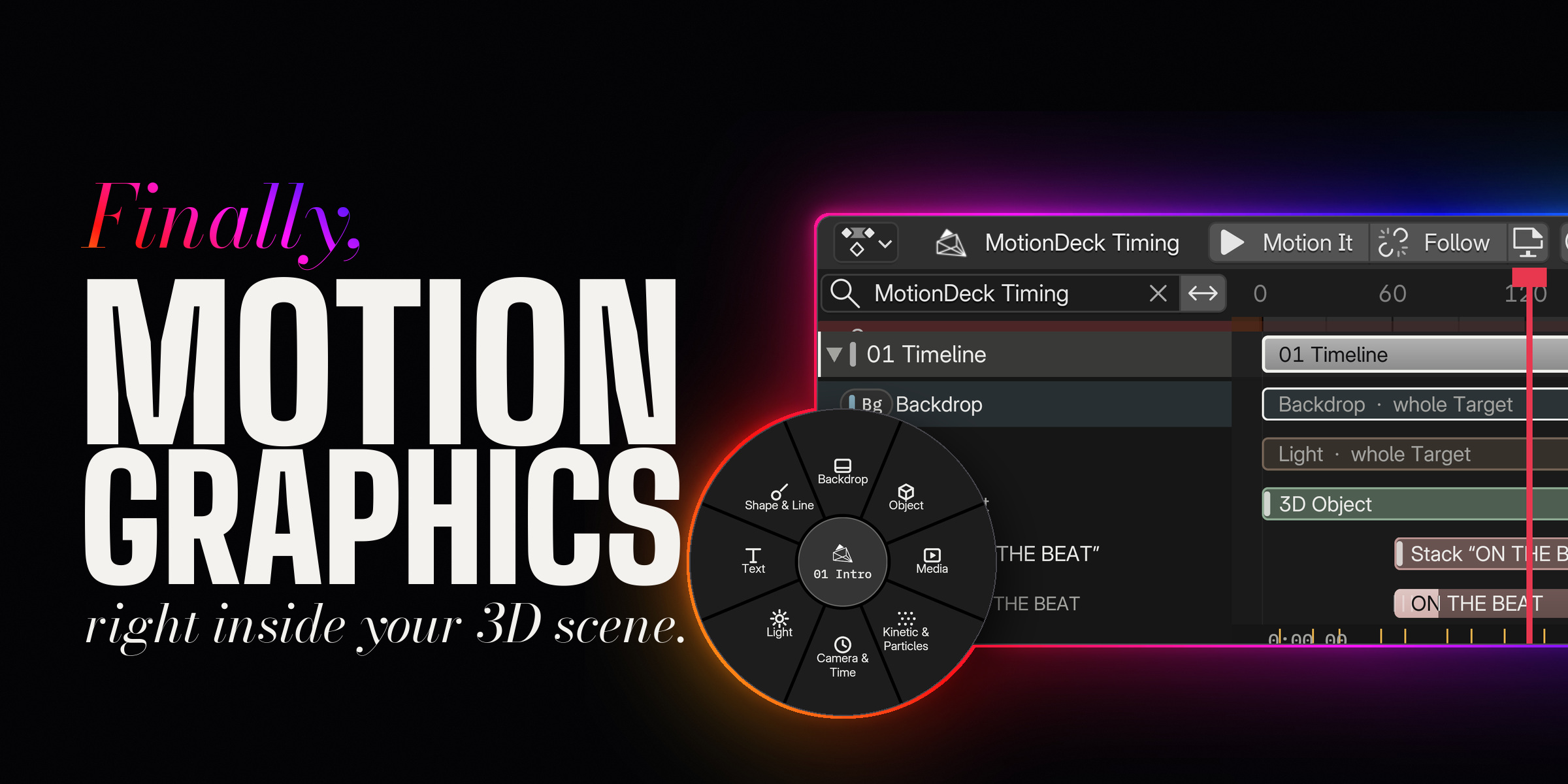
Make motion graphics in Blender that look directed. Pick a title, a light and a camera move, and MotionDeck builds the animation.
Categories
Tags
Compare with other products
Choose a category to find products to compare with this listing.
Product versions
-
MotionDeck 2 (2026) · 2.0.0 published
Created Nov 11, 2026 · Published Nov 11, 2026
Release notes (source)
<p>2.0.0: first release of MotionDeck 2.</p><p>- New Decks start photographic: Limbo backdrop, Soft Key light, light Film look. Offline guide inside the add-on (Open Guide).</p><p>- Text: Weight, Font Morph, Warp and Liquid Warp, Depth: Custom, Gradient fill, Sync to Captions, Step Counter, new brand palettes.</p><p>- Kinetic: Poster Wall with Hero First.</p><p>- Shapes, Media and Objects: Out row (Fade, Mirror In, Custom), Stay to the End, Follow Camera for videos, Scatter for Media Sets, Product Look styles.</p><p>- Look and light: Light Plates (Ring Sweep, Blobs, Stage), Studio finish, Slit gobo, finer CRT.</p><p>- Transitions: Object Wipe with transparent edge by default, Silhouette fit, two new notices.</p><p>- Known issue: the Vertigo camera preset changes the text size; fixed in 2.0.1.</p><p>- Manual: motiondeck3d.com/manual</p>
-
MotionDeck 1.6 published
Created Jul 12, 2026 · Published Jul 11, 2026
Release notes (source)
<p style="line-height:1.38;margin-top:0pt;margin-bottom:0pt;"><span style="font-size:11pt;font-family:Arial , sans-serif;color:#000000;background-color:transparent;font-weight:400;font-style:normal;font-variant:normal;text-decoration:none;vertical-align:baseline;white-space:pre;white-space:pre-wrap;"># CHANGELOG — MotionDeck 1.6</span></p><p style="line-height:1.38;margin-top:0pt;margin-bottom:0pt;"><span style="font-size:11pt;font-family:Arial , sans-serif;color:#000000;background-color:transparent;font-weight:400;font-style:normal;font-variant:normal;text-decoration:none;vertical-align:baseline;white-space:pre;white-space:pre-wrap;">## NEW</span></p><p style="line-height:1.38;margin-top:0pt;margin-bottom:0pt;"><span style="font-size:11pt;font-family:Arial , sans-serif;color:#000000;background-color:transparent;font-weight:400;font-style:normal;font-variant:normal;text-decoration:none;vertical-align:baseline;white-space:pre;white-space:pre-wrap;">* **</span><span style="font-size:11pt;font-family:Arial , sans-serif;color:#000000;background-color:transparent;font-weight:700;font-style:normal;font-variant:normal;text-decoration:none;vertical-align:baseline;white-space:pre;white-space:pre-wrap;">Beat Grid</span><span style="font-size:11pt;font-family:Arial , sans-serif;color:#000000;background-color:transparent;font-weight:400;font-style:normal;font-variant:normal;text-decoration:none;vertical-align:baseline;white-space:pre;white-space:pre-wrap;">** — load an audio track, detect or tap BPM, beat markers on the timeline. One Beat button drives pulse animations per element family (text, images, meshes, backgrounds, shapes, extras), each with its own intensity. Pulses run on their own channels — no conflict with entry or idle animation.</span></p><p style="line-height:1.38;margin-top:0pt;margin-bottom:0pt;"><span style="font-size:11pt;font-family:Arial , sans-serif;color:#000000;background-color:transparent;font-weight:400;font-style:normal;font-variant:normal;text-decoration:none;vertical-align:baseline;white-space:pre;white-space:pre-wrap;">* **</span><span style="font-size:11pt;font-family:Arial , sans-serif;color:#000000;background-color:transparent;font-weight:700;font-style:normal;font-variant:normal;text-decoration:none;vertical-align:baseline;white-space:pre;white-space:pre-wrap;">Kinetic Typography</span><span style="font-size:11pt;font-family:Arial , sans-serif;color:#000000;background-color:transparent;font-weight:400;font-style:normal;font-variant:normal;text-decoration:none;vertical-align:baseline;white-space:pre;white-space:pre-wrap;">** — 5 layout modes (Wall, Row, Column, Diagonal, Circle on an orbital curve) with scrolling marquee, alternating row directions, controllable speed and angle, and a dedicated Font selector.</span></p><p style="line-height:1.38;margin-top:0pt;margin-bottom:0pt;"><span style="font-size:11pt;font-family:Arial , sans-serif;color:#000000;background-color:transparent;font-weight:400;font-style:normal;font-variant:normal;text-decoration:none;vertical-align:baseline;white-space:pre;white-space:pre-wrap;">* **</span><span style="font-size:11pt;font-family:Arial , sans-serif;color:#000000;background-color:transparent;font-weight:700;font-style:normal;font-variant:normal;text-decoration:none;vertical-align:baseline;white-space:pre;white-space:pre-wrap;">Word Highlight</span><span style="font-size:11pt;font-family:Arial , sans-serif;color:#000000;background-color:transparent;font-weight:400;font-style:normal;font-variant:normal;text-decoration:none;vertical-align:baseline;white-space:pre;white-space:pre-wrap;">** — per caption word: Brush, Rect, Circle, Bar or Underline drawn behind the word, with color, Extend and Thickness. Grows in from the word start.</span></p><p style="line-height:1.38;margin-top:0pt;margin-bottom:0pt;"><span style="font-size:11pt;font-family:Arial , sans-serif;color:#000000;background-color:transparent;font-weight:400;font-style:normal;font-variant:normal;text-decoration:none;vertical-align:baseline;white-space:pre;white-space:pre-wrap;">* **</span><span style="font-size:11pt;font-family:Arial , sans-serif;color:#000000;background-color:transparent;font-weight:700;font-style:normal;font-variant:normal;text-decoration:none;vertical-align:baseline;white-space:pre;white-space:pre-wrap;">Word Warp</span><span style="font-size:11pt;font-family:Arial , sans-serif;color:#000000;background-color:transparent;font-weight:400;font-style:normal;font-variant:normal;text-decoration:none;vertical-align:baseline;white-space:pre;white-space:pre-wrap;">** — letters bend along an Arc or Wave with a Roundness slider (negative = downward). Rect/Bar/Underline highlights bend with the word.</span></p><p style="line-height:1.38;margin-top:0pt;margin-bottom:0pt;"><span style="font-size:11pt;font-family:Arial , sans-serif;color:#000000;background-color:transparent;font-weight:400;font-style:normal;font-variant:normal;text-decoration:none;vertical-align:baseline;white-space:pre;white-space:pre-wrap;">* **</span><span style="font-size:11pt;font-family:Arial , sans-serif;color:#000000;background-color:transparent;font-weight:700;font-style:normal;font-variant:normal;text-decoration:none;vertical-align:baseline;white-space:pre;white-space:pre-wrap;">Word Effects</span><span style="font-size:11pt;font-family:Arial , sans-serif;color:#000000;background-color:transparent;font-weight:400;font-style:normal;font-variant:normal;text-decoration:none;vertical-align:baseline;white-space:pre;white-space:pre-wrap;">** — per caption word: Outline Echo (contour replicas radiating from the word), Neon Outline (glowing gradient contours), Long Shadow (long, solid poster-style shadow), Sliced Glitch (the word breaks into bands that jitter continuously). Per effect: Direction, Offset and Depth of the replicas, contour Stroke thickness, and material choice (Emission / Diffuse / Custom).</span></p><p style="line-height:1.38;margin-top:0pt;margin-bottom:0pt;"><span style="font-size:11pt;font-family:Arial , sans-serif;color:#000000;background-color:transparent;font-weight:400;font-style:normal;font-variant:normal;text-decoration:none;vertical-align:baseline;white-space:pre;white-space:pre-wrap;">* **</span><span style="font-size:11pt;font-family:Arial , sans-serif;color:#000000;background-color:transparent;font-weight:700;font-style:normal;font-variant:normal;text-decoration:none;vertical-align:baseline;white-space:pre;white-space:pre-wrap;">Word Effect Gradient</span><span style="font-size:11pt;font-family:Arial , sans-serif;color:#000000;background-color:transparent;font-weight:400;font-style:normal;font-variant:normal;text-decoration:none;vertical-align:baseline;white-space:pre;white-space:pre-wrap;">** — solid color or two-color gradient on the effect, with selectable direction (Left→Right, Right→Left, Bottom→Top, Top→Bottom) and a Fade to Transparent option: the effect dissolves toward transparent for a spatial fade.</span></p><p style="line-height:1.38;margin-top:0pt;margin-bottom:0pt;"><span style="font-size:11pt;font-family:Arial , sans-serif;color:#000000;background-color:transparent;font-weight:400;font-style:normal;font-variant:normal;text-decoration:none;vertical-align:baseline;white-space:pre;white-space:pre-wrap;">* **</span><span style="font-size:11pt;font-family:Arial , sans-serif;color:#000000;background-color:transparent;font-weight:700;font-style:normal;font-variant:normal;text-decoration:none;vertical-align:baseline;white-space:pre;white-space:pre-wrap;">Sliced Glitch — continuous motion</span><span style="font-size:11pt;font-family:Arial , sans-serif;color:#000000;background-color:transparent;font-weight:400;font-style:normal;font-variant:normal;text-decoration:none;vertical-align:baseline;white-space:pre;white-space:pre-wrap;">** — the bands keep snapping at irregular intervals for the whole duration: physical, random movement, not a single opening jump.</span></p><p style="line-height:1.38;margin-top:0pt;margin-bottom:0pt;"><span style="font-size:11pt;font-family:Arial , sans-serif;color:#000000;background-color:transparent;font-weight:400;font-style:normal;font-variant:normal;text-decoration:none;vertical-align:baseline;white-space:pre;white-space:pre-wrap;">* **</span><span style="font-size:11pt;font-family:Arial , sans-serif;color:#000000;background-color:transparent;font-weight:700;font-style:normal;font-variant:normal;text-decoration:none;vertical-align:baseline;white-space:pre;white-space:pre-wrap;">Per-word Fade Out</span><span style="font-size:11pt;font-family:Arial , sans-serif;color:#000000;background-color:transparent;font-weight:400;font-style:normal;font-variant:normal;text-decoration:none;vertical-align:baseline;white-space:pre;white-space:pre-wrap;">** — independent fade-out per caption word (On / Off / Inherit) with adjustable duration, starting at the end of that word's life rather than at scene end. (UI temporarily hidden, under review; engine active.)</span></p><p style="line-height:1.38;margin-top:0pt;margin-bottom:0pt;"><span style="font-size:11pt;font-family:Arial , sans-serif;color:#000000;background-color:transparent;font-weight:400;font-style:normal;font-variant:normal;text-decoration:none;vertical-align:baseline;white-space:pre;white-space:pre-wrap;">* **</span><span style="font-size:11pt;font-family:Arial , sans-serif;color:#000000;background-color:transparent;font-weight:700;font-style:normal;font-variant:normal;text-decoration:none;vertical-align:baseline;white-space:pre;white-space:pre-wrap;">Caption Parallax</span><span style="font-size:11pt;font-family:Arial , sans-serif;color:#000000;background-color:transparent;font-weight:400;font-style:normal;font-variant:normal;text-decoration:none;vertical-align:baseline;white-space:pre;white-space:pre-wrap;">** — words at different depths with automatic perspective compensation: camera motion makes them slide at different speeds.</span></p><p style="line-height:1.38;margin-top:0pt;margin-bottom:0pt;"><span style="font-size:11pt;font-family:Arial , sans-serif;color:#000000;background-color:transparent;font-weight:400;font-style:normal;font-variant:normal;text-decoration:none;vertical-align:baseline;white-space:pre;white-space:pre-wrap;">* **</span><span style="font-size:11pt;font-family:Arial , sans-serif;color:#000000;background-color:transparent;font-weight:700;font-style:normal;font-variant:normal;text-decoration:none;vertical-align:baseline;white-space:pre;white-space:pre-wrap;">Looks</span><span style="font-size:11pt;font-family:Arial , sans-serif;color:#000000;background-color:transparent;font-weight:400;font-style:normal;font-variant:normal;text-decoration:none;vertical-align:baseline;white-space:pre;white-space:pre-wrap;">** — one-click compositor grading, 7 presets: B&W, Duotone, VHS, CRT, Vaporwave, Film, Only Texture. Every slider is realtime. Save/Load any look as JSON.</span></p><p style="line-height:1.38;margin-top:0pt;margin-bottom:0pt;"><span style="font-size:11pt;font-family:Arial , sans-serif;color:#000000;background-color:transparent;font-weight:400;font-style:normal;font-variant:normal;text-decoration:none;vertical-align:baseline;white-space:pre;white-space:pre-wrap;">* **</span><span style="font-size:11pt;font-family:Arial , sans-serif;color:#000000;background-color:transparent;font-weight:700;font-style:normal;font-variant:normal;text-decoration:none;vertical-align:baseline;white-space:pre;white-space:pre-wrap;">Texture Overlay</span><span style="font-size:11pt;font-family:Arial , sans-serif;color:#000000;background-color:transparent;font-weight:400;font-style:normal;font-variant:normal;text-decoration:none;vertical-align:baseline;white-space:pre;white-space:pre-wrap;">** — any texture blended over the whole frame (paper, print grain, halftone) with blend mode (Multiply, Soft Light, Overlay, Screen, Add), opacity, and Fit or Custom X/Y scale. Works on any look — or alone via the Only Texture preset.</span></p><p style="line-height:1.38;margin-top:0pt;margin-bottom:0pt;"><span style="font-size:11pt;font-family:Arial , sans-serif;color:#000000;background-color:transparent;font-weight:400;font-style:normal;font-variant:normal;text-decoration:none;vertical-align:baseline;white-space:pre;white-space:pre-wrap;">* **</span><span style="font-size:11pt;font-family:Arial , sans-serif;color:#000000;background-color:transparent;font-weight:700;font-style:normal;font-variant:normal;text-decoration:none;vertical-align:baseline;white-space:pre;white-space:pre-wrap;">Quick Edit (E)</span><span style="font-size:11pt;font-family:Arial , sans-serif;color:#000000;background-color:transparent;font-weight:400;font-style:normal;font-variant:normal;text-decoration:none;vertical-align:baseline;white-space:pre;white-space:pre-wrap;">** — select any MotionDeck element in the viewport (a word, a glyph, a shape, an image, a light, the target itself, or its handle) and press E: a floating panel opens with exactly that element's settings — the same full panels of the deck — plus shortcuts to the sibling sections. Never moves the playhead. Also at the top of the right-click menu.</span></p><p style="line-height:1.38;margin-top:0pt;margin-bottom:0pt;"><span style="font-size:11pt;font-family:Arial , sans-serif;color:#000000;background-color:transparent;font-weight:400;font-style:normal;font-variant:normal;text-decoration:none;vertical-align:baseline;white-space:pre;white-space:pre-wrap;">* **</span><span style="font-size:11pt;font-family:Arial , sans-serif;color:#000000;background-color:transparent;font-weight:700;font-style:normal;font-variant:normal;text-decoration:none;vertical-align:baseline;white-space:pre;white-space:pre-wrap;">MOTION IT! (Shift+E)</span><span style="font-size:11pt;font-family:Arial , sans-serif;color:#000000;background-color:transparent;font-weight:400;font-style:normal;font-variant:normal;text-decoration:none;vertical-align:baseline;white-space:pre;white-space:pre-wrap;">** — generate from anywhere, safely: builds from frame 1 and returns the playhead where it was. Also in the right-click menu. Both shortcuts configurable in the add-on preferences.</span></p><p style="line-height:1.38;margin-top:0pt;margin-bottom:0pt;"><span style="font-size:11pt;font-family:Arial , sans-serif;color:#000000;background-color:transparent;font-weight:400;font-style:normal;font-variant:normal;text-decoration:none;vertical-align:baseline;white-space:pre;white-space:pre-wrap;">* **</span><span style="font-size:11pt;font-family:Arial , sans-serif;color:#000000;background-color:transparent;font-weight:700;font-style:normal;font-variant:normal;text-decoration:none;vertical-align:baseline;white-space:pre;white-space:pre-wrap;">Images Parallax & Extras</span><span style="font-size:11pt;font-family:Arial , sans-serif;color:#000000;background-color:transparent;font-weight:400;font-style:normal;font-variant:normal;text-decoration:none;vertical-align:baseline;white-space:pre;white-space:pre-wrap;">** — batch-import many images at once: each becomes a regular Extra (full per-layer options: animation, idle, chroma key, materials, timing) with its cube handle automatically staggered in depth. File-browser options: Depth Gap, Size, In Stagger, and Chroma Key applied to every layer at once. Handles survive rebuilds.</span></p><p style="line-height:1.38;margin-top:0pt;margin-bottom:0pt;"><span style="font-size:11pt;font-family:Arial , sans-serif;color:#000000;background-color:transparent;font-weight:400;font-style:normal;font-variant:normal;text-decoration:none;vertical-align:baseline;white-space:pre;white-space:pre-wrap;">* **</span><span style="font-size:11pt;font-family:Arial , sans-serif;color:#000000;background-color:transparent;font-weight:700;font-style:normal;font-variant:normal;text-decoration:none;vertical-align:baseline;white-space:pre;white-space:pre-wrap;">Focus Here (Shift+F)</span><span style="font-size:11pt;font-family:Arial , sans-serif;color:#000000;background-color:transparent;font-weight:400;font-style:normal;font-variant:normal;text-decoration:none;vertical-align:baseline;white-space:pre;white-space:pre-wrap;">** — select any object, press the key: the focus jumps to it, DOF turns on, and a keyframe is recorded at the current frame. Press it along the timeline and the focus path performs itself — rack focus by gesture.</span></p><p style="line-height:1.38;margin-top:0pt;margin-bottom:0pt;"><span style="font-size:11pt;font-family:Arial , sans-serif;color:#000000;background-color:transparent;font-weight:400;font-style:normal;font-variant:normal;text-decoration:none;vertical-align:baseline;white-space:pre;white-space:pre-wrap;">* **</span><span style="font-size:11pt;font-family:Arial , sans-serif;color:#000000;background-color:transparent;font-weight:700;font-style:normal;font-variant:normal;text-decoration:none;vertical-align:baseline;white-space:pre;white-space:pre-wrap;">Autofocus</span><span style="font-size:11pt;font-family:Arial , sans-serif;color:#000000;background-color:transparent;font-weight:400;font-style:normal;font-variant:normal;text-decoration:none;vertical-align:baseline;white-space:pre;white-space:pre-wrap;">** — per target: the focus automatically follows each target during its window. Manual focus keys outside those windows survive every rebuild.</span></p><p style="line-height:1.38;margin-top:0pt;margin-bottom:0pt;"><span style="font-size:11pt;font-family:Arial , sans-serif;color:#000000;background-color:transparent;font-weight:400;font-style:normal;font-variant:normal;text-decoration:none;vertical-align:baseline;white-space:pre;white-space:pre-wrap;">* **</span><span style="font-size:11pt;font-family:Arial , sans-serif;color:#000000;background-color:transparent;font-weight:700;font-style:normal;font-variant:normal;text-decoration:none;vertical-align:baseline;white-space:pre;white-space:pre-wrap;">Defocus</span><span style="font-size:11pt;font-family:Arial , sans-serif;color:#000000;background-color:transparent;font-weight:400;font-style:normal;font-variant:normal;text-decoration:none;vertical-align:baseline;white-space:pre;white-space:pre-wrap;">** — per target: the camera softly loses focus and finds it again. Pulse (at a chosen frame) or Random mode, with Duration and Amount. When focus hands over to a target without DOF, the aperture opens smoothly instead of snapping.</span></p><p style="line-height:1.38;margin-top:0pt;margin-bottom:0pt;"><span style="font-size:11pt;font-family:Arial , sans-serif;color:#000000;background-color:transparent;font-weight:400;font-style:normal;font-variant:normal;text-decoration:none;vertical-align:baseline;white-space:pre;white-space:pre-wrap;">* **</span><span style="font-size:11pt;font-family:Arial , sans-serif;color:#000000;background-color:transparent;font-weight:700;font-style:normal;font-variant:normal;text-decoration:none;vertical-align:baseline;white-space:pre;white-space:pre-wrap;">Flow Min Speed</span><span style="font-size:11pt;font-family:Arial , sans-serif;color:#000000;background-color:transparent;font-weight:400;font-style:normal;font-variant:normal;text-decoration:none;vertical-align:baseline;white-space:pre;white-space:pre-wrap;">** — the flow never fully stops: during each waypoint hold the camera keeps gliding toward the next point. One continuous take.</span></p><p style="line-height:1.38;margin-top:0pt;margin-bottom:0pt;"><span style="font-size:11pt;font-family:Arial , sans-serif;color:#000000;background-color:transparent;font-weight:400;font-style:normal;font-variant:normal;text-decoration:none;vertical-align:baseline;white-space:pre;white-space:pre-wrap;">* **</span><span style="font-size:11pt;font-family:Arial , sans-serif;color:#000000;background-color:transparent;font-weight:700;font-style:normal;font-variant:normal;text-decoration:none;vertical-align:baseline;white-space:pre;white-space:pre-wrap;">DOF Focus empty</span><span style="font-size:11pt;font-family:Arial , sans-serif;color:#000000;background-color:transparent;font-weight:400;font-style:normal;font-variant:normal;text-decoration:none;vertical-align:baseline;white-space:pre;white-space:pre-wrap;">** — persistent, user-owned (MD_Focus): place it once, it survives every rebuild.</span></p><p style="line-height:1.38;margin-top:0pt;margin-bottom:0pt;"><span style="font-size:11pt;font-family:Arial , sans-serif;color:#000000;background-color:transparent;font-weight:400;font-style:normal;font-variant:normal;text-decoration:none;vertical-align:baseline;white-space:pre;white-space:pre-wrap;">* **</span><span style="font-size:11pt;font-family:Arial , sans-serif;color:#000000;background-color:transparent;font-weight:700;font-style:normal;font-variant:normal;text-decoration:none;vertical-align:baseline;white-space:pre;white-space:pre-wrap;">Glass Panel</span><span style="font-size:11pt;font-family:Arial , sans-serif;color:#000000;background-color:transparent;font-weight:400;font-style:normal;font-variant:normal;text-decoration:none;vertical-align:baseline;white-space:pre;white-space:pre-wrap;">** — frosted pane in front of or behind any image plane, with radius and side controls.</span></p><p style="line-height:1.38;margin-top:0pt;margin-bottom:0pt;"><span style="font-size:11pt;font-family:Arial , sans-serif;color:#000000;background-color:transparent;font-weight:400;font-style:normal;font-variant:normal;text-decoration:none;vertical-align:baseline;white-space:pre;white-space:pre-wrap;">* **</span><span style="font-size:11pt;font-family:Arial , sans-serif;color:#000000;background-color:transparent;font-weight:700;font-style:normal;font-variant:normal;text-decoration:none;vertical-align:baseline;white-space:pre;white-space:pre-wrap;">Card Stack</span><span style="font-size:11pt;font-family:Arial , sans-serif;color:#000000;background-color:transparent;font-weight:400;font-style:normal;font-variant:normal;text-decoration:none;vertical-align:baseline;white-space:pre;white-space:pre-wrap;">** — match-cut STACK mode: images pile toward the camera with Spread, Scatter, Tilt and Seed, white borders, cascade on beats; the stack stays on screen until the camera has fully left.</span></p><p style="line-height:1.38;margin-top:0pt;margin-bottom:0pt;"><span style="font-size:11pt;font-family:Arial , sans-serif;color:#000000;background-color:transparent;font-weight:400;font-style:normal;font-variant:normal;text-decoration:none;vertical-align:baseline;white-space:pre;white-space:pre-wrap;">* **</span><span style="font-size:11pt;font-family:Arial , sans-serif;color:#000000;background-color:transparent;font-weight:700;font-style:normal;font-variant:normal;text-decoration:none;vertical-align:baseline;white-space:pre;white-space:pre-wrap;">Instagram link</span><span style="font-size:11pt;font-family:Arial , sans-serif;color:#000000;background-color:transparent;font-weight:400;font-style:normal;font-variant:normal;text-decoration:none;vertical-align:baseline;white-space:pre;white-space:pre-wrap;">** — direct access to the author's profile from the add-on preferences.</span></p><p style="line-height:1.38;margin-top:0pt;margin-bottom:0pt;"><span style="font-size:11pt;font-family:Arial , sans-serif;color:#000000;background-color:transparent;font-weight:400;font-style:normal;font-variant:normal;text-decoration:none;vertical-align:baseline;white-space:pre;white-space:pre-wrap;">## CHANGED</span></p><p style="line-height:1.38;margin-top:0pt;margin-bottom:0pt;"><span style="font-size:11pt;font-family:Arial , sans-serif;color:#000000;background-color:transparent;font-weight:400;font-style:normal;font-variant:normal;text-decoration:none;vertical-align:baseline;white-space:pre;white-space:pre-wrap;">* **</span><span style="font-size:11pt;font-family:Arial , sans-serif;color:#000000;background-color:transparent;font-weight:700;font-style:normal;font-variant:normal;text-decoration:none;vertical-align:baseline;white-space:pre;white-space:pre-wrap;">Scene Duration is authoritative</span><span style="font-size:11pt;font-family:Arial , sans-serif;color:#000000;background-color:transparent;font-weight:400;font-style:normal;font-variant:normal;text-decoration:none;vertical-align:baseline;white-space:pre;white-space:pre-wrap;">**: the type you frame is the frame you get. If a glyph cascade doesn't fit, a warning reports the overflow — you decide.</span></p><p style="line-height:1.38;margin-top:0pt;margin-bottom:0pt;"><span style="font-size:11pt;font-family:Arial , sans-serif;color:#000000;background-color:transparent;font-weight:400;font-style:normal;font-variant:normal;text-decoration:none;vertical-align:baseline;white-space:pre;white-space:pre-wrap;">* **</span><span style="font-size:11pt;font-family:Arial , sans-serif;color:#000000;background-color:transparent;font-weight:700;font-style:normal;font-variant:normal;text-decoration:none;vertical-align:baseline;white-space:pre;white-space:pre-wrap;">"Time Scale" renamed to Word Speed</span><span style="font-size:11pt;font-family:Arial , sans-serif;color:#000000;background-color:transparent;font-weight:400;font-style:normal;font-variant:normal;text-decoration:none;vertical-align:baseline;white-space:pre;white-space:pre-wrap;">**, surfaced right under the Layout button, with an explicit tooltip: at 1.0 the In/Dur frames you type are exactly the frames used.</span></p><p style="line-height:1.38;margin-top:0pt;margin-bottom:0pt;"><span style="font-size:11pt;font-family:Arial , sans-serif;color:#000000;background-color:transparent;font-weight:400;font-style:normal;font-variant:normal;text-decoration:none;vertical-align:baseline;white-space:pre;white-space:pre-wrap;">* **</span><span style="font-size:11pt;font-family:Arial , sans-serif;color:#000000;background-color:transparent;font-weight:700;font-style:normal;font-variant:normal;text-decoration:none;vertical-align:baseline;white-space:pre;white-space:pre-wrap;">Line Spacing and Extrude</span><span style="font-size:11pt;font-family:Arial , sans-serif;color:#000000;background-color:transparent;font-weight:400;font-style:normal;font-variant:normal;text-decoration:none;vertical-align:baseline;white-space:pre;white-space:pre-wrap;">** surfaced in the main panel, side by side under Word Speed — no longer only inside the Layout popup.</span></p><p style="line-height:1.38;margin-top:0pt;margin-bottom:0pt;"><span style="font-size:11pt;font-family:Arial , sans-serif;color:#000000;background-color:transparent;font-weight:400;font-style:normal;font-variant:normal;text-decoration:none;vertical-align:baseline;white-space:pre;white-space:pre-wrap;">* **</span><span style="font-size:11pt;font-family:Arial , sans-serif;color:#000000;background-color:transparent;font-weight:700;font-style:normal;font-variant:normal;text-decoration:none;vertical-align:baseline;white-space:pre;white-space:pre-wrap;">Word Effects and Glyphs are mutually exclusive per word</span><span style="font-size:11pt;font-family:Arial , sans-serif;color:#000000;background-color:transparent;font-weight:400;font-style:normal;font-variant:normal;text-decoration:none;vertical-align:baseline;white-space:pre;white-space:pre-wrap;">** — when a word has an active Word Effect, its letter-by-letter animation switches off automatically (the effect works on the whole word), with an in-panel notice explaining it.</span></p><p style="line-height:1.38;margin-top:0pt;margin-bottom:0pt;"><span style="font-size:11pt;font-family:Arial , sans-serif;color:#000000;background-color:transparent;font-weight:400;font-style:normal;font-variant:normal;text-decoration:none;vertical-align:baseline;white-space:pre;white-space:pre-wrap;">* **</span><span style="font-size:11pt;font-family:Arial , sans-serif;color:#000000;background-color:transparent;font-weight:700;font-style:normal;font-variant:normal;text-decoration:none;vertical-align:baseline;white-space:pre;white-space:pre-wrap;">Word Effect Offset</span><span style="font-size:11pt;font-family:Arial , sans-serif;color:#000000;background-color:transparent;font-weight:400;font-style:normal;font-variant:normal;text-decoration:none;vertical-align:baseline;white-space:pre;white-space:pre-wrap;">** now goes down to 0.0 (previously the minimum was 0.03), for very tight, dense replicas.</span></p><p style="line-height:1.38;margin-top:0pt;margin-bottom:0pt;"><span style="font-size:11pt;font-family:Arial , sans-serif;color:#000000;background-color:transparent;font-weight:400;font-style:normal;font-variant:normal;text-decoration:none;vertical-align:baseline;white-space:pre;white-space:pre-wrap;">* **</span><span style="font-size:11pt;font-family:Arial , sans-serif;color:#000000;background-color:transparent;font-weight:700;font-style:normal;font-variant:normal;text-decoration:none;vertical-align:baseline;white-space:pre;white-space:pre-wrap;">Per-word Glyph override</span><span style="font-size:11pt;font-family:Arial , sans-serif;color:#000000;background-color:transparent;font-weight:400;font-style:normal;font-variant:normal;text-decoration:none;vertical-align:baseline;white-space:pre;white-space:pre-wrap;">** works even when the target's Glyphs is Off — the override alone is enough.</span></p><p style="line-height:1.38;margin-top:0pt;margin-bottom:0pt;"><span style="font-size:11pt;font-family:Arial , sans-serif;color:#000000;background-color:transparent;font-weight:400;font-style:normal;font-variant:normal;text-decoration:none;vertical-align:baseline;white-space:pre;white-space:pre-wrap;">* **</span><span style="font-size:11pt;font-family:Arial , sans-serif;color:#000000;background-color:transparent;font-weight:700;font-style:normal;font-variant:normal;text-decoration:none;vertical-align:baseline;white-space:pre;white-space:pre-wrap;">Palette eyedropper</span><span style="font-size:11pt;font-family:Arial , sans-serif;color:#000000;background-color:transparent;font-weight:400;font-style:normal;font-variant:normal;text-decoration:none;vertical-align:baseline;white-space:pre;white-space:pre-wrap;">** on every color field (words, shapes, extras, annotations, kinetic, world).</span></p><p style="line-height:1.38;margin-top:0pt;margin-bottom:0pt;"><span style="font-size:11pt;font-family:Arial , sans-serif;color:#000000;background-color:transparent;font-weight:400;font-style:normal;font-variant:normal;text-decoration:none;vertical-align:baseline;white-space:pre;white-space:pre-wrap;">* **</span><span style="font-size:11pt;font-family:Arial , sans-serif;color:#000000;background-color:transparent;font-weight:700;font-style:normal;font-variant:normal;text-decoration:none;vertical-align:baseline;white-space:pre;white-space:pre-wrap;">Text Wall renamed to Kinetic</span><span style="font-size:11pt;font-family:Arial , sans-serif;color:#000000;background-color:transparent;font-weight:400;font-style:normal;font-variant:normal;text-decoration:none;vertical-align:baseline;white-space:pre;white-space:pre-wrap;">**; Look controls moved to a dedicated popup; contrast mapping unified (1.0 = neutral); Film look cooled down.</span></p><p style="line-height:1.38;margin-top:0pt;margin-bottom:0pt;"><span style="font-size:11pt;font-family:Arial , sans-serif;color:#000000;background-color:transparent;font-weight:400;font-style:normal;font-variant:normal;text-decoration:none;vertical-align:baseline;white-space:pre;white-space:pre-wrap;">## FIXED</span></p><p style="line-height:1.38;margin-top:0pt;margin-bottom:0pt;"><span style="font-size:11pt;font-family:Arial , sans-serif;color:#000000;background-color:transparent;font-weight:400;font-style:normal;font-variant:normal;text-decoration:none;vertical-align:baseline;white-space:pre;white-space:pre-wrap;">* **</span><span style="font-size:11pt;font-family:Arial , sans-serif;color:#000000;background-color:transparent;font-weight:700;font-style:normal;font-variant:normal;text-decoration:none;vertical-align:baseline;white-space:pre;white-space:pre-wrap;">Word Effects invisible when the word had a glyph animation</span><span style="font-size:11pt;font-family:Arial , sans-serif;color:#000000;background-color:transparent;font-weight:400;font-style:normal;font-variant:normal;text-decoration:none;vertical-align:baseline;white-space:pre;white-space:pre-wrap;">** — the letter-by-letter animation emptied the word body, so the effect copied nothing; the effect now always has the full word to build from.</span></p><p style="line-height:1.38;margin-top:0pt;margin-bottom:0pt;"><span style="font-size:11pt;font-family:Arial , sans-serif;color:#000000;background-color:transparent;font-weight:400;font-style:normal;font-variant:normal;text-decoration:none;vertical-align:baseline;white-space:pre;white-space:pre-wrap;">* **</span><span style="font-size:11pt;font-family:Arial , sans-serif;color:#000000;background-color:transparent;font-weight:700;font-style:normal;font-variant:normal;text-decoration:none;vertical-align:baseline;white-space:pre;white-space:pre-wrap;">Fade to Transparent</span><span style="font-size:11pt;font-family:Arial , sans-serif;color:#000000;background-color:transparent;font-weight:400;font-style:normal;font-variant:normal;text-decoration:none;vertical-align:baseline;white-space:pre;white-space:pre-wrap;">** — in the transparent gradient the color was still driven by the ramp; it now stays uniform and only the alpha fades (clean dissolve).</span></p><p style="line-height:1.38;margin-top:0pt;margin-bottom:0pt;"><span style="font-size:11pt;font-family:Arial , sans-serif;color:#000000;background-color:transparent;font-weight:400;font-style:normal;font-variant:normal;text-decoration:none;vertical-align:baseline;white-space:pre;white-space:pre-wrap;">* **</span><span style="font-size:11pt;font-family:Arial , sans-serif;color:#000000;background-color:transparent;font-weight:700;font-style:normal;font-variant:normal;text-decoration:none;vertical-align:baseline;white-space:pre;white-space:pre-wrap;">EDITORIAL layout</span><span style="font-size:11pt;font-family:Arial , sans-serif;color:#000000;background-color:transparent;font-weight:400;font-style:normal;font-variant:normal;text-decoration:none;vertical-align:baseline;white-space:pre;white-space:pre-wrap;">** crash with a single caption word.</span></p><p style="line-height:1.38;margin-top:0pt;margin-bottom:0pt;"><span style="font-size:11pt;font-family:Arial , sans-serif;color:#000000;background-color:transparent;font-weight:400;font-style:normal;font-variant:normal;text-decoration:none;vertical-align:baseline;white-space:pre;white-space:pre-wrap;">* **</span><span style="font-size:11pt;font-family:Arial , sans-serif;color:#000000;background-color:transparent;font-weight:700;font-style:normal;font-variant:normal;text-decoration:none;vertical-align:baseline;white-space:pre;white-space:pre-wrap;">Camera rig regression</span><span style="font-size:11pt;font-family:Arial , sans-serif;color:#000000;background-color:transparent;font-weight:400;font-style:normal;font-variant:normal;text-decoration:none;vertical-align:baseline;white-space:pre;white-space:pre-wrap;">** during build (depsgraph evaluation rewriting rig DNA).</span></p><p style="line-height:1.38;margin-top:0pt;margin-bottom:0pt;"><span style="font-size:11pt;font-family:Arial , sans-serif;color:#000000;background-color:transparent;font-weight:400;font-style:normal;font-variant:normal;text-decoration:none;vertical-align:baseline;white-space:pre;white-space:pre-wrap;">* **</span><span style="font-size:11pt;font-family:Arial , sans-serif;color:#000000;background-color:transparent;font-weight:700;font-style:normal;font-variant:normal;text-decoration:none;vertical-align:baseline;white-space:pre;white-space:pre-wrap;">Word Warp</span><span style="font-size:11pt;font-family:Arial , sans-serif;color:#000000;background-color:transparent;font-weight:400;font-style:normal;font-variant:normal;text-decoration:none;vertical-align:baseline;white-space:pre;white-space:pre-wrap;">** dependency cycle intermittently zeroing font geometry; warped highlight alignment calibrated.</span></p><p style="line-height:1.38;margin-top:0pt;margin-bottom:0pt;"><span style="font-size:11pt;font-family:Arial , sans-serif;color:#000000;background-color:transparent;font-weight:400;font-style:normal;font-variant:normal;text-decoration:none;vertical-align:baseline;white-space:pre;white-space:pre-wrap;">* **</span><span style="font-size:11pt;font-family:Arial , sans-serif;color:#000000;background-color:transparent;font-weight:700;font-style:normal;font-variant:normal;text-decoration:none;vertical-align:baseline;white-space:pre;white-space:pre-wrap;">Duotone</span><span style="font-size:11pt;font-family:Arial , sans-serif;color:#000000;background-color:transparent;font-weight:400;font-style:normal;font-variant:normal;text-decoration:none;vertical-align:baseline;white-space:pre;white-space:pre-wrap;">** pink cast; Look sliders appearing dead after re-apply (now realtime callbacks).</span></p><p style="line-height:1.38;margin-top:0pt;margin-bottom:0pt;"><span style="font-size:11pt;font-family:Arial , sans-serif;color:#000000;background-color:transparent;font-weight:400;font-style:normal;font-variant:normal;text-decoration:none;vertical-align:baseline;white-space:pre;white-space:pre-wrap;">* **</span><span style="font-size:11pt;font-family:Arial , sans-serif;color:#000000;background-color:transparent;font-weight:700;font-style:normal;font-variant:normal;text-decoration:none;vertical-align:baseline;white-space:pre;white-space:pre-wrap;">Compositor node leak</span><span style="font-size:11pt;font-family:Arial , sans-serif;color:#000000;background-color:transparent;font-weight:400;font-style:normal;font-variant:normal;text-decoration:none;vertical-align:baseline;white-space:pre;white-space:pre-wrap;">** in the overlay chain; background plane aspect for non-square resolutions.</span></p><p class="font-claude-response-body break-words whitespace-normal"><span id="docs-internal-guid-087c6eb0-7fff-5c95-a15b-00d566a94cec"><br></span></p><ul class="[li_&]:mb-0 [li_&]:mt-1 [li_&]:gap-1 [&:not(:last-child)_ul]:pb-1 [&:not(:last-child)_ol]:pb-1 list-disc flex flex-col gap-1 pl-8 mb-3">
</ul>
-
MotionDeck 1.5 published
Created May 10, 2026 · Published May 10, 2026
Release notes (source)
<p>MotionDeck v1.5 — Shapes & Idle Motion</p><p><br></p><p>A month of research, dozens of conversations, and a lot of late nights</p><p>later — here's the first big update.</p><p><br></p><p>Thanks to everyone who wrote in with feedback, suggestions, and patient</p><p>bug reports. You shaped this. Almost everything in v1.5 came from a</p><p>"hey, what if..." or "this would be amazing if..." in the inbox.</p><p><br></p><p>What's inside: 45 graphic elements, 11 looping motions, and a new way</p><p>to layer animations so entry and idle coexist on the same data path.</p><p>Drop a circle behind your hero text and watch it gently float. Draw a</p><p>custom curve in the viewport and see it deform under your fingers. Pick</p><p>a star, hit POP, add PULSE — the entry explodes outward and the</p><p>heartbeat keeps going.</p><p><br></p><p>This is motion graphics with weight. Everything moves, even when</p><p>nothing's happening.</p><p><br></p><p>────────────────────────────────────────────────</p><p><br></p><p>WHAT'S NEW</p><p><br></p><p>- Shapes Library — 45 graphic elements across 4 categories:</p><p> SHAPES (28): circles, stars, polygons, arrows, hearts, blobs, eyes,</p><p> grids, pinwheels and more</p><p> LINES (8): editable Custom Curve with viewport handles, plus</p><p> Straight, Dashed, Dotted, Arc, Squiggle, Underline</p><p> HIGHLIGHTS (4): circle outline, oval outline, scribble, hand underline</p><p> BURSTS (4): sunray, asterisk, radial lines</p><p><br></p><p>- Idle Motion — 11 looping behaviours that run continuously while a</p><p> shape, mesh, or extra is on screen:</p><p> Pulse, Breathe, Levitate, Orbit, Sway, Buzz,</p><p> Tick CW, Tick CCW, Bounce, Drift, Wiggle</p><p><br></p><p>- Idle Proxy architecture — entry animation and idle motion now live on</p><p> separate proxy empties, so they coexist on the same data path without</p><p> conflict. POP+PULSE, SLIDE+LEVITATE, ROTATE+ORBIT — pick any combo,</p><p> both run from frame one.</p><p><br></p><p>- Custom Curve, fully editable — endpoint and midpoint empties drive the</p><p> curve geometry in realtime via depsgraph handler. Drag a handle, the</p><p> curve deforms instantly. No Motion It needed.</p><p><br></p><p>- Draw-On animation for curves — bevel_factor_end progressive reveal,</p><p> with optional reverse direction.</p><p><br></p><p>- Auto-select handle in viewport — pick a shape, caption word, extra, or</p><p> text item from the UI list and its rig handle is selected automatically</p><p> in the 3D view. Position it with G/R/S, no hunting through the outliner.</p><p><br></p><p>FIXED</p><p><br></p><p>- CIRCLE_OUTLINE is now a perfect circle (was incorrectly oval)</p><p>- LEVITATE and BOUNCE move vertically instead of toward the camera</p><p>- Curve thickness now respects user-set values (was clamped to 0.02 min)</p><p>- Idle motion no longer pauses at the entry → idle transition</p><p><br></p><p>HOW TO UPDATE</p><p><br></p><p>1. Download motiondeck_v1_5.zip from your Orders page</p><p>2. In Blender: Edit > Preferences > Add-ons, find MotionDeck, click Remove</p><p>3. Install the new zip via Edit > Preferences > Add-ons > Install...</p><p>4. Enable MotionDeck</p>