Product listing
MetaHuman Facial Rig Transfer (MHFRT) - Auto Facial Rig & Auto Retopology
By Souhail Ninia ·
$24.99
List price: $24.99
Listing details
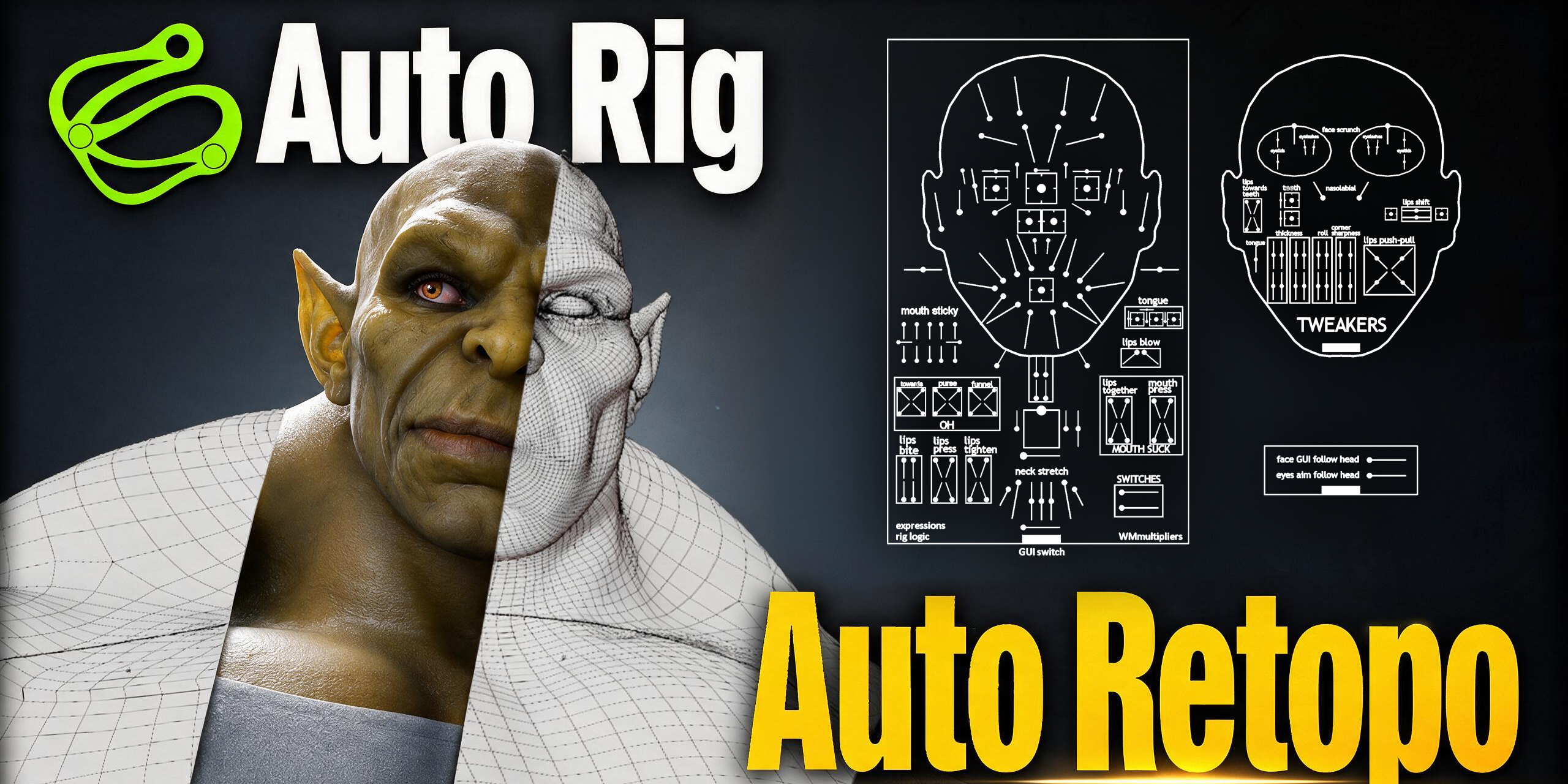
Auto-retopology AND auto-rigging in one Blender addon. Wrap a clean MetaHuman-topology cage onto any head, then get a full live facial rig with hundreds of expressions. Zero technical stuff.
Categories
Tags
Installation
- Download MetaHuman Facial Rig Transfer (MHFRT) - Auto Facial Rig & Auto Retopology and check which Blender versions the creator supports. Keep the installable archive (for example,
MetaHuman_Facial_Rig_Transfer_(MHFRT)_-_Auto_Facial_Rig_&_Auto_Retopology.zip) intact. If the download is a bundle, extract it first to find the add-on archive. - In Blender, go to Edit → Preferences → Add-ons. In Blender 4.2 and newer, open the top-right menu and choose Install from Disk. In older versions, click Install….
- Select the add-on archive (for example,
MetaHuman_Facial_Rig_Transfer_(MHFRT)_-_Auto_Facial_Rig_&_Auto_Retopology.zip) or its standalone.pyfile and confirm the installation. - Find the add-on in the Add-ons list and tick its checkbox if it isn’t already enabled.
Check the creator’s instructions for any extra setup, such as dependencies or license activation.
Compare with other products
Choose a category to find products to compare with this listing.
Product versions
-
MHFRT-4.18.5 published
Created Aug 18, 2026 · Published Aug 18, 2026
Release notes (source)
<p dir="ltr"><b>4.18.5 (reported bugs fixed)</b></p><ul dir="ltr"><li><strong>Fixed:</strong> Blender could crash partway through rendering an animation with a live facial rig.</li><li><strong>Fixed:</strong> animated body and head bones may stayed frozen during a render</li><li><strong>Fixed:</strong> corrective morphs went wrong on a head that already had its own shape keys</li></ul>
-
MHFRT-4.18.1 unlisted
Created Aug 9, 2026 · Published Aug 9, 2026
Release notes (source)
<p><br></p>
-
MHFRT-4.17.0 unlisted
Created Aug 9, 2026 · Published Aug 9, 2026
Release notes (source)
<ul><li>
<br><h2>MHFRT 4.17.0</h2>
<h3>New Features</h3>
<ul>
<li><p><strong>Standalone Rig Export</strong><br>Export your finished character as a standalone <code>.blend</code> file. Clients can use and animate the rig without owning MHFRT.</p></li>
<li><p><code>.mhfrt</code><strong> Character Files</strong><br>Save characters with their settings and continue later exactly where you left off. You can also remove the generated rig and restore the previous character setup.</p></li>
<li><p><strong>Custom Face Board Layouts</strong><br>Move, scale, arrange, save and lock the face board layout.</p></li>
<li><p><strong>Eye Target + Follow Head Controls</strong><br>Added new switches for easier eye targeting and head-follow behavior.</p></li>
<li><p><strong>Faster High-Poly Targets</strong><br>High-poly target processing is now up to <strong>10x faster</strong>.</p></li>
<li><p><strong>Custom Parts Support</strong><br>Attach beards, eyebrows, piercings and other custom parts directly to the character.</p></li>
<li><p><strong>Improved Landmark Drawing</strong><br>Added Lazy Mouse, closed loops and improved drawing controls.</p></li>
<li><p><strong>Maya-Style Navigation</strong><br>Modal tools now support Maya / Industry Compatible navigation.</p></li>
<li>
<p><strong>ARKit Export → Full Character</strong><br>Improved workflow for taking an ARKit-ready head with all <strong>52 blendshapes</strong> into a complete character rig.<br><br>In this tutorial I show the complete workflow from start to finish. <br></p>
<div class="tiptap__raw"><div style="left:0;width:100%;height:0;position:relative;padding-bottom:56.25%;"><iframe src="https://iframely.net/api/iframe?url=https%3A%2F%2Fyoutu.be%2FwuFO0o5L4yc&key=31708e31359468f73bc5b03e9dcab7da" style="top:0px;left:0px;width:100%;height:100%;position:absolute;" allowfullscreen=""></iframe></div></div>
<p><br></p>
</li>
</ul>
</li></ul>
-
MHFRT-3.15.0 unlisted
Created Aug 6, 2026 · Published Aug 6, 2026
Release notes (source)
<p>• Refined and more user-friendly interface<br>• Improved workflow and clearer controls<br>• More advanced face control board<br>• Fine-tuned RigLogic and facial behavior<br>• More natural and anatomy-aware facial deformation<br>• Improved overall expression quality<br>• New Aim Look system<br>• Aim Look can be enabled or disabled directly from the face control board<br>• Improved attachment to existing armature<br>• General fixes and workflow improvements</p>
-
MHFRT-2.0.0 unlisted
Created Aug 1, 2026 · Published Aug 1, 2026
Release notes (source)
<p>### ARKit Blend Shapes</p><p><br></p><p>Tick "ARKit Blend Shapes" in the Export step and hit Generate ARKit Head.</p><p><br></p><p>- Outputs one unrigged mesh with all 52 ARKit shapes. No RigLogic needed.</p><p>- Head, eyes, teeth and tongue are merged into a single mesh.</p><p>- Sculpted correctives are baked into the shapes.</p><p>- Shape keys use Apple's ARKit naming (jawOpen, mouthSmileLeft, browInnerUp,</p><p> eyeBlinkLeft, cheekPuff, tongueOut …) so it drops straight into iPhone</p><p> face capture, Unreal 5 or Unity with no remapping.</p>
-
MHFRT - v1.16.2 unlisted
Created Jul 30, 2026 · Published Jul 30, 2026
Release notes (source)
<p>The latest update includes:</p><ul>
<li><p><strong>Curve-Based Facial Landmark System</strong></p></li>
<li><p><strong>Advanced Skin Weight Refinement System</strong></p></li>
</ul><div class="tiptap__raw"><div style="max-width:56vh;"><div style="left:0;width:100%;height:0;position:relative;padding-bottom:177.7778%;"><iframe src="https://iframely.net/api/iframe?url=https%3A%2F%2Fyoutube.com%2Fshorts%2FiAQqOMjrLLY%3Ffeature%3Dshare&key=31708e31359468f73bc5b03e9dcab7da" style="top:0px;left:0px;width:100%;height:100%;position:absolute;" allowfullscreen=""></iframe></div></div></div>
Related products
More from this creator
No other products from this creator.