Product listing
MAX Stack - max modifiers and stack
By Valentin Klein ·
From $20.00
Listing details
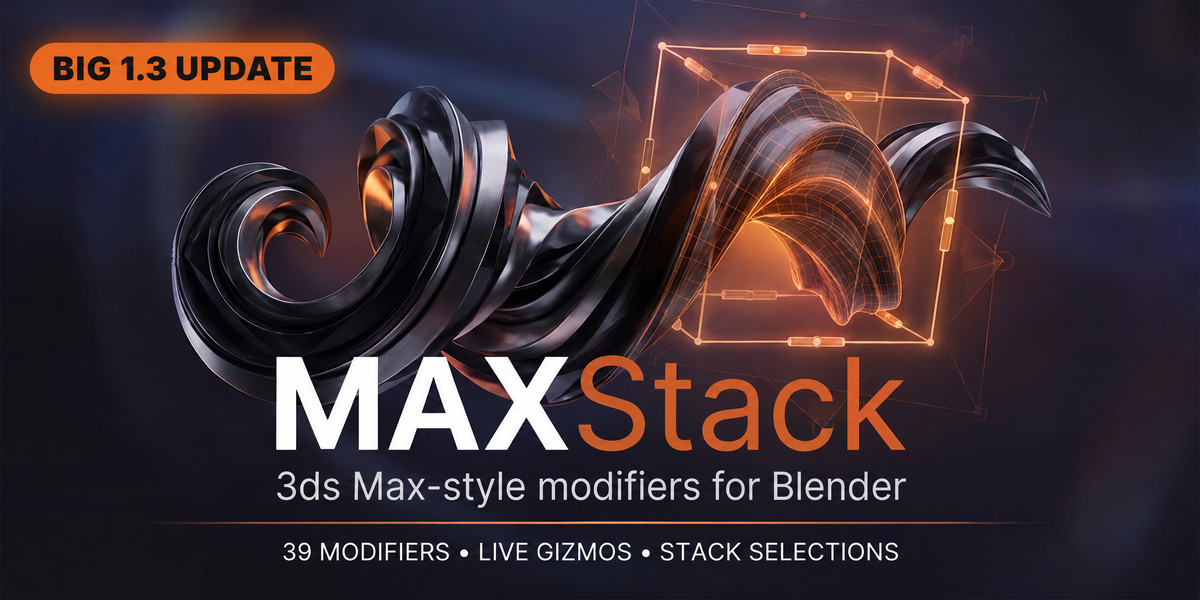
MAXStack: Advanced modifiers. Stack selections. For ex 3ds Max users and new Blender users.
Categories
Tags
Compare with other products
Choose a category to find products to compare with this listing.
Variants
-
Single User published
Price: $20.00 · List price: $20.00
Variant versions
-
1.3 published
Created Oct 2, 2026 · Published Oct 2, 2026
Release notes (source)
<p>MAXStack 1.3 — FFD, Shell, a spline pack & a new stack UI</p><p><br></p><p>10 new modifiers, 39 in total — and a redesigned MAXStack panel that shows where every selection comes from and where it goes.</p><p><br></p><p>NEW</p><p><br></p><p>- Flow stack UI: the MAXStack panel now shows your selections like a subway map. Every selection gets its own colour and its own lane down the stack list: ▼ where it is created, ☑ on every modifier that uses it as its mask, ☐ where it could be used — one click wires or unwires it. A colour chip per selection sits above the list (click = viewport heatmap).</p><p>- Mask / Creates box: the active modifier says it in plain words — "Input: MS_Selection, from Select Volume", "Creates: MS_Selection 3, used by Taper". Pick a mask from a list of the selections created above it, a vertex group or the whole mesh. A mask that can't work (nothing creates it, or it is only created further down) is flagged in red instead of silently doing nothing.</p><p>- Selections number themselves: adding, pasting or duplicating a selection modifier gives it the next free name (MS_Selection 2, MS_Selection 3 …), so a new selection never silently replaces an existing one. Type into the name field to rename a selection — the modifiers using it follow along. The + button gives a modifier a fresh selection of its own.</p><p>- The stack list behaves like a native Blender list: click to activate, double-click to rename, filter by name, remove / move up / move down beside it. The toolbar is down to two rows; Apply All, Delete All and the other whole-stack actions now sit in a Stack menu, out of reach of a stray click.</p><p>- Prefer the old look? Switch back to the Classic stack UI any time (panel header, Stack menu or the add-on preferences). Three lane mark styles to choose from: Checkbox, Check Disc, Dots.</p><p><br></p><p>- FFD: the 3ds Max lattice deformer, right in the stack. The lattice fits itself to your mesh; press Tab to move the control points with Blender's own tools (grab, rotate, scale, proportional editing). 2 to 10 points per axis, Only In Volume, selection masking, gizmo box.</p><p>- Shell: give a surface thickness. Inner / outer amount, rim segments, even thickness, rim and inner material slots, part selections.</p><p>- Lathe: revolve a profile with degrees, segments, align min / center / max, weld core and caps. The revolve axis is drawn in the viewport.</p><p>- Sweep: ten built-in sections (angle, bar, channel, cylinder, half round, quarter round, pipe, tee, tube, wide flange) or your own section, with mitred corners, pivot alignment, mirror, offsets and caps.</p><p>- Renderable Spline: round or rectangular tubes from any spline or edge path, with auto smooth.</p><p>- Normalize Spline: even point spacing by length or count.</p><p>- Lattice: edges become struts, vertices become geodesic joints (tetra / octa / icosa), each part with its own material slot.</p><p>- Relax: smooth toward neighbours, with Keep Boundary and Keep Volume (no shrinking).</p><p>- Delete Mesh: delete the incoming selection, as faces or vertices.</p><p>- Material: set a material slot on the masked faces, fixed or random per element / per face.</p><p><br></p><p>IMPROVED</p><p><br></p><p>- Spline Resolution right on every spline modifier (Extrude, Bevel, Lathe, Sweep, Renderable Spline). Leave it at 0 to use the curve's own resolution, which the MAXStack panel now shows as an editable field.</p><p>- The spline modifiers work on curve objects and on edges drawn inside a mesh, and keep the object's materials.</p><p>- The MAXStack panel shows the material name behind every material slot setting.</p><p>- A selection that was applied into the mesh (or imported with it) can be picked as a mask directly.</p><p><br></p><p>FIXED</p><p><br></p><p>- The expand arrows in the stack list showed as dashed squares.</p><p>- Blender 5.2: the Invert toggle next to the mask dropdown was missing, and "Link Upstream Selection" never found a selection.</p><p><br></p><p>Your existing scenes upgrade automatically; placed modifiers keep their settings.</p><div><br></div>
-
1.2 published
Created Sep 30, 2026 · Published Sep 30, 2026
Release notes (source)
<h2 data-line="40" class="code-line" dir="auto" id="120--edit-mesh-2026-10-01" style="margin-top: 21px; margin-bottom: 14px; line-height: 1.25; font-size: 1.5em; padding-bottom: 0.3em; border-bottom: 1px solid rgba(61, 68, 77, 0.7); border-top-color: rgba(255, 255, 255, 0.18); border-right-color: rgba(255, 255, 255, 0.18); border-left-color: rgba(255, 255, 255, 0.18); color: rgb(240, 246, 252); font-family: -apple-system, BlinkMacSystemFont, "Segoe UI", "Noto Sans", Helvetica, Arial, sans-serif, "Apple Color Emoji", "Segoe UI Emoji"; background-color: rgb(13, 17, 23);">[1.2.0] — Edit Mesh (2026-10-01)</h2><h3 data-line="42" class="code-line" dir="auto" id="added" style="margin-top: 21px; margin-bottom: 14px; line-height: 1.25; font-size: 1.25em; color: rgb(240, 246, 252); font-family: -apple-system, BlinkMacSystemFont, "Segoe UI", "Noto Sans", Helvetica, Arial, sans-serif, "Apple Color Emoji", "Segoe UI Emoji"; background-color: rgb(13, 17, 23);">Added</h3><ul data-line="43" class="code-line" dir="auto" style="margin-bottom: 14px; padding-left: 2em; color: rgb(240, 246, 252); font-family: -apple-system, BlinkMacSystemFont, "Segoe UI", "Noto Sans", Helvetica, Arial, sans-serif, "Apple Color Emoji", "Segoe UI Emoji"; background-color: rgb(13, 17, 23);"><li data-line="43" class="code-line" dir="auto"><span style="font-weight: 600;">MS_Edit Mesh</span> — the 3ds Max Edit Poly idea: an editable level in the middle of the stack. Make it the active modifier and press <span style="font-weight: 600;">Tab</span> (or the <span style="font-weight: 600;">Edit Mesh</span> button): the result of the modifiers above is captured and you edit it with every normal Blender edit tool, while the modifiers below stay live on top. Leave edit mode as usual (Tab) to return. The base mesh is never touched; each Edit Mesh keeps its own hidden copy of the mesh.<ul data-line="49" class="code-line" dir="auto" style="padding-left: 2em;"><li data-line="49" class="code-line" dir="auto"><span style="font-weight: 600;">Mode: Delta</span> (default) — your vertex moves ride on the live input, so changing a modifier above (Noise, Bend, …) still flows through. Stacked Edit Mesh modifiers work this way too.</li><li data-line="52" class="code-line" dir="auto" style="margin-top: 0.25em;"><span style="font-weight: 600;">Mode: Replace</span> — output the edited mesh as-is and ignore the input. Topology edits (extrude, delete, …) switch Delta to Replace automatically, since vertex moves can no longer be matched by index. UV, material and seam edits also only show in Replace.</li><li data-line="56" class="code-line" dir="auto" style="margin-top: 0.25em;">A <span style="font-weight: 600;">stale snapshot</span> (the input changed in a way the mode can't follow) turns the modifier red in the stack list and warns on the modifier. <span style="font-weight: 600;">Recapture</span> takes a fresh snapshot (discards the edits); <span style="font-weight: 600;">Rebase</span> (Replace) carries your vertex moves onto the current input when the topology still matches. Both are also in the row's ⋮ menu.</li><li data-line="61" class="code-line" dir="auto" style="margin-top: 0.25em;">Tab keeps its normal behaviour whenever the active modifier isn't an Edit Mesh; the binding can be changed in the add-on preferences.</li></ul></li><li data-line="63" class="code-line" dir="auto" style="margin-top: 0.25em;"><code style="font-family: ui-monospace, SFMono-Regular, "SF Mono", Menlo, Consolas, "Liberation Mono", monospace; background-color: rgba(101, 108, 118, 0.2); padding: 0.2em 0.4em; border-radius: 6px; font-size: 13.6px; line-height: 1.357em; margin: 0px; white-space: break-spaces;">build.sh --verify</code> gained Edit Mesh node + runtime stages.</li></ul><h2 data-line="65" class="code-line" dir="auto" id="110--bevel-blender-52" style="margin-top: 21px; margin-bottom: 14px; line-height: 1.25; font-size: 1.5em; padding-bottom: 0.3em; border-bottom: 1px solid rgba(61, 68, 77, 0.7); border-top-color: rgba(255, 255, 255, 0.18); border-right-color: rgba(255, 255, 255, 0.18); border-left-color: rgba(255, 255, 255, 0.18); color: rgb(240, 246, 252); font-family: -apple-system, BlinkMacSystemFont, "Segoe UI", "Noto Sans", Helvetica, Arial, sans-serif, "Apple Color Emoji", "Segoe UI Emoji"; background-color: rgb(13, 17, 23);">[1.1.0] — Bevel, Blender 5.2</h2><h3 data-line="67" class="code-line" dir="auto" id="added-1" style="margin-top: 21px; margin-bottom: 14px; line-height: 1.25; font-size: 1.25em; color: rgb(240, 246, 252); font-family: -apple-system, BlinkMacSystemFont, "Segoe UI", "Noto Sans", Helvetica, Arial, sans-serif, "Apple Color Emoji", "Segoe UI Emoji"; background-color: rgb(13, 17, 23);">Added</h3><ul data-line="68" class="code-line" dir="auto" style="margin-bottom: 14px; padding-left: 2em; color: rgb(240, 246, 252); font-family: -apple-system, BlinkMacSystemFont, "Segoe UI", "Noto Sans", Helvetica, Arial, sans-serif, "Apple Color Emoji", "Segoe UI Emoji"; background-color: rgb(13, 17, 23);"><li data-line="68" class="code-line" dir="auto"><span style="font-weight: 600;">MS_Bevel</span> — the 3ds Max Bevel modifier. Feed it a closed outline (a curve object, or a mesh's wire / boundary edges — e.g. a splat drawn as a spline) and it sweeps it through a <span style="font-weight: 600;">Start Outline</span> and up to three <span style="font-weight: 600;">Height / Outline</span> levels along Z (Level 2 / 3 toggles, like Max). Outline offsets are <span style="font-weight: 600;">mitred</span> so the rim stays an even width at corners, and every spline's winding is normalised automatically: <span style="font-weight: 600;">+ outline is always outward, holes shrink</span> (a letter counter thickens with the letter) no matter how the spline was drawn. <span style="font-weight: 600;">Rounding</span> (−1..1) bows every level's side into a true quarter-round (<code style="font-family: ui-monospace, SFMono-Regular, "SF Mono", Menlo, Consolas, "Liberation Mono", monospace; background-color: rgba(101, 108, 118, 0.2); padding: 0.2em 0.4em; border-radius: 6px; font-size: 13.6px; line-height: 1.357em; margin: 0px; white-space: break-spaces;">Segments</code> per level): + = convex rounded edge / dome, − = concave fillet, 0 = straight (straight sides still get <code style="font-family: ui-monospace, SFMono-Regular, "SF Mono", Menlo, Consolas, "Liberation Mono", monospace; background-color: rgba(101, 108, 118, 0.2); padding: 0.2em 0.4em; border-radius: 6px; font-size: 13.6px; line-height: 1.357em; margin: 0px; white-space: break-spaces;">Segments</code> subdivisions for later deforms). A water splat / puddle dome from an outline is Rounding 1 + a level with a negative Outline. <span style="font-weight: 600;">Cap Start / Cap End</span> (N-gon or Triangles), <span style="font-weight: 600;">Smooth Across Levels</span> (off = each level smoothed on its own, ring between levels crisp; sharp outline corners always crisp), and <span style="font-weight: 600;">Select Start / End / Sides</span> write the part into the <code style="font-family: ui-monospace, SFMono-Regular, "SF Mono", Menlo, Consolas, "Liberation Mono", monospace; background-color: rgba(101, 108, 118, 0.2); padding: 0.2em 0.4em; border-radius: 6px; font-size: 13.6px; line-height: 1.357em; margin: 0px; white-space: break-spaces;">Output</code> selection channel (only when one is ticked, so an idle Bevel creates no phantom channel). A closed mesh with no outline passes through untouched instead of vanishing.</li></ul><h3 data-line="87" class="code-line" dir="auto" id="changed" style="margin-top: 21px; margin-bottom: 14px; line-height: 1.25; font-size: 1.25em; color: rgb(240, 246, 252); font-family: -apple-system, BlinkMacSystemFont, "Segoe UI", "Noto Sans", Helvetica, Arial, sans-serif, "Apple Color Emoji", "Segoe UI Emoji"; background-color: rgb(13, 17, 23);">Changed</h3><ul data-line="88" class="code-line" dir="auto" style="margin-bottom: 14px; padding-left: 2em; color: rgb(240, 246, 252); font-family: -apple-system, BlinkMacSystemFont, "Segoe UI", "Noto Sans", Helvetica, Arial, sans-serif, "Apple Color Emoji", "Segoe UI Emoji"; background-color: rgb(13, 17, 23);"><li data-line="88" class="code-line" dir="auto">Extension maintainer / copyright now reads <span style="font-weight: 600;">kleinART</span> (was MediaProjekt). Contact address and website unchanged.</li><li data-line="90" class="code-line" dir="auto" style="margin-top: 0.25em;"><span style="font-weight: 600;">Build scripts run on Blender 5.2 LTS.</span> 5.2 moved Geometry Nodes modifier inputs off the modifier's IDProperties onto <code style="font-family: ui-monospace, SFMono-Regular, "SF Mono", Menlo, Consolas, "Liberation Mono", monospace; background-color: rgba(101, 108, 118, 0.2); padding: 0.2em 0.4em; border-radius: 6px; font-size: 13.6px; line-height: 1.357em; margin: 0px; white-space: break-spaces;">mod.properties.inputs.<Socket>.value</code> (menus are real enums, set by item name) and only lists the <em>active</em> data type's sockets on Random Value. <code style="font-family: ui-monospace, SFMono-Regular, "SF Mono", Menlo, Consolas, "Liberation Mono", monospace; background-color: rgba(101, 108, 118, 0.2); padding: 0.2em 0.4em; border-radius: 6px; font-size: 13.6px; line-height: 1.357em; margin: 0px; white-space: break-spaces;">build/_util.py</code> gained <code style="font-family: ui-monospace, SFMono-Regular, "SF Mono", Menlo, Consolas, "Liberation Mono", monospace; background-color: rgba(101, 108, 118, 0.2); padding: 0.2em 0.4em; border-radius: 6px; font-size: 13.6px; line-height: 1.357em; margin: 0px; white-space: break-spaces;">set_input</code> / <code style="font-family: ui-monospace, SFMono-Regular, "SF Mono", Menlo, Consolas, "Liberation Mono", monospace; background-color: rgba(101, 108, 118, 0.2); padding: 0.2em 0.4em; border-radius: 6px; font-size: 13.6px; line-height: 1.357em; margin: 0px; white-space: break-spaces;">get_input</code> / <code style="font-family: ui-monospace, SFMono-Regular, "SF Mono", Menlo, Consolas, "Liberation Mono", monospace; background-color: rgba(101, 108, 118, 0.2); padding: 0.2em 0.4em; border-radius: 6px; font-size: 13.6px; line-height: 1.357em; margin: 0px; white-space: break-spaces;">set_menu</code> shims used by <code style="font-family: ui-monospace, SFMono-Regular, "SF Mono", Menlo, Consolas, "Liberation Mono", monospace; background-color: rgba(101, 108, 118, 0.2); padding: 0.2em 0.4em; border-radius: 6px; font-size: 13.6px; line-height: 1.357em; margin: 0px; white-space: break-spaces;">verify.py</code> and <code style="font-family: ui-monospace, SFMono-Regular, "SF Mono", Menlo, Consolas, "Liberation Mono", monospace; background-color: rgba(101, 108, 118, 0.2); padding: 0.2em 0.4em; border-radius: 6px; font-size: 13.6px; line-height: 1.357em; margin: 0px; white-space: break-spaces;">render_previews.py</code>; <code style="font-family: ui-monospace, SFMono-Regular, "SF Mono", Menlo, Consolas, "Liberation Mono", monospace; background-color: rgba(101, 108, 118, 0.2); padding: 0.2em 0.4em; border-radius: 6px; font-size: 13.6px; line-height: 1.357em; margin: 0px; white-space: break-spaces;">build.py</code> looks Random Value Min/Max up by type (<code style="font-family: ui-monospace, SFMono-Regular, "SF Mono", Menlo, Consolas, "Liberation Mono", monospace; background-color: rgba(101, 108, 118, 0.2); padding: 0.2em 0.4em; border-radius: 6px; font-size: 13.6px; line-height: 1.357em; margin: 0px; white-space: break-spaces;">rv_minmax</code>). The add-on runtime (operators, gizmos, clipboard, migrate, flowlist) now reads/writes inputs through the new <code style="font-family: ui-monospace, SFMono-Regular, "SF Mono", Menlo, Consolas, "Liberation Mono", monospace; background-color: rgba(101, 108, 118, 0.2); padding: 0.2em 0.4em; border-radius: 6px; font-size: 13.6px; line-height: 1.357em; margin: 0px; white-space: break-spaces;">src/maxstack/sockets.py</code> layer, so Fit to Object, Set UV Map, gizmo drags, channel routing, Copy/Paste and auto-upgrade work on 5.2 as well as on 4.3–5.1 (fixes <code style="font-family: ui-monospace, SFMono-Regular, "SF Mono", Menlo, Consolas, "Liberation Mono", monospace; background-color: rgba(101, 108, 118, 0.2); padding: 0.2em 0.4em; border-radius: 6px; font-size: 13.6px; line-height: 1.357em; margin: 0px; white-space: break-spaces;">TypeError: bpy_struct[key] = val: id properties not supported for this type</code>).</li><li data-line="102" class="code-line" dir="auto" style="margin-top: 0.25em;"><code style="font-family: ui-monospace, SFMono-Regular, "SF Mono", Menlo, Consolas, "Liberation Mono", monospace; background-color: rgba(101, 108, 118, 0.2); padding: 0.2em 0.4em; border-radius: 6px; font-size: 13.6px; line-height: 1.357em; margin: 0px; white-space: break-spaces;">build.sh --verify</code> gained a Bevel stage (square-with-hole outline off the floor: welded rings, hole shrinks, walls outward, scratch attributes cleaned, Select End channel, closed-mesh pass-through).</li></ul>
-
-
5 User package published
Price: $90.00 · List price: $90.00
Variant versions
-
1.3 published
Created Oct 2, 2026 · Published Oct 2, 2026
Release notes (source)
<p>MAXStack 1.3 — FFD, Shell, a spline pack & a new stack UI</p><p><br></p><p>10 new modifiers, 39 in total — and a redesigned MAXStack panel that shows where every selection comes from and where it goes.</p><p><br></p><p>NEW</p><p><br></p><p>- Flow stack UI: the MAXStack panel now shows your selections like a subway map. Every selection gets its own colour and its own lane down the stack list: ▼ where it is created, ☑ on every modifier that uses it as its mask, ☐ where it could be used — one click wires or unwires it. A colour chip per selection sits above the list (click = viewport heatmap).</p><p>- Mask / Creates box: the active modifier says it in plain words — "Input: MS_Selection, from Select Volume", "Creates: MS_Selection 3, used by Taper". Pick a mask from a list of the selections created above it, a vertex group or the whole mesh. A mask that can't work (nothing creates it, or it is only created further down) is flagged in red instead of silently doing nothing.</p><p>- Selections number themselves: adding, pasting or duplicating a selection modifier gives it the next free name (MS_Selection 2, MS_Selection 3 …), so a new selection never silently replaces an existing one. Type into the name field to rename a selection — the modifiers using it follow along. The + button gives a modifier a fresh selection of its own.</p><p>- The stack list behaves like a native Blender list: click to activate, double-click to rename, filter by name, remove / move up / move down beside it. The toolbar is down to two rows; Apply All, Delete All and the other whole-stack actions now sit in a Stack menu, out of reach of a stray click.</p><p>- Prefer the old look? Switch back to the Classic stack UI any time (panel header, Stack menu or the add-on preferences). Three lane mark styles to choose from: Checkbox, Check Disc, Dots.</p><p><br></p><p>- FFD: the 3ds Max lattice deformer, right in the stack. The lattice fits itself to your mesh; press Tab to move the control points with Blender's own tools (grab, rotate, scale, proportional editing). 2 to 10 points per axis, Only In Volume, selection masking, gizmo box.</p><p>- Shell: give a surface thickness. Inner / outer amount, rim segments, even thickness, rim and inner material slots, part selections.</p><p>- Lathe: revolve a profile with degrees, segments, align min / center / max, weld core and caps. The revolve axis is drawn in the viewport.</p><p>- Sweep: ten built-in sections (angle, bar, channel, cylinder, half round, quarter round, pipe, tee, tube, wide flange) or your own section, with mitred corners, pivot alignment, mirror, offsets and caps.</p><p>- Renderable Spline: round or rectangular tubes from any spline or edge path, with auto smooth.</p><p>- Normalize Spline: even point spacing by length or count.</p><p>- Lattice: edges become struts, vertices become geodesic joints (tetra / octa / icosa), each part with its own material slot.</p><p>- Relax: smooth toward neighbours, with Keep Boundary and Keep Volume (no shrinking).</p><p>- Delete Mesh: delete the incoming selection, as faces or vertices.</p><p>- Material: set a material slot on the masked faces, fixed or random per element / per face.</p><p><br></p><p>IMPROVED</p><p><br></p><p>- Spline Resolution right on every spline modifier (Extrude, Bevel, Lathe, Sweep, Renderable Spline). Leave it at 0 to use the curve's own resolution, which the MAXStack panel now shows as an editable field.</p><p>- The spline modifiers work on curve objects and on edges drawn inside a mesh, and keep the object's materials.</p><p>- The MAXStack panel shows the material name behind every material slot setting.</p><p>- A selection that was applied into the mesh (or imported with it) can be picked as a mask directly.</p><p><br></p><p>FIXED</p><p><br></p><p>- The expand arrows in the stack list showed as dashed squares.</p><p>- Blender 5.2: the Invert toggle next to the mask dropdown was missing, and "Link Upstream Selection" never found a selection.</p><p><br></p><p>Your existing scenes upgrade automatically; placed modifiers keep their settings.</p><div><br></div>
-
1.2 published
Created Sep 30, 2026 · Published Sep 30, 2026
Release notes (source)
<h2 data-line="40" class="code-line" dir="auto" id="120--edit-mesh-2026-10-01" style="margin-top: 21px; margin-bottom: 14px; line-height: 1.25; font-size: 1.5em; padding-bottom: 0.3em; border-bottom: 1px solid rgba(61, 68, 77, 0.7); border-top-color: rgba(255, 255, 255, 0.18); border-right-color: rgba(255, 255, 255, 0.18); border-left-color: rgba(255, 255, 255, 0.18); color: rgb(240, 246, 252); font-family: -apple-system, BlinkMacSystemFont, "Segoe UI", "Noto Sans", Helvetica, Arial, sans-serif, "Apple Color Emoji", "Segoe UI Emoji"; background-color: rgb(13, 17, 23);">[1.2.0] — Edit Mesh (2026-10-01)</h2><h3 data-line="42" class="code-line" dir="auto" id="added" style="margin-top: 21px; margin-bottom: 14px; line-height: 1.25; font-size: 1.25em; color: rgb(240, 246, 252); font-family: -apple-system, BlinkMacSystemFont, "Segoe UI", "Noto Sans", Helvetica, Arial, sans-serif, "Apple Color Emoji", "Segoe UI Emoji"; background-color: rgb(13, 17, 23);">Added</h3><ul data-line="43" class="code-line" dir="auto" style="margin-bottom: 14px; padding-left: 2em; color: rgb(240, 246, 252); font-family: -apple-system, BlinkMacSystemFont, "Segoe UI", "Noto Sans", Helvetica, Arial, sans-serif, "Apple Color Emoji", "Segoe UI Emoji"; background-color: rgb(13, 17, 23);"><li data-line="43" class="code-line" dir="auto"><span style="font-weight: 600;">MS_Edit Mesh</span> — the 3ds Max Edit Poly idea: an editable level in the middle of the stack. Make it the active modifier and press <span style="font-weight: 600;">Tab</span> (or the <span style="font-weight: 600;">Edit Mesh</span> button): the result of the modifiers above is captured and you edit it with every normal Blender edit tool, while the modifiers below stay live on top. Leave edit mode as usual (Tab) to return. The base mesh is never touched; each Edit Mesh keeps its own hidden copy of the mesh.<ul data-line="49" class="code-line" dir="auto" style="padding-left: 2em;"><li data-line="49" class="code-line" dir="auto"><span style="font-weight: 600;">Mode: Delta</span> (default) — your vertex moves ride on the live input, so changing a modifier above (Noise, Bend, …) still flows through. Stacked Edit Mesh modifiers work this way too.</li><li data-line="52" class="code-line" dir="auto" style="margin-top: 0.25em;"><span style="font-weight: 600;">Mode: Replace</span> — output the edited mesh as-is and ignore the input. Topology edits (extrude, delete, …) switch Delta to Replace automatically, since vertex moves can no longer be matched by index. UV, material and seam edits also only show in Replace.</li><li data-line="56" class="code-line" dir="auto" style="margin-top: 0.25em;">A <span style="font-weight: 600;">stale snapshot</span> (the input changed in a way the mode can't follow) turns the modifier red in the stack list and warns on the modifier. <span style="font-weight: 600;">Recapture</span> takes a fresh snapshot (discards the edits); <span style="font-weight: 600;">Rebase</span> (Replace) carries your vertex moves onto the current input when the topology still matches. Both are also in the row's ⋮ menu.</li><li data-line="61" class="code-line" dir="auto" style="margin-top: 0.25em;">Tab keeps its normal behaviour whenever the active modifier isn't an Edit Mesh; the binding can be changed in the add-on preferences.</li></ul></li><li data-line="63" class="code-line" dir="auto" style="margin-top: 0.25em;"><code style="font-family: ui-monospace, SFMono-Regular, "SF Mono", Menlo, Consolas, "Liberation Mono", monospace; background-color: rgba(101, 108, 118, 0.2); padding: 0.2em 0.4em; border-radius: 6px; font-size: 13.6px; line-height: 1.357em; margin: 0px; white-space: break-spaces;">build.sh --verify</code> gained Edit Mesh node + runtime stages.</li></ul><h2 data-line="65" class="code-line" dir="auto" id="110--bevel-blender-52" style="margin-top: 21px; margin-bottom: 14px; line-height: 1.25; font-size: 1.5em; padding-bottom: 0.3em; border-bottom: 1px solid rgba(61, 68, 77, 0.7); border-top-color: rgba(255, 255, 255, 0.18); border-right-color: rgba(255, 255, 255, 0.18); border-left-color: rgba(255, 255, 255, 0.18); color: rgb(240, 246, 252); font-family: -apple-system, BlinkMacSystemFont, "Segoe UI", "Noto Sans", Helvetica, Arial, sans-serif, "Apple Color Emoji", "Segoe UI Emoji"; background-color: rgb(13, 17, 23);">[1.1.0] — Bevel, Blender 5.2</h2><h3 data-line="67" class="code-line" dir="auto" id="added-1" style="margin-top: 21px; margin-bottom: 14px; line-height: 1.25; font-size: 1.25em; color: rgb(240, 246, 252); font-family: -apple-system, BlinkMacSystemFont, "Segoe UI", "Noto Sans", Helvetica, Arial, sans-serif, "Apple Color Emoji", "Segoe UI Emoji"; background-color: rgb(13, 17, 23);">Added</h3><ul data-line="68" class="code-line" dir="auto" style="margin-bottom: 14px; padding-left: 2em; color: rgb(240, 246, 252); font-family: -apple-system, BlinkMacSystemFont, "Segoe UI", "Noto Sans", Helvetica, Arial, sans-serif, "Apple Color Emoji", "Segoe UI Emoji"; background-color: rgb(13, 17, 23);"><li data-line="68" class="code-line" dir="auto"><span style="font-weight: 600;">MS_Bevel</span> — the 3ds Max Bevel modifier. Feed it a closed outline (a curve object, or a mesh's wire / boundary edges — e.g. a splat drawn as a spline) and it sweeps it through a <span style="font-weight: 600;">Start Outline</span> and up to three <span style="font-weight: 600;">Height / Outline</span> levels along Z (Level 2 / 3 toggles, like Max). Outline offsets are <span style="font-weight: 600;">mitred</span> so the rim stays an even width at corners, and every spline's winding is normalised automatically: <span style="font-weight: 600;">+ outline is always outward, holes shrink</span> (a letter counter thickens with the letter) no matter how the spline was drawn. <span style="font-weight: 600;">Rounding</span> (−1..1) bows every level's side into a true quarter-round (<code style="font-family: ui-monospace, SFMono-Regular, "SF Mono", Menlo, Consolas, "Liberation Mono", monospace; background-color: rgba(101, 108, 118, 0.2); padding: 0.2em 0.4em; border-radius: 6px; font-size: 13.6px; line-height: 1.357em; margin: 0px; white-space: break-spaces;">Segments</code> per level): + = convex rounded edge / dome, − = concave fillet, 0 = straight (straight sides still get <code style="font-family: ui-monospace, SFMono-Regular, "SF Mono", Menlo, Consolas, "Liberation Mono", monospace; background-color: rgba(101, 108, 118, 0.2); padding: 0.2em 0.4em; border-radius: 6px; font-size: 13.6px; line-height: 1.357em; margin: 0px; white-space: break-spaces;">Segments</code> subdivisions for later deforms). A water splat / puddle dome from an outline is Rounding 1 + a level with a negative Outline. <span style="font-weight: 600;">Cap Start / Cap End</span> (N-gon or Triangles), <span style="font-weight: 600;">Smooth Across Levels</span> (off = each level smoothed on its own, ring between levels crisp; sharp outline corners always crisp), and <span style="font-weight: 600;">Select Start / End / Sides</span> write the part into the <code style="font-family: ui-monospace, SFMono-Regular, "SF Mono", Menlo, Consolas, "Liberation Mono", monospace; background-color: rgba(101, 108, 118, 0.2); padding: 0.2em 0.4em; border-radius: 6px; font-size: 13.6px; line-height: 1.357em; margin: 0px; white-space: break-spaces;">Output</code> selection channel (only when one is ticked, so an idle Bevel creates no phantom channel). A closed mesh with no outline passes through untouched instead of vanishing.</li></ul><h3 data-line="87" class="code-line" dir="auto" id="changed" style="margin-top: 21px; margin-bottom: 14px; line-height: 1.25; font-size: 1.25em; color: rgb(240, 246, 252); font-family: -apple-system, BlinkMacSystemFont, "Segoe UI", "Noto Sans", Helvetica, Arial, sans-serif, "Apple Color Emoji", "Segoe UI Emoji"; background-color: rgb(13, 17, 23);">Changed</h3><ul data-line="88" class="code-line" dir="auto" style="margin-bottom: 14px; padding-left: 2em; color: rgb(240, 246, 252); font-family: -apple-system, BlinkMacSystemFont, "Segoe UI", "Noto Sans", Helvetica, Arial, sans-serif, "Apple Color Emoji", "Segoe UI Emoji"; background-color: rgb(13, 17, 23);"><li data-line="88" class="code-line" dir="auto">Extension maintainer / copyright now reads <span style="font-weight: 600;">kleinART</span> (was MediaProjekt). Contact address and website unchanged.</li><li data-line="90" class="code-line" dir="auto" style="margin-top: 0.25em;"><span style="font-weight: 600;">Build scripts run on Blender 5.2 LTS.</span> 5.2 moved Geometry Nodes modifier inputs off the modifier's IDProperties onto <code style="font-family: ui-monospace, SFMono-Regular, "SF Mono", Menlo, Consolas, "Liberation Mono", monospace; background-color: rgba(101, 108, 118, 0.2); padding: 0.2em 0.4em; border-radius: 6px; font-size: 13.6px; line-height: 1.357em; margin: 0px; white-space: break-spaces;">mod.properties.inputs.<Socket>.value</code> (menus are real enums, set by item name) and only lists the <em>active</em> data type's sockets on Random Value. <code style="font-family: ui-monospace, SFMono-Regular, "SF Mono", Menlo, Consolas, "Liberation Mono", monospace; background-color: rgba(101, 108, 118, 0.2); padding: 0.2em 0.4em; border-radius: 6px; font-size: 13.6px; line-height: 1.357em; margin: 0px; white-space: break-spaces;">build/_util.py</code> gained <code style="font-family: ui-monospace, SFMono-Regular, "SF Mono", Menlo, Consolas, "Liberation Mono", monospace; background-color: rgba(101, 108, 118, 0.2); padding: 0.2em 0.4em; border-radius: 6px; font-size: 13.6px; line-height: 1.357em; margin: 0px; white-space: break-spaces;">set_input</code> / <code style="font-family: ui-monospace, SFMono-Regular, "SF Mono", Menlo, Consolas, "Liberation Mono", monospace; background-color: rgba(101, 108, 118, 0.2); padding: 0.2em 0.4em; border-radius: 6px; font-size: 13.6px; line-height: 1.357em; margin: 0px; white-space: break-spaces;">get_input</code> / <code style="font-family: ui-monospace, SFMono-Regular, "SF Mono", Menlo, Consolas, "Liberation Mono", monospace; background-color: rgba(101, 108, 118, 0.2); padding: 0.2em 0.4em; border-radius: 6px; font-size: 13.6px; line-height: 1.357em; margin: 0px; white-space: break-spaces;">set_menu</code> shims used by <code style="font-family: ui-monospace, SFMono-Regular, "SF Mono", Menlo, Consolas, "Liberation Mono", monospace; background-color: rgba(101, 108, 118, 0.2); padding: 0.2em 0.4em; border-radius: 6px; font-size: 13.6px; line-height: 1.357em; margin: 0px; white-space: break-spaces;">verify.py</code> and <code style="font-family: ui-monospace, SFMono-Regular, "SF Mono", Menlo, Consolas, "Liberation Mono", monospace; background-color: rgba(101, 108, 118, 0.2); padding: 0.2em 0.4em; border-radius: 6px; font-size: 13.6px; line-height: 1.357em; margin: 0px; white-space: break-spaces;">render_previews.py</code>; <code style="font-family: ui-monospace, SFMono-Regular, "SF Mono", Menlo, Consolas, "Liberation Mono", monospace; background-color: rgba(101, 108, 118, 0.2); padding: 0.2em 0.4em; border-radius: 6px; font-size: 13.6px; line-height: 1.357em; margin: 0px; white-space: break-spaces;">build.py</code> looks Random Value Min/Max up by type (<code style="font-family: ui-monospace, SFMono-Regular, "SF Mono", Menlo, Consolas, "Liberation Mono", monospace; background-color: rgba(101, 108, 118, 0.2); padding: 0.2em 0.4em; border-radius: 6px; font-size: 13.6px; line-height: 1.357em; margin: 0px; white-space: break-spaces;">rv_minmax</code>). The add-on runtime (operators, gizmos, clipboard, migrate, flowlist) now reads/writes inputs through the new <code style="font-family: ui-monospace, SFMono-Regular, "SF Mono", Menlo, Consolas, "Liberation Mono", monospace; background-color: rgba(101, 108, 118, 0.2); padding: 0.2em 0.4em; border-radius: 6px; font-size: 13.6px; line-height: 1.357em; margin: 0px; white-space: break-spaces;">src/maxstack/sockets.py</code> layer, so Fit to Object, Set UV Map, gizmo drags, channel routing, Copy/Paste and auto-upgrade work on 5.2 as well as on 4.3–5.1 (fixes <code style="font-family: ui-monospace, SFMono-Regular, "SF Mono", Menlo, Consolas, "Liberation Mono", monospace; background-color: rgba(101, 108, 118, 0.2); padding: 0.2em 0.4em; border-radius: 6px; font-size: 13.6px; line-height: 1.357em; margin: 0px; white-space: break-spaces;">TypeError: bpy_struct[key] = val: id properties not supported for this type</code>).</li><li data-line="102" class="code-line" dir="auto" style="margin-top: 0.25em;"><code style="font-family: ui-monospace, SFMono-Regular, "SF Mono", Menlo, Consolas, "Liberation Mono", monospace; background-color: rgba(101, 108, 118, 0.2); padding: 0.2em 0.4em; border-radius: 6px; font-size: 13.6px; line-height: 1.357em; margin: 0px; white-space: break-spaces;">build.sh --verify</code> gained a Bevel stage (square-with-hole outline off the floor: welded rings, hole shrinks, walls outward, scratch attributes cleaned, Select End channel, closed-mesh pass-through).</li></ul>
-