Product listing
LOD Generator
By Pradeep Prasad ·
From $22.49
Listing details
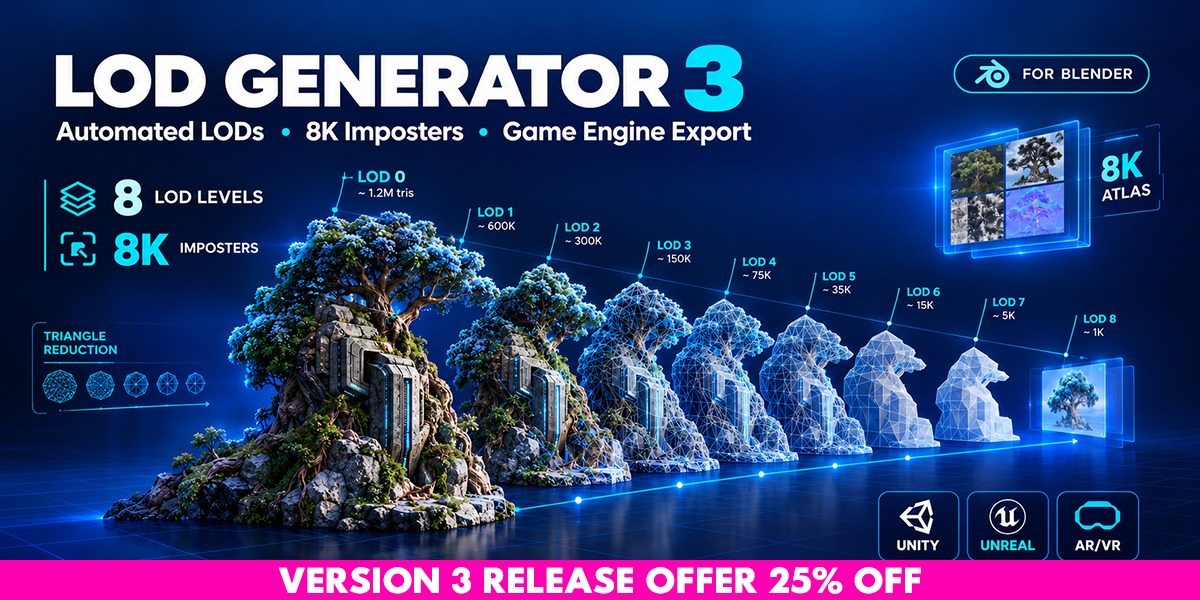
Stop wasting hours manually decimating meshes and setting up engine LODs. Turn dense multi-million sculpts, photogrammetry scans, and complex scenes into performance-ready game assets in under 60 seconds. 🛠️ Auto-generate up to 8 LODs with one click 🎚️ Adjustable poly-reduction sliders per level ⚙️ Smart reduction modes: Crunch, Protect & Exclude 👀 Real-time camera-based distance preview 📉 Poly & vertex count display ✅ Preserves UVs, volume & materials 🔄 Batch LOD generation with clean UI in the N-panel Perfect for optimizing assets for Unreal, Unity, WebGL & more 🔥 📦 Includes install guide, full docs, and support 👉 Get it now & boost your Blender pipeline! #Blender3D #GameDev #LOD #Optimization #UnrealEngine #Unity3D #BlenderAddon #DAWTools #Realtime3D #IndieDev
Categories
Tags
Installation
- Download LOD Generator and check which Blender versions the creator supports. Keep the installable archive (for example,
LOD_Generator.zip) intact. If the download is a bundle, extract it first to find the add-on archive. - In Blender, go to Edit → Preferences → Add-ons. In Blender 4.2 and newer, open the top-right menu and choose Install from Disk. In older versions, click Install….
- Select the add-on archive (for example,
LOD_Generator.zip) or its standalone.pyfile and confirm the installation. - Find the add-on in the Add-ons list and tick its checkbox if it isn’t already enabled.
Check the creator’s instructions for any extra setup, such as dependencies or license activation.
Compare with other products
Choose a category to find products to compare with this listing.
Variants
-
Commercial License published
Price: $67.49 · List price: $89.99 · On sale
Variant versions
-
3.0 published
Created Nov 20, 2026 · Published Nov 20, 2026
Release notes (source)
<p>Version 3 is a complete generational leap.<br>We rebuilt the architecture from the ground up: introducing the full 8-type Smart Imposterize engine, interactive Distance Simulation HUD with real-time viewport swapping, companion texture auto-relocation, and native Blender 4.2 LTS through 5.2+ Extension support.</p>
-
2.1 published
Created Jun 6, 2026 · Published Jun 6, 2026
Release notes (source)
<p>added manifest file for extension </p>
-
-
Personal License published
Price: $22.49 · List price: $29.99 · On sale
Variant versions
-
3.0 published
Created Nov 20, 2026 · Published Nov 20, 2026
Release notes (source)
<p>Version 3 is a complete generational leap. <br>We rebuilt the architecture from the ground up: introducing the full 8-type Smart Imposterize engine, interactive Distance Simulation HUD with real-time viewport swapping, companion texture auto-relocation, and native Blender 4.2 LTS through 5.2+ Extension support.</p>
-
2.1 published
Created Jun 6, 2026 · Published Jun 6, 2026
Release notes (source)
<p>added manifest file for extension </p>
-
Product versions
-
3.0 published
Created Nov 20, 2026 · Published Nov 20, 2026
Release notes (source)
<p>Version 3 is a complete generational leap.<br>We rebuilt the architecture from the ground up: introducing the full 8-type Smart Imposterize engine, interactive Distance Simulation HUD with real-time viewport swapping, companion texture auto-relocation, and native Blender 4.2 LTS through 5.2+ Extension support.</p>
-
3.0 published
Created Nov 20, 2026 · Published Nov 20, 2026
Release notes (source)
<p>Version 3 is a complete generational leap. <br>We rebuilt the architecture from the ground up: introducing the full 8-type Smart Imposterize engine, interactive Distance Simulation HUD with real-time viewport swapping, companion texture auto-relocation, and native Blender 4.2 LTS through 5.2+ Extension support.</p>
-
2.1 published
Created Jun 6, 2026 · Published Jun 6, 2026
Release notes (source)
<p>added manifest file for extension </p>
-
2.1 published
Created Jun 6, 2026 · Published Jun 6, 2026
Release notes (source)
<p>added manifest file for extension </p>
-
2 published
Created Nov 13, 2025 · Published Nov 13, 2025
Release notes (source)
<h2 data-start="282" data-end="304"><strong data-start="285" data-end="304">🚀 New Features</strong></h2><ul data-start="305" data-end="1140"> <li data-start="305" data-end="387"> <p data-start="307" data-end="387">Added support for <strong data-start="325" data-end="347">up to 8 LOD levels</strong> with per-level enable/disable toggles</p> </li> <li data-start="388" data-end="470"> <p data-start="390" data-end="470">Introduced <strong data-start="401" data-end="440">real-time LOD Distance Preview Mode</strong> with camera-based switching</p> </li> <li data-start="471" data-end="541"> <p data-start="473" data-end="541">New <strong data-start="477" data-end="503">Smart Export v2 system</strong> with engine-specific export presets</p> </li> <li data-start="542" data-end="588"> <p data-start="544" data-end="588">Added <strong data-start="550" data-end="586">Unity Prefab metadata generation</strong></p> </li> <li data-start="589" data-end="639"> <p data-start="591" data-end="639">Added <strong data-start="597" data-end="637">Unreal Blueprint metadata generation</strong></p> </li> <li data-start="640" data-end="710"> <p data-start="642" data-end="710">Added <strong data-start="648" data-end="682">AR/VR Manifest file generation</strong> for WebXR/AR/VR pipelines</p> </li> <li data-start="711" data-end="801"> <p data-start="713" data-end="801">Implemented <strong data-start="725" data-end="768">LOD polygon & vertex estimation display</strong> for accurate reduction preview</p> </li> <li data-start="802" data-end="963"> <p data-start="804" data-end="963">Added <strong data-start="810" data-end="827">preset system</strong> with industry profiles:<br data-start="851" data-end="854"> <em data-start="856" data-end="961">Mobile Performance, Console/PC Balanced, High-End Cinematic, VR/AR Optimized, RTS, Ultra Mobile, Custom</em></p> </li> <li data-start="964" data-end="1046"> <p data-start="966" data-end="1046">Added <strong data-start="972" data-end="999">vertex group protection</strong> (protect important details during reduction)</p> </li> <li data-start="1047" data-end="1140"> <p data-start="1049" data-end="1140">New <strong data-start="1053" data-end="1084">three optimization methods:</strong><br data-start="1084" data-end="1087"> ✔ Collapse<br data-start="1099" data-end="1102"> ✔ Un-Subdivide<br data-start="1118" data-end="1121"> ✔ Planar Reduce</p> </li> </ul><hr data-start="1142" data-end="1145"><h2 data-start="1147" data-end="1168"><strong data-start="1150" data-end="1168">✨ Improvements</strong></h2><ul data-start="1169" data-end="1637"> <li data-start="1169" data-end="1219"> <p data-start="1171" data-end="1219">Fully redesigned UI panel for faster LOD setup</p> </li> <li data-start="1220" data-end="1277"> <p data-start="1222" data-end="1277">Improved naming system: <code data-start="1246" data-end="1259">Object_LOD0</code> → <code data-start="1262" data-end="1275">Object_LOD7</code></p> </li> <li data-start="1278" data-end="1326"> <p data-start="1280" data-end="1326">Better material, UV, and volume preservation</p> </li> <li data-start="1327" data-end="1373"> <p data-start="1329" data-end="1373">More accurate reduction for complex meshes</p> </li> <li data-start="1374" data-end="1421"> <p data-start="1376" data-end="1421">Optimized multi-object batch LOD generation</p> </li> <li data-start="1422" data-end="1484"> <p data-start="1424" data-end="1484">Cleaner export hierarchy management with optional grouping</p> </li> <li data-start="1485" data-end="1537"> <p data-start="1487" data-end="1537">Improved transform baking pipeline during export</p> </li> <li data-start="1538" data-end="1582"> <p data-start="1540" data-end="1582">Enhanced compatibility with Blender 4.1+</p> </li> <li data-start="1583" data-end="1637"> <p data-start="1585" data-end="1637">Smarter auto-detection of cameras for preview mode</p> </li> </ul><hr data-start="1639" data-end="1642"><h2 data-start="1644" data-end="1682"><strong data-start="1647" data-end="1682">⚙️ Export Workflow Enhancements</strong></h2><h3 data-start="1683" data-end="1696"><strong data-start="1687" data-end="1696">Unity</strong></h3><ul data-start="1697" data-end="1831"> <li data-start="1697" data-end="1735"> <p data-start="1699" data-end="1735">Auto LODGroup JSON file generation</p> </li> <li data-start="1736" data-end="1784"> <p data-start="1738" data-end="1784">Proper axis orientation (Forward: -Z, Up: Y)</p> </li> <li data-start="1785" data-end="1831"> <p data-start="1787" data-end="1831">Improved FBX export with embedded textures</p> </li> </ul><h3 data-start="1833" data-end="1854"><strong data-start="1837" data-end="1854">Unreal Engine</strong></h3><ul data-start="1855" data-end="1967"> <li data-start="1855" data-end="1883"> <p data-start="1857" data-end="1883">Auto LOD system metadata</p> </li> <li data-start="1884" data-end="1926"> <p data-start="1886" data-end="1926">Correct axis setup (Forward: X, Up: Z)</p> </li> <li data-start="1927" data-end="1967"> <p data-start="1929" data-end="1967">Cleaner Blueprint metadata structure</p> </li> </ul><h3 data-start="1969" data-end="1982"><strong data-start="1973" data-end="1982">AR/VR</strong></h3><ul data-start="2115" data-end="2520"> <li data-start="1983" data-end="2028"> <p data-start="1985" data-end="2028">Optimized GLB pipeline for WebXR & mobile</p> </li> <li data-start="2029" data-end="2061"> <p data-start="2031" data-end="2061">New manifest.json generation</p> </li> <li data-start="2062" data-end="2092"> <p data-start="2064" data-end="2092">Animation export supported</p></li><li data-start="2455" data-end="2520"><br> </li> </ul><hr data-start="2522" data-end="2525"><h2 data-start="2527" data-end="2556"><strong data-start="2530" data-end="2556">📦 Technical Additions</strong></h2><ul data-start="2557" data-end="2823"> <li data-start="2557" data-end="2608"> <p data-start="2559" data-end="2608">New manifest.toml for marketplace compatibility</p> </li> <li data-start="2609" data-end="2717"> <p data-start="2611" data-end="2717">Operators reorganized into:<br data-start="2638" data-end="2641"> <code data-start="2643" data-end="2660">lod_creation.py</code>, <code data-start="2662" data-end="2679">Smart_export.py</code>, <code data-start="2681" data-end="2694">ui_panel.py</code>, and <code data-start="2700" data-end="2715">properties.py</code></p> </li> <li data-start="2718" data-end="2777"> <p data-start="2720" data-end="2777">Added more robust error popup handler for export issues</p> </li> <li data-start="2778" data-end="2823"> <p data-start="2780" data-end="2823">Added mesh statistics display to UI panel</p> </li> </ul><hr data-start="2825" data-end="2828"><h2 data-start="2830" data-end="2853"><strong data-start="2833" data-end="2853">📚 Documentation</strong></h2><p> </p><ul data-start="2854" data-end="3049"> <li data-start="2854" data-end="2910"> <p data-start="2856" data-end="2910">Fully rewritten documentation covering all workflows</p> </li> <li data-start="2911" data-end="3003"> <p data-start="2913" data-end="3003">Added multiple real-world examples (Mobile Game, VR Environment, RTS Unit, Custom Setup)</p> </li> <li data-start="3004" data-end="3049"> <p data-start="3006" data-end="3049">Expanded FAQ and troubleshooting sections</p></li></ul>