Product listing
LN LODs Pro
By Chris Da Ros ·
$20.00
List price: $20.00
Listing details
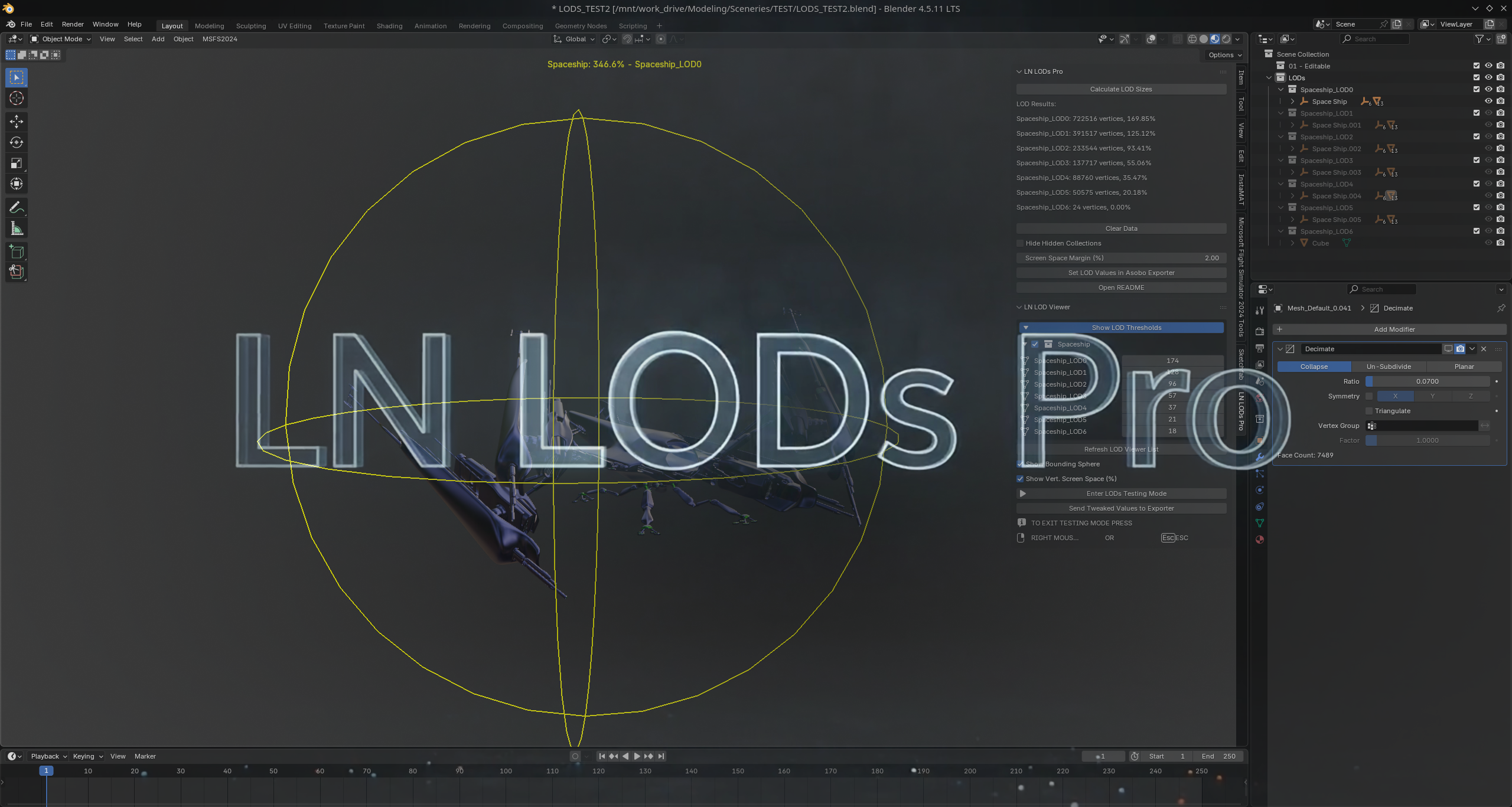
Stop guessing your LOD thresholds. Start automating them. LN LODs PRO automates Level-of-Detail setup for Microsoft Flight Simulator 2020 and 2024. If you make aircraft or scenery, this tool saves you hours of manual LOD tweaking. Just name your collections like you normally would, click a button, and the addon calculates the correct screen-size thresholds for the Asobo Exporter, and allows you to visualize them straight in the Sim.
Categories
Tags
Installation
- Download LN LODs Pro and check which Blender versions the creator supports. Keep the installable archive (for example,
LN_LODs_Pro.zip) intact. If the download is a bundle, extract it first to find the add-on archive. - In Blender, go to Edit → Preferences → Add-ons. In Blender 4.2 and newer, open the top-right menu and choose Install from Disk. In older versions, click Install….
- Select the add-on archive (for example,
LN_LODs_Pro.zip) or its standalone.pyfile and confirm the installation. - Find the add-on in the Add-ons list and tick its checkbox if it isn’t already enabled.
Check the creator’s instructions for any extra setup, such as dependencies or license activation.
Compare with other products
Choose a category to find products to compare with this listing.
Product versions
-
LN LODs Pro V4.0.3 published
Created Nov 4, 2026 · Published Nov 4, 2026
Release notes (source)
<blockquote><p><strong>What's fixed</strong></p>
<ul>
<li>Testing Mode can no longer lock a file: a stuck state is detected and repaired automatically.</li>
<li>New <strong>Fix Stuck Testing Mode</strong> / <strong>Force Exit Testing Mode</strong> button — one click restores the viewport, collections and addon state.</li>
<li>Opening a project saved during Testing Mode now repairs it on load.</li>
<li>Pressing <em>Enter LODs Testing Mode</em> on an inconsistent state now recovers and starts instead of refusing.</li>
<li>Safety: exiting Testing Mode after an undo can no longer delete mesh data.</li>
<li>General robustness: the testing session now shuts down cleanly even if something goes wrong internally.</li>
</ul>
<p><strong>If you are currently stuck:</strong> update the addon, open your project and click <strong>Fix Stuck Testing Mode</strong>. Back up your file first if it was saved while Testing Mode was active, and check your modifiers before re-enabling them.</p></blockquote>