Product listing
Light It Up Pro – Blender Lighting Presets & Studio Suite: 39 Rigs, Backdrops, Gobos, IES, Fog & Light Beams
By Rasheed Shaikh ·
From $44.10
Listing details
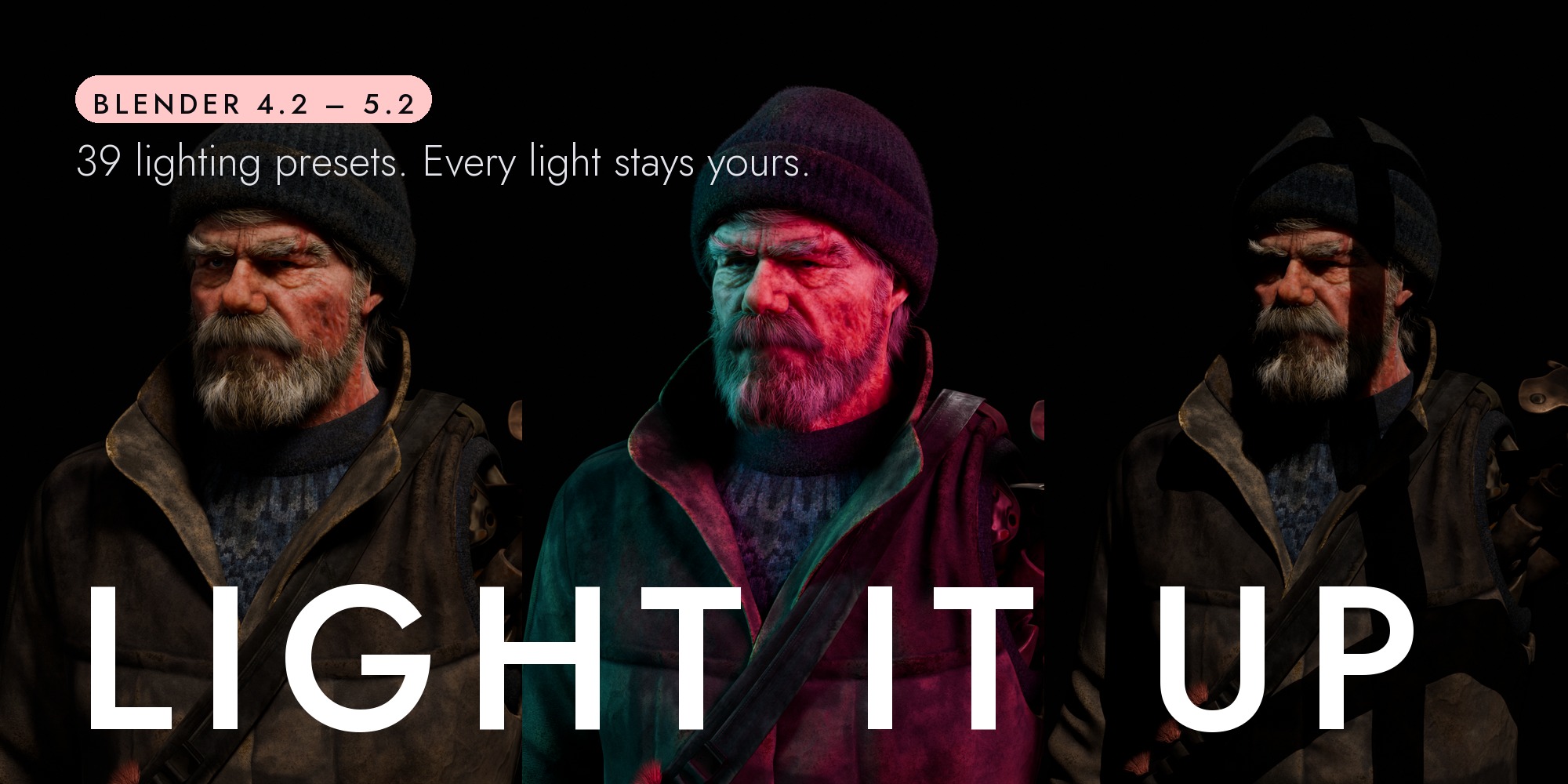
Your render is flat because it's lit too evenly. One click builds a real, editable Blender lighting rig - then shape it with gobos, IES and softboxes, and draw the beam itself in the air.
Categories
Tags
Installation
- Download Light It Up Pro – Blender Lighting Presets & Studio Suite: 39 Rigs, Backdrops, Gobos, IES, Fog & Light Beams and check which Blender versions the creator supports. Keep the installable archive (for example,
Light_It_Up_Pro_–_Blender_Lighting_Presets_&_Studio_Suite:_39_Rigs,_Backdrops,_Gobos,_IES,_Fog_&_Light_Beams.zip) intact. If the download is a bundle, extract it first to find the add-on archive. - In Blender, go to Edit → Preferences → Add-ons. In Blender 4.2 and newer, open the top-right menu and choose Install from Disk. In older versions, click Install….
- Select the add-on archive (for example,
Light_It_Up_Pro_–_Blender_Lighting_Presets_&_Studio_Suite:_39_Rigs,_Backdrops,_Gobos,_IES,_Fog_&_Light_Beams.zip) or its standalone.pyfile and confirm the installation. - Find the add-on in the Add-ons list and tick its checkbox if it isn’t already enabled.
Check the creator’s instructions for any extra setup, such as dependencies or license activation.
Compare with other products
Choose a category to find products to compare with this listing.
Variants
-
RETIRED - DO NOT USE disabled
Price: $18.00 · List price: $20.00 · On sale
-
Individual published
Price: $44.10 · List price: $49.00 · On sale
Variant versions
-
4.1.0 published
Created Oct 2, 2026 · Published Oct 2, 2026
Release notes (source)
<p>What's new in 4.1.0. There are GIFs of every change on the product page, under "New in 4.1".</p><p><br></p><p>New</p><p>- Silhouette preset. Your subject goes dark against a bright, even wall.</p><p>- Rim + Top preset. Rim Light's edges plus a soft light on top of the head, or on the top of a product.</p><p>- Face Camera button. Turns the whole rig to face your camera. Handy when you shoot from the side and the key light ends up on the wrong side of the face.</p><p>- Curve control for the Infinity Curve set. Leave it on Auto, or turn Auto off and set how soft the corner between floor and wall is. It stays where you put it.</p><p>- Panel hints. If a preset needs a wall behind your subject and there isn't one, or the wall is too dark, the panel tells you. It only tells you. Nothing in your scene changes.</p><p><br></p><p>Changed</p><p>- Replace Existing is now on by default. Click through the presets and each one swaps out the last. Turn it off if you want to stack presets.</p><p>- Rim Light is rebuilt. It's now a strong, thin edge of light from behind. It no longer lights the floor in front or the side facing the camera. On a car it adds light along the roof and the wheel arches.</p><p>- Rim Light now lights every part of a character (body, hair, clothes), not just the part you clicked.</p><p>- In fog, Rim Light lights up the fog again, as soft glows.</p><p>- The portrait presets look different from each other now. Loop lights from the side, Cross Light has two keys from opposite sides, Butterfly puts the shadow under the nose and keeps the eyes lit, and Clamshell adds light from below.</p><p>- Ring Light is a real ring of lamps now, so the catchlight in the eyes is round.</p><p>- Bright Field gives you a clean white background. Before, a wall far behind your subject went grey. Now the background lights get enough power for how far away the wall is.</p><p>- God Rays and Window Shafts now point at your subject. Before, they aimed at the middle of the whole scene, so the pattern could land beside or above your subject. Now they light it from the side, so you can see the window frame and the blind slats on it, and the fog stays thin enough to see the pattern.</p><p>- Sunset puts the sun at 5 degrees.</p><p>- Every preset thumbnail is re-rendered.</p><p><br></p><p>Fixed</p><p>- The rig now measures your whole object, wheels, hair and clothes included. A small part far away no longer makes the rig huge, and a floor parented to your object is ignored. A car's tyres now sit on the set floor instead of sinking into it.</p><p>- Portrait presets find a posed character's head on their own.</p><p>- EEVEE: fill and rim lights no longer drop out.</p><p><br></p><p>Same as before, on purpose</p><p>- Presets still remember the last thing you lit.</p><p>- Lights still don't follow your character's animation.</p>
-
4.0.0 published
Created Sep 19, 2026 · Published Sep 19, 2026
Release notes (source)
<p><b>4.0.0 — the set to stand on</b></p>
<p><b>NEW — THE SET</b></p>
<p>Your subject can stop floating on the default grey. There is a seventh section in the panel now, called Set, and it builds the thing a photographer sets up before the lights go on.</p>
<ul><li>Four shapes. Infinity Curve — the seamless cyclorama, floor curving into wall with no horizon line. Flat Backdrop — a wall and a floor with a real corner. Vanishing Plane — floor only, running out to nothing. Riser — a plinth to stand a product on. They are mesh, built in your scene, yours to edit, and every edge carries a bevel, because a perfectly sharp edge catches no highlight at all and is one of the reliable tells that a render is a render.</li><li>Twelve procedural surfaces. White, Grey and Black Sweep, Gloss White, Black Acrylic, Acrylic Riser, Marble Slab, Slate, Concrete, Butcher's Block, Linen Drape, and Floating. Not a texture pack: nothing to download, nothing in your project folder. The set is unwrapped in metres, so a texture scale means repeats per metre and the grain keeps running where the surface turns vertical instead of smearing.</li><li>It is sized from your CAMERA, not your object. A backdrop measured off a bounding box is wrong by about fifteen times across the range from a 12 cm bottle to a standing figure, and either way you find out when the edge of it turns up in frame. Measured off the frustum there is no visible background edge at either end, and the wall sits far enough back that a rim light is still behind the subject. With no camera in the scene it sizes from the subject and tells you that is what it did.</li><li>Six live controls on whichever surface you picked — pattern, roughness, relief, texture scale, rotation and tint. Each recomputes from what the material was authored with rather than from wherever the slider was last, so a round trip returns the original exactly and Reset puts it back. Tint is a multiply, so white is the identity and a coloured sweep is one slider from the grey one.</li><li>Floating gives you the shadow with no set behind it — your subject on transparent, grounded, ready to composite. Blender's shadow catcher is Cycles only and the panel says so where you can see it.</li><li>Light Passes Through, on by default. A floor is an occluder and two of the 37 rigs put a light below it on purpose, so the set does not block light and Uplight and Clamshell still do what they were authored to do. Presets that place a backlight past the wall move the WALL instead: the set grows, and still fills the frame.</li><li>The gloss surfaces take a planar reflection probe in EEVEE, which is what makes a reflection on a flat floor sharp. In Cycles the reflection is traced and no probe is added, because there it does nothing.</li></ul>
<p><b>FIXED</b></p>
<ul><li>Click a second preset straight after building a rig and the new rig collapsed onto the world origin. Trying looks one after another is the commonest thing anyone does with a preset library, and it was the one sequence that did not work.</li><li>A linked or instanced subject measured as having no size, so every rig built around it came out at a person's scale whatever the subject actually was.</li><li>Horror Top put its light underneath on some subjects. The rig now only trusts an object's rotation when its geometry agrees with it.</li><li>Two gobo patterns reported that they were animating and produced an identical frame every time — blinds, which is the default pattern, and breakup. Both move now.</li><li>Palm fronds rendered as a near-flat wash on Blender 5.1 and 5.2 while looking correct on 4.2 and 4.5. Blender 5.0 changed how one of its textures distributes its values and the pattern was cut from a window that no longer had anything in it.</li><li>Light Swarm's Swirl and Height sliders each drove the other one's parameter. The defaults were swapped to match, so a swarm built with the sliders untouched looks exactly as it did — only a deliberate move behaves differently, and now it does what the label says.</li><li>A reflection probe was being added in Cycles, where it does nothing, along with a render setting it does not read. It is EEVEE-only now, added on demand, and Clear Set puts back what it changed.</li></ul>
<p><b>ENGINES AND VERSIONS</b></p>
<p>Cycles and EEVEE, on Blender 4.2 LTS through 5.2. Tested on 4.2 LTS, 4.5 LTS, 5.1 and 5.2.</p>
<p><b>ALSO</b></p>
<p>Part of this suite is also sold on its own, for people who only need that part — <b>Fill the Air</b> ($19: the volumetric atmospheres and the visible light beams). It is in here in full. If you own this you do not need it; install it anyway and it detects this suite, steps aside, and says where its features live.</p>
-
3.1.1 published
Created Sep 15, 2026 · Published Sep 15, 2026
Release notes (source)
<p>3.1.1 — light shafts, your own patterns, and one panel instead of seven</p><p><br></p><p>NEW</p><p><br></p><p>• Light Shafts. With a gobo on a light, press Add Shaft and the beam itself becomes visible — carrying that same pattern, so the bars in the air line up with the bars on the floor. Both are the same cutter, seen twice. Strength, spread, length, far end, edge fade, haze and colour are yours, and there is no volumetric domain to size, position or keep the camera out of. Renders in Cycles and EEVEE; Cycles resolves finer detail inside the beam.</p><p><br></p><p>• Use your own image as a gobo. Any file on disk — a logo, a leaf, a painted matte — blocks the light the same way the built-in sixteen do, sized to your subject, and the shaft carries it into the air too. Flip swaps which part blocks if it comes out as its own negative.</p><p><br></p><p>• Two new volumetric presets in a fifth category, Light Shafts: God Rays and Window Shafts. These are the only two presets that place a light as well as a volume, so they arrive as a finished shot rather than an atmosphere you then have to light. That makes 22 atmospheres in five categories.</p><p><br></p><p>• Animated effects now work on ANY light. Select one light and the effect applies to that light; select several and it applies to those; select a light belonging to a rig and it applies to the whole rig. Previously all thirteen required a Light It Up rig and silently did nothing useful without one.</p><p><br></p><p>• Shaping works on any light too — including lights you placed yourself, in a scene this add-on has never seen.</p><p><br></p><p>CHANGED</p><p><br></p><p>• One panel, one section at a time. Light · Shape · Match · Air · Move · Ship across the top; click a name and the panel becomes that section. The seven stacked panels are gone. Measured fully open before and after: 4,450 px of panel down to 788 px for the tallest single section.</p><p><br></p><p>• Gobo cards are sized to your scene. On area, point and sun lights the card was derived from a fixed angle rather than from the light's own throw, which put a 5.66 m card on a 5.75 m throw — and because the card sits at a fifth of the throw, it magnifies five times on the way to the subject. Cards on those three types are now capped to a fraction of the throw. Spot lights are unchanged: a spot was the one type already sized from a real cone. The projected pattern is identical either way, and the lit floor comes out 27% brighter, because the oversized card had been half-blocking light across a solid angle no shot uses.</p><p><br></p><p>• Light shafts start dimmer. The default Strength is 0.1 where it was 0.22 — measured in a scene that already has lighting, the old default lifted the whole frame by 41% and had begun washing the gobo pattern off the floor, while 0.1 lifts it 19% and still reads clearly as a beam. Shafts already in your scenes keep the strength they have; this only changes new ones.</p><p><br></p><p>• A sun's beam runs straight instead of spreading, and its shape buttons read Cylinder and Box rather than Cone and Rectangle — a sun's rays are parallel, so those are the shapes it can actually build.</p><p><br></p><p>• The Light Shaft panel was tagged "Cycles". It renders in both engines and the tag now says so. Measured over an air band containing no geometry: EEVEE 0.2105 against Cycles 0.2117, both exactly 0.000000 with the shaft off.</p><p><br></p><p>FIXED</p><p><br></p><p>• Gobo patterns went flat in large scenes. The pattern was sized so one bar lands about a hand's width across — right for a person, and held to the same width however big the scene was, so in a large room the beam ended up with hundreds of bars in it and the pattern washed out to nothing. Sizing is now capped so the pattern always reads. Small and person-sized scenes are unchanged, so nothing you have already lit will look different.</p><p><br></p><p>• The fog container showed its own faces on a snug fit. The fog now fades out across the fit margin instead of stopping at the box.</p><p><br></p><p>• Fitting a second fog layer onto the same selection made the first one disappear. Fit now keeps the stagger between coplanar layers.</p><p><br></p><p>• Dragging the beam's Spread slider raised a ValueError on every write.</p><p><br></p><p>• The Shaping panel raised an error on some light types, and followed your selection instead of the light carrying the gobo.</p><p><br></p><p>• Custom fog presets now save and restore the ground, distance, wind and detail controls, and no longer multiply their own density on reapply.</p><p><br></p><p>• Beam render time is about 4.3 s where it was 7.6 s, with no change to what it looks like.</p><p><br></p><p>Tested on Blender 4.2 LTS, 4.5 LTS, 5.1 and 5.2.</p>
-
Version 3.1.0 published
Created Sep 13, 2026 · Published Sep 13, 2026
Release notes (source)
<p>**3.1.0 - Light shaping**</p><p><br></p><p>Light It Up could place a light and adjust it. Now it can shape one.</p><p><br></p><p>**Gobos - 16 procedural patterns, in Cycles and EEVEE.** Blinds, Window, Stripes, Lattice, Grid, Honeycomb, City Lights, Palm Fronds, Bark Breakup, Clouds, Breakup, Water Caustics, Rain, Dots, Sunburst and Stained Glass - projected from **any light in your scene**, whether Light It Up placed it or you added it yourself. Scale, rotation, edge softness and depth are all adjustable, and depth goes the whole way from a gentle break-up to a hard cut. The patterns are procedural, so there is nothing to download and nothing to run out of.</p><p><br></p><p>**Every pattern and profile has a rendered thumbnail**, so the library is a set of pictures rather than a list of names - which matters when the vocabulary is a lighting one and "breakup" or "bark" tells you nothing until you see it.</p><p><br></p><p>**And they move.** One button sets a pattern going: rain falls, palm fronds sway, cloud drifts, water caustics ripple. It is driven off the frame rather than keyframed, so there is no frame range to set up, it runs as long as your scene does, and stopping it leaves no keyframes in your file to find and delete. Speed is yours. </p><p><br></p><p>*Two notes worth having up front.* Adding a gobo **hardens the light** - a wide softbox blurs any cutter into nothing, so the source is shrunk to make the pattern read, and removing the gobo puts your original size back. And it works in **EEVEE as well as Cycles**, which most gobo tools do not, because the pattern is cast by a real camera-invisible cutter rather than by a light texture EEVEE cannot see.</p><p><br></p><p>**IES profiles 6 built in, plus your own files.** Narrow Spot, Wide Flood, Batwing, Downlight, Bare Bulb and Wall Wash, generated rather than shipped, so they cost nothing and are always there. Load any `.ies` file from a manufacturer or a library alongside them. **Cycles only** - EEVEE has no light node trees, and the panel says so next to the controls.</p><p><br></p><p>**Softbox modifiers.** Shape, size and spread on any area light, in both engines. Plus four Cycles-only modifiers that change what a glossy surface actually reflects: Gradient, Feathered, Octabox and Strip Box. On a shiny product a blank rectangle reads as CG; these give the source a real shape. </p><p><br></p><p>**Everything is per light and it all round-trips.** Shape the key differently from the rim. Lighting snapshots capture and restore shaping along with everything else, so comparing two versions compares the whole look.</p><p><br></p><p>-----------------------------------------------------------------------------------------------------------------------------------------------------------------------------------------------------------------------------------------------------------------------</p><p>**Volumetric fog - the presets became a system.** </p><p>The twenty fog presets were a look you applied and then lived with. They are now a look you shape.</p><p><br></p><p>**Fit the fog to your scene.** One button sizes the fog container to your scene, or to only what you have selected, instead of a fixed 30-metre box sitting wherever it landed. A container that matches the shot renders faster, and the fog stops running out mid-frame. The container's faces fade out across the margin the fit adds, so a snug box never shows its edges - no hard line where the fog stops above the set, no slab edge where a side face crosses the frame.</p><p><br></p><p>**Ground Fog.** Settles the density towards the floor and clears the air above it, on a smooth curve across the whole container - fog that pools, rather than fog that fills.</p><p><br></p><p>**Distance Haze.** Thin at the camera and building with distance, ranged over the depth your camera can actually see. This is the atmospheric perspective that puts a background *behind* a subject instead of a wash over both.</p><p><br></p><p>**Wind.** The drift was always in there, running off the frame counter, and it was not reachable from the panel. Speed, direction and scale are now sliders. Speed 1.0 is exactly what the preset always did, and 0 holds the fog completely still - which is what you want for a still frame.</p><p><br></p><p>**Layering.** Stack a ground fog under a distance haze: different presets, separate containers, one on top of the other. Remove Fog now takes one, the selected ones, or all of them.</p><p><br></p><p>**And one fix that matters more than any of the features.** Fog density was scaled by the size of your scene in the wrong direction - the bigger the scene, the denser the fog, and the error compounded with the container's own size. Past about ten metres it went opaque: measured, nineteen of the twenty presets rendered their subject invisible in a fifty-metre scene. Density now scales the other way, so a preset reads the same whether you are lighting a product or a street, and no preset's authored look was changed to achieve it.</p><p><br></p><p>**Existing files will render differently - better, but differently.** If you dialled a fog density in by hand against the old behaviour, expect to revisit it. Saved fog presets are also no longer scaled twice when reloaded, which was compounding every save.</p><p><br></p><p>**Upgrading from version 2?** Version 3 installs beside it, not over it. Disable and remove the old *Light It Up Pro* in Preferences → Add-ons first, or you will keep seeing the old panel.</p><p><br></p><p>Pro edition. Requires Blender 4.2 or newer. Tested on Blender 4.2 LTS, 4.5 LTS, 5.1 and 5.2.</p>
-
Version 3.0.1 published
Created Sep 1, 2026 · Published Sep 1, 2026
Release notes (source)
<p>Version 3.0.1</p><p><br></p><p><b>IMPORTANT - REMOVE VERSION 2 FIRST.</b> Version 3 installs as a separate add-on</p><p>rather than upgrading version 2. Go to Preferences > Add-ons, find the old</p><p>"Light It Up Pro", disable it and press Remove, then install this zip and</p><p>restart Blender. If you skip this step Blender will keep showing you the old</p><p>panel. Version 3 detects an enabled version 2 and offers to switch it off for</p><p>you, but removing it properly is still worth the minute.</p><p><br></p><p>New in 3.0.1</p><p>- Housekeeping only. No presets, controls or behaviour changed.</p><p>- The add-on was restructured internally so that a free edition could be</p><p> published on Blender's own extensions platform. Nothing was removed from this</p><p> build; the free one is built by leaving di</p><p>- Two labels reworded: the preferences panel now reads "Light It Up Pro", and</p><p> the version 2 warning above now says "an orather</p><p> than naming the product twice.</p><p>- If you are already running 3.0.0 there is nothing here you need. Install it at</p><p> your convenience.</p><p><br></p><p>New in 3.0.0</p><p>- Three add-ons merged into one: lighting prion.</p><p>- 37 lighting presets, up from 26, including all six classic portrait patterns</p><p> and dedicated glass and product rigs.</p><p>- Live master controls: intensity, colour teand</p><p> orbit, applied to a whole rig at once.</p><p>- Rigs now scale to the object they light, so a preset authored for a person</p><p> works on a bottle or a watch without hand-moving anything.</p><p>- Lighting from a reference image.</p><p>- An HDRI library that scans and browses the HDRIs already on your drives.</p><p>- Pipeline layer: light groups with AOV export, lighting snapshots, light</p><p> linking and batch apply.</p><p>- Presets now layer instead of replacing, and the camera is opt-in.</p><p>- Every preset is shown as a rendered thumbnail, with a compact list view if</p><p> you prefer the old text buttons.</p><p>- Aim the whole rig at a head, or at any object you pick, instead of at the</p><p> centre of the bounding box.</p><p><br></p><p>Fixed</p><p>- Custom presets were stored inside the add-on folder, so every update deleted</p><p> them. They now live in your user data foldnd</p><p> Blender version changes. Existing presets are migrated automatically on first</p><p> run.</p><p>- Every animation effect was broken on Blender 4.4 and newer, because Blender</p><p> removed the API they used. All 13 work again.</p><p>- Undo could crash Blender after applying a volumetric preset.</p><p>- Saving a rig that contained a point light on</p><p> apply.</p><p>- Volumetric presets left lights and objects behind when you switched between</p><p> them, which looked like the fog getting de</p><p>- A rig applied to an object away from the world origin counted that object's</p><p> position twice, so the lights sat too far out and at the wrong angle. The</p><p> further the object was from the origin, th</p><p>- Selecting an armature rather than its mesh put the rig on the floor.</p><p><br></p><p>Tested on Blender 4.2 LTS, 4.5 LTS, 5.1 and 5.2.</p>
-
-
Studio - up to 5 users published
Price: $134.10 · List price: $149.00 · On sale
Variant versions
-
4.1.0 published
Created Oct 2, 2026 · Published Oct 2, 2026
Release notes (source)
<p>What's new in 4.1.0. There are GIFs of every change on the product page, under "New in 4.1".</p><p><br></p><p>New</p><p>- Silhouette preset. Your subject goes dark against a bright, even wall.</p><p>- Rim + Top preset. Rim Light's edges plus a soft light on top of the head, or on the top of a product.</p><p>- Face Camera button. Turns the whole rig to face your camera. Handy when you shoot from the side and the key light ends up on the wrong side of the face.</p><p>- Curve control for the Infinity Curve set. Leave it on Auto, or turn Auto off and set how soft the corner between floor and wall is. It stays where you put it.</p><p>- Panel hints. If a preset needs a wall behind your subject and there isn't one, or the wall is too dark, the panel tells you. It only tells you. Nothing in your scene changes.</p><p><br></p><p>Changed</p><p>- Replace Existing is now on by default. Click through the presets and each one swaps out the last. Turn it off if you want to stack presets.</p><p>- Rim Light is rebuilt. It's now a strong, thin edge of light from behind. It no longer lights the floor in front or the side facing the camera. On a car it adds light along the roof and the wheel arches.</p><p>- Rim Light now lights every part of a character (body, hair, clothes), not just the part you clicked.</p><p>- In fog, Rim Light lights up the fog again, as soft glows.</p><p>- The portrait presets look different from each other now. Loop lights from the side, Cross Light has two keys from opposite sides, Butterfly puts the shadow under the nose and keeps the eyes lit, and Clamshell adds light from below.</p><p>- Ring Light is a real ring of lamps now, so the catchlight in the eyes is round.</p><p>- Bright Field gives you a clean white background. Before, a wall far behind your subject went grey. Now the background lights get enough power for how far away the wall is.</p><p>- God Rays and Window Shafts now point at your subject. Before, they aimed at the middle of the whole scene, so the pattern could land beside or above your subject. Now they light it from the side, so you can see the window frame and the blind slats on it, and the fog stays thin enough to see the pattern.</p><p>- Sunset puts the sun at 5 degrees.</p><p>- Every preset thumbnail is re-rendered.</p><p><br></p><p>Fixed</p><p>- The rig now measures your whole object, wheels, hair and clothes included. A small part far away no longer makes the rig huge, and a floor parented to your object is ignored. A car's tyres now sit on the set floor instead of sinking into it.</p><p>- Portrait presets find a posed character's head on their own.</p><p>- EEVEE: fill and rim lights no longer drop out.</p><p><br></p><p>Same as before, on purpose</p><p>- Presets still remember the last thing you lit.</p><p>- Lights still don't follow your character's animation.</p>
-
4.0.0 published
Created Sep 19, 2026 · Published Sep 19, 2026
Release notes (source)
<p><b>4.0.0 — the set to stand on</b></p><p>The same build as the Individual licence, released the same day. The full changelog is on the 4.0.0 entry under the Individual variant.</p><p><b>NEW</b> — a seventh panel section, Set: four studio set shapes across twelve procedural surfaces, sized to your camera rather than to your object, with six live surface controls, a Cycles-only shadow-catcher mode, and light pass-through for the rigs that light from below.</p><p><b>FIXED</b> — a second preset click after building a rig collapsing onto the world origin; linked and instanced subjects measuring as having no size; Horror Top lighting from underneath on some subjects; the blinds and breakup gobo patterns reporting animation and not moving; palm fronds washing out on Blender 5.1 and 5.2; the Light Swarm Swirl and Height sliders each driving the other parameter; and a reflection probe being added in Cycles, where it does nothing.</p><p>Cycles and EEVEE, on Blender 4.2 LTS through 5.2. Tested on 4.2 LTS, 4.5 LTS, 5.1 and 5.2.</p>
-
3.1.1 published
Created Sep 15, 2026 · Published Sep 15, 2026
Release notes (source)
<p>3.1.1 — light shafts, your own patterns, and one panel instead of seven</p><p><br></p><p>NEW</p><p><br></p><p>• Light Shafts. With a gobo on a light, press Add Shaft and the beam itself becomes visible — carrying that same pattern, so the bars in the air line up with the bars on the floor. Both are the same cutter, seen twice. Strength, spread, length, far end, edge fade, haze and colour are yours, and there is no volumetric domain to size, position or keep the camera out of. Renders in Cycles and EEVEE; Cycles resolves finer detail inside the beam.</p><p><br></p><p>• Use your own image as a gobo. Any file on disk — a logo, a leaf, a painted matte — blocks the light the same way the built-in sixteen do, sized to your subject, and the shaft carries it into the air too. Flip swaps which part blocks if it comes out as its own negative.</p><p><br></p><p>• Two new volumetric presets in a fifth category, Light Shafts: God Rays and Window Shafts. These are the only two presets that place a light as well as a volume, so they arrive as a finished shot rather than an atmosphere you then have to light. That makes 22 atmospheres in five categories.</p><p><br></p><p>• Animated effects now work on ANY light. Select one light and the effect applies to that light; select several and it applies to those; select a light belonging to a rig and it applies to the whole rig. Previously all thirteen required a Light It Up rig and silently did nothing useful without one.</p><p><br></p><p>• Shaping works on any light too — including lights you placed yourself, in a scene this add-on has never seen.</p><p><br></p><p>CHANGED</p><p><br></p><p>• One panel, one section at a time. Light · Shape · Match · Air · Move · Ship across the top; click a name and the panel becomes that section. The seven stacked panels are gone. Measured fully open before and after: 4,450 px of panel down to 788 px for the tallest single section.</p><p><br></p><p>• Gobo cards are sized to your scene. On area, point and sun lights the card was derived from a fixed angle rather than from the light's own throw, which put a 5.66 m card on a 5.75 m throw — and because the card sits at a fifth of the throw, it magnifies five times on the way to the subject. Cards on those three types are now capped to a fraction of the throw. Spot lights are unchanged: a spot was the one type already sized from a real cone. The projected pattern is identical either way, and the lit floor comes out 27% brighter, because the oversized card had been half-blocking light across a solid angle no shot uses.</p><p><br></p><p>• Light shafts start dimmer. The default Strength is 0.1 where it was 0.22 — measured in a scene that already has lighting, the old default lifted the whole frame by 41% and had begun washing the gobo pattern off the floor, while 0.1 lifts it 19% and still reads clearly as a beam. Shafts already in your scenes keep the strength they have; this only changes new ones.</p><p><br></p><p>• A sun's beam runs straight instead of spreading, and its shape buttons read Cylinder and Box rather than Cone and Rectangle — a sun's rays are parallel, so those are the shapes it can actually build.</p><p><br></p><p>• The Light Shaft panel was tagged "Cycles". It renders in both engines and the tag now says so. Measured over an air band containing no geometry: EEVEE 0.2105 against Cycles 0.2117, both exactly 0.000000 with the shaft off.</p><p><br></p><p>FIXED</p><p><br></p><p>• Gobo patterns went flat in large scenes. The pattern was sized so one bar lands about a hand's width across — right for a person, and held to the same width however big the scene was, so in a large room the beam ended up with hundreds of bars in it and the pattern washed out to nothing. Sizing is now capped so the pattern always reads. Small and person-sized scenes are unchanged, so nothing you have already lit will look different.</p><p><br></p><p>• The fog container showed its own faces on a snug fit. The fog now fades out across the fit margin instead of stopping at the box.</p><p><br></p><p>• Fitting a second fog layer onto the same selection made the first one disappear. Fit now keeps the stagger between coplanar layers.</p><p><br></p><p>• Dragging the beam's Spread slider raised a ValueError on every write.</p><p><br></p><p>• The Shaping panel raised an error on some light types, and followed your selection instead of the light carrying the gobo.</p><p><br></p><p>• Custom fog presets now save and restore the ground, distance, wind and detail controls, and no longer multiply their own density on reapply.</p><p><br></p><p>• Beam render time is about 4.3 s where it was 7.6 s, with no change to what it looks like.</p><p><br></p><p>Tested on Blender 4.2 LTS, 4.5 LTS, 5.1 and 5.2.</p>
-