Product listing
Knurl & Knob Maker - Knurled Knobs with D-Shaft & Nut Trap for 3D Printing
By Hanru Croucamp ·
$9.00 On sale
List price: $12.00
Listing details
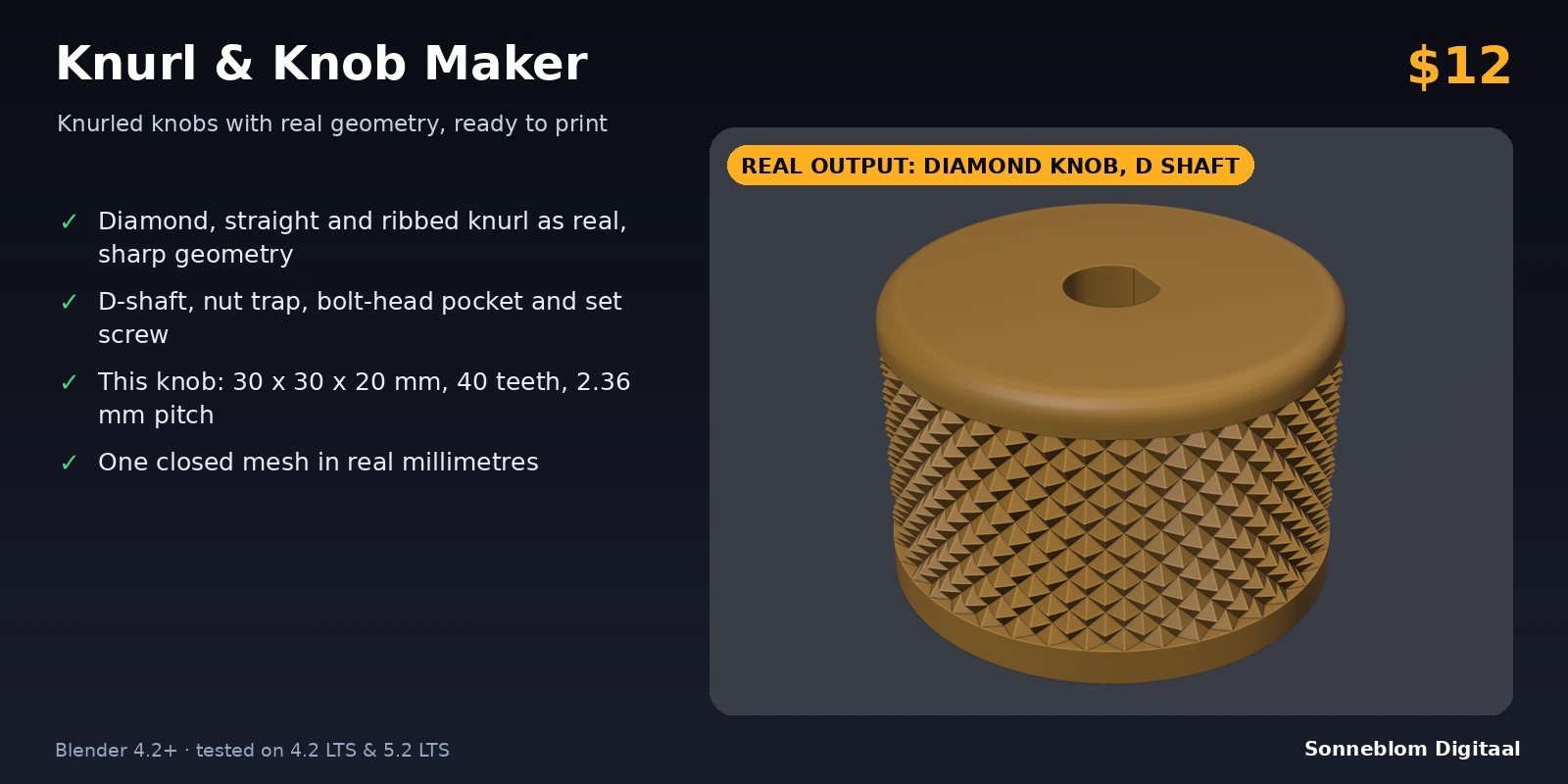
Make knurled knobs and caps with real geometry in Blender: diamond, straight or ribbed knurl, plus D-shaft, nut trap, bolt-head pocket and set screw, ready to 3D print.
Categories
Tags
Installation
- Download Knurl & Knob Maker - Knurled Knobs with D-Shaft & Nut Trap for 3D Printing and check which Blender versions the creator supports. Keep the installable archive (for example,
Knurl_&_Knob_Maker_-_Knurled_Knobs_with_D-Shaft_&_Nut_Trap_for_3D_Printing.zip) intact. If the download is a bundle, extract it first to find the add-on archive. - In Blender, go to Edit → Preferences → Add-ons. In Blender 4.2 and newer, open the top-right menu and choose Install from Disk. In older versions, click Install….
- Select the add-on archive (for example,
Knurl_&_Knob_Maker_-_Knurled_Knobs_with_D-Shaft_&_Nut_Trap_for_3D_Printing.zip) or its standalone.pyfile and confirm the installation. - Find the add-on in the Add-ons list and tick its checkbox if it isn’t already enabled.
Check the creator’s instructions for any extra setup, such as dependencies or license activation.
Compare with other products
Choose a category to find products to compare with this listing.
Product versions
-
1.1.0 published
Created Nov 11, 2026 · Published Nov 11, 2026
Release notes (source)
<p>F9 (Adjust Last Operation) on Create Knob and Update Active Knob. Each knob stores its settings; new Load Settings and a red panel-differs warning, so Update no longer gives a knob another knob's settings by surprise. 1 Blender unit = 1 mm by default with a warning for metre scenes. Every cutter is checked to remove material.</p><p>Install: Edit > Preferences > Get Extensions > arrow menu (top right) > Install from Disk, pick knurl_knob_maker-1.1.0.zip (Blender 4.2+). Older Blender: use the -legacy zip.</p>