Product listing
Instant-Life | Instant Animation Addon
By Jesper Vlietstra ·
$20.00
List price: $20.00
Listing details
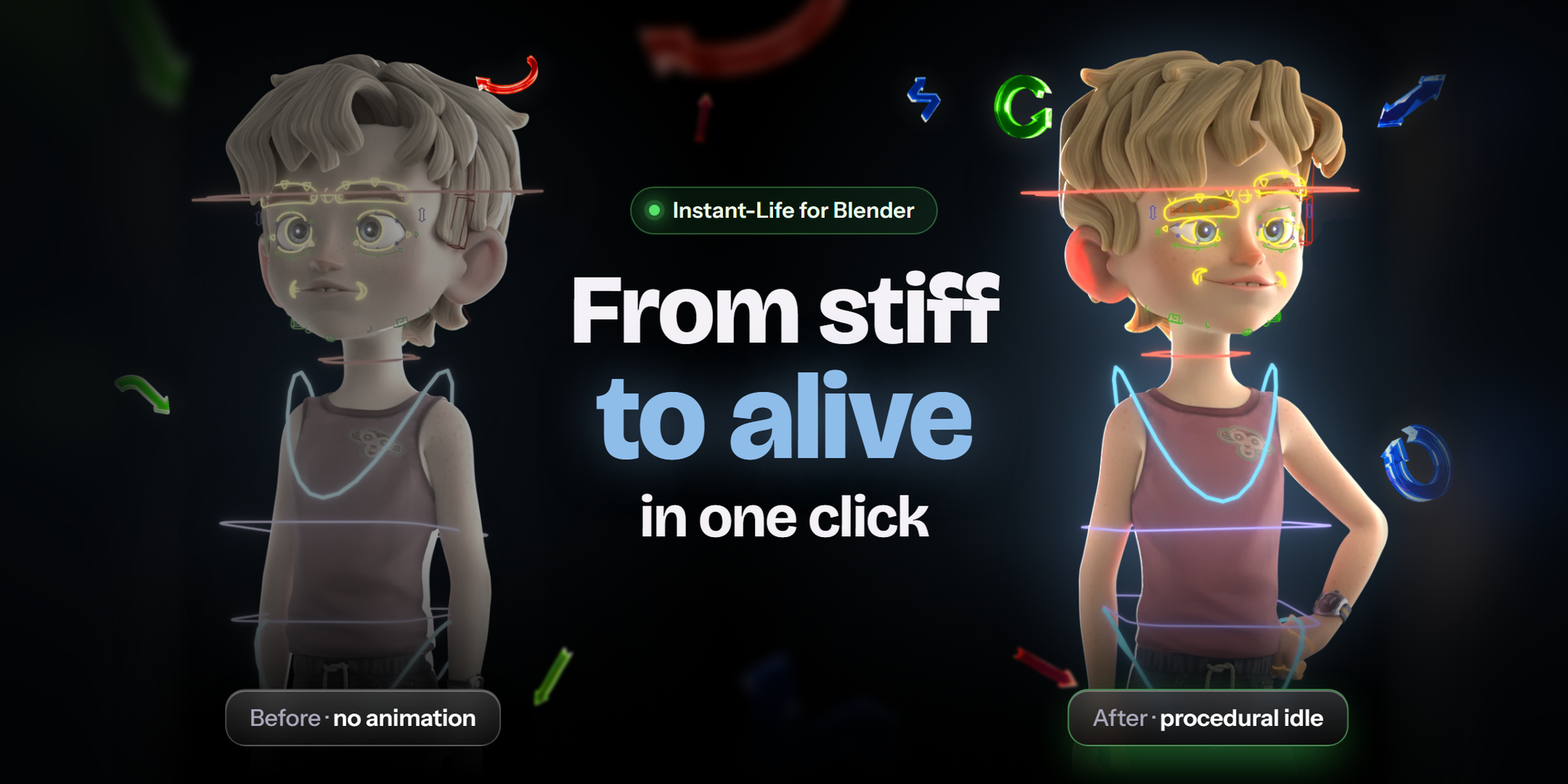
One-click procedural idle animation for any Blender rig. Built-in presets, live update, non-destructive F-Curve modifiers, face animation, and NLA bake. Works with Rigify, CloudRig, Auto-Rig Pro, Mixamo, and custom rigs.
Categories
Tags
Installation
- Download Instant-Life | Instant Animation Addon and check which Blender versions the creator supports. Keep the installable archive (for example,
Instant-Life_|_Instant_Animation_Addon.zip) intact. If the download is a bundle, extract it first to find the add-on archive. - In Blender, go to Edit → Preferences → Add-ons. In Blender 4.2 and newer, open the top-right menu and choose Install from Disk. In older versions, click Install….
- Select the add-on archive (for example,
Instant-Life_|_Instant_Animation_Addon.zip) or its standalone.pyfile and confirm the installation. - Find the add-on in the Add-ons list and tick its checkbox if it isn’t already enabled.
Check the creator’s instructions for any extra setup, such as dependencies or license activation.
Compare with other products
Choose a category to find products to compare with this listing.
Product versions
-
2.2.1 published
Created Nov 4, 2026 · Published Nov 4, 2026
Release notes (source)
<p>Instant-Life 2.2.1<br><br>NEW<br><br>- Loop has its own button. A Loop button under Generate opens a small window with everything for a looping idle: Loop on or off, its frames, the blend frames, and a button to bake the looping strip.<br><br>- The face loops too. One setting in the Loop window gives the eye blinks, eye darts and expressions the loop's frames, so everything loops together and ends the way it starts. Fit Face to Loop writes them all again for the loop in one click, and the window warns when face keys run past the loop.<br><br>- Remove Loop. An X next to Loop takes the loop off in one click: the blink, eye dart and expression frame ranges can be changed again, shape key expressions stop repeating, and a baked looping strip plays once. Your keys stay.<br><br>- Expressions from shape keys. The + button in Expressions asks where the expression comes from: poses you record, a pose from your pose library, or a shape key. For a shape key, set its Rest and Expression value, and Instant-Life keys it with the same ease in, hold and ease out as bone poses.<br><br>IMPROVED<br><br>- Natural eye darts and head movement. Every second or two the eyes dart to a new spot and the head goes along: it snaps over, eases in, then holds still. In between, the eyes make tiny micro darts. Back-to-back moves blend into each other. The old behaviour is still there as the Simple style.<br><br>- Blinks follow the eye darts. About half of the big darts come with a blink. Blink on Big Darts turns this off.<br><br>- A cleaner interface. Every panel has the same look: sections that fold, one icon per panel, and buttons that turn blue while what they made is on your character, with an X beside them to take it off again. The same thing has the same name everywhere.<br><br>- Fade has its own button next to Loop. The Custom Bone Setup panel is now called Characters.<br><br>FIXED<br><br>- Expressions linked to head movement now only go off on the big eye darts, not on the small moves back toward the center.<br><br>- Clear Eye Darts no longer removes your own keys on the head bone's other channels.<br><br>- With Natural eye darts, the head turns left and right on rigs whose head bone points up (Rigify and most others) instead of tilting toward the shoulder.<br><br>- A looping bake with Animate At set no longer fades the eye blinks and expressions near the start of the clip.<br><br>After updating, write the eye darts and expressions again on characters you already set up.</p>
-
2.1.0 published
Created Nov 2, 2026 · Published Nov 2, 2026
Release notes (source)
<p>Instant-Life 2.1.0</p><p><br></p><p>NEW</p><p>- Expressions, in their own tab. Record a rest pose and an expression pose on any bones (a smile, a brow raise, a mouth twitch, an ear flick) and Instant-Life fires it now and then as keyframes: ease in, hold, ease back. Set how often it happens, its timing, strength, variation, and a repeat chance for double twitches.</p><p>- Expressions from your pose library: select the bones, pick a pose, and their current pose becomes the rest while the library pose becomes the expression.</p><p>- Link an expression to head movement: it fires as the head turns with the eye darts, or switches on at one head turn and off at a later one, for held expressions like a smile that comes and goes as the character looks around.</p><p>- Save a whole character and apply it in one click. A saved character now keeps everything: bone setup, body parts, preset, Scale and Speed, custom body parts, blinks, eye darts, head follow and expressions, poses included. Apply brings the setup back, generates the idle and writes the face keys.</p><p><br></p><p>IMPROVED</p><p>- A tidier Face Animation tab: each setup folds away once it's done, with a summary in its header. Gaze poses are recorded on a direction pad, and record buttons tick when every bone has its pose.</p><p>- Expressions that share a bone take turns; the one higher in the list goes first. Writing again replaces the last keys, and Clear removes exactly those, so your own keyframes stay.</p><p><br></p><p>FIXED</p><p>- A body part's own Scale and Speed now also reach Head Micro, Hand Micro and the noise layer on that part.</p><p><br></p><p>Characters saved with an older version still load their custom body parts.</p>
-
2.0.0 published
Created Oct 27, 2026 · Published Oct 27, 2026
Release notes (source)
<p><br></p><p><b>Instant-Life 2.0.0</b></p><p>A major update: every character now has its own settings, and the Body Parts panel is rebuilt around a clickable figure. Files made with 1.x open in 2.0 with all their settings intact.</p><p><br></p><p><b>New</b></p><ul>
<li>Every character has its own settings. Preset, body parts, scale and speed, custom body parts, fades, face and bake settings now belong to each rig, so two characters in one scene can be tuned apart. A change only rebuilds the character you are working on. Linked duplicates (Alt+D) share their settings, like they share bones. Custom presets stay shared by all characters.</li>
<li>Body map. Body Parts is now a clickable figure. Tick a part's box to switch it on or off, click its name to tweak its own Scale and Speed. Each side can be switched on its own, the limb boxes pick a whole arm, body or leg, Shift-click picks several parts, and the mirror button next to the head sends every change to the other side too.</li>
<li>Scale and Speed sit on top of the body map and stay in place, so the panel does not jump while you pick parts.</li>
<li>Keyframeable Scale per part. The diamond next to Scale keys it, so a limb can fade in and out on its own. Playback, rendering, FBX export and Bake to NLA all follow the keys.</li>
<li>Custom body parts on the main tab, each with an on/off, Scale, a new Speed slider and a pencil that opens all its settings (name, bones, motion, axes) in a pop-up.</li>
<li>Animate on twos. Turn Match FPS off and set the idle's own frame rate: 12 in a 24 fps scene animates on twos, 8 on threes. The motion keeps its speed. Eye blinks and darts follow it too, and Bake to NLA keeps it.</li>
<li>Compact Character row: the rig's name, its saved custom body part setup and a save button on one line.</li>
</ul><p><b>Changed</b></p><ul>
<li>Amplitude is now called Scale, like in the rest of Blender.</li>
<li>Apply Fade uses each character's own fade settings.</li>
</ul><p><b>Fixed</b></p><ul>
<li>Unticking a custom part of a saved character now stops it moving.</li>
<li>Deleting or reloading custom presets no longer moves other characters onto the wrong preset.</li>
<li>Editing a custom preset now updates every character that uses it.</li>
</ul><div><br></div>
Related products
More from this creator
No other products from this creator.