Product listing
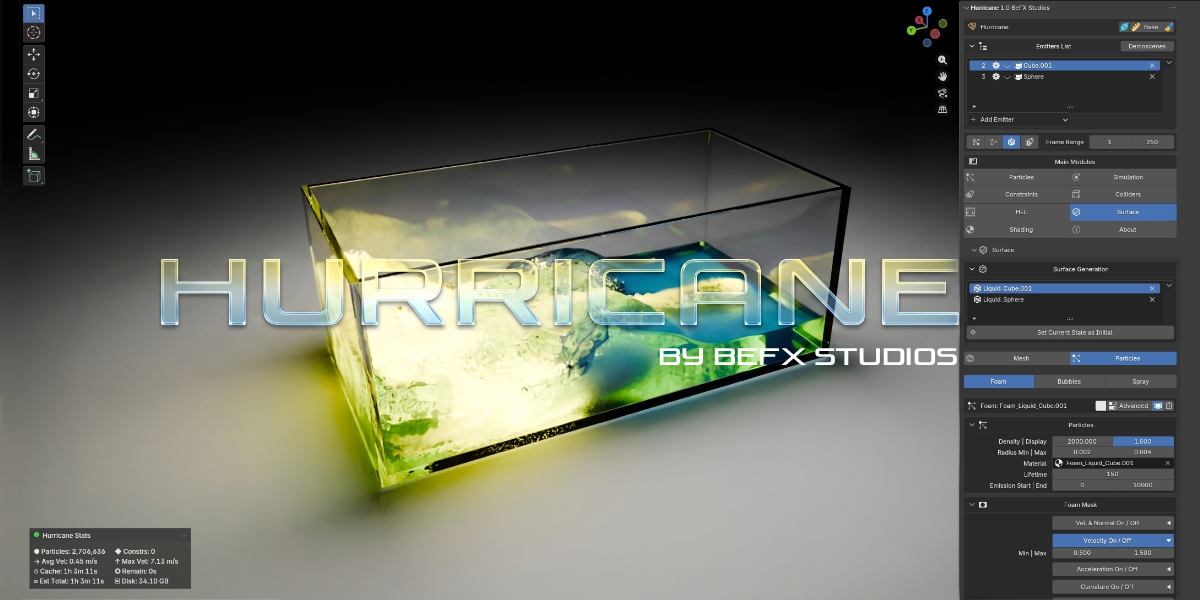
HURRICANE
By BeFX Studios ·
From $98.00
Listing details
Categories
Tags
Compare with other products
Choose a category to find products to compare with this listing.
Variants
-
Studio License published
Price: $784.00 · List price: $784.00
Variant versions
-
0.9.9 published
Created Nov 20, 2026 · Published Nov 20, 2026
Release notes (source)
<h2 style="margin: 14px 0px 6px; color: rgb(29, 35, 48); font-family: system-ui, sans-serif;">Hurricane 0.9.9</h2><p style="color: rgb(29, 35, 48); font-family: system-ui, sans-serif; font-size: 15px;">Install the 0.9.9 solver package together with the add-on: most of what is new needs it.</p><h3 style="margin: 14px 0px 4px; color: rgb(29, 35, 48); font-family: system-ui, sans-serif;">New</h3><ul style="margin: 4px 0px; padding-left: 22px; color: rgb(29, 35, 48); font-family: system-ui, sans-serif; font-size: 15px;"><li style="margin: 3px 0px;"><b>MPM Multi-Material solver:</b> liquids, snow, sand, mud, jelly, clay and pastes interacting in one simulation, each emitter with its own material, with 47 one-click presets. HEL scripts can change a particle's material on the fly.</li><li style="margin: 3px 0px;"><b>Water Tank:</b> open ocean inside any shape, with real waves, a surface that reaches the horizon, Clear Water you can see into and whitewater kept inside the tank. Includes two ship demo scenes.</li><li style="margin: 3px 0px;"><b>Glue constraint:</b> materials that tear apart in irregular cracks (jelly, dough, flesh, wet clay, crumbly rock), plus <b>Glue Meshing</b>, a GPU mesh that shows the strands and membranes as it stretches.</li><li style="margin: 3px 0px;"><b>Constraints:</b> a Strength Attribute to control where links break, a Break Threshold view, and triggers that react when a piece breaks off (Release Fragment, Loose Pieces Fall).</li><li style="margin: 3px 0px;"><b>Elastic pins and Carry:</b> particles can lag, swing and tear off a moving mesh. <b>Attach</b> on colliders keeps particles stuck to the spot they touched.</li><li style="margin: 3px 0px;"><b>Granular:</b> grains that grip, clump and break into chunks, with presets (Dry Sand, Wet Sand, Dirt, Soil, Snow, Gravel) and new demo scenes.</li><li style="margin: 3px 0px;"><b>GPU mesh:</b> now a real mesh before baking, built from the cache on the current frame, with Adaptive Resolution, Area Threshold and UVs from the emitter (Rest Position).</li><li style="margin: 3px 0px;"><b>Particles to Cache:</b> save only the liquid's surface (Narrow Band, Top Surface) or only the meshes, for much smaller caches.</li><li style="margin: 3px 0px;"><b>JVDB 4 caches:</b> about 30 % smaller, more precise, much faster to write, and on par with USD (materials, motion blur, Retime).</li><li style="margin: 3px 0px;"><b>Birth Color:</b> particles are born with the color of the emitter's texture.</li><li style="margin: 3px 0px;"><b>Precision settings</b> for FLIP, APIC and MPM, and less memory use on the grid solvers.</li><li style="margin: 3px 0px;"><b>Simpler cache workflow:</b> Play is always a live preview and baking happens in the Cache module (Enable Cache is gone).</li><li style="margin: 3px 0px;"><b>Right-click > Hurricane Manual</b> opens the documentation right at that setting.</li></ul><h3 style="margin: 14px 0px 4px; color: rgb(29, 35, 48); font-family: system-ui, sans-serif;">Fixes and improvements</h3><ul style="margin: 4px 0px; padding-left: 22px; color: rgb(29, 35, 48); font-family: system-ui, sans-serif; font-size: 15px;"><li style="margin: 3px 0px;">Faster playback: constraints, Retime on large caches, baked GPU meshes and scenes with thousands of objects. No more freezes with the Stats overlay on.</li><li style="margin: 3px 0px;">More stable on the GPU (fewer lost-device errors on Vulkan, GPU meshes that no longer close the solver), and clearer messages when the solver stops.</li><li style="margin: 3px 0px;">Many MPM, whitewater, pin and JVDB fixes, and JVDB caches on Windows no longer come out damaged.</li></ul>
-
0.9.8 published
Created Nov 5, 2026 · Published Nov 5, 2026
Release notes (source)
<p style="font-family:"Times New Roman";font-size:medium;"><b>Hurricane 0.9.8 is out</b></p><ul style="font-family:"Times New Roman";font-size:medium;">
<li>
<b>GPU acceleration:</b> simulate on your graphics card, much bigger and faster.</li>
<li>
<b>FLIP & APIC solvers:</b> two new liquid solvers for large, detailed liquids.</li>
<li>
<b>Faster solvers:</b> PBD and DDR run much faster too.</li>
<li>
<b>Real-world viscosity:</b> presets from Water to Lava that look the same at any scale.</li>
<li>
<b>GPU liquid meshes:</b> cleaner, faster meshes, also while you simulate.</li>
<li>
<b>Whitewater module:</b> foam, bubbles, spray and debris in one place.</li>
<li>
<b>Bubbles tool:</b> trapped air rises, floats as foam and pops.</li>
<li>
<b>Heat:</b> Re-melt and a new Lava preset.</li>
<li>
<b>Mapping & Triggers drive HEL:</b> control HEL settings per particle or with a trigger.</li>
<li>
<b>Cache & Retime:</b> pause and resume bakes, Retime versions, colliders follow the Retime.</li>
<li>
<b>Blender force fields:</b> Wind, Vortex, Turbulence and more now push particles.</li>
<li>
<b>Cloth tearing:</b> Torn Threads and Torn Fabric, plus tearing in weak zones.</li>
<li>
<b>Emitters:</b> emitter presets, soft body fill and pulsed shots.</li>
<li>
<b>15 new liquid shaders:</b> from Champagne to Molten Gold.</li>
</ul><p style="font-family:"Times New Roman";font-size:medium;"><b>Fixes</b></p><ul style="font-family:"Times New Roman";font-size:medium;">
<li>Much faster viewport playback and a snappier interface.</li>
<li>Clearer HEL errors, same results on CPU and GPU, and several crashes fixed.</li>
</ul><p style="font-family:"Times New Roman";font-size:medium;"><b>Note:</b> some demo scenes don't reflect all the changes yet. We'll update them in upcoming releases.</p>
-
0.9.7 published
Created Oct 15, 2026 · Published Oct 15, 2026
Release notes (source)
<p>Hurricane 0.9.7</p><p>Install the 0.9.7 solver (.hurr) for your platform together with this add-on.</p><p><br></p><p>NEW</p><p><br></p><p>- Mapping: drive any particle setting (viscosity, friction, pressure, size, mass, gravity, color...) from the particle's own data: age, speed, height, temperature, noise, distance to an object and more.</p><p>- Triggers: when a condition is met, particles can freeze, stick, die, change color or settings, launch, spawn new particles, paint colliders or move to another emitter. Includes ready-made presets.</p><p>- Heat: particles that heat up, cool down and pass heat to what they touch, for wax, butter, chocolate or lava that melts and sets. Colliders can be hot or cold surfaces.</p><p>- Constraint Mapping: cloth and links can soften, tear, keep creases or break from their stretch, temperature or age.</p><p>- Collider Tools: friction, damping, stickiness and heat can change across a collider's surface, from a noise, a painted attribute or an image.</p><p>- Cache module: a single panel to bake, version, lock and free the simulation and all its meshes, Foam, Spray and Bubbles, with Bake All, cache layers and background baking so you can keep working.</p><p>- Retime: play a baked simulation slower or faster, or with speed ramps and bullet time, without simulating again.</p><p>- Realtime with Vulkan: the realtime preview now runs on the Vulkan GPU solver on Windows and Linux.</p><p>- Particle trails: lines that follow the particles, visible in the viewport and in renders.</p><p>- Force field HELs: Blender's force fields (Wind, Vortex, Turbulence, Magnetic...) as HEL presets, plus new ones like Radial Burst and Magic Lifecycle. HEL guides are now drawn in the viewport.</p><p>- Interface: reworked preferences, new module icons and settings that can follow other values (Copy/Paste Reference).</p><p><br></p><p>FIXES</p><p><br></p><p>- Crashes when duplicating emitters, baking meshes and opening scenes with Bubbles.</p><p>- More reliable caches: no more empty frames, lost constraints or broken caches after moving files.</p><p>- Many HEL presets fixed and simplified.</p><p><br></p>
-
0.9.6 published
Created Oct 7, 2026 · Published Oct 7, 2026
Release notes (source)
<p># Hurricane 0.9.6</p><p><br></p><p>## Important changes</p><p><br></p><p>- **New:** Many HEL presets have been updated with a clearer panel, more reliable behavior and, above all, a **guide**: an object that is added with the script, which you move, rotate and scale in the viewport to place the effect, while the viewport draws what the HEL does with its current values. In this version: Air Turbulence, Curl Turbulence, Curve Follow, Directional Wind, Harmonic, Magnetic, Mesh Attraction, Point Force, Sinusoidal, Transfer Motion, Vortex and 1 / 2 Target Attractor; the rest of the HEL presets will be updated little by little. Each script in the list has an eye that hides its guides, the panel only shows the settings that apply, and Directional Wind replaces the Wind Force preset (scenes that already use it keep working).</p><p>- **Change:** Hurricane now requires Blender 5.2 or newer. Below that version the emitter's Geometry Nodes produced no geometry at all — your object would simply vanish with no error message — because it relies on Bundle nodes, which do not exist in 4.5 and were still experimental in 5.1. The manifest previously claimed support from 4.5, so it could be installed where it could not work.</p><p>- **Note:** If the solver disconnects at a random frame every time you press Play, and the system console shows exit code 3221225477 (access violation), check your CPU before anything else. A tester with an Intel Core i7-14700K had exactly this; updating the motherboard BIOS to a version with Intel microcode 0x12B or newer fixed it completely. Intel 13th and 14th generation desktop CPUs are known to crash under sustained multi-threaded load without that update. The console now points this out when it happens.</p><p><br></p><p>## New</p><p><br></p><p>- A scene without a simulation shows a cleaner start screen, and demo scenes can now be opened from it without creating a simulation first.</p><p>- The Emitters list shows each emitter's material (liquid, sand, cloth, softbody or snow) and how many particles it will emit. The count is no longer shown in Main Settings.</p><p>- Starting a new simulation widens the sidebar so the whole panel fits without cut-off labels. A sidebar that is already wider, or closed, is left as it is.</p><p>- The panel's modules (Particles, Simulation, Constraints, Colliders, HEL, Surface, Shading) are now a column of icon buttons on the left, with the active one highlighted in blue.</p><p>- Cloth constraints have a material presets menu in their header: Silk, Jersey, Fleece, Cotton, Linen, Canvas, Denim, Leather and Rubber. The header shows which one the cloth uses, or Custom once a slider is changed; a new cloth starts as Cotton.</p><p>- Cloth Bending now resists folding the way real fabric does, so a cloth can go from silk to stiff canvas or leather; before, every setting draped like light silk. Scenes made with earlier versions drape differently.</p><p>- Cloth and Softbody constraints have a single Damping slider (0 to 1) instead of one per link type. It calms bouncing and vibration the same way at any stiffness or mesh resolution. Older scenes are converted when opened; very high old values are capped, since beyond that point damping only softened the cloth and made it jitter.</p><p>- Cloth, Softbody and Plasticity stiffness sliders now go from 0 to 1 (each quarter ten times stiffer) and behave the same at any mesh resolution or particle mass. Older scenes are converted when opened; a cloth or softbody whose resolution or mass differs from the preset's will now stretch differently.</p><p>- Emitters now show the particles they are going to emit, drawn like the simulated particles, with a clean outline and an arrow for the initial velocity, instead of the Geometry Nodes point cloud.</p><p>- Sphere, cube and circle emitters have handles to resize them. The particle spacing is kept, so a bigger emitter emits more particles.</p><p>- The Tools preview paints the tool's mask directly on the emitter's particles, without switching the viewport to Material Preview.</p><p>- Random Surface emitters are set up with Resolution alone: particle size and density follow it, as in Grid mode, so there is no Density value to raise by hand for a continuous flow. Emitters in older scenes keep their previous settings.</p><p>- The emitter's Tools list warns when a Split tool has no Weld constraint sewing it while Particles Self Collision is on, since the cut pieces would burst apart at birth.</p><p>- Developer Extras now includes realtime particle rendering methods, surface meshing with mesh upscale, and configurable whitewater preview.</p><p>- Developer Extras setting for optional controls in the Hurricane addon.</p><p>- Large particle transfers are faster with compatible solver builds, while older solvers continue to work.</p><p>- Emitters now have an Auto-Detect / Force Animated switch, like colliders. Use Force Animated when the emitter geometry changes every frame without keyframes (lattice, Alembic/USD cache, another simulation) so its mesh is re-evaluated on every frame instead of being cached.</p><p>- New "Follow Mesh" tool, available from the emitter's Tools list. It has no settings — just add it.</p><p>- New "Delete Geometry" tool, available from the emitter's Tools list. It deletes the emitter points whose mask attribute matches, with an Invert toggle and a Threshold.</p><p><br></p><p>## Fixes</p><p><br></p><p>- The first pause after playing a new simulation no longer freezes Blender for several seconds.</p><p>- The emitter numbers in the Emitters list no longer leave an empty gap on their left when the sidebar is wide.</p><p>- Removing a tool while its preview was on left the preview stuck and the simulated particles hidden.</p><p>- Volume emitters no longer slow down viewport playback, even when disabled; the Random Seed option that caused it has been removed.</p><p>- Baking from the command line (background mode) ignored the Split tool's cuts when building Cloth and Weld constraints, so a tearable cloth fell apart or exploded at birth.</p><p>- The Stickiness, Surface Wetting Cling, Waves Generator, Harmonic, Magnetic, Rest Anchors, Spherical Shield, Spherical Shield Debris and Random Desintegrator presets no longer change strength with the substep count or the particle size. Their values use a new scale, so add them in a new slot instead of reloading them over an old one, which keeps the old numbers.</p><p>- Applying an emitter preset while in Edit Mode failed halfway through, leaving the object with a "Pinned" vertex group but no emitter and not registered in the simulation. Object Mode is now enforced during the operation and your previous mode restored afterwards.</p><p>- Converting a hidden object into an emitter left it hidden, so neither the mesh nor the emitted points were visible and it looked like the object had been deleted. The object is now shown when converted; it still stays out of renders, as the particles are what get rendered.</p><p>- Starting a simulation while in Edit Mode turned your own object into the collision floor. The object was renamed to "HurricaneFloor", moved out of its collection and merged with the floor geometry, so hiding the floor from the side panel made your mesh vanish — and it did not come back in Object Mode. The floor is now built without relying on the current mode, selection or active collection.</p><p>- Cached frames could be silently lost while simulating, making particles disappear mid-playback and the solver look like it had disconnected. The background cache thread was handed the same data the main thread kept writing to, so a frame could fail to be written with no message at all. Measured on the previous build: about 1 frame lost in every 400.</p><p>- Cache frames are now written atomically. Previously the .usdc file was deleted and rewritten in place, so anything reading it at that moment — Blender's own cache reader included — could catch a missing or half-written file.</p><p>- Constraint links were written to the cache with half the entries they should have, and each frame also stored a duplicate copy of every particle position, once per emitter. Cache files are now around 24% smaller with no loss of data.</p><p>- When writing a cache frame fails, the console now prints the full error and says which frame is missing, instead of a single line with no context.</p><p>- Hardening — with two or more emitters, a per-particle attribute whose length did not match the others would be written to the cache unfiltered, producing malformed geometry (a point cloud with more widths or velocities than points) while still reporting success. Such attributes are now skipped and reported in the console, and the data coming back from the solver is checked for this as soon as it arrives instead of only at write time.</p><p>- Cloth and Softbody presets no longer fail when applied from a script or a background session.</p><p>- Adding a tool to an emitter pushed the HurricaneEmitter modifier to the very top of the stack, above modifiers the object already had (an Armature, for instance), which broke the deformation. The object's own modifiers now stay above Hurricane's, unless you pinned them to the end of the stack.</p><p>- Constraint links were built from the wrong mesh when the emitter was hidden in the viewport, which could stop the simulation with an "index did not match" error as soon as a constraint visibility toggle was used.</p><p>- "Search in Same Island Only" never produced any constraint, in any emitter mode. It now works, and since islands can only be inherited when one particle is emitted per source vertex, the option is available in the Points and Initial State modes only.</p><p>- The solver installer was unreachable when the scene already contained a simulation — the main panel and the addon preferences now always offer the Install/Reinstall Solver Binary button.</p><p>- An object left over from a deleted simulation, or copied from another scene or .blend file, could not be added to a simulation again, and the warning only showed up in the Info editor.</p><p>- If you deleted one of a simulation's collections (Emitters, Colliders...) from the Outliner, the next object you added to that simulation disappeared from the scene. The missing collection is now recreated instead.</p><div><br></div>
-
0.9.5 published
Created Sep 7, 2026 · Published Sep 7, 2026
Release notes (source)
<p><br></p>
-
0.9.4 published
Created Aug 6, 2026 · Published Aug 6, 2026
Release notes (source)
<p>Hurricane 0.9.4</p><p><br></p><p>New Features</p><p>------------</p><p><br></p><p>- Added per-particle Rest Position (object-space at emission) and UV Map attributes, with dedicated emitter toggles. These attributes persist through cache baking and are accessible from HEL (vecattribute["hurr_rest_position"], vecattribute["hurr_uvmap"]) and Blender shaders.</p><p>- Added particle texture shading.</p><p>- Added automatic synchronization for the HEL Presets Library with our Google Drive. The "Update HEL" button now displays the number of new/updated presets available and synchronizes them with an in-panel progress bar.</p><p>- Added a new Air Turbulence HEL preset (Forces & Dynamics).</p><p>- Added two new HEL presets: single_target_attractor and two_target_attractor (Forces & Dynamics).</p><p>- Added a Constraint Stretch/Tension GPU visualization shader with a color-coded heat map. Supports visualization across all constraints or only Weld/Tear seams, with adjustable line thickness and sensitivity.</p><p><br></p><p>Changes</p><p>-------</p><p><br></p><p>- Solver settings (Gravity, Substeps, Iterations, Spacing, etc.) can now be animated with keyframes. The solver updates these values per frame without invalidating the existing cache. Previously, changing any solver property cleared all cached frames.</p><p>- Redesigned the New Simulation panel with a new branding header and an optional floor creation toggle.</p><p><br></p><p>Improvements</p><p>------------</p><p><br></p><p>- Improved HEL script auto-categorization in the Script Editor. It now reads optional "@category:" and "@type:" headers from scripts and falls back to prefix matching, instead of relying solely on exact filename matches.</p><p><br></p><p>Compatibility</p><p>-------------</p><p><br></p><p>- Added compatibility with Blender 5.x layered Actions.</p><p><br></p><p>Fixes</p><p>-----</p><p><br></p><p>- Fixed a rendering issue where particle and mesh visibility could visibly "jump" between frames. Added an optional "Render Crash Protection" preference (Preferences → Interface) that automatically enables Blender's Lock Interface during rendering, preventing the native Blender crash while keeping visibility updates working correctly. The original Lock Interface setting is restored after rendering.</p><p>- Fixed baking so keyframed properties on emitters, colliders, and the solver (such as Flow Interval Wait or Tap Control) are now correctly evaluated during simulation.</p><p>- Fixed an issue where quick playback stop/start loops could leave orphaned Geometry Nodes bake data, causing emitter corruption on subsequent bakes.</p><p>- Fixed Cloth and Softbody mesh exports so particle velocity is now preserved, allowing correct motion blur and velocity-based render effects.</p><p>- Fixed an issue where hidden emitters could trigger a "Cannot edit hidden object" error during Geometry Nodes baking, causing an infinite retry loop.</p><p>- Fixed the Constraint Break Threshold (Max Elongation) UI value so it now correctly maps to the solver's internal scale.</p><p>- Fixed automatic cleanup of Sand/Snow ground surfaces when the last emitter using them is removed.</p><p><br></p><p>Updated</p><p>-------</p><p><br></p><p>- Updated the demo scene blend files:</p><p> - ClothCut</p><p> - ClothTearingHEL</p><p> - WaterOnCloth</p>
-
0.9.3 published
Created Jul 21, 2026 · Published Jul 21, 2026
Release notes (source)
<p>Hurricane 0.9.3</p><p>- Change: Removed the global GPU/Point Cloud/Mesh/Constraints visualization toggles — visibility is now controlled per emitter, per mesh and per constraint (Alt+Click a toggle to apply it to all of them at once).</p><p>- Fix: GPU/point cloud particles could still disappear during cached playback for some emitters in multi-emitter setups.</p><p>- Fix: Extension could show up as installable on platforms it doesn't actually support (Windows ARM64, Linux ARM64), which could cause installation to fail</p><p>. - Fix: Constraint "Relative Distance" breaking type still applied after switching a constraint from Softbody (or other types) to Cloth — the value is now reset when switching to Cloth.</p><p>- Fix: Remap F-curve indices after script removal to preserve exposed property animations — removing a HEL script above another with animated exposed properties no longer breaks those animations.</p>
-
0.9.2 published
Created Jul 17, 2026 · Published Jul 17, 2026
Release notes (source)
<p>Hurricane 0.9.2</p><p>- Fix: Softbody/cloth mesh frozen during render — mesh visualization no longer freezes on the last simulated frame when rendering an animation.</p><p>- Fix: Several Blender crashes when rendering softbody/cloth simulations — rendering these simulations should now be noticeably more stable overall.</p><p>- Optimize: GPU particle playback slowdown on cached frames — restored the fast disk fallback for pure GPU-shader playback.</p><p>- Optimize: GPU particle playback disk read time reduced (~25%) by only reading the attributes the GPU shader actually uses.</p><p>- Optimize: GRADIENT display mode was noticeably slower than PREVIEW during playback — removed redundant velocity magnitude recalculation.</p><p> - Fix: Clear Cache failing silently on Windows — locked cache files are now properly released and deletion failures are reported instead of silently ignored.</p><p>- Fix: Automatic Clear Cache could leave stale .usdc cache files locked, risking native crashes on a subsequent render or playback.</p><p>- Fix: Cloth/Softbody/Sand/Snow emitters losing particle visualization after generating a mesh.</p>
-
0.9.1 published
Created Jul 17, 2026 · Published Jul 14, 2026
Release notes (source)
<p><br></p>
-
-
Indie License published
Price: $392.00 · List price: $392.00
Variant versions
-
0.9.9 published
Created Nov 20, 2026 · Published Nov 20, 2026
Release notes (source)
<h2 style="margin: 14px 0px 6px; color: rgb(29, 35, 48); font-family: system-ui, sans-serif;">Hurricane 0.9.9</h2><p style="color: rgb(29, 35, 48); font-family: system-ui, sans-serif; font-size: 15px;">Install the 0.9.9 solver package together with the add-on: most of what is new needs it.</p><h3 style="margin: 14px 0px 4px; color: rgb(29, 35, 48); font-family: system-ui, sans-serif;">New</h3><ul style="margin: 4px 0px; padding-left: 22px; color: rgb(29, 35, 48); font-family: system-ui, sans-serif; font-size: 15px;"><li style="margin: 3px 0px;"><b>MPM Multi-Material solver:</b> liquids, snow, sand, mud, jelly, clay and pastes interacting in one simulation, each emitter with its own material, with 47 one-click presets. HEL scripts can change a particle's material on the fly.</li><li style="margin: 3px 0px;"><b>Water Tank:</b> open ocean inside any shape, with real waves, a surface that reaches the horizon, Clear Water you can see into and whitewater kept inside the tank. Includes two ship demo scenes.</li><li style="margin: 3px 0px;"><b>Glue constraint:</b> materials that tear apart in irregular cracks (jelly, dough, flesh, wet clay, crumbly rock), plus <b>Glue Meshing</b>, a GPU mesh that shows the strands and membranes as it stretches.</li><li style="margin: 3px 0px;"><b>Constraints:</b> a Strength Attribute to control where links break, a Break Threshold view, and triggers that react when a piece breaks off (Release Fragment, Loose Pieces Fall).</li><li style="margin: 3px 0px;"><b>Elastic pins and Carry:</b> particles can lag, swing and tear off a moving mesh. <b>Attach</b> on colliders keeps particles stuck to the spot they touched.</li><li style="margin: 3px 0px;"><b>Granular:</b> grains that grip, clump and break into chunks, with presets (Dry Sand, Wet Sand, Dirt, Soil, Snow, Gravel) and new demo scenes.</li><li style="margin: 3px 0px;"><b>GPU mesh:</b> now a real mesh before baking, built from the cache on the current frame, with Adaptive Resolution, Area Threshold and UVs from the emitter (Rest Position).</li><li style="margin: 3px 0px;"><b>Particles to Cache:</b> save only the liquid's surface (Narrow Band, Top Surface) or only the meshes, for much smaller caches.</li><li style="margin: 3px 0px;"><b>JVDB 4 caches:</b> about 30 % smaller, more precise, much faster to write, and on par with USD (materials, motion blur, Retime).</li><li style="margin: 3px 0px;"><b>Birth Color:</b> particles are born with the color of the emitter's texture.</li><li style="margin: 3px 0px;"><b>Precision settings</b> for FLIP, APIC and MPM, and less memory use on the grid solvers.</li><li style="margin: 3px 0px;"><b>Simpler cache workflow:</b> Play is always a live preview and baking happens in the Cache module (Enable Cache is gone).</li><li style="margin: 3px 0px;"><b>Right-click > Hurricane Manual</b> opens the documentation right at that setting.</li></ul><h3 style="margin: 14px 0px 4px; color: rgb(29, 35, 48); font-family: system-ui, sans-serif;">Fixes and improvements</h3><ul style="margin: 4px 0px; padding-left: 22px; color: rgb(29, 35, 48); font-family: system-ui, sans-serif; font-size: 15px;"><li style="margin: 3px 0px;">Faster playback: constraints, Retime on large caches, baked GPU meshes and scenes with thousands of objects. No more freezes with the Stats overlay on.</li><li style="margin: 3px 0px;">More stable on the GPU (fewer lost-device errors on Vulkan, GPU meshes that no longer close the solver), and clearer messages when the solver stops.</li><li style="margin: 3px 0px;">Many MPM, whitewater, pin and JVDB fixes, and JVDB caches on Windows no longer come out damaged.</li></ul>
-
0.9.8 published
Created Nov 5, 2026 · Published Nov 5, 2026
Release notes (source)
<p style="font-family:"Times New Roman";font-size:medium;"><b>Hurricane 0.9.8 is out</b></p><ul style="font-family:"Times New Roman";font-size:medium;">
<li>
<b>GPU acceleration:</b> simulate on your graphics card, much bigger and faster.</li>
<li>
<b>FLIP & APIC solvers:</b> two new liquid solvers for large, detailed liquids.</li>
<li>
<b>Faster solvers:</b> PBD and DDR run much faster too.</li>
<li>
<b>Real-world viscosity:</b> presets from Water to Lava that look the same at any scale.</li>
<li>
<b>GPU liquid meshes:</b> cleaner, faster meshes, also while you simulate.</li>
<li>
<b>Whitewater module:</b> foam, bubbles, spray and debris in one place.</li>
<li>
<b>Bubbles tool:</b> trapped air rises, floats as foam and pops.</li>
<li>
<b>Heat:</b> Re-melt and a new Lava preset.</li>
<li>
<b>Mapping & Triggers drive HEL:</b> control HEL settings per particle or with a trigger.</li>
<li>
<b>Cache & Retime:</b> pause and resume bakes, Retime versions, colliders follow the Retime.</li>
<li>
<b>Blender force fields:</b> Wind, Vortex, Turbulence and more now push particles.</li>
<li>
<b>Cloth tearing:</b> Torn Threads and Torn Fabric, plus tearing in weak zones.</li>
<li>
<b>Emitters:</b> emitter presets, soft body fill and pulsed shots.</li>
<li>
<b>15 new liquid shaders:</b> from Champagne to Molten Gold.</li>
</ul><p style="font-family:"Times New Roman";font-size:medium;"><b>Fixes</b></p><ul style="font-family:"Times New Roman";font-size:medium;">
<li>Much faster viewport playback and a snappier interface.</li>
<li>Clearer HEL errors, same results on CPU and GPU, and several crashes fixed.</li>
</ul><p style="font-family:"Times New Roman";font-size:medium;"><b>Note:</b> some demo scenes don't reflect all the changes yet. We'll update them in upcoming releases.</p>
-
0.9.7 published
Created Oct 15, 2026 · Published Oct 15, 2026
Release notes (source)
<p>Hurricane 0.9.7</p><p>Install the 0.9.7 solver (.hurr) for your platform together with this add-on.</p><p><br></p><p>NEW</p><p><br></p><p>- Mapping: drive any particle setting (viscosity, friction, pressure, size, mass, gravity, color...) from the particle's own data: age, speed, height, temperature, noise, distance to an object and more.</p><p>- Triggers: when a condition is met, particles can freeze, stick, die, change color or settings, launch, spawn new particles, paint colliders or move to another emitter. Includes ready-made presets.</p><p>- Heat: particles that heat up, cool down and pass heat to what they touch, for wax, butter, chocolate or lava that melts and sets. Colliders can be hot or cold surfaces.</p><p>- Constraint Mapping: cloth and links can soften, tear, keep creases or break from their stretch, temperature or age.</p><p>- Collider Tools: friction, damping, stickiness and heat can change across a collider's surface, from a noise, a painted attribute or an image.</p><p>- Cache module: a single panel to bake, version, lock and free the simulation and all its meshes, Foam, Spray and Bubbles, with Bake All, cache layers and background baking so you can keep working.</p><p>- Retime: play a baked simulation slower or faster, or with speed ramps and bullet time, without simulating again.</p><p>- Realtime with Vulkan: the realtime preview now runs on the Vulkan GPU solver on Windows and Linux.</p><p>- Particle trails: lines that follow the particles, visible in the viewport and in renders.</p><p>- Force field HELs: Blender's force fields (Wind, Vortex, Turbulence, Magnetic...) as HEL presets, plus new ones like Radial Burst and Magic Lifecycle. HEL guides are now drawn in the viewport.</p><p>- Interface: reworked preferences, new module icons and settings that can follow other values (Copy/Paste Reference).</p><p><br></p><p>FIXES</p><p><br></p><p>- Crashes when duplicating emitters, baking meshes and opening scenes with Bubbles.</p><p>- More reliable caches: no more empty frames, lost constraints or broken caches after moving files.</p><p>- Many HEL presets fixed and simplified.</p>
-
0.9.6 published
Created Oct 7, 2026 · Published Oct 7, 2026
Release notes (source)
<p># Hurricane 0.9.6</p><p><br></p><p>## Important changes</p><p><br></p><p>- **New:** Many HEL presets have been updated with a clearer panel, more reliable behavior and, above all, a **guide**: an object that is added with the script, which you move, rotate and scale in the viewport to place the effect, while the viewport draws what the HEL does with its current values. In this version: Air Turbulence, Curl Turbulence, Curve Follow, Directional Wind, Harmonic, Magnetic, Mesh Attraction, Point Force, Sinusoidal, Transfer Motion, Vortex and 1 / 2 Target Attractor; the rest of the HEL presets will be updated little by little. Each script in the list has an eye that hides its guides, the panel only shows the settings that apply, and Directional Wind replaces the Wind Force preset (scenes that already use it keep working).</p><p>- **Change:** Hurricane now requires Blender 5.2 or newer. Below that version the emitter's Geometry Nodes produced no geometry at all — your object would simply vanish with no error message — because it relies on Bundle nodes, which do not exist in 4.5 and were still experimental in 5.1. The manifest previously claimed support from 4.5, so it could be installed where it could not work.</p><p>- **Note:** If the solver disconnects at a random frame every time you press Play, and the system console shows exit code 3221225477 (access violation), check your CPU before anything else. A tester with an Intel Core i7-14700K had exactly this; updating the motherboard BIOS to a version with Intel microcode 0x12B or newer fixed it completely. Intel 13th and 14th generation desktop CPUs are known to crash under sustained multi-threaded load without that update. The console now points this out when it happens.</p><p><br></p><p>## New</p><p><br></p><p>- A scene without a simulation shows a cleaner start screen, and demo scenes can now be opened from it without creating a simulation first.</p><p>- The Emitters list shows each emitter's material (liquid, sand, cloth, softbody or snow) and how many particles it will emit. The count is no longer shown in Main Settings.</p><p>- Starting a new simulation widens the sidebar so the whole panel fits without cut-off labels. A sidebar that is already wider, or closed, is left as it is.</p><p>- The panel's modules (Particles, Simulation, Constraints, Colliders, HEL, Surface, Shading) are now a column of icon buttons on the left, with the active one highlighted in blue.</p><p>- Cloth constraints have a material presets menu in their header: Silk, Jersey, Fleece, Cotton, Linen, Canvas, Denim, Leather and Rubber. The header shows which one the cloth uses, or Custom once a slider is changed; a new cloth starts as Cotton.</p><p>- Cloth Bending now resists folding the way real fabric does, so a cloth can go from silk to stiff canvas or leather; before, every setting draped like light silk. Scenes made with earlier versions drape differently.</p><p>- Cloth and Softbody constraints have a single Damping slider (0 to 1) instead of one per link type. It calms bouncing and vibration the same way at any stiffness or mesh resolution. Older scenes are converted when opened; very high old values are capped, since beyond that point damping only softened the cloth and made it jitter.</p><p>- Cloth, Softbody and Plasticity stiffness sliders now go from 0 to 1 (each quarter ten times stiffer) and behave the same at any mesh resolution or particle mass. Older scenes are converted when opened; a cloth or softbody whose resolution or mass differs from the preset's will now stretch differently.</p><p>- Emitters now show the particles they are going to emit, drawn like the simulated particles, with a clean outline and an arrow for the initial velocity, instead of the Geometry Nodes point cloud.</p><p>- Sphere, cube and circle emitters have handles to resize them. The particle spacing is kept, so a bigger emitter emits more particles.</p><p>- The Tools preview paints the tool's mask directly on the emitter's particles, without switching the viewport to Material Preview.</p><p>- Random Surface emitters are set up with Resolution alone: particle size and density follow it, as in Grid mode, so there is no Density value to raise by hand for a continuous flow. Emitters in older scenes keep their previous settings.</p><p>- The emitter's Tools list warns when a Split tool has no Weld constraint sewing it while Particles Self Collision is on, since the cut pieces would burst apart at birth.</p><p>- Developer Extras now includes realtime particle rendering methods, surface meshing with mesh upscale, and configurable whitewater preview.</p><p>- Developer Extras setting for optional controls in the Hurricane addon.</p><p>- Large particle transfers are faster with compatible solver builds, while older solvers continue to work.</p><p>- Emitters now have an Auto-Detect / Force Animated switch, like colliders. Use Force Animated when the emitter geometry changes every frame without keyframes (lattice, Alembic/USD cache, another simulation) so its mesh is re-evaluated on every frame instead of being cached.</p><p>- New "Follow Mesh" tool, available from the emitter's Tools list. It has no settings — just add it.</p><p>- New "Delete Geometry" tool, available from the emitter's Tools list. It deletes the emitter points whose mask attribute matches, with an Invert toggle and a Threshold.</p><p><br></p><p>## Fixes</p><p><br></p><p>- The first pause after playing a new simulation no longer freezes Blender for several seconds.</p><p>- The emitter numbers in the Emitters list no longer leave an empty gap on their left when the sidebar is wide.</p><p>- Removing a tool while its preview was on left the preview stuck and the simulated particles hidden.</p><p>- Volume emitters no longer slow down viewport playback, even when disabled; the Random Seed option that caused it has been removed.</p><p>- Baking from the command line (background mode) ignored the Split tool's cuts when building Cloth and Weld constraints, so a tearable cloth fell apart or exploded at birth.</p><p>- The Stickiness, Surface Wetting Cling, Waves Generator, Harmonic, Magnetic, Rest Anchors, Spherical Shield, Spherical Shield Debris and Random Desintegrator presets no longer change strength with the substep count or the particle size. Their values use a new scale, so add them in a new slot instead of reloading them over an old one, which keeps the old numbers.</p><p>- Applying an emitter preset while in Edit Mode failed halfway through, leaving the object with a "Pinned" vertex group but no emitter and not registered in the simulation. Object Mode is now enforced during the operation and your previous mode restored afterwards.</p><p>- Converting a hidden object into an emitter left it hidden, so neither the mesh nor the emitted points were visible and it looked like the object had been deleted. The object is now shown when converted; it still stays out of renders, as the particles are what get rendered.</p><p>- Starting a simulation while in Edit Mode turned your own object into the collision floor. The object was renamed to "HurricaneFloor", moved out of its collection and merged with the floor geometry, so hiding the floor from the side panel made your mesh vanish — and it did not come back in Object Mode. The floor is now built without relying on the current mode, selection or active collection.</p><p>- Cached frames could be silently lost while simulating, making particles disappear mid-playback and the solver look like it had disconnected. The background cache thread was handed the same data the main thread kept writing to, so a frame could fail to be written with no message at all. Measured on the previous build: about 1 frame lost in every 400.</p><p>- Cache frames are now written atomically. Previously the .usdc file was deleted and rewritten in place, so anything reading it at that moment — Blender's own cache reader included — could catch a missing or half-written file.</p><p>- Constraint links were written to the cache with half the entries they should have, and each frame also stored a duplicate copy of every particle position, once per emitter. Cache files are now around 24% smaller with no loss of data.</p><p>- When writing a cache frame fails, the console now prints the full error and says which frame is missing, instead of a single line with no context.</p><p>- Hardening — with two or more emitters, a per-particle attribute whose length did not match the others would be written to the cache unfiltered, producing malformed geometry (a point cloud with more widths or velocities than points) while still reporting success. Such attributes are now skipped and reported in the console, and the data coming back from the solver is checked for this as soon as it arrives instead of only at write time.</p><p>- Cloth and Softbody presets no longer fail when applied from a script or a background session.</p><p>- Adding a tool to an emitter pushed the HurricaneEmitter modifier to the very top of the stack, above modifiers the object already had (an Armature, for instance), which broke the deformation. The object's own modifiers now stay above Hurricane's, unless you pinned them to the end of the stack.</p><p>- Constraint links were built from the wrong mesh when the emitter was hidden in the viewport, which could stop the simulation with an "index did not match" error as soon as a constraint visibility toggle was used.</p><p>- "Search in Same Island Only" never produced any constraint, in any emitter mode. It now works, and since islands can only be inherited when one particle is emitted per source vertex, the option is available in the Points and Initial State modes only.</p><p>- The solver installer was unreachable when the scene already contained a simulation — the main panel and the addon preferences now always offer the Install/Reinstall Solver Binary button.</p><p>- An object left over from a deleted simulation, or copied from another scene or .blend file, could not be added to a simulation again, and the warning only showed up in the Info editor.</p><p>- If you deleted one of a simulation's collections (Emitters, Colliders...) from the Outliner, the next object you added to that simulation disappeared from the scene. The missing collection is now recreated instead.</p><div><br></div>
-
0.9.5 published
Created Sep 7, 2026 · Published Sep 7, 2026
Release notes (source)
<p><br></p>
-
0.9.4 published
Created Aug 6, 2026 · Published Aug 6, 2026
Release notes (source)
<p>Hurricane 0.9.4</p><p><br></p><p>New Features</p><p>------------</p><p><br></p><p>- Added per-particle Rest Position (object-space at emission) and UV Map attributes, with dedicated emitter toggles. These attributes persist through cache baking and are accessible from HEL (vecattribute["hurr_rest_position"], vecattribute["hurr_uvmap"]) and Blender shaders.</p><p>- Added particle texture shading.</p><p>- Added automatic synchronization for the HEL Presets Library with our Google Drive. The "Update HEL" button now displays the number of new/updated presets available and synchronizes them with an in-panel progress bar.</p><p>- Added a new Air Turbulence HEL preset (Forces & Dynamics).</p><p>- Added two new HEL presets: single_target_attractor and two_target_attractor (Forces & Dynamics).</p><p>- Added a Constraint Stretch/Tension GPU visualization shader with a color-coded heat map. Supports visualization across all constraints or only Weld/Tear seams, with adjustable line thickness and sensitivity.</p><p><br></p><p>Changes</p><p>-------</p><p><br></p><p>- Solver settings (Gravity, Substeps, Iterations, Spacing, etc.) can now be animated with keyframes. The solver updates these values per frame without invalidating the existing cache. Previously, changing any solver property cleared all cached frames.</p><p>- Redesigned the New Simulation panel with a new branding header and an optional floor creation toggle.</p><p><br></p><p>Improvements</p><p>------------</p><p><br></p><p>- Improved HEL script auto-categorization in the Script Editor. It now reads optional "@category:" and "@type:" headers from scripts and falls back to prefix matching, instead of relying solely on exact filename matches.</p><p><br></p><p>Compatibility</p><p>-------------</p><p><br></p><p>- Added compatibility with Blender 5.x layered Actions.</p><p><br></p><p>Fixes</p><p>-----</p><p><br></p><p>- Fixed a rendering issue where particle and mesh visibility could visibly "jump" between frames. Added an optional "Render Crash Protection" preference (Preferences → Interface) that automatically enables Blender's Lock Interface during rendering, preventing the native Blender crash while keeping visibility updates working correctly. The original Lock Interface setting is restored after rendering.</p><p>- Fixed baking so keyframed properties on emitters, colliders, and the solver (such as Flow Interval Wait or Tap Control) are now correctly evaluated during simulation.</p><p>- Fixed an issue where quick playback stop/start loops could leave orphaned Geometry Nodes bake data, causing emitter corruption on subsequent bakes.</p><p>- Fixed Cloth and Softbody mesh exports so particle velocity is now preserved, allowing correct motion blur and velocity-based render effects.</p><p>- Fixed an issue where hidden emitters could trigger a "Cannot edit hidden object" error during Geometry Nodes baking, causing an infinite retry loop.</p><p>- Fixed the Constraint Break Threshold (Max Elongation) UI value so it now correctly maps to the solver's internal scale.</p><p>- Fixed automatic cleanup of Sand/Snow ground surfaces when the last emitter using them is removed.</p><p><br></p><p>Updated</p><p>-------</p><p><br></p><p>- Updated the demo scene blend files:</p><p> - ClothCut</p><p> - ClothTearingHEL</p><p> - WaterOnCloth</p>
-
0.9.3 published
Created Jul 21, 2026 · Published Jul 21, 2026
Release notes (source)
<p>Hurricane 0.9.3</p><p>- Change: Removed the global GPU/Point Cloud/Mesh/Constraints visualization toggles — visibility is now controlled per emitter, per mesh and per constraint (Alt+Click a toggle to apply it to all of them at once).</p><p>- Fix: GPU/point cloud particles could still disappear during cached playback for some emitters in multi-emitter setups.</p><p>- Fix: Extension could show up as installable on platforms it doesn't actually support (Windows ARM64, Linux ARM64), which could cause installation to fail</p><p>. - Fix: Constraint "Relative Distance" breaking type still applied after switching a constraint from Softbody (or other types) to Cloth — the value is now reset when switching to Cloth.</p><p>- Fix: Remap F-curve indices after script removal to preserve exposed property animations — removing a HEL script above another with animated exposed properties no longer breaks those animations.</p>
-
0.9.2 published
Created Jul 17, 2026 · Published Jul 17, 2026
Release notes (source)
<p>Hurricane 0.9.2</p><p>- Fix: Softbody/cloth mesh frozen during render — mesh visualization no longer freezes on the last simulated frame when rendering an animation.</p><p>- Fix: Several Blender crashes when rendering softbody/cloth simulations — rendering these simulations should now be noticeably more stable overall.</p><p>- Optimize: GPU particle playback slowdown on cached frames — restored the fast disk fallback for pure GPU-shader playback.</p><p>- Optimize: GPU particle playback disk read time reduced (~25%) by only reading the attributes the GPU shader actually uses.</p><p>- Optimize: GRADIENT display mode was noticeably slower than PREVIEW during playback — removed redundant velocity magnitude recalculation.</p><p> - Fix: Clear Cache failing silently on Windows — locked cache files are now properly released and deletion failures are reported instead of silently ignored.</p><p>- Fix: Automatic Clear Cache could leave stale .usdc cache files locked, risking native crashes on a subsequent render or playback.</p><p>- Fix: Cloth/Softbody/Sand/Snow emitters losing particle visualization after generating a mesh.</p>
-
0.9.1 published
Created Jul 17, 2026 · Published Jul 14, 2026
Release notes (source)
<p><br></p>
-
-
Individual License published
Price: $98.00 · List price: $98.00
Variant versions
-
0.9.9 published
Created Nov 20, 2026 · Published Nov 20, 2026
Release notes (source)
<h2 style="margin: 14px 0px 6px; color: rgb(29, 35, 48); font-family: system-ui, sans-serif;">Hurricane 0.9.9</h2><p style="color: rgb(29, 35, 48); font-family: system-ui, sans-serif; font-size: 15px;">Install the 0.9.9 solver package together with the add-on: most of what is new needs it.</p><h3 style="margin: 14px 0px 4px; color: rgb(29, 35, 48); font-family: system-ui, sans-serif;">New</h3><ul style="margin: 4px 0px; padding-left: 22px; color: rgb(29, 35, 48); font-family: system-ui, sans-serif; font-size: 15px;"><li style="margin: 3px 0px;"><b>MPM Multi-Material solver:</b> liquids, snow, sand, mud, jelly, clay and pastes interacting in one simulation, each emitter with its own material, with 47 one-click presets. HEL scripts can change a particle's material on the fly.</li><li style="margin: 3px 0px;"><b>Water Tank:</b> open ocean inside any shape, with real waves, a surface that reaches the horizon, Clear Water you can see into and whitewater kept inside the tank. Includes two ship demo scenes.</li><li style="margin: 3px 0px;"><b>Glue constraint:</b> materials that tear apart in irregular cracks (jelly, dough, flesh, wet clay, crumbly rock), plus <b>Glue Meshing</b>, a GPU mesh that shows the strands and membranes as it stretches.</li><li style="margin: 3px 0px;"><b>Constraints:</b> a Strength Attribute to control where links break, a Break Threshold view, and triggers that react when a piece breaks off (Release Fragment, Loose Pieces Fall).</li><li style="margin: 3px 0px;"><b>Elastic pins and Carry:</b> particles can lag, swing and tear off a moving mesh. <b>Attach</b> on colliders keeps particles stuck to the spot they touched.</li><li style="margin: 3px 0px;"><b>Granular:</b> grains that grip, clump and break into chunks, with presets (Dry Sand, Wet Sand, Dirt, Soil, Snow, Gravel) and new demo scenes.</li><li style="margin: 3px 0px;"><b>GPU mesh:</b> now a real mesh before baking, built from the cache on the current frame, with Adaptive Resolution, Area Threshold and UVs from the emitter (Rest Position).</li><li style="margin: 3px 0px;"><b>Particles to Cache:</b> save only the liquid's surface (Narrow Band, Top Surface) or only the meshes, for much smaller caches.</li><li style="margin: 3px 0px;"><b>JVDB 4 caches:</b> about 30 % smaller, more precise, much faster to write, and on par with USD (materials, motion blur, Retime).</li><li style="margin: 3px 0px;"><b>Birth Color:</b> particles are born with the color of the emitter's texture.</li><li style="margin: 3px 0px;"><b>Precision settings</b> for FLIP, APIC and MPM, and less memory use on the grid solvers.</li><li style="margin: 3px 0px;"><b>Simpler cache workflow:</b> Play is always a live preview and baking happens in the Cache module (Enable Cache is gone).</li><li style="margin: 3px 0px;"><b>Right-click > Hurricane Manual</b> opens the documentation right at that setting.</li></ul><h3 style="margin: 14px 0px 4px; color: rgb(29, 35, 48); font-family: system-ui, sans-serif;">Fixes and improvements</h3><ul style="margin: 4px 0px; padding-left: 22px; color: rgb(29, 35, 48); font-family: system-ui, sans-serif; font-size: 15px;"><li style="margin: 3px 0px;">Faster playback: constraints, Retime on large caches, baked GPU meshes and scenes with thousands of objects. No more freezes with the Stats overlay on.</li><li style="margin: 3px 0px;">More stable on the GPU (fewer lost-device errors on Vulkan, GPU meshes that no longer close the solver), and clearer messages when the solver stops.</li><li style="margin: 3px 0px;">Many MPM, whitewater, pin and JVDB fixes, and JVDB caches on Windows no longer come out damaged.</li></ul>
-
0.9.8 published
Created Nov 5, 2026 · Published Nov 5, 2026
Release notes (source)
<p style="font-family:"Times New Roman";font-size:medium;"><b>Hurricane 0.9.8 is out</b></p><ul style="font-family:"Times New Roman";font-size:medium;">
<li>
<b>GPU acceleration:</b> simulate on your graphics card, much bigger and faster.</li>
<li>
<b>FLIP & APIC solvers:</b> two new liquid solvers for large, detailed liquids.</li>
<li>
<b>Faster solvers:</b> PBD and DDR run much faster too.</li>
<li>
<b>Real-world viscosity:</b> presets from Water to Lava that look the same at any scale.</li>
<li>
<b>GPU liquid meshes:</b> cleaner, faster meshes, also while you simulate.</li>
<li>
<b>Whitewater module:</b> foam, bubbles, spray and debris in one place.</li>
<li>
<b>Bubbles tool:</b> trapped air rises, floats as foam and pops.</li>
<li>
<b>Heat:</b> Re-melt and a new Lava preset.</li>
<li>
<b>Mapping & Triggers drive HEL:</b> control HEL settings per particle or with a trigger.</li>
<li>
<b>Cache & Retime:</b> pause and resume bakes, Retime versions, colliders follow the Retime.</li>
<li>
<b>Blender force fields:</b> Wind, Vortex, Turbulence and more now push particles.</li>
<li>
<b>Cloth tearing:</b> Torn Threads and Torn Fabric, plus tearing in weak zones.</li>
<li>
<b>Emitters:</b> emitter presets, soft body fill and pulsed shots.</li>
<li>
<b>15 new liquid shaders:</b> from Champagne to Molten Gold.</li>
</ul><p style="font-family:"Times New Roman";font-size:medium;"><b>Fixes</b></p><ul style="font-family:"Times New Roman";font-size:medium;">
<li>Much faster viewport playback and a snappier interface.</li>
<li>Clearer HEL errors, same results on CPU and GPU, and several crashes fixed.</li>
</ul><p style="font-family:"Times New Roman";font-size:medium;"><b>Note:</b> some demo scenes don't reflect all the changes yet. We'll update them in upcoming releases.</p>
-
0.9.7 published
Created Oct 15, 2026 · Published Oct 15, 2026
Release notes (source)
<p>Hurricane 0.9.7</p><p>Install the 0.9.7 solver (.hurr) for your platform together with this add-on.</p><p><br></p><p>NEW</p><p>- Mapping: drive any particle setting (viscosity, friction, pressure, size, mass, gravity, color...) from the particle's own data: age, speed, height, temperature, noise, distance to an object and more.</p><p>- Triggers: when a condition is met, particles can freeze, stick, die, change color or settings, launch, spawn new particles, paint colliders or move to another emitter. Includes ready-made presets.</p><p>- Heat: particles that heat up, cool down and pass heat to what they touch, for wax, butter, chocolate or lava that melts and sets. Colliders can be hot or cold surfaces.</p><p>- Constraint Mapping: cloth and links can soften, tear, keep creases or break from their stretch, temperature or age.</p><p>- Collider Tools: friction, damping, stickiness and heat can change across a collider's surface, from a noise, a painted attribute or an image.</p><p>- Cache module: a single panel to bake, version, lock and free the simulation and all its meshes, Foam, Spray and Bubbles, with Bake All, cache layers and background baking so you can keep working.</p><p>- Retime: play a baked simulation slower or faster, or with speed ramps and bullet time, without simulating again.</p><p>- Particle trails: lines that follow the particles, visible in the viewport and in renders.</p><p>- Force field HELs: Blender's force fields (Wind, Vortex, Turbulence, Magnetic...) as HEL presets, plus new ones like Radial Burst and Magic Lifecycle. HEL guides are now drawn in the viewport.</p><p>- Interface: reworked preferences, new module icons and settings that can follow other values (Copy/Paste Reference).</p><p><br></p><p>FIXES</p><p><br></p><p>- Crashes when duplicating emitters, baking meshes and opening scenes with Bubbles.</p><p>- More reliable caches: no more empty frames, lost constraints or broken caches after moving files.</p><p>- Many HEL presets fixed and simplified.</p><p><br></p>
-
0.9.6 published
Created Oct 7, 2026 · Published Oct 7, 2026
Release notes (source)
<p># Hurricane 0.9.6</p><p><br></p><p>## Important changes</p><p><br></p><p>- **New:** Many HEL presets have been updated with a clearer panel, more reliable behavior and, above all, a **guide**: an object that is added with the script, which you move, rotate and scale in the viewport to place the effect, while the viewport draws what the HEL does with its current values. In this version: Air Turbulence, Curl Turbulence, Curve Follow, Directional Wind, Harmonic, Magnetic, Mesh Attraction, Point Force, Sinusoidal, Transfer Motion, Vortex and 1 / 2 Target Attractor; the rest of the HEL presets will be updated little by little. Each script in the list has an eye that hides its guides, the panel only shows the settings that apply, and Directional Wind replaces the Wind Force preset (scenes that already use it keep working).</p><p>- **Change:** Hurricane now requires Blender 5.2 or newer. Below that version the emitter's Geometry Nodes produced no geometry at all — your object would simply vanish with no error message — because it relies on Bundle nodes, which do not exist in 4.5 and were still experimental in 5.1. The manifest previously claimed support from 4.5, so it could be installed where it could not work.</p><p>- **Note:** If the solver disconnects at a random frame every time you press Play, and the system console shows exit code 3221225477 (access violation), check your CPU before anything else. A tester with an Intel Core i7-14700K had exactly this; updating the motherboard BIOS to a version with Intel microcode 0x12B or newer fixed it completely. Intel 13th and 14th generation desktop CPUs are known to crash under sustained multi-threaded load without that update. The console now points this out when it happens.</p><p><br></p><p>## New</p><p><br></p><p>- A scene without a simulation shows a cleaner start screen, and demo scenes can now be opened from it without creating a simulation first.</p><p>- The Emitters list shows each emitter's material (liquid, sand, cloth, softbody or snow) and how many particles it will emit. The count is no longer shown in Main Settings.</p><p>- Starting a new simulation widens the sidebar so the whole panel fits without cut-off labels. A sidebar that is already wider, or closed, is left as it is.</p><p>- The panel's modules (Particles, Simulation, Constraints, Colliders, HEL, Surface, Shading) are now a column of icon buttons on the left, with the active one highlighted in blue.</p><p>- Cloth constraints have a material presets menu in their header: Silk, Jersey, Fleece, Cotton, Linen, Canvas, Denim, Leather and Rubber. The header shows which one the cloth uses, or Custom once a slider is changed; a new cloth starts as Cotton.</p><p>- Cloth Bending now resists folding the way real fabric does, so a cloth can go from silk to stiff canvas or leather; before, every setting draped like light silk. Scenes made with earlier versions drape differently.</p><p>- Cloth and Softbody constraints have a single Damping slider (0 to 1) instead of one per link type. It calms bouncing and vibration the same way at any stiffness or mesh resolution. Older scenes are converted when opened; very high old values are capped, since beyond that point damping only softened the cloth and made it jitter.</p><p>- Cloth, Softbody and Plasticity stiffness sliders now go from 0 to 1 (each quarter ten times stiffer) and behave the same at any mesh resolution or particle mass. Older scenes are converted when opened; a cloth or softbody whose resolution or mass differs from the preset's will now stretch differently.</p><p>- Emitters now show the particles they are going to emit, drawn like the simulated particles, with a clean outline and an arrow for the initial velocity, instead of the Geometry Nodes point cloud.</p><p>- Sphere, cube and circle emitters have handles to resize them. The particle spacing is kept, so a bigger emitter emits more particles.</p><p>- The Tools preview paints the tool's mask directly on the emitter's particles, without switching the viewport to Material Preview.</p><p>- Random Surface emitters are set up with Resolution alone: particle size and density follow it, as in Grid mode, so there is no Density value to raise by hand for a continuous flow. Emitters in older scenes keep their previous settings.</p><p>- The emitter's Tools list warns when a Split tool has no Weld constraint sewing it while Particles Self Collision is on, since the cut pieces would burst apart at birth.</p><p>- Developer Extras now includes realtime particle rendering methods, surface meshing with mesh upscale, and configurable whitewater preview.</p><p>- Developer Extras setting for optional controls in the Hurricane addon.</p><p>- Large particle transfers are faster with compatible solver builds, while older solvers continue to work.</p><p>- Emitters now have an Auto-Detect / Force Animated switch, like colliders. Use Force Animated when the emitter geometry changes every frame without keyframes (lattice, Alembic/USD cache, another simulation) so its mesh is re-evaluated on every frame instead of being cached.</p><p>- New "Follow Mesh" tool, available from the emitter's Tools list. It has no settings — just add it.</p><p>- New "Delete Geometry" tool, available from the emitter's Tools list. It deletes the emitter points whose mask attribute matches, with an Invert toggle and a Threshold.</p><p><br></p><p>## Fixes</p><p><br></p><p>- The first pause after playing a new simulation no longer freezes Blender for several seconds.</p><p>- The emitter numbers in the Emitters list no longer leave an empty gap on their left when the sidebar is wide.</p><p>- Removing a tool while its preview was on left the preview stuck and the simulated particles hidden.</p><p>- Volume emitters no longer slow down viewport playback, even when disabled; the Random Seed option that caused it has been removed.</p><p>- Baking from the command line (background mode) ignored the Split tool's cuts when building Cloth and Weld constraints, so a tearable cloth fell apart or exploded at birth.</p><p>- The Stickiness, Surface Wetting Cling, Waves Generator, Harmonic, Magnetic, Rest Anchors, Spherical Shield, Spherical Shield Debris and Random Desintegrator presets no longer change strength with the substep count or the particle size. Their values use a new scale, so add them in a new slot instead of reloading them over an old one, which keeps the old numbers.</p><p>- Applying an emitter preset while in Edit Mode failed halfway through, leaving the object with a "Pinned" vertex group but no emitter and not registered in the simulation. Object Mode is now enforced during the operation and your previous mode restored afterwards.</p><p>- Converting a hidden object into an emitter left it hidden, so neither the mesh nor the emitted points were visible and it looked like the object had been deleted. The object is now shown when converted; it still stays out of renders, as the particles are what get rendered.</p><p>- Starting a simulation while in Edit Mode turned your own object into the collision floor. The object was renamed to "HurricaneFloor", moved out of its collection and merged with the floor geometry, so hiding the floor from the side panel made your mesh vanish — and it did not come back in Object Mode. The floor is now built without relying on the current mode, selection or active collection.</p><p>- Cached frames could be silently lost while simulating, making particles disappear mid-playback and the solver look like it had disconnected. The background cache thread was handed the same data the main thread kept writing to, so a frame could fail to be written with no message at all. Measured on the previous build: about 1 frame lost in every 400.</p><p>- Cache frames are now written atomically. Previously the .usdc file was deleted and rewritten in place, so anything reading it at that moment — Blender's own cache reader included — could catch a missing or half-written file.</p><p>- Constraint links were written to the cache with half the entries they should have, and each frame also stored a duplicate copy of every particle position, once per emitter. Cache files are now around 24% smaller with no loss of data.</p><p>- When writing a cache frame fails, the console now prints the full error and says which frame is missing, instead of a single line with no context.</p><p>- Hardening — with two or more emitters, a per-particle attribute whose length did not match the others would be written to the cache unfiltered, producing malformed geometry (a point cloud with more widths or velocities than points) while still reporting success. Such attributes are now skipped and reported in the console, and the data coming back from the solver is checked for this as soon as it arrives instead of only at write time.</p><p>- Cloth and Softbody presets no longer fail when applied from a script or a background session.</p><p>- Adding a tool to an emitter pushed the HurricaneEmitter modifier to the very top of the stack, above modifiers the object already had (an Armature, for instance), which broke the deformation. The object's own modifiers now stay above Hurricane's, unless you pinned them to the end of the stack.</p><p>- Constraint links were built from the wrong mesh when the emitter was hidden in the viewport, which could stop the simulation with an "index did not match" error as soon as a constraint visibility toggle was used.</p><p>- "Search in Same Island Only" never produced any constraint, in any emitter mode. It now works, and since islands can only be inherited when one particle is emitted per source vertex, the option is available in the Points and Initial State modes only.</p><p>- The solver installer was unreachable when the scene already contained a simulation — the main panel and the addon preferences now always offer the Install/Reinstall Solver Binary button.</p><p>- An object left over from a deleted simulation, or copied from another scene or .blend file, could not be added to a simulation again, and the warning only showed up in the Info editor.</p><p>- If you deleted one of a simulation's collections (Emitters, Colliders...) from the Outliner, the next object you added to that simulation disappeared from the scene. The missing collection is now recreated instead.</p><div><br></div>
-
0.9.5 published
Created Sep 7, 2026 · Published Sep 7, 2026
Release notes (source)
<p><br></p>
-
0.9.4 published
Created Aug 6, 2026 · Published Aug 6, 2026
Release notes (source)
<p>Hurricane 0.9.4</p><p><br></p><p>New Features</p><p>------------</p><p><br></p><p>- Added per-particle Rest Position (object-space at emission) and UV Map attributes, with dedicated emitter toggles. These attributes persist through cache baking and are accessible from HEL (vecattribute["hurr_rest_position"], vecattribute["hurr_uvmap"]) and Blender shaders.</p><p>- Added particle texture shading.</p><p>- Added automatic synchronization for the HEL Presets Library with our Google Drive. The "Update HEL" button now displays the number of new/updated presets available and synchronizes them with an in-panel progress bar.</p><p>- Added a new Air Turbulence HEL preset (Forces & Dynamics).</p><p>- Added two new HEL presets: single_target_attractor and two_target_attractor (Forces & Dynamics).</p><p>- Added a Constraint Stretch/Tension GPU visualization shader with a color-coded heat map. Supports visualization across all constraints or only Weld/Tear seams, with adjustable line thickness and sensitivity.</p><p><br></p><p>Changes</p><p>-------</p><p><br></p><p>- Solver settings (Gravity, Substeps, Iterations, Spacing, etc.) can now be animated with keyframes. The solver updates these values per frame without invalidating the existing cache. Previously, changing any solver property cleared all cached frames.</p><p>- Redesigned the New Simulation panel with a new branding header and an optional floor creation toggle.</p><p><br></p><p>Improvements</p><p>------------</p><p><br></p><p>- Improved HEL script auto-categorization in the Script Editor. It now reads optional "@category:" and "@type:" headers from scripts and falls back to prefix matching, instead of relying solely on exact filename matches.</p><p><br></p><p>Compatibility</p><p>-------------</p><p><br></p><p>- Added compatibility with Blender 5.x layered Actions.</p><p><br></p><p>Fixes</p><p>-----</p><p><br></p><p>- Fixed a rendering issue where particle and mesh visibility could visibly "jump" between frames. Added an optional "Render Crash Protection" preference (Preferences → Interface) that automatically enables Blender's Lock Interface during rendering, preventing the native Blender crash while keeping visibility updates working correctly. The original Lock Interface setting is restored after rendering.</p><p>- Fixed baking so keyframed properties on emitters, colliders, and the solver (such as Flow Interval Wait or Tap Control) are now correctly evaluated during simulation.</p><p>- Fixed an issue where quick playback stop/start loops could leave orphaned Geometry Nodes bake data, causing emitter corruption on subsequent bakes.</p><p>- Fixed Cloth and Softbody mesh exports so particle velocity is now preserved, allowing correct motion blur and velocity-based render effects.</p><p>- Fixed an issue where hidden emitters could trigger a "Cannot edit hidden object" error during Geometry Nodes baking, causing an infinite retry loop.</p><p>- Fixed the Constraint Break Threshold (Max Elongation) UI value so it now correctly maps to the solver's internal scale.</p><p>- Fixed automatic cleanup of Sand/Snow ground surfaces when the last emitter using them is removed.</p><p><br></p><p>Updated</p><p>-------</p><p><br></p><p>- Updated the demo scene blend files:</p><p> - ClothCut</p><p> - ClothTearingHEL</p><p> - WaterOnCloth</p>
-
0.9.3 published
Created Jul 21, 2026 · Published Jul 21, 2026
Release notes (source)
<p>Hurricane 0.9.3</p><p> - Change: Removed the global GPU/Point Cloud/Mesh/Constraints visualization toggles — visibility is now controlled per emitter, per mesh and per constraint (Alt+Click a toggle to apply it to all of them at once).</p><p> - Fix: GPU/point cloud particles could still disappear during cached playback for some emitters in multi-emitter setups.</p><p> - Fix: Extension could show up as installable on platforms it doesn't actually support (Windows ARM64, Linux ARM64), which could cause installation to fail</p><p>. - Fix: Constraint "Relative Distance" breaking type still applied after switching a constraint from Softbody (or other types) to Cloth — the value is now reset when switching to Cloth.</p><p> - Fix: Remap F-curve indices after script removal to preserve exposed property animations — removing a HEL script above another with animated exposed properties no longer breaks those animations.</p> -
0.9.2 published
Created Jul 17, 2026 · Published Jul 17, 2026
Release notes (source)
<p>Hurricane 0.9.2</p><p> - Fix: Softbody/cloth mesh frozen during render — mesh visualization no longer freezes on the last simulated frame when rendering an animation.</p><p> - Fix: Several Blender crashes when rendering softbody/cloth simulations — rendering these simulations should now be noticeably more stable overall.</p><p> - Optimize: GPU particle playback slowdown on cached frames — restored the fast disk fallback for pure GPU-shader playback.</p><p> - Optimize: GPU particle playback disk read time reduced (~25%) by only reading the attributes the GPU shader actually uses.</p><p> - Optimize: GRADIENT display mode was noticeably slower than PREVIEW during playback — removed redundant velocity magnitude recalculation.</p><p> - Fix: Clear Cache failing silently on Windows — locked cache files are now properly released and deletion failures are reported instead of silently ignored.</p><p> - Fix: Automatic Clear Cache could leave stale .usdc cache files locked, risking native crashes on a subsequent render or playback.</p><p> - Fix: Cloth/Softbody/Sand/Snow emitters losing particle visualization after generating a mesh.</p> -
0.9.1 published
Created Jul 17, 2026 · Published Jul 14, 2026
Release notes (source)
<p><br></p>
-