Product listing
GrimTopo
By Md Sayem ·
$15.00
List price: $15.00
Listing details
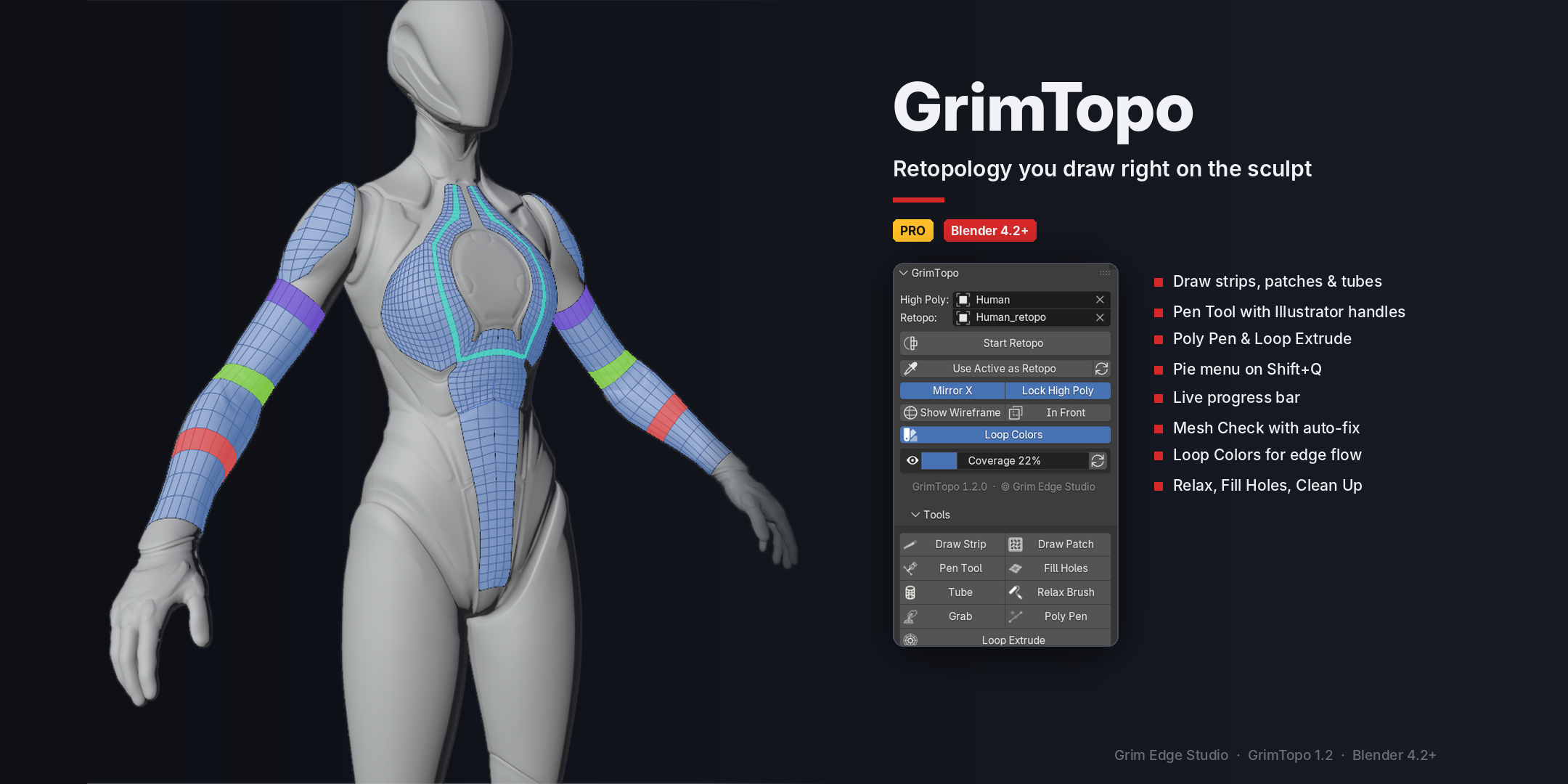
GrimTopo Pro: draw clean retopology right on your sculpt in Blender. Pen Tool, Tube, Loop Extrude, Poly Pen, pie menu, live progress bar, Mesh Check with auto-fix and Loop Colors. By Grim Edge Studio.
Categories
Tags
Installation
- Download GrimTopo and check which Blender versions the creator supports. Keep the installable archive (for example,
GrimTopo.zip) intact. If the download is a bundle, extract it first to find the add-on archive. - In Blender, go to Edit → Preferences → Add-ons. In Blender 4.2 and newer, open the top-right menu and choose Install from Disk. In older versions, click Install….
- Select the add-on archive (for example,
GrimTopo.zip) or its standalone.pyfile and confirm the installation. - Find the add-on in the Add-ons list and tick its checkbox if it isn’t already enabled.
Check the creator’s instructions for any extra setup, such as dependencies or license activation.
Compare with other products
Choose a category to find products to compare with this listing.
Product versions
-
1.2.0 published
Created Nov 20, 2026 · Published Nov 20, 2026
Release notes (source)
<p><b>New</b></p><ul> <li><b>Pen Tool</b> - works like the pen in Illustrator: click points, drag curve handles, Alt for corners, click the curve to add a point, X to delete. The patch fills live. Replaces Smart Patch.</li> <li><b>Poly Pen</b> - build the retopo one quad at a time; snaps to vertices and open edges, bridges to borders, cuts faces like the Knife tool.</li> <li><b>Loop Extrude</b> - hover any open border and drag to grow new rings of quads. Scroll for more rings, Alt for the whole loop.</li> <li><b>Progress bar</b> - live coverage % of the high poly (mirror included) as a viewport card and an N-panel bar, with the quad count and milestone call-outs.</li> <li><b>Mesh Check</b> - finds loose vertices/edges, holes, overlapping vertices, flipped faces, non-manifold edges, collapsed faces, n-gons, crossing edges, twisted faces and triangles, each in its own colour, with Select and one-click Fix.</li> <li><b>Auto-fix overlaps</b> - removes a newer patch's faces lying on top of an older one.</li> <li><b>Loop Colors is back</b> - soft blue tint plus coloured flow loops, mirror side included.</li> <li>New N-panel icons matching the pie menu.</li></ul> <p><b>Improved</b></p><ul> <li>Bigger / Smaller Quads (and middle mouse + scroll) on a whole patch no longer shrinks it or eats its corners.</li> <li>Grab only merges when you drop a vertex right on top of another one.</li> <li>Mesh Check marks disappear as soon as a problem is fixed.</li> <li>Mirror X off now also hides the Mirror modifier.</li></ul> <p>Blender 4.2+ - install with Edit > Preferences > Get Extensions > Install from Disk.</p>
Related products
More from this creator
No other products from this creator.