Product listing
Glass Studio
By SkdSam ·
$10.00
List price: $10.00
Listing details
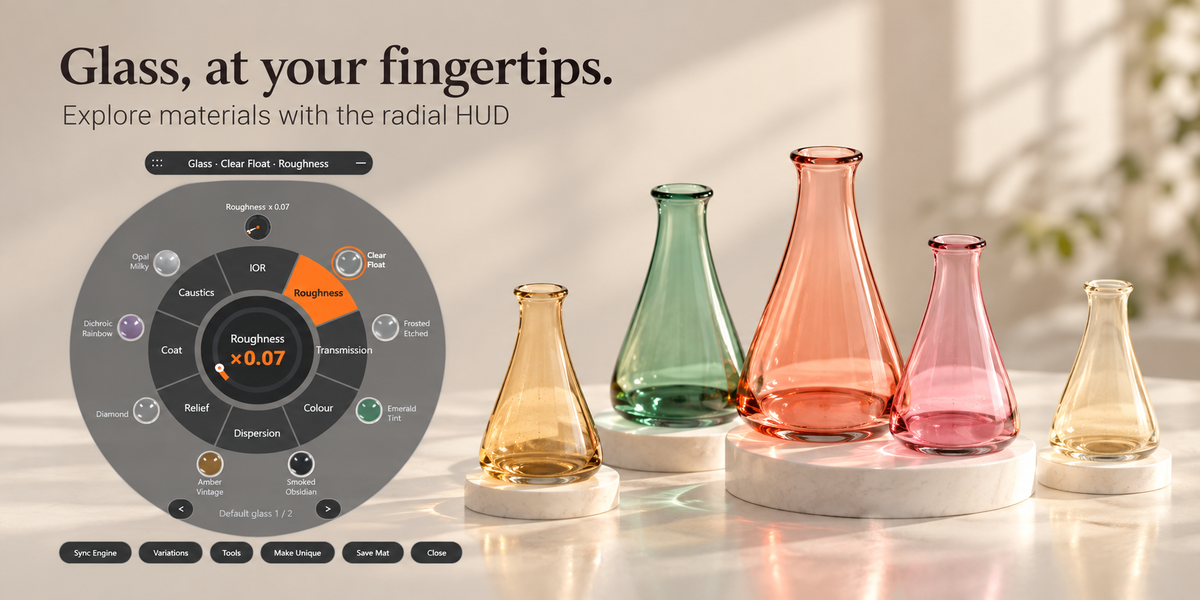
Glass, at your fingertips. ✨ Create clear, coloured and frosted glass in Blender with Glass Studio. Explore 16 presets, add scratches and surface wear, and save your favorite materials—all from your viewport. Available now on Superhive. #Blender #BlenderAddon #GlassMaterials #3DArt #Superhive
Categories
Tags
Installation
- Download Glass Studio and check which Blender versions the creator supports. Keep the installable archive (for example,
Glass_Studio.zip) intact. If the download is a bundle, extract it first to find the add-on archive. - In Blender, go to Edit → Preferences → Add-ons. In Blender 4.2 and newer, open the top-right menu and choose Install from Disk. In older versions, click Install….
- Select the add-on archive (for example,
Glass_Studio.zip) or its standalone.pyfile and confirm the installation. - Find the add-on in the Add-ons list and tick its checkbox if it isn’t already enabled.
Check the creator’s instructions for any extra setup, such as dependencies or license activation.
Compare with other products
Choose a category to find products to compare with this listing.