Product listing
Furnimatic
By Mantas Stanišauskas ·
From $39.99
Listing details
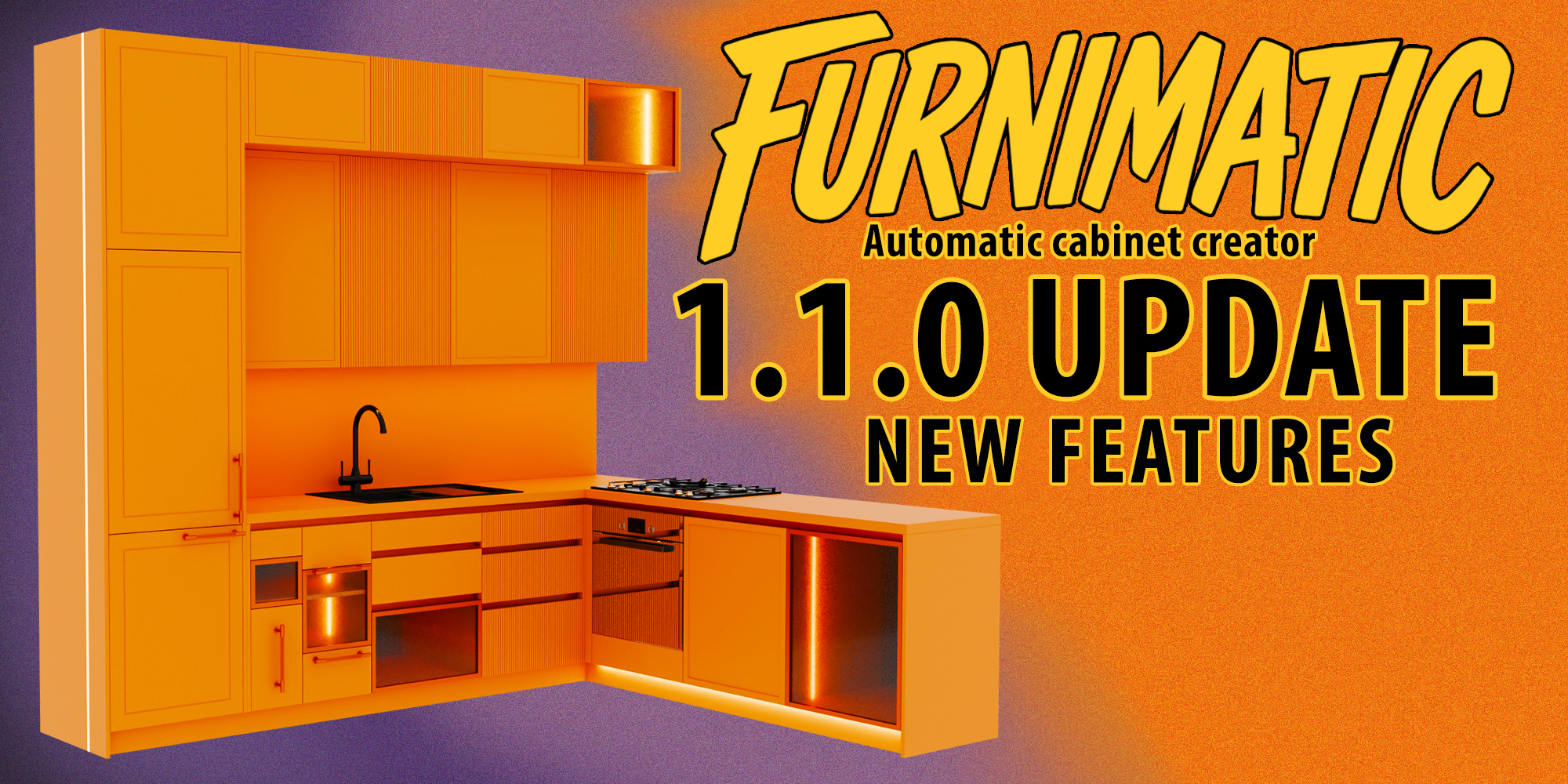
A powerful Blender add-on for creating custom furniture quickly and easily. Enter dimensions, select materials, handles, and appliances - or use your own. Perfect for interior and furniture designers who value speed and flexibility.
Categories
Tags
- 3d furniture modeling tool
- blender addon for designers
- blender addon for furniture
- blender cabinet design
- blender furniture addon
- blender modeling automation
- custom furniture blender
- fast furniture modeling
- Furnimatic
- furniture layout generator
- kitchen cabinet creator
- modular cabinet system
- parametric cabinet generator
Installation
- Download Furnimatic and check which Blender versions the creator supports. Keep the installable archive (for example,
Furnimatic.zip) intact. If the download is a bundle, extract it first to find the add-on archive. - In Blender, go to Edit → Preferences → Add-ons. In Blender 4.2 and newer, open the top-right menu and choose Install from Disk. In older versions, click Install….
- Select the add-on archive (for example,
Furnimatic.zip) or its standalone.pyfile and confirm the installation. - Find the add-on in the Add-ons list and tick its checkbox if it isn’t already enabled.
Check the creator’s instructions for any extra setup, such as dependencies or license activation.
Compare with other products
Choose a category to find products to compare with this listing.
Variants
-
⚡Early Supporter Deal⚡ published
Price: $39.99 · List price: $39.99
Variant versions
-
Furnimatic 1.2.0. (For blender 4.0 - 4.5 ) (Test version V4 ) published
Created Jul 30, 2026 · Published Jul 30, 2026
Release notes (source)
<p>Bug fixes.</p>
-
Furnimatic 1.2.0. (For blender 5.0 - 5.2 ) (Test version V4 ) published
Created Jul 30, 2026 · Published Jul 30, 2026
Release notes (source)
<p>Bug fixes.</p>
-
Furnimatic 1.2.0. (For blender 5.0 - 5.1 ) (Test version V3 ) published
Created May 20, 2026 · Published May 20, 2026
Release notes (source)
<p>Bug fixes.</p>
-
Furnimatic 1.2.0. (For blender 4.0 - 4.5 ) (Test version V3 ) published
Created May 20, 2026 · Published May 20, 2026
Release notes (source)
<p>Bug fixes.</p>
-
Furnimatic 1.2.0. (For blender 5.0 - 5.1 ) (Test version V2 ) published
Created May 18, 2026 · Published May 18, 2026
Release notes (source)
<p>Bug fixes and a few new features added. This file is intended for Blender versions 5.0 to 5.1.</p>
-
Furnimatic 1.2.0. (For blender 4.0 - 4.5 ) (Test version V2 ) published
Created May 18, 2026 · Published May 18, 2026
Release notes (source)
<p>Bug fixes and a few new features added. This file is intended for Blender versions 4.0 to 4.5.</p>
-
Furnimatic 1.1.3. published
Created Nov 21, 2025 · Published Nov 21, 2025
Release notes (source)
<p data-start="0" data-end="21">UPDATE:<br><br>Now works in Blender 5.0.</p><p data-start="23" data-end="46">Several new features:</p><p data-start="23" data-end="44">
</p><ol data-start="47" data-end="646" data-is-last-node="" data-is-only-node="">
<li data-start="47" data-end="406">
<p data-start="50" data-end="406">Category based material assignment. By clicking the corresponding button in any material section, the material from that section can be applied to selected categories. This allows you to quickly unify materials across specific categories or even all categories, without having to assign everything one by one. Everything can be applied with a single click.</p>
</li>
<li data-start="408" data-end="578">
<p data-start="411" data-end="578">Individual frame part adjustment by custom dimensions. You can select a specific frame part and reduce its size from any desired side based on the entered measurement.</p>
</li>
<li data-start="580" data-end="646" data-is-last-node="">
<p data-start="583" data-end="646" data-is-last-node="">The countertop depth can be overridden for individual cabinets.</p></li></ol>
-
Furnimatic 1.1.2 published
Created Oct 17, 2025 · Published Oct 17, 2025
Release notes (source)
<p>Bug fixes, improvements, optimization, new materials.<br data-start="38" data-end="41">
A few new small features.</p>
-
Furnimatic 1.1.1. published
Created Oct 1, 2025 · Published Oct 1, 2025
Release notes (source)
<p>Bug fixes, new small features.</p>
-
Furnimatic 1.1.0 published
Created Sep 28, 2025 · Published Sep 28, 2025
Release notes (source)
<p data-start="0" data-end="29">FURNIMATIC 1.1.0 NEW UPDATE</p><p>
</p><p data-start="31" data-end="508" data-is-last-node="" data-is-only-node="">Corner cabinets in L, U and G shapes<br data-start="67" data-end="70">
Automatic door milling<br data-start="92" data-end="95">
Customizable legs and handles<br data-start="124" data-end="127">
LED lighting<br data-start="139" data-end="142">
Vertical custom door widths<br data-start="169" data-end="172">
Custom drawer heights<br data-start="193" data-end="196">
Aluminum glass doors<br data-start="216" data-end="219">
Custom shelf heights inside furniture<br data-start="256" data-end="259">
Random material combinations<br data-start="287" data-end="290">
Cabinet data copy, paste, delete and swap<br data-start="331" data-end="334">
Furniture creation animations<br data-start="363" data-end="366">
Batch visualizations with multiple cameras and color variants<br data-start="427" data-end="430">
Fast furniture input (all parameters in one place)<br data-start="480" data-end="483">
Many other improvements</p>
-
Furnimatic 1.0.2 published
Created Jul 1, 2025 · Published Jul 1, 2025
Release notes (source)
<p>I separated the textures from the .blend file to make the .blend file lighter, and now the textures are accessible from the "textures" folder.</p>
-
Furnimatic 1.0.1 published
Created Jun 30, 2025 · Published Jun 30, 2025
Release notes (source)
<p>Fixed the issue with missing textures from objects and materials.</p>
-
-
Furnimatic: LITE disabled
Price: $29.99 · List price: $29.99
-
Furnimatic: STUDIO disabled
Price: $99.99 · List price: $99.99
-
Furnimatic: PRO disabled
Price: $249.99 · List price: $249.99
-
Furnimatic: PRO (LIFETIME) disabled
Price: $499.99 · List price: $499.99
Related products
More from this creator
No other products from this creator.