Product listing
Find My Addon — Instant N-Panel Add-on Finder & Manager
By Marcos Medel ·
$5.00
List price: $5.00
Listing details
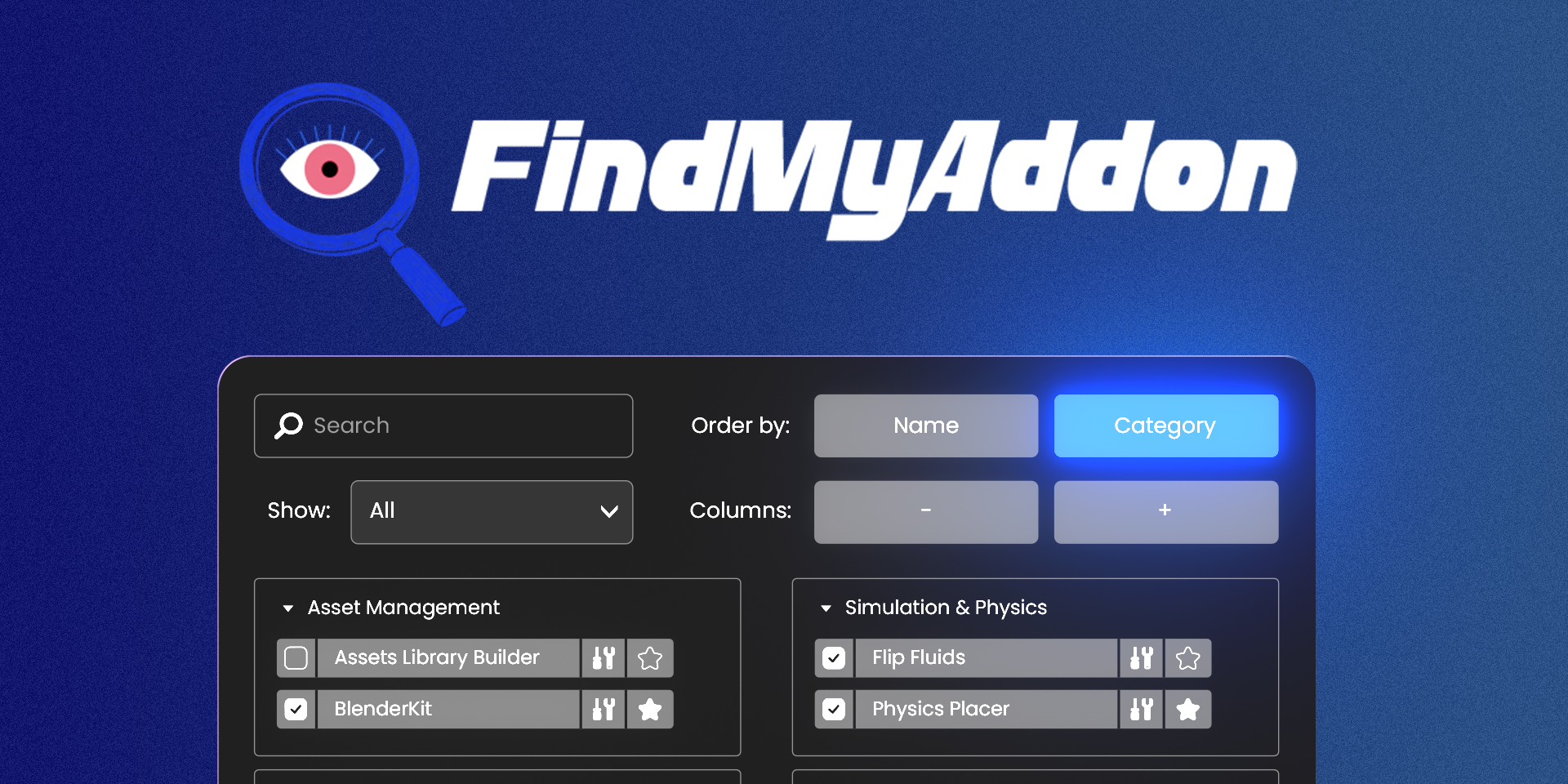
FindMyAddon pops up in Blender with a shortcut, letting you search, favorite, categorize & toggle any N-panel add-on instantly—goodbye endless vertical panel scrolling. Stay in the 3D View, keep creating.
Categories
Tags
Compare with other products
Choose a category to find products to compare with this listing.
Product versions
-
1.4 published
Created Aug 17, 2026 · Published Aug 17, 2026
Release notes (source)
<p>FindMyAddon now works across the whole of Blender — not just the 3D Viewport.</p><p>NEW</p><p>• Global shortcut: Shift+R opens FindMyAddon in any editor (Image, Node, Graph, Dope Sheet, NLA, Sequencer, Outliner, Properties and more).</p><p>• Cross-editor jump: click an add-on that lives in another editor and FindMyAddon opens its tab there. If that editor is already open on screen it is used as-is; otherwise you are asked before the current editor is switched.</p><p>• Recent: your recently opened add-ons appear at the top of the popup (toggle & count in Preferences).</p><p>• Smarter search: matches the add-on name, its module name and its N-panel tab name — multiple words supported.</p><p>• Extension badges: extensions and legacy add-ons are marked with distinct icons; tooltips show where each add-on lives.</p><p>FIXED</p><p>• Cmd-based shortcuts now work on macOS.</p><p>• FindMyAddon no longer hides error messages coming from other add-ons' panels.</p><p>• Ships as a valid Blender Extension (blender_manifest.toml). Compatible with Blender 4.2 – 5.1.</p>
-
1.3 published
Created Oct 23, 2025 · Published Oct 23, 2025
Release notes (source)
<p class="p1"><span class="s1"></span></p><h3 style="color:rgb(0, 0, 0);"><b>FindMyAddon v1.3 — release notes</b></h3><ul>
<li><p class="p1">Added quick access button to open Preferences.</p></li>
<li><p class="p1">Added quick access to Item, Tool & View tabs.</p></li>
<li><p class="p1">New “Factory Reset” button to restore all settings.</p></li>
<li><p class="p1">Add-on now remembers your settings and categories even if disabled, uninstalled, or Blender is closed.</p></li>
<li><p class="p1">Fixed a crash when disabling the add-on from its own Preferences.</p></li>
<li><p class="p1">Visibility (eye icon) now stays saved across sessions.</p></li>
<li><p class="p1">Internal improvements for more reliable loading and fewer bugs.</p></li>
</ul><p></p><p class="p2"><br></p><p class="p3">Settings file is saved here:</p><p class="p1"><span class="s1"></span></p><p></p><p></p><ul style="color:rgb(0, 0, 0);font-style:normal;font-weight:400;letter-spacing:normal;text-align:start;text-indent:0px;white-space:normal;text-decoration:none;">
<li>
<p class="p1">macOS:</p>
<p class="p2">/Users/USERNAME/Library/Application Support/Blender/4.4/config/findmyaddon/findmyaddon_settings.json</p>
</li>
<li>
<p class="p1">Windows:</p>
<p class="p2">%APPDATA%\Blender Foundation\Blender\<major.minor>\config\findmyaddon\findmyaddon_settings.json</major.minor></p>
</li>
</ul>
-
1.2 published
Created Aug 20, 2025 · Published Aug 20, 2025
Release notes (source)
<p class="p1"><b>FindMyAddon v1.2 — release notes</b><b></b></p><p class="p2"><span class="s1"></span></p><p></p><p></p><ul style="text-align: start; text-indent: 0px;">
<li style="color: rgb(0, 0, 0); font-style: normal; font-weight: 400; letter-spacing: normal; white-space: normal; text-decoration: none;"><p class="p1">Hide individual add-ons from results (eye icon), with a global “Show All” override.</p></li>
<li><p class="p1" style="color: rgb(0, 0, 0); font-style: normal; font-weight: 400; letter-spacing: normal; white-space: normal; text-decoration: none;">Enable/disable every add-on in a category with one click.</p><p class="p1"><i>ℹ️ If an add-on shows an error during enable/disable, that error comes from the add-on itself (e.g. outdated or buggy register()/unregister() code). FindMyAddon just passes the command along, so you may safely ignore those messages or update the affected add-on.</i><br></p></li>
<li style="color: rgb(0, 0, 0); font-style: normal; font-weight: 400; letter-spacing: normal; white-space: normal; text-decoration: none;"><p class="p1">Resizable popup: width controls (+/–)</p></li>
<li style="color: rgb(0, 0, 0); font-style: normal; font-weight: 400; letter-spacing: normal; white-space: normal; text-decoration: none;"><p class="p1">Faster search with live type-ahead while you type (when adding add-ons in the categories menu).</p></li>
<li style="color: rgb(0, 0, 0); font-style: normal; font-weight: 400; letter-spacing: normal; white-space: normal; text-decoration: none;"><p class="p1">Filter tabs for All / Enabled / Disabled / Favorites are now more accessible.</p></li>
<li style="color: rgb(0, 0, 0); font-style: normal; font-weight: 400; letter-spacing: normal; white-space: normal; text-decoration: none;"><p class="p1">Added tooltips and cleaner toolbar layout.</p></li>
<li style="color: rgb(0, 0, 0); font-style: normal; font-weight: 400; letter-spacing: normal; white-space: normal; text-decoration: none;"><p class="p1">Export/Import now includes visibility, “Show All” override, and UI prefs alongside categories/favorites; imports v1.1 files safely.</p></li>
</ul>
-
1.1 published
Created Aug 20, 2025 · Published Apr 29, 2025
Release notes (source)
<p><br></p>