Product listing
Edge2curve
By Michel Guesdon ·
$5.00
List price: $5.00
Listing details
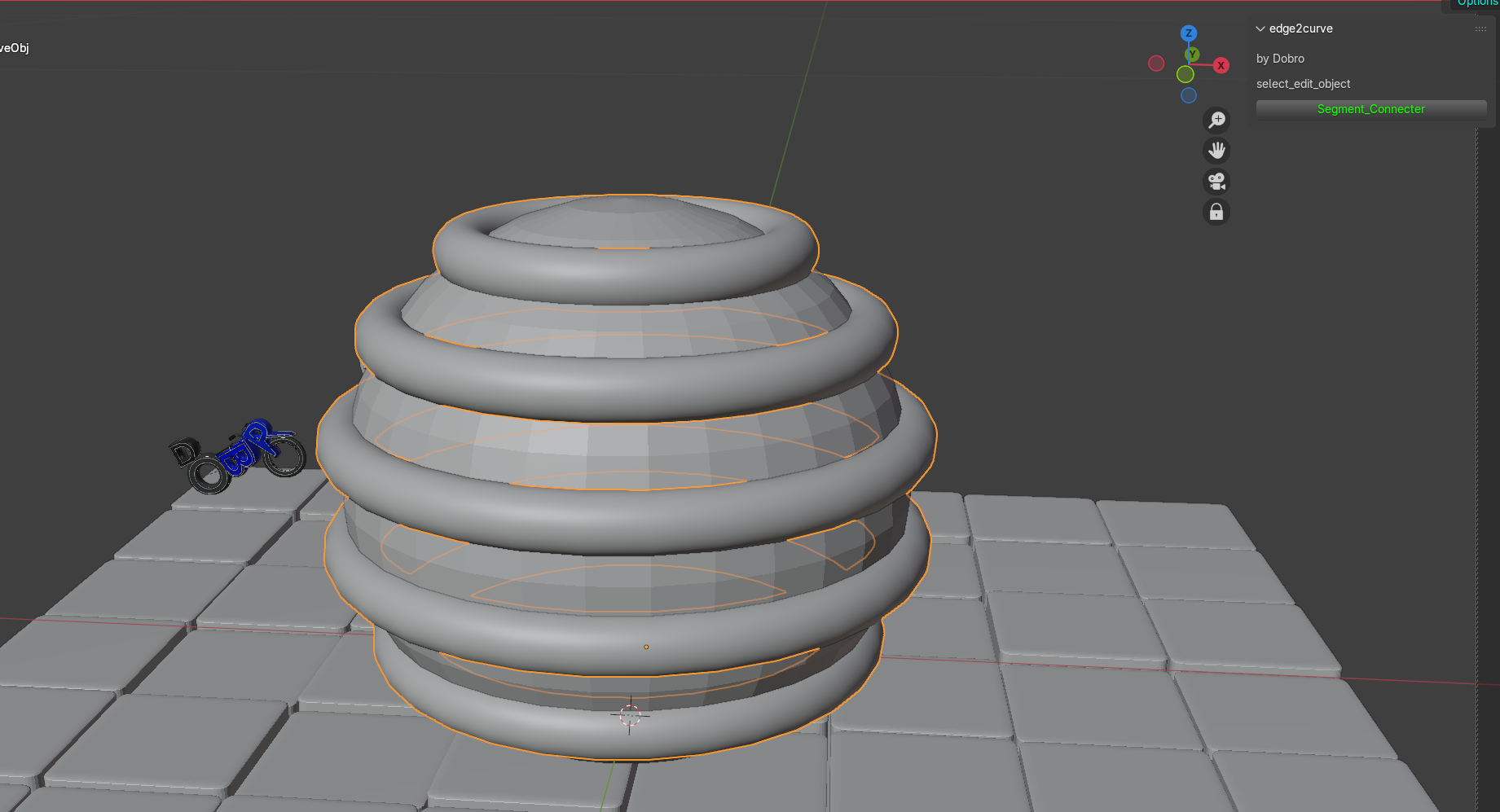
Edge2curve is a Blender addon designed to quickly convert edge selections into curves while preserving topology and artistic intent. Whether you're generating guides, profiles, or animation paths, Edge2curve streamlines the transition from mesh to curve with precision and flexibility. Built for modelers, animators, and procedural workflow creators, it delivers clean conversions without artifacts and integrates smoothly with modifiers and node-based systems. The tool automatically detects loops and open chains, offering smooth interpolation even on complex shapes. Edge2curve fits naturally into Blender’s interface, with intuitive logic and clear options. It’s a real time-saver for anyone working between polygonal modeling and usable curve outputs. Tested and optimized for Blender 4.5+, it adapts well to real-world scenes and production needs. A small tool, but a serious boost to your workflow.
Categories
Tags
Installation
- Download Edge2curve and check which Blender versions the creator supports. Keep the installable archive (for example,
Edge2curve.zip) intact. If the download is a bundle, extract it first to find the add-on archive. - In Blender, go to Edit → Preferences → Add-ons. In Blender 4.2 and newer, open the top-right menu and choose Install from Disk. In older versions, click Install….
- Select the add-on archive (for example,
Edge2curve.zip) or its standalone.pyfile and confirm the installation. - Find the add-on in the Add-ons list and tick its checkbox if it isn’t already enabled.
Check the creator’s instructions for any extra setup, such as dependencies or license activation.
Compare with other products
Choose a category to find products to compare with this listing.