Product listing
Edge Decal Generator
By Gilad Baruch ·
From $39.00
Listing details
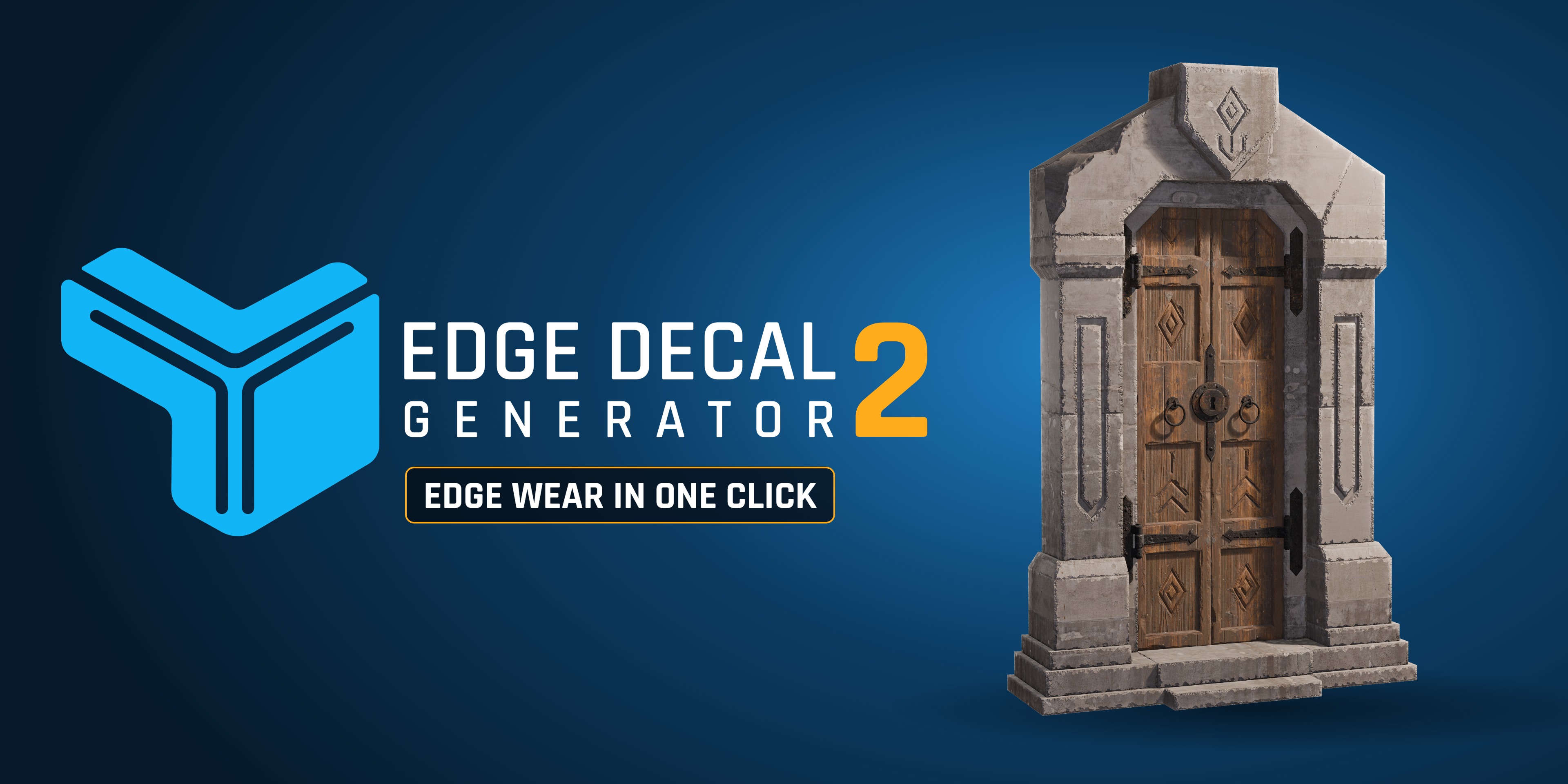
Create art-directable edge wear, welds, seams, and damage as editable mesh decals in Blender, then render or send your assets to Unreal.
Categories
Tags
Installation
- Download Edge Decal Generator and check which Blender versions the creator supports. Keep the installable archive (for example,
Edge_Decal_Generator.zip) intact. If the download is a bundle, extract it first to find the add-on archive. - In Blender, go to Edit → Preferences → Add-ons. In Blender 4.2 and newer, open the top-right menu and choose Install from Disk. In older versions, click Install….
- Select the add-on archive (for example,
Edge_Decal_Generator.zip) or its standalone.pyfile and confirm the installation. - Find the add-on in the Add-ons list and tick its checkbox if it isn’t already enabled.
Check the creator’s instructions for any extra setup, such as dependencies or license activation.
Compare with other products
Choose a category to find products to compare with this listing.
Variants
-
Individual License - Single Seat - Gross revenue and funding under $100k per year published
Price: $39.00 · List price: $39.00
Variant versions
-
2.1.1 published
Created Nov 15, 2026 · Published Nov 15, 2026
Release notes (source)
<p dir="ltr"><strong>New</strong></p><ul dir="ltr"><li><strong>Copy / Paste Layer Settings:</strong> copy every setting and the material from one layer to another, even into another file.</li></ul><p dir="ltr"><strong>Improved</strong></p><ul dir="ltr"><li><strong><code dir="ltr">Shift</code> + click shortest path:</strong> it now follows sharp edges instead of cutting across flat faces.</li><li><strong>Compact sidebar:</strong> layers have one + button, and settings that are off hide their controls.</li><li><strong>Tooltips:</strong> simplified and more user friendly descriptions. </li><li><strong>Random Width:</strong> new work defaults to Noise.</li></ul><p dir="ltr"><strong>Fixed</strong></p><ul dir="ltr"><li><strong>Add Decal Layer:</strong> sidebar changes no longer overwrite the previous layer’s settings.</li><li><strong>Export file names:</strong> files are named after the object (<code dir="ltr">Cube.fbx</code>, <code dir="ltr">SM_Cube.fbx</code>) instead of getting a random suffix.</li><li><strong>Interactive Mode:</strong><ul dir="ltr"><li>the overlay no longer stays on screen after you exit.</li><li><code dir="ltr">W</code> + Wheel now works on strokes of several edges.</li><li><code dir="ltr">Shift</code> + click starts from the edge you clicked.</li><li>strokes no longer narrow where they meet.</li><li>strokes on flat faces don’t disappear.</li><li>a stroke turning onto a flat surface no longer dips below it.</li><li><code dir="ltr">R</code> on a middle edge keeps both pieces.</li><li>hidden helper objects no longer pile up in the file.</li></ul></li></ul>
-
2.1.0 published
Created Oct 28, 2026 · Published Oct 28, 2026
Release notes (source)
<div><b>Edge Decal Generator 2.1.0</b></div><div>Faster Edit Mode on dense meshes, and decals generated from faces now run as one continuous strip, including around corners.</div><div><br></div><div><b>New</b></div><ul><li>Pause decals in Edit Mode. Turn Live Update off on a layer and the layer pauses while its source is in Edit Mode. It keeps showing its last result, does no work while you edit, and catches up when you leave Edit Mode. Edit Mode on dense meshes then behaves as if the decals were not there.</li><li>Decal UV Map (Integrated Surface): choose the name of the UV map that holds the decal UVs. Leave it empty to use the first free UVMap.00N name.</li></ul><div><b>Fixed</b></div><ul><li>Generate from faces failed with “Could not order the selected bevel strip.” on bands that turn a rounded or chamfered corner.</li><li>A new empty layer no longer shows “Made by an earlier version” and asks you to run Upgrade Layers to V2. Layers made with 1.x are still detected.</li><li>Face decals around corners: UVs were rotated on the narrow corner faces, and each face column showed a different slice of the texture. A band of selected faces is now one continuous strip, with one UV run and one UV pin. Amount, Max Length and tapers cut along the whole band, so a decal can run through a corner.</li><li>Integrated Surface keeps every source UV map. Convert to Mesh used to overwrite or drop source UV maps after the first one.</li><li>Clearer error when a face selection cannot be generated: a selection that covers a whole bevel now reports that the strip “needs a neighboring surface on both outer sides”.</li></ul>
-
2.0.0 published
Created Oct 20, 2026 · Published Oct 20, 2026
Release notes (source)
<div><b>Edge Decal Generator 2.0.0</b></div><div>The Geometry Nodes edition. Decals are now generated live by Blender's Geometry Nodes. Change a setting, paint a mask, move a Boolean cutter or edit the source mesh, and the decals update right away.</div><div><br></div><div><b>Highlights</b></div><ul><li>Live Geometry Nodes decals. Layers update live while you work. Extrude, loop cut, bevel and undo/redo in Edit Mode keep the existing placement instead of reshuffling your decals.</li><li>Integrated Surface. A new Geometry Mode that cuts the decals into a derived copy of the source as a single mesh. Includes Edit Source Mesh and Select Problem Elements.</li><li>Follow Booleans. Layers build on the cut surface of Boolean modifiers. Trimmed edges end at the cut, removed edges disappear, and the seams get real corner junctions. Use Mask Seams and Mask Cutter Edges to control what gets decaled.</li><li>Batch Generate. Apply the current settings to selected objects or a whole collection, with a per-object report.</li><li>Match Material, upgraded. Copies any shader setup plugged into the source Principled BSDF (Base Color, Metallic, Roughness) and now also matches the source Normal, blended with the decal's own normal detail.</li></ul><div><br></div><div><br></div>
-
1.3.3 published
Created Sep 13, 2026 · Published Sep 13, 2026
Release notes (source)
<div><b>Edge Decal Generator 1.3.3</b></div><div>This update improves Interactive Mode compatibility with layer adjustments, decal geometry, and overall stability.</div><div><br></div><div><b>Interactive Mode</b></div><ul><li>Interactive and mixed decal layers now fully support layer adjustments, including Width, Decal Amount, Crevice Removal, and other settings.</li><li>Improved preservation of interactive width differences and taper proportions when adjusting layers.</li><li>Improved partial edge behavior, merging, and updating without affecting existing decal UVs.</li><li>Fixed several issues where interactive, removed, connected, or auto-merged edges could disappear, duplicate, or split after layer adjustments.</li><li>Locked layers can enter Interactive Mode, but editing is now blocked with a clear warning.</li></ul><div><br></div><div><b>Geometry</b></div><ul><li>Improved decal alignment and joins across complex slopes and multiple face-angle transitions.</li><li>Fixed decals becoming hidden or misaligned when crossing multiple surfaces.</li><li>Fixed malformed geometry caused by extremely short Decal Amount cut ends.</li><li>Improved rebuilding of paths when using Split Edge Paths, Decal Amount, and Remove Short Edges.</li></ul>
-
1.3.2 published
Created Sep 7, 2026 · Published Sep 7, 2026
Release notes (source)
<h2 style="margin-bottom: 24px; line-height: 1.2em;">v1.3.2 - Hotfix</h2><h3 style="margin-bottom: 24px; line-height: 1.2em;">Bug Fixes</h3><ul style="margin-bottom: 24px;"><li>Fixed Random Horizontal Offset </li><li>Fixed changing the Seed not producing different randomized U offsets.</li><li>Random U is now disabled only when <span style="font-weight: 700;">Snap U to Whole Tiles</span> is active.</li><li>Fixed <span style="font-weight: 700;">Auto Edge Angle</span> not regenerating automatic edge selections during Live Update.</li><li>Added compatibility handling so existing automatically generated layers also respond to Auto Edge Angle changes.</li></ul><p style="margin-bottom: 24px;"><br style="color: rgb(190, 190, 194); font-size: 14px; letter-spacing: 0.21px; background-color: rgb(16, 16, 20);"></p>
-
1.3.1 published
Created Sep 5, 2026 · Published Sep 5, 2026
Release notes (source)
<h2>v1.3.1 – Hotfix</h2><ul><li><p><strong>Fixed Metal Preset Textures</strong> - Replaced the Metal preset textures with the correct seamless versions.</p></li></ul><p></p><p>Apologies for the inconvenience, and thank you for your understanding!<br><br></p><h2>Edge Decal Generator v1.3.0</h2><h3>New Features & Improvements</h3><ul> <li><p><strong>Edge Tapering Mode</strong> - Adjust decal width along the edge while keeping the decal connected, allowing for more varied and organic results within a single layer.</p></li> <li><p><strong>New Sculpted Textures & Presets</strong> - Added new sculpted <strong>Metal</strong> and <strong>Wood </strong>texture presets.</p></li> <li><p><strong>Improved Material & UV Matching</strong> - Improved reliability and consistency when matching decals to the source object's materials and UVs.</p></li> <li><p><strong>Improved Set Texel Density Workflow</strong> - Added an option to snap UV ends to the nearest UV tile, making it easier to maintain consistent UV layouts when working with modular kits.</p></li> <li><p><strong>Custom Collision Support</strong> - Added support for custom collision meshes in the export workflow.</p></li> </ul>
-
1.3.0 published
Created Sep 5, 2026 · Published Sep 5, 2026
Release notes (source)
<h2 style="margin-bottom:24px;line-height:1.2em;">Edge Decal Generator v1.3.0</h2><h3 style="margin-bottom:24px;line-height:1.2em;">New Features & Improvements</h3><ul style="margin-bottom:24px;">
<li>
<span style="font-weight:700;">Edge Tapering Mode</span> - Adjust decal width along the edge while keeping the decal connected, allowing for more varied and organic results within a single layer.</li>
<li>
<span style="font-weight:700;">New Sculpted Textures & Presets</span> - Added new sculpted <span style="font-weight:700;">Metal</span> and <span style="font-weight:700;">Wood </span>texture presets.</li>
<li>
<span style="font-weight:700;">Improved Material & UV Matching</span> - Improved reliability and consistency when matching decals to the source object's materials and UVs.</li>
<li>
<span style="font-weight:700;">Improved Set Texel Density Workflow</span> - Added an option to snap UV ends to the nearest UV tile, making it easier to maintain consistent UV layouts when working with modular kits.</li>
<li>
<span style="font-weight:700;">Custom Collision Support</span> - Added support for custom collision meshes in the export workflow.</li>
</ul><p style="margin-bottom:24px;"><br style="color:rgb(190, 190, 194);font-size:14px;letter-spacing:0.21px;background-color:rgb(16, 16, 20);"></p>
-
-
Small Studio License - 5 Seats - Gross revenue and funding under $1M per year published
Price: $199.00 · List price: $199.00
Variant versions
-
2.1.1 published
Created Nov 15, 2026 · Published Nov 15, 2026
Release notes (source)
<p dir="ltr"><span style="font-weight: bolder;">New</span></p><ul dir="ltr"><li><span style="font-weight: bolder;">Copy / Paste Layer Settings:</span> copy every setting and the material from one layer to another, even into another file.</li></ul><p dir="ltr"><span style="font-weight: bolder;">Improved</span></p><ul dir="ltr"><li><span style="font-weight: bolder;"><code dir="ltr" style="font-family: SFMono-Regular, Menlo, Monaco, Consolas, "Liberation Mono", "Courier New", monospace; color: rgb(214, 51, 132);">Shift</code> + click shortest path:</span> it now follows sharp edges instead of cutting across flat faces.</li><li><span style="font-weight: bolder;">Compact sidebar:</span> layers have one + button, and settings that are off hide their controls.</li><li><span style="font-weight: bolder;">Tooltips:</span> simplified and more user friendly descriptions. </li><li><span style="font-weight: bolder;">Random Width:</span> new work defaults to Noise.</li></ul><p dir="ltr"><span style="font-weight: bolder;">Fixed</span></p><ul dir="ltr"><li><span style="font-weight: bolder;">Add Decal Layer:</span> sidebar changes no longer overwrite the previous layer’s settings.</li><li><span style="font-weight: bolder;">Export file names:</span> files are named after the object (<code dir="ltr" style="font-family: SFMono-Regular, Menlo, Monaco, Consolas, "Liberation Mono", "Courier New", monospace; color: rgb(214, 51, 132);">Cube.fbx</code>, <code dir="ltr" style="font-family: SFMono-Regular, Menlo, Monaco, Consolas, "Liberation Mono", "Courier New", monospace; color: rgb(214, 51, 132);">SM_Cube.fbx</code>) instead of getting a random suffix.</li><li><span style="font-weight: bolder;">Interactive Mode:</span><ul dir="ltr"><li>the overlay no longer stays on screen after you exit.</li><li><code dir="ltr" style="font-family: SFMono-Regular, Menlo, Monaco, Consolas, "Liberation Mono", "Courier New", monospace; color: rgb(214, 51, 132);">W</code> + Wheel now works on strokes of several edges.</li><li><code dir="ltr" style="font-family: SFMono-Regular, Menlo, Monaco, Consolas, "Liberation Mono", "Courier New", monospace; color: rgb(214, 51, 132);">Shift</code> + click starts from the edge you clicked.</li><li>strokes no longer narrow where they meet.</li><li>strokes on flat faces don’t disappear.</li><li>a stroke turning onto a flat surface no longer dips below it.</li><li><code dir="ltr" style="font-family: SFMono-Regular, Menlo, Monaco, Consolas, "Liberation Mono", "Courier New", monospace; color: rgb(214, 51, 132);">R</code> on a middle edge keeps both pieces.</li><li>hidden helper objects no longer pile up in the file.</li></ul></li></ul>
-
2.1.0 published
Created Oct 28, 2026 · Published Oct 28, 2026
Release notes (source)
<div><span style="font-weight: bolder;">Edge Decal Generator 2.1.0</span></div><div>Faster Edit Mode on dense meshes, and decals generated from faces now run as one continuous strip, including around corners.</div><div><br></div><div><span style="font-weight: bolder;">New</span></div><ul><li>Pause decals in Edit Mode. Turn Live Update off on a layer and the layer pauses while its source is in Edit Mode. It keeps showing its last result, does no work while you edit, and catches up when you leave Edit Mode. Edit Mode on dense meshes then behaves as if the decals were not there.</li><li>Decal UV Map (Integrated Surface): choose the name of the UV map that holds the decal UVs. Leave it empty to use the first free UVMap.00N name.</li></ul><div><span style="font-weight: bolder;">Fixed</span></div><ul><li>Generate from faces failed with “Could not order the selected bevel strip.” on bands that turn a rounded or chamfered corner.</li><li>A new empty layer no longer shows “Made by an earlier version” and asks you to run Upgrade Layers to V2. Layers made with 1.x are still detected.</li><li>Face decals around corners: UVs were rotated on the narrow corner faces, and each face column showed a different slice of the texture. A band of selected faces is now one continuous strip, with one UV run and one UV pin. Amount, Max Length and tapers cut along the whole band, so a decal can run through a corner.</li><li>Integrated Surface keeps every source UV map. Convert to Mesh used to overwrite or drop source UV maps after the first one.</li><li>Clearer error when a face selection cannot be generated: a selection that covers a whole bevel now reports that the strip “needs a neighboring surface on both outer sides”.</li></ul>
-
2.0.0 published
Created Oct 20, 2026 · Published Oct 20, 2026
Release notes (source)
<div><span style="font-weight: bolder;">Edge Decal Generator 2.0.0</span></div><div>The Geometry Nodes edition. Decals are now generated live by Blender's Geometry Nodes. Change a setting, paint a mask, move a Boolean cutter or edit the source mesh, and the decals update right away.</div><div><br></div><div><span style="font-weight: bolder;">Highlights</span></div><ul><li>Live Geometry Nodes decals. Layers update live while you work. Extrude, loop cut, bevel and undo/redo in Edit Mode keep the existing placement instead of reshuffling your decals.</li><li>Integrated Surface. A new Geometry Mode that cuts the decals into a derived copy of the source as a single mesh. Includes Edit Source Mesh and Select Problem Elements.</li><li>Follow Booleans. Layers build on the cut surface of Boolean modifiers. Trimmed edges end at the cut, removed edges disappear, and the seams get real corner junctions. Use Mask Seams and Mask Cutter Edges to control what gets decaled.</li><li>Batch Generate. Apply the current settings to selected objects or a whole collection, with a per-object report.</li><li>Match Material, upgraded. Copies any shader setup plugged into the source Principled BSDF (Base Color, Metallic, Roughness) and now also matches the source Normal, blended with the decal's own normal detail.</li></ul><div><br></div><div><br></div>
-
1.3.3 published
Created Sep 13, 2026 · Published Sep 13, 2026
Release notes (source)
<div><span style="font-weight: bolder;">Edge Decal Generator 1.3.3</span></div><div>This update improves Interactive Mode compatibility with layer adjustments, decal geometry, and overall stability.</div><div><br></div><div><span style="font-weight: bolder;">Interactive Mode</span></div><ul><li>Interactive and mixed decal layers now fully support layer adjustments, including Width, Decal Amount, Crevice Removal, and other settings.</li><li>Improved preservation of interactive width differences and taper proportions when adjusting layers.</li><li>Improved partial edge behavior, merging, and updating without affecting existing decal UVs.</li><li>Fixed several issues where interactive, removed, connected, or auto-merged edges could disappear, duplicate, or split after layer adjustments.</li><li>Locked layers can enter Interactive Mode, but editing is now blocked with a clear warning.</li></ul><div><br></div><div><span style="font-weight: bolder;">Geometry</span></div><ul><li>Improved decal alignment and joins across complex slopes and multiple face-angle transitions.</li><li>Fixed decals becoming hidden or misaligned when crossing multiple surfaces.</li><li>Fixed malformed geometry caused by extremely short Decal Amount cut ends.</li><li>Improved rebuilding of paths when using Split Edge Paths, Decal Amount, and Remove Short Edges.</li></ul>
-
1.3.2 published
Created Sep 7, 2026 · Published Sep 7, 2026
Release notes (source)
<h2 style="margin-bottom: 24px; line-height: 1.2em; color: rgb(0, 0, 0);">v1.3.2 - Hotfix</h2><h3 style="margin-bottom: 24px; line-height: 1.2em; color: rgb(0, 0, 0);">Bug Fixes</h3><ul style="margin-bottom: 24px;"><li>Fixed Random Horizontal Offset </li><li>Fixed changing the Seed not producing different randomized U offsets.</li><li>Random U is now disabled only when <span style="font-weight: 700;">Snap U to Whole Tiles</span> is active.</li><li>Fixed <span style="font-weight: 700;">Auto Edge Angle</span> not regenerating automatic edge selections during Live Update.</li><li>Added compatibility handling so existing automatically generated layers also respond to Auto Edge Angle changes.</li></ul><p style="margin-bottom: 24px;"><br style="color: rgb(190, 190, 194); font-size: 14px; letter-spacing: 0.21px; background-color: rgb(16, 16, 20);"></p>
-
1.3.1 published
Created Sep 5, 2026 · Published Sep 5, 2026
Release notes (source)
<h2 style="color:rgb(0, 0, 0);">v1.3.1 – Hotfix</h2><ul><li><p><span style="font-weight:bolder;">Fixed Metal Preset Textures</span> - Replaced the Metal preset textures with the correct seamless versions.</p></li></ul><p></p><p>Apologies for the inconvenience, and thank you for your understanding!<br><br></p><h2 style="color:rgb(0, 0, 0);">Edge Decal Generator v1.3.0</h2><h3 style="color:rgb(0, 0, 0);">New Features & Improvements</h3><ul> <li><p><span style="font-weight:bolder;">Edge Tapering Mode</span> - Adjust decal width along the edge while keeping the decal connected, allowing for more varied and organic results within a single layer.</p></li> <li><p><span style="font-weight:bolder;">New Sculpted Textures & Presets</span> - Added new sculpted <span style="font-weight:bolder;">Metal</span> and <span style="font-weight:bolder;">Wood </span>texture presets.</p></li> <li><p><span style="font-weight:bolder;">Improved Material & UV Matching</span> - Improved reliability and consistency when matching decals to the source object's materials and UVs.</p></li> <li><p><span style="font-weight:bolder;">Improved Set Texel Density Workflow</span> - Added an option to snap UV ends to the nearest UV tile, making it easier to maintain consistent UV layouts when working with modular kits.</p></li> <li><p><span style="font-weight:bolder;">Custom Collision Support</span> - Added support for custom collision meshes in the export workflow.</p></li> </ul>
-
1.3.0 published
Created Sep 5, 2026 · Published Sep 5, 2026
Release notes (source)
<h2 style="margin-bottom: 24px; line-height: 1.2em;">Edge Decal Generator v1.3.0</h2><h3 style="margin-bottom: 24px; line-height: 1.2em;">New Features & Improvements</h3><ul style="margin-bottom: 24px;"><li><span style="font-weight: 700;">Edge Tapering Mode</span> - Adjust decal width along the edge while keeping the decal connected, allowing for more varied and organic results within a single layer.</li><li><span style="font-weight: 700;">New Sculpted Textures & Presets</span> - Added new sculpted <span style="font-weight: 700;">Metal</span> and <span style="font-weight: 700;">Wood </span>texture presets.</li><li><span style="font-weight: 700;">Improved Material & UV Matching</span> - Improved reliability and consistency when matching decals to the source object's materials and UVs.</li><li><span style="font-weight: 700;">Improved Set Texel Density Workflow</span> - Added an option to snap UV ends to the nearest UV tile, making it easier to maintain consistent UV layouts when working with modular kits.</li><li><span style="font-weight: 700;">Custom Collision Support</span> - Added support for custom collision meshes in the export workflow.</li></ul><p style="margin-bottom: 24px;"><br style="color: rgb(190, 190, 194); font-size: 14px; letter-spacing: 0.21px; background-color: rgb(16, 16, 20);"></p>
-
-
Enterprise License - Unlimited seats - No revenue cap published
Price: $1999.00 · List price: $1999.00
Variant versions
-
2.1.1 published
Created Nov 15, 2026 · Published Nov 15, 2026
Release notes (source)
<p dir="ltr"><span style="font-weight: bolder;">New</span></p><ul dir="ltr"><li><span style="font-weight: bolder;">Copy / Paste Layer Settings:</span> copy every setting and the material from one layer to another, even into another file.</li></ul><p dir="ltr"><span style="font-weight: bolder;">Improved</span></p><ul dir="ltr"><li><span style="font-weight: bolder;"><code dir="ltr" style="font-family: SFMono-Regular, Menlo, Monaco, Consolas, "Liberation Mono", "Courier New", monospace; color: rgb(214, 51, 132);">Shift</code> + click shortest path:</span> it now follows sharp edges instead of cutting across flat faces.</li><li><span style="font-weight: bolder;">Compact sidebar:</span> layers have one + button, and settings that are off hide their controls.</li><li><span style="font-weight: bolder;">Tooltips:</span> simplified and more user friendly descriptions. </li><li><span style="font-weight: bolder;">Random Width:</span> new work defaults to Noise.</li></ul><p dir="ltr"><span style="font-weight: bolder;">Fixed</span></p><ul dir="ltr"><li><span style="font-weight: bolder;">Add Decal Layer:</span> sidebar changes no longer overwrite the previous layer’s settings.</li><li><span style="font-weight: bolder;">Export file names:</span> files are named after the object (<code dir="ltr" style="font-family: SFMono-Regular, Menlo, Monaco, Consolas, "Liberation Mono", "Courier New", monospace; color: rgb(214, 51, 132);">Cube.fbx</code>, <code dir="ltr" style="font-family: SFMono-Regular, Menlo, Monaco, Consolas, "Liberation Mono", "Courier New", monospace; color: rgb(214, 51, 132);">SM_Cube.fbx</code>) instead of getting a random suffix.</li><li><span style="font-weight: bolder;">Interactive Mode:</span><ul dir="ltr"><li>the overlay no longer stays on screen after you exit.</li><li><code dir="ltr" style="font-family: SFMono-Regular, Menlo, Monaco, Consolas, "Liberation Mono", "Courier New", monospace; color: rgb(214, 51, 132);">W</code> + Wheel now works on strokes of several edges.</li><li><code dir="ltr" style="font-family: SFMono-Regular, Menlo, Monaco, Consolas, "Liberation Mono", "Courier New", monospace; color: rgb(214, 51, 132);">Shift</code> + click starts from the edge you clicked.</li><li>strokes no longer narrow where they meet.</li><li>strokes on flat faces don’t disappear.</li><li>a stroke turning onto a flat surface no longer dips below it.</li><li><code dir="ltr" style="font-family: SFMono-Regular, Menlo, Monaco, Consolas, "Liberation Mono", "Courier New", monospace; color: rgb(214, 51, 132);">R</code> on a middle edge keeps both pieces.</li><li>hidden helper objects no longer pile up in the file.</li></ul></li></ul>
-
2.1.0 published
Created Oct 28, 2026 · Published Oct 28, 2026
Release notes (source)
<div><span style="font-weight:bolder;">Edge Decal Generator 2.1.0</span></div><div>Faster Edit Mode on dense meshes, and decals generated from faces now run as one continuous strip, including around corners.</div><div><br></div><div><span style="font-weight:bolder;">New</span></div><ul>
<li>Pause decals in Edit Mode. Turn Live Update off on a layer and the layer pauses while its source is in Edit Mode. It keeps showing its last result, does no work while you edit, and catches up when you leave Edit Mode. Edit Mode on dense meshes then behaves as if the decals were not there.</li>
<li>Decal UV Map (Integrated Surface): choose the name of the UV map that holds the decal UVs. Leave it empty to use the first free UVMap.00N name.</li>
</ul><div><span style="font-weight:bolder;">Fixed</span></div><ul>
<li>Generate from faces failed with “Could not order the selected bevel strip.” on bands that turn a rounded or chamfered corner.</li>
<li>A new empty layer no longer shows “Made by an earlier version” and asks you to run Upgrade Layers to V2. Layers made with 1.x are still detected.</li>
<li>Face decals around corners: UVs were rotated on the narrow corner faces, and each face column showed a different slice of the texture. A band of selected faces is now one continuous strip, with one UV run and one UV pin. Amount, Max Length and tapers cut along the whole band, so a decal can run through a corner.</li>
<li>Integrated Surface keeps every source UV map. Convert to Mesh used to overwrite or drop source UV maps after the first one.</li>
<li>Clearer error when a face selection cannot be generated: a selection that covers a whole bevel now reports that the strip “needs a neighboring surface on both outer sides”.</li>
</ul>
-
2.0.0 published
Created Oct 20, 2026 · Published Oct 20, 2026
Release notes (source)
<div><span style="font-weight:bolder;">Edge Decal Generator 2.0.0</span></div><div>The Geometry Nodes edition. Decals are now generated live by Blender's Geometry Nodes. Change a setting, paint a mask, move a Boolean cutter or edit the source mesh, and the decals update right away.</div><div><br></div><div><span style="font-weight:bolder;">Highlights</span></div><ul>
<li>Live Geometry Nodes decals. Layers update live while you work. Extrude, loop cut, bevel and undo/redo in Edit Mode keep the existing placement instead of reshuffling your decals.</li>
<li>Integrated Surface. A new Geometry Mode that cuts the decals into a derived copy of the source as a single mesh. Includes Edit Source Mesh and Select Problem Elements.</li>
<li>Follow Booleans. Layers build on the cut surface of Boolean modifiers. Trimmed edges end at the cut, removed edges disappear, and the seams get real corner junctions. Use Mask Seams and Mask Cutter Edges to control what gets decaled.</li>
<li>Batch Generate. Apply the current settings to selected objects or a whole collection, with a per-object report.</li>
<li>Match Material, upgraded. Copies any shader setup plugged into the source Principled BSDF (Base Color, Metallic, Roughness) and now also matches the source Normal, blended with the decal's own normal detail.</li>
</ul>
-
1.3.3 published
Created Sep 13, 2026 · Published Sep 13, 2026
Release notes (source)
<div><span style="font-weight: bolder;">Edge Decal Generator 1.3.3</span></div><div>This update improves Interactive Mode compatibility with layer adjustments, decal geometry, and overall stability.</div><div><br></div><div><span style="font-weight: bolder;">Interactive Mode</span></div><ul><li>Interactive and mixed decal layers now fully support layer adjustments, including Width, Decal Amount, Crevice Removal, and other settings.</li><li>Improved preservation of interactive width differences and taper proportions when adjusting layers.</li><li>Improved partial edge behavior, merging, and updating without affecting existing decal UVs.</li><li>Fixed several issues where interactive, removed, connected, or auto-merged edges could disappear, duplicate, or split after layer adjustments.</li><li>Locked layers can enter Interactive Mode, but editing is now blocked with a clear warning.</li></ul><div><br></div><div><span style="font-weight: bolder;">Geometry</span></div><ul><li>Improved decal alignment and joins across complex slopes and multiple face-angle transitions.</li><li>Fixed decals becoming hidden or misaligned when crossing multiple surfaces.</li><li>Fixed malformed geometry caused by extremely short Decal Amount cut ends.</li><li>Improved rebuilding of paths when using Split Edge Paths, Decal Amount, and Remove Short Edges.</li></ul>
-
1.3.2 published
Created Sep 7, 2026 · Published Sep 7, 2026
Release notes (source)
<h2 style="margin-bottom:24px;line-height:1.2em;color:rgb(0, 0, 0);">v1.3.2 - Hotfix</h2><h3 style="margin-bottom:24px;line-height:1.2em;color:rgb(0, 0, 0);">Bug Fixes</h3><ul style="margin-bottom:24px;">
<li>Fixed Random Horizontal Offset </li>
<li>Fixed changing the Seed not producing different randomized U offsets.</li>
<li>Random U is now disabled only when <span style="font-weight:700;">Snap U to Whole Tiles</span> is active.</li>
<li>Fixed <span style="font-weight:700;">Auto Edge Angle</span> not regenerating automatic edge selections during Live Update.</li>
<li>Added compatibility handling so existing automatically generated layers also respond to Auto Edge Angle changes.</li>
</ul><p style="margin-bottom:24px;"><br style="color:rgb(190, 190, 194);font-size:14px;letter-spacing:0.21px;background-color:rgb(16, 16, 20);"></p>
-
1.3.1 published
Created Sep 5, 2026 · Published Sep 5, 2026
Release notes (source)
<h2 style="color:rgb(0, 0, 0);">v1.3.1 – Hotfix</h2><ul><li><p><span style="font-weight:bolder;">Fixed Metal Preset Textures</span> - Replaced the Metal preset textures with the correct seamless versions.</p></li></ul><p></p><p>Apologies for the inconvenience, and thank you for your understanding!<br><br></p><h2 style="color:rgb(0, 0, 0);">Edge Decal Generator v1.3.0</h2><h3 style="color:rgb(0, 0, 0);">New Features & Improvements</h3><ul> <li><p><span style="font-weight:bolder;">Edge Tapering Mode</span> - Adjust decal width along the edge while keeping the decal connected, allowing for more varied and organic results within a single layer.</p></li> <li><p><span style="font-weight:bolder;">New Sculpted Textures & Presets</span> - Added new sculpted <span style="font-weight:bolder;">Metal</span> and <span style="font-weight:bolder;">Wood </span>texture presets.</p></li> <li><p><span style="font-weight:bolder;">Improved Material & UV Matching</span> - Improved reliability and consistency when matching decals to the source object's materials and UVs.</p></li> <li><p><span style="font-weight:bolder;">Improved Set Texel Density Workflow</span> - Added an option to snap UV ends to the nearest UV tile, making it easier to maintain consistent UV layouts when working with modular kits.</p></li> <li><p><span style="font-weight:bolder;">Custom Collision Support</span> - Added support for custom collision meshes in the export workflow.</p></li> </ul>
-
1.3.0 published
Created Sep 5, 2026 · Published Sep 5, 2026
Release notes (source)
<h2 style="margin-bottom: 24px; line-height: 1.2em;">Edge Decal Generator v1.3.0</h2><h3 style="margin-bottom: 24px; line-height: 1.2em;">New Features & Improvements</h3><ul style="margin-bottom: 24px;"><li><span style="font-weight: 700;">Edge Tapering Mode</span> - Adjust decal width along the edge while keeping the decal connected, allowing for more varied and organic results within a single layer.</li><li><span style="font-weight: 700;">New Sculpted Textures & Presets</span> - Added new sculpted <span style="font-weight: 700;">Metal</span> and <span style="font-weight: 700;">Wood </span>texture presets.</li><li><span style="font-weight: 700;">Improved Material & UV Matching</span> - Improved reliability and consistency when matching decals to the source object's materials and UVs.</li><li><span style="font-weight: 700;">Improved Set Texel Density Workflow</span> - Added an option to snap UV ends to the nearest UV tile, making it easier to maintain consistent UV layouts when working with modular kits.</li><li><span style="font-weight: 700;">Custom Collision Support</span> - Added support for custom collision meshes in the export workflow.</li></ul><p style="margin-bottom: 24px;"><br style="color: rgb(190, 190, 194); font-size: 14px; letter-spacing: 0.21px; background-color: rgb(16, 16, 20);"></p>
-
-
Studio - 20 Seats - Gross revenue and funding under $10M per year published
Price: $799.00 · List price: $799.00
Variant versions
-
2.1.1 published
Created Nov 15, 2026 · Published Nov 15, 2026
Release notes (source)
<p dir="ltr"><span style="font-weight: bolder;">New</span></p><ul dir="ltr"><li><span style="font-weight: bolder;">Copy / Paste Layer Settings:</span> copy every setting and the material from one layer to another, even into another file.</li></ul><p dir="ltr"><span style="font-weight: bolder;">Improved</span></p><ul dir="ltr"><li><span style="font-weight: bolder;"><code dir="ltr" style="font-family: SFMono-Regular, Menlo, Monaco, Consolas, "Liberation Mono", "Courier New", monospace; color: rgb(214, 51, 132);">Shift</code> + click shortest path:</span> it now follows sharp edges instead of cutting across flat faces.</li><li><span style="font-weight: bolder;">Compact sidebar:</span> layers have one + button, and settings that are off hide their controls.</li><li><span style="font-weight: bolder;">Tooltips:</span> simplified and more user friendly descriptions. </li><li><span style="font-weight: bolder;">Random Width:</span> new work defaults to Noise.</li></ul><p dir="ltr"><span style="font-weight: bolder;">Fixed</span></p><ul dir="ltr"><li><span style="font-weight: bolder;">Add Decal Layer:</span> sidebar changes no longer overwrite the previous layer’s settings.</li><li><span style="font-weight: bolder;">Export file names:</span> files are named after the object (<code dir="ltr" style="font-family: SFMono-Regular, Menlo, Monaco, Consolas, "Liberation Mono", "Courier New", monospace; color: rgb(214, 51, 132);">Cube.fbx</code>, <code dir="ltr" style="font-family: SFMono-Regular, Menlo, Monaco, Consolas, "Liberation Mono", "Courier New", monospace; color: rgb(214, 51, 132);">SM_Cube.fbx</code>) instead of getting a random suffix.</li><li><span style="font-weight: bolder;">Interactive Mode:</span><ul dir="ltr"><li>the overlay no longer stays on screen after you exit.</li><li><code dir="ltr" style="font-family: SFMono-Regular, Menlo, Monaco, Consolas, "Liberation Mono", "Courier New", monospace; color: rgb(214, 51, 132);">W</code> + Wheel now works on strokes of several edges.</li><li><code dir="ltr" style="font-family: SFMono-Regular, Menlo, Monaco, Consolas, "Liberation Mono", "Courier New", monospace; color: rgb(214, 51, 132);">Shift</code> + click starts from the edge you clicked.</li><li>strokes no longer narrow where they meet.</li><li>strokes on flat faces don’t disappear.</li><li>a stroke turning onto a flat surface no longer dips below it.</li><li><code dir="ltr" style="font-family: SFMono-Regular, Menlo, Monaco, Consolas, "Liberation Mono", "Courier New", monospace; color: rgb(214, 51, 132);">R</code> on a middle edge keeps both pieces.</li><li>hidden helper objects no longer pile up in the file.</li></ul></li></ul>
-
2.1.0 published
Created Oct 28, 2026 · Published Oct 28, 2026
Release notes (source)
<div><span style="font-weight: bolder;">Edge Decal Generator 2.1.0</span></div><div>Faster Edit Mode on dense meshes, and decals generated from faces now run as one continuous strip, including around corners.</div><div><br></div><div><span style="font-weight: bolder;">New</span></div><ul><li>Pause decals in Edit Mode. Turn Live Update off on a layer and the layer pauses while its source is in Edit Mode. It keeps showing its last result, does no work while you edit, and catches up when you leave Edit Mode. Edit Mode on dense meshes then behaves as if the decals were not there.</li><li>Decal UV Map (Integrated Surface): choose the name of the UV map that holds the decal UVs. Leave it empty to use the first free UVMap.00N name.</li></ul><div><span style="font-weight: bolder;">Fixed</span></div><ul><li>Generate from faces failed with “Could not order the selected bevel strip.” on bands that turn a rounded or chamfered corner.</li><li>A new empty layer no longer shows “Made by an earlier version” and asks you to run Upgrade Layers to V2. Layers made with 1.x are still detected.</li><li>Face decals around corners: UVs were rotated on the narrow corner faces, and each face column showed a different slice of the texture. A band of selected faces is now one continuous strip, with one UV run and one UV pin. Amount, Max Length and tapers cut along the whole band, so a decal can run through a corner.</li><li>Integrated Surface keeps every source UV map. Convert to Mesh used to overwrite or drop source UV maps after the first one.</li><li>Clearer error when a face selection cannot be generated: a selection that covers a whole bevel now reports that the strip “needs a neighboring surface on both outer sides”.</li></ul>
-
2.0.0 published
Created Oct 20, 2026 · Published Oct 20, 2026
Release notes (source)
<div><span style="font-weight: bolder;">Edge Decal Generator 2.0.0</span></div><div>The Geometry Nodes edition. Decals are now generated live by Blender's Geometry Nodes. Change a setting, paint a mask, move a Boolean cutter or edit the source mesh, and the decals update right away.</div><div><br></div><div><span style="font-weight: bolder;">Highlights</span></div><ul><li>Live Geometry Nodes decals. Layers update live while you work. Extrude, loop cut, bevel and undo/redo in Edit Mode keep the existing placement instead of reshuffling your decals.</li><li>Integrated Surface. A new Geometry Mode that cuts the decals into a derived copy of the source as a single mesh. Includes Edit Source Mesh and Select Problem Elements.</li><li>Follow Booleans. Layers build on the cut surface of Boolean modifiers. Trimmed edges end at the cut, removed edges disappear, and the seams get real corner junctions. Use Mask Seams and Mask Cutter Edges to control what gets decaled.</li><li>Batch Generate. Apply the current settings to selected objects or a whole collection, with a per-object report.</li><li>Match Material, upgraded. Copies any shader setup plugged into the source Principled BSDF (Base Color, Metallic, Roughness) and now also matches the source Normal, blended with the decal's own normal detail.</li></ul><div><br></div><div><br></div>
-
Related products
More from this creator
No other products from this creator.