Product listing
Chroma Studio — Customize Blender’s Interface
By Lawrence Randazzo ·
$12.00
List price: $12.00
Listing details
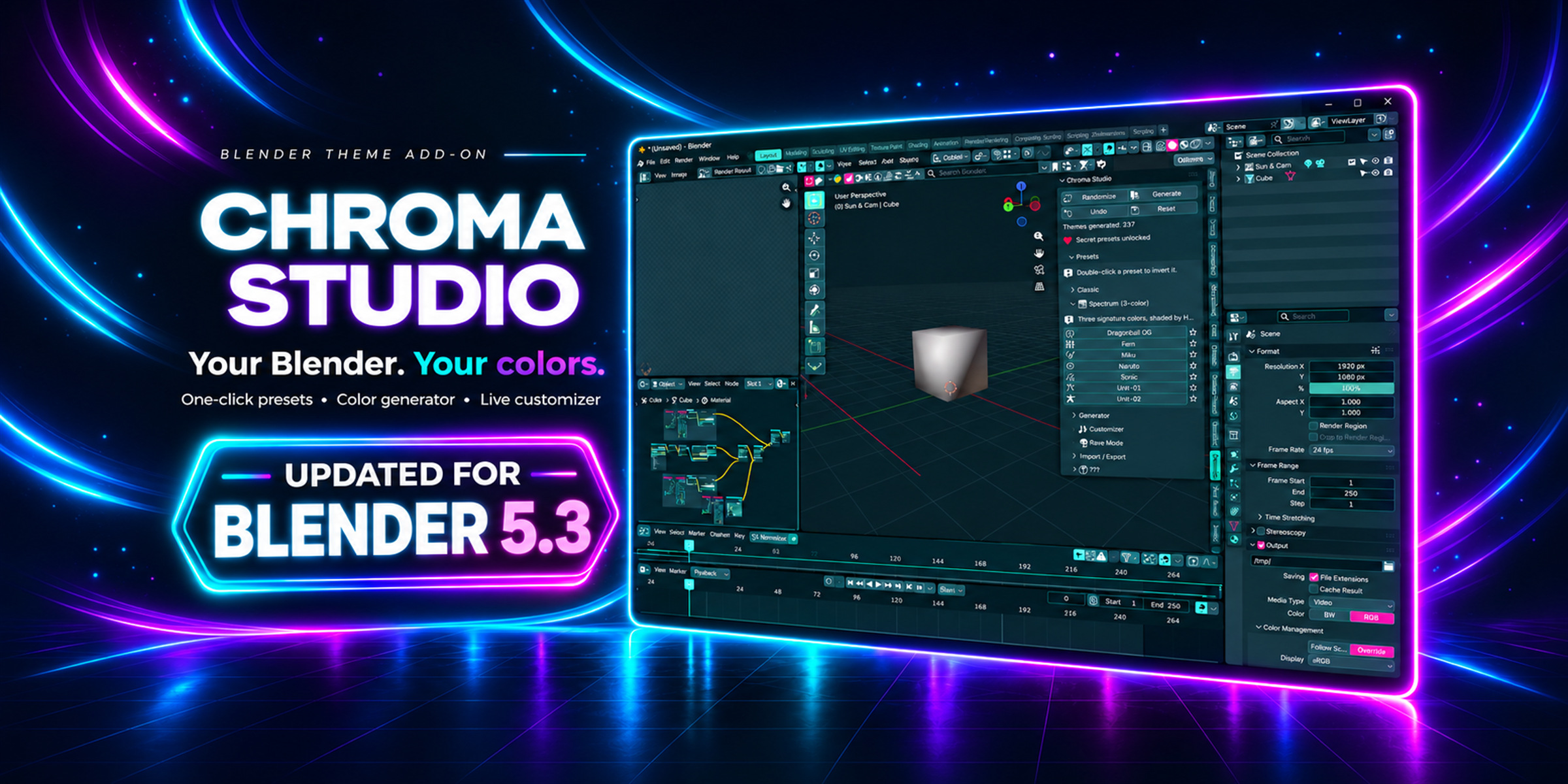
A theme engine for Blender 5.1+: 19 one-click presets, a 1-3 color generator, and a live customizer that recolors every editor, panel and widget.
Categories
Tags
Installation
- Download Chroma Studio — Customize Blender’s Interface and check which Blender versions the creator supports. Keep the installable archive (for example,
Chroma_Studio_—_Customize_Blender’s_Interface.zip) intact. If the download is a bundle, extract it first to find the add-on archive. - In Blender, go to Edit → Preferences → Add-ons. In Blender 4.2 and newer, open the top-right menu and choose Install from Disk. In older versions, click Install….
- Select the add-on archive (for example,
Chroma_Studio_—_Customize_Blender’s_Interface.zip) or its standalone.pyfile and confirm the installation. - Find the add-on in the Add-ons list and tick its checkbox if it isn’t already enabled.
Check the creator’s instructions for any extra setup, such as dependencies or license activation.
Compare with other products
Choose a category to find products to compare with this listing.
Product versions
-
chroma_studio-2.2.1 published
Created Nov 10, 2026 · Published Nov 10, 2026
Release notes (source)
<p>Blender 5.3 Support</p><p>Chroma Studio is ready for Blender 5.3.</p><p>FIXED — READABLE MENUS AND TOOLTIPS IN BLENDER 5.3</p><p>Blender 5.3 now colors the current value in dropdown menus and tooltips with the theme's Info color. On some darker presets that text was hard to read. Chroma Studio now adjusts it automatically so it stays clear on every preset.</p><p>UPDATED — BLENDER 5.3 THEME CHANGES</p><p>Updated for the theme settings Blender 5.3 removed or changed. Blender 5.1 and 5.2 work exactly as before.</p>
-
chroma_studio-2.2.0 unlisted
Created Oct 13, 2026 · Published Oct 13, 2026
Release notes (source)
<p>Seasonal Themes, Pokémon 30th Anniversary & Interface Improvements<br></p><p>Chroma Studio just got more colorful! This update introduces seasonal presets, Pokémon-inspired themes, and improvements to creating and saving your own Blender themes.</p><p>NEW — SPOOKY SEASON</p><p>Five Halloween themes for your Blender workspace:</p><p>• Pumpkin Patch</p><p>• Jack Skellington</p><p>• Blood Moon</p><p>• Ectoplasm</p><p>• Candy Corn</p><p><br></p><p>NEW — POKÉMON 30TH ANNIVERSARY</p><p>Three Pokémon-inspired themes:</p><p>• Jirachi</p><p>• Rayquaza</p><p>• Suicune</p><p>UPDATED — THEME CREATION INTERFACE</p><p>Refreshed the interface for choosing colors, generating themes, and fine-tuning your workspace.</p><p>FIXED — SAVING FAVORITES</p><p>Fixed issues with saving favorite themes so you can save and return to your custom looks.</p><p>Apply presets across your viewport, nodes, and timeline—or create a color combination that feels like yours.</p><p>Have an idea for a future theme? Leave a comment and let me know!</p>
-
chroma_studio-2.1.0 unlisted
Created Sep 30, 2026 · Published Sep 30, 2026
Release notes (source)
<p>## Chroma Studio 2.1.0</p><p><br></p><p>A cleaner Presets panel, a new monthly theme drop, a simpler Generator, and a round of saving and readability fixes.</p><p><br></p><p>### New: Themes of the Month</p><p>A new preset dropdown for community-voted themes. Vote for the next drop on TikTok and Instagram. Monthly themes go further than regular presets: each one sets its own text colors and gives every editor family (nodes, animation, image and video, text, outliner, properties, top and status bars) its own background color.</p><p><br></p><p>This month: **Pokémon 30th Anniversary**</p><p>- **Jirachi**: deep-space navy with wish-star gold, nebula magenta and teal, inspired by the Jirachi ex 155/128 (30th Celebration) card art</p><p>- **Rayquaza**: emerald chrome with gold ring markings, crimson accents and black line-art outlines</p><p>- **Suicune**: a light crystal-water theme with electric-violet selection, neon aqua toggles and crystal-blue bars</p><p><br></p><p>### Presets panel</p><p>- Classic, Spectrum, Themes of the Month and Saved are now four compact dropdowns, each under its own header, instead of long expanding lists.</p><p>- A new invert button beside each dropdown flips the active preset Photoshop-style and stays pressed while inverted. It replaces double-click to invert.</p><p>- The star marks favorites, which sort to the top of each dropdown.</p><p>- The Saved dropdown includes "Save Current Theme...", with a delete button beside it.</p><p><br></p><p>### Generator</p><p>- One Style setting now drives both Generate and Randomize, with a new "Surprise" style.</p><p>- Harmony only appears for 1 and 2 color themes, since it has no effect with 3 colors.</p><p>- Randomize sits right next to Generate Theme. Shift+Click still gives chaos mode.</p><p>- Removed the Seed field, which had no effect on generated themes.</p><p><br></p><p>### Rave Mode</p><p>- Rave Mode is now a smooth Rainbow Flow. Strobe, Pulse, Wave and Chaos were removed. Color schemes, speed, intensity and the OLED option are unchanged.</p><p><br></p><p>### New: Uninstall button</p><p>- Add-on Preferences now has an "Uninstall Chroma Studio" button. It can restore Blender's default theme and, if you choose, delete your saved themes.</p><p><br></p><p>### Theme improvements</p><p>- Unit-01 has more vivid neon greens.</p><p>- The current-frame number on the playhead is now black or white, whichever reads on your theme's playhead color.</p><p>- Selection outlines in the 3D viewport are brighter on light themes, and outlines that were too dark on dark themes are lifted.</p><p><br></p><p>### Fixes</p><p>- Saving works in a new Blender session. It no longer asks you to apply a theme first.</p><p>- Saving asks for a name, so saves no longer overwrite each other.</p><p>- Saving or exporting right after Reset or Rave Mode now captures the theme on screen, not the previous one.</p><p>- Saved and exported themes now keep widget roundness, panel roundness and menu shadow.</p><p>- Undo after Reset now steps back one theme instead of two.</p><p>- Fixed hard-to-read text in some dark themes: open header menus (File, Edit, View...), checked checkbox labels, open dropdowns, and dialog titles such as "Save changes before closing?"</p><p><br></p><p>### Notes</p><p>- Requires Blender 5.1 or newer. Tested on 5.2.2.</p><p>- Your existing saved themes carry over.</p><p>- Character-inspired themes are unofficial fan tributes, not affiliated with or endorsed by the original rights holders.</p>
-
Original Chroma Studio unlisted
Created Sep 30, 2026 · Published Sep 1, 2026
Release notes (source)
<p><br></p>
Related products
More from this creator
No other products from this creator.