Product listing
Camera-mesh-add-on
By GUSTAVO ADOLFO GARCIA NOVA ·
From $6.99
Listing details
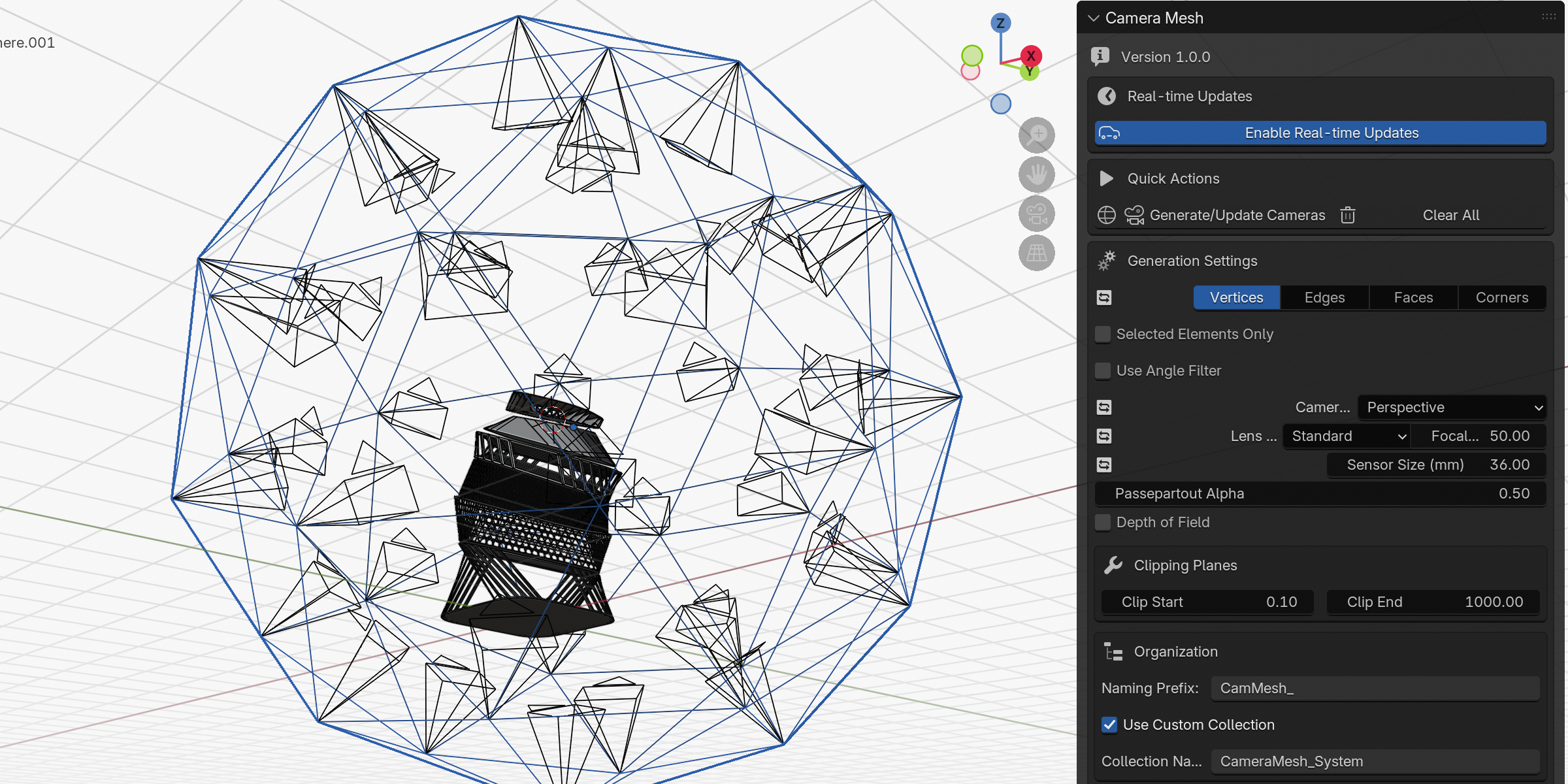
Camera Mesh para Blender** 🎥✨ **Potente herramienta profesional** ($15) para generar **secuencias de cámaras automáticas** con precisión milimétrica. Control total de: 🔥 **Posicionamiento avanzado** (vértices, bordes, caras, esquinas) 🔥 **Orientación inteligente** (normales o puntos focales) 🔥 **Ráfagas fotográficas** perfectamente calibradas 🔥 **Ajustes cinematográficos** (DOF, distancia focal, clipping) 💼 **Usos profesionales:** - 🏢 **Archviz:** Recorridos automáticos con ángulos consistentes - 🎥 **Cine/VFX:** Planos secuenciales con transiciones perfectas - 📐 **Fotogrametría:** Captura sistemática para escaneo 3D 🛠 **Funciones clave:** ✔ Filtrado por ángulo para alineación precisa ✔ Offset aleatorio controlable ✔ Previsualización en tiempo real ✔ Sistema de animación integrado 🚀 **Optimiza tu pipeline:** • Ahorra **horas de trabajo manual** • Flujo **100% integrado en Blender** • Resultados **consistentes y profesionales** 💵 **Inversión:** $15 (licencia permanente) #BlenderAddons #3DAnimation #ProfessionalTools --- **Versión corta para redes**: "Camera Mesh para Blender ($15) - Genera secuencias de cámaras profesionales desde mallas 3D. Control preciso de posición, orientación y parámetros ópticos. Ideal para archviz, cine y fotogrametría. #3DAnimation #VFX" --- **Destaca el valor profesional:** • "**15 dólares = Ahorro de 8+ horas** de configuración manual" • "**Precisión de estudio** en cada toma automática" • "**Flujo certificado** por artistas 3D profesionales"
Categories
Tags
Installation
- Download Camera-mesh-add-on and check which Blender versions the creator supports. Keep the installable archive (for example,
Camera-mesh-add-on.zip) intact. If the download is a bundle, extract it first to find the add-on archive. - In Blender, go to Edit → Preferences → Add-ons. In Blender 4.2 and newer, open the top-right menu and choose Install from Disk. In older versions, click Install….
- Select the add-on archive (for example,
Camera-mesh-add-on.zip) or its standalone.pyfile and confirm the installation. - Find the add-on in the Add-ons list and tick its checkbox if it isn’t already enabled.
Check the creator’s instructions for any extra setup, such as dependencies or license activation.
Compare with other products
Choose a category to find products to compare with this listing.
Variants
-
Camera Mesh (Normal-Mode) published
Price: $6.99 · List price: $6.99
-
Camera Mesh v1.1 (Menu - Pie) published
Price: $15.99 · List price: $15.99
-
camera v1.1 for those who already purchased :3 unlisted
Price: $1.00 · List price: $1.00