Product listing
Blaze AutoPose
By Blaze ·
$32.00 On sale
List price: $40.00
Listing details
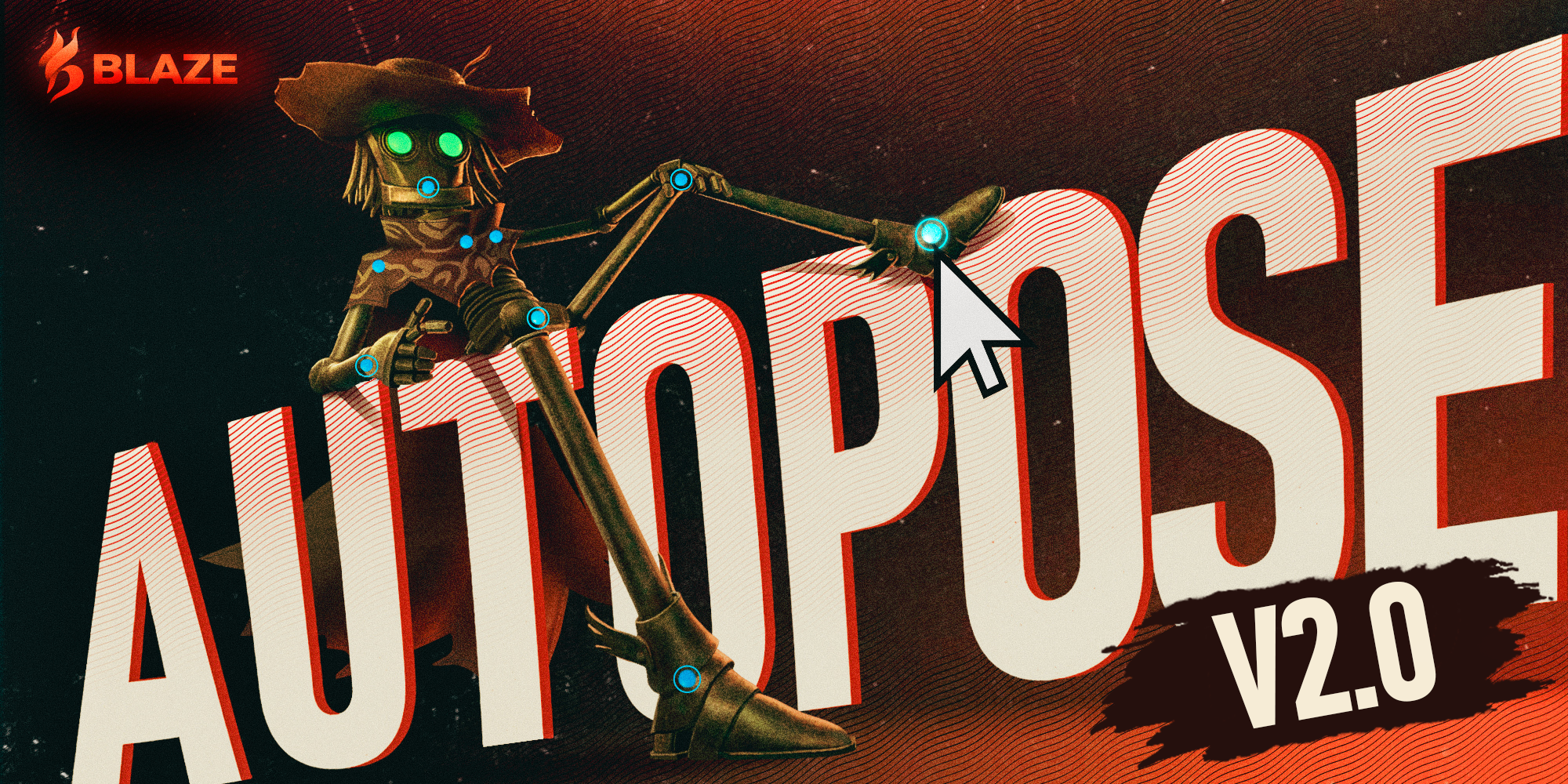
Auto Pose in Blender. Drag a few controls and Blaze AutoPose adapts the rest of the body. Pose 4× faster, directly on your rig with minimal setup.
Categories
Tags
Installation
- Download Blaze AutoPose and check which Blender versions the creator supports. Keep the installable archive (for example,
Blaze_AutoPose.zip) intact. If the download is a bundle, extract it first to find the add-on archive. - In Blender, go to Edit → Preferences → Add-ons. In Blender 4.2 and newer, open the top-right menu and choose Install from Disk. In older versions, click Install….
- Select the add-on archive (for example,
Blaze_AutoPose.zip) or its standalone.pyfile and confirm the installation. - Find the add-on in the Add-ons list and tick its checkbox if it isn’t already enabled.
Check the creator’s instructions for any extra setup, such as dependencies or license activation.
Compare with other products
Choose a category to find products to compare with this listing.
Product versions
-
Blaze AutoPose 2.1.0 published
Created Nov 4, 2026 · Published Nov 4, 2026
Release notes (source)
<h2 style="font-size:1.5em;margin-right:0px;margin-bottom:1rem;margin-left:0px;padding:0px 0px 0.3em;line-height:1.25;border-bottom:1px solid rgba(209, 217, 224, 0.7);color:rgb(31, 35, 40);font-family:-apple-system , BlinkMacSystemFont , "Segoe UI" , "Noto Sans" , Helvetica , Arial , sans-serif , "Apple Color Emoji" , "Segoe UI Emoji";">2.1.0 - 2026-11-04</h2><h3 style="font-size:1.25em;margin:1.5rem 0px 1rem;padding:0px;line-height:1.25;color:rgb(31, 35, 40);font-family:-apple-system , BlinkMacSystemFont , "Segoe UI" , "Noto Sans" , Helvetica , Arial , sans-serif , "Apple Color Emoji" , "Segoe UI Emoji";">Added</h3><h3 style="font-size:1.25em;margin:1.5rem 0px 1rem;padding:0px;line-height:1.25;color:rgb(31, 35, 40);font-family:-apple-system , BlinkMacSystemFont , "Segoe UI" , "Noto Sans" , Helvetica , Arial , sans-serif , "Apple Color Emoji" , "Segoe UI Emoji";"><ul style="padding-left:2em;font-size:16px;font-weight:400;">
<li>
<span style="font-weight:600;">Pose Library in a session:</span> Blender's pose assets pose the character while AutoPose runs.</li>
<li style="margin-top:0.25em;">
<span style="font-weight:600;">Hold Frozen Joints:</span> a joint frozen at two keys stays frozen between them.</li>
<li style="margin-top:0.25em;">
<span style="font-weight:600;">Freeze Active Handles:</span> each newly activated handle is frozen in place.</li>
<li style="margin-top:0.25em;">
<span style="font-weight:600;">Facing:</span> sets which way the character faces, so a character facing another way than -Y gets its look-at controls in the right direction.</li>
<li style="margin-top:0.25em;">
<span style="font-weight:600;">Rig presets:</span> <span style="font-weight:600;">Roblox R15</span>, <span style="font-weight:600;">Roblox R6</span> and <span style="font-weight:600;">MakeHuman MHX</span>.</li>
<li style="margin-top:0.25em;">
<span style="font-weight:600;">Rigid-part characters:</span> meshes parented to bones work with Puppet Mode and self collision.</li>
<li style="margin-top:0.25em;">
<span style="font-weight:600;">Clean Up AutoPose:</span> removes the rigs AutoPose built and gives back the settings it changed.</li>
<li style="margin-top:0.25em;">
<span style="font-weight:600;">Paste Mirrored</span> (<span style="font-weight:600;">Ctrl + Shift + V</span>): the copied pose mirrored in place, foot contact and freezes too.</li>
<li style="margin-top:0.25em;">
<span style="font-weight:600;">Foot roll:</span> a pinned foot rolls onto its toe or heel as the other end moves, and from heel to ball between two keys.</li>
<li style="margin-top:0.25em;">
<span style="font-weight:600;">Character Keys:</span> the animation editors show only the character's keys during a session.</li>
</ul></h3><h3 style="font-size:1.25em;margin:1.5rem 0px 1rem;padding:0px;line-height:1.25;color:rgb(31, 35, 40);font-family:-apple-system , BlinkMacSystemFont , "Segoe UI" , "Noto Sans" , Helvetica , Arial , sans-serif , "Apple Color Emoji" , "Segoe UI Emoji";">Changed</h3><h3 style="font-size:1.25em;margin:1.5rem 0px 1rem;padding:0px;line-height:1.25;color:rgb(31, 35, 40);font-family:-apple-system , BlinkMacSystemFont , "Segoe UI" , "Noto Sans" , Helvetica , Arial , sans-serif , "Apple Color Emoji" , "Segoe UI Emoji";"><ul style="padding-left:2em;font-size:16px;font-weight:400;">
<li>
<span style="font-weight:600;">Handle configuration per key:</span> each keyed frame keeps its own handles, freezes and foot contact; frames between keys show the key before, and a moved key takes its setup along.</li>
<li style="margin-top:0.25em;">
<span style="font-weight:600;">IK on FK controls:</span> turned off at Start and back on at Finish if the pose stays the same.</li>
<li style="margin-top:0.25em;">
<span style="font-weight:600;">Freeze or contact:</span> a foot is held by one or the other; the later one wins.</li>
<li style="margin-top:0.25em;">
<span style="font-weight:600;">Paste carries freezes:</span> frozen joints come with the copied pose, as foot contact does.</li>
<li style="margin-top:0.25em;">
<span style="font-weight:600;">Rotation limits at Finish:</span> the question has a <span style="font-weight:600;">Don't ask again</span> option.</li>
<li style="margin-top:0.25em;">
<span style="font-weight:600;">Look-at handles</span> can no longer be frozen.</li>
<li style="margin-top:0.25em;">Choosing another <span style="font-weight:600;">Character Rig</span> moves the session to it.</li>
<li style="margin-top:0.25em;">A foot set down near where it stood counts as planted; the sidebar and <span style="font-weight:600;">Plant Now</span> say what held it.</li>
<li style="margin-top:0.25em;">
<span style="font-weight:600;">Plant Feet Between Keys</span> adds fewer keys.</li>
<li style="margin-top:0.25em;">Paste and Restore key the pose under Auto Key.</li>
<li style="margin-top:0.25em;">Status notes are short and name joints as the sidebar does.</li>
<li style="margin-top:0.25em;">Start and Reconstruct turn on <span style="font-weight:600;">Overlays</span> and <span style="font-weight:600;">Bones</span>.</li>
<li style="margin-top:0.25em;">Session keys follow Blender's <span style="font-weight:600;">Default Interpolation</span> and <span style="font-weight:600;">Default Handles</span>.</li>
<li style="margin-top:0.25em;">AutoPose's rigs and controls live in one <span style="font-weight:600;">Blaze_AutoPose</span> collection.</li>
<li style="margin-top:0.25em;">Puppet Mode selects a body part from a few pixels away to ease the selection.</li>
</ul></h3><h3 style="font-size:1.25em;margin:1.5rem 0px 1rem;padding:0px;line-height:1.25;color:rgb(31, 35, 40);font-family:-apple-system , BlinkMacSystemFont , "Segoe UI" , "Noto Sans" , Helvetica , Arial , sans-serif , "Apple Color Emoji" , "Segoe UI Emoji";">Fixes</h3><h3 style="font-size:1.25em;margin:1.5rem 0px 1rem;padding:0px;line-height:1.25;color:rgb(31, 35, 40);font-family:-apple-system , BlinkMacSystemFont , "Segoe UI" , "Noto Sans" , Helvetica , Arial , sans-serif , "Apple Color Emoji" , "Segoe UI Emoji";"><ul style="padding-left:2em;font-size:16px;font-weight:400;">
<li>
<span style="font-weight:600;">Esc</span> over playback no longer ends the session; it stops playback, as in Blender.</li>
<li style="margin-top:0.25em;">Paste no longer lands the feet a few centimetres off on some rigs.</li>
<li style="margin-top:0.25em;">The session no longer ends on save, on <span style="font-weight:600;">Esc</span> during a move, on a click in a channel list or on <span style="font-weight:600;">Set Keyframe</span> right after a frame change.</li>
<li style="margin-top:0.25em;">Editing the armature object's own keys no longer shifts the character.</li>
<li style="margin-top:0.25em;">
<span style="font-weight:600;">Undo:</span> drags, keys, Timeline edits and frame changes now undo in order, one step each, from the keys or the Edit menu.</li>
<li style="margin-top:0.25em;">
<span style="font-weight:600;">Adjust Last Operation</span> now works on edits made in other editors.</li>
<li style="margin-top:0.25em;">Key edits in the Graph Editor and Dope Sheet, interpolation and easing too, now reach the character at once.</li>
<li style="margin-top:0.25em;">
<span style="font-weight:600;">Plant Feet Between Keys</span> now holds a foot between two keys one frame apart.</li>
<li style="margin-top:0.25em;">Planted feet no longer slide when a key is added further along, and stay planted after undo and redo.</li>
<li style="margin-top:0.25em;">
<span style="font-weight:600;">G</span> and <span style="font-weight:600;">R</span> now work in Local View, a typed value applies at once, and <span style="font-weight:600;">G</span> on all handles moves the whole character.</li>
<li style="margin-top:0.25em;">
<span style="font-weight:600;">S</span> no longer scales a handle.</li>
<li style="margin-top:0.25em;">Snapping and <span style="font-weight:600;">Affect Only Locations</span> no longer apply to handles.</li>
<li style="margin-top:0.25em;">A rotation handle no longer spins wildly when dragged from near its centre.</li>
<li style="margin-top:0.25em;">Rigify rigs with the older bone names now pose their arms and legs; the IK/FK switch is read off the rig's drivers, and the Rigify preset detects those names.</li>
<li style="margin-top:0.25em;">Frozen joints other than hands and feet no longer drift a little when another joint is dragged.</li>
<li style="margin-top:0.25em;">A frozen hand or a knee under the floor no longer blocks every drag.</li>
<li style="margin-top:0.25em;">Start no longer discards an unkeyed change on a keyed controller.</li>
<li style="margin-top:0.25em;">Keying no longer leaves every key selected, only the newest.</li>
<li style="margin-top:0.25em;">Keying over NLA strips no longer hides them.</li>
<li style="margin-top:0.25em;">The control rig no longer stays in Pose Mode after the session ends, and recovery files no longer open stuck in it.</li>
<li style="margin-top:0.25em;">A double click in a popup no longer picks a handle.</li>
<li style="margin-top:0.25em;">An <span style="font-weight:600;">In-Between</span> slider opened from the sidebar no longer jumps to its end before the pointer reaches the 3D View.</li>
<li style="margin-top:0.25em;">The hover card no longer shows in every view, only in the one under the pointer.</li>
<li style="margin-top:0.25em;">Nearly straight limbs no longer bend the wrong way.</li>
<li style="margin-top:0.25em;">Reconstruct no longer misplaces joints on rigs whose bones point away from the next joint, such as game rigs.</li>
<li style="margin-top:0.25em;">Chest and neck drags no longer fall short on rigs with extra spine bones.</li>
<li style="margin-top:0.25em;">Controllers with a Child Of constraint no longer move at keying or Finish.</li>
<li style="margin-top:0.25em;">An error during a session no longer leaves the handles unresponsive: AutoPose restarts the session with its handles, freezes and undo history, and an error that comes back finishes the session and says why.</li>
<li style="margin-top:0.25em;">Handles and Puppet Mode no longer stop responding after select all, hide or undo.</li>
<li style="margin-top:0.25em;">Puppet Mode no longer picks the wrong body part on meshes with modifiers such as Subdivision.</li>
<li style="margin-top:0.25em;">A 3D View with its overlays off no longer picks handles.</li>
<li style="margin-top:0.25em;">Drags no longer fail while a second Blender window shows a different scene.</li>
<li style="margin-top:0.25em;">Cancelling the T-pose steps no longer removes an existing AutoPose rig.</li>
<li style="margin-top:0.25em;">Planted feet no longer jump in height on rigs whose legs end at the ankles.</li>
</ul></h3><p style="font-size:16px;margin-right:1em;margin-left:1em;padding:0px;font-weight:400;margin-bottom:0px !important;">See <a href="https://markdownlivepreview.com/autopose/installation/#updating-blaze-autopose" style="color:rgb(9, 105, 218);text-decoration:none;">Updating Blaze AutoPose</a> for how to update.</p>
-
Blaze AutoPose 2.0 published
Created Oct 27, 2026 · Published Oct 27, 2026
Release notes (source)
<h1><b>Blaze AutoPose 2.0.0</b></h1><p><br>AutoPose 2.0 runs a newly trained model: more natural poses, lower latency, and half the download size.<br><br></p><h2>Added</h2><ul><li><b>Body shape</b>: The model reads the character's body shape, so arms and legs move around the body.</li><li><b>Freeze</b>: Holds a joint in place, by position, rotation, or both.</li><li><b>Handles give way</b>: A handle you are not dragging no longer blocks the drag. It gives way and fades.</li><li><b>Puppet Mode</b>: Pose the character by grabbing its mesh.</li><li><b>Exact foot contact</b>: A planted foot stays put, flat or pivoting on its toe or ankle.</li><li><b>Feet land flat</b>: A foot dragged to the ground lands flat on its sole.</li><li><b>Floor Collision</b>: Keeps the body above the ground. On by default.</li><li><b>In-Betweens</b>: Blender's Breakdown, Push, Relax, and Blend to Neighbor work in a session, with Natural Blend and Follow Hips options.</li><li><b>Start Fresh</b>: Sets the base and releases every constraint, foot, freeze, and lock.</li><li><b>Drag Sensitivity</b>: A slider that scales how far a joint moves with the mouse.</li><li><b>Keying</b>: A Set Keyframe button, and Plant Feet Between Keys, which stops a resting foot from sliding between keys.</li><li><b>Pose Library</b>: Save and apply whole poses as pose assets, also during a session.</li><li><b>Rig presets</b>: Save, import, and export your own presets. A Mixamo Control Rig preset is included.</li><li><b>Status bar keys</b>: Blender's status bar lists the AutoPose keys while a session runs.</li></ul><h2><br>Changed</h2><ul><li><b>Freeze is now Lock</b>: The old Freeze, which kept a handle from being selected, is now Lock (Shift + F). Saved locks are kept.</li><li><b>New default colours</b>: Frozen joints lavender, locked handles red, planted feet green.</li><li><b>Redesigned panel</b>: Rig Setup and Posing tabs, collapsible sections, Handles or Puppet.</li><li><b>Manual Pose</b>: Uses Blender's own undo. FK swaps between the AutoPose result and the rig's own pose.</li><li><b>Fit Ground</b>: Places the ground under the soles, not the ankle and toe joints.</li><li><b>The dock</b>: Gains Set Keyframe, Freeze Joint, Lock Selection, Foot Contact, and Puppet Mode.</li></ul><p><br></p><h2>Improvements and fixes</h2><ul><li><b>Reach</b>: A dragged hand or foot reaches its handle.</li><li>Fixed an error, such as pasting with nothing copied, leaving the session unresponsive.</li><li>AutoPose now stops when another object is selected, also with Lock Object Modes off.</li><li>Pressing I over the sidebar no longer keys AutoPose's own settings.</li><li>Without AVX2 and FMA, AutoPose shows a message instead of closing Blender.</li></ul><p><br></p><p>Characters set up with 1.x keep working without reconstructing. The first Start AutoPose on such a character measures it, which takes a moment.Full details: https://docs.blazeanimation.com/autopose/reference/changelog/</p>
-
Blaze AutoPose 1.1.1 published
Created Sep 22, 2026 · Published Sep 22, 2026
Release notes (source)
<h2 style="color:rgb(0, 0, 0);"><span style="font-weight:bolder;">Blaze AutoPose 1.1.1</span></h2><p>This update improves rig compatibility and stability when switching between AutoPose and Manual Pose.</p><h3 style="color:rgb(0, 0, 0);"><span style="font-weight:bolder;">Added</span></h3><ul><li>
<strong>Version display:</strong> The add-on version now appears beside its name at the top of the panel.</li></ul><h3 style="color:rgb(0, 0, 0);">Improvements and fixes</h3><ul>
<li style="color:rgb(0, 0, 0);">Fixed normal rig controls not working correctly when switching to Manual Pose. Temporary changes to rig locks, drivers, and constraints are now restored when leaving AutoPose.</li>
<li style="color:rgb(0, 0, 0);">Improved restoration of rig settings when saving, reopening, or recovering a scene.</li>
<li style="color:rgb(0, 0, 0);">Fixed crashes and unexpected pose changes during Undo/Redo while AutoPose is active.</li></ul><p style="color: rgb(0, 0, 0);">If an older version has already changed your rig’s settings and you saved those changes, please start from an untouched copy of the rig. This update cannot recover those original settings.</p><ul>
</ul>
-
Blaze AutoPose 1.1.0 published
Created Sep 20, 2026 · Published Sep 20, 2026
Release notes (source)
<h2><b>Blaze AutoPose 1.1.0</b></h2><p>This update brings more stable posing, support for linked characters, and fixes based on your feedback.</p><p><br></p><h3><b>Added</b></h3><p>- <b>Linked character support:</b> Pose, keyframe, and record linked characters using Blender's library overrides, with separate AutoPose setups for each character instance.</p><p>- <b>Manual Pose FK option:</b> Choose whether switching to Manual Pose transfers your AutoPose result to the rig's FK controls or keeps its existing pose.</p><p>- <b>Linux compatibility:</b> Added support for Linux Blender builds that use Python 3.14, including Arch Linux.</p><p><br></p><h3>Improvements and fixes</h3><p>- Improved retargeting for more accurate arm and leg placement, better stability near full reach, and more consistent wrist and foot orientation.</p><p>- Reduced jumps between consecutive drags and fixed sudden jumps caused by competing constraints near full reach.</p><p>- Improved preservation of your pose and unkeyed edits during character selection, reconstruction, and AutoPose startup or reopening.</p><p>- Fixed issues with resetting constraint locations and rotations, including resets with multiple constraints selected.</p><p>- Drags that exceed the active constraint limit are now blocked with a message explaining how to continue.</p><p>- AutoPose now stops automatically when you leave Pose Mode.</p><p>- Fixed input handling across multiple viewports and Blender windows.</p><p>- Improved stability when retiming, duplicating, and deleting keyframes while AutoPose is active. Deleted keys no longer return when switching modes.</p><p>- Fixed undo/redo after baking recorded AutoPose movements.</p><p>- Added a warning when changes to a linked character's rig require reconstruction.</p><p>- Fixed extension installation incorrectly reporting an unsupported operating system.</p><div><br></div>