Product listing
B Home Screen Pro - Free Claim Coupon inside - Full Home screen for blender
By 3DHermes ·
From $9.00
Listing details
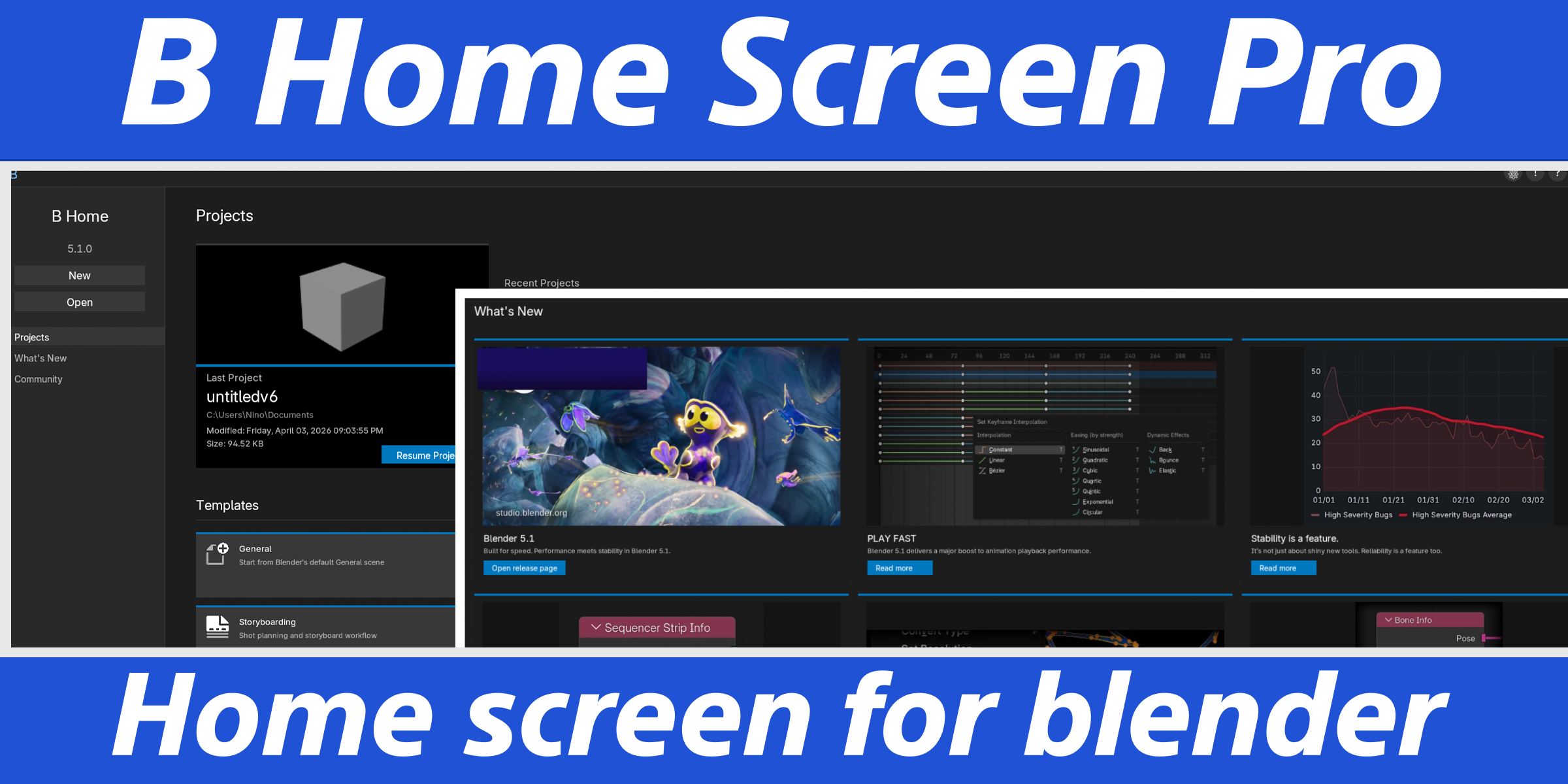
A new home screen for blender. Renewed experience inspired by industry software like Maya and others.
Categories
Tags
Installation
- Download B Home Screen Pro - Free Claim Coupon inside - Full Home screen for blender and check which Blender versions the creator supports. Keep the installable archive (for example,
B_Home_Screen_Pro_-_Free_Claim_Coupon_inside_-_Full_Home_screen_for_blender.zip) intact. If the download is a bundle, extract it first to find the add-on archive. - In Blender, go to Edit → Preferences → Add-ons. In Blender 4.2 and newer, open the top-right menu and choose Install from Disk. In older versions, click Install….
- Select the add-on archive (for example,
B_Home_Screen_Pro_-_Free_Claim_Coupon_inside_-_Full_Home_screen_for_blender.zip) or its standalone.pyfile and confirm the installation. - Find the add-on in the Add-ons list and tick its checkbox if it isn’t already enabled.
Check the creator’s instructions for any extra setup, such as dependencies or license activation.
Compare with other products
Choose a category to find products to compare with this listing.
Variants
-
Supporter published
Price: $9.00 · List price: $9.00
Variant versions
-
New Version: Now with themes and sounds. Select the gear icon top left to configure. published
Created Jul 24, 2026 · Published Jul 24, 2026 · Archived Jul 24, 2026
Release notes (source)
<p>Includes themes that can be customized.</p><p>Unofficial blender logos are now included. This is to avoid using the official logo as it's a trademark.</p><p>New sounds created by me. </p><p>Can be turned off or on at settings.</p><p>Notifications now differentiate between blender version releases and versions marked as in development.</p>
-
Product versions
-
New Version: Now with themes and sounds. Select the gear icon top left to configure. published
Created Jul 24, 2026 · Published Jul 24, 2026 · Archived Jul 24, 2026
Release notes (source)
<p>Includes themes that can be customized.</p><p>Unofficial blender logos are now included. This is to avoid using the official logo as it's a trademark.</p><p>New sounds created by me. </p><p>Can be turned off or on at settings.</p><p>Notifications now differentiate between blender version releases and versions marked as in development.</p>
-
New Version: Now with themes and sounds. Select the gear icon top left to configure. published
Created Jun 2, 2026 · Published Jun 2, 2026
Release notes (source)
<p>Includes themes that can be customized.</p><p>Unofficial blender logos are now included. This is to avoid using the official logo as it's a trademark.</p><p>New sounds created by me. </p><p>Can be turned off or on at settings.</p><p>Notifications now differentiate between blender version releases and versions marked as in development.</p>
-
B Home Screen V1.0.2 published
Created May 4, 2026 · Published May 4, 2026
Release notes (source)
<p>Includes a config example to give you some ideas for your pie menus. </p><p>Most menus are nested inside other menus. </p><p>Some others include different extensions and add-ons that you might not have installed.</p><p>And you can change the hotkeys to solve conflicts whenever you want using the keymap editor from blender or from the add-on.</p><p>Thanks for reading the patch notes.</p>