Product listing
Atlas Pro
By Mykola Piatkov ·
$9.99
List price: $9.99
Listing details
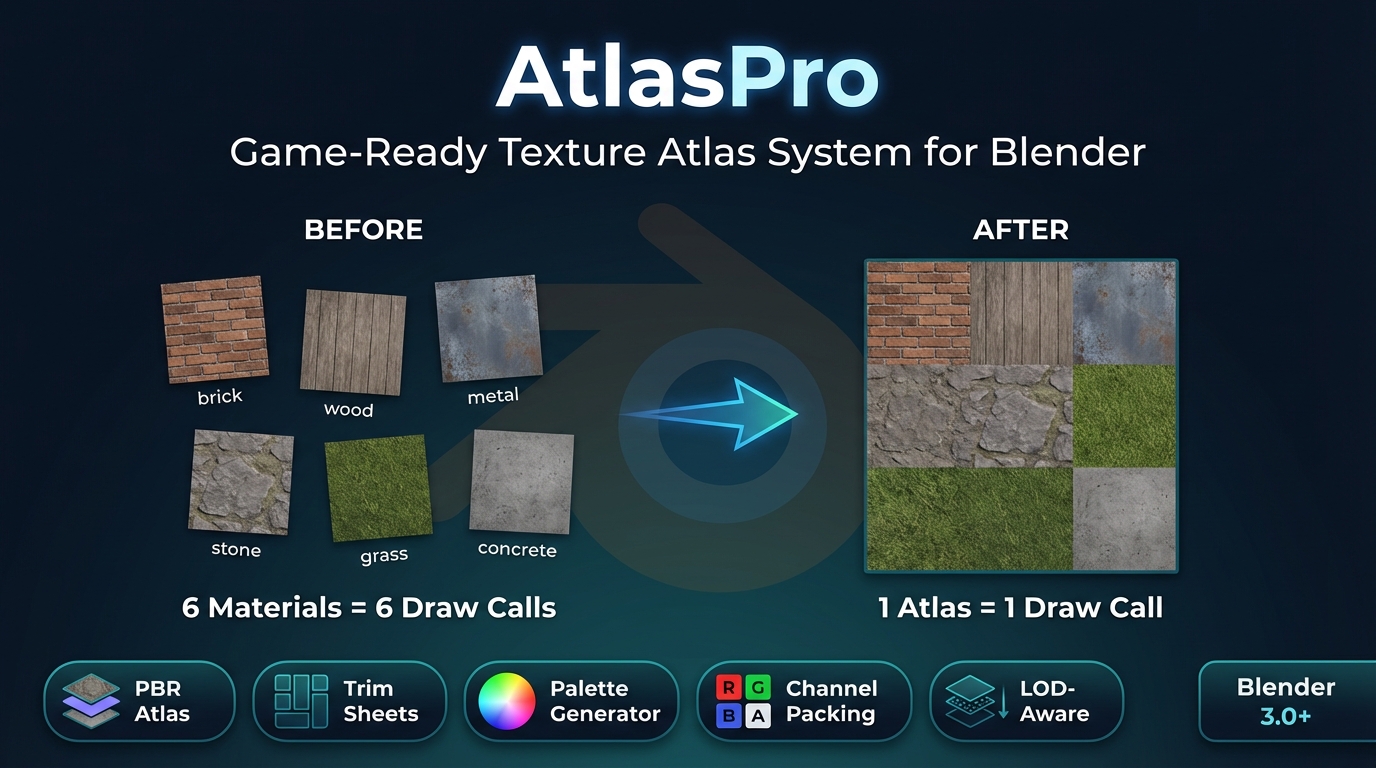
Merges the materials of your selection into one PBR atlas — albedo, normal, ORM, emission — rewrites the UVs so every face lands in its own tile, and gives all objects one material.
Categories
Tags
Installation
- Download Atlas Pro and check which Blender versions the creator supports. Keep the installable archive (for example,
Atlas_Pro.zip) intact. If the download is a bundle, extract it first to find the add-on archive. - In Blender, go to Edit → Preferences → Add-ons. In Blender 4.2 and newer, open the top-right menu and choose Install from Disk. In older versions, click Install….
- Select the add-on archive (for example,
Atlas_Pro.zip) or its standalone.pyfile and confirm the installation. - Find the add-on in the Add-ons list and tick its checkbox if it isn’t already enabled.
Check the creator’s instructions for any extra setup, such as dependencies or license activation.
Compare with other products
Choose a category to find products to compare with this listing.
Product versions
-
1.2.1 published
Created Oct 2, 2026 · Published Oct 2, 2026
Release notes (source)
<p>Maintenance release. The package now ships the full GPL-3.0 licence text and a README with install, first-run and uninstall steps.</p><p>Minimum Blender is now 4.2 LTS (earlier builds were tested on 3.x; 4.2 is what we test on).</p><p>No changes to the tools. Verified from the installed archive on Blender 4.2.9 and 5.2.0.</p>
-
1.2.0 published
Created Sep 16, 2026 · Published Sep 16, 2026
Release notes (source)
<div style="color: inherit"><p>A correctness release. The atlas now shows what your materials show, and</p><p>when a material cannot be carried into an atlas exactly, AtlasPro leaves it as</p><p>it was and tells you why instead of putting the wrong image in its tile.</p><p><br></p><p>Fixed (reported by a customer):</p><p>- Source textures as large as the atlas (six 4K textures into a 4K atlas) were</p><p> stacked on top of each other, so only the last item survived. Tiles are now</p><p> shrunk by one common factor, and the status bar says by how much.</p><p>- The Normal and ORM atlases came out black, and colours from 8-bit textures</p><p> were washed out in the saved file.</p><p><br></p><p>Also fixed:</p><p>- Missing maps take the material's own values (a fabric with Metallic 0 no</p><p> longer turns into metal; a solid-colour material keeps its colour).</p><p>- Node chains are computed exactly: Mix, Invert, Math, Separate and Combine</p><p> Color, Normal Map strength. Packed ORM textures (glTF) read the right</p><p> channels. Materials that need Bump, Mapping, a node group, a Mix Shader or a</p><p> non-Principled shader are left as they were and named in the Info log.</p><p>- Restore Originals button: materials, UVs and slots come back exactly, also</p><p> after saving and reopening the file.</p><p>- An atlas kept inside the .blend is packed and survives reopening; the</p><p> original materials stay in the file.</p><p>- A second atlas gets its own name instead of replacing the first; files in</p><p> the Save to folder and same-named images or materials are never overwritten.</p><p>- Linked duplicates are remapped once; with "All material slots" off the</p><p> other slots keep their material; the render UV map is the one rewritten.</p><p>- Alpha is carried into the saved PNG and the material; Emission Strength is</p><p> carried.</p><p>- Sharper downscaling; the padding lines up with the UVs.</p><p>- Works from Edit Mode; settings that cannot work are refused before anything</p><p> changes, and a failure half-way puts everything back.</p><p>- Trim Sheet, LOD Atlas and Palette assign their material and can be restored;</p><p> Palette matches each material by the colour it shows; Channel Pack no</p><p> longer writes a black AO channel.</p><p>- A texture with alpha whose Alpha output is not connected keeps its look:</p><p> Blender multiplies such a colour by its alpha before shading, and the atlas</p><p> was 4.4× brighter than the source. It now shades back to the same colour.</p><p>- Normal Map Strength above 1 follows Blender's own formula again (it was 7.4°</p><p> off at 2.0, and at 5.0 the stored normal pointed into the surface).</p><p>- An image you keep with a fake user is never replaced; a UV Map node naming a</p><p> layer the mesh does not have no longer sets the material aside (Blender</p><p> ignores such a node too); with Backup off the message no longer sends you to</p><p> a button that is greyed out; Restore Originals names the materials added</p><p> after the atlas that it drops; the LOD report counts tiles and materials</p><p> apart; colours clipped at 1.0 and a wide spread of Emission Strength are</p><p> reported instead of passing in silence.</p></div>