Product listing
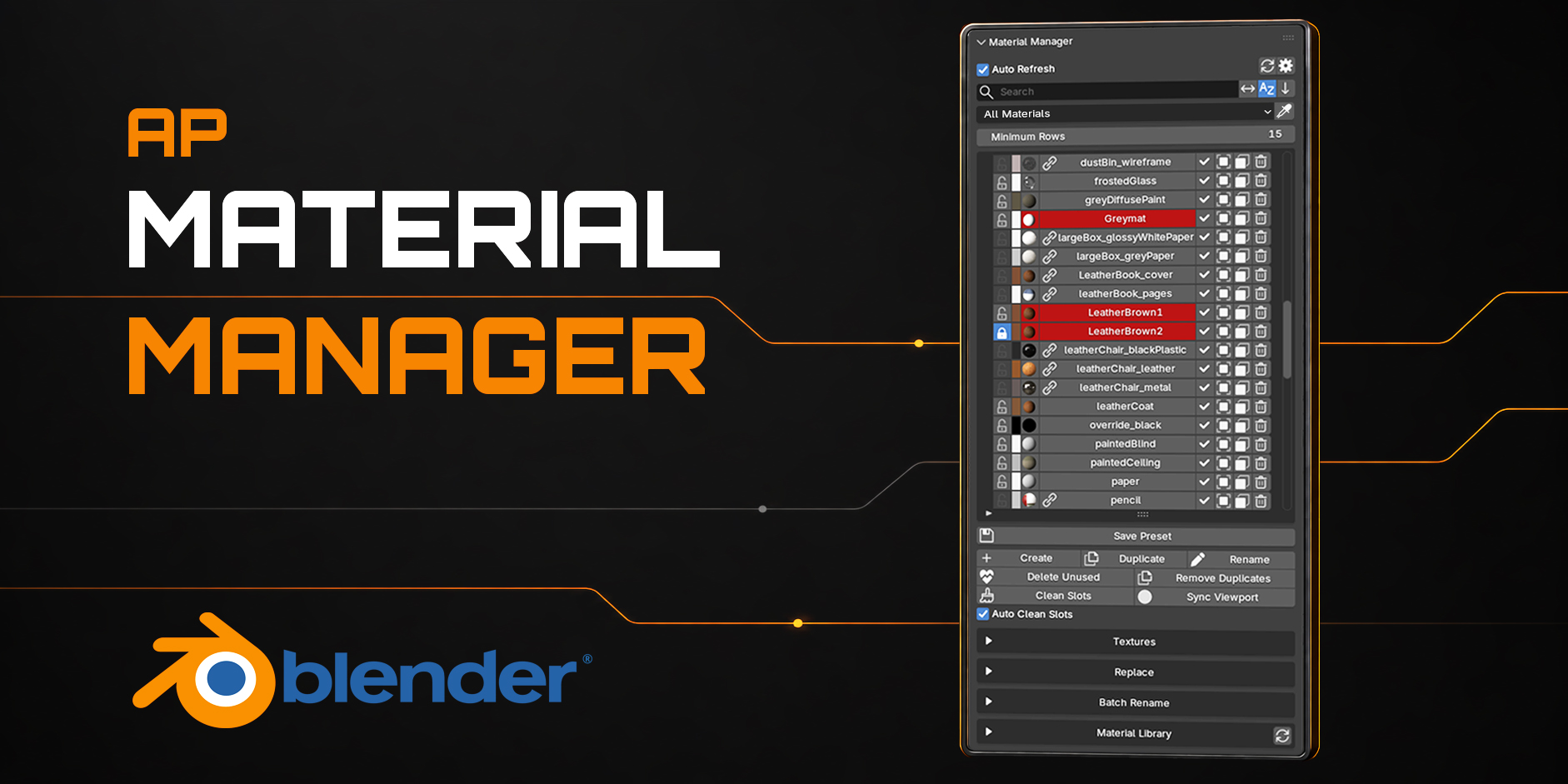
AP | Material Manager
By Andrey Petrov ·
From $9.99
Listing details
Categories
Tags
Installation
- Download AP | Material Manager and check which Blender versions the creator supports. Keep the installable archive (for example,
AP_|_Material_Manager.zip) intact. If the download is a bundle, extract it first to find the add-on archive. - In Blender, go to Edit → Preferences → Add-ons. In Blender 4.2 and newer, open the top-right menu and choose Install from Disk. In older versions, click Install….
- Select the add-on archive (for example,
AP_|_Material_Manager.zip) or its standalone.pyfile and confirm the installation. - Find the add-on in the Add-ons list and tick its checkbox if it isn’t already enabled.
Check the creator’s instructions for any extra setup, such as dependencies or license activation.
Compare with other products
Choose a category to find products to compare with this listing.
Variants
-
Individual published
Price: $9.99 · List price: $9.99
Variant versions
-
1.2.2 published
Created Nov 12, 2026 · Published Nov 12, 2026
Release notes (source)
<ul><li><span style="font-weight: bolder;">Eyedropper</span>: Ctrl-click a material in the 3D View to assign it to the selected objects (or selected faces in Edit Mode). Also works from the Alt-click "Materials Under Cursor" list.</li><li><span style="font-weight: bolder;">Clean Slots</span> now opens a confirmation dialog that shows how many empty or unused slots will be removed, with an option <span style="font-weight: bolder;">merge duplicate slots</span> that merges slots with the same material into one.</li><li>Added a link to the <span style="font-weight: bolder;">documentation </span>website in preferences.</li><li>Blender 5: materials picked in a Geometry Nodes modifier's material fields are now found by Material Manager.</li></ul>
-
1.2.1 published
Created Nov 5, 2026 · Published Nov 5, 2026
Release notes (source)
<ul><li>Relink file browser now shows only folders and images.</li><li>Reload button moved into the texture row. Texture Usage moved to the “...” menu.</li><li>Reload Visible asks for confirmation only when textures have unsaved changes.</li><li>Fixed pins that could not be cleared after reopening the file or undo.</li></ul>
-
1.2.0 published
Created Oct 31, 2026 · Published Oct 31, 2026
Release notes (source)
<p><b>New</b></p><ul><li>Quick popup window: press Shift+Alt+M to open the material list right under your mouse, or assign your own hotkey in the add-on settings.</li><li>Custom sidebar tab name: in the add-on settings, choose the name of the sidebar tab where Material Manager appears.</li><li>New library format: categories are now regular folders and materials are separate files, so you can organize your library in the add-on or directly in your file manager.</li><li>Library conversion: libraries from older versions can be converted in one click. Your materials are kept, and you can make a backup first.</li></ul><p><b>Improved</b></p><ul><li>Delete and cleanup windows are clearer and warn you when a material is still in use.</li><li>Save Material warns about name conflicts and missing textures before saving.</li><li>Replace Material and Select by Material now also work with Geometry Nodes, collection instances.</li><li>Faster material list in scenes with many instances (collection instances, particles, Geometry Nodes scattering).</li><li>Asset Browser previews load faster.</li><li>Reset buttons for the default material name and the sidebar tab name in settings.</li><li>Missing library warning: if the library folder can’t be found.</li></ul><p><b>Fixed</b></p><ul><li>Bug fixes and stability improvements.</li></ul>
-
1.1.1 published
Created Oct 18, 2026 · Published Oct 18, 2026
Release notes (source)
<ul><li>Improved performance in large scenes </li>
<li>Better Blender 5 support</li>
<li>Minor bug fixes and stability improvements</li>
</ul>
-
1.1.0 published
Created Sep 29, 2026 · Published Sep 29, 2026
Release notes (source)
<ul><li>Added the <b>Material Asset Browser</b> for browsing, appending and linking materials from your native Blender Asset Libraries. It is disabled by default and can be enabled with <b>Show Material Asset Browser</b> in Addon Preferences.</li><li>Added <b>Show Material Library</b> to Addon Preferences, allowing you to show or hide the Material Library and the Save Material button in the UI.</li><li>Improved <b>Save Material</b> with an option to preserve external texture links instead of packing textures, and added a confirmation prompt when a material with the same name already exists in the library.</li><li>Other fixes and UI improvements.</li></ul>
-
1.0.9 published
Created Sep 18, 2026 · Published Sep 18, 2026
Release notes (source)
<ul><li>Added a Material Picker eyedropper. Click a surface in the 3D Viewport to select its material in Material Manager. Alt-click to choose from multiple materials under the cursor.</li><li>Fixed texture list updates when returning to the Material Manager tab and included other UI improvements.</li></ul>
-
1.0.8 published
Created Sep 16, 2026 · Published Sep 16, 2026
Release notes (source)
<ul>
<li>Added an optional <b>Combine Selection Buttons</b> setting that combines the object and face selection buttons into one. Click to select objects using the material; Ctrl-click to select faces to which the material is assigned.</li>
<li>Other fixes and UI improvements.</li>
</ul>
-
1.0.7 published
Created Sep 13, 2026 · Published Sep 13, 2026
Release notes (source)
<ul><li>Added a customizable Material Manager hotkey in Add-on Preferences.</li><li>Added a new Textures section with list and gallery views, search, filters, previews, and texture status.</li><li>Added tools to relink, reload, pack, unpack, and inspect texture usage.</li><li>Added batch tools to find missing textures, merge duplicates, reload visible textures, and remove unused images.</li><li>Added texture to material selection and node reveal.</li><li>Improved performance, UI, undo/redo support, and overall stability.</li></ul>
-
1.0.6 published
Created Sep 5, 2026 · Published Sep 5, 2026
Release notes (source)
<ul><li>Fixed crashes during Undo/Redo and when working with library materials.</li><li>Improved automatic material list refreshing.</li><li>Improved compatibility with wrapper panels.</li><li>Made panel toggling and preset assignment more reliable.</li><li>Improved material assignment logic and performance.</li></ul>
-
1.0.5 published
Created Sep 3, 2026 · Published Sep 3, 2026
Release notes (source)
<p><span id="docs-internal-guid-0d340b17-7fff-f932-f423-63a09a1f2db2"></span></p><ul style="margin-top:0;margin-bottom:0;padding-inline-start:48px;"><li dir="ltr" style="list-style-type:disc;font-size:11pt;font-family:Arial,sans-serif;color:#000000;background-color:transparent;font-weight:400;font-style:normal;font-variant:normal;text-decoration:none;vertical-align:baseline;white-space:pre;" aria-level="1"><p dir="ltr" style="line-height:1.38;margin-top:0pt;margin-bottom:0pt;" role="presentation"><span style="font-size:11pt;font-family:Arial,sans-serif;color:#000000;background-color:transparent;font-weight:400;font-style:normal;font-variant:normal;text-decoration:none;vertical-align:baseline;white-space:pre;white-space:pre-wrap;">Added dimmed markers that keep an object’s assigned materials visible after selecting a material.</span></p></li><li dir="ltr" style="list-style-type:disc;font-size:11pt;font-family:Arial,sans-serif;color:#000000;background-color:transparent;font-weight:400;font-style:normal;font-variant:normal;text-decoration:none;vertical-align:baseline;white-space:pre;" aria-level="1"><p dir="ltr" style="line-height:1.38;margin-top:0pt;margin-bottom:0pt;" role="presentation"><span style="font-size:11pt;font-family:Arial,sans-serif;color:#000000;background-color:transparent;font-weight:400;font-style:normal;font-variant:normal;text-decoration:none;vertical-align:baseline;white-space:pre;white-space:pre-wrap;">Click a dimmed marker to restore the related object selection.</span></p></li><li dir="ltr" style="list-style-type:disc;font-size:11pt;font-family:Arial,sans-serif;color:#000000;background-color:transparent;font-weight:400;font-style:normal;font-variant:normal;text-decoration:none;vertical-align:baseline;white-space:pre;" aria-level="1"><p dir="ltr" style="line-height:1.38;margin-top:0pt;margin-bottom:0pt;" role="presentation"><span id="docs-internal-guid-f2d189d8-7fff-9e6d-f55a-f6929171ae03"><span style="font-size: 11pt; background-color: transparent; font-variant: normal; vertical-align: baseline; white-space: pre-wrap;">Added Smart Toggle for quick, temporary access to Material Manager: press the hotkey to open it, then press it again to return to your previous Sidebar tab or close the Sidebar if it was previously hidden. </span></span></p></li><li dir="ltr" style="list-style-type:disc;font-size:11pt;font-family:Arial,sans-serif;color:#000000;background-color:transparent;font-weight:400;font-style:normal;font-variant:normal;text-decoration:none;vertical-align:baseline;white-space:pre;" aria-level="1"><p dir="ltr" style="line-height:1.38;margin-top:0pt;margin-bottom:0pt;" role="presentation"><span style="font-size:11pt;font-family:Arial,sans-serif;color:#000000;background-color:transparent;font-weight:400;font-style:normal;font-variant:normal;text-decoration:none;vertical-align:baseline;white-space:pre;white-space:pre-wrap;">Added clearer notifications for material creation, assignment, and selection.</span></p></li><li dir="ltr" style="list-style-type:disc;font-size:11pt;font-family:Arial,sans-serif;color:#000000;background-color:transparent;font-weight:400;font-style:normal;font-variant:normal;text-decoration:none;vertical-align:baseline;white-space:pre;" aria-level="1"><p dir="ltr" style="line-height:1.38;margin-top:0pt;margin-bottom:0pt;" role="presentation"><span style="font-size:11pt;font-family:Arial,sans-serif;color:#000000;background-color:transparent;font-weight:400;font-style:normal;font-variant:normal;text-decoration:none;vertical-align:baseline;white-space:pre;white-space:pre-wrap;">Fixed compatibility issues with third-party addon and improved refresh reliability.</span></p></li><li dir="ltr" style="list-style-type:disc;font-size:11pt;font-family:Arial,sans-serif;color:#000000;background-color:transparent;font-weight:400;font-style:normal;font-variant:normal;text-decoration:none;vertical-align:baseline;white-space:pre;" aria-level="1"><p dir="ltr" style="line-height:1.38;margin-top:0pt;margin-bottom:0pt;" role="presentation"><span style="font-size:11pt;font-family:Arial,sans-serif;color:#000000;background-color:transparent;font-weight:400;font-style:normal;font-variant:normal;text-decoration:none;vertical-align:baseline;white-space:pre;white-space:pre-wrap;">Fixed material marker hitboxes and tooltips, and widened the material list layout. </span></p></li></ul>
-
1.0.3 published
Created Aug 24, 2026 · Published Aug 24, 2026
Release notes (source)
<p><span id="docs-internal-guid-5d86f989-7fff-0782-bbcd-2ad87e7b5e3f"><span style="font-size: 11pt; font-family: Arial, sans-serif; background-color: transparent; font-variant: normal; vertical-align: baseline; white-space: pre-wrap;">Fixed Undo/Redo issues, improved material assignment in Edit Mode, and resolved leftover library links when loading presets. </span></span></p>
-
-
Studio - Up to 10 Users published
Price: $45.00 · List price: $45.00
Variant versions
-
1.2.2 published
Created Nov 12, 2026 · Published Nov 12, 2026
Release notes (source)
<ul><li><b>Eyedropper</b>: Ctrl-click a material in the 3D View to assign it to the selected objects (or selected faces in Edit Mode). Also works from the Alt-click "Materials Under Cursor" list.</li><li><b>Clean Slots</b> now opens a confirmation dialog that shows how many empty or unused slots will be removed, with an option <b>merge duplicate slots</b> that merges slots with the same material into one.</li><li>Added a link to the <b>documentation </b>website in preferences.</li><li>Blender 5: materials picked in a Geometry Nodes modifier's material fields are now found by Material Manager.</li></ul>
-
1.2.1 published
Created Nov 5, 2026 · Published Nov 5, 2026
Release notes (source)
<ul><li>Relink file browser now shows only folders and images.</li><li>Reload button moved into the texture row. Texture Usage moved to the “...” menu.</li><li>Reload Visible asks for confirmation only when textures have unsaved changes.</li><li>Fixed pins that could not be cleared after reopening the file or undo.</li></ul>
-
1.2.0 published
Created Oct 31, 2026 · Published Oct 31, 2026
Release notes (source)
<p><span style="font-weight: bolder;">New</span></p><ul><li>Quick popup window: press Shift+Alt+M to open the material list right under your mouse, or assign your own hotkey in the add-on settings.</li><li>Custom sidebar tab name: in the add-on settings, choose the name of the sidebar tab where Material Manager appears.</li><li>New library format: categories are now regular folders and materials are separate files, so you can organize your library in the add-on or directly in your file manager.</li><li>Library conversion: libraries from older versions can be converted in one click. Your materials are kept, and you can make a backup first.</li></ul><p><span style="font-weight: bolder;">Improved</span></p><ul><li>Delete and cleanup windows are clearer and warn you when a material is still in use.</li><li>Save Material warns about name conflicts and missing textures before saving.</li><li>Replace Material and Select by Material now also work with Geometry Nodes, collection instances.</li><li>Faster material list in scenes with many instances (collection instances, particles, Geometry Nodes scattering).</li><li>Asset Browser previews load faster.</li><li>Reset buttons for the default material name and the sidebar tab name in settings.</li><li>Missing library warning: if the library folder can’t be found.</li></ul><p><span style="font-weight: bolder;">Fixed</span></p><ul><li>Bug fixes and stability improvements.</li></ul>
-
1.1.1 published
Created Oct 18, 2026 · Published Oct 18, 2026
Release notes (source)
<ul>

</ul><ul><li>Improved performance in large scenes</li><li>Better Blender 5 support</li><li>Minor bug fixes and stability improvements</li>
</ul>
-
1.1.0 published
Created Sep 29, 2026 · Published Sep 29, 2026
Release notes (source)
<ul><li>Added the <span style="font-weight: bolder;">Material Asset Browser</span> for browsing, appending and linking materials from your native Blender Asset Libraries. It is disabled by default and can be enabled with <span style="font-weight: bolder;">Show Material Asset Browser</span> in Addon Preferences.</li><li>Added <span style="font-weight: bolder;">Show Material Library</span> to Addon Preferences, allowing you to show or hide the Material Library and the Save Material button in the UI.</li><li>Improved <span style="font-weight: bolder;">Save Material</span> with an option to preserve external texture links instead of packing textures, and added a confirmation prompt when a material with the same name already exists in the library.</li><li>Other fixes and UI improvements.</li></ul>
-
1.0.9 published
Created Sep 18, 2026 · Published Sep 18, 2026
Release notes (source)
<ul><li>Added a Material Picker eyedropper. Click a surface in the 3D Viewport to select its material in Material Manager. Alt-click to choose from multiple materials under the cursor.</li><li>Fixed texture list updates when returning to the Material Manager tab and included other UI improvements.</li></ul>
-
1.0.8 published
Created Sep 16, 2026 · Published Sep 16, 2026
Release notes (source)
<ul>
<li>Added an optional <span style="font-weight:bolder;">Combine Selection Buttons</span> setting that combines the object and face selection buttons into one. Click to select objects using the material; Ctrl-click to select faces to which the material is assigned.</li>
<li>Other fixes and UI improvements.</li>
</ul>
-
1.0.7 published
Created Sep 13, 2026 · Published Sep 13, 2026
Release notes (source)
<ul><li>Added a customizable Material Manager hotkey in Add-on Preferences.</li><li>Added a new Textures section with list and gallery views, search, filters, previews, and texture status.</li><li>Added tools to relink, reload, pack, unpack, and inspect texture usage.</li><li>Added batch tools to find missing textures, merge duplicates, reload visible textures, and remove unused images.</li><li>Added texture to material selection and node reveal.</li><li>Improved performance, UI, undo/redo support, and overall stability.</li></ul>
-
1.0.6 published
Created Sep 5, 2026 · Published Sep 5, 2026
Release notes (source)
<ul><li>Fixed crashes during Undo/Redo and when working with library materials.</li><li>Improved automatic material list refreshing.</li><li>Improved compatibility with wrapper panels.</li><li>Made panel toggling and preset assignment more reliable.</li><li>Improved material assignment logic and performance.</li></ul>
-
1.0.5 published
Created Sep 3, 2026 · Published Sep 3, 2026
Release notes (source)
<ul style="margin-bottom: 0px; padding-inline-start: 48px;"><li dir="ltr" aria-level="1" style="list-style-type: disc; font-size: 11pt; font-family: Arial, sans-serif; background-color: transparent; font-variant: normal; vertical-align: baseline; white-space: pre;"><p dir="ltr" role="presentation" style="margin-top: 0pt; margin-bottom: 0pt; line-height: 1.38;"><span style="font-size: 11pt; background-color: transparent; font-variant: normal; vertical-align: baseline; white-space: pre-wrap;">Added dimmed markers that keep an object’s assigned materials visible after selecting a material.</span></p></li><li dir="ltr" aria-level="1" style="list-style-type: disc; font-size: 11pt; font-family: Arial, sans-serif; background-color: transparent; font-variant: normal; vertical-align: baseline; white-space: pre;"><p dir="ltr" role="presentation" style="margin-top: 0pt; margin-bottom: 0pt; line-height: 1.38;"><span style="font-size: 11pt; background-color: transparent; font-variant: normal; vertical-align: baseline; white-space: pre-wrap;">Click a dimmed marker to restore the related object selection.</span></p></li><li dir="ltr" aria-level="1" style="list-style-type: disc; font-size: 11pt; font-family: Arial, sans-serif; background-color: transparent; font-variant: normal; vertical-align: baseline; white-space: pre;"><p dir="ltr" role="presentation" style="margin-top: 0pt; margin-bottom: 0pt; line-height: 1.38;"><span id="docs-internal-guid-f2d189d8-7fff-9e6d-f55a-f6929171ae03"><span style="font-size: 11pt; background-color: transparent; font-variant: normal; vertical-align: baseline; white-space: pre-wrap;">Added Smart Toggle for quick, temporary access to Material Manager: press the hotkey to open it, then press it again to return to your previous Sidebar tab or close the Sidebar if it was previously hidden. </span></span></p></li><li dir="ltr" aria-level="1" style="list-style-type: disc; font-size: 11pt; font-family: Arial, sans-serif; background-color: transparent; font-variant: normal; vertical-align: baseline; white-space: pre;"><p dir="ltr" role="presentation" style="margin-top: 0pt; margin-bottom: 0pt; line-height: 1.38;"><span style="font-size: 11pt; background-color: transparent; font-variant: normal; vertical-align: baseline; white-space: pre-wrap;">Added clearer notifications for material creation, assignment, and selection.</span></p></li><li dir="ltr" aria-level="1" style="list-style-type: disc; font-size: 11pt; font-family: Arial, sans-serif; background-color: transparent; font-variant: normal; vertical-align: baseline; white-space: pre;"><p dir="ltr" role="presentation" style="margin-top: 0pt; margin-bottom: 0pt; line-height: 1.38;"><span style="font-size: 11pt; background-color: transparent; font-variant: normal; vertical-align: baseline; white-space: pre-wrap;">Fixed compatibility issues with third-party addon and improved refresh reliability.</span></p></li><li dir="ltr" aria-level="1" style="list-style-type: disc; font-size: 11pt; font-family: Arial, sans-serif; background-color: transparent; font-variant: normal; vertical-align: baseline; white-space: pre;"><p dir="ltr" role="presentation" style="margin-top: 0pt; margin-bottom: 0pt; line-height: 1.38;"><span style="font-size: 11pt; background-color: transparent; font-variant: normal; vertical-align: baseline; white-space: pre-wrap;">Fixed material marker hitboxes and tooltips, and widened the material list layout. </span></p></li></ul>
-
1.0.3 published
Created Aug 24, 2026 · Published Aug 24, 2026
Release notes (source)
<p><span style="font-family: Arial, sans-serif; font-size: 14.6667px; white-space: pre-wrap;">Fixed Undo/Redo issues, improved material assignment in Edit Mode, and resolved leftover library links when loading presets. </span></p>
-
Related products
More from this creator
No other products from this creator.