Product listing
Advanced Inset
By Tachyon Studio ·
From $12.99
Listing details
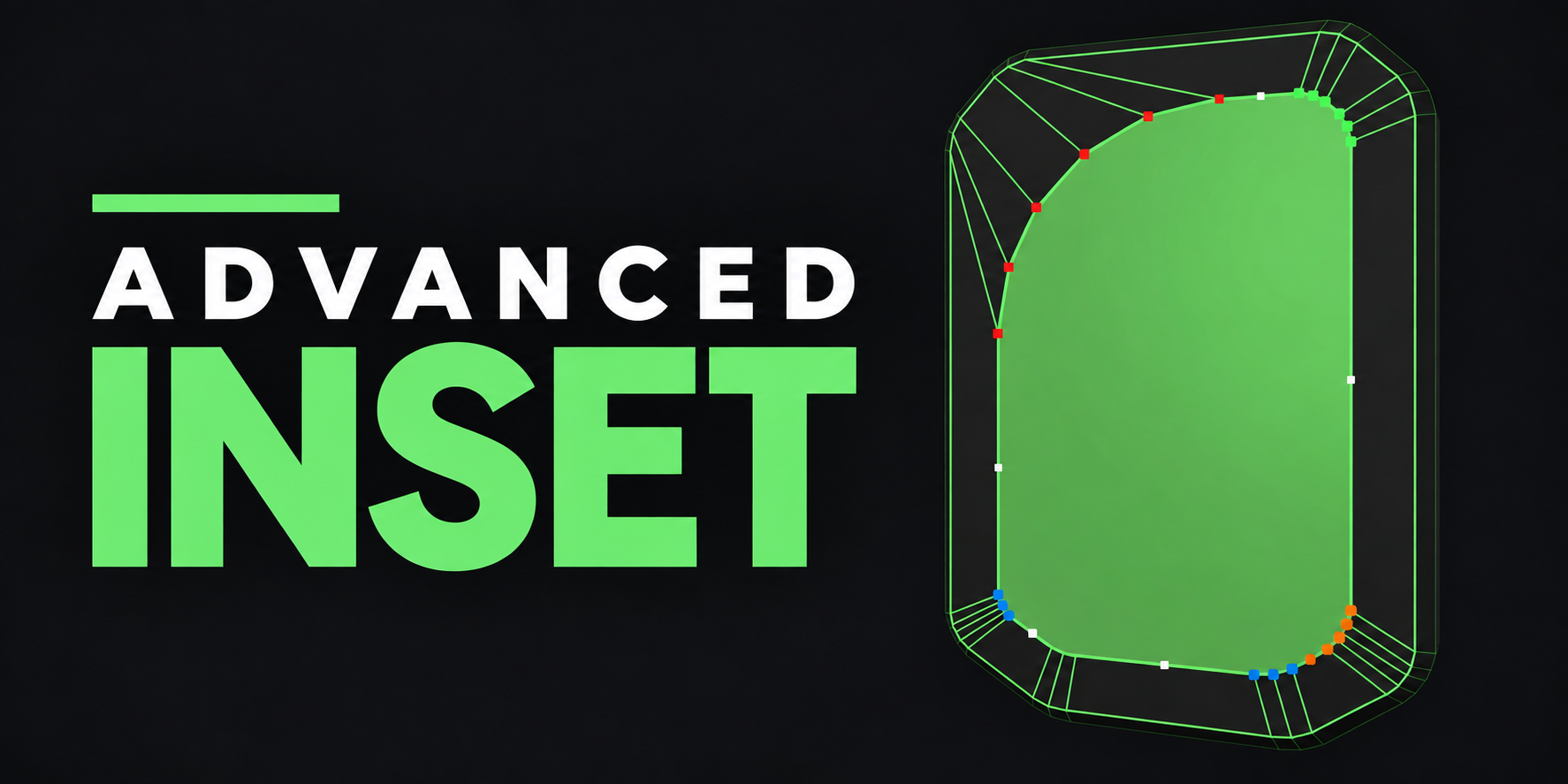
Blender's inset collapses on tight corners. Advanced Inset doesn't: every corner keeps its shape and gets its own handle, and each side can take its own depth. Spread and segments included. Blender 3.3–5.2.
Categories
Tags
Installation
- Download Advanced Inset and check which Blender versions the creator supports. Keep the installable archive (for example,
Advanced_Inset.zip) intact. If the download is a bundle, extract it first to find the add-on archive. - In Blender, go to Edit → Preferences → Add-ons. In Blender 4.2 and newer, open the top-right menu and choose Install from Disk. In older versions, click Install….
- Select the add-on archive (for example,
Advanced_Inset.zip) or its standalone.pyfile and confirm the installation. - Find the add-on in the Add-ons list and tick its checkbox if it isn’t already enabled.
Check the creator’s instructions for any extra setup, such as dependencies or license activation.
Compare with other products
Choose a category to find products to compare with this listing.
Variants
-
Individual published
Price: $12.99 · List price: $12.99
Variant versions
-
Advanced Inset 1.0.5 published
Created Nov 9, 2026 · Published Nov 9, 2026
Release notes (source)
<div style="background:#0c0e13;color:#dfe3ea;font-family:-apple-system,BlinkMacSystemFont,'Segoe UI',Roboto,Arial,sans-serif;padding:0;margin:0;max-width:100%;overflow:hidden;"><div style="color:#dfe3ea;font-family:-apple-system,BlinkMacSystemFont,'Segoe UI',Roboto,Arial,sans-serif;background:#0f1218;border-bottom:1px solid #2c313b;padding:44px 30px;text-align:center;"><div style="display:inline-block;background:rgba(139,227,115,0.12);color:#b9efab;padding:7px 18px;border-radius:20px;font-size:11px;font-weight:700;letter-spacing:3px;margin-bottom:16px;">CHANGELOG</div><h1 style="margin:0;font-size:34px;font-weight:900;color:#fff;">Advanced Inset</h1><p style="margin:12px 0 0;color:#9aa0ac;font-size:15px;">What's new in this version</p></div><div style="background:#0c0e13;color:#dfe3ea;font-family:-apple-system,BlinkMacSystemFont,'Segoe UI',Roboto,Arial,sans-serif;padding:36px 30px;max-width:100%;"><h2 style="font-size:20px;font-weight:800;color:#8be373;margin:34px 0 14px;padding-bottom:8px;border-bottom:1px solid #2c313b;letter-spacing:.3px;">1.0.5 — 9 November 2026</h2><p style="font-size:15px;color:#c2c7d1;line-height:1.75;margin:0 0 16px;">Your UVs stay where they are, the way Blender's own Inset keeps them, and the mouse buttons can be changed like the keys.</p><h3 style="font-size:16px;font-weight:700;color:#fff;margin:22px 0 10px;">Fixed</h3><p style="font-size:15px;color:#c2c7d1;line-height:1.75;margin:0 0 16px;"><b style="color:#fff;">The texture stays put.</b> The inset now keeps your UVs exactly as Blender's own Inset does. Every corner it moves reads its UV from the face it came from, at its new position, so a textured face no longer slides or stretches inside the inset, while you drag and after you confirm. Every UV map on the mesh is kept, seams included, in Keep Shape and Shrink, on one face, a region or Individual faces.</p><img src="https://assets.superhivemarket.com/cache/90c934f9fd933c08c7540946e659a5e3.webp" alt="The same inset on a UV grid: 1.0.4 stretched the texture, 1.0.5 keeps it where it was" style="display:block;width:100%;max-width:100%;height:auto;border-radius:12px;margin:6px 0 22px;"><p style="font-size:15px;color:#c2c7d1;line-height:1.75;margin:0 0 16px;"><b style="color:#fff;">Your own navigation works in the editor.</b> The editor now reads how this Blender orbits, pans and zooms, so a Mac set up to orbit with <b style="color:#fff;">Cmd</b> (or <b style="color:#fff;">Ctrl</b>) and the left button can orbit with the editor open too. Before, only the middle button and the numpad were handed back to the view.</p><h3 style="font-size:16px;font-weight:700;color:#fff;margin:22px 0 10px;">Changed</h3><p style="font-size:15px;color:#c2c7d1;line-height:1.75;margin:0 0 16px;"><b style="color:#fff;">The mouse buttons are yours to set.</b> In the add-on preferences, under <i>Keys in the editor</i>, a <b style="color:#fff;">Mouse</b> box sets the button that picks corners and drags a box (Left Click), the one that confirms (Right Click), and what you hold with them to add to the selection (<b style="color:#fff;">Shift</b>), toggle one corner (<b style="color:#fff;">Ctrl</b>), step finely (<b style="color:#fff;">Shift</b>) and snap (<b style="color:#fff;">Ctrl</b>). Each button can take Ctrl, Shift or Alt, so picking can sit on Shift + Middle Click while a plain middle click still orbits. A button the editor isn't using goes straight to Blender, so moving picking off Left Click gives you left-drag navigation back. <b style="color:#fff;">Enter</b>, <b style="color:#fff;">Space</b> and <b style="color:#fff;">Esc</b> always confirm or cancel, whatever is set.</p><h3 style="font-size:16px;font-weight:700;color:#fff;margin:22px 0 10px;">Added</h3><p style="font-size:15px;color:#c2c7d1;line-height:1.75;margin:0 0 16px;"><b style="color:#fff;">Drag a corner to set its depth.</b> An option in the preferences, under <i>In the editor</i>, off by default. With it on, a picked corner drags the way a side's dot does. It is off because a corner's handle sits on the mesh, so a click meant to pick it would take its depth with it.</p><p style="font-size:15px;color:#c2c7d1;line-height:1.75;margin:0 0 16px;">Nothing changes until you change it: every default is what it was.</p></div><div style="color:#dfe3ea;font-family:-apple-system,BlinkMacSystemFont,'Segoe UI',Roboto,Arial,sans-serif;background:#0f1218;border-top:1px solid #2c313b;padding:30px;text-align:center;"><div style="font-size:13px;color:#6c7280;line-height:1.8;">GPL-3.0-or-later · Copyright 2026 Tachyon Studio<br>A Blender add-on. It needs no engine, no external tool and no network access.</div></div></div>
-
Advanced Inset 1.0.4 published
Created Nov 3, 2026 · Published Nov 3, 2026
Release notes (source)
<div style="background:#0c0e13;color:#dfe3ea;font-family:-apple-system,BlinkMacSystemFont,'Segoe UI',Roboto,Arial,sans-serif;padding:0;margin:0;max-width:100%;overflow:hidden;"><div style="color:#dfe3ea;font-family:-apple-system,BlinkMacSystemFont,'Segoe UI',Roboto,Arial,sans-serif;background:#0f1218;border-bottom:1px solid #2c313b;padding:44px 30px;text-align:center;"><div style="display:inline-block;background:rgba(139,227,115,0.12);color:#b9efab;padding:7px 18px;border-radius:20px;font-size:11px;font-weight:700;letter-spacing:3px;margin-bottom:16px;">CHANGELOG</div><h1 style="margin:0;font-size:34px;font-weight:900;color:#fff;">Advanced Inset</h1><p style="margin:12px 0 0;color:#9aa0ac;font-size:15px;">What's new in this version</p></div><div style="background:#0c0e13;color:#dfe3ea;font-family:-apple-system,BlinkMacSystemFont,'Segoe UI',Roboto,Arial,sans-serif;padding:36px 30px;max-width:100%;"><h2 style="font-size:20px;font-weight:800;color:#8be373;margin:34px 0 14px;padding-bottom:8px;border-bottom:1px solid #2c313b;letter-spacing:.3px;">1.0.4 — 4 November 2026</h2><p style="font-size:15px;color:#c2c7d1;line-height:1.75;margin:0 0 16px;">Improved corner calculations for tricky scenarios.</p><h3 style="font-size:16px;font-weight:700;color:#fff;margin:22px 0 10px;">Fixed</h3><p style="font-size:15px;color:#c2c7d1;line-height:1.75;margin:0 0 16px;"><b style="color:#fff;">A small chamfer on a sharp corner is one corner.</b> On a shape with only a few edges, a sharp corner cut by a short chamfer had its two ends treated as two separate corners. Insetting deeper than the chamfer made them cross over each other, and Spread did nothing to them. The chamfer is now found as one corner: <b style="color:#fff;">Keep Shape</b> moves it in as one piece, and <b style="color:#fff;">Spread</b> widens it like any other corner.</p><p style="font-size:15px;color:#c2c7d1;line-height:1.75;margin:0 0 16px;"><b style="color:#fff;">Quads and regions never cross themselves.</b> A quad, or a selection of several faces, follows Blender's own inset, and that doesn't stop for anything, so two corners could pass through each other. Now, with <b style="color:#fff;">No Collapse</b> on (<b style="color:#fff;">C</b>, on by default), vertices that would pass each other meet and become one corner instead, and confirming welds them into a clean mesh. Turn No Collapse off and you get Blender's own inset, exactly as before.</p><p style="font-size:15px;color:#c2c7d1;line-height:1.75;margin:0 0 16px;">Reported by a customer.</p></div><div style="color:#dfe3ea;font-family:-apple-system,BlinkMacSystemFont,'Segoe UI',Roboto,Arial,sans-serif;background:#0f1218;border-top:1px solid #2c313b;padding:30px;text-align:center;"><div style="font-size:13px;color:#6c7280;line-height:1.8;">GPL-3.0-or-later · Copyright 2026 Tachyon Studio<br>A Blender add-on. It needs no engine, no external tool and no network access.</div></div></div>
-
Advanced Inset 1.0.3 published
Created Sep 24, 2026 · Published Sep 24, 2026
Release notes (source)
<div style="background:#0c0e13;color:#dfe3ea;font-family:-apple-system,BlinkMacSystemFont,'Segoe UI',Roboto,Arial,sans-serif;padding:0;margin:0;max-width:100%;overflow:hidden;"><div style="color:#dfe3ea;font-family:-apple-system,BlinkMacSystemFont,'Segoe UI',Roboto,Arial,sans-serif;background:#0f1218;border-bottom:1px solid #2c313b;padding:44px 30px;text-align:center;"><div style="display:inline-block;background:rgba(139,227,115,0.12);color:#b9efab;padding:7px 18px;border-radius:20px;font-size:11px;font-weight:700;letter-spacing:3px;margin-bottom:16px;">CHANGELOG</div><h1 style="margin:0;font-size:34px;font-weight:900;color:#fff;">Advanced Inset</h1><p style="margin:12px 0 0;color:#9aa0ac;font-size:15px;">What's new in this version</p></div><div style="background:#0c0e13;color:#dfe3ea;font-family:-apple-system,BlinkMacSystemFont,'Segoe UI',Roboto,Arial,sans-serif;padding:36px 30px;max-width:100%;"><h2 style="font-size:20px;font-weight:800;color:#8be373;margin:34px 0 14px;padding-bottom:8px;border-bottom:1px solid #2c313b;letter-spacing:.3px;">1.0.3 — 25 September 2026</h2><p style="font-size:15px;color:#c2c7d1;line-height:1.75;margin:0 0 16px;">Every shortcut in the editor can now be changed, and any of them can take Ctrl, Shift or Alt (or Cmd on a Mac).</p><h3 style="font-size:16px;font-weight:700;color:#fff;margin:22px 0 10px;">Changed</h3><p style="font-size:15px;color:#c2c7d1;line-height:1.75;margin:0 0 16px;"><b style="color:#fff;">Every shortcut is yours to set.</b> In the add-on preferences, under <i>Keys in the editor</i>, each action has Ctrl, Shift and Alt toggles and a key. Click the round button beside one and press the shortcut you want (Esc cancels). Any combination works, so Ctrl + Shift + D is as good as a plain letter. Two actions on the same shortcut get a warning, and the first one keeps it.</p><img src="https://assets.superhivemarket.com/cache/263f65389ec01783871b7b33ab8badd5.png" alt="The shortcut preferences; the Cmd column only appears on a Mac" style="display:block;width:100%;max-width:100%;height:auto;border-radius:12px;margin:6px 0 22px;"><p style="font-size:15px;color:#c2c7d1;line-height:1.75;margin:0 0 16px;"><b style="color:#fff;">Anything that goes up and down can use the wheel or two keys.</b> Distance, spread, corner vertices and corner sensitivity can each be the wheel with your own modifiers, or a pair of keys, one for up and one for down: letters, numbers, arrows, the numpad or the side mouse buttons. The old <i>Spread on</i> and <i>Segments on</i> only chose between Ctrl and Alt; spread and vertex count now take any modifiers you like. <b style="color:#fff;">Shift</b> still gives finer steps on the spread and the corner sensitivity.</p><p style="font-size:15px;color:#c2c7d1;line-height:1.75;margin:0 0 16px;"><b style="color:#fff;">The shortcuts that rode on another key have rows of their own:</b> Select none (<b style="color:#fff;">Alt + A</b>), Split corners (<b style="color:#fff;">Shift + J</b>) and Set the reset point (<b style="color:#fff;">Shift + Z</b>).</p><p style="font-size:15px;color:#c2c7d1;line-height:1.75;margin:0 0 16px;"><b style="color:#fff;">On a Mac, Cmd works too.</b> Every shortcut gets a <b style="color:#fff;">Cmd</b> toggle as well, and Alt is shown as <b style="color:#fff;">Option</b>, the way the keyboard reads.</p><p style="font-size:15px;color:#c2c7d1;line-height:1.75;margin:0 0 16px;">Nothing changes until you change it: every default is what it was, and a key you had already changed, or your <i>Spread on</i> and <i>Segments on</i> choice, carries over. The shortcut panel (<b style="color:#fff;">H</b>) shows whatever you set.</p></div><div style="color:#dfe3ea;font-family:-apple-system,BlinkMacSystemFont,'Segoe UI',Roboto,Arial,sans-serif;background:#0f1218;border-top:1px solid #2c313b;padding:30px;text-align:center;"><div style="font-size:13px;color:#6c7280;line-height:1.8;">GPL-3.0-or-later · Copyright 2026 Tachyon Studio<br>A Blender add-on. It needs no engine, no external tool and no network access.</div></div></div>
-
Advanced Inset 1.0.2 published
Created Sep 23, 2026 · Published Sep 23, 2026
Release notes (source)
<div style="background:#0c0e13;color:#dfe3ea;font-family:-apple-system,BlinkMacSystemFont,'Segoe UI',Roboto,Arial,sans-serif;padding:0;margin:0;max-width:100%;overflow:hidden;"><div style="color:#dfe3ea;font-family:-apple-system,BlinkMacSystemFont,'Segoe UI',Roboto,Arial,sans-serif;background:#0f1218;border-bottom:1px solid #2c313b;padding:44px 30px;text-align:center;"><div style="display:inline-block;background:rgba(139,227,115,0.12);color:#b9efab;padding:7px 18px;border-radius:20px;font-size:11px;font-weight:700;letter-spacing:3px;margin-bottom:16px;">CHANGELOG</div><h1 style="margin:0;font-size:34px;font-weight:900;color:#fff;">Advanced Inset</h1><p style="margin:12px 0 0;color:#9aa0ac;font-size:15px;">Every release, newest first</p></div><div style="background:#0c0e13;color:#dfe3ea;font-family:-apple-system,BlinkMacSystemFont,'Segoe UI',Roboto,Arial,sans-serif;padding:36px 30px;max-width:100%;"><p style="font-size:15px;color:#c2c7d1;line-height:1.75;margin:0 0 16px;">Every release of the add-on, newest first. One package covers Blender 3.3 – 5.2: a modern extension on 4.2+, a classic add-on on 3.3 – 4.1.</p><div style="background:#12151c;padding:8px 0;margin:0 0 20px;"><p style="margin:0;padding:7px 16px;font-size:14px;line-height:1.6;color:#c2c7d1;"><span style="color:#c2c7d1;">Current version:</span> <b style="color:#fff;">1.0.2</b></p><p style="margin:0;padding:7px 16px;font-size:14px;line-height:1.6;color:#c2c7d1;"><span style="color:#c2c7d1;">Released:</span> <b style="color:#fff;">24 September 2026</b></p><p style="margin:0;padding:7px 16px;font-size:14px;line-height:1.6;color:#c2c7d1;"><span style="color:#c2c7d1;">Blender:</span> <b style="color:#fff;">3.3 – 5.2</b></p><p style="margin:0;padding:7px 16px;font-size:14px;line-height:1.6;color:#c2c7d1;"><span style="color:#c2c7d1;">Licence:</span> <b style="color:#fff;">GPL-3.0-or-later</b></p></div><hr style="border:0;border-top:1px solid #2c313b;margin:34px 0;"><h2 style="font-size:20px;font-weight:800;color:#8be373;margin:34px 0 14px;padding-bottom:8px;border-bottom:1px solid #2c313b;letter-spacing:.3px;">1.0.2 — 24 September 2026</h2><p style="font-size:15px;color:#c2c7d1;line-height:1.75;margin:0 0 16px;">Corners can be sent back to a point you choose, a copied corner pastes as the same size anywhere, and very wide rounds and merged corners hold their shape.</p><h3 style="font-size:16px;font-weight:700;color:#fff;margin:22px 0 10px;">Added</h3><p style="font-size:15px;color:#c2c7d1;line-height:1.75;margin:0 0 16px;"><b style="color:#fff;">A reset point for your corners.</b> <b style="color:#fff;">Reset</b> (the chip, or <b style="color:#fff;">Z</b>) used to put a corner back to plain defaults. Now it puts it back where it was when you started the tool. Liked a shape halfway through? Click <b style="color:#fff;">Set Reset Point</b> (or <b style="color:#fff;">Shift + Z</b>) and Reset returns there instead. It works per corner, so you can reset one corner while its neighbours keep their edits.</p><img src="https://assets.superhivemarket.com/cache/a57a2d738f4528d20fc79836044648cd.webp" alt="Set Reset Point and Reset on the inset's corners" style="display:block;width:100%;max-width:100%;height:auto;border-radius:12px;margin:6px 0 22px;"><p style="font-size:15px;color:#c2c7d1;line-height:1.75;margin:0 0 16px;"><b style="color:#fff;">Paste a vertex count.</b> Copy a round corner and paste its vertex count onto another. A corner that is still a single vertex takes it too and becomes a round of that many vertices. The row is labelled <i>N vertices</i>, so you can see what you are pasting.</p><p style="font-size:15px;color:#c2c7d1;line-height:1.75;margin:0 0 16px;"><b style="color:#fff;">The shortcuts panel sits on the left</b>, clear of the toolbar and the sidebar. A new preference, <i>Shortcuts panel</i>, puts it on the right instead.</p><h3 style="font-size:16px;font-weight:700;color:#fff;margin:22px 0 10px;">Changed</h3><p style="font-size:15px;color:#c2c7d1;line-height:1.75;margin:0 0 16px;"><b style="color:#fff;">A pasted spread is the same size on any corner.</b> Spread used to be copied relative to the corner it came from, so 0.3 copied off a round corner was a different size on a filleted sharp one. It is copied as a length now: the same number is the same size wherever you paste it.</p><p style="font-size:15px;color:#c2c7d1;line-height:1.75;margin:0 0 16px;"><b style="color:#fff;">The first drag grows outward.</b> A preference, <i>First drag</i>, changes it back.</p><p style="font-size:15px;color:#c2c7d1;line-height:1.75;margin:0 0 16px;"><b style="color:#fff;">Edit Corners appears once.</b> With Advanced Bevel installed as well, Blender's Face and Vertex menus list Edit Corners once instead of twice.</p><h3 style="font-size:16px;font-weight:700;color:#fff;margin:22px 0 10px;">Fixed</h3><p style="font-size:15px;color:#c2c7d1;line-height:1.75;margin:0 0 16px;"><b style="color:#fff;">Very wide rounds keep the inset's width.</b> A single round that turns further than about 140 degrees (the whole top of a rounded face, say) was moved in Keep Shape as one piece. That can't keep the width, so its ends slid along the sides instead of coming in from them. Such a round now takes the parallel offset, the same distance in all the way round.</p><p style="font-size:15px;color:#c2c7d1;line-height:1.75;margin:0 0 16px;"><b style="color:#fff;">Merged corners keep their arc with Auto Merge on.</b> A merged corner set to Keep Shape between two parallel sides could slide straight down those sides when Auto Merge was on. It now keeps the arc fitted between its sides.</p><hr style="border:0;border-top:1px solid #2c313b;margin:34px 0;"><h2 style="font-size:20px;font-weight:800;color:#8be373;margin:34px 0 14px;padding-bottom:8px;border-bottom:1px solid #2c313b;letter-spacing:.3px;">1.0.1 — 21 September 2026</h2><h3 style="font-size:16px;font-weight:700;color:#fff;margin:22px 0 10px;">Fixed</h3><p style="font-size:15px;color:#c2c7d1;line-height:1.75;margin:0 0 16px;"><b style="color:#fff;">The corner handles are visible again on the Vulkan backend.</b> On Blender set to Vulkan (<i>Preferences ▸ System ▸ Backend</i>), the coloured dots marking each corner did not appear, while OpenGL showed them normally. The tool itself worked throughout — only the dots were missing, so an edit could be made but not aimed.</p><p style="font-size:15px;color:#c2c7d1;line-height:1.75;margin:0 0 16px;">The handles are drawn as GPU points, and the Vulkan backend ignores the requested point size for the shader the add-on used, which left every handle one pixel wide. They are now drawn with Blender's dedicated point shader, which honours the size on both backends. Nothing changes if you use OpenGL: the handles are drawn exactly as before.</p><p style="font-size:15px;color:#c2c7d1;line-height:1.75;margin:0 0 16px;">Reported by a customer, and confirmed by measuring what actually reaches the screen on Blender 5.2 under both backends.</p><hr style="border:0;border-top:1px solid #2c313b;margin:34px 0;"><h2 style="font-size:20px;font-weight:800;color:#8be373;margin:34px 0 14px;padding-bottom:8px;border-bottom:1px solid #2c313b;letter-spacing:.3px;">1.0.0 — First release</h2><p style="font-size:15px;color:#c2c7d1;line-height:1.75;margin:0 0 16px;">An inset whose corners never collapse.</p><p style="font-size:15px;color:#c2c7d1;line-height:1.75;margin:0 0 16px;"><b style="color:#fff;">What it does</b></p><ul style="margin:0 0 16px;padding-left:20px;font-size:15px;color:#dfe3ea;line-height:1.7;"><li style="margin:0 0 8px;">Blender's inset slides every vertex along the bisector of its two edges, so a rounded corner shrinks as it goes in, lands on a single point, and turns inside out past that. This finds each corner on its own and moves it as one rigid piece, so the shape survives any depth.</li><li style="margin:0 0 8px;">Every corner becomes a handle: its own depth, its own radius, its own vertex count, its own mode, all live in the viewport before anything is committed.</li><li style="margin:0 0 8px;">A side — the stretch between two corners — has its own small handle and its own depth, and follows its corners until you give it one.</li><li style="margin:0 0 8px;">Corners can be merged, split, and copied from one to another.</li><li style="margin:0 0 8px;">The same editor works on corners the mesh already has, with nothing inset at all.</li><li style="margin:0 0 8px;">Quads and whole regions of faces take Blender's own inset for their positions, with the corner controls on top.</li><li style="margin:0 0 8px;">The inset is worked out in world space, so on an object scaled in Object Mode the distance is the distance you see on screen and a round corner stays round on screen.</li><li style="margin:0 0 8px;">Nothing is committed until you confirm, and <b style="color:#fff;">Esc</b> puts the mesh back exactly as it was.</li></ul><p style="font-size:15px;color:#c2c7d1;line-height:1.75;margin:0 0 16px;"><b style="color:#fff;">Pure Blender, and nothing to configure.</b> No game engine, no external tool, and no network use of any kind: it opens no sockets, sends no telemetry and checks no licence. Blender's own Inset is untouched and still on <b style="color:#fff;">I</b>.</p></div><div style="color:#dfe3ea;font-family:-apple-system,BlinkMacSystemFont,'Segoe UI',Roboto,Arial,sans-serif;background:#0f1218;border-top:1px solid #2c313b;padding:30px;text-align:center;"><div style="font-size:13px;color:#6c7280;line-height:1.8;">GPL-3.0-or-later · Copyright 2026 Tachyon Studio<br>A Blender add-on. It needs no engine, no external tool and no network access.</div></div></div>
-
Advanced Inset 1.0.1 published
Created Sep 21, 2026 · Published Sep 21, 2026
Release notes (source)
<div style="color: rgb(223, 227, 234); font-family: -apple-system, BlinkMacSystemFont, "Segoe UI", Roboto, Arial, sans-serif; font-size: 15px; background: rgb(15, 18, 24); border-bottom: 1px solid rgb(44, 49, 59); padding: 44px 30px; text-align: center;"><div style="display: inline-block; background: rgba(139, 227, 115, 0.12); color: rgb(185, 239, 171); padding: 7px 18px; border-radius: 20px; font-size: 11px; font-weight: 700; letter-spacing: 3px; margin-bottom: 16px;">CHANGELOG</div><h1 style="font-size: 34px; margin: 0px; color: rgb(255, 255, 255);">Advanced Inset</h1><p style="margin: 12px 0px 0px; color: rgb(154, 160, 172);">Every release, newest first</p></div><div style="color: rgb(223, 227, 234); font-family: -apple-system, BlinkMacSystemFont, "Segoe UI", Roboto, Arial, sans-serif; font-size: 15px; background: rgb(12, 14, 19); padding: 36px 30px; max-width: 100%;"><p style="color: rgb(194, 199, 209); line-height: 1.75; margin: 0px 0px 16px;">Every release of the add-on, newest first. One package covers Blender 3.3 – 5.2: a modern extension on 4.2+, a classic add-on on 3.3 – 4.1.</p><table style="width: 2419px; margin: 0px 0px 20px;"><tbody><tr><th style="background: rgb(18, 21, 28); border-color: rgb(44, 49, 59); padding: 10px 14px; text-align: left; font-size: 12px; color: rgb(139, 227, 115); letter-spacing: 1.2px; text-transform: uppercase;">Item</th><th style="background: rgb(18, 21, 28); border-color: rgb(44, 49, 59); padding: 10px 14px; text-align: left; font-size: 12px; color: rgb(139, 227, 115); letter-spacing: 1.2px; text-transform: uppercase;">Detail</th></tr><tr><td style="border-color: rgb(44, 49, 59); padding: 10px 14px; font-size: 14px; color: rgb(194, 199, 209); line-height: 1.65; vertical-align: top;"><b style="color: rgb(255, 255, 255);">Current version</b></td><td style="border-color: rgb(44, 49, 59); padding: 10px 14px; font-size: 14px; color: rgb(194, 199, 209); line-height: 1.65; vertical-align: top;">1.0.1</td></tr><tr><td style="border-color: rgb(44, 49, 59); padding: 10px 14px; font-size: 14px; color: rgb(194, 199, 209); line-height: 1.65; vertical-align: top;"><b style="color: rgb(255, 255, 255);">Released</b></td><td style="border-color: rgb(44, 49, 59); padding: 10px 14px; font-size: 14px; color: rgb(194, 199, 209); line-height: 1.65; vertical-align: top;">21 September 2026</td></tr><tr><td style="border-color: rgb(44, 49, 59); padding: 10px 14px; font-size: 14px; color: rgb(194, 199, 209); line-height: 1.65; vertical-align: top;"><b style="color: rgb(255, 255, 255);">Blender</b></td><td style="border-color: rgb(44, 49, 59); padding: 10px 14px; font-size: 14px; color: rgb(194, 199, 209); line-height: 1.65; vertical-align: top;">3.3 – 5.2</td></tr><tr><td style="border-color: rgb(44, 49, 59); padding: 10px 14px; font-size: 14px; color: rgb(194, 199, 209); line-height: 1.65; vertical-align: top;"><b style="color: rgb(255, 255, 255);">Licence</b></td><td style="border-color: rgb(44, 49, 59); padding: 10px 14px; font-size: 14px; color: rgb(194, 199, 209); line-height: 1.65; vertical-align: top;">GPL-3.0-or-later</td></tr></tbody></table><hr style="border-width: 1px 0px 0px; border-style: solid none none; border-color: rgb(44, 49, 59) currentcolor currentcolor; margin: 34px 0px;"><h2 style="font-size: 20px; color: rgb(139, 227, 115); margin: 34px 0px 14px; padding-bottom: 8px; border-bottom: 1px solid rgb(44, 49, 59); letter-spacing: 0.3px;">1.0.1 — 21 September 2026</h2><h3 style="font-size: 16px; color: rgb(255, 255, 255); margin: 22px 0px 10px;">Fixed</h3><p style="color: rgb(194, 199, 209); line-height: 1.75; margin: 0px 0px 16px;"><b style="color: rgb(255, 255, 255);">The corner handles are visible again on the Vulkan backend.</b> On Blender set to Vulkan (<i>Preferences ▸ System ▸ Backend</i>), the coloured dots marking each corner did not appear, while OpenGL showed them normally. The tool itself worked throughout — only the dots were missing, so an edit could be made but not aimed.</p><p style="color: rgb(194, 199, 209); line-height: 1.75; margin: 0px 0px 16px;">The handles are drawn as GPU points, and the Vulkan backend ignores the requested point size for the shader the add-on used, which left every handle one pixel wide. They are now drawn with Blender's dedicated point shader, which honours the size on both backends. Nothing changes if you use OpenGL: the handles are drawn exactly as before.</p><p style="color: rgb(194, 199, 209); line-height: 1.75; margin: 0px 0px 16px;">Reported by a customer, and confirmed by measuring what actually reaches the screen on Blender 5.2 under both backends.</p><hr style="border-width: 1px 0px 0px; border-style: solid none none; border-color: rgb(44, 49, 59) currentcolor currentcolor; margin: 34px 0px;"><h2 style="font-size: 20px; color: rgb(139, 227, 115); margin: 34px 0px 14px; padding-bottom: 8px; border-bottom: 1px solid rgb(44, 49, 59); letter-spacing: 0.3px;">1.0.0 — First release</h2><p style="color: rgb(194, 199, 209); line-height: 1.75; margin: 0px 0px 16px;">An inset whose corners never collapse.</p><p style="color: rgb(194, 199, 209); line-height: 1.75; margin: 0px 0px 16px;"><b style="color: rgb(255, 255, 255);">What it does</b></p><ul style="margin: 0px 0px 16px; padding-left: 20px; line-height: 1.7;"><li style="margin: 0px 0px 8px;">Blender's inset slides every vertex along the bisector of its two edges, so a rounded corner shrinks as it goes in, lands on a single point, and turns inside out past that. This finds each corner on its own and moves it as one rigid piece, so the shape survives any depth.</li><li style="margin: 0px 0px 8px;">Every corner becomes a handle: its own depth, its own radius, its own vertex count, its own mode, all live in the viewport before anything is committed.</li><li style="margin: 0px 0px 8px;">A side — the stretch between two corners — has its own small handle and its own depth, and follows its corners until you give it one.</li><li style="margin: 0px 0px 8px;">Corners can be merged, split, and copied from one to another.</li><li style="margin: 0px 0px 8px;">The same editor works on corners the mesh already has, with nothing inset at all.</li><li style="margin: 0px 0px 8px;">Quads and whole regions of faces take Blender's own inset for their positions, with the corner controls on top.</li><li style="margin: 0px 0px 8px;">The inset is worked out in world space, so on an object scaled in Object Mode the distance is the distance you see on screen and a round corner stays round on screen.</li><li style="margin: 0px 0px 8px;">Nothing is committed until you confirm, and <b style="color: rgb(255, 255, 255);">Esc</b> puts the mesh back exactly as it was.</li></ul><p style="color: rgb(194, 199, 209); line-height: 1.75; margin: 0px 0px 16px;"><b style="color: rgb(255, 255, 255);">Pure Blender, and nothing to configure.</b> No game engine, no external tool, and no network use of any kind: it opens no sockets, sends no telemetry and checks no licence. Blender's own Inset is untouched and still on <b style="color: rgb(255, 255, 255);">I</b>.</p></div><div style="color: rgb(223, 227, 234); font-family: -apple-system, BlinkMacSystemFont, "Segoe UI", Roboto, Arial, sans-serif; font-size: 15px; background: rgb(15, 18, 24); border-top: 1px solid rgb(44, 49, 59); padding: 30px; text-align: center;"><div style="font-size: 13px; color: rgb(108, 114, 128); line-height: 1.8;">GPL-3.0-or-later · Copyright 2026 Tachyon Studio<br>A Blender add-on. It needs no engine, no external tool and no network access.</div></div>
-
-
Studio published
Price: $129.99 · List price: $129.99
Variant versions
-
Advanced Inset 1.0.5 published
Created Nov 9, 2026 · Published Nov 9, 2026
Release notes (source)
<div style="background:#0c0e13;color:#dfe3ea;font-family:-apple-system,BlinkMacSystemFont,'Segoe UI',Roboto,Arial,sans-serif;padding:0;margin:0;max-width:100%;overflow:hidden;"><div style="color:#dfe3ea;font-family:-apple-system,BlinkMacSystemFont,'Segoe UI',Roboto,Arial,sans-serif;background:#0f1218;border-bottom:1px solid #2c313b;padding:44px 30px;text-align:center;"><div style="display:inline-block;background:rgba(139,227,115,0.12);color:#b9efab;padding:7px 18px;border-radius:20px;font-size:11px;font-weight:700;letter-spacing:3px;margin-bottom:16px;">CHANGELOG</div><h1 style="margin:0;font-size:34px;font-weight:900;color:#fff;">Advanced Inset</h1><p style="margin:12px 0 0;color:#9aa0ac;font-size:15px;">What's new in this version</p></div><div style="background:#0c0e13;color:#dfe3ea;font-family:-apple-system,BlinkMacSystemFont,'Segoe UI',Roboto,Arial,sans-serif;padding:36px 30px;max-width:100%;"><h2 style="font-size:20px;font-weight:800;color:#8be373;margin:34px 0 14px;padding-bottom:8px;border-bottom:1px solid #2c313b;letter-spacing:.3px;">1.0.5 — 9 November 2026</h2><p style="font-size:15px;color:#c2c7d1;line-height:1.75;margin:0 0 16px;">Your UVs stay where they are, the way Blender's own Inset keeps them, and the mouse buttons can be changed like the keys.</p><h3 style="font-size:16px;font-weight:700;color:#fff;margin:22px 0 10px;">Fixed</h3><p style="font-size:15px;color:#c2c7d1;line-height:1.75;margin:0 0 16px;"><b style="color:#fff;">The texture stays put.</b> The inset now keeps your UVs exactly as Blender's own Inset does. Every corner it moves reads its UV from the face it came from, at its new position, so a textured face no longer slides or stretches inside the inset, while you drag and after you confirm. Every UV map on the mesh is kept, seams included, in Keep Shape and Shrink, on one face, a region or Individual faces.</p><img src="https://assets.superhivemarket.com/cache/90c934f9fd933c08c7540946e659a5e3.webp" alt="The same inset on a UV grid: 1.0.4 stretched the texture, 1.0.5 keeps it where it was" style="display:block;width:100%;max-width:100%;height:auto;border-radius:12px;margin:6px 0 22px;"><p style="font-size:15px;color:#c2c7d1;line-height:1.75;margin:0 0 16px;"><b style="color:#fff;">Your own navigation works in the editor.</b> The editor now reads how this Blender orbits, pans and zooms, so a Mac set up to orbit with <b style="color:#fff;">Cmd</b> (or <b style="color:#fff;">Ctrl</b>) and the left button can orbit with the editor open too. Before, only the middle button and the numpad were handed back to the view.</p><h3 style="font-size:16px;font-weight:700;color:#fff;margin:22px 0 10px;">Changed</h3><p style="font-size:15px;color:#c2c7d1;line-height:1.75;margin:0 0 16px;"><b style="color:#fff;">The mouse buttons are yours to set.</b> In the add-on preferences, under <i>Keys in the editor</i>, a <b style="color:#fff;">Mouse</b> box sets the button that picks corners and drags a box (Left Click), the one that confirms (Right Click), and what you hold with them to add to the selection (<b style="color:#fff;">Shift</b>), toggle one corner (<b style="color:#fff;">Ctrl</b>), step finely (<b style="color:#fff;">Shift</b>) and snap (<b style="color:#fff;">Ctrl</b>). Each button can take Ctrl, Shift or Alt, so picking can sit on Shift + Middle Click while a plain middle click still orbits. A button the editor isn't using goes straight to Blender, so moving picking off Left Click gives you left-drag navigation back. <b style="color:#fff;">Enter</b>, <b style="color:#fff;">Space</b> and <b style="color:#fff;">Esc</b> always confirm or cancel, whatever is set.</p><h3 style="font-size:16px;font-weight:700;color:#fff;margin:22px 0 10px;">Added</h3><p style="font-size:15px;color:#c2c7d1;line-height:1.75;margin:0 0 16px;"><b style="color:#fff;">Drag a corner to set its depth.</b> An option in the preferences, under <i>In the editor</i>, off by default. With it on, a picked corner drags the way a side's dot does. It is off because a corner's handle sits on the mesh, so a click meant to pick it would take its depth with it.</p><p style="font-size:15px;color:#c2c7d1;line-height:1.75;margin:0 0 16px;">Nothing changes until you change it: every default is what it was.</p></div><div style="color:#dfe3ea;font-family:-apple-system,BlinkMacSystemFont,'Segoe UI',Roboto,Arial,sans-serif;background:#0f1218;border-top:1px solid #2c313b;padding:30px;text-align:center;"><div style="font-size:13px;color:#6c7280;line-height:1.8;">GPL-3.0-or-later · Copyright 2026 Tachyon Studio<br>A Blender add-on. It needs no engine, no external tool and no network access.</div></div></div>
-
Advanced Inset 1.0.4 published
Created Nov 3, 2026 · Published Nov 3, 2026
Release notes (source)
<div style="background:#0c0e13;color:#dfe3ea;font-family:-apple-system,BlinkMacSystemFont,'Segoe UI',Roboto,Arial,sans-serif;padding:0;margin:0;max-width:100%;overflow:hidden;"><div style="color:#dfe3ea;font-family:-apple-system,BlinkMacSystemFont,'Segoe UI',Roboto,Arial,sans-serif;background:#0f1218;border-bottom:1px solid #2c313b;padding:44px 30px;text-align:center;"><div style="display:inline-block;background:rgba(139,227,115,0.12);color:#b9efab;padding:7px 18px;border-radius:20px;font-size:11px;font-weight:700;letter-spacing:3px;margin-bottom:16px;">CHANGELOG</div><h1 style="margin:0;font-size:34px;font-weight:900;color:#fff;">Advanced Inset</h1><p style="margin:12px 0 0;color:#9aa0ac;font-size:15px;">What's new in this version</p></div><div style="background:#0c0e13;color:#dfe3ea;font-family:-apple-system,BlinkMacSystemFont,'Segoe UI',Roboto,Arial,sans-serif;padding:36px 30px;max-width:100%;"><h2 style="font-size:20px;font-weight:800;color:#8be373;margin:34px 0 14px;padding-bottom:8px;border-bottom:1px solid #2c313b;letter-spacing:.3px;">1.0.4 — 4 November 2026</h2><p style="font-size:15px;color:#c2c7d1;line-height:1.75;margin:0 0 16px;">Improved corner calculations for tricky scenarios.</p><h3 style="font-size:16px;font-weight:700;color:#fff;margin:22px 0 10px;">Fixed</h3><p style="font-size:15px;color:#c2c7d1;line-height:1.75;margin:0 0 16px;"><b style="color:#fff;">A small chamfer on a sharp corner is one corner.</b> On a shape with only a few edges, a sharp corner cut by a short chamfer had its two ends treated as two separate corners. Insetting deeper than the chamfer made them cross over each other, and Spread did nothing to them. The chamfer is now found as one corner: <b style="color:#fff;">Keep Shape</b> moves it in as one piece, and <b style="color:#fff;">Spread</b> widens it like any other corner.</p><p style="font-size:15px;color:#c2c7d1;line-height:1.75;margin:0 0 16px;"><b style="color:#fff;">Quads and regions never cross themselves.</b> A quad, or a selection of several faces, follows Blender's own inset, and that doesn't stop for anything, so two corners could pass through each other. Now, with <b style="color:#fff;">No Collapse</b> on (<b style="color:#fff;">C</b>, on by default), vertices that would pass each other meet and become one corner instead, and confirming welds them into a clean mesh. Turn No Collapse off and you get Blender's own inset, exactly as before.</p><p style="font-size:15px;color:#c2c7d1;line-height:1.75;margin:0 0 16px;">Reported by a customer.</p></div><div style="color:#dfe3ea;font-family:-apple-system,BlinkMacSystemFont,'Segoe UI',Roboto,Arial,sans-serif;background:#0f1218;border-top:1px solid #2c313b;padding:30px;text-align:center;"><div style="font-size:13px;color:#6c7280;line-height:1.8;">GPL-3.0-or-later · Copyright 2026 Tachyon Studio<br>A Blender add-on. It needs no engine, no external tool and no network access.</div></div></div>
-
Advanced Inset 1.0.3 published
Created Sep 24, 2026 · Published Sep 24, 2026
Release notes (source)
<div style="background:#0c0e13;color:#dfe3ea;font-family:-apple-system,BlinkMacSystemFont,'Segoe UI',Roboto,Arial,sans-serif;padding:0;margin:0;max-width:100%;overflow:hidden;"><div style="color:#dfe3ea;font-family:-apple-system,BlinkMacSystemFont,'Segoe UI',Roboto,Arial,sans-serif;background:#0f1218;border-bottom:1px solid #2c313b;padding:44px 30px;text-align:center;"><div style="display:inline-block;background:rgba(139,227,115,0.12);color:#b9efab;padding:7px 18px;border-radius:20px;font-size:11px;font-weight:700;letter-spacing:3px;margin-bottom:16px;">CHANGELOG</div><h1 style="margin:0;font-size:34px;font-weight:900;color:#fff;">Advanced Inset</h1><p style="margin:12px 0 0;color:#9aa0ac;font-size:15px;">What's new in this version</p></div><div style="background:#0c0e13;color:#dfe3ea;font-family:-apple-system,BlinkMacSystemFont,'Segoe UI',Roboto,Arial,sans-serif;padding:36px 30px;max-width:100%;"><h2 style="font-size:20px;font-weight:800;color:#8be373;margin:34px 0 14px;padding-bottom:8px;border-bottom:1px solid #2c313b;letter-spacing:.3px;">1.0.3 — 25 September 2026</h2><p style="font-size:15px;color:#c2c7d1;line-height:1.75;margin:0 0 16px;">Every shortcut in the editor can now be changed, and any of them can take Ctrl, Shift or Alt (or Cmd on a Mac).</p><h3 style="font-size:16px;font-weight:700;color:#fff;margin:22px 0 10px;">Changed</h3><p style="font-size:15px;color:#c2c7d1;line-height:1.75;margin:0 0 16px;"><b style="color:#fff;">Every shortcut is yours to set.</b> In the add-on preferences, under <i>Keys in the editor</i>, each action has Ctrl, Shift and Alt toggles and a key. Click the round button beside one and press the shortcut you want (Esc cancels). Any combination works, so Ctrl + Shift + D is as good as a plain letter. Two actions on the same shortcut get a warning, and the first one keeps it.</p><img src="https://assets.superhivemarket.com/cache/263f65389ec01783871b7b33ab8badd5.png" alt="The shortcut preferences; the Cmd column only appears on a Mac" style="display:block;width:100%;max-width:100%;height:auto;border-radius:12px;margin:6px 0 22px;"><p style="font-size:15px;color:#c2c7d1;line-height:1.75;margin:0 0 16px;"><b style="color:#fff;">Anything that goes up and down can use the wheel or two keys.</b> Distance, spread, corner vertices and corner sensitivity can each be the wheel with your own modifiers, or a pair of keys, one for up and one for down: letters, numbers, arrows, the numpad or the side mouse buttons. The old <i>Spread on</i> and <i>Segments on</i> only chose between Ctrl and Alt; spread and vertex count now take any modifiers you like. <b style="color:#fff;">Shift</b> still gives finer steps on the spread and the corner sensitivity.</p><p style="font-size:15px;color:#c2c7d1;line-height:1.75;margin:0 0 16px;"><b style="color:#fff;">The shortcuts that rode on another key have rows of their own:</b> Select none (<b style="color:#fff;">Alt + A</b>), Split corners (<b style="color:#fff;">Shift + J</b>) and Set the reset point (<b style="color:#fff;">Shift + Z</b>).</p><p style="font-size:15px;color:#c2c7d1;line-height:1.75;margin:0 0 16px;"><b style="color:#fff;">On a Mac, Cmd works too.</b> Every shortcut gets a <b style="color:#fff;">Cmd</b> toggle as well, and Alt is shown as <b style="color:#fff;">Option</b>, the way the keyboard reads.</p><p style="font-size:15px;color:#c2c7d1;line-height:1.75;margin:0 0 16px;">Nothing changes until you change it: every default is what it was, and a key you had already changed, or your <i>Spread on</i> and <i>Segments on</i> choice, carries over. The shortcut panel (<b style="color:#fff;">H</b>) shows whatever you set.</p></div><div style="color:#dfe3ea;font-family:-apple-system,BlinkMacSystemFont,'Segoe UI',Roboto,Arial,sans-serif;background:#0f1218;border-top:1px solid #2c313b;padding:30px;text-align:center;"><div style="font-size:13px;color:#6c7280;line-height:1.8;">GPL-3.0-or-later · Copyright 2026 Tachyon Studio<br>A Blender add-on. It needs no engine, no external tool and no network access.</div></div></div>
-
Advanced Inset 1.0.2 published
Created Sep 23, 2026 · Published Sep 23, 2026
Release notes (source)
<div style="background:#0c0e13;color:#dfe3ea;font-family:-apple-system,BlinkMacSystemFont,'Segoe UI',Roboto,Arial,sans-serif;padding:0;margin:0;max-width:100%;overflow:hidden;"><div style="color:#dfe3ea;font-family:-apple-system,BlinkMacSystemFont,'Segoe UI',Roboto,Arial,sans-serif;background:#0f1218;border-bottom:1px solid #2c313b;padding:44px 30px;text-align:center;"><div style="display:inline-block;background:rgba(139,227,115,0.12);color:#b9efab;padding:7px 18px;border-radius:20px;font-size:11px;font-weight:700;letter-spacing:3px;margin-bottom:16px;">CHANGELOG</div><h1 style="margin:0;font-size:34px;font-weight:900;color:#fff;">Advanced Inset</h1><p style="margin:12px 0 0;color:#9aa0ac;font-size:15px;">Every release, newest first</p></div><div style="background:#0c0e13;color:#dfe3ea;font-family:-apple-system,BlinkMacSystemFont,'Segoe UI',Roboto,Arial,sans-serif;padding:36px 30px;max-width:100%;"><p style="font-size:15px;color:#c2c7d1;line-height:1.75;margin:0 0 16px;">Every release of the add-on, newest first. One package covers Blender 3.3 – 5.2: a modern extension on 4.2+, a classic add-on on 3.3 – 4.1.</p><div style="background:#12151c;padding:8px 0;margin:0 0 20px;"><p style="margin:0;padding:7px 16px;font-size:14px;line-height:1.6;color:#c2c7d1;"><span style="color:#c2c7d1;">Current version:</span> <b style="color:#fff;">1.0.2</b></p><p style="margin:0;padding:7px 16px;font-size:14px;line-height:1.6;color:#c2c7d1;"><span style="color:#c2c7d1;">Released:</span> <b style="color:#fff;">24 September 2026</b></p><p style="margin:0;padding:7px 16px;font-size:14px;line-height:1.6;color:#c2c7d1;"><span style="color:#c2c7d1;">Blender:</span> <b style="color:#fff;">3.3 – 5.2</b></p><p style="margin:0;padding:7px 16px;font-size:14px;line-height:1.6;color:#c2c7d1;"><span style="color:#c2c7d1;">Licence:</span> <b style="color:#fff;">GPL-3.0-or-later</b></p></div><hr style="border:0;border-top:1px solid #2c313b;margin:34px 0;"><h2 style="font-size:20px;font-weight:800;color:#8be373;margin:34px 0 14px;padding-bottom:8px;border-bottom:1px solid #2c313b;letter-spacing:.3px;">1.0.2 — 24 September 2026</h2><p style="font-size:15px;color:#c2c7d1;line-height:1.75;margin:0 0 16px;">Corners can be sent back to a point you choose, a copied corner pastes as the same size anywhere, and very wide rounds and merged corners hold their shape.</p><h3 style="font-size:16px;font-weight:700;color:#fff;margin:22px 0 10px;">Added</h3><p style="font-size:15px;color:#c2c7d1;line-height:1.75;margin:0 0 16px;"><b style="color:#fff;">A reset point for your corners.</b> <b style="color:#fff;">Reset</b> (the chip, or <b style="color:#fff;">Z</b>) used to put a corner back to plain defaults. Now it puts it back where it was when you started the tool. Liked a shape halfway through? Click <b style="color:#fff;">Set Reset Point</b> (or <b style="color:#fff;">Shift + Z</b>) and Reset returns there instead. It works per corner, so you can reset one corner while its neighbours keep their edits.</p><img src="https://assets.superhivemarket.com/cache/a57a2d738f4528d20fc79836044648cd.webp" alt="Set Reset Point and Reset on the inset's corners" style="display:block;width:100%;max-width:100%;height:auto;border-radius:12px;margin:6px 0 22px;"><p style="font-size:15px;color:#c2c7d1;line-height:1.75;margin:0 0 16px;"><b style="color:#fff;">Paste a vertex count.</b> Copy a round corner and paste its vertex count onto another. A corner that is still a single vertex takes it too and becomes a round of that many vertices. The row is labelled <i>N vertices</i>, so you can see what you are pasting.</p><p style="font-size:15px;color:#c2c7d1;line-height:1.75;margin:0 0 16px;"><b style="color:#fff;">The shortcuts panel sits on the left</b>, clear of the toolbar and the sidebar. A new preference, <i>Shortcuts panel</i>, puts it on the right instead.</p><h3 style="font-size:16px;font-weight:700;color:#fff;margin:22px 0 10px;">Changed</h3><p style="font-size:15px;color:#c2c7d1;line-height:1.75;margin:0 0 16px;"><b style="color:#fff;">A pasted spread is the same size on any corner.</b> Spread used to be copied relative to the corner it came from, so 0.3 copied off a round corner was a different size on a filleted sharp one. It is copied as a length now: the same number is the same size wherever you paste it.</p><p style="font-size:15px;color:#c2c7d1;line-height:1.75;margin:0 0 16px;"><b style="color:#fff;">The first drag grows outward.</b> A preference, <i>First drag</i>, changes it back.</p><p style="font-size:15px;color:#c2c7d1;line-height:1.75;margin:0 0 16px;"><b style="color:#fff;">Edit Corners appears once.</b> With Advanced Bevel installed as well, Blender's Face and Vertex menus list Edit Corners once instead of twice.</p><h3 style="font-size:16px;font-weight:700;color:#fff;margin:22px 0 10px;">Fixed</h3><p style="font-size:15px;color:#c2c7d1;line-height:1.75;margin:0 0 16px;"><b style="color:#fff;">Very wide rounds keep the inset's width.</b> A single round that turns further than about 140 degrees (the whole top of a rounded face, say) was moved in Keep Shape as one piece. That can't keep the width, so its ends slid along the sides instead of coming in from them. Such a round now takes the parallel offset, the same distance in all the way round.</p><p style="font-size:15px;color:#c2c7d1;line-height:1.75;margin:0 0 16px;"><b style="color:#fff;">Merged corners keep their arc with Auto Merge on.</b> A merged corner set to Keep Shape between two parallel sides could slide straight down those sides when Auto Merge was on. It now keeps the arc fitted between its sides.</p><hr style="border:0;border-top:1px solid #2c313b;margin:34px 0;"><h2 style="font-size:20px;font-weight:800;color:#8be373;margin:34px 0 14px;padding-bottom:8px;border-bottom:1px solid #2c313b;letter-spacing:.3px;">1.0.1 — 21 September 2026</h2><h3 style="font-size:16px;font-weight:700;color:#fff;margin:22px 0 10px;">Fixed</h3><p style="font-size:15px;color:#c2c7d1;line-height:1.75;margin:0 0 16px;"><b style="color:#fff;">The corner handles are visible again on the Vulkan backend.</b> On Blender set to Vulkan (<i>Preferences ▸ System ▸ Backend</i>), the coloured dots marking each corner did not appear, while OpenGL showed them normally. The tool itself worked throughout — only the dots were missing, so an edit could be made but not aimed.</p><p style="font-size:15px;color:#c2c7d1;line-height:1.75;margin:0 0 16px;">The handles are drawn as GPU points, and the Vulkan backend ignores the requested point size for the shader the add-on used, which left every handle one pixel wide. They are now drawn with Blender's dedicated point shader, which honours the size on both backends. Nothing changes if you use OpenGL: the handles are drawn exactly as before.</p><p style="font-size:15px;color:#c2c7d1;line-height:1.75;margin:0 0 16px;">Reported by a customer, and confirmed by measuring what actually reaches the screen on Blender 5.2 under both backends.</p><hr style="border:0;border-top:1px solid #2c313b;margin:34px 0;"><h2 style="font-size:20px;font-weight:800;color:#8be373;margin:34px 0 14px;padding-bottom:8px;border-bottom:1px solid #2c313b;letter-spacing:.3px;">1.0.0 — First release</h2><p style="font-size:15px;color:#c2c7d1;line-height:1.75;margin:0 0 16px;">An inset whose corners never collapse.</p><p style="font-size:15px;color:#c2c7d1;line-height:1.75;margin:0 0 16px;"><b style="color:#fff;">What it does</b></p><ul style="margin:0 0 16px;padding-left:20px;font-size:15px;color:#dfe3ea;line-height:1.7;"><li style="margin:0 0 8px;">Blender's inset slides every vertex along the bisector of its two edges, so a rounded corner shrinks as it goes in, lands on a single point, and turns inside out past that. This finds each corner on its own and moves it as one rigid piece, so the shape survives any depth.</li><li style="margin:0 0 8px;">Every corner becomes a handle: its own depth, its own radius, its own vertex count, its own mode, all live in the viewport before anything is committed.</li><li style="margin:0 0 8px;">A side — the stretch between two corners — has its own small handle and its own depth, and follows its corners until you give it one.</li><li style="margin:0 0 8px;">Corners can be merged, split, and copied from one to another.</li><li style="margin:0 0 8px;">The same editor works on corners the mesh already has, with nothing inset at all.</li><li style="margin:0 0 8px;">Quads and whole regions of faces take Blender's own inset for their positions, with the corner controls on top.</li><li style="margin:0 0 8px;">The inset is worked out in world space, so on an object scaled in Object Mode the distance is the distance you see on screen and a round corner stays round on screen.</li><li style="margin:0 0 8px;">Nothing is committed until you confirm, and <b style="color:#fff;">Esc</b> puts the mesh back exactly as it was.</li></ul><p style="font-size:15px;color:#c2c7d1;line-height:1.75;margin:0 0 16px;"><b style="color:#fff;">Pure Blender, and nothing to configure.</b> No game engine, no external tool, and no network use of any kind: it opens no sockets, sends no telemetry and checks no licence. Blender's own Inset is untouched and still on <b style="color:#fff;">I</b>.</p></div><div style="color:#dfe3ea;font-family:-apple-system,BlinkMacSystemFont,'Segoe UI',Roboto,Arial,sans-serif;background:#0f1218;border-top:1px solid #2c313b;padding:30px;text-align:center;"><div style="font-size:13px;color:#6c7280;line-height:1.8;">GPL-3.0-or-later · Copyright 2026 Tachyon Studio<br>A Blender add-on. It needs no engine, no external tool and no network access.</div></div></div>
-
Advanced Inset 1.0.1 published
Created Sep 21, 2026 · Published Sep 21, 2026
Release notes (source)
<div style="color: rgb(223, 227, 234); font-family: -apple-system, BlinkMacSystemFont, "Segoe UI", Roboto, Arial, sans-serif; font-size: 15px; background: rgb(15, 18, 24); border-bottom: 1px solid rgb(44, 49, 59); padding: 44px 30px; text-align: center;"><div style="display: inline-block; background: rgba(139, 227, 115, 0.12); color: rgb(185, 239, 171); padding: 7px 18px; border-radius: 20px; font-size: 11px; font-weight: 700; letter-spacing: 3px; margin-bottom: 16px;">CHANGELOG</div><h1 style="font-size: 34px; margin: 0px; color: rgb(255, 255, 255);">Advanced Inset</h1><p style="margin: 12px 0px 0px; color: rgb(154, 160, 172);">Every release, newest first</p></div><div style="color: rgb(223, 227, 234); font-family: -apple-system, BlinkMacSystemFont, "Segoe UI", Roboto, Arial, sans-serif; font-size: 15px; background: rgb(12, 14, 19); padding: 36px 30px; max-width: 100%;"><p style="color: rgb(194, 199, 209); line-height: 1.75; margin: 0px 0px 16px;">Every release of the add-on, newest first. One package covers Blender 3.3 – 5.2: a modern extension on 4.2+, a classic add-on on 3.3 – 4.1.</p><table style="width: 2419px; margin: 0px 0px 20px;"><tbody><tr><th style="background: rgb(18, 21, 28); border-color: rgb(44, 49, 59); padding: 10px 14px; text-align: left; font-size: 12px; color: rgb(139, 227, 115); letter-spacing: 1.2px; text-transform: uppercase;">Item</th><th style="background: rgb(18, 21, 28); border-color: rgb(44, 49, 59); padding: 10px 14px; text-align: left; font-size: 12px; color: rgb(139, 227, 115); letter-spacing: 1.2px; text-transform: uppercase;">Detail</th></tr><tr><td style="border-color: rgb(44, 49, 59); padding: 10px 14px; font-size: 14px; color: rgb(194, 199, 209); line-height: 1.65; vertical-align: top;"><b style="color: rgb(255, 255, 255);">Current version</b></td><td style="border-color: rgb(44, 49, 59); padding: 10px 14px; font-size: 14px; color: rgb(194, 199, 209); line-height: 1.65; vertical-align: top;">1.0.1</td></tr><tr><td style="border-color: rgb(44, 49, 59); padding: 10px 14px; font-size: 14px; color: rgb(194, 199, 209); line-height: 1.65; vertical-align: top;"><b style="color: rgb(255, 255, 255);">Released</b></td><td style="border-color: rgb(44, 49, 59); padding: 10px 14px; font-size: 14px; color: rgb(194, 199, 209); line-height: 1.65; vertical-align: top;">21 September 2026</td></tr><tr><td style="border-color: rgb(44, 49, 59); padding: 10px 14px; font-size: 14px; color: rgb(194, 199, 209); line-height: 1.65; vertical-align: top;"><b style="color: rgb(255, 255, 255);">Blender</b></td><td style="border-color: rgb(44, 49, 59); padding: 10px 14px; font-size: 14px; color: rgb(194, 199, 209); line-height: 1.65; vertical-align: top;">3.3 – 5.2</td></tr><tr><td style="border-color: rgb(44, 49, 59); padding: 10px 14px; font-size: 14px; color: rgb(194, 199, 209); line-height: 1.65; vertical-align: top;"><b style="color: rgb(255, 255, 255);">Licence</b></td><td style="border-color: rgb(44, 49, 59); padding: 10px 14px; font-size: 14px; color: rgb(194, 199, 209); line-height: 1.65; vertical-align: top;">GPL-3.0-or-later</td></tr></tbody></table><hr style="border-width: 1px 0px 0px; border-style: solid none none; border-color: rgb(44, 49, 59) currentcolor currentcolor; margin: 34px 0px;"><h2 style="font-size: 20px; color: rgb(139, 227, 115); margin: 34px 0px 14px; padding-bottom: 8px; border-bottom: 1px solid rgb(44, 49, 59); letter-spacing: 0.3px;">1.0.1 — 21 September 2026</h2><h3 style="font-size: 16px; color: rgb(255, 255, 255); margin: 22px 0px 10px;">Fixed</h3><p style="color: rgb(194, 199, 209); line-height: 1.75; margin: 0px 0px 16px;"><b style="color: rgb(255, 255, 255);">The corner handles are visible again on the Vulkan backend.</b> On Blender set to Vulkan (<i>Preferences ▸ System ▸ Backend</i>), the coloured dots marking each corner did not appear, while OpenGL showed them normally. The tool itself worked throughout — only the dots were missing, so an edit could be made but not aimed.</p><p style="color: rgb(194, 199, 209); line-height: 1.75; margin: 0px 0px 16px;">The handles are drawn as GPU points, and the Vulkan backend ignores the requested point size for the shader the add-on used, which left every handle one pixel wide. They are now drawn with Blender's dedicated point shader, which honours the size on both backends. Nothing changes if you use OpenGL: the handles are drawn exactly as before.</p><p style="color: rgb(194, 199, 209); line-height: 1.75; margin: 0px 0px 16px;">Reported by a customer, and confirmed by measuring what actually reaches the screen on Blender 5.2 under both backends.</p><hr style="border-width: 1px 0px 0px; border-style: solid none none; border-color: rgb(44, 49, 59) currentcolor currentcolor; margin: 34px 0px;"><h2 style="font-size: 20px; color: rgb(139, 227, 115); margin: 34px 0px 14px; padding-bottom: 8px; border-bottom: 1px solid rgb(44, 49, 59); letter-spacing: 0.3px;">1.0.0 — First release</h2><p style="color: rgb(194, 199, 209); line-height: 1.75; margin: 0px 0px 16px;">An inset whose corners never collapse.</p><p style="color: rgb(194, 199, 209); line-height: 1.75; margin: 0px 0px 16px;"><b style="color: rgb(255, 255, 255);">What it does</b></p><ul style="margin: 0px 0px 16px; padding-left: 20px; line-height: 1.7;"><li style="margin: 0px 0px 8px;">Blender's inset slides every vertex along the bisector of its two edges, so a rounded corner shrinks as it goes in, lands on a single point, and turns inside out past that. This finds each corner on its own and moves it as one rigid piece, so the shape survives any depth.</li><li style="margin: 0px 0px 8px;">Every corner becomes a handle: its own depth, its own radius, its own vertex count, its own mode, all live in the viewport before anything is committed.</li><li style="margin: 0px 0px 8px;">A side — the stretch between two corners — has its own small handle and its own depth, and follows its corners until you give it one.</li><li style="margin: 0px 0px 8px;">Corners can be merged, split, and copied from one to another.</li><li style="margin: 0px 0px 8px;">The same editor works on corners the mesh already has, with nothing inset at all.</li><li style="margin: 0px 0px 8px;">Quads and whole regions of faces take Blender's own inset for their positions, with the corner controls on top.</li><li style="margin: 0px 0px 8px;">The inset is worked out in world space, so on an object scaled in Object Mode the distance is the distance you see on screen and a round corner stays round on screen.</li><li style="margin: 0px 0px 8px;">Nothing is committed until you confirm, and <b style="color: rgb(255, 255, 255);">Esc</b> puts the mesh back exactly as it was.</li></ul><p style="color: rgb(194, 199, 209); line-height: 1.75; margin: 0px 0px 16px;"><b style="color: rgb(255, 255, 255);">Pure Blender, and nothing to configure.</b> No game engine, no external tool, and no network use of any kind: it opens no sockets, sends no telemetry and checks no licence. Blender's own Inset is untouched and still on <b style="color: rgb(255, 255, 255);">I</b>.</p></div><div style="color: rgb(223, 227, 234); font-family: -apple-system, BlinkMacSystemFont, "Segoe UI", Roboto, Arial, sans-serif; font-size: 15px; background: rgb(15, 18, 24); border-top: 1px solid rgb(44, 49, 59); padding: 30px; text-align: center;"><div style="font-size: 13px; color: rgb(108, 114, 128); line-height: 1.8;">GPL-3.0-or-later · Copyright 2026 Tachyon Studio<br>A Blender add-on. It needs no engine, no external tool and no network access.</div></div>
-
-
Team published
Price: $51.99 · List price: $51.99
Variant versions
-
Advanced Inset 1.0.5 published
Created Nov 9, 2026 · Published Nov 9, 2026
Release notes (source)
<div style="background:#0c0e13;color:#dfe3ea;font-family:-apple-system,BlinkMacSystemFont,'Segoe UI',Roboto,Arial,sans-serif;padding:0;margin:0;max-width:100%;overflow:hidden;"><div style="color:#dfe3ea;font-family:-apple-system,BlinkMacSystemFont,'Segoe UI',Roboto,Arial,sans-serif;background:#0f1218;border-bottom:1px solid #2c313b;padding:44px 30px;text-align:center;"><div style="display:inline-block;background:rgba(139,227,115,0.12);color:#b9efab;padding:7px 18px;border-radius:20px;font-size:11px;font-weight:700;letter-spacing:3px;margin-bottom:16px;">CHANGELOG</div><h1 style="margin:0;font-size:34px;font-weight:900;color:#fff;">Advanced Inset</h1><p style="margin:12px 0 0;color:#9aa0ac;font-size:15px;">What's new in this version</p></div><div style="background:#0c0e13;color:#dfe3ea;font-family:-apple-system,BlinkMacSystemFont,'Segoe UI',Roboto,Arial,sans-serif;padding:36px 30px;max-width:100%;"><h2 style="font-size:20px;font-weight:800;color:#8be373;margin:34px 0 14px;padding-bottom:8px;border-bottom:1px solid #2c313b;letter-spacing:.3px;">1.0.5 — 9 November 2026</h2><p style="font-size:15px;color:#c2c7d1;line-height:1.75;margin:0 0 16px;">Your UVs stay where they are, the way Blender's own Inset keeps them, and the mouse buttons can be changed like the keys.</p><h3 style="font-size:16px;font-weight:700;color:#fff;margin:22px 0 10px;">Fixed</h3><p style="font-size:15px;color:#c2c7d1;line-height:1.75;margin:0 0 16px;"><b style="color:#fff;">The texture stays put.</b> The inset now keeps your UVs exactly as Blender's own Inset does. Every corner it moves reads its UV from the face it came from, at its new position, so a textured face no longer slides or stretches inside the inset, while you drag and after you confirm. Every UV map on the mesh is kept, seams included, in Keep Shape and Shrink, on one face, a region or Individual faces.</p><img src="https://assets.superhivemarket.com/cache/90c934f9fd933c08c7540946e659a5e3.webp" alt="The same inset on a UV grid: 1.0.4 stretched the texture, 1.0.5 keeps it where it was" style="display:block;width:100%;max-width:100%;height:auto;border-radius:12px;margin:6px 0 22px;"><p style="font-size:15px;color:#c2c7d1;line-height:1.75;margin:0 0 16px;"><b style="color:#fff;">Your own navigation works in the editor.</b> The editor now reads how this Blender orbits, pans and zooms, so a Mac set up to orbit with <b style="color:#fff;">Cmd</b> (or <b style="color:#fff;">Ctrl</b>) and the left button can orbit with the editor open too. Before, only the middle button and the numpad were handed back to the view.</p><h3 style="font-size:16px;font-weight:700;color:#fff;margin:22px 0 10px;">Changed</h3><p style="font-size:15px;color:#c2c7d1;line-height:1.75;margin:0 0 16px;"><b style="color:#fff;">The mouse buttons are yours to set.</b> In the add-on preferences, under <i>Keys in the editor</i>, a <b style="color:#fff;">Mouse</b> box sets the button that picks corners and drags a box (Left Click), the one that confirms (Right Click), and what you hold with them to add to the selection (<b style="color:#fff;">Shift</b>), toggle one corner (<b style="color:#fff;">Ctrl</b>), step finely (<b style="color:#fff;">Shift</b>) and snap (<b style="color:#fff;">Ctrl</b>). Each button can take Ctrl, Shift or Alt, so picking can sit on Shift + Middle Click while a plain middle click still orbits. A button the editor isn't using goes straight to Blender, so moving picking off Left Click gives you left-drag navigation back. <b style="color:#fff;">Enter</b>, <b style="color:#fff;">Space</b> and <b style="color:#fff;">Esc</b> always confirm or cancel, whatever is set.</p><h3 style="font-size:16px;font-weight:700;color:#fff;margin:22px 0 10px;">Added</h3><p style="font-size:15px;color:#c2c7d1;line-height:1.75;margin:0 0 16px;"><b style="color:#fff;">Drag a corner to set its depth.</b> An option in the preferences, under <i>In the editor</i>, off by default. With it on, a picked corner drags the way a side's dot does. It is off because a corner's handle sits on the mesh, so a click meant to pick it would take its depth with it.</p><p style="font-size:15px;color:#c2c7d1;line-height:1.75;margin:0 0 16px;">Nothing changes until you change it: every default is what it was.</p></div><div style="color:#dfe3ea;font-family:-apple-system,BlinkMacSystemFont,'Segoe UI',Roboto,Arial,sans-serif;background:#0f1218;border-top:1px solid #2c313b;padding:30px;text-align:center;"><div style="font-size:13px;color:#6c7280;line-height:1.8;">GPL-3.0-or-later · Copyright 2026 Tachyon Studio<br>A Blender add-on. It needs no engine, no external tool and no network access.</div></div></div>
-
Advanced Inset 1.0.4 published
Created Nov 3, 2026 · Published Nov 3, 2026
Release notes (source)
<div style="background:#0c0e13;color:#dfe3ea;font-family:-apple-system,BlinkMacSystemFont,'Segoe UI',Roboto,Arial,sans-serif;padding:0;margin:0;max-width:100%;overflow:hidden;"><div style="color:#dfe3ea;font-family:-apple-system,BlinkMacSystemFont,'Segoe UI',Roboto,Arial,sans-serif;background:#0f1218;border-bottom:1px solid #2c313b;padding:44px 30px;text-align:center;"><div style="display:inline-block;background:rgba(139,227,115,0.12);color:#b9efab;padding:7px 18px;border-radius:20px;font-size:11px;font-weight:700;letter-spacing:3px;margin-bottom:16px;">CHANGELOG</div><h1 style="margin:0;font-size:34px;font-weight:900;color:#fff;">Advanced Inset</h1><p style="margin:12px 0 0;color:#9aa0ac;font-size:15px;">What's new in this version</p></div><div style="background:#0c0e13;color:#dfe3ea;font-family:-apple-system,BlinkMacSystemFont,'Segoe UI',Roboto,Arial,sans-serif;padding:36px 30px;max-width:100%;"><h2 style="font-size:20px;font-weight:800;color:#8be373;margin:34px 0 14px;padding-bottom:8px;border-bottom:1px solid #2c313b;letter-spacing:.3px;">1.0.4 — 4 November 2026</h2><p style="font-size:15px;color:#c2c7d1;line-height:1.75;margin:0 0 16px;">Improved corner calculations for tricky scenarios.</p><h3 style="font-size:16px;font-weight:700;color:#fff;margin:22px 0 10px;">Fixed</h3><p style="font-size:15px;color:#c2c7d1;line-height:1.75;margin:0 0 16px;"><b style="color:#fff;">A small chamfer on a sharp corner is one corner.</b> On a shape with only a few edges, a sharp corner cut by a short chamfer had its two ends treated as two separate corners. Insetting deeper than the chamfer made them cross over each other, and Spread did nothing to them. The chamfer is now found as one corner: <b style="color:#fff;">Keep Shape</b> moves it in as one piece, and <b style="color:#fff;">Spread</b> widens it like any other corner.</p><p style="font-size:15px;color:#c2c7d1;line-height:1.75;margin:0 0 16px;"><b style="color:#fff;">Quads and regions never cross themselves.</b> A quad, or a selection of several faces, follows Blender's own inset, and that doesn't stop for anything, so two corners could pass through each other. Now, with <b style="color:#fff;">No Collapse</b> on (<b style="color:#fff;">C</b>, on by default), vertices that would pass each other meet and become one corner instead, and confirming welds them into a clean mesh. Turn No Collapse off and you get Blender's own inset, exactly as before.</p><p style="font-size:15px;color:#c2c7d1;line-height:1.75;margin:0 0 16px;">Reported by a customer.</p></div><div style="color:#dfe3ea;font-family:-apple-system,BlinkMacSystemFont,'Segoe UI',Roboto,Arial,sans-serif;background:#0f1218;border-top:1px solid #2c313b;padding:30px;text-align:center;"><div style="font-size:13px;color:#6c7280;line-height:1.8;">GPL-3.0-or-later · Copyright 2026 Tachyon Studio<br>A Blender add-on. It needs no engine, no external tool and no network access.</div></div></div>
-