Product listing
Adaptive Auto Skinning
By Jessy Leite ·
From $29.75
Listing details
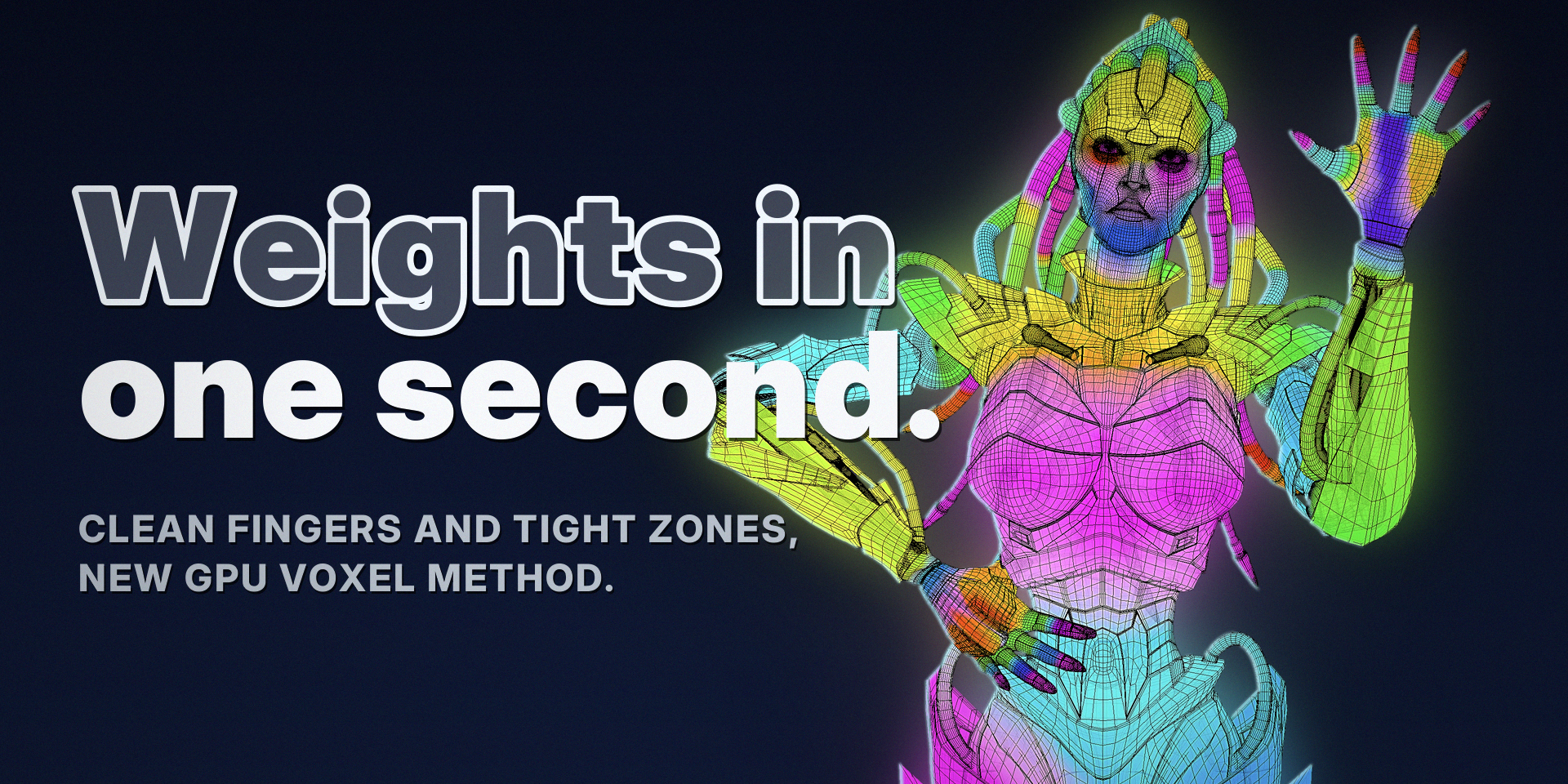
Volumetric auto skinning for Blender 4.2+. Whole rig bound in a second, body plus clothing, fingers included, every vertex weighted even on messy overlapping meshes. GPU-powered. For riggers, character artists, game devs.
Categories
Tags
Installation
- Download Adaptive Auto Skinning and check which Blender versions the creator supports. Keep the installable archive (for example,
Adaptive_Auto_Skinning.zip) intact. If the download is a bundle, extract it first to find the add-on archive. - In Blender, go to Edit → Preferences → Add-ons. In Blender 4.2 and newer, open the top-right menu and choose Install from Disk. In older versions, click Install….
- Select the add-on archive (for example,
Adaptive_Auto_Skinning.zip) or its standalone.pyfile and confirm the installation. - Find the add-on in the Add-ons list and tick its checkbox if it isn’t already enabled.
Check the creator’s instructions for any extra setup, such as dependencies or license activation.
Compare with other products
Choose a category to find products to compare with this listing.
Variants
-
Adaptive Auto Skinning + Voxel Weight Transfer published
Price: $38.25 · List price: $45.00 · On sale
Variant versions
-
1.5.7 published
Created Nov 12, 2026 · Published Nov 12, 2026
Release notes (source)
<ul><li>Only Selected works on Rigify and ARP rigs</li><li>Existing Weights (Keep / Replace / Clear)</li><li>Better Multicolor Weight Paint</li><li>Skinning Fixes</li><li>Performance Improvement</li><li>Blender 5.3 package</li></ul>
-
-
Adaptive Auto Skinning published
Price: $29.75 · List price: $35.00 · On sale
Variant versions
-
1.5.7 published
Created Nov 12, 2026 · Published Nov 12, 2026
Release notes (source)
<ul><li>Only Selected works on Rigify and ARP rigs</li><li>Existing Weights (Keep / Replace / Clear)</li><li>Better Multicolor Weight Paint</li><li>Skinning Fixes</li><li>Performance Improvement</li><li>Blender 5.3 package</li></ul>
-
Product versions
-
1.5.7 published
Created Nov 12, 2026 · Published Nov 12, 2026
Release notes (source)
<ul><li>Only Selected works on Rigify and ARP rigs</li><li>Existing Weights (Keep / Replace / Clear)</li><li>Better Multicolor Weight Paint</li><li>Skinning Fixes</li><li>Performance Improvement</li><li>Blender 5.3 package</li></ul>
-
1.5.2 published
Created Oct 26, 2026 · Published Oct 26, 2026
Release notes (source)
<ul><li>Support Joint Rigs</li><li>New UI</li><li>Better faces</li><li>Fixes</li></ul>
-
1.4.11 published
Created Oct 15, 2026 · Published Oct 15, 2026
Release notes (source)
<p>- Reworked Only Selected Bone behaviours</p><p>- New Replace Weight option when Only Selected Bone is selected</p><p>- Fixed binding with some Solidify, Mask, Cloth</p><p>- Interface in Japanese/Chinese/Korean</p><p>- Performance improvement</p>
-
1.4.4 published
Created Sep 25, 2026 · Published Sep 25, 2026
Release notes (source)
<p><br></p>
-
1.4.3 published
Created Sep 24, 2026 · Published Sep 24, 2026
Release notes (source)
<p><br></p>
-
1.4.2 published
Created Sep 23, 2026 · Published Sep 23, 2026
Release notes (source)
<p><br></p>
-
1.3.7 published
Created Sep 7, 2026 · Published Sep 7, 2026
Release notes (source)
<ul><li>Fixed vertices only scope</li><li>Performance optimisations</li><li>New null params for bind (fix ARP)</li></ul>
-
1.3.6 published
Created Sep 5, 2026 · Published Sep 5, 2026
Release notes (source)
<ul>
<li>Increased bone zone for bones that don't penetrate the mesh (cape)</li>
<li>Added parameters to bind function for ARP</li>
<li>Performance optimisations</li>
<li>Removed RAM security check (should not be necessary anymore)</li>
</ul>
-
1.3.4 published
Created Sep 2, 2026 · Published Sep 2, 2026
Release notes (source)
<ul><li>Fixed "elastic" knees and elbows</li><li>Cancel now fully stops the computation</li><li>Security check/early abort if too many voxels for the machine</li><li>Error message in modal when bind fails</li><li>Better explanations for resolution</li><li>Better finger identification</li><li>Perf improvement</li></ul>
-
1.3.2 published
Created Aug 28, 2026 · Published Aug 28, 2026
Release notes (source)
<ul><li>Better organic deformations</li><li>Bind from Pose mode and Weight Paint</li><li>Fill interior (decrease performances but prevent bugs)</li><li>New smooth method</li><li>Less parasite voxels</li></ul>
-
1.2.5 published
Created Aug 18, 2026 · Published Aug 18, 2026
Release notes (source)
<p>- fix animation + weight paint in multicolor overlay</p>
-
1.2.4 published
Created Aug 17, 2026 · Published Aug 17, 2026
Release notes (source)
<ul><li>More supported hand type</li><li>Multicolor: Fix undo/redo, normalised stripe width, white stripe instead of full white mode, subdivision/original mode, improved wireframe mode, optimisations</li><li>UI improvements</li></ul>
-
1.2.3 published
Created Aug 13, 2026 · Published Aug 13, 2026
Release notes (source)
<p>- Multicolor: fixed modifier + anim, three active-bones modes, no more base weight-paint under the overlay</p><p>- Fix "Only Selected Bones" now ignores masking/shape-key vertex groups</p>
-
1.2.2 published
Created Aug 9, 2026 · Published Aug 9, 2026
Release notes (source)
<ul><li>Only selected bones keeps other bones and vertex normalisation intact</li><li>Multicolor overlay follows animation and any deformer</li><li>Multicolor button toggle off</li><li>Clearer errors</li><li>Voxel debug show in Material/Rendered </li></ul>
-
1.2.1 published
Created Jul 30, 2026 · Published Jul 30, 2026
Release notes (source)
<p><b><i>Please restart Blender after reinstallation</i></b></p><ul><li>Collection scope for Mesh and Bone</li><li>Fixed discontinued bones</li></ul>
-
1.2.0 published
Created Jul 29, 2026 · Published Jul 29, 2026
Release notes (source)
<p><b><i>Please restart Blender after installation</i></b></p><ul>
<li>Attach and skin any selected mesh in one click even without any existing armature modifier</li>
<li>Skin progress bar with % and ETA</li>
<li>Better finger separation on self intersecting fingers</li>
<li>Less weight bleeding between parts</li>
<li>Settings panel redesign</li>
<li>Smoothing control</li>
<li>Optimisations</li>
<li>Fix Bone Scope</li>
<li>Minor fixes and improvements</li>
</ul>
-
1.1.0 published
Created Jul 24, 2026 · Published Jul 24, 2026
Release notes (source)
<div><span style="font-weight:700;">Please restart Blender after each Adaptive Auto Skinning update.</span></div><div><br></div><ol>
<li>Improve deformations on mixed voxel size zones</li>
<li>Decrease fingers weight bleeding</li>
<li>Optimisations</li>
<li>Only selected mesh scope</li>
</ol><div><br></div>
-
1.0.2 published
Created Jul 20, 2026 · Published Jul 20, 2026
Release notes (source)
<div><b>Please restart Blender after each Adaptive Auto Skinning update.</b></div><div><br></div><ol>
<li>Comfort update: Live progress, Cancel Skinning and Help panel</li>
<li>Force CPU mode</li>
</ol>
-
1.0 published
Created Jul 14, 2026 · Published Jul 14, 2026
Release notes (source)
<p>Initial Release</p>