Parametric Pilot
- Creator
- GUSTAVO ADOLFO GARCIA NOVA
- Price
- From $4.99
- List price
- Not listed
- Sale status
- Not listed
- Published
Listing description
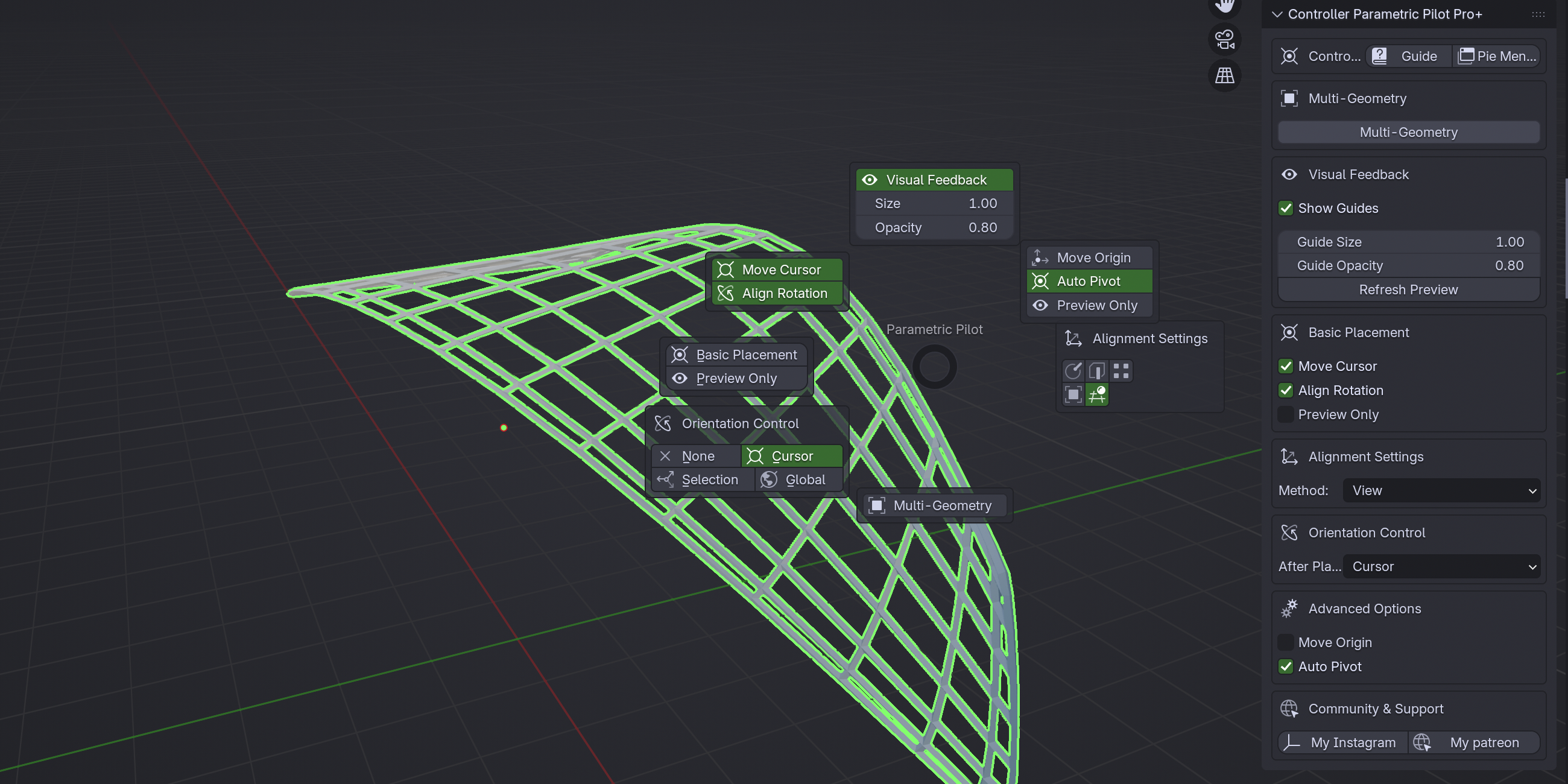
🚀 “Controller Parametric Pilot Pro+ Add-on Description” ℹ️ General Info - Name: Controller Parametric Pilot Pro+ - Author: Arq. Gustavo García - Version: 1.0.1 - Compatibility: Blender 4.4.0 - Location: 3D View Sidebar > **Parametric Pilot** Tab 🎯 “Core Features” This add-on is an advanced parametric control tool that enables: 1. 📌 Precision Pivot Placement 2. 🔄 Multi-Geometry Support (works across multiple objects) 3. 🧭 Smart Orientation Control (multiple alignment methods) 4. 👁️ Visual Feedback (interactive guides) 5. 🔄 Curve & Mesh Support 🔥 Key Features 🎯 Placement System - ✏️ Move 3D Cursor to calculated positions - 🖱️ Manual Position Adjustment (drag & arrow key fine-tuning) - ⚙️ Origin Control (move object origins) - 👀 Preview Mode (test before applying) 🧭 Alignment Methods - 📐 Normal-Based (surface alignment) - 🔷 Edge-Based (follows edge direction) - 🌍 Global Z (best Z-axis alignment) - 📦 Object Axes (align to object orientation) - 👁️ View-Based (matches current viewport) 👁️ Visual Guides - 🎨 Customizable Display (size & opacity controls) - 📊 XYZ Axis Visualization - ⭕ Orientation Circles 🌍 Multi-Language Support - 🇺🇸 English - 🇪🇸 Spanish - 🇷🇺 Russian - 🇨🇳 Chinese 🖥️ UI & Workflow - 📋 Main Panel (sidebar controls) - 🥧 Pie Menu (quick access via “Shift+S”) - 📖 Quick Start Guide (in add-on preferences) - 🎛️ Interactive Controls (real-time adjustments) ⚙️ Tech & Implementation - 🔧 Custom Blender Properties - 🖥️ GPU Rendering (for visual guides) - 🌐 Dynamic Translation System - 🛠️ BMesh Geometry Manipulation - 🎯 3D Raycasting** (interactive positioning) 💡 Use Cases - 🎨 Precision Modeling - ⚡ Fast Object Alignment - 🤖 Rigging & Control Systems - 📷 Camera/Light Placement - 🎓 3D Transformation Learning Tool 🔗 Links & Support - 📸 Instagram: [@gustavo_a_garcia_nova](https://www.instagram.com/gustavo_a_garcia_nova/) - 💖 Patreon: [Support & Premium Features](https://www.patreon.com/preview/campaign?u=160453023&fan_landing=true&view_as=public) Perfect for 3D artists & technical users who need precise object control in Blender! 🚀
Published variants
- Parametric Pilot · Price: $4.99 · List price: $4.99
